
AI Website Building: 12 Critical Mistakes to Avoid
Table of Contents
AI website building tools have made it easier than ever for businesses across Northern Ireland, Ireland, and the UK to get online quickly. Enter a few prompts, pick a template, and within hours, you’ve got something that looks like a website. The problem is that “looks like a website” and “performs like a website” are two very different things.
Most AI website-building projects fail not because the technology is poor, but because business owners trust the output too much. From neglected SEO fundamentals and generic copy to UK-GDPR gaps and mobile responsiveness failures, the same dozen mistakes appear again and again. This guide covers each one and gives you practical steps to fix it before it costs you rankings, enquiries, or legal exposure.
If you’d like a professional review of your AI-generated site, our web design services page explains how we close the gap between what the AI produced and what your business actually needs.
Why AI Website Building Needs Human Oversight
AI website-building tools are genuinely useful. They compress weeks of design and development work into hours, and for early-stage businesses or landing page testing, they’re a reasonable starting point. But they have a fundamental limitation: they’re trained on what exists, not on what works for your specific business, audience, or location.
The tools can’t verify whether your checkout flow completes on a Samsung Galaxy in Belfast. They don’t know that your target customer in Northern Ireland uses a different search language from someone in London, or whether your contact form meets UK-GDPR requirements. Every one of those gaps is where businesses lose visitors, enquiries, and rankings.
The twelve mistakes below fall into four categories: design and brand identity, technical SEO, legal compliance, and content quality. Most businesses hit at least six of them when they publish an AI website building project without a structured review. Knowing what to look for means you can fix it before it costs you.
Design and Branding Mistakes in AI Website Building
The first thing visitors notice is whether your site feels like your business. AI website building tools generate layouts based on generic inputs, and the gap between a plausible design and a brand-aligned one is usually obvious to anyone who knows your company. Brand identity is one of the first casualties of publishing too quickly.
1. Accepting Default Layouts and Placeholder Content
AI website-building platforms provide placeholder structures to get you started. The mistake is treating those structures as finished. Generic headings like “Welcome to Our Company”, stock imagery used across thousands of other sites, and page layouts that prioritise the template over your actual services all signal to visitors and to search engines that the content wasn’t created with them in mind.
Your brand identity won’t come through in the default output. AI tools don’t know your tone, your proof points, or the language your customers actually use. Before you write a single prompt, you’ve got to give the tool something specific to work with.
Fix it: Write a one-page brief listing your three most important messages, your top two services, and one piece of evidence that backs up each claim. Use that brief for every page. Replace all stock images with photographs of your team, premises, or real client work.
2. Skipping Mobile Responsiveness Testing
Mobile responsiveness is one of the areas where AI website-building tools create the most false confidence. Builders generate “responsive” layouts, but a layout that’s technically responsive and one that’s genuinely usable on a real device are not the same thing. Buttons placed too close together for a thumb, font sizes that render too small on a mid-range Android phone, contact forms that collapse on a 5.5-inch screen: these are common AI website-building outputs that have never been tested on physical hardware.
The commercial cost is real. Google’s page experience signals include Core Web Vitals measured on mobile, and a site with poor mobile responsiveness will see its ranking potential capped regardless of how strong its content is. For Northern Ireland businesses, where mobile traffic often accounts for more than half of all site visits, this isn’t a minor detail.
Fix it: Test your site on at least three physical devices. Use Chrome DevTools to simulate additional screen widths. Build a simple checklist of critical user journeys, including product purchase, form submission, and telephone number click, and walk through each one on mobile before you publish.
3. Failing to Customise Brand Identity
Brand identity is built from colour, typography, imagery, and tone. AI website building tools pick defaults based on sector keywords. If you entered “accountancy firm Belfast”, you likely got navy blue and a sans-serif font that’s identical to dozens of other firms your potential clients have already seen online.
Weak brand identity on an AI-built site is harder to fix after publishing than before it. Visitors who encounter your site across multiple touchpoints expect the same visual identity each time. If your AI website-building output uses different fonts and colours from your printed materials or social profiles, you’re creating confusion rather than recognition.
Fix it: Provide your exact hex codes and font names before generating any AI output. If you don’t have a brand guide, create a one-page reference covering primary colour, secondary colour, heading font, and body font. Apply it consistently across every generated page before you go live.
Technical SEO Debt from AI Website Building
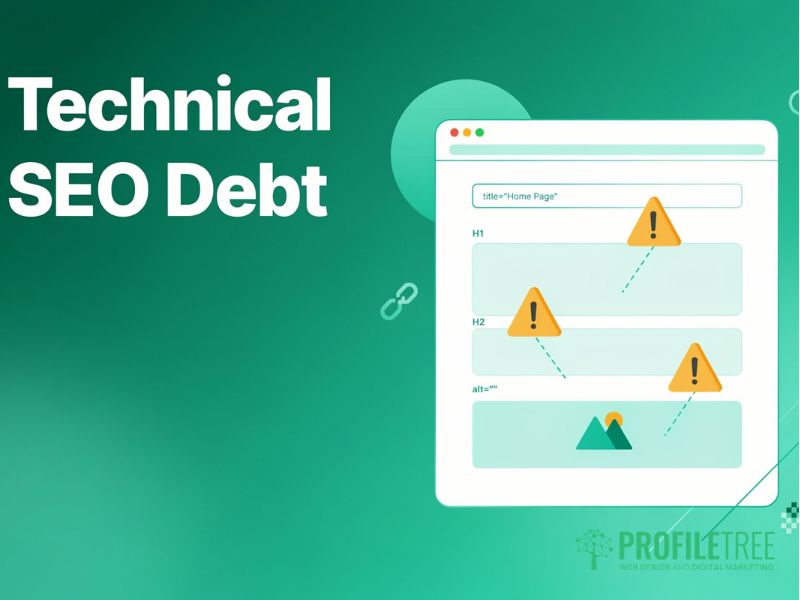
This is where AI website building causes the most long-term damage, and where businesses don’t notice until months after publishing. SEO fundamentals are either present or absent on day one: there’s no middle ground. If you build on a broken technical base, content investment won’t save you.
4. Overlooking SEO Fundamentals
AI website building platforms rarely produce optimised SEO fundamentals by default. Page titles default to “Home – Company Name.” Meta descriptions are absent or auto-generated. Heading structures misuse H1 tags or skip levels. Image filenames stay as IMG00023.JPG with no alt text. These are SEO fundamentals that search engines expect on every page, and an AI website builder won’t add them without manual input.
For Northern Ireland and Irish businesses, the location signal matters enormously. A web design firm in Belfast that publishes a site with no location-specific content in titles, headings, or body text won’t rank for “web design Belfast.” Getting these SEO fundamentals right takes less than an hour per page; ignoring them costs months of lost rankings.
Fix it: For every page, write a title tag under 60 characters that includes your primary keyword. Write a meta description under 155 characters. Check that each page has exactly one H1 tag. Add descriptive alt text to all images. Our search engine optimisation service applies these corrections as a standard first step for businesses whose AI website-building project needs a technical lift.
5. Bloated Code and Core Web Vitals Failures
AI website building tools generate code, and often far too much of it. Unused CSS, redundant JavaScript libraries, improperly nested heading levels, and DOM structures ten layers deep are common in AI website building outputs. Each one creates a ceiling on technical performance that content alone can’t overcome.
Core Web Vitals measure Largest Contentful Paint, Interaction to Next Paint, and Cumulative Layout Shift. AI-generated sites frequently fail Core Web Vitals benchmarks because they load uncompressed images and shift elements as scripts load. Both affect rankings directly. If your AI website building output scores below 50 on PageSpeed Insights for mobile, that’s a Core Web Vitals problem that needs addressing before content investment will pay off.
Fix it: Run your site through Google PageSpeed Insights before publishing. Address any critical issues it flags, particularly around image compression and render-blocking resources. If the platform doesn’t allow code access, consider migrating to a system that does before investing further in content.
6. Missing or Incorrect Metadata Across Key Pages
Beyond SEO fundamentals, AI website building tools often produce metadata that’s technically present but commercially useless. Open Graph tags may pull a generic image. Canonical tags may be absent, causing duplicate content issues if the same content appears at multiple URLs. These gaps are invisible to visitors but visible to Google’s crawler.
Fix it: Use a crawling tool such as Screaming Frog to audit your metadata across every page on a free trial. Prioritise your homepage, service pages, and any page you expect to drive enquiries. Check that each has a unique title, a unique meta description, and a correct canonical tag.
Quick reference: AI default versus professionally reviewed
| Element | AI default | After professional review |
|---|---|---|
| Title tags | Generic or missing | Keyword-specific, under 60 chars |
| Mobile responsiveness | Technically responsive; not device-tested | Tested on real hardware, all paths verified |
| Core Web Vitals | Often fails mobile benchmarks | Compressed images, deferred scripts |
| UK legal compliance | Absent or template only | UK-GDPR compliant, accessibility checked |
| Brand identity | Sector default colours and fonts | Exact palette, verified consistency |
| SEO fundamentals | Default or absent metadata | Unique titles, meta, alt text, canonicals |
UK Legal and Compliance Gaps in AI Website Building
This is the section most AI website-building guides leave out entirely. UK-based businesses operate under a specific legal framework, and AI website-building tools built primarily for the US markets don’t implement UK requirements by default. Getting this wrong isn’t just an SEO risk; it’s a legal one.
7. Ignoring UK-GDPR and Cookie Consent Requirements
The UK retained GDPR as domestic law after leaving the EU, and the Information Commissioner’s Office enforces it independently. Any AI website building output that collects personal data from UK visitors, including standard analytics cookies, must have a compliant privacy policy, a cookie consent mechanism that meets the ICO’s guidance, and a clear record of what data is collected and how it’s stored.
AI website builders may include a basic UK-GDPR privacy policy template or a cookie banner. Whether that template meets the ICO’s current requirements is something you need to verify, not assume. A generic US-market privacy policy won’t cover your UK legal obligations, and a cookie banner that doesn’t offer genuine granular choice won’t satisfy the ICO’s guidance on valid consent.
Fix it: Have your privacy policy reviewed by a UK-qualified solicitor or privacy specialist, particularly if you process customer data or use third-party analytics. Implement a cookie consent manager that gives visitors genuine choice, not just a dismiss button. Treat UK-GDPR compliance as a publish blocker, not an afterthought.
8. Failing Accessibility Requirements Under the Equality Act 2010
The Equality Act 2010 requires that businesses providing goods and services in the UK make reasonable adjustments for disabled users. For websites, this means the site needs to be usable by people with visual, motor, auditory, or cognitive impairments. AI website building tools frequently produce colour contrast ratios that fail WCAG 2.1 AA guidelines, interactive elements without keyboard navigation, and form fields without proper labels.
None of these is an intentional output. They’re simply what happens when a system optimises for visual appearance rather than inclusive design. Mobile responsiveness testing and accessibility testing often catch the same issues, since the adjustments needed for smaller screens frequently overlap with those needed for assistive technology.
Fix it: Run your site through a free accessibility checker such as WAVE or Axe before publishing. At minimum, confirm all images have descriptive alt text, all form fields have labels, interactive elements can be reached by keyboard, and colour contrast ratios meet the 4.5:1 minimum for body text.
For organisations that need structured accessibility support, our web development services include technical audits covering both performance and compliance requirements.
Content and Trust Mistakes in AI Website Building
Even if the technical and legal foundations of your AI website-building project are sound, the site can still fail commercially if the content doesn’t build trust. Google’s E-E-A-T framework evaluates Experience, Expertise, Authoritativeness, and Trustworthiness as real ranking inputs, and AI-generated content tends to score poorly on every dimension without human editing.
9. Over-reliance on AI-Generated Copy
AI website building tools generate fluent, grammatically correct text. They also generate text that could have been written for any competitor in your sector. When every business in a market uses the same underlying model to produce its service descriptions, the result is a web of near-identical pages that tell search engines nothing distinctive and tell visitors nothing credible.
Google’s Helpful Content guidance specifically evaluates whether content demonstrates first-hand experience. An AI website building output that describes your services without a single real example, specific measurement, or concrete detail will struggle to rank against a competitor who’s written about real projects, real clients, and real outcomes. The E-E-A-T problem with AI-generated copy isn’t that it’s AI-generated; it’s that it’s generic.
Fix it: Use AI-generated text as a structural first draft, then rewrite every paragraph that makes a claim you can’t verify. Replace generic benefit statements with specific proof points. Add at least one real example to every service description. Include your genuine professional experience, even briefly.
10. Underusing E-E-A-T Signals
AI website-building platforms don’t add E-E-A-T trust signals automatically. Author bios, professional credentials, team photographs, case studies, third-party reviews, and named client testimonials all have to be added by hand. Without them, the site reads as anonymous. E-E-A-T matters because anonymous sites are harder to rank in competitive markets and harder for visitors to trust, regardless of rankings.
For Northern Ireland and Irish businesses, local E-E-A-T signals matter particularly. A Belfast accountant who displays their Chartered Accountants Ireland membership, includes photographs of their office, and publishes a genuine testimonial from a named local client has a demonstrably stronger E-E-A-T profile than a site that lists identical services with stock photography and generic copy.
“We see this regularly with businesses that come to us after launching with an AI builder,” says Ciaran Connolly, founder of ProfileTree. “The platform did its job: it gave them a functional site in a fraction of the time. What it couldn’t do was add the genuine credibility signals that search engines and real customers both look for. That’s the human work that makes the difference.”
11. Neglecting Interactive Elements and Form Testing
AI website building tools generate contact forms, booking widgets, and checkout flows. They don’t test them. A form that submits silently without confirming delivery, a checkout that fails on a Northern Ireland postcode, or a call-back widget that sends enquiries to an unmonitored inbox: all of these happen regularly on AI website building projects that were published without functional testing.
The mobile responsiveness issue applies here, too. A form that works on a desktop may not complete correctly on a phone. If you’ve got a Northern Ireland postcode or an Irish Eircode, test those specifically; AI website building platforms designed for US or mainland UK markets sometimes handle non-standard postcode formats incorrectly.
Fix it: Process at least one complete transaction through every interactive element before publishing. Check that form submissions arrive in the correct inbox and trigger any expected automated responses. Check the same flows on at least two different mobile devices.
12. The Launch-and-Forget Mindset
AI website building makes launching fast. That same speed can create a false sense that the work is finished. Sites that aren’t updated regularly lose ground to competitors who treat their web presence as an ongoing asset. Content stagnates, security vulnerabilities accumulate, and pages that ranked adequately on launch begin to slide as fresher, deeper content pushes them down.
Google’s own documentation on freshness signals confirms that pages updated with materially new information are treated differently from those that remain static. For AI website building projects, this means establishing a structured review schedule from day one: quarterly at minimum, monthly for high-traffic pages. The SEO fundamentals you set on launch also need revisiting as your service offering evolves.
Our website hosting and management service includes scheduled performance and content reviews so that AI website building projects are maintained as active business tools rather than static brochures.
What Good AI Website Building Actually Looks Like
The twelve mistakes above aren’t reasons to avoid AI website building entirely. There are reasons to use it correctly. The businesses that get the best results treat AI as a production tool: it handles the mechanical work of generating structure and layout, while human decisions drive content, compliance, brand identity, and commercial alignment. An AI-built site that’s been properly reviewed will outperform one that hasn’t.
A practical five-phase approach works consistently:
Phase 1: Brief. Define your primary keyword per page, your target location, your key proof points, and your one conversion goal. Do this before opening any AI website-building tool.
Phase 2: Generate. Use the AI tool to build the structural skeleton. Accept nothing as final at this stage.
Phase 3: Review. Work through the twelve mistakes in this guide. Check SEO fundamentals, mobile responsiveness, brand identity, Core Web Vitals, UK-GDPR compliance, and E-E-A-T signals. Fix each one before moving to the next.
Phase 4: Test. Check every interactive element on multiple devices. Verify all forms, checkouts, and links.
Phase 5: Maintain. Set a quarterly review schedule. Treat the site as a living asset, not a finished project.
ProfileTree works with businesses across Northern Ireland, Ireland, and the UK who’ve launched with AI builders and need to close the gap between what the platform produces and what their business requires. Our digital strategy service starts with a structured audit of your current site against exactly the criteria covered in this guide.
For businesses that want ongoing support after their AI website building project launches, our digital training service covers AI tools, SEO fundamentals, and content strategy in a format designed for SMEs.
FAQs
1. Is AI-generated content bad for SEO?
AI-generated content isn’t automatically penalised by Google; what’s penalised is content that provides no genuine value, says nothing distinctive, and reads identically to dozens of competitors. Google’s Helpful Content guidance evaluates whether content demonstrates first-hand knowledge, so AI-generated text that’s been properly edited and grounded in real experience can rank well. The SEO fundamentals of title tags, metadata, and heading structure still need to be applied manually in most AI website-building platforms, regardless of how good the copy is.
2. Are AI website builders UK-GDPR compliant?
An AI website builder platform may be GDPR compliant for how it stores your account data, but that’s separate from whether the site it produces meets UK-GDPR obligations for your visitors. Cookie consent mechanisms, privacy policies, and data processing records are your legal responsibility as the site operator, not the platform’s. Don’t assume UK-GDPR compliance comes built in to your AI website building tool; have your privacy policy reviewed by a UK-qualified specialist before publishing.
3. Can I rank an AI-built website on Google?
Yes, but only if the AI-built site meets the same technical and content standards required of any website. Ranking requires unique, genuinely useful content; correct SEO fundamentals, including metadata, heading structure, and mobile responsiveness; and a pattern of authority-building over time. An AI-built site that relies on raw AI website-building output alone, without human review, rarely ranks in competitive markets.
4. What is the biggest technical risk with AI website builders?
Code bloat and Core Web Vitals failures are the most damaging technical problems from AI website building, because an AI website builder generates far more CSS, JavaScript, and HTML than a lean custom build requires, which raises load times and reduces scores directly. Poor mobile responsiveness and missing SEO fundamentals are the other two issues most commonly found in AI website building audits. For competitive Northern Ireland markets, all three of these problems affect rankings from day one.
5. How do I make my AI-built website look unique?
Replace all stock photography with original images of your team, premises, or real work, and apply your specific brand identity, including exact hex codes and typography, rather than the AI website builder defaults. Rewrite all body copy to include details, examples, and language that could only apply to your business, with genuine team profiles and local context for your area. These changes take time, but they’re the difference between an AI-built site that looks generic and one that communicates a real business with real credibility.