
Google Tag Manager: A Strategic Guide to SME Implementation
Table of Contents
Most SME marketing managers hear “Google Tag Manager” and assume it’s a developer’s job. It isn’t. Google Tag Manager is a free platform that lets you add, edit, and manage tracking code on your website without directly touching the site’s source code. Once a developer installs a single container snippet, everything else, analytics tags, conversion tracking, remarketing pixels, and event triggers, is managed through a web interface that you can operate yourself.
This guide explains how Google Tag Manager works, how to set it up, and why it matters as the foundation for SEO, paid advertising, and AI-driven marketing. It also covers the UK compliance angle that most guides ignore entirely.
What is Google Tag Manager and How Does it Differ from Google Analytics?
Google Tag Manager (GTM) is a tag management system. It acts as a container on your website that holds and fires tracking code on your behalf. Google Analytics, by contrast, is a reporting platform. The two tools serve different functions, and you need both.
A simple way to understand the relationship: Google Analytics is where you read your data. Google Tag Manager is how that data gets collected and sent there in the first place.
Without GTM, adding or changing any tracking code requires a developer to edit your site’s files. With GTM in place, a marketing manager can deploy a Facebook Pixel, set up a conversion event for a form submission, or add a LinkedIn Insight Tag in a short time, with no code changes to the site itself.
This distinction matters for SMEs across Northern Ireland, Ireland, and the UK because it removes the bottleneck between marketing decisions and technical execution. You should not need a developer every time you want to test a new ad platform or add a conversion goal.
| Tool | Purpose | Who manages it |
|---|---|---|
| Google Tag Manager | Deploys and manages tracking code | Marketing manager (after initial setup) |
| Google Analytics 4 | Stores, processes, and reports on data | Marketing manager |
| Global Site Tag (gtag.js) | Google’s older single-tag alternative to GTM | Usually developer-managed |
The comparison above matters because “GTM vs Global Site Tag” is a question many SMEs face when setting up GA4. GTM is the recommended approach for any business running multiple tracking tools, as it consolidates all scripts into a single place and reduces code bloat.
Tags, Triggers, and Variables: The Core Components
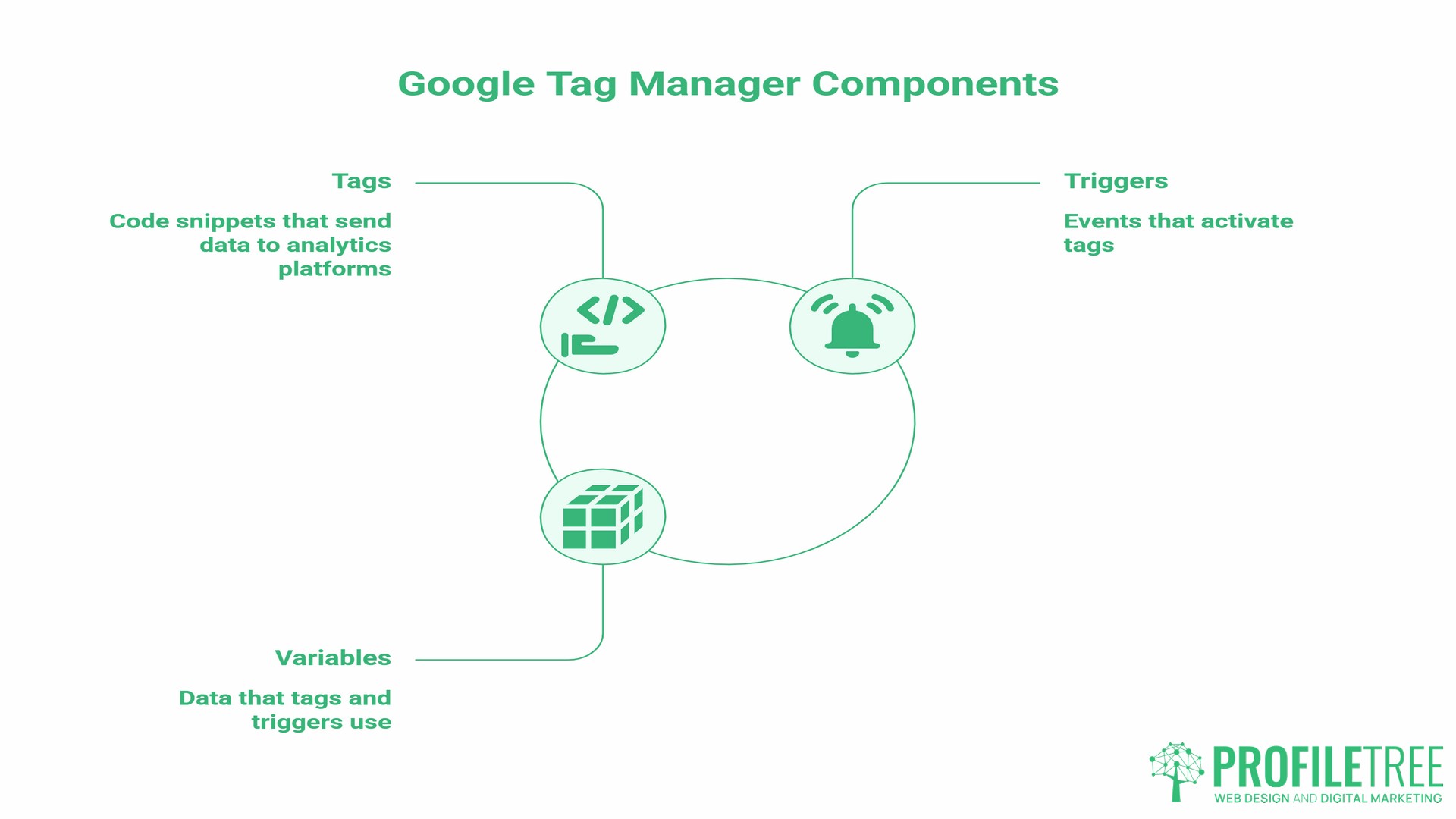
Every action in Google Tag Manager comes down to three things.
- Tags are the snippets of code that send information somewhere. A GA4 configuration tag sends page view data to Google Analytics. A Facebook Pixel base code tag sends visitor data to Meta. A Google Ads conversion tag records when someone completes a purchase or submits a form.
- Triggers tell a tag when to fire. You might set a trigger to fire the GA4 tag on all pages, or a conversion tag only when a visitor lands on a “thank you” page after submitting a contact form. Triggers work based on events: page views, clicks, form submissions, scroll depth, timer intervals, and more.
- Variables supply the information that tags and triggers need. A built-in variable might be “Page URL” or “Click Text.” A user-defined variable might capture the value of a specific form field, or hold your GA4 Measurement ID so you only type it once and reference it everywhere.
A practical example for a Belfast service business: a visitor clicks the “Get a Quote” button. The click trigger fires a GA4 event tag (“quote_button_click”) and simultaneously fires a Google Ads conversion tag. Both receive data from variables that have already stored the relevant IDs. One click by the visitor, two pieces of tracking data collected, no page reload required, and no developer involvement.
This kind of granular event tracking is what makes digital marketing strategy decisions evidence-based rather than guesswork.
How to Set Up Google Tag Manager Step by Step
Step 1: Create a GTM account
Go to tagmanager.google.com and sign in with a Google account. Click “Create Account.” Enter your company name as the account name and select your country. For the container, use your website’s domain name and select “Web” as the target platform. Click “Create” and accept the terms.
Step 2: Install the container snippet
GTM gives you two code snippets. The first goes in the <head> section of every page, as high up as possible. The second goes immediately after the opening <body> tag. On WordPress, use a plugin such as Google Site Kit or insert the code directly into your theme’s header file. Once the snippets are live, every tag you create in GTM fires on your site.
Step 3: Add your first tag, GA4 Configuration
In GTM, go to Tags and click “New.” Select the Google Analytics: GA4 Configuration tag type. Enter your GA4 Measurement ID (found in GA4 under Admin > Data Streams). Set the trigger to “All Pages.” Name the tag clearly, for example, “GA4 to Configuration to All Pages.” Save and move to the preview step.
Note: the original version of this article referenced Universal Analytics. Google shut down Universal Analytics in July 2023. All new GTM implementations should use GA4 tags.
Step 4: Test using Preview mode
Before publishing anything, click “Preview” in the top right of GTM. Enter your website URL. GTM opens a debug window alongside your site, showing which tags fired on each page and which triggers activated them. Check that your GA4 tag fires on every page. If it does not fire, check the trigger configuration.
Google Tag Assistant, a Chrome extension, provides additional validation and can confirm that GA4 is receiving data correctly.
Step 5: Publish the container
Once tags are verified, click “Submit” in GTM. Add a version name (for example, “GA4 Setup to May 2026”) and a brief description. Click “Publish.” The tags are now live. GTM saves this as Version 1. Every subsequent change creates a new version, giving you a complete audit trail and the ability to roll back if something goes wrong.
GTM as the Foundation for SEO and Paid Advertising
Clean, accurate tracking data is not a nice-to-have. It is the input that determines whether your SEO and paid advertising decisions are correct or based on noise.
For SEO, GTM lets you track micro-conversions that basic GA4 setups miss. Scroll depth events show whether visitors are reading your content or bouncing immediately. Click events on internal links reveal which anchor text actually drives navigation. Form abandonment tracking shows which field visitors abandon. These data points inform content marketing decisions and tell you which pages are doing their job.
GTM is also used to deploy structured data (schema markup) without developer involvement. While this is an advanced use case, it means a marketing manager can add FAQ schema or breadcrumb markup to specific pages via a Custom HTML tag, supporting the rich result visibility SEO depends on.
For paid advertising, the impact is more direct. Google’s Smart Bidding algorithms, Meta’s Advantage+ campaigns, and LinkedIn’s automated targeting all rely on event data to optimise towards the right outcomes. A business running Google Ads with only a basic page view tag is asking the algorithm to optimise with minimal information. A business with GTM-managed conversion tags for form submissions, phone clicks, and quote requests gives the algorithm meaningful signals to work with.
The practical difference shows up in cost per lead. Smart Bidding cannot improve without accurate conversion data. GTM is what provides it.
For SMEs looking to maximise ROI from digital marketing campaigns, getting the tracking foundation right before spending on ads is the most cost-effective step.
Google Consent Mode v2 and UK GDPR Compliance
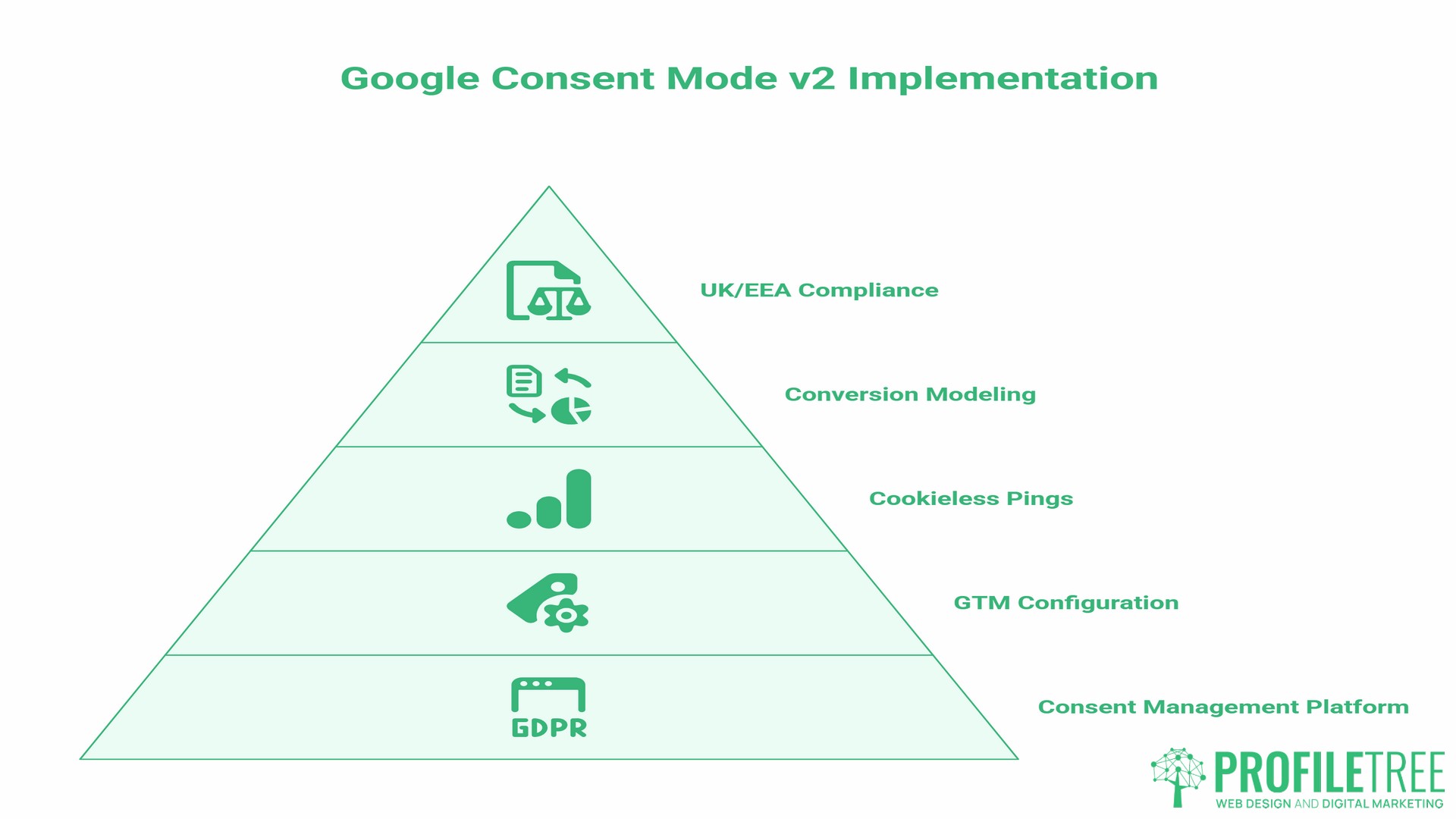
This section addresses a gap that almost every GTM guide written outside the UK ignores. If your website has visitors from the UK or EEA, your GTM implementation must work correctly alongside your cookie consent solution. Getting this wrong is not just a technical inconvenience; it creates legal exposure under the UK GDPR and the Privacy and Electronic Communications Regulations (PECR).
What Consent Mode v2 does
Google Consent Mode v2 is a mechanism that tells Google tags whether a visitor has given consent for analytics and ad personalisation cookies. When consent is not given, tags do not fire with full data. Instead, they fire in a “cookieless ping” mode that sends limited, aggregated signals without personal identifiers. This allows Google to model conversion data while respecting users’ choices.
From March 2024, Consent Mode v2 became a requirement for UK and EEA advertisers who want to use Google Ads features, including Smart Bidding and audience targeting. Businesses without it enabled lose access to modelled conversion data and see gaps in their reporting.
How to implement it via GTM
Consent Mode v2 requires a cookie consent platform (CMP) that supports Google’s Consent Mode API. Widely used options in the UK market include CookieYes, OneTrust, and Cookiebot. These platforms inject the consent signals into your site’s data layer before GTM fires any tags.
In GTM, you configure consent settings on each tag. Tags can be set to wait for consent before firing, or to fire in basic mode (cookieless) when consent is denied. The sequence matters: the CMP must load and register consent signals before GTM fires any advertising or analytics tags.
For a practical guide to UK data privacy obligations that affect your tracking setup, the data protection for online businesses article provides more detail on the regulatory context.
A note for SMEs in Northern Ireland
Northern Ireland businesses that serve customers in the Republic of Ireland or elsewhere in the EEA must comply with both the UK GDPR (administered by the ICO) and the EU GDPR. In practice, the two frameworks are closely aligned, but they are not identical. A CMP configured for EEA compliance will generally satisfy both, but the configuration should be checked against both regimes rather than assumed to automatically cover them.
GTM and AI Marketing Implementation
This is the part of GTM’s role that most guides written before 2024 do not cover.
AI-driven advertising systems, Google’s Performance Max, Meta’s Advantage+, and programmatic buying platforms are not intelligent in isolation. They are pattern-matching systems that optimise based on the quality and quantity of conversion signals they receive. GTM is the mechanism through which those signals are generated and sent.
A GTM container with three basic tags (page view, session start, and a single conversion) gives an AI system three signals to work with. A properly configured GTM container with tags for each meaningful user action, PDF downloads, video plays, form starts, form completions, scroll depth milestones, phone number clicks, chat initiations, gives the same system twenty or thirty signals. The AI has far more data to optimise against.
This is why data quality matters in AI implementation. AI marketing tools do not fix bad data. They amplify whatever patterns exist in it. If your tracking only records page views, your Performance Max campaign learns to generate page views. If your tracking records qualify for completions from visitors in Northern Ireland, your campaign learns to generate those instead.
For businesses moving towards AI-assisted marketing, getting the GTM layer right is the prerequisite step. The AI tooling comes after, not before.
Common GTM Mistakes That Cost SMEs Money
Container bloat
A GTM container with forty tags, many of which are outdated or duplicated, fires more code on every page load than the site needs. This increases page weight and slows load times. Google uses Core Web Vitals as a ranking signal, and a bloated container can contribute to poor Interaction to Next Paint (INP) scores. Audit your container at least twice a year. Remove any tag that has not fired in the past 90 days and has no scheduled future use.
Duplicate tracking
A common issue when sites are relaunched: the old GA4 tag via GTM and a new hardcoded GA4 snippet are both live at the same time. Every page view registers twice. All session counts, conversion rates, and audience sizes are inflated. Before any site migration, document what tracking is currently live and confirm what the new setup replaces.
Firing tags before consent
As covered in the compliance section, any advertising or analytics tag that fires before the visitor has given consent is a potential PECR violation. Check that your consent trigger is set as a prerequisite for every tag that sets cookies.
No naming conventions
A GTM container with tags named “Tag 1,” “New tag to test,” and “Facebook to final FINAL” is unmanageable within six months. Use a consistent naming format from the start: [Tag Type] to [Tool] to [Trigger] to [Page/Scope]. For example: “Event to GA4 to Form Submit to Contact Page.” It takes thirty seconds per tag and saves hours of confusion later.
Testing on a live container
Use Preview mode for every change, without exception. A misconfigured trigger on a conversion tag can wipe out conversion data for days before anyone notices. GTM’s preview environment is a full sandbox; use it every time.
DIY Versus Hiring a GTM Specialist
The honest answer is that Google Tag Manager has a low barrier to entry and a high cost of error.
The initial installation, basic GA4 setup, and standard event tracking are within reach for any marketing manager willing to spend a few hours learning the interface. GTM’s template gallery covers the most common use cases, and Google’s own documentation is thorough.
Where DIY becomes risky: Consent Mode v2 implementation, server-side GTM, custom JavaScript variables, cross-domain tracking, and data layer architecture. These are areas where a configuration error creates either legal exposure or corrupted data, and where the consequences are not always immediately visible.
“The real cost of a poor GTM setup is not the setup itself, it’s the months of marketing decisions made on bad data before anyone realises the tracking was wrong,” notes Ciaran Connolly, founder of ProfileTree.
For SMEs that have outgrown a basic setup, or that are about to relaunch a website and want to migrate their tracking correctly, a one-off audit or implementation project is usually more cost-effective than rebuilding corrupted historical data later. ProfileTree’s digital marketing services cover GTM implementation as part of a broader tracking and analytics strategy.
ProfileTree is a Belfast-based web design and digital marketing agency serving SMEs across Northern Ireland, Ireland, and the UK. For help with GTM implementation, tracking audits, or digital marketing strategy, get in touch with the team.
FAQs
Is Google Tag Manager free?
Yes. Google Tag Manager is free for standard use. There is an enterprise version called Tag Manager 360, part of the Google Marketing Platform, intended for very high-traffic sites with advanced governance requirements. For the vast majority of SMEs, the standard free version is sufficient.
Does GTM replace Google Analytics?
No. Google Tag Manager and Google Analytics are separate tools with different functions. GTM manages and deploys tags. Google Analytics receives and reports on the data those tags send. You need both. GTM is the delivery mechanism; GA4 is the reporting destination.
Do I need a developer to use Google Tag Manager?
You need a developer once to install the container snippet on your site. After that, day-to-day tag management, adding new conversion tags, updating triggers, and deploying pixels for ad platforms, is done through GTM’s web interface without touching any code.
Will GTM slow down my website?
A well-managed GTM container has minimal impact on load times because the container script loads asynchronously; it does not block the rest of the page from rendering while it loads. However, a container with many heavy tags, particularly synchronous custom HTML tags, can add measurable page weight. Keeping the container lean, removing unused tags, and avoiding synchronous firing modes unless necessary keep the performance impact negligible.
What is the data layer?
The data layer is a JavaScript object on your website that temporarily stores information you want to pass to GTM. For example, when a visitor completes a purchase, the data layer might hold the transaction ID, order value, and product names. GTM reads that information and sends it to Google Analytics or your ad platforms. The data layer is optional for basic GTM use but essential for accurate e-commerce tracking and advanced event configurations.
Is Google Tag Manager GDPR compliant?
GTM itself is a neutral container. Its compliance depends entirely on how you configure it. Tags that fire before consent is given, or that pass personal data to third parties without a lawful basis, create GDPR and PECR exposure. Implementing Google Consent Mode v2 alongside a compliant CMP and configuring tags to respect consent signals is what makes a GTM setup compliant. The tool does not enforce this automatically; the configuration is your responsibility.