
Web Security for Site Owners: UK Protection Guide
Table of Contents
Web security for site owners has moved well beyond installing an SSL certificate and hoping for the best. If your site collects personal data, from a contact form to a checkout page, UK law requires you to protect it. Web page security is not an optional extra for UK businesses; it is a legal baseline. The Data Protection Act 2018 and the UK GDPR set specific obligations around website security, and the Information Commissioner’s Office has shown it’s willing to enforce them against businesses of all sizes.
This guide is written for business owners and marketing managers who need practical web security measures without a cybersecurity background. It covers the threats SME sites actually face, what UK and Irish law requires, and a clear seven-step plan to get your site protected. If something is missing from your current setup, you’ll know exactly what to fix by the end.
Why Web Security for Site Owners Is a Business Priority
Most SME owners think about website security only after something goes wrong. That’s understandable: a working site feels safe by default. The problem is that the threats targeting smaller sites today are almost entirely automated. Bots do not care whether your site has 50 visitors a day or 50,000; they’re scanning for weak web security measures continuously, and they find them whether or not you are paying attention.
The business case for web security protection comes down to three things: your legal obligations under UK data protection law, the reputational damage a public breach causes, and the direct financial cost of recovery. Google also factors website security into rankings: sites flagged for malware or phishing are demoted or removed from results entirely. A breach doesn’t just cost money to fix; it can cost you the organic traffic your business depends on.
According to the UK Government’s Cyber Security Breaches Survey, a large share of UK businesses experienced a cyberattack or breach in the past year, with phishing the most common entry point. Treating web security measures as optional is not a defensible position for any business that holds customer data.
The UK Cyber Threats Site Owners Actually Face
Coverage of web security for site owners often focuses on large-scale attacks against banks and government systems. The reality for SME sites is more mundane but no less damaging. The threats you are most likely to encounter are automated, opportunistic, and entirely preventable with the right web security measures in place.
Automated Bot Attacks and Brute Forcing
Bots constantly scan the web for sites running outdated software, common admin URLs, and weak passwords. If running WordPress with default login paths and no two-factor authentication, bots will attempt to log in through credential stuffing: trying thousands of known username and password combinations until one works. This accounts for a large share of small business breaches precisely because it’s cheap to run at scale, and most small sites have no specific web security protection against it.
Protecting against brute force attacks doesn’t require expensive software. Changing your admin login URL, limiting failed login attempts, and enabling two-factor authentication removes most of this risk at almost no cost. These are basic web security measures every site owner can put in place this week.
Supply Chain Attacks Through Plugins and Third-Party Scripts
If your site runs on WordPress, Shopify, or another CMS, you almost certainly use third-party plugins, themes, or scripts. Each of these is a potential entry point. Attackers increasingly target the developers of popular plugins rather than individual sites: one compromised plugin update can affect thousands of websites at once. This is what the industry calls a supply chain attack, and it’s a growing web security concern for SME sites that rely heavily on third-party extensions.
The defence here is straightforward: keep all plugins and themes updated, remove anything you no longer use, and install only from reputable sources. Every unused plugin sitting dormant on your site is a gap in the website security that you’ve forgotten about.
Social Engineering and Credential Theft
Phishing attacks targeting site owners have become more targeted. Rather than generic spam, attackers now send convincing impersonations of your hosting provider, your domain registrar, or Google Search Console, asking you to verify your account or reset your password. Training anyone who manages your site to verify requests through official channels rather than email links is a basic but critical web security measure.
Legal and Regulatory Obligations: What UK Site Owners Must Know
This is the section most web security guides skip entirely. For UK and Irish SMEs, understanding your legal obligations is not optional. A data breach is a legal event with specific reporting timelines and potential financial consequences, which makes good web security measures a compliance requirement.
Data Protection Act 2018 and UK GDPR
The UK GDPR, incorporated into domestic law via the Data Protection Act 2018, requires organisations to implement appropriate technical and organisational measures to protect personal data. The ICO’s guidance makes clear that this includes encryption, access controls, regular software updates, and documented website security policies. If you collect names, email addresses, or payment information and you’re not doing these things, you are not compliant.
Personal data includes anything that can identify a living person: a name combined with an email address qualifies. Even a basic contact form creates a compliance obligation around web page security. The threshold for a reportable breach is whether the incident is likely to result in a risk to the rights and freedoms of individuals. If personal data is exposed, you need to assess that risk honestly and promptly.
The Role of the ICO and the Irish DPC
In the UK, the Information Commissioner’s Office is the supervisory authority responsible for enforcing data protection law. It can issue fines of up to £17.5 million or 4% of global annual turnover for serious breaches. While its largest penalties have targeted major organisations, the ICO has also acted against smaller businesses where the failure to implement basic web security measures was clear and preventable.
For businesses operating in the Republic of Ireland or handling data from Irish residents, the Data Protection Commission (DPC) fulfils the equivalent role. The ICO’s guidance on GDPR-compliant web forms is a practical starting point for any site owner assessing their current web page security against UK GDPR requirements.
Cyber Essentials: The UK Standard You Should Know
Cyber Essentials is a UK Government-backed certification scheme that sets out five fundamental technical controls: firewalls, secure configuration, user access control, malware protection, and patch management. Achieving certification demonstrates to customers and partners that you’ve taken web security seriously. For businesses bidding on UK Government contracts, certification is often a requirement. Even if certification isn’t your goal, aligning your web security measures with the Cyber Essentials framework is one of the most evidence-based approaches available to SMEs.
The 7-Step Web Security Plan for Site Owners
Rather than listing every possible web security measure, this plan focuses on the steps with the greatest impact for SME sites. Work through them in order. Each step builds on the last, and together they address the majority of real-world threats that affect sites like yours.
1. Secure Hosting and Data Residency
Your hosting provider is the foundation of your website security. A cheap shared hosting account with no firewall, no malware scanning, and no automated backups is not a secure environment, regardless of what else you do at the application level. Look for managed hosting that includes daily backups, server-level firewalls, and active malware monitoring. For UK businesses handling customer data, hosting on UK or EU servers simplifies your GDPR compliance position: data residency means your customer data is subject to UK and EU law from the point of storage.
ProfileTree’s managed website hosting services include server-level web security management, so you are not relying on basic shared infrastructure that puts your site at risk from other users on the same server.
2. SSL/TLS: The Baseline, Not the Whole Answer
An SSL certificate encrypts data in transit between a visitor’s browser and your server. It’s the baseline for website security; without it, any data your visitors submit is transmitted in plain text. Most hosting providers include a free SSL certificate, and no site should be running without one. It is worth being clear about what SSL does and does not do. It protects data in transit; it does not stop hackers from exploiting vulnerabilities in your CMS, does not protect stored data, and does not constitute a complete web security protection strategy on its own.
3. Implementing a Web Application Firewall
A web application firewall sits between your site and incoming traffic, filtering out malicious requests before they reach your server. It blocks common attack patterns, including SQL injection, cross-site scripting, and suspicious bot traffic. For most SME sites, a cloud-based WAF is the practical option: it requires no server-level access and can be set up quickly. Some hosting providers include a basic WAF as part of their web security protection package; others charge separately. Either way, this web security measure delivers a clear return relative to its cost.
4. User Access Control and the Principle of Least Privilege
User access control is one of the most consistently overlooked web security measures for site owners. Every user account on your site should have only the permissions it actually needs. An editor doesn’t need administrator access. A contractor who built your site two years ago shouldn’t still have an active login. Regular access reviews, removing dormant accounts, and enforcing strong password policies are all part of sound website security management.
Two-factor authentication should be mandatory for every administrator account. If your site is compromised through a stolen admin password and 2FA wasn’t enabled, that’s a basic failure in your web security measures. Most CMS platforms support 2FA natively or through a plugin; there is no cost barrier to implementing it.
5. Hardening Your CMS
WordPress powers a large share of SME websites and is also the most targeted CMS by attackers, not because it’s inherently insecure, but because its popularity makes it a worthwhile target for automated scanning. Hardening WordPress means keeping the core, themes, and plugins up to date, removing unused extensions, changing default admin URLs, and disabling unnecessary features. Each of these steps reduces your site’s attack surface without disrupting your day-to-day work.
Our guide to WordPress website management and maintenance covers platform-specific web security measures in detail, including the plugin audit process that should be part of every site owner’s monthly routine.
6. Automated Backups and Disaster Recovery
Good web page security practice includes more than firewalls and passwords. A backup is the difference between a web security incident and a business catastrophe. If your site is compromised by ransomware, defaced, or corrupted during an update, a clean and recent backup is what gets you back online. Backups should be automated, run daily, and stored off-server. If your backup lives on the same server as your site, a server-level compromise takes both out simultaneously.
Test your backups periodically. A backup you have never restored is one you cannot rely on when you actually need it. Run a test restoration every few months to confirm the process works before you are under pressure.
7. Monitoring and Incident Response Planning
You can’t respond to what you can’t see. Basic website security monitoring means knowing when your site goes down, when files change unexpectedly, when new admin accounts are created, and when Google flags a web security issue. Google Search Console includes a Security Issues report that will alert you if it detects malware or phishing on your site. If this is not being checked, you could be serving malicious content to visitors for weeks without knowing.
An incident response plan doesn’t need to be lengthy, but it does need to exist. Who do you call if your site is hacked? Who has access to the hosting account and the DNS settings? How quickly can you restore from backup? Having clear answers before an incident means you respond in hours rather than days, which matters enormously for your legal obligations under UK GDPR.
Web Security Protection Layers: What Each Covers
| Security Layer | Protects Against | Does NOT Cover | Priority |
|---|---|---|---|
| SSL/TLS | Data in transit | Malware, server hacks | Essential |
| WAF | SQLi, XSS, bots | Credential theft | High |
| 2FA | Stolen credentials | Server vulnerabilities | Essential |
| Malware Scanner | Infected files, backdoors | Network-level attacks | High |
| Backups | Ransomware, corruption | Active threats | Essential |
The Cost of Web Security: Budgeting for Protection
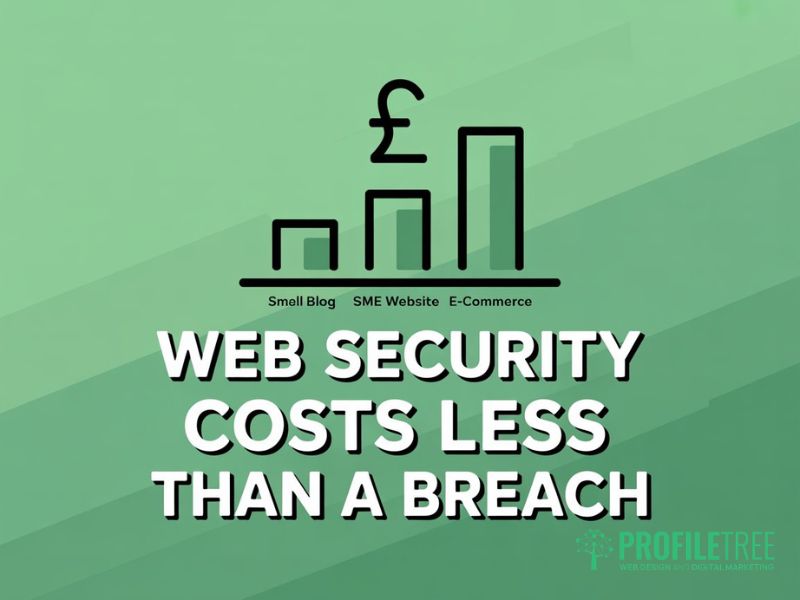
One reason SME owners delay acting on website security is the assumption that proper web security protection is expensive. The most impactful web page security measures are either free or low-cost. The most expensive outcome is doing nothing and absorbing the cost of a breach, which typically includes remediation, downtime, customer notification, and potential ICO fines.
Free and Low-Cost Web Security Measures That Matter
SSL certificates are free through Let’s Encrypt and are included by most reputable hosting providers. Google Search Console is free and includes web security monitoring. Two-factor authentication costs nothing on any major CMS. Google’s reCAPTCHA service blocks a substantial share of bot traffic on forms at no cost. For most small sites, these free web security measures address the majority of real risks.
Where Paid Investment in Web Security Protection Is Justified
A cloud-based WAF typically costs between £10 and £50 per month, depending on traffic and features. Managed security hosting, which handles patching, backups, monitoring, and malware removal, ranges from £30 to £150 per month for SME-scale sites. A professional website security audit for a medium-complexity site costs between £500 and £2,000. Set against the average cost of recovering from a breach, these figures are modest.
Web Security Costs by Site Type
| Tool/Service | Small Blog | SME Website | E-commerce |
|---|---|---|---|
| SSL | Free | Free | Free to £100/yr |
| WAF | Free tier | £10 to £30/mo | £30 to £100/mo |
| Malware Scanner | Free | Free to £20/mo | £20 to £60/mo |
| Managed Hosting | £10 to £30/mo | £30 to £80/mo | £80 to £200/mo |
| Security Audit | Not required | £500 to £1,200 | £1,200 to £3,000 |
Dealing with a Data Breach: What Web Security for Site Owners Requires
No web security setup is completely infallible. What separates businesses that recover well from those that don’t is usually preparation. Knowing what your website security obligations are before an incident means you respond correctly from the first hour.
The 72-Hour ICO Notification Rule
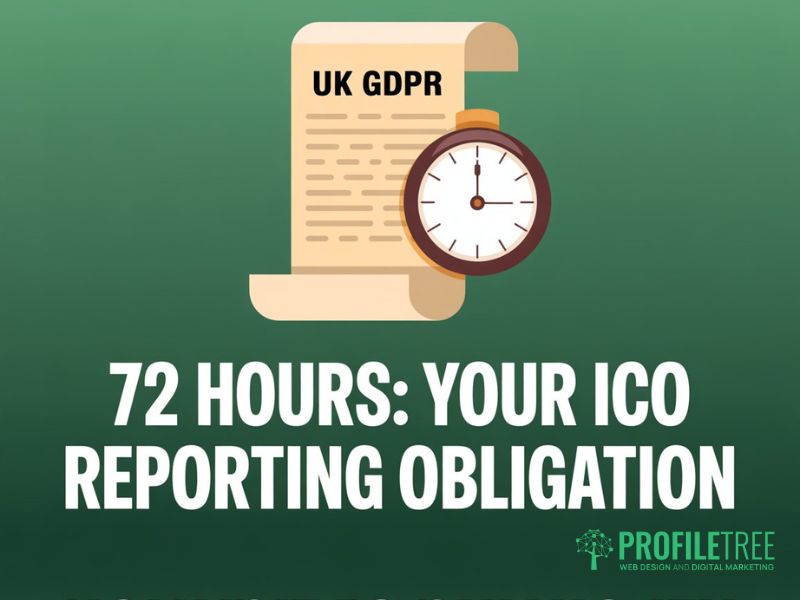
Under UK GDPR, if you experience a personal data breach likely to result in a risk to individuals, you must notify the ICO within 72 hours of becoming aware. This clock starts from when you become aware, not when the breach occurred. Failing to report a notifiable breach is itself a regulatory offence, separate from the breach itself.
If the breach poses a high risk to affected individuals, you must also notify those individuals directly without undue delay. This includes what happened, what data was involved, and what steps they should take. Your web page security incident response plan should include this step explicitly, including who is responsible for drafting the notification.
Immediate Steps After a Web Security Incident
The priority in the first hour is containment. Isolate affected systems, change all administrator passwords, revoke suspicious user sessions, and take the site offline if necessary to prevent further damage. Document everything: what you found, when you found it, and every action you took. This log is both your own record and potential evidence if a regulatory review follows.
Once contained, restore from your most recent clean backup. Before bringing the site back online, run a malware scan to confirm the restored version is clean. Then identify the entry point and close it. If you don’t understand how the attacker got in, the damage has been cleaned up without fixing the web security weakness that allowed it.
FAQs
1. Is a free SSL certificate enough web security protection for my site?
No. SSL encrypts data in transit between a visitor’s browser and your server. It does not stop hackers from exploiting vulnerabilities in your CMS, does not protect stored data, and does not constitute a complete web security protection strategy on its own. It is one essential layer that needs to sit alongside a WAF, regular updates, access controls, and backups.
2. How often should I update my website software?
Security patches should be applied within 24 hours of release wherever possible. For routine updates to themes and plugins, weekly checks are the practical minimum. Running outdated software is the most common reason SME sites are successfully attacked, and it’s the web security measure most often ignored simply because it feels like routine maintenance rather than protection.
3. Do I need to report a hack to the ICO?
It depends on whether personal data was involved and whether the incident poses a risk to individuals. If your site stores personal data and that data may have been accessed, you need to make a formal assessment against the ICO’s 72-hour notification threshold. Not knowing the rule applies is not a valid defence if a reasonable assessment of your web security incident would have reached that conclusion.
4. Can my hosting provider handle all my website security?
Hosting providers secure the server environment by providing physical infrastructure, network-level protections, and, often, server-side firewalls. They do not secure your CMS application, your plugin choices, your user access policies, or the code running on your site. Application-level website security is your responsibility, regardless of what your managed hosting plan includes.
5. What is the most common way SME websites get hacked?
Outdated plugins and themes with known vulnerabilities are the most common entry point, closely followed by weak or reused passwords without two-factor authentication. Both are entirely preventable web security measures. Automated scanning tools find vulnerable plugin versions within hours of a vulnerability being published, so the window between a patch being available and an unpatched site being targeted is very short.