
Marketo Features Explained: An SME Evaluation Guide
Table of Contents
If you are a marketing manager researching whether Adobe Marketo Engage is the right tool for your business, you have probably already noticed that most guides read like a product brochure. They list what the platform can do without telling you what it is actually like to run, what it costs in practice, or whether a 15-person team in Belfast or Manchester will ever see a return on the investment.
This guide takes a different approach. It walks through the core features of Marketo honestly, explains which ones drive genuine value for mid-market and growing SMEs across the UK and Ireland, and flags where the platform tends to create complexity without proportionate reward.
Is Adobe Marketo Engage Right for Your Business?
Adobe Marketo Engage is an enterprise-grade marketing automation platform built primarily for B2B organisations with moderate-to-large marketing operations. It sits at the premium end of the market, and its pricing reflects that. The platform genuinely excels at complex, multi-stage lead nurturing, account-based marketing, and revenue attribution across long sales cycles.
That is also the source of its main limitation for smaller teams. Marketo is, to borrow an analogy that holds up, a Formula 1 car. It is extraordinarily capable in the right hands, on the right track, with the right pit crew. For a business that needs reliable, consistent results from a 25-person sales team working a three-month pipeline, it can be transformative. For a business still working out its buyer personas or running email campaigns manually, the investment rarely pays off in the short term.
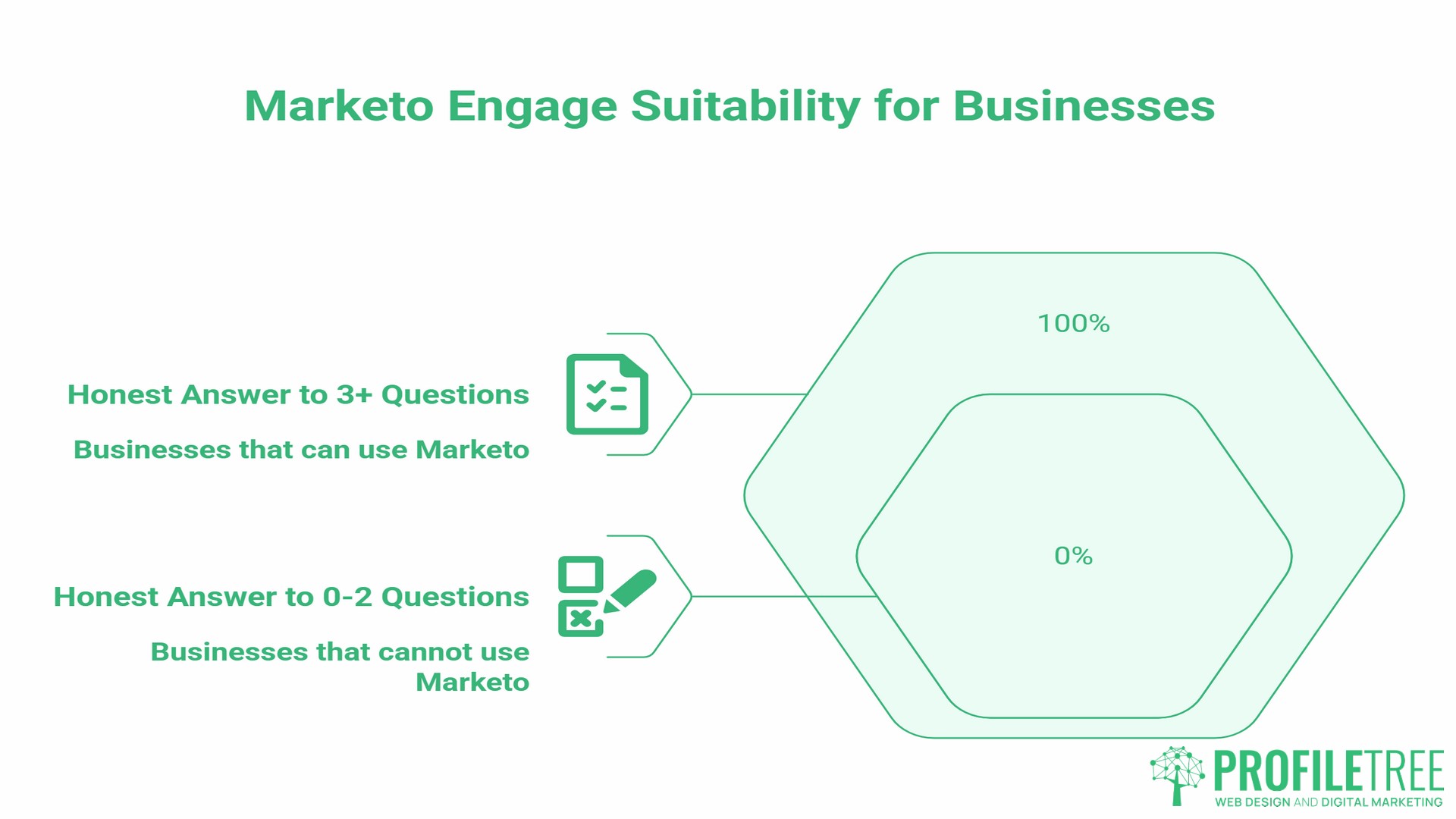
Before evaluating the features of Marketo, it is worth asking five practical questions:
- Do you have clean, structured CRM data to feed the platform?
- Is someone in your team able to own the platform full-time, or will you need an agency partner?
- Do you have enough content (guides, case studies, email sequences) to fill the automation workflows?
- Is your website built to support tracking, form capture, and landing page creation?
- Does your average deal value and sales cycle length justify a premium automation investment?
If the honest answer to three or more of those is “not yet,” a lighter platform or a structured digital strategy plan may deliver more value first.
5 Core Features of Marketo That Drive Real Results
Lead Management and Revenue Attribution
Lead management is where Marketo’s features truly pull ahead of lighter tools. The platform tracks a prospect’s interactions across your website, emails, forms, and paid channels, and assigns each interaction a score based on rules you define. A visit to your pricing page might score 10 points. Downloading a case study might add 15. Opening three emails in a week might trigger a score threshold that automatically alerts the sales team.
This matters because it replaces guesswork with data. Instead of passing every enquiry to sales, Marketo filters and prioritises based on actual behaviour.
The CRM integration makes this useful in practice. Marketo has native, bi-directional integrations with Salesforce and Microsoft Dynamics, which means that when a lead crosses a scoring threshold, that data passes directly to the CRM without manual intervention. The sales team sees the full engagement history before they make the first call.
For UK and Irish businesses, this integration requires careful setup. According to Adobe’s own documentation, the Dynamics sync runs as a background process in batches rather than in real time, which means field mapping and sync priorities need to be agreed upon upfront to avoid data lag. A well-structured implementation prevents most of the common problems that arise later.
Revenue attribution, Marketo’s multi-touch reporting, connects marketing activity to closed deals. It shows which campaigns influenced which revenue, across which touchpoints. For a B2B business trying to justify its marketing budget to a board, this reporting changes the conversation.
Email Marketing and Dynamic Content
Email marketing sits at the core of the features of Marketo, and the platform handles it at a level of sophistication that most standalone email tools cannot match.
The key difference is personalisation at scale. Marketo uses tokens (variable fields that pull data from the lead record) and snippets (reusable content blocks) to build emails that feel individual without requiring individual creation. An email to a prospect who has visited your services page three times and works in manufacturing can automatically reference different content than one going to someone in retail who is visiting for the first time.
Dynamic content takes this further. Entire sections of an email or landing page change based on the lead’s industry, lifecycle stage, or behavioural history. This is rule-based content logic that adapts the whole message, rather than the basic merge-field personalisation most businesses already use.
A/B testing within Marketo is thorough. You can test subject lines, send times, content blocks, and calls to action, with results feeding directly into campaign optimisation.
For this to work, you need content. Marketo does not produce the emails; it delivers them. A content marketing strategy that produces guides, case studies, and nurture sequences gives the platform something to work with. Without that content pipeline, the automation capability is largely unused.
Advanced Lead Scoring and Lifecycle Mapping
Lead scoring is one of the most cited features of Marketo, and for good reason. When configured well, it aligns marketing and sales around a shared definition of a “ready” lead, significantly reducing friction between the two teams.
A basic scoring model assigns positive points for engagement (page visits, email opens, form fills, webinar attendance) and negative points for signals of low intent (long inactivity, unsubscribes, visits to career pages). The lead score is a running total that fluctuates in real time.
A more sophisticated model layers in demographic scoring: industry fit, company size, job title, and geography. A marketing director at a 50-person professional services firm in Belfast might score higher than a graduate at a 5,000-person enterprise, even with the same engagement behaviour, because the former fits your ideal customer profile more closely.
Lifecycle mapping connects to this. Marketo lets you define the stages a lead moves through (subscriber, prospect, marketing qualified lead, sales qualified lead, opportunity, customer) and automate the transitions between them based on scoring thresholds and time triggers. This gives both teams a single view of where every contact sits in the pipeline.
One question that comes up often is whether Marketo is easy to use for beginners. The honest answer is no. Lead scoring logic requires careful planning. Badly configured scoring produces noise, not signal. Most teams find that getting the scoring model right takes two to three iterations over the first six months of use.
Multi-Channel Triggered Campaigns
The features of Marketo extend well beyond email. The platform can trigger actions across web, social, mobile, and direct mail based on a single behavioural signal. A prospect who watches a significant portion of a video on your website can automatically enter a follow-up email sequence. A contact who has not engaged in 90 days can trigger a re-engagement campaign via SMS. An account that reaches a certain score threshold can trigger a LinkedIn matched audience update.
This multi-channel coordination is where Marketo’s complexity becomes an asset rather than a burden, for teams large enough to manage it. The Smart Campaign structure, Marketo’s workflow engine, uses trigger and filter logic to define who enters a campaign, what happens to them, and when. The Smart List (which defines the audience) and the Flow (which defines the actions) are the two components every Marketo user works with daily.
For B2B businesses running events, Marketo’s event management tools are particularly useful. Registration, reminder, and post-event sequences can be fully automated, with attendance and engagement data automatically feeding back into lead scores.
Cross-channel campaign work of this kind requires a solid website foundation. If your site’s tracking code is not properly implemented, Marketo cannot capture the behavioural signals that power these campaigns. As Ciaran Connolly, founder of ProfileTree, notes: “We always tell clients that marketing automation is only as good as the data it can see. A website built without proper tracking architecture is a blind spot at the heart of the whole system.”
Marketing Impact Analytics and Multi-Touch Attribution
The reporting features of Marketo go beyond campaign-level metrics to include revenue attribution. The platform’s Revenue Cycle Analytics connects marketing activity to pipeline and closed deals, showing which programmes influenced which revenue at each stage of the sales cycle.
Multi-touch attribution models distribute credit across every touchpoint a buyer encountered before converting. A first-touch model gives all credit to the campaign that first acquired the lead. A last-touch model assigns credit to the final campaign. A multi-touch model splits the credit proportionally across all interactions. Marketo supports all three approaches, which lets marketing teams model the same data in multiple ways and present the version most useful for budget conversations.
For UK businesses managing GDPR compliance, Marketo’s reporting also includes consent-tracking. You can filter reports by consent status, ensuring that performance metrics reflect only contacts who have opted in appropriately.
The AI Layer: Adobe Sensei and Predictive Content
Adobe Sensei is Adobe’s AI framework, and its primary application within Marketo Engage is predictive content. Adobe’s own product documentation describes how Sensei analyses engagement signals to identify and automatically deliver the highest-performing content assets to specific audience segments across email and web channels, without requiring manual rule-building for every variation.
In practice, this means the platform surfaces the most relevant content for each lead based on their behaviour and profile. Instead of a marketer manually deciding which case study to send to which segment, the AI learns which content combinations convert best for which types of prospects and adjusts recommendations over time.
Predictive lead scoring works on a similar principle. Rather than manually assigning weights to every behaviour, you can use AI to analyse historical conversion data and identify which signals in your specific pipeline have actually correlated with closed deals. Adobe’s documentation notes that both Adobe Sensei and AWS SageMaker are options for building predictive scoring models in Marketo.
These AI features require training data to perform well. A new Marketo instance with limited historical data will not immediately benefit from predictive features. They become more useful as the platform accumulates months of engagement and conversion data.
The SME Reality Check: Implementation, Learning Curve, and UK Compliance
This section is the one most guides skip, so it is worth dwelling on.
- Implementation time: A full Marketo implementation, covering CRM integration, tracking code setup, lead scoring configuration, email template builds, and initial campaign construction, typically takes two to four months. This assumes clean CRM data, a functional website, and a dedicated internal resource. Projects where data cleanup is required first can run longer.
- The learning curve: Marketo has a documented steep learning curve. The platform’s interface is not intuitive for users coming from simpler tools like Mailchimp or ActiveCampaign. The Smart Campaign logic requires a structured understanding of Boolean filtering. Most organisations either invest in a dedicated Marketo admin or work with a certified agency partner during the first year. Adobe offers the Marketo Certified Expert and Marketo Certified Associate certifications for teams that want to build internal capability.
- UK GDPR compliance: This is an area most guides written for the US market miss entirely. Marketo’s Preference Centre allows contacts to manage their own communication preferences and consent choices in a format that supports UK GDPR requirements. Double opt-in workflows can be configured to capture explicit consent before any marketing communication begins. Data residency settings should be confirmed with Adobe during procurement, particularly for organisations in regulated industries.
- Businesses in Northern Ireland and the Republic of Ireland face a dual-jurisdiction reality: UK GDPR applies in Northern Ireland, while Irish data protection law, aligned with the EU’s GDPR, applies in the Republic. Marketo’s consent management features can accommodate both, but the configuration requires deliberate setup rather than default installation.
- Data readiness: The single most common reason Marketo underperforms for new customers is poor CRM data quality. Duplicate records, missing fields, inconsistent formats, and stale contacts all degrade the quality of lead scoring, segmentation, and attribution. Before turning on automation, an audit and cleanup are essential.
Marketo vs. the Alternatives: A Practical Comparison for UK SMEs
| Feature Area | Marketo Engage | HubSpot Marketing Hub | Pardot (Salesforce) |
|---|---|---|---|
| Lead scoring | Advanced, highly configurable | Available on higher tiers | Available, Salesforce-native |
| CRM integration | Native (Salesforce, Dynamics, Veeva) | Native HubSpot CRM or third-party | Native Salesforce only |
| Email personalisation | Advanced (tokens, snippets, dynamic) | Strong, easier to configure | Good, Salesforce-dependent |
| GDPR/consent tools | Preference centres, double opt-in | Consent management built in | Available, Salesforce setup required |
| Learning curve | Steep | Moderate | Moderate to steep |
| SME suitability | Mid-market and above | Good for growing SMEs | Best with existing Salesforce |
| UK support | Adobe partner network | Strong UK presence | Salesforce UK partner network |
The comparison that comes up most often is Marketo versus HubSpot. For most UK SMEs without an existing Salesforce setup and without a dedicated marketing operations resource, HubSpot’s Marketing Hub on a mid-tier plan offers comparable lead nurturing and automation capability with a gentler implementation process. Marketo’s advantages become clearer at scale: larger contact databases, more complex scoring models, deeper CRM customisation, and enterprise-level attribution reporting.
Pardot, now Salesforce Marketing Cloud Account Engagement, is the natural choice for businesses already running Salesforce as their primary CRM. The native data structure eliminates most of the integration complexity required by Marketo or HubSpot.
Neither alternative is universally better. The right choice depends on your existing technology stack, your team’s capacity to manage the platform, and the complexity of your sales process.
Marketo Readiness Audit: Five Questions Before You Buy
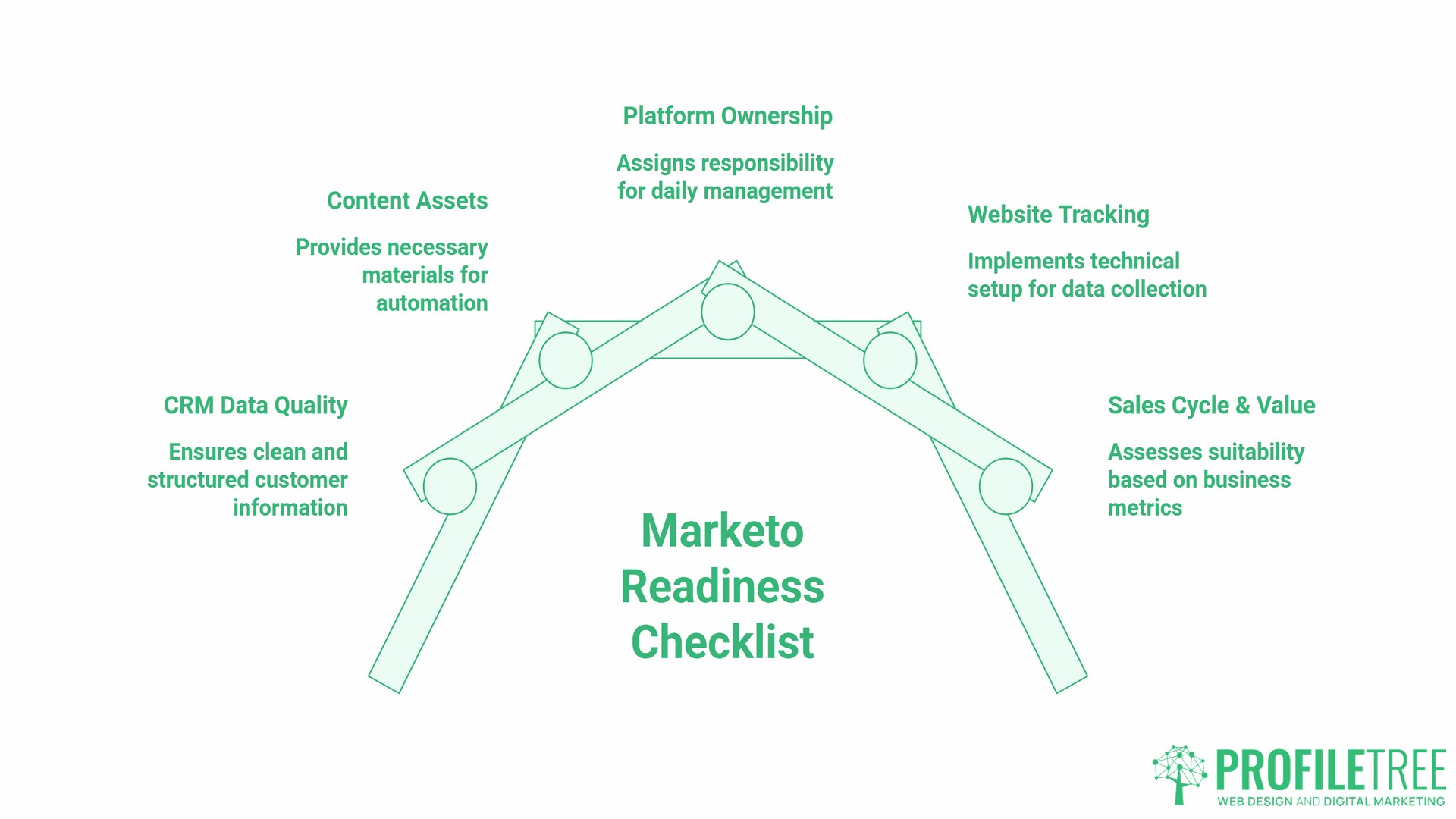
Before committing to a Marketo investment, marketing managers should be able to answer these five questions clearly:
- Is your CRM data clean and structured? Specifically: are duplicate records minimal, are job title and industry fields populated consistently, and is contact data current?
- Do you have content assets ready to fill the workflows? Lead nurturing requires email sequences, guides, case studies, and landing pages. Without them, the automation has nothing to deliver.
- Who owns the platform day-to-day? Marketo needs a named admin. Without one, configurations drift, campaigns break, and the investment deteriorates.
- Is your website set up for tracking? Munchkin, Marketo’s tracking code, along with form embeds and CRM-connected landing pages, all require technical implementation. A website not built to support marketing technology creates gaps in the data.
- What is your average deal value and sales cycle length? Marketo’s full value shows in pipelines of three months or longer and deal values that justify a premium marketing investment.
If the answers to questions 1, 2, or 4 are “not yet,” addressing those foundations first will produce better returns than launching straight into a platform implementation. ProfileTree works with businesses across Northern Ireland, Ireland, and the UK on digital strategy, web infrastructure, and content planning that enable marketing automation.
FAQs
Is Marketo better than HubSpot for SMEs?
It depends on your sales cycle and technical resources. HubSpot is generally easier to implement and manage for teams without a dedicated marketing operations person. Marketo’s advantages become significant at higher contact volumes, more complex scoring requirements, and longer enterprise sales cycles. If you are not already using Salesforce and do not have a dedicated Marketo admin, HubSpot will likely deliver faster time-to-value for most UK SMEs.
What is the typical implementation time for Marketo?
A full implementation, covering CRM integration, tracking setup, scoring configuration, template builds, and initial campaigns, typically runs two to four months. This assumes that CRM data is already clean and that an internal or agency resource is available throughout. Data cleanup projects that run in parallel can extend this considerably.
Does Marketo comply with UK GDPR?
Yes, when configured correctly. Marketo’s Preference Centre supports UK GDPR consent management, and double opt-in workflows can be set up to capture explicit consent before any marketing communications begin. Data residency options should be confirmed with Adobe during procurement. Businesses operating across Northern Ireland and the Republic of Ireland need to configure consent management to satisfy both the UK GDPR and the EU GDPR, which Marketo can accommodate through deliberate setup.
Can Marketo integrate with Microsoft Dynamics?
Yes. Adobe confirms that Marketo Engage has a native, bi-directional integration with Microsoft Dynamics. The sync runs in the background in batches, so field mapping and sync configuration need to be carefully set up at the outset. The quality of the integration depends on the quality of the data in Dynamics.
How much does Marketo cost for a small team?
Adobe does not publish standard pricing publicly, as it is negotiated based on database size, features required, and contract length. The platform is positioned at the premium end of the market and requires clear ROI justification for smaller teams. For most UK SMEs, the total investment, including implementation, ongoing platform fees, and either internal admin time or agency support, makes Marketo a significant commitment. Lighter alternatives deliver comparable core functionality at lower cost and complexity for businesses earlier in their marketing automation journey.
What features of Marketo are most valuable in the first six months?
Lead scoring, email nurturing sequences, and CRM integration deliver the most immediate value in an early Marketo deployment. Multi-touch attribution reporting becomes more useful as the dataset grows. AI-powered predictive content features require historical engagement data to perform well, so they contribute more in the months following initial deployment rather than from day one.