If you’re working in digital marketing, your week likely involves familiar tasks: exporting data from multiple platforms, cleaning spreadsheets, reconciling analytics, and manually compiling reports. These repetitive processes consume hours that could be spent on strategy, creative work, or client development.
Python has emerged as the solution for marketers who want to reclaim their time. This programming language allows you to automate data collection, analysis, and reporting whilst maintaining the flexibility to customise solutions for your specific needs. Unlike proprietary tools that lock you into fixed workflows, Python gives you complete control over your marketing operations.
This guide focuses specifically on how UK-based marketers, agencies, and business owners can apply Python to real-world digital marketing challenges. We’ll address GDPR compliance, local data sources, and practical scripts you can implement immediately.
Why Python Has Become Essential for UK Digital Marketers
The UK digital marketing sector has seen a significant growth in Python adoption over recent years. Agencies and in-house teams are discovering that manual data processing creates bottlenecks that Python can eliminate.
The Limitations of Traditional Tools
Spreadsheet applications reach their limits quickly. Excel struggles with datasets exceeding 50,000 rows, whilst Google Sheets experiences timeout errors with complex formulas across multiple tabs. When you’re analysing keyword data, backlink profiles, or customer behaviour across thousands of records, these tools simply cannot keep pace.
Python, specifically through libraries like Pandas, processes millions of data points in seconds on standard hardware. This isn’t about minor efficiency gains—it’s about making previously impossible analyses routine.
The UK Business Case for Automation
Consider the actual cost of manual reporting if a marketing manager spends five hours weekly on data compilation at a £50 hourly rate, which represents £13,000 annually on work that adds no strategic value. For agencies managing multiple clients, these hours multiply rapidly.
Python automation enables you to redirect human expertise towards activities that generate revenue, such as strategy development, campaign optimisation, creative direction, and client consultation. The initial time investment in learning Python pays dividends through recovered capacity.
What Python Enables for Marketing Teams
Python functions as connective tissue between your marketing tools. It enables you to extract data from Google Search Console, combine it with analytics from your CRM, enrich it with demographic data, and generate formatted reports—all without manual intervention.
ProfileTree’s Ciaran Connolly notes: “We’ve seen UK agencies transform their operations by implementing Python automation. What previously required dedicated junior staff for data processing now runs overnight, freeing teams to focus on the strategic work that clients actually value.”
You can schedule scripts to run automatically, so weekly performance reports arrive in your inbox before you start work. You can continuously monitor competitor pricing rather than checking it manually. You can identify SEO issues as they occur, rather than discovering them in monthly audits.
Understanding UK Legal Requirements for Marketing Automation
Before implementing any automation, UK marketers must understand the legal framework governing data collection and processing. This section provides practical guidance rather than legal advice—consult qualified legal counsel for specific compliance questions.
GDPR Compliance in Automated Data Collection
The General Data Protection Regulation applies to any data processing involving EU or UK residents. When your Python scripts collect or process information, you must consider whether that data includes personal information.
Personal data encompasses anything that identifies an individual, such as names, email addresses, IP addresses, or cookies that track behaviour. If your automation touches personal data, you need a lawful basis for processing—typically legitimate interest, consent, or contractual necessity.
Practical GDPR Principles for Automation
Focus your automation on business data rather than personal information wherever possible. Scraping product prices, meta descriptions, or heading structures doesn’t involve personal data. Collecting contact information from “About Us” pages does.
When you must process personal data, document your assessment of legitimate interest. Can you achieve your purpose without this data? Have you implemented appropriate safeguards? Could individuals reasonably expect this processing?
Data minimisation applies to automation. Don’t collect information simply because your script can—only gather what you genuinely need for your stated purpose.
Web Scraping: Legal and Technical Considerations
Web scraping occupies a grey area in UK law. The act of accessing publicly available websites isn’t illegal, but how you handle the data and whether you breach terms of service creates potential liability.
The robots.txt Protocol
Always check a website’s robots.txt file before scraping its content. This file, located at domain.co.uk/robots.txt, specifies which parts of the site automated tools are allowed to access. Whilst violating robots.txt isn’t illegal per se, it demonstrates disregard for the site owner’s preferences and may breach the Computer Misuse Act if combined with other factors.
Rate Limiting and Server Courtesy
Aggressive scraping can overwhelm servers, potentially constituting a denial-of-service attack. Implement delays between requests—typically 1-5 seconds—to act as a “polite bot.” This practice also reduces the likelihood of IP bans that would disrupt your data collection.
import time

# Add delay between requests
time.sleep(2)  # Wait 2 seconds
PECR and Automated Communications
If you’re automating email outreach or social media messaging, the Privacy and Electronic Communications Regulations require consent for marketing communications. Soft opt-in applies where you’ve obtained contact details through a sale and are marketing similar products, but automation doesn’t bypass fundamental consent requirements.
Essential Python Libraries for Digital Marketing
Python’s power comes from its extensive library ecosystem. Rather than building functionality from scratch, you import specialised libraries that handle complex tasks. These four libraries form the foundation of most marketing automation projects.
Pandas: Your Data Processing Engine
Pandas provides data structures for working with tabular data—think of it as Excel functionality accessible through code. You can read CSV files, filter rows, merge datasets, calculate aggregates, and export results.
Where Excel stumbles at 50,000 rows, Pandas handles millions of rows. Where pivot tables require manual configuration, Pandas allows you to write reusable analysis scripts.
Common Marketing Uses:
Combining data from multiple sources
Cleaning and standardising messy datasets
Calculating metrics across large keyword lists
Generating summary statistics for reporting
Requests: Your HTTP Client
The Requests library handles communication with web servers. When you need to retrieve data from an API, check URL status codes, or download web pages, Requests manages the technical details.
Common Marketing Uses:
Checking page status codes for technical SEO
Accessing API endpoints for analytics data
Downloading XML sitemaps for analysis
Monitoring website availability
BeautifulSoup: Your HTML Parser
BeautifulSoup extracts specific information from HTML pages. After Requests retrieves a webpage, BeautifulSoup navigates the HTML structure to find specific elements, such as headings, meta tags, prices, or other content.
Common Marketing Uses:
Extracting meta descriptions and title tags
Collecting competitor pricing information
Gathering heading structures for content analysis
Identifying schema markup implementation
Matplotlib: Your Data Visualisation Tool
Matplotlib allows you to create charts and graphs directly from your data. Rather than copying numbers into separate visualisation software, you can generate publication-ready graphics as part of your analysis script.
Common Marketing Uses:
Creating trend graphs for client reports
Visualising keyword performance over time
Building comparison charts for A/B tests
Generating custom dashboards
Installing Your Marketing Toolkit
Installing these libraries requires a single command in your terminal or command prompt:
This command connects to Python’s package repository and downloads the libraries, along with any dependencies they require. Once installed, you import them into your scripts as needed.
Five Practical Python Scripts for Marketing Automation
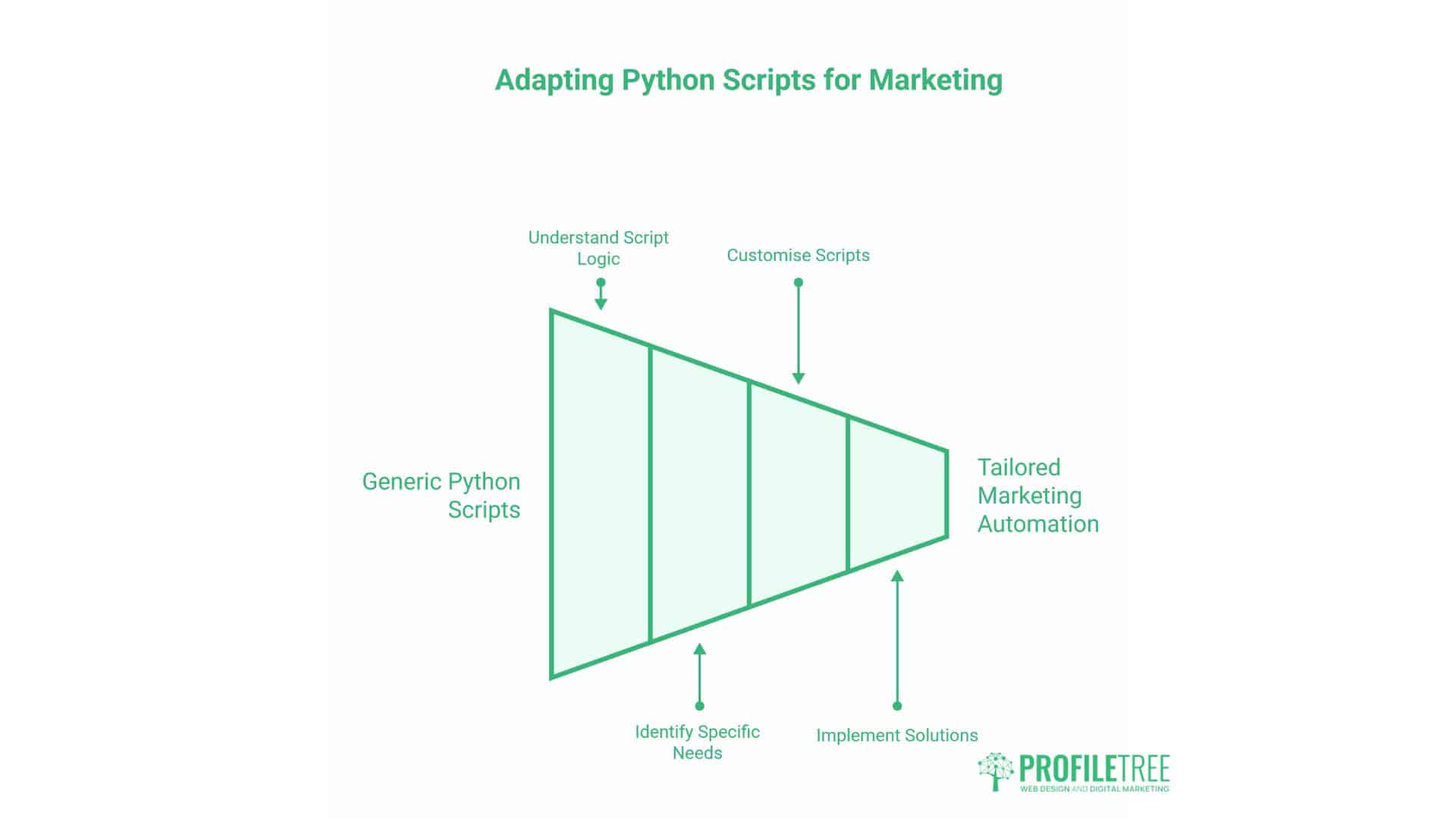
These scripts address common marketing challenges and offer templates that can be easily adapted to your specific needs. Each includes full explanations so you understand what’s happening at each step.
Script 1: Bulk URL Status Checker for Technical SEO
Technical SEO audits often require checking hundreds of URLs to identify broken links, redirect chains, or server errors. Dedicated tools provide comprehensive crawling, but sometimes you need quick answers for specific URL lists.
This script checks status codes for a list of URLs and flags any that aren’t returning successful responses.
import requests
import pandas as pd
import time

# Define URLs to check
urls = [
    "https://www.example.co.uk",
    "https://www.example.co.uk/services",
    "https://www.example.co.uk/about",
    "https://www.example.co.uk/old-page"
]

results = []

# Check each URL
for url in urls:
    try:
        # Set user agent so servers know this is a bot
        headers = {'User-Agent': 'Marketing Audit Bot 1.0'}

        # Make request with timeout
        response = requests.get(url, headers=headers, timeout=10)

        # Store results
        results.append({
            'URL': url,
            'Status Code': response.status_code,
            'Status': 'OK' if response.status_code == 200 else 'Issue'
        })

        # Wait between requests (polite bot protocol)
        time.sleep(1)

    except requests.exceptions.RequestException as e:
        results.append({
            'URL': url,
            'Status Code': 'Error',
            'Status': str(e)
        })

# Create DataFrame and display results
df = pd.DataFrame(results)
print(df)

# Export to CSV if needed
df.to_csv('url_status_check.csv', index=False)
Use Cases:
Checking URLs before removing them from sitemaps
Monitoring key landing pages for availability
Validating redirect implementation
Identifying broken links in content updates
Script 2: Extracting Meta Data for Content Audits
Content audits require analysing meta titles, descriptions, and heading structures across multiple pages. Manual checking is tedious and error-prone. This script automates metadata extraction for analysis.
import requests
from bs4 import BeautifulSoup
import pandas as pd
import time

urls = [
    "https://www.example.co.uk/blog/article-1",
    "https://www.example.co.uk/blog/article-2"
]

meta_data = []

for url in urls:
    try:
        headers = {'User-Agent': 'Content Audit Bot 1.0'}
        response = requests.get(url, headers=headers, timeout=10)
        soup = BeautifulSoup(response.content, 'html.parser')

        # Extract meta title
        title = soup.find('title')
        title_text = title.string if title else 'No title'

        # Extract meta description
        description = soup.find('meta', attrs={'name': 'description'})
        desc_text = description['content'] if description else 'No description'

        # Extract H1
        h1 = soup.find('h1')
        h1_text = h1.get_text(strip=True) if h1 else 'No H1'

        meta_data.append({
            'URL': url,
            'Title': title_text,
            'Title Length': len(title_text),
            'Description': desc_text,
            'Description Length': len(desc_text),
            'H1': h1_text
        })

        time.sleep(1)

    except Exception as e:
        meta_data.append({
            'URL': url,
            'Error': str(e)
        })

df = pd.DataFrame(meta_data)
print(df)
df.to_csv('meta_data_audit.csv', index=False)
Use Cases:
Auditing meta titles for length compliance
Identifying missing meta descriptions
Checking H1 implementation across site sections
Preparing SEO improvement recommendations
Script 3: Monitoring Competitor Pricing
E-commerce and service businesses must track competitor pricing to stay competitive. Manual checking is impractical for multiple competitors across numerous products or services.
This script extracts pricing information from competitor websites, handling standard UK price formats.
import requests
from bs4 import BeautifulSoup
import pandas as pd
import time
import re

competitors = {
    'Competitor A': 'https://www.competitor-a.co.uk/product',
    'Competitor B': 'https://www.competitor-b.co.uk/service'
}

pricing_data = []

for name, url in competitors.items():
    try:
        headers = {'User-Agent': 'Price Monitor Bot 1.0'}
        response = requests.get(url, headers=headers, timeout=10)
        soup = BeautifulSoup(response.content, 'html.parser')

        # Look for common price patterns (£XX.XX)
        price_pattern = re.compile(r'£\d+\.?\d*')

        # This is site-specific - adjust selectors based on target sites
        price_element = soup.find('span', class_='price')  # Adjust selector

        if price_element:
            price_text = price_element.get_text(strip=True)
            price_match = price_pattern.search(price_text)
            price = price_match.group() if price_match else 'Not found'
        else:
            price = 'Element not found'

        pricing_data.append({
            'Competitor': name,
            'URL': url,
            'Price': price,
            'Date Checked': pd.Timestamp.now().strftime('%Y-%m-%d %H:%M')
        })

        time.sleep(2)

    except Exception as e:
        pricing_data.append({
            'Competitor': name,
            'URL': url,
            'Error': str(e)
        })

df = pd.DataFrame(pricing_data)
print(df)
df.to_csv('competitor_pricing.csv', index=False)
Important Note: This example shows the technical approach. You must verify that scraping specific competitor sites doesn’t violate their terms of service or applicable laws. Consider using official APIs where available.
Script 4: Automated Keyword Position Tracking
Whilst comprehensive rank tracking tools provide extensive features, sometimes you need simple position checks for a handful of priority keywords without monthly subscriptions.
This script uses the Google Custom Search API to check approximate positions for target keywords.
import requests
import pandas as pd
import time

# You'll need a Google Custom Search API key and Search Engine ID
API_KEY = 'your_api_key_here'
SEARCH_ENGINE_ID = 'your_search_engine_id'

keywords = [
    'web design Belfast',
    'digital marketing Northern Ireland',
    'SEO services UK'
]

your_domain = 'profiletree.com'

results = []

for keyword in keywords:
    try:
        url = f'https://www.googleapis.com/customsearch/v1'
        params = {
            'key': API_KEY,
            'cx': SEARCH_ENGINE_ID,
            'q': keyword,
            'gl': 'uk',  # UK results
            'num': 10
        }

        response = requests.get(url, params=params)
        data = response.json()

        position = None
        if 'items' in data:
            for idx, item in enumerate(data['items'], 1):
                if your_domain in item.get('link', ''):
                    position = idx
                    break

        results.append({
            'Keyword': keyword,
            'Position': position if position else 'Not in top 10',
            'Date': pd.Timestamp.now().strftime('%Y-%m-%d')
        })

        time.sleep(1)

    except Exception as e:
        results.append({
            'Keyword': keyword,
            'Error': str(e)
        })

df = pd.DataFrame(results)
print(df)
df.to_csv('keyword_positions.csv', index=False)
Note: The Google Custom Search API has usage limits and requires setup. This provides basic position tracking for priority keywords rather than comprehensive rank monitoring.
Script 5: Automated Reporting from Google Analytics
Many agencies spend hours each month pulling data from Google Analytics and formatting it for client reports. The GA4 API allows you to automate this process entirely.
This script demonstrates how to pull basic metrics from GA4 and format them for reports.
from google.analytics.data_v1beta import BetaAnalyticsDataClient
from google.analytics.data_v1beta.types import RunReportRequest
import pandas as pd
from datetime import datetime, timedelta

# Requires Google Analytics Data API credentials
client = BetaAnalyticsDataClient()

property_id = 'your_property_id'

# Define date range (last 30 days)
end_date = datetime.now()
start_date = end_date - timedelta(days=30)

request = RunReportRequest(
    property=f'properties/{property_id}',
    dimensions=[{'name': 'date'}, {'name': 'sessionSource'}],
    metrics=[
        {'name': 'sessions'},
        {'name': 'totalUsers'},
        {'name': 'bounceRate'}
    ],
    date_ranges=[{
        'start_date': start_date.strftime('%Y-%m-%d'),
        'end_date': end_date.strftime('%Y-%m-%d')
    }]
)

response = client.run_report(request)

# Process response into DataFrame
data = []
for row in response.rows:
    data.append({
        'Date': row.dimension_values[0].value,
        'Source': row.dimension_values[1].value,
        'Sessions': row.metric_values[0].value,
        'Users': row.metric_values[1].value,
        'Bounce Rate': row.metric_values[2].value
    })

df = pd.DataFrame(data)

# Calculate summary statistics
summary = df.groupby('Source').agg({
    'Sessions': 'sum',
    'Users': 'sum'
}).reset_index()

print(summary)

# Export for client reporting
summary.to_csv('monthly_analytics_summary.csv', index=False)
Setup Requirements: This requires setting up Google Analytics Data API credentials and installing the google-analytics-data package. The official Google documentation provides detailed setup instructions.
Setting Up Your Python Environment
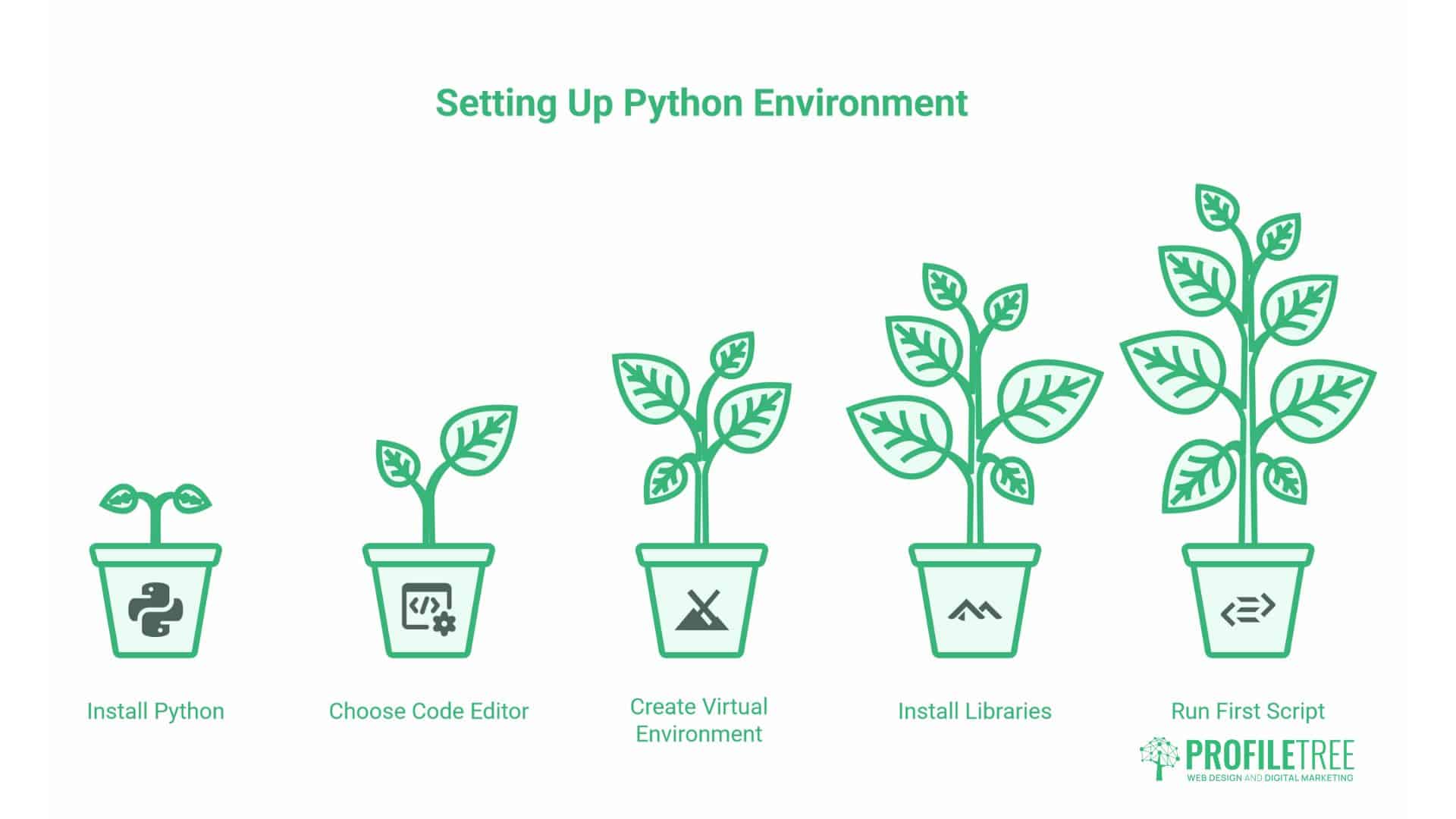
Before you can run these scripts, you need to set up Python on your computer and configure a development environment. This section walks through the essential steps.
Installing Python
Most modern computers don’t include Python by default, so your first step is to install it.
For Windows:
Visit python.org/downloads
Download the latest Python 3 installer
Run the installer, ensuring you tick “Add Python to PATH”
Verify installation by opening Command Prompt and typing python --version
For macOS:
Open Terminal
Install Homebrew if not already installed: /bin/bash -c "$(curl -fsSL https://raw.githubusercontent.com/Homebrew/install/HEAD/install.sh)"
Install Python: brew install python
Verify with python3 --version
Choosing a Code Editor
Whilst you can write Python in any text editor, dedicated code editors provide syntax highlighting, error detection, and debugging tools that dramatically improve productivity.
Visual Studio Code has become the standard for Python development. It’s free, cross-platform, and includes excellent Python support through extensions.
Download VS Code from code.visualstudio.com
Install the Python extension from the Extensions marketplace
Configure the Python interpreter within VS Code
Understanding Virtual Environments
Virtual environments isolate project dependencies, preventing conflicts between different projects that might require different library versions.
Create a virtual environment for your marketing automation projects:
# Create virtual environment
python -m venv marketing_automation

# Activate on Windows
marketing_automation\Scripts\activate

# Activate on macOS/Linux
source marketing_automation/bin/activate
Once activated, any packages you install remain isolated to this environment.
Installing Required Libraries
With your virtual environment activated, install the core libraries:
import pandas as pd

data = {'Metric': ['Sessions', 'Users', 'Pageviews'],
        'Value': [1250, 890, 3400]}

df = pd.DataFrame(data)
print(df)
Run the script: python first_script.py
If you see the formatted table output, your environment is configured correctly.
FAQs
How long does it take to learn Python for marketing?
Basic automation scripts become accessible within 2-3 weeks of focused learning. Most marketers don’t need to master the entire language—you’re learning specific libraries and patterns relevant to marketing tasks. Focus on Pandas for data manipulation, Requests for API interactions, and BeautifulSoup for web scraping, and you’ll be productive quickly.
Do I need to be technical to use Python?
You need comfort with logical thinking and problem-solving, but not traditional programming experience. Marketing automation involves smaller, focused scripts rather than complex software development. If you’re comfortable with Excel formulas and understand basic logic (if X then Y), you have the foundational thinking required.
Can Python replace my existing marketing tools?
Python complements rather than replaces your marketing stack. Tools like Google Analytics, SEMrush, or HubSpot offer interfaces specifically designed for various tasks. Python fills gaps: connecting disparate tools, automating repetitive processes, and performing custom analysis that general-purpose tools don’t support.
How do agencies use Python?
Agencies utilise Python for automating client reporting, conducting competitive analysis, integrating data across client systems, and creating custom analytics. Rather than building every client’s report manually, agencies create templates that automatically pull current data. This improves consistency whilst reducing billable hours spent on routine tasks.
Taking Action: Your Python Journey
Python automation transforms marketing operations from reactive to proactive. Instead of spending hours compiling reports, you spend minutes reviewing automatically generated insights. Instead of manually checking competitor prices, you receive alerts when prices change. Instead of relying on limited platform features, you build exactly the functionality your business requires.
Immediate Next Steps
Start with one repetitive task you perform weekly. Perhaps it’s checking URL statuses, collecting prices, or compiling analytics data. Choose something straightforward rather than complex—you’re building skills and confidence simultaneously.
Download Python and set up your environment this week. Install the core libraries. Copy one of the scripts from this guide and adapt it to your specific needs. Run it. When it works, you’ve taken the first step towards automation mastery.
Building Your Skills
Online resources for learning Python for marketing include:
Python for SEO courses on platforms like Udemy
The official Python tutorial at docs.python.org
Marketing automation communities on Reddit and LinkedIn
YouTube channels focused on Python for digital marketing
Allocate 30-60 minutes daily for learning. Consistency matters more than intensity. Write code regularly, even if you’re just modifying existing scripts initially.
When to Seek Professional Help
Some automation projects exceed what beginners should attempt alone. Complex integrations with enterprise systems, automated bid management for PPC, or real-time data processing systems benefit from professional development.
ProfileTree offers Python automation consulting services to UK marketing teams. We can build custom solutions, provide training for your team, or audit existing scripts for optimisation and compliance. Our approach focuses on practical automation that generates measurable ROI rather than technical complexity for its own sake.
The Competitive Advantage
While your competitors manually compile reports and reactively check for issues, you receive automated alerts and insights. Whilst tool capabilities limit them, you’re building custom solutions. Whilst they’re increasing headcount to handle growing data volumes, you’re scaling through automation.
Python represents more than technical skills—it’s a strategic capability that separates efficient operations from manual drudgery. The UK marketing sector increasingly expects technical competence alongside creative and strategic abilities. Learning Python positions you at this intersection of marketing and technology.
Begin today. Choose one task to automate. Install Python. Write your first script. The sooner you start, the sooner you’ll reap the benefits of automation’s leverage.
As we move into 2026, the integration of advanced technologies like Python and AI is no longer optional for business growth. ProfileTree, an award-winning digital agency based in Belfast, specialises in helping UK businesses navigate this evolving landscape. From performance-focused web design and technical SEO to AI training and implementation, our team provides the integrated expertise needed to transform data into actionable results. Whether you are looking to automate your marketing workflows or build a high-converting e-commerce platform, ProfileTree combines strategic storytelling with cutting-edge technology to drive measurable ROI and sustainable digital excellence.