
New Website Checklist: Every Step Before You Go Live
Table of Contents
A new website checklist covers every stage from strategy and domain setup through to SEO, content, and pre-launch testing. Miss a step and you risk slow pages, broken links, or a site that never ranks. This guide walks through the full process, in the order it actually needs to happen.
Most website launches go wrong for the same reason: teams jump straight into design before they’ve settled on what the site actually needs to do. Pages go live with missing meta descriptions, broken contact forms, or content written for no one in particular. The launch happens; the results don’t follow.
“The websites that perform from day one are never the ones built fastest. They’re the ones built with the clearest brief. When a client can tell us exactly who they’re trying to reach and what they want those people to do, we can build something that works. Without that, we’re guessing, and so is Google.”Ciaran Connolly, Founder, ProfileTree
This checklist is based on the process ProfileTree uses across web design projects for businesses across Northern Ireland, Ireland, and the UK. Work through it in order. Each section depends on the one before it.
Defining Your Strategy First
Before anything gets built, the brief needs to be solid. A website without a clear strategy produces traffic that doesn’t convert, or no traffic at all. This is the stage most SMEs skip, and it’s why so many sites underperform within six months of launch.
Know Who You Are Building For
Define your target audience before you write a single word of copy. What problems are they trying to solve? What language do they use to describe those problems? What does a realistic customer journey look like from first search to first enquiry? Answers to these questions shape everything downstream: page structure, keyword targets, calls to action, and tone.
Set Measurable Goals for the Site
A goal of “get more customers” is too vague to build on. Specific goals look more like: generate 20 enquiry form submissions per month, rank on page one for three target service keywords within six months, or reduce customer support calls by publishing an FAQ section. Each goal should be tied to something you can actually measure in Google Analytics or Search Console.
Audit Your Competitors Before You Start
Look at five to ten competitors’ sites. Note what they cover, how they structure their services, and where their content is thin. You’re not copying them; you’re identifying where you can be more specific, more useful, or more credible. A clear digital strategy at this stage means fewer expensive changes after launch.
Also, check whether any existing pages, social profiles, or directory listings need to be redirected or updated once the new site is live. Broken inbound links from third-party sites are a common post-launch surprise.
Design and User Experience
Design decisions made early are expensive to reverse later. Get these right before any development work starts.
Establish Your Brand Identity Across Every Element
Your logo, colour palette, typography, and image style should be agreed upon and documented before design begins. Consistency across every page builds recognition. It also makes the development process faster because designers aren’t making ad hoc decisions mid-build.
If your brand identity isn’t settled, resolve that first. A web designer can’t make good layout decisions without it.
Design for Mobile Before Desktop
More than half of web traffic now comes from mobile devices. Design for mobile constraints first, then scale up to desktop. This affects navigation structure (hamburger menus, touch targets, tap-friendly buttons), image sizing, and how text reflows across screen widths. A site that looks sharp on a 27-inch monitor but breaks on an iPhone will lose visitors before they’ve read a single line of copy.
Plan Your Navigation Structure Before You Build
Sketch the sitemap before any page is designed. Decide how many levels of navigation you need, which pages sit at the top level, and where each service or product category lives. A logical structure reduces bounce rates because visitors can find what they’re looking for without guessing. It also makes internal linking easier to manage as the site grows.
For most SME sites, a flat structure (three clicks maximum to any page) is the right starting point. The website development process is significantly faster when the sitemap is locked before build begins.
Technical Setup
Technical decisions made at setup are difficult to change later without disrupting live traffic. Get these right before content goes anywhere near the site.
Choose Your Domain Name Carefully
Keep it short, memorable, and directly related to your business name or primary service. Avoid hyphens where possible. Secure both the .com and the .co.uk versions if budget allows; redirect the one you’re not using to your primary domain. Check that the name has no trademark conflicts before you register it.
Select Hosting That Matches Your Actual Needs
Shared hosting is adequate for low-traffic brochure sites, but creates performance problems as traffic grows. For a business site built on WordPress, managed WordPress hosting gives you better speed, security, and automatic updates from day one. Look at uptime guarantees (99.9% minimum), server location relative to your audience, and the quality of support. Managed website hosting removes the maintenance burden, so your team can focus on running the business rather than watching server dashboards.
Install SSL and Set Up HTTPS Before Launch
Google has used HTTPS as a ranking signal since 2014. Browsers now flag non-HTTPS sites as “not secure,” which visibly undermines visitor trust. Most quality hosting providers include SSL certificates as standard. Verify it’s active and that all HTTP URLs redirect to their HTTPS equivalents before any content is published. For context on how Google reads and ranks pages, Google’s guide to how search works is the authoritative reference.
Set Up Your CMS Correctly From the Start
WordPress powers a significant share of the web because it balances flexibility with manageability. Before adding content, configure your permalink structure (post name slugs, not numeric IDs), set up user roles, install a caching plugin, and connect a security plugin. These settings are far harder to change cleanly after content has been published.
Content and On-Page SEO
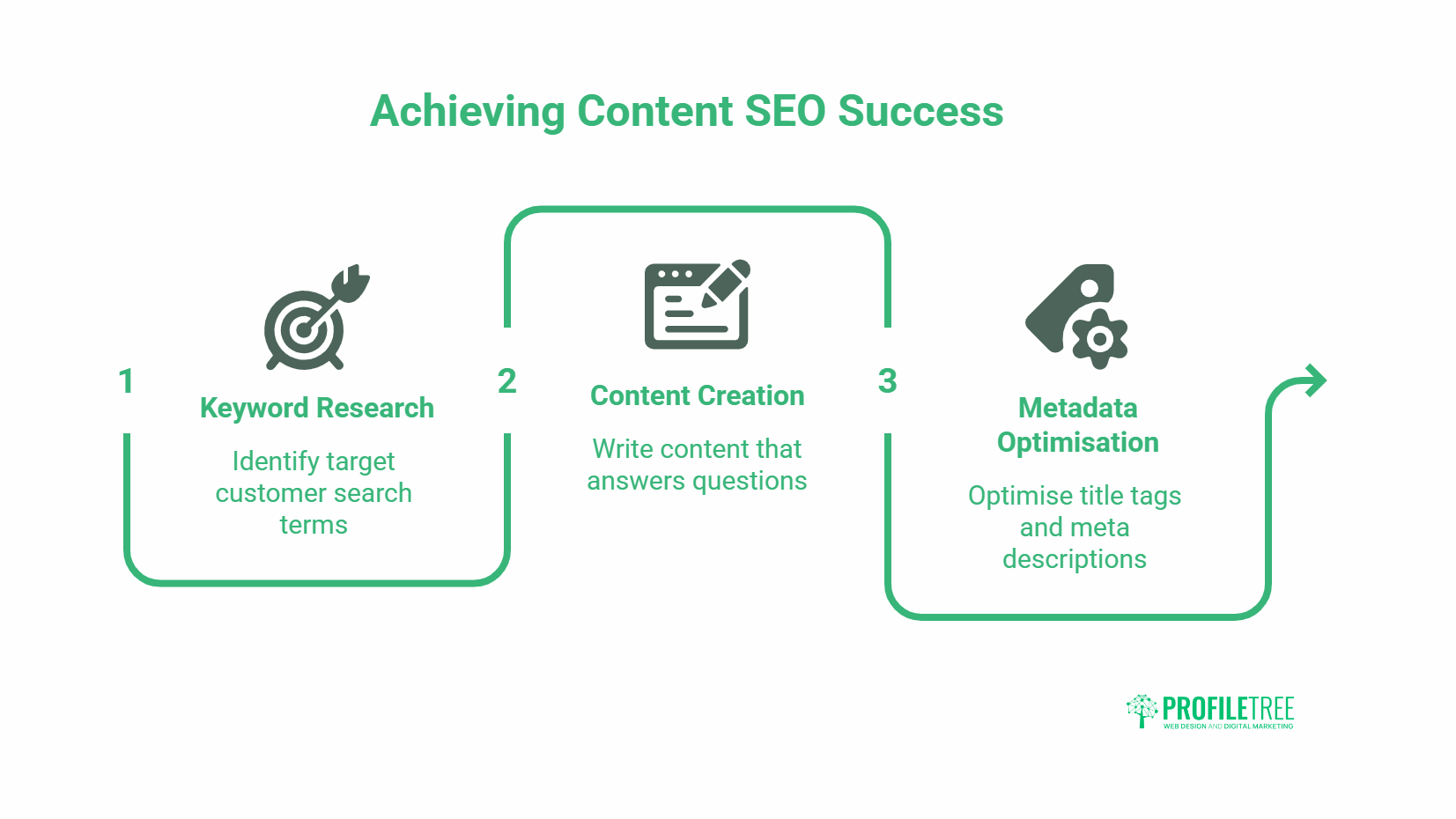
Content without SEO doesn’t get found. SEO without good content doesn’t convert. Both need to be planned together from the start.
Do Keyword Research Before You Write Anything
Identify the specific phrases your target customers use when searching for what you offer. Focus on search terms with clear commercial or research intent: phrases where someone is actively looking to hire, buy, or learn more before hiring. Tools like Ahrefs and Google Search Console show you search volumes, ranking difficulty, and the specific language real people use. Build your page structure around this research, not around how you describe your own services internally.
Good SEO practice means each page targets one primary keyword with a distinct intent, not multiple similar terms across overlapping pages.
Write Content That Answers Real Questions
Every page needs a clear purpose: what question does it answer, and what should the reader do next? Write the most important information first. Visitors scan before they read; if the answer they’re looking for isn’t visible within the first few seconds, they leave. Short paragraphs, clear subheadings, and specific language outperform long, generic blocks of text every time.
Avoid fabricating statistics or case studies. If you don’t have verified data to back a claim, remove the claim rather than inventing supporting evidence.
Optimise Every Page’s Metadata Before Launch
Each page needs a unique title tag (under 60 characters, primary keyword near the front) and a meta description (under 155 characters, describing what the page covers and why it’s worth clicking). These are what searchers see before they visit your site; they function as advertising copy. Generic or duplicated metadata is one of the most common and most fixable SEO errors on new sites.
Also check: H1 tags (one per page, containing the primary keyword), image alt text, and heading hierarchy (H1 followed by H2s, not random heading levels). For a full overview of how content marketing connects to search performance, that’s covered in ProfileTree’s content services documentation.
Plan Your Internal Linking Structure
Internal links distribute authority across your site and help visitors find related content. Every page should link to at least two or three other relevant pages using descriptive anchor text (not “click here”). Service pages should link to each other where logical. Blog posts should link to service pages when the topic connects naturally.
Pre-Launch Testing
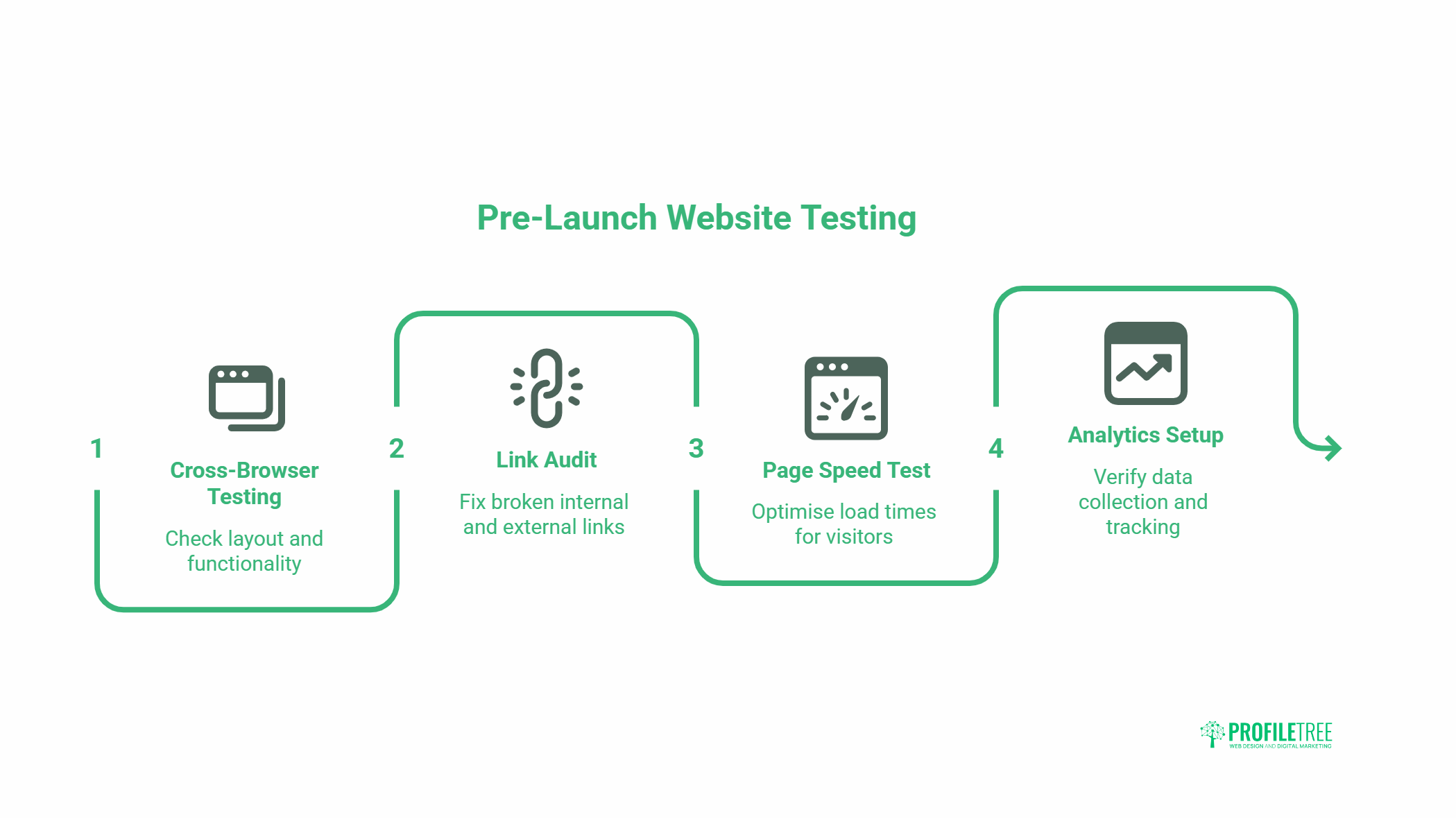
Testing before launch is faster and less damaging than fixing problems once the site is live. Work through this section methodically, not quickly.
Test Across Browsers and Devices
Check every page in Chrome, Firefox, Safari, and Edge. Test on at least one iOS device and one Android device. Look for layout breaks, text overflow, images that don’t load, and buttons that don’t respond to touch. Pay particular attention to forms: test every form submission and confirm that the right person receives the notification.
Audit All Links Before Launch
Crawl the site with a tool like Screaming Frog to find broken internal links, redirect chains, and missing pages. Fix every broken link before launch rather than relying on 404 pages. If you’re migrating from an existing site, map every old URL to its new equivalent and set up 301 redirects. Losing inbound links from third-party sites due to missed redirects is a straightforward error with real SEO consequences. Google’s documentation on Core Web Vitals and performance benchmarks is worth reviewing before launch to understand which speed and usability metrics affect rankings.
Test Page Speed Before Any Traffic Arrives
Run every key page through Google PageSpeed Insights. Address any critical issues before launch: uncompressed images, render-blocking scripts, and missing caching configuration are the most common causes of slow load times on new WordPress sites. A page that takes more than three seconds to load loses a significant proportion of mobile visitors before they’ve seen any content.
Check Analytics and Search Console Are Connected
Google Analytics and Google Search Console should both be verified and collecting data from the moment the site goes live. Set up conversion tracking for enquiry form submissions, phone number clicks, and any other actions you want to measure. Search Console also lets you submit your sitemap directly to Google, which speeds up initial indexing.
Review Privacy and Legal Requirements
A cookie consent mechanism, privacy policy, and terms of service are legal requirements in the UK and Ireland, not optional extras. If you process any personal data through forms, you also need to document this in your privacy policy. Check compliance before launch, not after.
After You Go Live
Launch day is when the work starts, not when it ends. The first 30 days after launch are when most issues surface.
Monitor Performance From Day One
Check Google Analytics daily for the first two weeks. Look for pages with high bounce rates, unusually short session times, or zero traffic. Cross-reference with Search Console to see which queries are driving impressions and clicks. Identify which pages are getting traction and which aren’t appearing in search results at all.
Build Your Post-Launch Content Plan
A new site with no content activity after launch sends a weak freshness signal to search engines. Plan a realistic schedule for new blog posts, case studies, or service page updates. Consistent, relevant content builds topical authority over time. Digital marketing services can help maintain momentum after launch if internal capacity is limited.
Set Up Your Social Media Profiles to Align With the New Site
Update all social profiles with the new URL, any updated branding, and consistent messaging. A social media strategy that runs alongside the site’s content plan extends reach and drives referral traffic in the months when organic search rankings are still building.
Consider Email Marketing and Team Training Next
Once the site is stable, the next step for most businesses is building a contact list and training the internal team to manage content updates independently. Email marketing and digital training both become significantly more effective once there’s a well-structured site to direct people to.
If your business is exploring AI-driven features, AI chatbots, AI-enhanced marketing, and AI transformation services are worth scoping once the core site foundation is established. Similarly, AI training for business teams can upskill staff to manage and iterate on content without always needing external support.
Video is also worth planning early. Video marketing consistently outperforms static content for engagement across both social channels and on-site. Building a basic video brief alongside the initial content plan is far less disruptive than retrofitting video into a site that wasn’t designed to include it.
For accessibility requirements that affect both legal compliance and SEO, the W3C Web Content Accessibility Guidelines are the authoritative reference for UK and Irish businesses.
Getting Your Website Launch Right
A website checklist is only useful if it’s used in order. Strategy before design, technical setup before content, testing before traffic. Skip any stage and you’ll pay for it later, in rework costs, lost rankings, or a site that works beautifully but doesn’t generate enquiries. ProfileTree’s web design team works through exactly this process on every project. If you’d like a conversation about what a new site build involves for your business, get in touch with the development team.
Frequently Asked Questions
What Should Be on a New Website Checklist?
A new website checklist should cover six core stages: strategy and goals, design and UX, technical setup (domain, hosting, SSL), content and on-page SEO (keyword research, metadata, internal links), pre-launch testing (browsers, devices, broken links, page speed), and post-launch monitoring. Miss any stage and you’re likely to discover the problem after the site is already live.
How Long Does It Take to Launch a New Website?
For most SME websites, six to twelve weeks is a realistic timeline from initial brief to launch. Simple brochure sites sit at the lower end; complex sites with custom functionality, e-commerce, or large content libraries sit at the higher end. The biggest variable is usually how quickly the client can provide approved content and feedback. Projects stall most often at the content and review stages, not the build stage.
Do I Need SEO Before My Website Launches?
Yes. SEO setup should happen before launch, not after. This includes keyword research to inform page structure and copy, writing unique title tags and meta descriptions for every page, setting up Google Search Console and Analytics, and submitting the sitemap once the site is live. Retrofitting SEO onto a site that’s already built and indexed is significantly harder than building it in from the start.
What Is the Most Common Mistake in a Website Launch?
The most common mistake is launching without a clear strategy. Sites built without a defined target audience, measurable goals, or keyword research tend to get traffic that doesn’t convert, or no meaningful traffic at all. The second most common mistake is skipping pre-launch testing, which surfaces broken links, form failures, and mobile layout issues that damage first impressions.
Should I Set Up Social Media Before or After Launching a Website?
Set up social profiles before launch so they’re ready to share launch announcements and drive early traffic. Update any existing profiles with the new URL and branding at the same time as launch. A coordinated launch across website and social channels generates more initial engagement than a quiet site launch followed by a social update days later.
How Do I Know if My Website Launch Was Successful?
Measure against the goals you set before the build started. Typical metrics include organic search impressions and rankings in Google Search Console (improving over 60 to 90 days), conversion rates on key pages (enquiry forms, phone clicks), session duration and bounce rate in Google Analytics, and direct business outcomes such as enquiry volume or sales. A site with no pre-defined success metrics can’t be objectively assessed.