
WordPress Speed Optimisation: A Practical UK Guide
Table of Contents
A WordPress site that scores 60 on PageSpeed Insights and converts well is doing its job better than one that scores 100 but converts poorly. WordPress speed optimisation isn’t a vanity exercise chasing a perfect number. It’s about identifying where technical and business performance overlap, then closing the gap between them. This guide covers the server-side, front-end, and WordPress-specific changes that make a measurable difference, along with the trade-offs most generic checklists skip.
Why Speed Still Costs You Sales
Google’s PageSpeed Insights measures specific technical signals: Largest Contentful Paint (LCP), Interaction to Next Paint (INP, which replaced First Input Delay in 2024), and Cumulative Layout Shift (CLS). These numbers matter for SEO because Google uses them as ranking signals, but they don’t capture the full picture of whether a site works for the people who use it.
A site scoring 85 with a strong hero video and a clear product gallery can outperform a site scoring 98 that strips out everything visitors expect to see. The scoring model weighs performance heavily, but it has no way of knowing whether a video background is driving enquiries or whether a stripped-back homepage is quietly losing them. That judgement call sits with the business, not the algorithm.
There’s also a gap between lab data and field data worth understanding before making any changes. PageSpeed Insights runs on throttled connections and standardised hardware to simulate an average visitor. Real visitors vary. A user on fibre broadband in Belfast will see a faster site than the test predicts. A user on a patchy 4G connection in a rural part of Northern Ireland or the Highlands may experience slower speeds. Chasing a single lab score without checking real-user data through Google Search Console or the web.dev’s Core Web Vitals report risks optimising for the wrong audience.
None of this means speed doesn’t matter. It means the target should be “fast enough to convert this specific audience,” not “100 on every test.” A website development team that understands this trade-off will build in the flexibility that generic plugins can’t.
Hosting and Server Foundations
Every other optimisation on this page is limited by the underlying hosting environment. Shared hosting on a budget provider puts a ceiling on what’s achievable, no matter how well the front end is built. A VPS offers more control but requires someone to manage it. Managed WordPress hosting sits in the middle for most SMEs: enough control to tune performance, without the overhead of running a server yourself.
Server location has a real, measurable effect on regional businesses. A Belfast retailer serving customers across Northern Ireland benefits from a UK-based server, since every request travels a shorter distance. A business trading across the island of Ireland might see similar gains from a Dublin-based node. International audiences need a content delivery network (CDN) to bring static assets closer to visitors wherever they are. None of this is optional once traffic grows past a local audience.
PHP version matters more than most site owners realise. Sites still running PHP 7.4 are using a version that’s been unsupported since November 2022 and is measurably slower than PHP 8.1 and later under equivalent load. Alongside PHP, OPcache configuration, correctly sized memory limits, and appropriate worker processes for expected traffic all affect how quickly a server responds before a single front-end optimisation kicks in. This is the layer where ProfileTree’s website hosting and management service does most of its work: server-level configuration, PHP version management and ongoing monitoring that most business owners have neither the time nor the specialism to run themselves.
Database Housekeeping
WordPress databases incur overhead during normal site operation. Post revisions pile up. Spam comments sit in the database long after they’re filtered from view. Transient data outlives its usefulness. Uninstalled plugins often leave their tables behind. None of this is dramatic on its own, but it compounds.
A monthly database optimisation routine catches most of this before it becomes a problem: clearing old post revisions (keeping the last two or three per post is usually enough), removing orphaned post meta, and running a table optimisation pass. Persistent object caching with Redis or Memcached helps further by keeping frequently requested data in memory rather than pulling it from the database on every page load, which matters most in logged-in areas and in dynamic systems like WooCommerce.
Caching That Actually Helps
Caching is where most of the visible speed gain comes from, provided it’s configured with some care rather than switched on and left. Page caching serves a static HTML version of a page instead of rebuilding it from the database each time. Browser caching tells a returning visitor’s device to reuse assets it already has. Object caching speeds up database queries. CDN caching stores static assets, such as images and scripts, from a location closer to the visitor.
Getting this right takes some configuration beyond the plugin defaults. Cache duration needs to balance freshness against performance, particularly for a site that publishes regularly. Sensitive pages, such as account areas or a WooCommerce cart, need to be excluded from the cache entirely. Cookie handling has to preserve any personalisation a visitor expects. Plugins such as WP Rocket, W3 Total Cache and LiteSpeed Cache each handle these edge cases slightly differently, and the right choice depends on the hosting environment as much as the plugin’s feature list.
WooCommerce sites add an additional layer of complexity, since cart and checkout pages can’t be cached the same way as static content. Getting this wrong either breaks functionality or leaves performance gains on the table, which is one of the more common issues found during a technical audit as part of a wider SEO services engagement.
Front-End Fixes That Move the Needle
Once the server and caching layer are solid, front-end changes start to show their full effect. Render-blocking resources are usually the biggest culprit here. A traditional WordPress theme loads its entire stylesheet before displaying anything, and JavaScript files can block parsing while they load. The result is a visible delay before anything appears on screen.
Critical CSS extraction addresses this directly. The styles needed for above-the-fold content get inlined in the page’s HTML, so the browser can render immediately, while the rest of the stylesheet loads without blocking anything. Tools like Critical or PurgeCSS can automate the extraction, though manual refinement usually improves the result, particularly on pages built with a page builder.
JavaScript needs similar attention. Deferring a script lets the browser keep parsing HTML while the script downloads in the background; loading a script asynchronously downloads it in parallel but runs it as soon as it’s ready. Interactive elements generally need deference. Analytics scripts can usually use async. Anything genuinely critical to the first render might need neither and should be reviewed individually rather than batch-processed by a plugin setting.
Loading only the JavaScript a page actually needs, rather than every script across the whole site, is one of the more overlooked wins. A contact form script has no reason to load on a blog post. Slider code has no reason to load on a page without a slider. This kind of selective loading takes more planning than a one-click optimisation plugin, which is where a properly built theme earns its keep over a generic one.
Images: Beyond Basic Compression
Image handling goes beyond simple file compression. Modern formats such as WebP and AVIF compress noticeably better than JPEG at equivalent visual quality. Responsive images serve an appropriately sized file for each device rather than shipping a desktop-sized image to a phone. Lazy loading delays anything below the fold until a visitor scrolls near it. Each of these contributes to faster page load times independently, and together they usually account for a large share of any speed improvement on an image-heavy site.
A properly built <picture> element, offering AVIF and WebP with a JPEG fallback, plus srcset covering a few breakpoints, plus lazy loading and explicit width and height attributes to prevent layout shift, covers most of what’s needed here. Getting this set up once at the build stage, rather than relying on a plugin to guess it after the fact, tends to produce better, more consistent results.
Core Web Vitals, Properly Explained
Core Web Vitals are the specific measurements Google uses to judge loading performance, interactivity and visual stability. Understanding what each one actually measures helps prioritise where to spend the time.
Largest Contentful Paint (LCP) tracks how long it takes for the largest visible element, usually a hero image or a large block of text, to render. Google’s target is under 2.5 seconds. The most common culprits are unoptimised hero images, video posters, and background images that load late. Preloading the hero image and critical fonts, and using DNS prefetch or preconnect for external resources like Google Fonts, are among the more effective fixes here.
Interaction to Next Paint (INP) replaced First Input Delay as the official responsiveness metric in March 2024 and measures the delay across all interactions on a page rather than just the first. Heavy JavaScript execution, particularly from third-party scripts such as chat widgets, tracking codes and social embeds, is usually the main cause of a poor INP score. Breaking long tasks into smaller chunks, deferring non-critical scripts, and loading third-party embeds only after a user interacts with the page (a facade pattern) are the standard fixes.
Cumulative Layout Shift (CLS) measures how much visible content moves around while a page loads. A target below 0.1 is generally considered good. Images without explicit width and height attributes, web fonts that swap in and shift text, and dynamically injected content such as cookie banners or ads are the usual causes. Reserving space with an aspect-ratio on image containers, and using font-display: optional or a carefully matched fallback font, prevents most of this before it happens.
"Getting 90 to 100 on PageSpeed isn't about following every recommendation a tool gives you," says Ciaran Connolly, founder of ProfileTree. "It's about understanding which changes give real value for a specific business. A Belfast restaurant needs a fast mobile experience more than a perfect score. A B2B site might reasonably prioritise detailed product information over shaving off another quarter-second. The right balance depends on what the site is actually for."Speed for UK and Ireland Audiences
Most speed optimisation content online is written for a US audience testing on fast fibre connections in major cities, which leaves a genuine gap for UK and Irish businesses. Server location is one part of this: a site hosted in London or Manchester will generally serve UK visitors faster than one hosted on the US East Coast, and the same logic applies to Dublin for all-island Irish traffic.
Connectivity is the part that’s usually missed entirely. A visitor browsing on 4G in a rural part of Northern Ireland, or on the London Underground between signals, experiences a very different version of a site than the PageSpeed Insights lab test assumes. Testing throttled “Slow 4G” settings in Chrome DevTools, rather than relying solely on the default lab profile, provides a more honest picture of how a site performs for a meaningful share of the UK audience.
This is also where the case for a managed hosting and website management service becomes more concrete than abstract. A £3-a-month shared hosting plan is not compatible with the kind of monitoring, server-level tuning, and CDN configuration that regional performance depends on, regardless of a hosting provider’s marketing claims.
WordPress-Specific Bottlenecks
Some performance problems are specific to how WordPress itself is built and used, rather than general web performance issues.
Plugin Bloat
Every active plugin adds database queries, loads its own scripts and styles, and hooks into WordPress’s processing on every page load. A site running thirty or more plugins is working against itself before any front-end optimisation begins. Tools like Query Monitor and browser developer tools help identify which plugins are actually expensive, rather than guessing based on how many features they claim to have.
Consolidating several single-purpose plugins into a single, well-built alternative, replacing a heavy plugin with a lighter one that does the same job, or building small pieces of custom functionality instead of installing a plugin for a minor feature are all worth considering during a plugin audit. This kind of review is a standard part of a website development engagement, since it usually surfaces issues a site owner didn’t know were there.
Theme Choice and Custom Development
A multi-purpose theme with thousands of unused features imposes a performance cost from day one, regardless of how well everything downstream is optimised. Page builders like Elementor and Divi generate more verbose HTML and additional CSS and JavaScript than hand-coded markup, which typically costs a site 10 to 25 PageSpeed points before any optimisation work starts. Modern versions of these tools include their own performance settings, enabling features like Elementor’s improved asset loading and the use of containers instead of legacy sections, which can help close some of that gap, but there’s a limit to how far a page builder can be pushed.
A hybrid approach works well for most SMEs: keep a page builder for pages that need frequent editing by non-technical staff, and hand-code the pages that carry the most traffic, such as the homepage and key landing pages. Custom WordPress development built with this trade-off in mind tends to perform noticeably better than a template-based build with optimisation bolted on afterwards.
E-commerce Considerations
WooCommerce introduces its own set of constraints. Product queries add to database load; cart and checkout pages need to stay dynamic and can’t be fully cached; and payment gateways bring in external dependencies beyond the site’s control. Limiting the number of related products shown, lazy-loading product galleries, and implementing AJAX add-to-cart to avoid a full-page reload all help without compromising the shopping experience. For a UK or Ireland retailer, this is directly tied to revenue: research on Core Web Vitals and e-commerce conversion consistently shows that every additional second of load time reduces the likelihood of a completed purchase.
Tools Worth Using
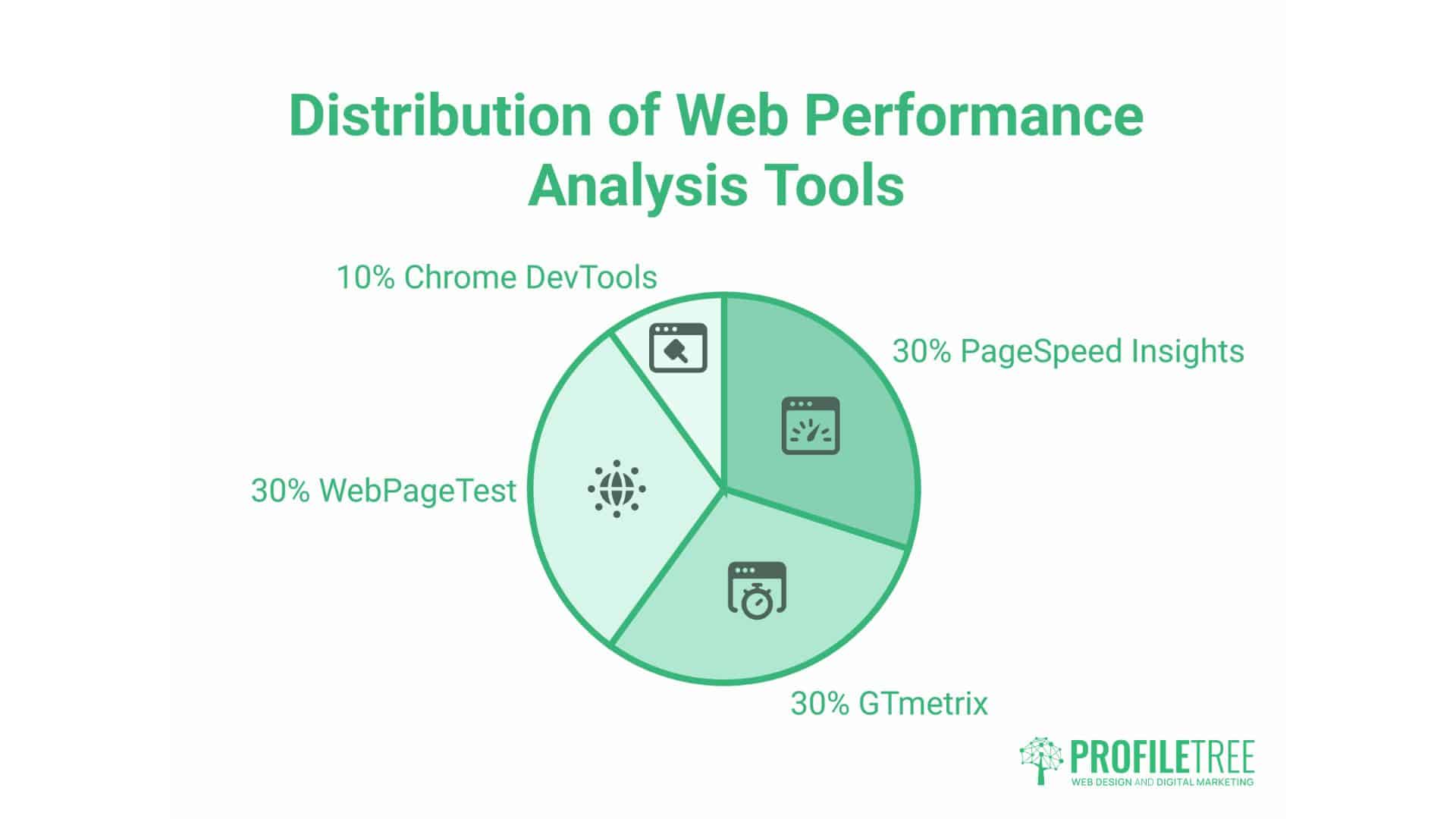
PageSpeed Insights is a reasonable starting point, but it doesn’t provide a complete picture on its own. GTmetrix adds waterfall analysis and a video recording of the load. WebPageTest allows testing from multiple physical locations, which matters for confirming how a UK-hosted site actually performs for visitors elsewhere. Chrome DevTools gives the most granular view for anyone doing the actual fixing.
Real user monitoring closes the gap between lab tests and what visitors experience. Google Search Console reports Core Web Vitals field data based on real traffic, a more honest measure of performance than any single lab test. Session recordings and heatmaps can also reveal where a slow-loading element is causing visitors to leave before it’s finished rendering, information a PageSpeed score alone can’t provide.
Ongoing monitoring, rather than a one-off audit, is what keeps a site from quietly regressing after a launch. A monthly review covering PageSpeed and Core Web Vitals scores, database health, plugin performance and server resource usage catches problems while they’re still small. This kind of continuous technical monitoring is typically bundled into a website hosting and management service, since it needs consistent attention rather than a single project.
Keeping It Fast
Performance degrades on its own without active maintenance. Database tables accumulate overhead again. Plugin updates introduce new scripts. New content adds page weight. Traffic growth puts pressure on server resources that weren’t sized for it. None of this happens overnight, which is exactly why it’s easy to miss until a site has noticeably slowed down.
Setting realistic expectations with clients or stakeholders early avoids a common frustration later: a perfect score with rich media, video and interactive features is a genuinely difficult combination to achieve, and usually isn’t the right goal in the first place. A site that loads in 2.5 seconds, with the media a business needs to convert visitors, will often outperform a 1.5-second site stripped of everything that made it work. Helping a client understand that trade-off, ideally with real loading-time comparisons rather than abstract scores, tends to produce better decisions than chasing a number in isolation.
Training a client’s own team to maintain the gains after a build is complete matters just as much as the initial optimisation. Understanding basic image sizing before uploading, knowing what to check before adding a new plugin, and recognising when an issue needs a professional rather than a plugin setting all reduce the rate at which performance quietly slips. ProfileTree’s digital training programme and the wider ProfileTree Academy cover exactly this kind of practical, ongoing skill-building for in-house teams, rather than a one-off handover document that gets filed away and forgotten.
For a broader look at how site structure and content strategy interact with technical performance, the SEO services page covers the wider picture beyond speed alone, and the related piece on WordPress hosting for growing businesses goes into more depth on choosing the right hosting tier as a site scales. Anyone planning a full rebuild rather than an incremental fix should also see the guide to website migration, since a migration is the point where performance problems are easiest to solve from the ground up.
Building a genuinely fast WordPress site isn’t a single project with a finish line. It’s server choices, caching, front-end discipline and WordPress-specific housekeeping working together, checked periodically rather than set once and left. Getting the foundations right the first time, through solid hosting, a well-built theme and a properly configured caching layer, makes every optimisation on top of it easier and more durable.
Making WordPress Speed Optimisation an Ongoing Habit
WordPress speed optimisation isn’t a single fix. It’s server choices, caching and regular housekeeping working together, checked periodically rather than set once and forgotten. A site that scores well today can slip back within months if nobody’s watching the database, the plugins or the hosting resources behind it.
The businesses that get the most from this work don’t chase a perfect score for its own sake. They aim to be fast enough to keep a mobile visitor from bouncing and fast enough to protect a checkout’s conversion rate, without stripping out the video or galleries that do the commercial heavy lifting.
For most SMEs in Northern Ireland, Ireland, and the UK, the fastest route to a site that stays fast is to pair this work with ongoing hosting and management support, not a one-off project.
FAQs
Can WordPress sites really hit 100 on PageSpeed?
Yes, technically. A simple blog with minimal images can score 100 points with little effort. A business site running video, image galleries, and interactive features typically scores in the 85-95 range, and this usually reflects a better user experience and conversion performance than chasing the last few points would.
Does hosting really affect WordPress speed, or is it mostly plugins?
Hosting sets the ceiling, everything else operates under. A well-optimised front end on poor hosting will always underperform a modest front end on good hosting. Server response time, PHP version and available resources all matter before a single plugin is installed.
Which UK hosting options are worth considering for speed?
Managed WordPress hosts with UK-based data centres give the clearest latency advantage for a UK or Ireland audience. The right specific choice depends on traffic levels, budget and whether the site needs hands-on server management or a fully managed service, which is worth discussing directly rather than picking from a generic ranked list.
Should mobile or desktop PageSpeed scores get priority?
Mobile, in almost all cases, since Google indexes and ranks based primarily on the mobile version of a site. A B2B site with genuinely high desktop traffic can justify some additional desktop-specific attention, but mobile performance should never be sacrificed to achieve it.