
Wix Analytics vs Google Analytics: A Guide for UK SMEs
Table of Contents
The short answer: Use Wix Analytics for daily operational checks. Use Google Analytics 4 for marketing decisions, SEO attribution, and conversion optimisation. For most growing businesses, you need both, and they serve entirely different purposes.
If you run a Wix website and open your dashboard to find that Wix shows 120 visitors while Google Analytics shows 94, you are not alone. That discrepancy is one of the most common questions business owners bring to ProfileTree, a Belfast-based web design and digital marketing agency. This guide covers exactly that, along with a clear breakdown of Wix Analytics vs Google Analytics, which platform to use for which decisions, how to set up GA4 on Wix correctly, and what serious e-commerce businesses need to know about conversion tracking.
The Quick Verdict: Wix Analytics vs Google Analytics
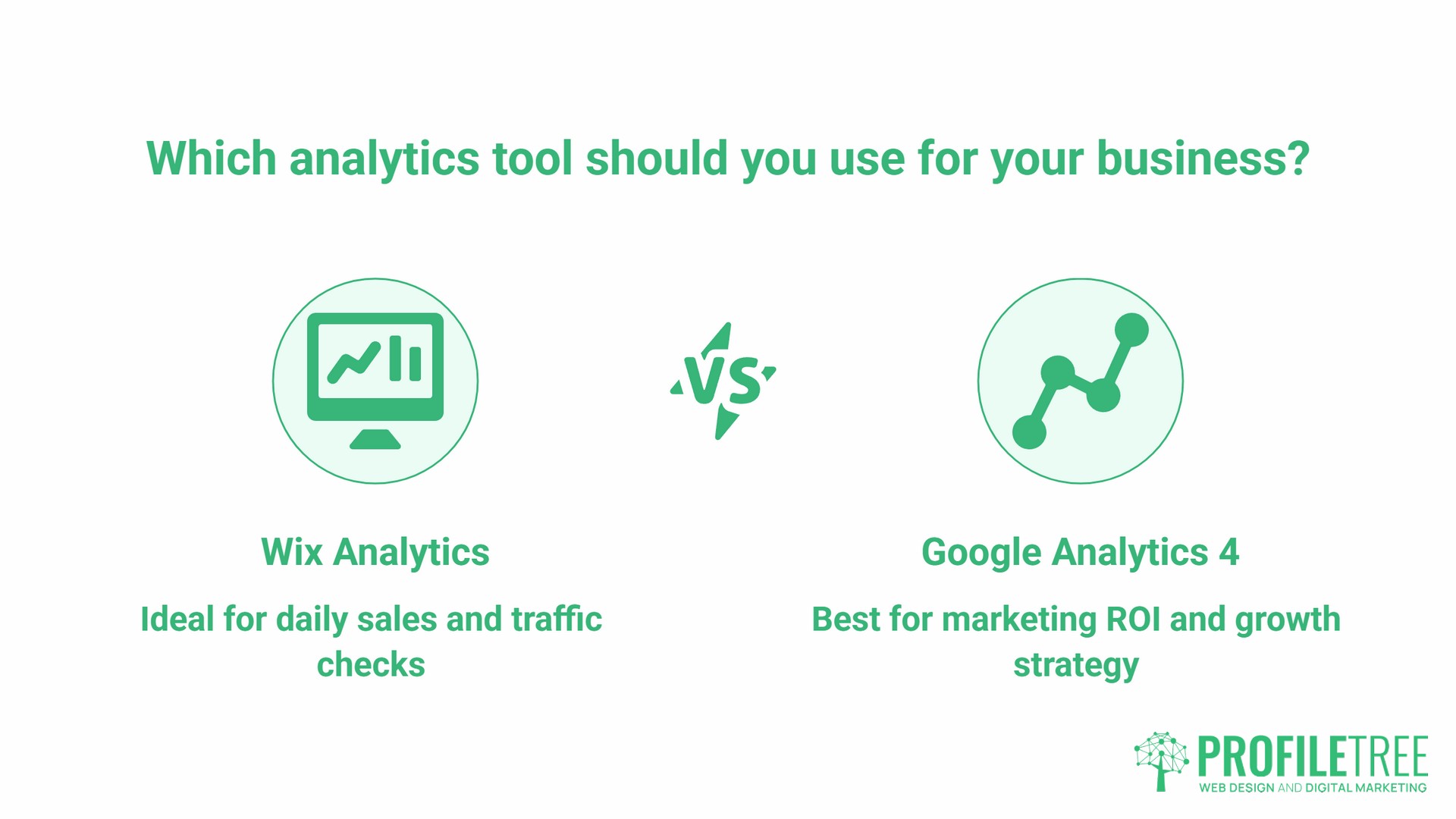
Most articles on Wix Analytics vs Google Analytics try to pick a winner. The honest answer is that they answer different questions and should be used together.
| Feature | Wix Analytics | Google Analytics 4 |
|---|---|---|
| Setup time | Zero, active from day one | 10 to 20 minutes |
| Learning curve | Low | Moderate to high |
| Real-time data | Yes, via mobile app | Yes |
| E-commerce tracking | Native Wix Stores integration | Requires configuration |
| SEO keyword attribution | Not available | Via Search Console link |
| Data retention (exploration reports) | Limited | 2 months default; 14 months if changed in settings |
| Cost | Included with Wix | Free |
| GDPR compliance | Requires proper cookie banner setup | Requires Consent Mode v2 configuration |
| Best for | Daily sales and traffic checks | Marketing ROI and growth strategy |
Wix Analytics is the operations dashboard. Google Analytics is the strategy tool. The businesses ProfileTree works with that perform best analytically tend to run both, treating them as complementary rather than competing.
What Wix Analytics Does Well
Wix Analytics is built directly into the platform, which means it starts capturing data the moment your site goes live. There is no code to add, no configuration to get wrong, and no gap in your early data history from the period when you were focused on building rather than measuring.
The dashboard is designed for business owners rather than analysts. Traffic source breakdowns, page performance summaries, and visitor counts are all presented visually and accessibly. For a small business owner checking performance from a phone between meetings, the Wix mobile app gives a usable snapshot without needing to open a laptop.
Where Wix Analytics genuinely excels is in e-commerce operational data. If your business runs on Wix Stores, the platform shows product performance, abandoned cart rates, and revenue figures in a single view, with no configuration required. For day-to-day sales decisions, this native integration is faster and more straightforward than GA4’s equivalent setup.
- What Wix tracks automatically:
- Total visits, unique visitors, and page views
- Traffic sources (direct, search, social, referral)
- Geographic data by country and city
- Device and browser breakdown
- Page-level engagement and bounce rates
- Wix Stores’ revenue and product performance
- Form submissions and email signups
- Where it falls short:
- Analytics does not connect to your SEO data. You cannot see which search queries are driving traffic, which pages are gaining or losing organic visibility, or how your rankings correlate with traffic changes. That information lives in Google Search Console, and making sense of it alongside your site data requires GA4 as the bridge.
Event tracking is also limited. You cannot track custom interactions, build conversion funnels across multiple steps, or create audience segments for remarketing. As a business grows and its digital marketing becomes more sophisticated, these limitations become significant.
For businesses looking to connect additional tools and apps to their Wix website, Wix’s native analytics integrates well with the broader platform, but it does not replace what GA4 offers for marketing measurement.
What Google Analytics 4 Adds
When businesses compare Wix Analytics and Google Analytics at the feature level, GA4 wins in depth. It tracks behaviour at the event level rather than the session level, so you can see exactly which actions users take, in what order, and where they drop off.
For any business running paid advertising, SEO campaigns, or content marketing, this depth of data is not optional. The most important thing GA4 does that Wix Analytics cannot is connect marketing efforts to commercial outcomes. When you run a Google Ads campaign, send an email newsletter, or post on social media, GA4 tracks which channels drive visitors who actually convert, not just those who visit. Wix Analytics shows you traffic; GA4 shows you which traffic matters.
- How to add Google Analytics to your Wix site:
- Create a Google Analytics 4 property at analytics.google.com using a Google account.
- Go to Admin, then Data Streams, then Web.
- Enter your Wix website URL and name your stream.
- Copy the Measurement ID. It starts with “G-“.
- In Wix, go to Settings> Marketing and SEO> Marketing Integrations.
- Select Google Analytics and paste your Measurement ID.
- Publish your site to activate tracking.
- Verify by opening GA4’s Real-Time report and visiting your site from another device.
The verification step matters more than most guides acknowledge. Misconfigured setups can go undetected for months, leaving data gaps that cannot be recovered. Always check Real-Time before assuming installation has worked.
One setting to change immediately after setup: GA4 defaults to retaining user-level and event-level data for only two months. If you do not change this, your Exploration reports will lose detailed data after eight weeks. Go to Admin, then Data Settings, then Data Retention, and set it to 14 months (the maximum for standard free properties, as confirmed by Google’s own documentation). Note that this setting does not affect GA4’s standard aggregated reports, which retain data regardless.
GA4’s key advantages over Wix Analytics:
- Search Console integration: Link GA4 to Google Search Console to see which queries bring organic visitors and how they behave on site. This is essential for understanding how content drives search traffic and for ongoing SEO decisions.
- Conversion tracking: Define specific actions as conversions, including form completions, button clicks, and purchase completions, then track rates over time.
- Audience building: Create user segments based on behaviour for remarketing in Google Ads.
- Custom events: Track any interaction on your site, including video plays, scroll depth, and outbound link clicks, via Google Tag Manager.
- Attribution modelling: See the full path a user takes before converting, not just the last touchpoint.
For businesses working with ProfileTree on website development or digital marketing, GA4 configuration is typically included as part of the project setup because launching a site without proper measurement in place means making early decisions without data to guide them.
Why Your Wix and Google Numbers Never Match
This is the central question in the Wix Analytics vs Google Analytics debate. A business owner sees Wix reporting 150 visitors and GA4 showing 112. Which one is right?
Both are right. They measure differently, and the gap is expected.
“This is one of the first things we address when we audit a client’s analytics setup,” says Ciaran Connolly, founder of ProfileTree. “When a business sees two different numbers, the instinct is to assume something is broken. Usually it is not. The platforms track fundamentally different things, and understanding why the gap exists is more useful than trying to make the numbers match.”
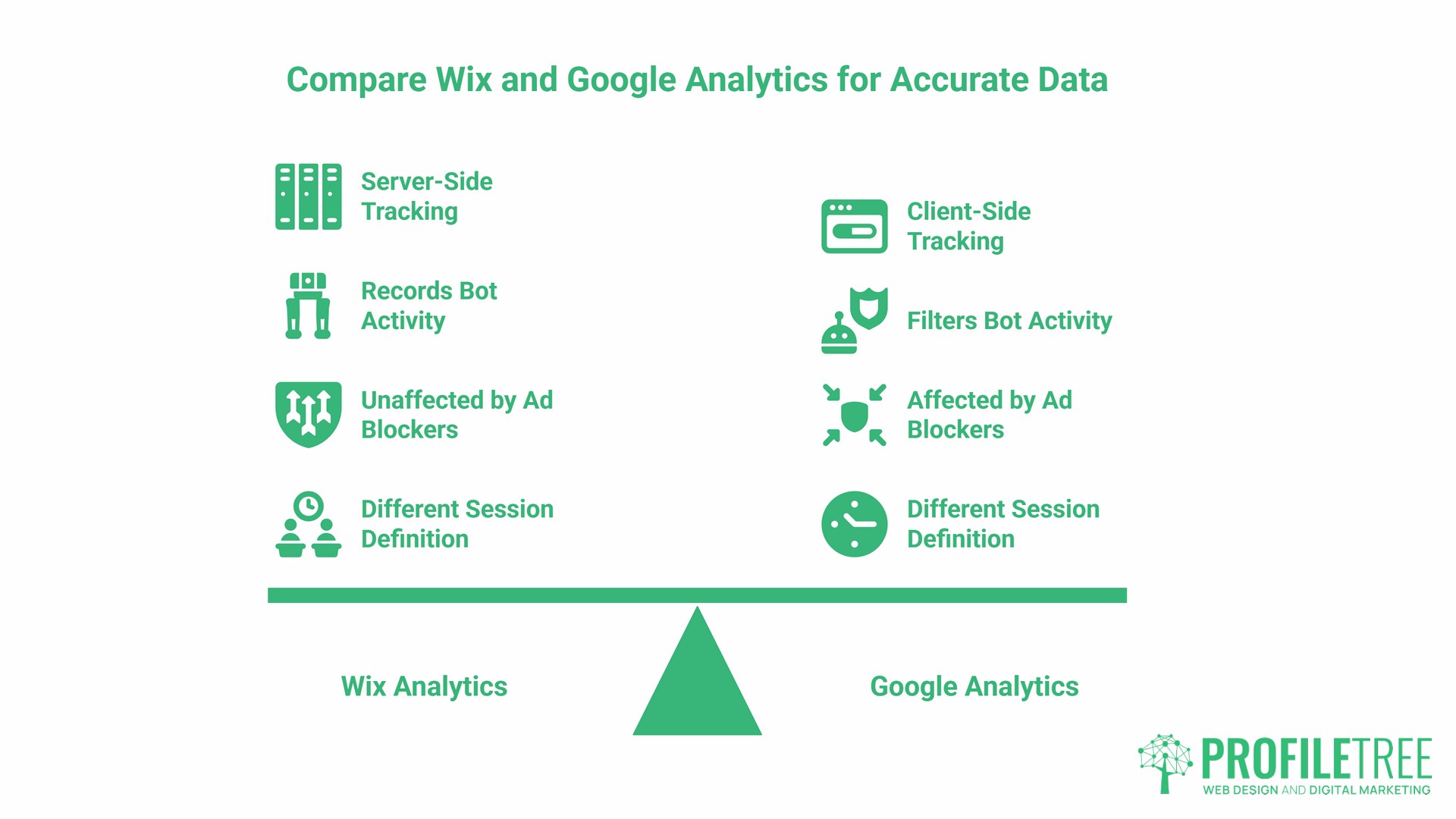
Here are the main reasons the numbers diverge:
What Wix Analytics Does and Does Not Track
It is worth clarifying how Wix Analytics handles consent. According to Wix’s own support documentation, Wix’s traffic reports rely on analytics cookies that visitors have consented to via the cookie banner. However, Wix’s Sales and People reports (covering transactions, contacts, and members) rely on essential cookies and server data rather than analytics cookies, so those figures are not affected by consent choices. This means the gap between Wix and GA4 traffic counts is real but partly consent-dependent on both sides.
Bot Filtering Differences
GA4 uses JavaScript-based tracking in the browser, which automated bots, crawlers, and monitoring tools typically do not execute. This means GA4 naturally filters out a significant volume of non-human requests. Wix’s server-side infrastructure still records those requests in some reports. For sites with decent domain authority attracting regular crawler activity, this difference can be meaningful.
Ad Blockers and Script Blocking
GA4 loads via JavaScript, and ad blockers, browser privacy extensions, and some VPNs actively block Google’s tracking scripts. Because GA4 is client-side by default, these tools can prevent it from firing entirely for affected visitors. Wix’s server-side data is not affected by browser-level blocking in the same way.
Session Definition Differences
Wix and GA4 define sessions differently. A user who visits, goes idle, and then continues browsing may be counted as one session in one platform and two in the other, depending on timeout settings and configuration. This does not significantly affect raw visit counts but it does affect session-based metrics like bounce rate and session duration, which is why those numbers often look most different between the two platforms.
What This Means in Practice:
Use GA4 for all campaign measurement and marketing attribution, because it reads UTM parameters and tracks consented users who are more likely to represent genuine prospects. Use Wix figures for operational awareness, particularly for Wix Stores data. Never mix sources in the same report.
For businesses in Northern Ireland and Ireland that manage tracking tools within their Wix setup, understanding this distinction helps avoid the common mistake of pulling data from multiple platforms when reporting on the same campaign.
E-commerce Tracking: Wix Analytics vs Google Analytics
| Capability | Wix Analytics | Google Analytics 4 |
|---|---|---|
| Revenue reporting | Yes, native | Yes, requires setup |
| Product performance | Yes | Yes, detailed |
| Cart abandonment | Basic | Detailed funnel |
| Checkout behaviour | Limited | Step-by-step analysis |
| Marketing attribution | Not available | Full multi-touch |
| Refund tracking | Basic | Configurable |
| Custom purchase events | No | Yes |
For Wix store owners, the native analytics provide a clear and accessible sales dashboard. Revenue, orders, and top products are visible without any configuration. For a business owner who wants to check yesterday’s sales before a morning meeting, this works well.
The limitation becomes apparent when you want to understand where your customers came from. Wix Analytics shows that 40 orders were placed on Tuesday. GA4 shows that 22 of those came from a Google Ads campaign, 11 from organic search, and 7 from direct traffic. That distinction is what justifies or calls into question your marketing spend.
For businesses using Wix Stores and wanting to understand how delivery options affect purchase completion, the guide to setting up delivery methods on Wix e-commerce covers the practical configuration. Tracking those checkout steps in GA4 then reveals where customers abandon the process.
Setting Up GA4 E-Commerce Tracking on Wix:
Wix has native GA4 e-commerce integration for Wix Stores. Once your GA4 Measurement ID is connected, go to Wix’s Analytics and Reports section and enable enhanced e-commerce tracking. This automatically passes purchase events, product views, and cart actions to GA4.
After activation, verify by placing a test order and checking GA4’s Real-Time events. You should see a “purchase” event fire. If it does not appear within a few minutes, check that your GA4 property has e-commerce reporting enabled under Admin> Data Display> Events.
GDPR, the ICO, and UK Compliance
For UK and Irish businesses, data privacy is not optional. The ICO enforces UK GDPR requirements, and analytics configuration has direct compliance implications. The comparison of Wix Analytics vs Google Analytics looks different when viewed through a compliance lens.
Wix Analytics and GDPR:
According to Wix’s own support documentation, Wix’s traffic reports rely on analytics cookies that require visitor consent via your cookie banner. If visitors decline, those sessions may not appear in your traffic reports. The Sales and People reports that rely on essential cookies and server-side transaction data are not consent-dependent in the same way. This means Wix’s approach to compliance is layered: some data requires consent, some does not. As the site owner, you are responsible for configuring Wix’s cookie banner correctly and for maintaining an accurate privacy policy.
Google Analytics 4 and GDPR:
GA4 requires explicit cookie consent before it can fire for non-essential tracking purposes. Google’s Consent Mode v2 became mandatory for Google Ads conversion tracking and remarketing in the EEA and UK as of March 2024, and Google began disabling advertising features for non-compliant accounts from July 2025. If you run any paid advertising via Google alongside your GA4 setup, Consent Mode v2 is not a recommendation; it is a requirement. Consent Mode v2 allows GA4 to send aggregated, modelled signals from users who decline cookies, helping to maintain some measurement accuracy without collecting individual data.
Practical Steps for UK Compliance:
- Configure Wix’s cookie banner to give users a genuine choice, not a pre-ticked accept by default.
- Implement Google’s Consent Mode v2 if you use GA4 alongside Google Ads. This is required for EEA and UK traffic.
- Update your privacy policy to name both Wix Analytics and Google Analytics as data processors, describing what each collects and how long data is retained.
- Set GA4’s data retention to the maximum 14 months under Admin, then Data Settings, then Data Retention.
ProfileTree’s digital training programmes cover analytics compliance as part of broader digital skills development for SME teams who want to manage this in-house rather than depend on outside support.
Common Mistakes When Using Wix Analytics and Google Analytics Together
Duplicate Tracking
Installing the GA4 tracking code manually via Wix’s HTML editor while also connecting GA4 through the Marketing Integrations panel causes every event to be counted twice. Revenue appears to be doubled, conversion rates appear inflated, and historical data becomes unreliable. Check by opening GA4’s Real-Time report and watching the event stream; if every event appears twice in quick succession, you have a duplicate setup.
Not Changing the Default Data Retention Setting
GA4 defaults to retaining user-level and event-level data for just two months. Many Wix site owners connect GA4 and never change it, only to discover months later that their Exploration reports show only recent data. Change it to 14 months immediately after setup, as described above.
Missing Conversion Events
GA4 tracks behaviour automatically, but it does not automatically mark events as conversions. A form submission is tracked as a “generate_lead” event by default, but until you mark that event as a conversion in GA4’s configuration, it will not appear in your conversion reports. Go to Admin, then Events, then toggle the “Mark as conversion” switch for the events that represent genuine business outcomes.
Not Linking Search Console
GA4 alone cannot show you which search queries drive organic traffic. Linking Google Search Console to your GA4 property takes 2 minutes (Admin, then Product Links, then Search Console Links) and unlocks the organic search report, which connects keyword data to on-site behaviour. For any business with an interest in SEO, this link is not optional.
Using Wix Data for Campaign Decisions
Wix Analytics does not read UTM parameters from campaigns. If you run a Google Ads campaign or a social media promotion and judge its performance using Wix’s traffic figures, you cannot isolate the campaign’s contribution. All campaign measurement should use GA4, which attributes sessions based on UTM parameters.
Using Analytics to Drive Better Decisions
The Wix Analytics vs Google Analytics question is not really about which platform is better. It is about whether your current setup answers the questions your business actually needs answered: Where are customers coming from? Which marketing activity drives real revenue? Which pages lose visitors before they convert?
Wix Analytics tells you your site is active and selling. GA4 tells you why it is performing the way it is and what to change. Used together, with correct setup and an understanding of why the numbers differ, they give you a complete operational and strategic picture.
For businesses building on Wix, adding HTML elements, or integrating additional functionality, the guide to adding HTML code to your Wix website covers the technical side of custom integrations, including third-party tracking tools.
ProfileTree works with SMEs across Northern Ireland, Ireland, and the UK on analytics setup, GA4 configuration, and training for in-house teams. If your data is not answering your business questions, the setup, not the platforms, is usually where the problem lies.
Frequently Asked Questions
Is Wix Analytics accurate?
Wix Analytics is accurate for what it measures. Traffic reports rely on analytics cookies and may not capture visitors who decline the cookie banner. Wix Stores’ revenue and transaction data rely on essential cookies and server-side records and are not affected by consent choices in the same way. GA4 is browser-based and excludes users who block scripts or decline consent. Neither platform captures every visitor in the same way; they measure different things using different methods.
Can I use both Wix Analytics and Google Analytics at the same time?
Yes, and most businesses with any marketing activity should. They run independently and do not interfere with each other. The data will not match, and that is expected. Use Wix for sales operations and quick checks. Use GA4 for marketing analysis and strategic decisions.
Do I need GA4 if I have the Wix mobile app?
The Wix Owner App gives you real-time sales data, visitor counts, and form submissions on your phone. It is genuinely useful for operational awareness. But it does not show you which marketing channels drive your best customers, how users navigate your site before converting, or how your SEO performance connects to traffic trends. GA4 answers those questions; the Wix app does not.
Why does Wix show more visitors than Google Analytics?
Several factors contribute: bot and crawler traffic that GA4 filters out via JavaScript execution; script-blocking tools, such as ad blockers, that prevent GA4 from firing; and differences in how each platform handles session timing and definitions. Understanding which platform to use for which purpose matters more than trying to make the numbers agree.
Is Wix Analytics free?
Basic Wix Analytics is included with all Wix plans. The Visitor Analytics app in the Wix App Market is a third-party product with its own pricing, separate from Wix’s built-in analytics. Google Analytics 4 is free for standard use.
Does Wix Analytics work with Wix Studio?
Wix Studio, Wix’s advanced builder for agencies and developers, includes the same underlying Wix Analytics. GA4 integration works the same way on Wix Studio sites via the Marketing Integrations panel. Wix Studio sites built with custom code or third-party integrations may require additional event tracking configuration in GA4 beyond the default automatic events.
Is Wix Analytics GDPR compliant for UK businesses?
Wix provides tools to support compliance, but it is your responsibility as the site operator to use them correctly. This means configuring Wix’s cookie banner to require proper consent before analytics cookies are set, and updating your privacy policy to reflect the data you collect. Wix’s Data Processing Agreement covers Wix’s role as your data processor, but your own practices (cookie consent configuration, privacy notices, and response to data subject requests) determine whether your site meets UK GDPR requirements.