
Website Updates: The Complete Maintenance Guide
Table of Contents
Most businesses treat website updates as something to deal with when things break. That reactive approach costs far more than a structured website maintenance schedule ever would. A site that has gone six months without a content refresh, security patch, or performance check is quietly losing search engine rankings, turning away mobile visitors, and building up technical debt that eventually forces a full redesign.
This guide covers every type of website update your business needs: technical security patches, content refresh cycles, SEO improvements, UK compliance reviews, and safe deployment practices. Whether you manage your own WordPress site or work with a web design and digital agency, this is the practical website maintenance checklist most guides leave out.
Why Regular Website Updates Matter
A website isn’t a one-time project. It’s an active business asset that requires consistent attention to stay secure, perform well in search engine results, and reflect your services accurately. Neglecting website updates affects three areas simultaneously: security, search engine visibility, and user experience. The damage in each area compounds over time, making recovery harder and more expensive the longer it is deferred.
Security Risks from Outdated Sites
Outdated plugins, WordPress themes, and core software are the most common entry points for site compromises. When a vulnerability is discovered in a widely used WordPress plugin, a security patch is typically released within days. Sites that don’t apply the website update remain exposed indefinitely. A single successful attack can mean lost customer data, defaced pages, Google blacklisting, and weeks of recovery work that far exceeds the cost of routine website maintenance.
For SMEs handling customer enquiries or e-commerce transactions, the reputational damage from a security breach often outweighs the technical cost. A proactive website maintenance plan covering weekly security scans and timely plugin updates will remove most of that risk before it materialises.
Search Engine Visibility
Search engines reward freshness, relevance, and technical performance. A site where core pages haven’t had a content refresh in two years, where loading speeds have degraded, or where internal links point to deleted pages will see search engine rankings decline gradually. Google’s February 2026 core update continued its focus on sites with genuine depth and current information, penalising pages that add no new value for users.
Regular website updates signal to search engines that your content is actively maintained. That doesn’t mean changing publication dates on old posts. It means adding genuinely new information, updating statistics with named sources, fixing technical issues, and expanding thin sections relative to competing pages. A consistent website maintenance schedule is one of the most reliable ways to protect and improve search engine performance over time.
User Experience and Mobile Performance
A site that loads slowly, shows broken elements on mobile, or displays outdated pricing loses visitors before they convert. Page speed is a direct search engine ranking factor, and Google’s Core Web Vitals measure the real-world experience visitors have on your pages. A site that fails Core Web Vitals thresholds is at a structural disadvantage regardless of content quality.
With the majority of UK web traffic now coming from mobile devices, Google indexes the mobile version of your site first. Website updates that address mobile responsiveness, image compression, and Core Web Vitals scores affect both user experience and search engine rankings directly. A quarterly Core Web Vitals audit should be part of every website maintenance schedule.
The Website Update Checklist
Website updates fall into three categories: technical and security, content and SEO, and visual and user experience. Each requires a different update frequency and a different level of technical skill. The table below sets out a practical website maintenance schedule for SMEs, organised by risk level and the resource required to carry out each website update task.
| Website Update Task | Recommended Frequency | Risk Level | Who Does It |
|---|---|---|---|
| WordPress core and CMS updates | As released | High | Developer or agency |
| Plugin and theme updates | Weekly check | High | Developer or agency |
| Security scan | Weekly | High | Developer or agency |
| Broken link check | Monthly | Medium | DIY or agency |
| Core page content refresh | Quarterly | Medium | In-house or agency |
| Blog and article content refresh | Quarterly priority list | Low | In-house or agency |
| Google Search Console review | Monthly | Low | DIY |
| Core Web Vitals audit | Quarterly | Medium | Developer or agency |
| Image compression check | Quarterly | Low | Developer or DIY |
| SSL certificate renewal | Annually (auto where possible) | High | Hosting provider |
| Privacy policy and cookie consent review | Annually or on legislative change | High | Legal or agency |
| Website refresh (visual and UX review) | Every 12 to 18 months | Medium | Designer or agency |
Technical and Security Updates
Technical website updates form the foundation of any website maintenance schedule. They’re not optional and should never be deferred indefinitely. WordPress core updates, plugin updates, and security patches protect your site against known vulnerabilities and keep your hosting environment running efficiently. Skipping these website updates is the primary cause of site compromises and the most common reason SME websites require expensive emergency developer intervention.
The safest approach is never to apply website updates directly to a live production site. Use a staging environment to test all changes first, then push to live once you’ve confirmed nothing has broken. ProfileTree’s website development services team manages this as part of ongoing website maintenance for client sites, keeping every update tested before it affects real visitors.
For WordPress sites, key areas to check during technical website updates include: plugin compatibility after major core releases, PHP version alignment with your hosting environment, and database optimisation.
Content and SEO Updates
Content updates cover everything from refreshing statistics in existing articles to adding new sections that address questions your current pages don’t answer. The goal isn’t to rewrite pages arbitrarily but to improve the signal to search engines that the page is current, accurate, and genuinely useful. A content refresh on a page ranking between positions 8 and 20 in Google Search Console can move it onto page one without any new content creation.
Start with your highest-traffic service pages. These have the most to gain from small content improvements. Next, identify pages in Google Search Console with high impressions but low click-through rates. For those pages, the issue is usually the meta title or meta description rather than the body content. A targeted website update to those metadata fields alone can produce a measurable uplift in organic clicks.
A structured approach to content updates is central to any sound SEO strategy for SMEs. Rather than treating content as something produced once and left alone, treat your article portfolio as a living asset that requires regular triage and scheduled website maintenance.
Visual and Website Refresh Updates
A website refresh covers the front-end experience: layout, typography, imagery, mobile responsiveness, and calls to action. These visual website updates don’t need to happen as frequently as security patches, but a website refresh should be carried out at least every 12 to 18 months. Design expectations shift quickly. Good web design at the refresh stage focuses on reducing friction in the user journey, not just updating colours or swapping images.
A website refresh doesn’t require a full redesign. In most cases, updating the homepage layout, refreshing imagery, improving button contrast, and tightening the mobile experience produce a measurable improvement in conversion rates without the cost and disruption of starting from scratch. Treat a website refresh as a targeted web design intervention, not a cosmetic exercise.
For SMEs whose sites need a deeper visual overhaul, ProfileTree’s web design service covers everything from light-touch website refresh projects through to full redesigns, always with search engine performance and conversion as the primary measures of success.
Updating for Search Engine and AI Visibility
Search has changed substantially over the past two years. AI-powered answers in Google and Bing now appear above organic search engine results for a large proportion of queries. The content cited in those AI answers isn’t necessarily the highest-ranking page. It’s the most self-contained, structured, and factually specific page. Website updates that improve your chances of being cited in AI answers require a different approach to content structure than traditional SEO alone.
Optimising for AI Overviews and Large Language Models
AI systems extract content at the passage level. A well-structured section with a clear answer in the first sentence is far more likely to be cited than a long article where the key point appears after two paragraphs of context. When you carry out a content refresh, restructure sections to lead with the conclusion. This approach to website updates improves both AI citation rates and search engine performance.
Pages covering multiple sub-questions within a topic are far more likely to appear in AI Overviews. Research from Ahrefs across 17 million citations found that pages with tables are cited 2.5 times more often, and long-form content above 2,000 words is cited three times more than short posts. Website updates that add structured tables, expand FAQ sections, and include named data sources directly improve AI citation rates alongside search engine rankings.
A consistent website maintenance schedule that includes quarterly content refresh cycles will also keep your pages within the freshness window that AI systems prefer. Content cited in AI answers is, on average, materially fresher than content ranking in standard organic search engine results.
Structured Data and Schema Markup
Schema markup helps search engines and AI systems understand the type of content on your page. This is one of the most overlooked website updates for SMEs, yet one of the most impactful. For a service page, LocalBusiness and Service schema communicate what you offer and where you operate. For articles, the Article schema establishes authorship and publication date. For FAQ sections, the FAQPage schema allows your questions and answers to appear directly in search engine results pages.
Schema is applied via your CMS or an SEO plugin such as Rank Math. It shouldn’t appear in the article body. When carrying out website updates on any page, check that the schema is in place and accurately reflects your current content. Outdated schema pointing to discontinued services or old pricing can actively damage trust signals with search engines.
Setting up and maintaining the schema correctly is part of a structured digital marketing strategy. If your site has no schema in place, service pages and high-traffic articles are the priority starting point in your next website maintenance cycle.
UK Compliance and Legal Obligations
Website updates are not only a matter of search engine performance and user experience. UK law places ongoing obligations on business websites that require periodic review. Failing to maintain UK compliance across cookie consent banners, GDPR privacy notices, and accessibility standards can expose businesses to regulatory action from the ICO and reputational damage that no amount of SEO can reverse. UK compliance website updates should be reviewed at least annually and whenever relevant legislation changes.
GDPR, PECR, and Cookie Consent
The UK General Data Protection Regulation (UK GDPR) and the Privacy and Electronic Communications Regulations (PECR) govern how websites collect, process, and store visitor data. Cookie consent mechanisms must obtain free, specific, and informed consent before placing non-essential cookies. Pre-ticked boxes, consent buried in terms and conditions, and banners that make refusal harder than acceptance are all non-compliant under GDPR and PECR.
The ICO updated its enforcement approach in 2024, focusing on cookie consent compliance across commercial websites. If your consent banner hasn’t been reviewed since it was set up, treat it as an overdue website update. Check that cookie categories are accurate, that rejecting non-essential cookies is as easy as accepting them, and that your privacy notice reflects current data processing. Full guidance is available in the ICO’s PECR cookie documentation. These website updates belong in your annual website maintenance schedule.
UK Online Safety Act and Accessibility
The UK Online Safety Act came into force in 2024 and places duties on certain online service providers, particularly those hosting user-generated content. If your site includes comments, forums, reviews, or user-submitted content, review whether any duties apply to your organisation and what website updates you need to make to meet them.
Commercial websites that fail basic accessibility standards face growing legal risk as the Equality Act 2010 is increasingly applied to digital services. A WCAG 2.1 AA accessibility review should sit within any annual website maintenance programme. Key areas to address include colour contrast ratios, keyboard navigation, alt text on images, and form labelling. These website updates improve the experience for all users and reduce UK compliance risk at the same time.
Safe Deployment: How to Update Without Breaking Your Site
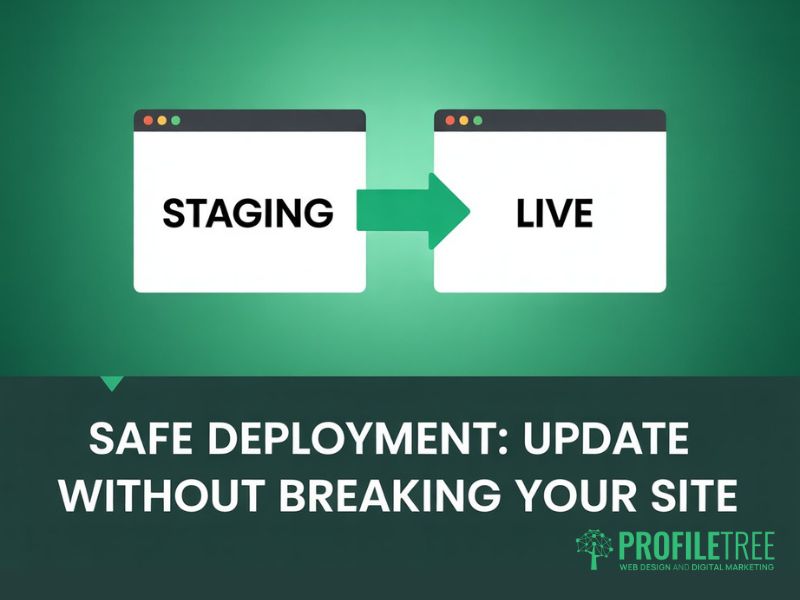
The most common reason SMEs defer website updates is fear of breaking something that currently works. That fear is understandable. Applying a plugin update directly to a live WordPress site can introduce compatibility conflicts, layout breakages, or site-wide errors. The answer is a structured deployment workflow, not continued deferral. Every website maintenance plan should include a tested process for applying website updates safely.
Using a Staging Environment
A staging environment is a private, duplicate copy of your live site where website updates can be tested before they affect real visitors. Most managed WordPress hosting providers include staging as standard. If yours doesn’t, switching to a host that does should be your next website maintenance task. A staging environment isn’t optional for any site handling regular traffic or e-commerce transactions.
The staging workflow for a website update is: clone the live site to staging, apply all pending updates, test key pages and functions across desktop and mobile, confirm the Core Web Vitals scores haven’t degraded, then push to live. That process typically takes under an hour for routine plugin and theme updates. Skipping staging to save that hour is the direct cause of most update-related site outages.
Backup Protocols and Rollback Plans
Before any website update on a live site, take a full backup, including the database and all files. That’s the non-negotiable foundation of safe website maintenance. Automated daily backups through your hosting provider are the baseline. For major website updates, take a manual backup immediately beforehand.
A rollback plan answers the question: if something goes wrong 30 minutes after a website update, what are the exact steps to restore the previous version? Write it down and keep it accessible. Most managed hosting environments allow one-click restore from a backup. Know where that option is before you need it.
DIY vs Professional Website Maintenance
For many SMEs, the question isn’t whether to carry out website updates but who should do them. Content refresh tasks, basic SEO checks, and Google Search Console reviews are well within reach of a non-technical business owner using WordPress or another modern CMS. Core software updates, security hardening, Core Web Vitals improvements, and anything involving server-level changes are a different matter. The table below sets out which website update tasks are realistic for each approach.
| Website Update Task | DIY (CMS-based) | Requires Professional |
|---|---|---|
| Blog and page content refresh | Yes | No |
| Image replacement | Yes | No |
| Meta title and description updates | Yes | No |
| Plugin updates (tested in staging) | With care | Recommended for complex sites |
| WordPress core updates | Risk without staging | Yes |
| Security hardening | Basic only | Yes |
| Schema markup | Via Rank Math plugin | Recommended |
| Core Web Vitals improvements | No | Yes |
| Cookie consent compliance update | Partial (plugin) | Legal review recommended |
| Website refresh (layout and UX) | Minor only | Yes for structural changes |
The cost of professional website maintenance varies by site complexity and scope. For most SMEs, a monthly website maintenance retainer covering updates, backups, security monitoring, Google Search Console checks, and a quarterly content refresh is considerably cheaper than the emergency development cost of a single security incident or site outage. Treating website updates as a planned, recurring cost rather than an occasional emergency spend is one of the most straightforward ways to reduce operational risk.
ProfileTree’s website hosting and management service covers the full technical website maintenance cycle for SME clients across Northern Ireland, Ireland, and the UK. In-house teams can then focus on the content refresh and strategic website updates that benefit most from internal business knowledge.
Schedule Regular Audits
A website maintenance schedule without a formal audit cycle means small problems will compound unnoticed. A structured audit, run at least annually, catches what routine website updates miss: pages that have dropped in relevance, broken links, images missing alt text, and content no longer reflecting current services. Building audit milestones into your website maintenance calendar separates proactive from reactive site management. Audit cycles should cover technical performance, content relevance, GDPR compliance, and broken links.
Assessing Content Relevance
A content audit starts with your Google Search Console data. Identify pages with declining clicks over a 12-month period, and pages with high impressions but low click-through rates. For declining pages, assess whether the content refresh needed is minor (updating statistics, expanding a section) or substantial (rewriting for a different search intent). For pages with low CTR, the fix is usually the meta title or meta description rather than the body content.
Content that hasn’t had a meaningful refresh in over 18 months should be reviewed against the current search engine results page for its target keyword. If the top-ranking pages now cover considerably more ground, your page needs a website update to compete. Use Google Search Console alongside your website maintenance audit to build a prioritised content refresh queue rather than updating pages at random.
Finding and Fixing Broken Links
Broken links erode user experience and waste the crawl budget that search engines allocate to your site. A link returning a 404 error passes no value to its destination and signals poor website maintenance to search engine crawlers. Even a small number of broken links on a key landing page can depress its search engine performance.
Run a crawl with a tool such as Screaming Frog or use Google Search Console’s Coverage report to identify 404 errors. For each broken internal link in the website update audit, redirect the old URL to the most relevant current page or update to the correct destination. Replace broken external links with authoritative sources. A monthly broken link check is one of the quickest wins in any website maintenance routine.
Keeping Your Website in Good Shape
Website updates aren’t a background task to schedule when nothing more urgent is pressing. They’re a core part of how your site earns search engine traffic, protects customer data, and accurately reflects your business. The sites that hold their search engine rankings through algorithm updates and consistently generate enquiries are the ones with a structured website maintenance routine behind them.
A practical starting point: run through the website update checklist in this guide, identify which tasks are current and which are overdue, and set a rolling calendar for each category. If the technical side is beyond your in-house capacity, a managed website maintenance service is almost always cheaper than fixing the problems that result from deferred website updates.
For SMEs across Northern Ireland, Ireland, and the UK looking to keep their sites secure, performant, and visible in search, ProfileTree’s digital marketing team works across the full website maintenance and content refresh cycle, from technical upkeep and web design improvements through to SEO strategy, Core Web Vitals audits, and content updates.
FAQs
1. How often should I carry out website updates on my content?
Core service pages should be reviewed quarterly and updated whenever your offering, pricing, or team changes. Blog articles should be prioritised by traffic and Google Search Console ranking position; focus first on pieces ranking between positions 8 and 20, as a targeted content refresh on those pages offers the highest return. A complete website maintenance schedule should include a full content audit at least once per year to identify pages that need a more substantial website update.
2. Will website updates affect my Google search engine rankings?
Substantive website updates generally improve search engine rankings over time. In the short term, you’ll likely see minor fluctuation as Google re-evaluates the updated pages; this usually settles within two to four weeks. What consistently damages search engine rankings is failing to carry out website updates at all, allowing outdated content, slow load speeds, and accumulating technical errors to push pages down gradually.
3. What is the difference between a website update and a website refresh?
A website update covers incremental website maintenance tasks: applying security patches, refreshing page content, fixing broken links, and updating metadata. A website refresh is a broader visual and UX review of the site’s web design, layout, and conversion flow. Regular website updates are needed weekly and monthly; a website refresh is suitable every 12 to 18 months, and a full redesign is rarely needed more than once every 4 to 6 years.
4. Can I carry out website updates without a developer?
Content refresh tasks, basic SEO changes, and image replacements are accessible to most business owners using WordPress or a similar CMS. Core CMS updates, security hardening, Core Web Vitals improvements, and any changes involving server configuration or custom code should involve a developer or managed website maintenance service. Applying a major WordPress plugin update directly to a live production site without a staging environment is the most common cause of preventable outages.
5. What should I do if a plugin update breaks my WordPress site?
Restore from your pre-update backup through your hosting control panel, whether that is a manual backup taken immediately before the website update or the most recent automated daily version. Once the site is back up, contact your developer or website maintenance agency to apply the update correctly through a staging environment before going live again. This is why staging and backup steps in your website maintenance workflow are non-negotiable.