
How to Choose the Right Website Template for Your Business
Table of Contents
Your website template is not simply a design choice. It shapes how quickly your pages load, how Google reads your content, whether visitors can use your site on a phone, and whether you stay compliant with UK and Irish legal requirements. Get it wrong and you will be paying to fix technical debt that a better template would have avoided entirely.
This guide works through the decisions that actually matter: performance benchmarks, SEO structure, accessibility obligations, and the honest case for when a template is no longer the right tool. Whether you are launching your first site or reviewing an existing one, the sections below give you a practical framework for making the choice with confidence.
We cover the five pillars of a high-performing template, the template versus bespoke question, UK and Irish compliance requirements, common pitfalls when switching templates, and a final pre-launch checklist to test any candidate before you commit.
Why Your Template Choice Is a Business Decision, Not a Design One
Most SMEs treat template selection as an aesthetic exercise. They scroll through previews, pick the layout that looks closest to what they have in mind, and move on. The problem is that the visual layer is the smallest part of what a template actually controls. Beneath the colours and fonts sits a structure that determines Core Web Vitals scores, crawlability, accessibility compliance, and long-term maintenance overhead.
The Hidden Cost of a Poor Template
A template built on bloated CSS frameworks and bundled JavaScript libraries will consistently fail Google’s performance thresholds for organic rankings. Pages that take more than three seconds to load on mobile lose a significant share of visitors before the content has even appeared. That is not a design problem; it is a revenue problem, and it starts with the template.
Beyond speed, a template that forces multiple H1 tags across page types, or that buries the main heading inside a decorative banner element, sends conflicting signals to search crawlers. These structural flaws are baked into the codebase. You cannot write your way out of them with better copy.
Template Versus Theme: Clearing Up the Terminology
The terms are often used interchangeably, but they describe different things. A theme is the broader design system applied to a platform, controlling global typography, colour variables, header and footer layout, and spacing rules. A template is a specific page layout within that theme, governing how individual page types (homepage, product page, blog post) are structured.
On WordPress, for instance, you install a theme and then use page templates within it to control individual layouts. On Wix and Squarespace, the distinction is less pronounced because the platform manages both layers simultaneously. Understanding which layer you are choosing matters when you need to troubleshoot or customise later.
Aligning Template Choice with Business Goals
Before opening a single template directory, write down three things: the primary action you want visitors to take, the type of content you will publish most, and the scale you expect to reach in two years. An e-commerce site processing hundreds of orders a month has different structural requirements from a services business that primarily generates leads through a contact form.
A template that works well for a five-page brochure site may collapse under the weight of a 200-product catalogue. Equally, a feature-heavy commerce template will slow down a simple portfolio site with unnecessary functionality it will never use. The right template is the one matched to your actual requirements, not the one with the most impressive demo content.
“A template that scores 40 on PageSpeed at the demo stage is not a starting point you can optimise your way out of. We have rebuilt sites from scratch because the original template made performance improvements impossible without stripping out the theme entirely. That work could have been avoided with a 10-minute audit before the template was ever purchased.”— Ciaran Connolly, Founder, ProfileTree
The Five Pillars of a High-Performing Website Template
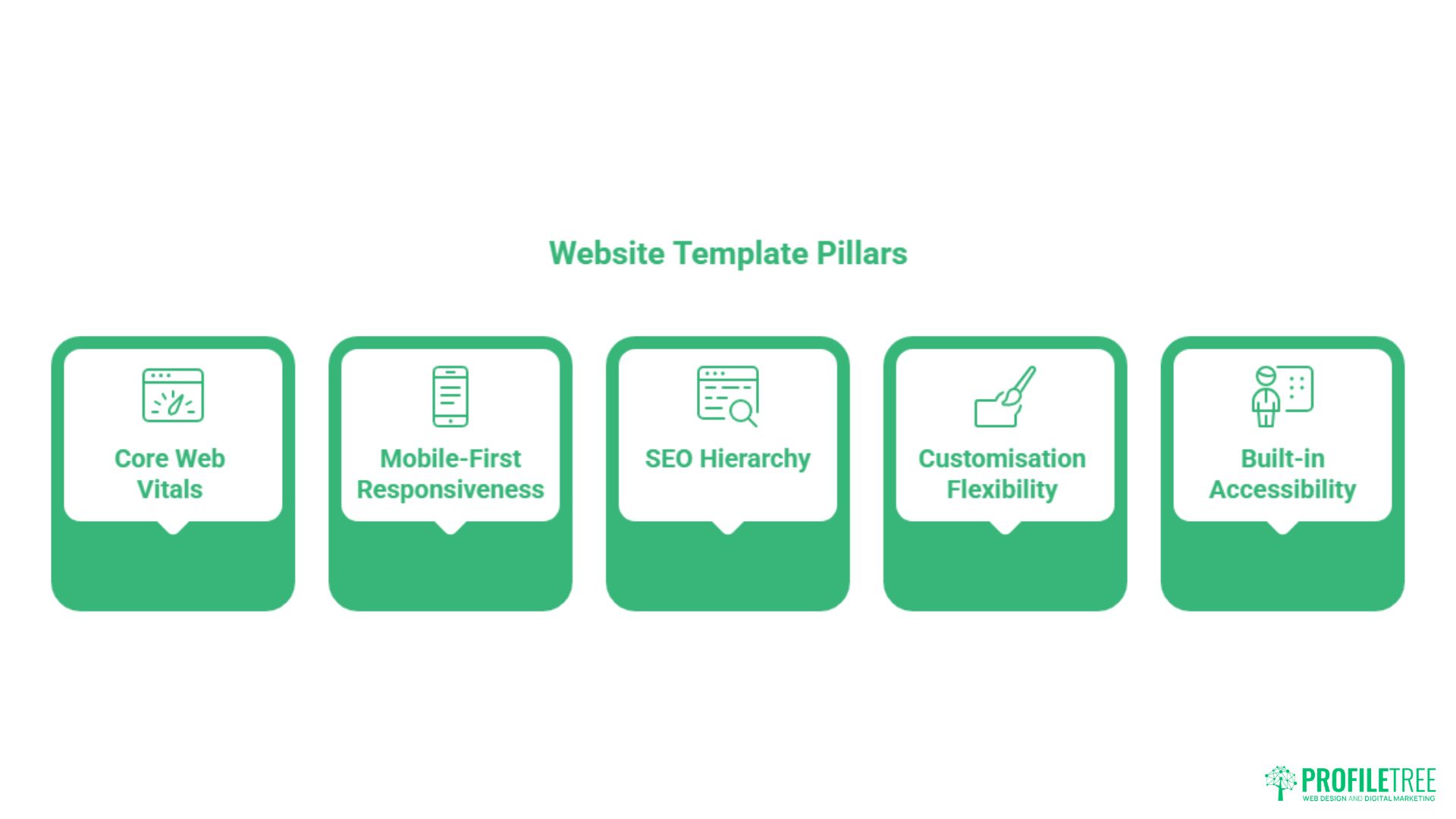
Once you have a shortlist of candidates, these five criteria should determine your final choice. Each one maps to a measurable outcome for your business: search visibility, user satisfaction, legal compliance, or long-term maintainability. A template that fails on two or more of these pillars is not worth the time you would spend trying to compensate.
Core Web Vitals and the Three-Minute Performance Audit
Most template providers publish demo URLs. Before purchasing, paste the demo URL directly into Google PageSpeed Insights and run the analysis on mobile. You are looking for a Largest Contentful Paint (LCP) under 2.5 seconds, a Cumulative Layout Shift (CLS) score below 0.1, and an Interaction to Next Paint (INP) reading in the green zone.
A template scoring below 50 on mobile PageSpeed at the demo stage, before your images and plugins are added, will score significantly lower once your real content is in place. Do not assume performance will improve with optimisation work; start from the strongest baseline you can find. Our web development team regularly encounters sites where months of optimisation effort could have been avoided with a lighter template from the start.
Mobile-First Responsiveness
Responsiveness means more than a site that shrinks to fit a smaller screen. A genuinely mobile-first template rethinks the layout for touch interaction: tap targets are large enough to use without pinching, navigation collapses cleanly without overlapping content, and images scale without breaking the surrounding layout.
Test the demo on an actual phone, not just a browser window resized to a narrow width. Browser DevTools simulation is useful but misses real-world factors like font rendering, scroll behaviour, and hover state conflicts on touchscreens. If the navigation is fiddly or the call-to-action button is partially obscured on a mid-range Android device, that is a structural limitation, not a configuration issue you can fix post-launch.
SEO Hierarchy and Schema Readiness
Open the demo page’s source code (right-click, View Page Source) and search for “h1”. There should be exactly one H1 tag per page. Many multipurpose templates incorrectly wrap the site logo or the hero banner text in an H1, which then conflicts with the actual page heading. This is one of the most common structural SEO errors baked into pre-built templates, and it cannot be resolved without editing the theme files directly.
Check also whether the template supports schema markup. Templates built on clean, semantic HTML are far easier to extend with structured data (Article, Product, FAQPage, LocalBusiness) that improves how your content appears in search results. If you are working with a technical SEO strategy, the template needs to be a foundation that supports that work, not an obstacle to it.
Customisation Flexibility Without Code Bloat
The appeal of “all-in-one” or “multipurpose” templates is understandable. One purchase, endless flexibility. The reality is that these templates load every feature, animation library, and layout option regardless of whether you use them. A homepage that could load in under two seconds ends up taking four because the template is silently loading slider functionality, parallax scripts, and a pop-up framework you disabled in the settings, but which still ships with every page request.
A leaner template with fewer built-in features, extended through specific plugins or custom CSS where genuinely needed, almost always outperforms a bloated multipurpose one. Ask whether the JavaScript library is bundled or modular. If it is fully bundled, the entire library loads even on pages that use none of its features. This is a question worth putting directly to the theme developer before buying.
Built-in Accessibility to WCAG 2.1 Standards
Accessibility is not optional for many UK and Irish organisations. The Public Sector Bodies Accessibility Regulations 2018 mandate WCAG 2.1 AA compliance for public sector websites. For private sector businesses, compliance is increasingly expected and increasingly checked. Beyond legal obligation, an accessible site reaches a wider audience and performs better in voice search, which relies on the same semantic structure that assistive technology depends on.
When evaluating a template, check colour contrast ratios (aim for at least 4.5:1 for body text), verify that all interactive elements are reachable by keyboard, and check that images either have meaningful alt text by default or that the template makes alt text straightforward to add.
Our website design service builds accessibility into every project from the outset rather than treating it as a retrofit. Our work with businesses across Northern Ireland and the UK has shown that accessibility-first design consistently produces cleaner, faster code as a secondary benefit.
Template vs Bespoke Design: Which Is Right for Your Scale?
The template versus bespoke debate is often framed as a question of budget, but scale and complexity are the more accurate deciding factors. A well-chosen template, properly configured, is the right answer for the majority of SMEs launching or refreshing a site. A bespoke build is the right answer when your requirements have outgrown what any template can structurally deliver.
Where Templates Win
Templates are the faster, cheaper route to a professional online presence. Development time is significantly shorter because the foundational structure already exists. Costs are lower because you are paying for configuration and content rather than ground-up engineering. For businesses that need a clean, functional site within weeks rather than months, a well-chosen template on WordPress or Webflow is the practical choice.
Templates also benefit from ongoing developer support. A reputable theme with thousands of active users gets regular updates for security patches, WordPress core compatibility, and browser changes. You are not solely responsible for maintaining the underlying code. For businesses without an in-house development resource, ongoing maintenance coverage has real value.
Where Templates Reach Their Limits
The ceiling of a template becomes visible when you need page types or functional flows that the template was not designed to support. A complex booking system with conditional pricing, a multi-vendor marketplace, or a membership portal with gated content tiers will always involve forcing a template to do something it was not built for. That kind of friction accumulates as technical debt.
Performance is the other common pressure point. As a site grows, the number of plugins required to extend template functionality increases. Each plugin adds overhead. There comes a point where a bespoke build, designed around your specific requirements from the outset, produces a faster and more maintainable result than a template extended beyond its intended scope. If you are reaching that point, it is worth discussing a structured transition with a development team rather than continuing to patch an increasingly fragile setup.
A Practical Decision Framework
Use this as a starting point rather than a definitive rulebook. If your budget is under £3,000, a template is almost certainly the right call. If you need fewer than 50 pages and a standard content structure, a template will handle it. If your primary goal is lead generation rather than transactional e-commerce, a template with a strong contact and conversion flow is sufficient.
Move towards bespoke when your page count is growing past 100, when you need custom database queries or complex third-party integrations, or when your current template is consistently producing Core Web Vitals failures that optimisation work cannot resolve. All indicative costs in this guide are UK examples correct at the time of writing; treat them as benchmarks rather than fixed quotations.
The UK and Ireland Legal Checklist for Website Templates
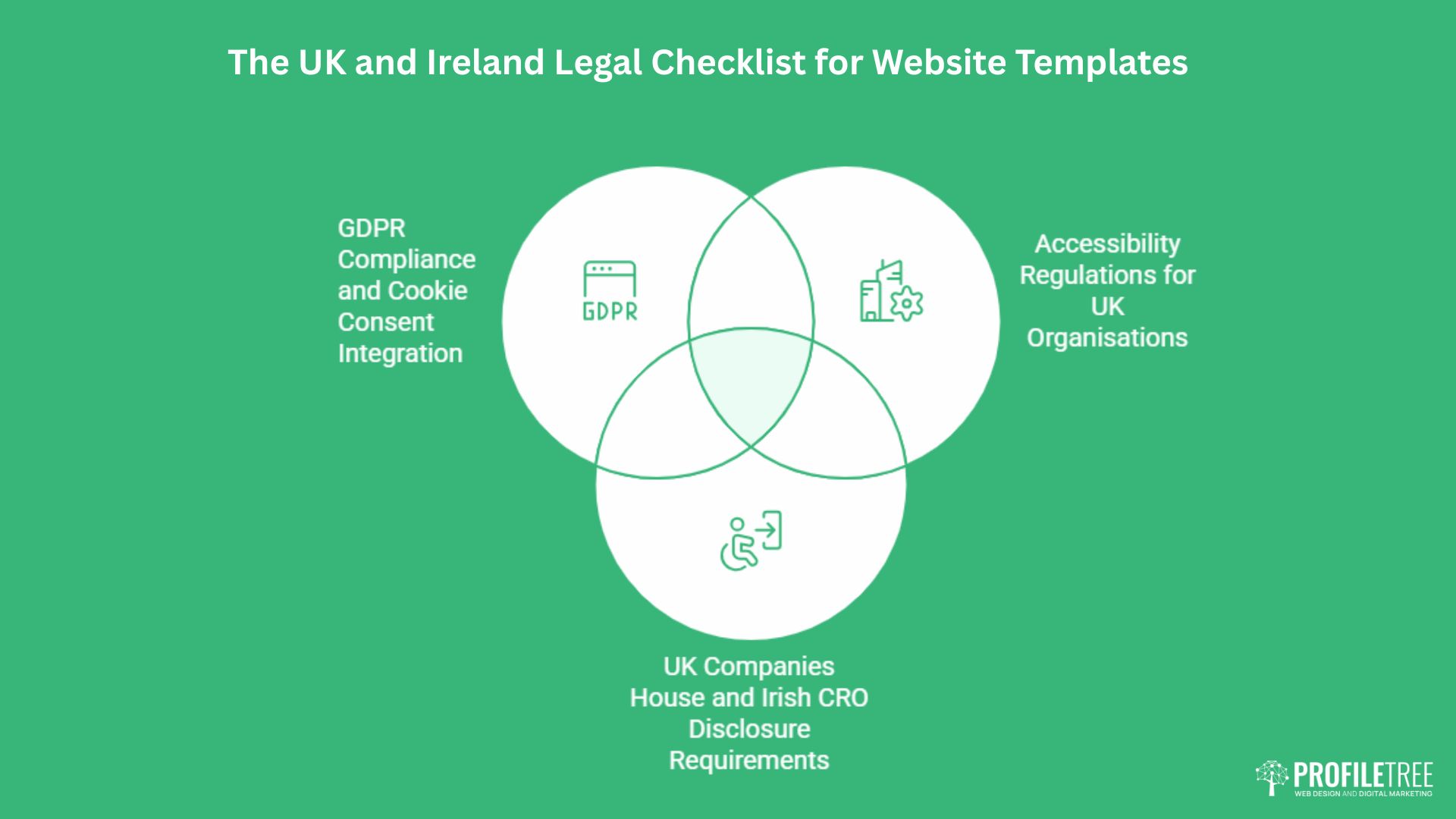
US-built templates are designed for US requirements. The legal obligations for UK and Irish businesses differ in ways that affect template structure, not just policy documents. Working through this checklist before purchasing will save you from retrofitting compliance onto a template that was never designed to support it.
Northern Ireland businesses operate across both UK and Irish regulatory frameworks, which adds a layer of complexity worth addressing early. For context on how digital business operates across the region, Connolly Cove’s guide to Northern Ireland gives useful background on the economic and cultural landscape that shapes the local business environment.
GDPR Compliance and Cookie Consent Integration
A template is a structural shell. It does not make your site GDPR compliant on its own, but it can make compliance significantly easier or significantly harder depending on how it is built. You need a template that allows a compliant cookie consent banner to be placed before any non-essential scripts fire. Many older templates load analytics and advertising scripts in the page head, before consent has been given, which is a direct GDPR violation.
Check whether the template supports conditional script loading. If the template documentation does not mention GDPR or cookie compliance, treat that as a signal that it was built without the European regulatory context in mind. Plugins like Complianz or CookieYes can help, but they work best when the template is not fighting them on script execution order.
UK Companies House and Irish CRO Disclosure Requirements
UK limited companies are legally required to display their registered company name, company number, and registered office address on their website. Irish companies have equivalent requirements under the Companies Act. Many US-centric templates do not include a footer structure designed to accommodate this information without visual awkwardness.
Before finalising a template, check that the footer is genuinely flexible. You need space for statutory company information, VAT number (if registered), professional body memberships, and links to your privacy policy, terms of service, and cookie policy. A footer that works elegantly at three items may look cluttered and non-compliant at eight. Test this with real content in the demo before purchasing.
Accessibility Regulations for UK Organisations
The Web Content Accessibility Guidelines (WCAG) 2.1 at Level AA are a legal requirement for UK public sector bodies under the Public Sector Bodies Accessibility Regulations 2018. For private sector businesses, the Equality Act 2010 creates a duty to make reasonable adjustments, which digital accessibility increasingly falls within. Irish organisations face equivalent obligations under the European Web Accessibility Directive.
A template that fails basic accessibility checks, such as insufficient colour contrast, missing focus indicators for keyboard navigation, or form fields without proper label associations, creates legal exposure as well as a worse experience for a significant portion of your audience. Run the demo through a free tool like WAVE (wave.webaim.org) before committing. Our digital strategy team includes accessibility auditing as part of new project scoping for this reason.
Common Pitfalls: What to Know Before You Switch Templates
One of the most common questions from SMEs who have been running a site for a year or two is whether they can switch templates without losing their content or rankings. The honest answer depends entirely on the platform and how the original template stored its content. Understanding this before you choose your first template is more useful than understanding it when you want to change.
Platform Lock-in and Content Portability
Wix and Squarespace store content in proprietary systems. Switching templates on these platforms is generally manageable within the same platform, but migrating away from the platform entirely requires exporting content and rebuilding the structure from scratch. There is no one-click migration from Wix to WordPress. If content portability is important to your long-term plans, choosing a platform with open data standards (WordPress is the clearest example) is a more defensible decision.
WordPress stores your content in a database that remains separate from the theme. In theory, switching themes on WordPress should not affect your posts or pages. In practice, templates that use proprietary page builders (Visual Composer, WPBakery, older versions of Elementor) embed shortcodes directly in your content.
If you switch to a theme that does not support those shortcodes, your pages will display raw code rather than formatted content. Always check whether a template’s page builder creates portable content or builder-dependent shortcodes. Our guide to WordPress themes covers this in more detail.
The SEO Impact of Switching Templates
Changing a template changes the HTML structure of your pages. If the new template outputs headings differently, moves content below the fold, or changes internal anchor text, rankings can shift in the weeks following a switch. This is not a reason to avoid switching a template that is genuinely underperforming, but it is a reason to monitor closely afterwards.
Before switching, document your current rankings for primary keywords. After switching, check that all heading levels have carried across correctly, that your title tags and meta descriptions are intact, and that the new template is not introducing duplicate H1 tags or missing canonical tags.
A brief crawl with a tool like Screaming Frog immediately after launch will catch most structural issues before Google re-crawls your pages. Our SEO services include technical site audits that cover exactly this kind of post-migration check.
Digital Sustainability: The Case for Lighter Templates
The carbon footprint of digital infrastructure is a growing consideration for UK businesses with ESG commitments. Every byte transferred consumes energy at the data centre, in transmission, and on the user’s device. A template that loads 4MB of assets on the homepage produces a meaningfully larger carbon output than one that loads 800KB to achieve the same visual result.
The Website Carbon Calculator gives a free estimate of any site’s per-visit carbon output. Lightweight templates built on clean, modular code consistently score better. For businesses targeting sustainability-conscious clients or reporting against ESG frameworks, this is a legitimate selection criterion alongside performance and accessibility. A lower page weight also directly improves loading speed on mobile networks, so the sustainability and performance cases point in the same direction.
Conclusion
Choosing a website template well means running the performance audit before purchasing, checking the legal compliance requirements for your jurisdiction, and being honest about whether a template can scale to your actual requirements. A well-matched template, configured properly from the start, will outperform an expensive one chosen for the wrong reasons.
If you are ready to build on a solid foundation, speak to our web design team about the right approach for your business.
FAQs
Is it better to use a free or paid website template?
Free templates can be a reasonable starting point, but they typically offer limited support, infrequent security updates, and lower code quality standards. Paid templates from reputable developers include ongoing maintenance, compatibility updates, and direct support channels. For a business website that needs to perform reliably over several years, the cost of a quality paid template is usually justified.
Can I switch templates without losing my content?
On WordPress, your posts and pages are stored in the database separately from the theme, so switching themes should preserve your content. The exception is content created with proprietary page builders, which embeds builder-specific code directly into post content.
What is the fastest type of website template for SEO?
Lightweight templates built on clean, semantic HTML with minimal JavaScript dependencies consistently achieve the best Core Web Vitals scores. Avoid multipurpose themes that bundle features you will never use. A dedicated template built for your specific site type, whether a blog, portfolio, or services site, will almost always be faster than a general-purpose template configured to approximate that structure.
Are website templates GDPR compliant?
A template is a structural shell; it does not make your site GDPR-compliant on its own. Compliance depends on how you configure data collection, cookie consent, and third-party script loading. However, some templates make compliance easier than others. Look for templates that support conditional script loading so that analytics and advertising tools only fire after consent is given.
Do templates work for large e-commerce sites?
Templates work well for e-commerce sites up to a few hundred products with standard catalogue and checkout flows. Beyond that, the performance overhead of extending template functionality with multiple plugins, combined with the database load of a large catalogue, tends to produce slower sites than a purpose-built solution.