
Web Design and SERP Features: Build for Google Visibility
Table of Contents
Most business owners assume that once their site looks good and loads quickly, Google will take care of the rest. It rarely works that way. Whether your pages qualify for featured snippets, local packs, rich results, or video carousels depends less on how your site looks and more on how it is built. Web design and SERP features are inseparable: the HTML structure you choose, the schema markup you implement, and the way you format content for mobile all determine which parts of the search results page Google will let you occupy.
This guide covers which design and development decisions trigger specific SERP features, how web design and SERP features interact differently in the UK and Ireland market compared to US-focused advice, and how to audit your own site against a practical checklist.
Beyond the Blue Link: What SERP Features Mean for Your Business
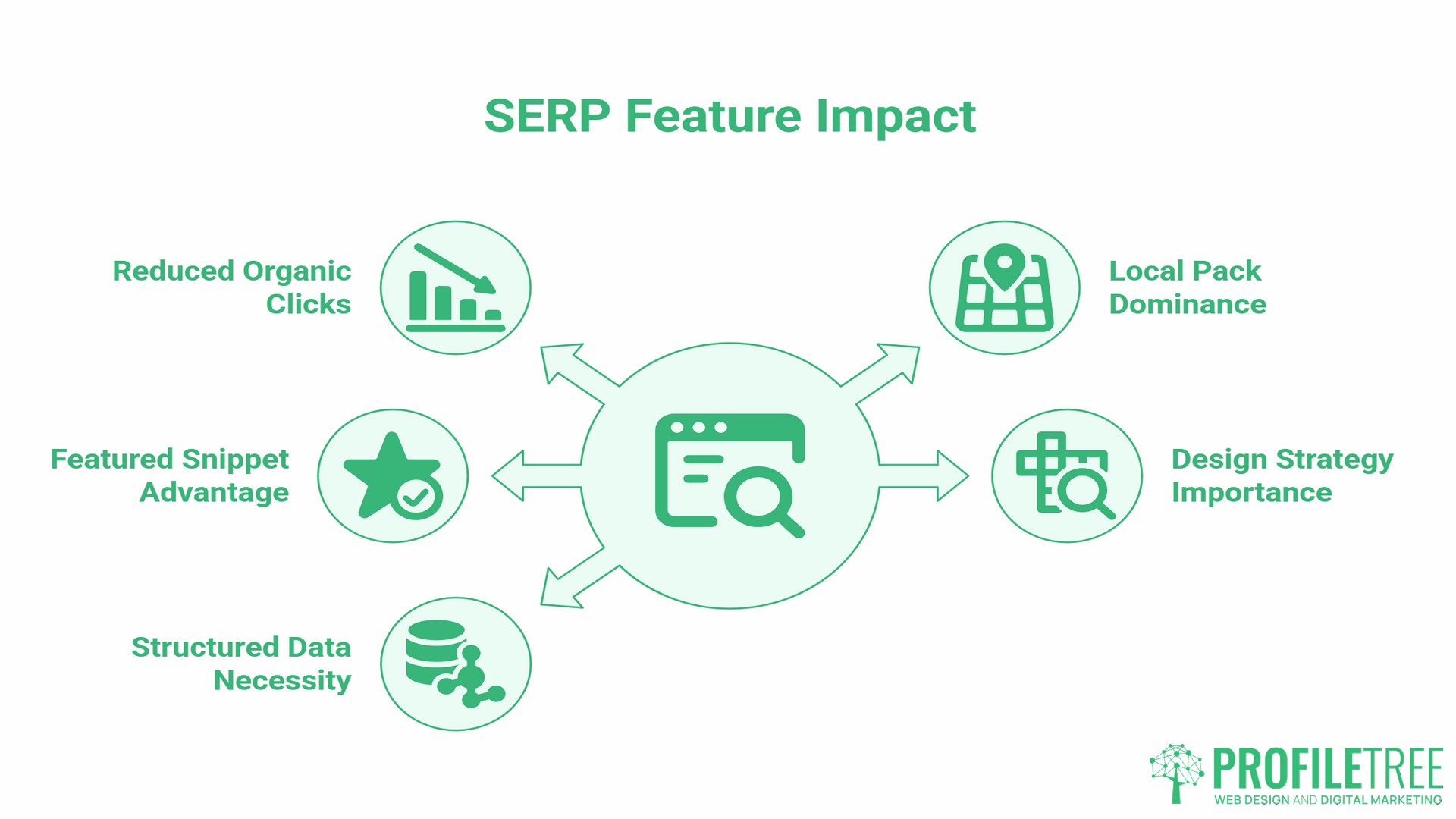
A standard search results page no longer shows ten blue links. Google now fills the page with features: answer boxes, local maps, image rows, video carousels, People Also Ask accordions, and shopping results. For many queries, these features push standard organic results so far down the page that they receive almost no clicks. Research from SparkToro found that around 60 per cent of global searches in 2024 ended without a click to any external website. On mobile, this figure can reach 77 per cent, compared to around 47 per cent on desktop.
The implication for businesses is significant. Appearing in position six as a standard organic result is often worth less than appearing in the local pack at any position, or owning a featured snippet above position one. Winning these slots is not purely a content job. It starts at the web design and development stage, with decisions about HTML semantics, structured data, page speed, and layout hierarchy.
Ciaran Connolly, founder of ProfileTree, puts it plainly: “Structured data within your web design is not a technical add-on for developers to sort out later. It is a strategic decision about where and how your content appears in front of the people searching for what you do.”
Understanding which features are available for your query type and what design conditions trigger them is the starting point for any serious visibility strategy for web design and SERP features.
The Main SERP Features and What Triggers Each One
Understanding the relationship between web design and SERP features starts with knowing which features exist and what technical conditions each one requires. The table below maps the most commercially relevant features to their primary triggers. Use it as a reference when briefing your web designer or developer.
| SERP Feature | What It Shows | Primary Design/Technical Trigger |
|---|---|---|
| Featured Snippet | A direct answer extracted from a page | Clean heading hierarchy, answer-first paragraph structure, visible prose (not hidden in accordions) |
| Local Pack | Map with three local businesses | Google Business Profile completeness, consistent NAP data on-site, LocalBusiness schema |
| People Also Ask | Expandable Q&A boxes | FAQPage schema, question-formatted headings, concise answer paragraphs |
| Rich Snippets | Star ratings, prices, breadcrumbs in organic results | Product, Review, Article, or BreadcrumbList schema |
| Image Pack | Row of images within results | Descriptive filenames, keyword-relevant alt text, image sitemap |
| Video Carousel | Row of video thumbnails | VideoObject schema, YouTube hosting, optimised title and description |
| Sitelinks | Sub-links beneath a main result | Clear site architecture, internal linking structure, XML sitemap |
| Knowledge Panel | Brand information panel | Organisation schema, consistent entity information across platforms |
Featured Snippets and the Zero Position
Featured snippets extract content directly from a page to answer a query without the user needing to click through. Google selects them based on how directly and cleanly a page answers the question being asked.
From a web design perspective, this means content must be visible to the crawler in plain HTML, not loaded via JavaScript after page render or collapsed inside accordion components. Paragraphs that answer a question should sit directly below a descriptive heading, with the answer in the first one to two sentences. Bullet lists work well for how-to and types-of queries; a short paragraph works better for definitional questions.
Hiding content in tabs or accordions to keep a page visually tidy actively reduces your chances of winning a snippet. If the answer is worth giving, it should be visible on load. This is one of the clearest examples of how web design and SERP features are directly connected: a layout decision made for visual tidiness can remove a page from contention entirely.
The Local Pack and Google Business Profile
The local pack appears for searches with clear geographic intent: “web designer Belfast,” “SEO agency Dublin,” “accountant near me.” It shows a map and three business listings ahead of all organic results.
Winning a local pack position depends on three things working together: a fully completed and verified Google Business Profile, consistent NAP (name, address, phone number) data across your website and third-party directories, and on-page signals that confirm your location and service. Your web design needs a proper contact page with your address in plain text (not just an image of a map), a footer with consistent contact details, and ideally a dedicated location page for each area you serve.
For SMEs across Northern Ireland and Ireland, the local pack is often the most valuable SERP feature, as most professional services queries carry local intent. A Belfast solicitor, a Derry accountant, or a Cork-based e-commerce consultant will typically see more commercial return from a local pack appearance than from ranking fifth in standard organic results. ProfileTree’s Google Business Profile optimisation work begins with aligning on-site signals, profile data, and schema markup, because getting these three in sync is the foundation before any other visibility work makes sense.
People Also Ask
People Also Ask (PAA) boxes expand and contract as users click, pulling answers from pages that have formatted their content clearly. The FAQPage schema tells Google which questions and answers on your page are worth pulling into PAA results.
The design requirement is straightforward: use question-formatted headings (H2 or H3), place the answer immediately below the heading, keep it to two to four sentences, and mark the section up with FAQPage schema in your site’s JSON-LD. Most modern CMS platforms, including WordPress with a schema plugin, can handle this without custom development.
Designing for Features: The Structural Decisions That Matter
HTML Semantics: Why Div Soup Costs You Visibility
Many page builders and older WordPress themes generate pages built almost entirely from generic <div> elements with no semantic meaning. Google’s crawler can read this content, but it lacks structural signals to indicate which text is a heading, a list, a question, or an answer.
Properly structured HTML uses <article>, <section>, <header>, <nav>, <aside>, and correct heading levels (<h1> through <h3>) in a logical hierarchy. This is not just a developer concern: it starts with how a designer builds the page template. A web design brief that specifies semantic HTML as a requirement produces a site that is significantly easier for Google to parse for SERP features than one where the developer fills in divs to match a visual mockup.
For SMEs, the practical implication is that choosing a high-quality theme or commissioning a well-built custom site is not just an aesthetic decision. It determines your ceiling for organic visibility. The relationship between web design decisions for your business and search performance extends far beyond what keyword optimisation alone can fix after the fact.
Mobile-First Design and Mobile SERP Features
Web design and SERP features behave differently on mobile than on desktop, and Google’s mobile-first indexing makes mobile performance the primary signal. If your mobile layout hides content, loads slowly, or breaks interactive elements, those issues affect your rankings and your eligibility for certain feature types on both platforms.
Responsive web design, where the layout adapts fluidly to screen size, is the current standard. Mobile-first design goes further: it means making active decisions during the design phase about what content appears above the fold on a phone screen, how interactive elements work on touchscreens, and how fast the page loads on a mobile connection.
Core Web Vitals are Google’s published page experience metrics, covering Largest Contentful Paint (LCP) for loading performance, Interaction to Next Paint (INP) for responsiveness, and Cumulative Layout Shift (CLS) for visual stability. Google’s documentation states that good Core Web Vitals align with what its core ranking systems seek to reward. The thresholds are LCP at 2.5 seconds or less, INP at 200 milliseconds or less, and CLS at 0.1 seconds or less, measured at the 75th percentile of page loads.
All three metrics must pass for a page to earn a Good assessment. INP replaced First Input Delay (FID) as the responsiveness metric in March 2024, making it a far stricter test because it measures every interaction on a page, not just the first one. These are engineering and design constraints that need to be specified in the project brief, not reviewed after launch.
Tables, Lists, and Content Formatting
Certain content formats are strongly associated with specific SERP features. Ordered lists are frequently pulled into featured snippets for how-to and steps queries. Unordered lists work well for types-of and reasons-why queries. Comparison tables tend to appear in rich results for product and service comparison searches. Definition-style paragraphs, placed immediately below a descriptive heading, are the most common format for standard featured snippets.
The design implication is that your content editor should format with these patterns in mind, and that your site’s stylesheet should display them cleanly. A table that renders well on desktop but collapses into an unreadable column on mobile loses its value for both users and crawlers.
Structured Data: The Technical Layer That Powers Rich Results
Structured data is markup added to a page’s HTML that labels content for search engines. It does not change what users see; it adds a layer of machine-readable information that tells Google what type of content is on the page and how the elements relate to each other. It is the most direct bridge between web design and SERP features, because without it, many feature types are simply unavailable, regardless of how well the content is written.
The most common schema types relevant to SMEs are:
- Organisation tells Google the business name, location, contact details, logo, and social profiles. This feeds the knowledge panel and improves the accuracy of brand-related search results.
- LocalBusiness (a subtype of Organisation) adds opening hours, service area, and geographic coordinates. For any business with a physical location or a defined service area, this is non-negotiable for local visibility.
- FAQPage marks up question-and-answer content for People Also Ask eligibility.
- Article or BlogPosting marks editorial content, supports sitelinks, and contributes to author entity recognition.
- Product and Review mark up product listings and review content for shopping rich results.
- VideoObject marks up video content and is required to appear in video carousels.
- BreadcrumbList adds navigational breadcrumbs to search result listings, improving click-through rates by signalling where a page sits within the site structure.
Schema markup is written in JSON-LD format, placed in the <head> of the page, and validated using Google’s Rich Results Test tool. Most WordPress sites can implement the common types through a schema plugin; more specific implementations, such as Product schema for a product catalogue or custom schema for a specialist service, typically need developer input.
ProfileTree’s SEO services include schema implementation as a standard part of technical SEO audits, because the gap between sites that have it and sites that do not is directly visible in which SERP features appear in results.
The UK and Ireland Context: Regional SERP Differences
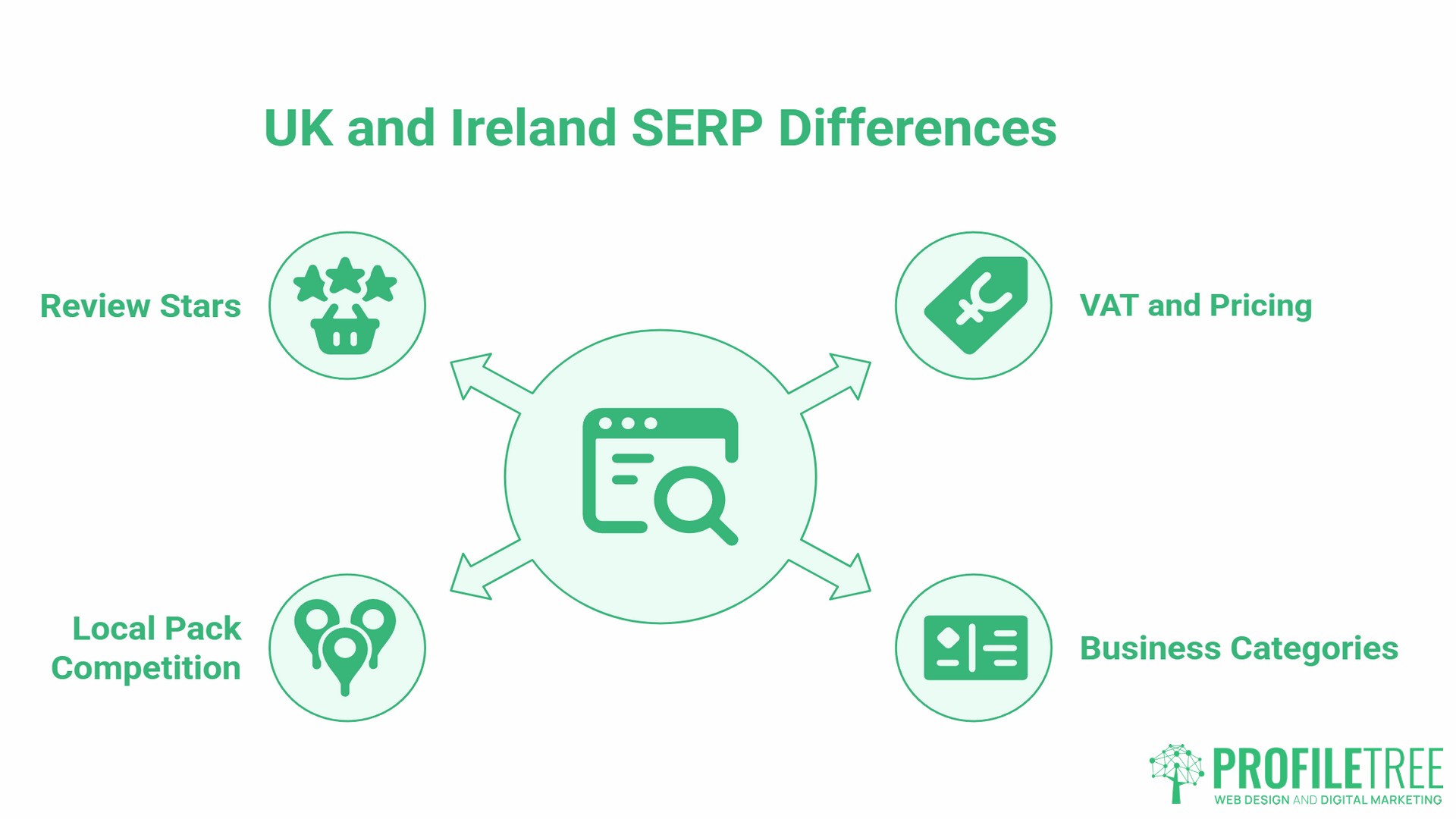
Most of the published guidance on web design and SERP features is written for a US audience. Some of it does not translate directly to the UK and Ireland market.
- VAT and pricing in the schema. UK and Irish businesses that show prices in schema markup should display VAT-inclusive prices when those prices are shown to consumers. A schema that shows ex-VAT prices to UK consumers can create a disconnect between what appears in rich results and what the user sees on the page, affecting click-through rates and trust signals.
- Google Business Profile categories. The category taxonomy used in Google Business Profile varies slightly by market. UK and Irish businesses should verify that their primary category matches the terminology Google uses in their specific market rather than defaulting to US-centric category names.
- Local pack competition density. In smaller UK and Irish cities and towns, the local pack is often achievable with relatively modest on-site optimisation and profile completeness, because competition is lower than in London or Dublin. For SMEs in Belfast, Derry, Newry, and other regional Irish towns, the local pack is often the fastest route to measurable search visibility.
- Reviews and star ratings. Google stopped showing self-serving review star ratings for LocalBusiness and Organisation schema in 2019. Reviews are considered self-serving when a review of a business is posted on that business’s own website, either directly in its markup or via an embedded third-party widget. The reliable route to review stars in organic results is through product or service-specific Review schema on product and service pages, where the review is about a specific item rather than the business as a whole.
Video in SERP: What Web Design Has to Do With It
Video carousels are one of the SERP features where web design and content investment are most tightly linked. For SMEs that produce video, the page template and schema decisions determine whether that content ever appears in search results.
VideoObject schema on pages that embed videos tells Google what the video is about, how long it runs, and what thumbnail to show. Without it, Google may index the video but cannot reliably feature it in carousels. The schema should include the video name, description, upload date, duration, and thumbnail URL.
Beyond the schema, the page embedding the video needs to load cleanly and quickly. A video buried several scrolls down a slow-loading page is unlikely to generate the engagement signals that support carousel placement. For businesses already producing video content, ProfileTree’s YouTube SEO work covers optimising titles, descriptions, and on-site embedding for search visibility alongside the production itself.
The web design element here is the page template for video content: it should place the video prominently, include a text description below the video, and carry VideoObject schema. These are design and development decisions that determine whether video investment translates into SERP visibility.
Accessibility and SERP Features: The Underappreciated Connection
Web accessibility and SERP feature eligibility overlap more than most guides acknowledge. The practices that make a site usable for people with disabilities also make it more readable for search engine crawlers.
Alt text on images serves screen reader users and also provides Google with the textual signal needed to include an image in Google Images results and image packs. Images without alt text are invisible to both audiences.
ARIA labels on interactive elements help screen readers identify the purpose of buttons and controls. They also clarify page structure for crawlers where semantic HTML is absent.
Logical heading hierarchy is a WCAG accessibility requirement. It is also the structural pattern Google uses to understand page organisation and identify candidates for sitelinks and featured snippets.
Building to WCAG 2.1 AA standard is not just a legal consideration under UK and Irish accessibility regulations: it produces a cleaner, more crawlable page structure that performs better across almost every SERP feature type. The overlap between accessibility and search visibility is a strong argument for treating them as a single design requirement rather than separate concerns.
Checklist: Is Your Web Design and SERP Features Setup Ready?
Run through this list with your web designer or developer. Each item maps directly to a SERP feature or group of features.
HTML structure
- Heading levels follow a logical hierarchy (one H1, H2s for main sections, H3s for subsections)
- Content is in semantic HTML elements, not generic divs throughout
- Answer paragraphs sit directly below question-formatted headings with no intervening content
Schema markup
- Organisation or LocalBusiness schema is present and validated
- The FAQPage schema is applied to all Q&A sections
- The VideoObject schema is present on any page embedding video content
- BreadcrumbList schema is in place
- All schemas are validated in Google’s Rich Results Test
Mobile and performance
- Site passes Google’s Mobile-Friendly Test
- Core Web Vitals are in the Good range for LCP, INP, and CLS
- No content is hidden by default on mobile that is visible on desktop
Local signals
- NAP data is consistent across the website, Google Business Profile, and major directories
- A dedicated contact page includes the full address in plain text
- Google Business Profile is fully completed with the correct primary category for the UK/Irish market
Content formatting
- Comparison tables are present and render correctly on mobile
- Lists use proper
<ul>and<ol>tags, not dashes, in paragraph text - Images have descriptive alt text containing relevant keywords
- Video content has an accompanying text description on the same page
FAQs
What is the most important SERP feature for SMEs in the UK and Ireland?
For most SMEs with a physical location or a defined service area, the local pack is the most valuable SERP feature. It appears above standard organic results for service-area queries, drives direct calls and direction requests, and is achievable with consistent on-site signals, a complete Google Business Profile, and LocalBusiness schema, without needing the domain authority that featured snippets often demand.
Does how a website looks affect its eligibility for SERP features?
Visual appearance alone does not. What matters is how the site is built: the HTML structure, page speed, mobile behaviour, and schema markup. A visually polished site built on a bloated theme with poor semantic structure will consistently underperform a plainer site built on clean, fast, well-structured code. The connection between web design and SERP features runs through technical decisions, not aesthetic ones.
How long does it take for design changes to appear in Google features?
For pages Google regularly crawls, schema changes and content restructuring typically surface in results within one to four weeks. For newer or lower-traffic pages, it can take longer. Submitting updated URLs through Google Search Console speeds up the crawl. Validating the schema before deploying it avoids wasted crawl cycles on incorrect markup.
Is schema markup a web design task or an SEO task?
Both. Schema markup is implemented in code (a web development task) but informed by SEO strategy (which schema types to use, what content to mark up, and how to structure the content that feeds into it). The most effective approach is to specify schema requirements in the web design brief so they are built in from the start, rather than added retrospectively through a plugin that may not cover all required types.
Can I win SERP features without a developer?
For basic schema types on a WordPress site, plugins such as Rank Math or Yoast SEO handle Organisation, Article, FAQPage, and BreadcrumbList schema without requiring custom code. Product schema for a large catalogue, VideoObject schema for multiple videos, or a custom schema for specialist services typically need developer input for accuracy and scale. The content formatting changes (heading hierarchy, list structure, answer-first paragraphs) require no technical skills and often have the largest immediate impact on featured snippet eligibility.
Why might a site lose a featured snippet it previously held?
The most common reasons are: a competitor has restructured their content to answer the query more directly; Google has updated its preference for the format (switching from a paragraph to a list, for example); the page’s content has become outdated relative to the query; or the page’s Core Web Vitals have deteriorated. Monitoring your SERP feature positions in Google Search Console’s Search Appearance filters and reviewing the current snippet format for your target queries are the first steps to recovering lost positions. Understanding web design and SERP features as an ongoing practice rather than a one-time build task is what separates sites that hold these positions from those that lose them.