
How to Create a Website Style Guide for Your Business
Table of Contents
A website style guide is a single reference document that records how your website looks, sounds, and behaves: fonts, colours, buttons, images, tone of voice, spelling and accessibility rules. ProfileTree recommends one for every business in the UK and Ireland that has more than one person, or more than one supplier, working on its site.
What a style guide covers and why it pays for itself
A website style guide turns design and writing decisions into written rules, so that anyone who touches the site produces work that matches what is already there. Your in-house team, a freelance writer, and an outside developer can all work from the same page, and the person signing off the work can check it against something specific.
The cost of not having one builds up slowly. A new landing page uses a slightly different blue, a button gets rounder corners than the ones on the homepage, and the tone of the blog drifts between formal and chatty depending on who wrote each post. None of these changes looks serious on its own, but visitors read the overall effect as a business that is less careful than it should be, and every new project starts by rediscovering choices that were settled long ago.
A style guide also cuts the cost of building and maintaining the site. When ProfileTree takes on a WordPress web design project, the decisions about type, colour and components are made early and written down, which means the developer is building to a specification and the review rounds are about content and layout. For businesses commissioning web design in Northern Ireland or anywhere else, the same document makes it far easier to move from one supplier to another without losing the look of the brand.
A brand guidelines document and a website style guide do different jobs. Brand guidelines cover the logo, the colour story and print use, while the website style guide covers how the brand behaves on a screen: hover states, focus outlines, mobile font sizes and the exact colour pairings that pass accessibility checks. If your business already has brand guidelines, the web style guide sits underneath them and makes them usable by a developer.
The core elements of a website style guide
Five sections form the core of any style guide for a website. Each one should be specific enough that a designer, developer, or writer who has never worked with your business can follow it without sending you a question. If you are still settling the look of the brand itself, begin with creating a brand identity for your website and come back to the style guide once those decisions are made.
Typography and font hierarchy
Record the typeface for headings, the typeface for body text, and any third font used for labels, captions or buttons. Give the exact font names as they appear in Google Fonts or in the licence for a paid typeface, the weights you use, and the sizes and line heights for each heading level on desktop and on mobile.
Two practical checks are worth adding for UK and Irish businesses. Confirm that the chosen fonts include the accented characters you need, particularly the fada in Irish place names and personal names such as Seán or Dún Laoghaire, because some decorative fonts drop them and fall back to a different typeface mid-word. Set a minimum body text size as well. Most browsers default to 16 pixels, and we recommend treating that as the floor for body copy on any business website.
Colour palette and approved pairings
List every colour on the site with its hex code and RGB value, and add CMYK values only where the same colours are used in print. Then say what each colour is for: the main call-to-action button, secondary buttons, links, alerts, error messages and success messages.
The most useful part of this section is the list of approved text and background pairings. A brand palette can look good in a mood board and still produce combinations that many visitors cannot read, so test each pairing against the contrast thresholds in the accessibility section below and write down only the ones that pass. Listing the pairings that fail, and marking them as not to be used, saves a designer from rediscovering the problem later.
Buttons, forms and interface components
This is the section that separates a web style guide from a brand manual. It specifies the components a developer builds: primary, secondary and disabled buttons; form fields in their default, focus, error and success states; links in their default, hover, visited and focus states; and the spacing rules for margins and padding.
Write down the measurements as well as the appearance. Border radius, padding, the size of the clickable area and the colour of the focus outline all belong here. WCAG 2.2 (the Web Content Accessibility Guidelines, the international standard most UK and Irish accessibility rules point to) added a minimum target size for clickable controls of 24 by 24 CSS pixels at level AA, so setting button and link sizes in the style guide covers that rule once for the whole site.
Imagery and icon standards
Describe the kind of photography the business uses: staged or natural, people or products, light or dark backgrounds. Say whether stock images are allowed, and if so which kinds, because a site that mixes its own team photographs with generic stock shots tends to look assembled from parts.
For icons, name the icon set or the illustrator, the line weight, and the sizes in use. Set the file formats (WebP or AVIF for photographs, SVG for icons and logos) and a maximum file size for images, because oversized images are one of the most common reasons a small business site loads slowly. Include the alt text rule here too: describe what the image shows and why it is on the page, keep it to roughly one sentence, and do not start with “image of” or “photo of”.
Brand voice and editorial rules
The voice section has to be specific to be useful. A line such as “professional but approachable” gives a writer almost nothing to work with, so set out sentence length, how formal the business is with customers, the words and phrases the business never uses, and two or three sample paragraphs written in the right voice alongside versions that miss it. Our guide to keeping a brand voice consistent across every channel covers how to define the voice before you write the rules down.
Editorial rules sit alongside the voice. They cover spelling, punctuation, how headings are written, how numbers and dates appear, and which terms the business uses for its own products and services. The localisation rules for UK and Irish audiences are set out in their own section below, because generic templates usually get them wrong.
How to create a website style guide in four phases
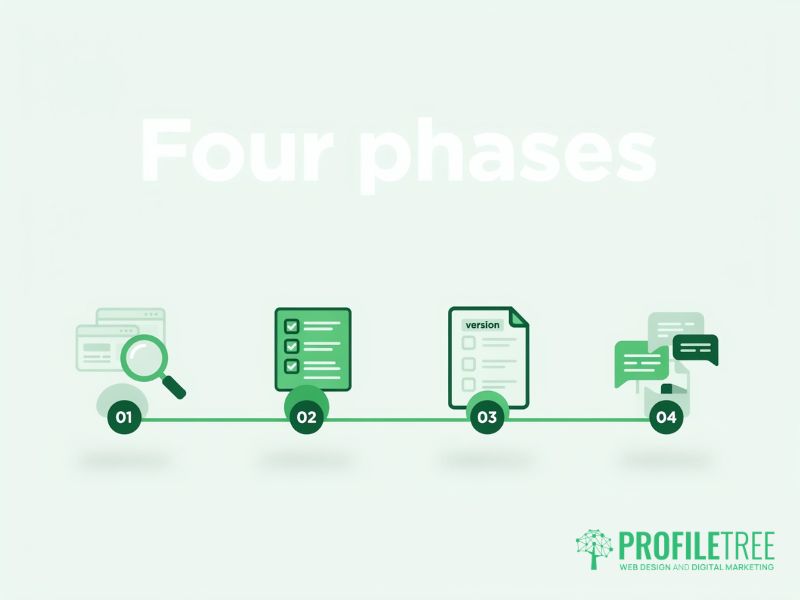
Building a style guide does not need design software or a designer’s training. It needs someone to collect the decisions that have already been made, settle the ones that have not, and write the results down in one place.
Audit the brand assets you already have
Begin with what exists. Take screenshots of the main pages of the website, recent social media posts, email templates and any printed material, and lay them side by side. Mark every place where the same element appears in two different ways, such as two shades of the brand colour, three button styles, or headings that switch between title case and sentence case.
If the business already has a website, a developer can pull the font names, colour values and component styles directly from the site’s CSS (the code that controls how the pages look). That gives you a starting list in an afternoon, and the audit then becomes a matter of deciding which form of each element is the right one.
Make and record the core decisions
Work through the five core elements and make a decision for each. Where the business has no strong preference, choose for the audience. A firm of solicitors and a children’s activity centre need different types, colours, and tone, but both need the decision written down so that nobody has to make it again.
This is also the point to decide on accessibility and localisation. Settle the accessibility standard the site will meet, which for most businesses should be WCAG 2.2 at level AA, and settle the spelling, date and currency conventions. Both decisions are much cheaper to make now than to retrofit across a finished site.
Keep everything in one reference document
The format matters less than having a single, current version. A shared Google Doc, a Notion page or a Figma design library all work, provided everyone who needs it can open it and it is obvious which copy is the latest. A style guide scattered across email threads, old PDFs and a former designer’s laptop does not work as one, because nobody can be sure which rule is current.
Put a version number and a last updated date at the top, and name the person who owns it. Organise the document so that a new team member or an outside supplier can find the button specification or the spelling rules within a couple of minutes.
Brief your team and any outside suppliers
A style guide that nobody reads changes nothing. Add a short walkthrough of the guide to the onboarding for anyone who writes for, designs for, or updates the website, and send it to every supplier at the start of a project, before the first brief.
The voice and editorial section usually needs more than a read-through, because people apply tone of voice rules differently until they have practised them on real copy. Pairing the style guide with hands-on digital training for the team who write and update the site is the quickest way we have found to get the rules applied consistently.
UK and Irish localisation rules to write down
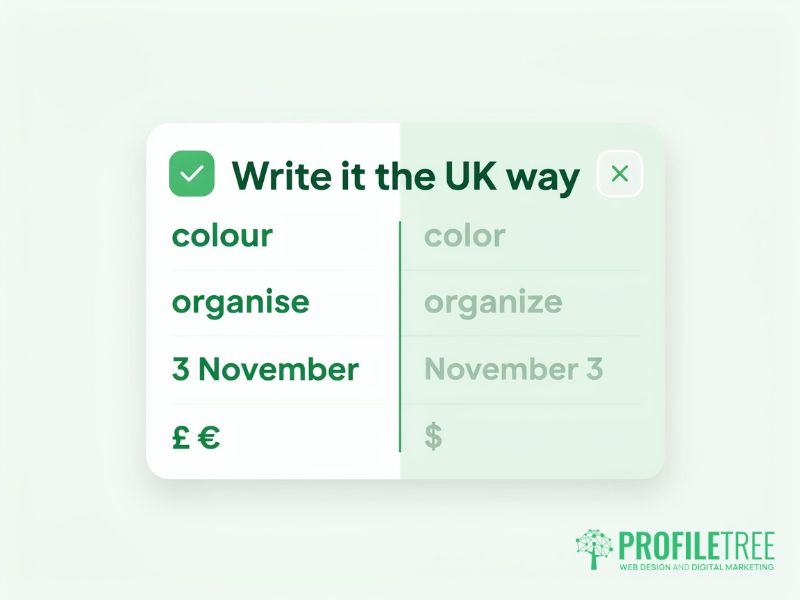
Most style guide templates found online are written for American businesses, so they default to American spelling, date formats and currency. A business selling into Northern Ireland, the Republic of Ireland and Great Britain needs these rules stated explicitly, and in some cases needs separate rules for the two markets.
| Element | UK and Ireland convention | American default to avoid |
|---|---|---|
| Spelling | -ise, -our and -re endings (organise, colour, centre) | -ize, -or and -er endings (organize, color, center) |
| Dates | Day, month, year (3 November, or 03/11 in tables) | Month, day, year (November 3, or 11/03) |
| Currency | £ before the figure for UK customers, € before the figure for Republic of Ireland customers | $ before the figure |
| Telephone numbers | 028 9000 0000 within Northern Ireland, +44 28 9000 0000 for callers outside the UK | Ten-digit American format |
| Quotation marks | Single quotation marks first, double marks for a quote inside a quote | Double quotation marks first |
Decide as well how the site handles the two markets. If the business sells to customers in both Northern Ireland and the Republic of Ireland, the style guide should say which currency appears on which pages, whether prices include VAT, and how place names are written. Getting this wrong on a pricing page costs more trust than a misspelling on a blog post.
Accessibility standards your style guide should fix in place
The style guide is the right place to set accessibility rules, because the problems most small business sites have come from repeated design choices: low-contrast text, missing focus outlines and buttons that are too small to tap. Fix those choices once in the guide and every new page inherits them.
The standard to work to
WCAG 2.2 is the current version of the Web Content Accessibility Guidelines, published by the World Wide Web Consortium. Under WCAG 2.2, normal body text needs a contrast ratio of at least 4.5:1 against its background at level AA, and large text (18 point, or 14 point bold) needs at least 3:1. Interface components such as form field borders and focus outlines also need a contrast ratio of at least 3:1 against what surrounds them.
Turn those thresholds into rules your team can follow without a calculator. List the approved colour pairings, specify how the focus outline looks on links, buttons and form fields, set the minimum target size for buttons, and state the alt text rule. Our guide to the basics of web accessibility covers the wider checks a site should pass.
The legal position in the UK and Ireland
The law differs between the UK and Ireland, and within the UK. In Great Britain, the Equality Act 2010 places a duty on service providers to make reasonable adjustments for disabled people, and in Northern Ireland the equivalent duty sits in the Disability Discrimination Act 1995. Public sector bodies across the UK have specific obligations under the 2018 accessibility regulations, and GOV.UK’s monitoring guidance states that the technical standard for their websites is WCAG 2.2 at level AA.
In the Republic of Ireland, the European Accessibility Act has been brought into Irish law by S.I. No. 636 of 2023, and its rules have applied since 28 June 2025. They cover a range of private sector services, including many e-commerce websites, with an exemption for microenterprises providing services. Whether the regulations apply to a particular business is a question for a legal adviser, but a website built to WCAG 2.2 AA from a documented style guide is in a far stronger position whichever rules apply.
How a style guide supports SEO and writing with AI tools
Search engines and AI assistants work out what a business does partly from how consistently it describes itself. If one page calls a service “website maintenance”, another calls it “site care” and a third calls it “support packages”, the business is giving Google three weaker signals in place of one clear one. A vocabulary list in the style guide, with the preferred name for each service and product, fixes that across every new page.
The heading rules help in the same way. If the guide says that each page has one H1 for the page title, H2 headings for the main sections, and H3 headings within them, every page produced under it has a structure that both readers and search engines can follow. Add the internal linking conventions (which pages each type of article links to, and how anchor text is written) and the style guide starts doing a share of the SEO work automatically.
The voice section is also the most useful thing to give an AI writing tool. A draft produced from a prompt that includes the voice rules, the banned words, and two sample paragraphs is much closer to the brand than one produced from a one-line request, and it needs less editing before a person checks the facts and signs it off.
“The brief I push back on most at ProfileTree is the one that starts with the design. A style guide should start with what the website has to do for the business and who in Northern Ireland has to find it, and the fonts and colours follow from that. Every WordPress web design project we run is better for having those decisions written down first,” says Ciaran Connolly, founder of ProfileTree.
Keeping your style guide current
A style guide that is written once and left alone goes out of date within a year or two, and once the team stops trusting it, the inconsistency it was meant to prevent comes back. Review it at least once a year, and again whenever the business adds a service line, redesigns the site, rebrands, or changes its main audience.
Give the guide a named owner, either someone in the business or the agency that manages the site, and make that person responsible for approving changes. Every change should update the version number and the date at the top. ProfileTree is a Belfast web design and digital marketing agency, founded in 2011 and based at the McSweeney Centre, and on the sites we manage, we treat the style guide as a working project document that changes with the site.
Use this checklist when you build or review the guide:
- The visual identity section holds the logo files with clear space rules, the full colour palette with hex and RGB values, the typography with sizes and line heights, and the image and icon standards.
- The components section specifies primary, secondary, and disabled buttons, form fields in every state, link states, and the spacing system.
- The editorial section covers the voice description with sample paragraphs, the words the business does not use, the UK and Irish localisation rules, the heading rules and the internal linking conventions.
- The accessibility section lists the approved colour pairings, the focus outline specification, the minimum target size, the alt text rule and the minimum body text size.
- The maintenance section names the owner, sets the review date, and carries the version number.
Building a style guide into your next website
If you are planning a new website or a redesign, the style guide is best written at the start of the project, before design begins, so that every page is built to the same rules from day one. ProfileTree builds a documented style guide into its WordPress website projects, covering components, colours, typography, voice and accessibility, and hands it over with the finished site.
A new website from ProfileTree starts at £4,000 plus VAT, and the business has more than 500 Google reviews with a 5.0 rating. To talk through a new site or a redesign, see our website design and development services.
FAQs
1. What should a style guide for a business website include?
A style guide for a business website should include typography, the colour palette with approved pairings, interface components such as buttons and forms, imagery standards, and the brand voice and editorial rules. For UK and Irish businesses, it should also set out spelling, date and currency conventions and the accessibility standard the site meets. Each section should be clear enough for someone new to follow without asking questions.
2. How is a style guide for a website different from brand guidelines?
Brand guidelines cover the brand across every medium, while a website style guide covers how the brand behaves on screen. The brand guidelines deal with logo use, the core palette, and print. The website style guide deals with hover and focus states, mobile font sizes, button measurements, and the colour pairings that pass contrast checks, which is the detail a developer needs to build the site.
3. Does a small business need a style guide for its website?
Yes, a small business benefits from a style guide as soon as more than one person or supplier works on its website. Without one, new pages drift away from old ones and each new project repeats decisions that were already made. A short guide covering the five core elements is enough for most small businesses to start with.
4. How do I create a style guide for a website that already exists?
Start with an audit of the live site. Take screenshots of the main pages, note every variation in fonts, colours, buttons, and tone, and ask your developer to extract the font names and colour values from the site’s CSS. Then choose the standard form of each element, fill the gaps around voice, accessibility and localisation, and write the results into a single document.
5. Which tools are best for building a style guide?
The best tool is the one your team will open and keep up to date. Figma suits designers building component libraries, while a shared Google Doc or a Notion page works well for guides that writers and non-designers need to read and edit. Canva’s brand kit can store colours and fonts for teams without a designer, though it does not replace the written rules.