
SEMrush SEO Audit: A Practical Guide for UK and Irish SMEs
Table of Contents
Running a SEMrush SEO audit for the first time can feel like being handed a cockpit manual when you only wanted to change the radio station. The tool is genuinely powerful, but it surfaces so many issues at once that many SME owners either panic, click around without a clear order, or shelve the tab entirely.
This guide cuts through that. It walks you through the SEMrush audit process in a logical sequence, explains what the findings actually mean in plain terms, and tells you which problems are worth fixing yourself and which ones point to deeper issues that need a developer or an SEO professional. Whether you manage a local service business in Belfast or a growing e-commerce store serving customers across Ireland and the UK, the process is the same.
What a SEMrush SEO Audit Actually Checks
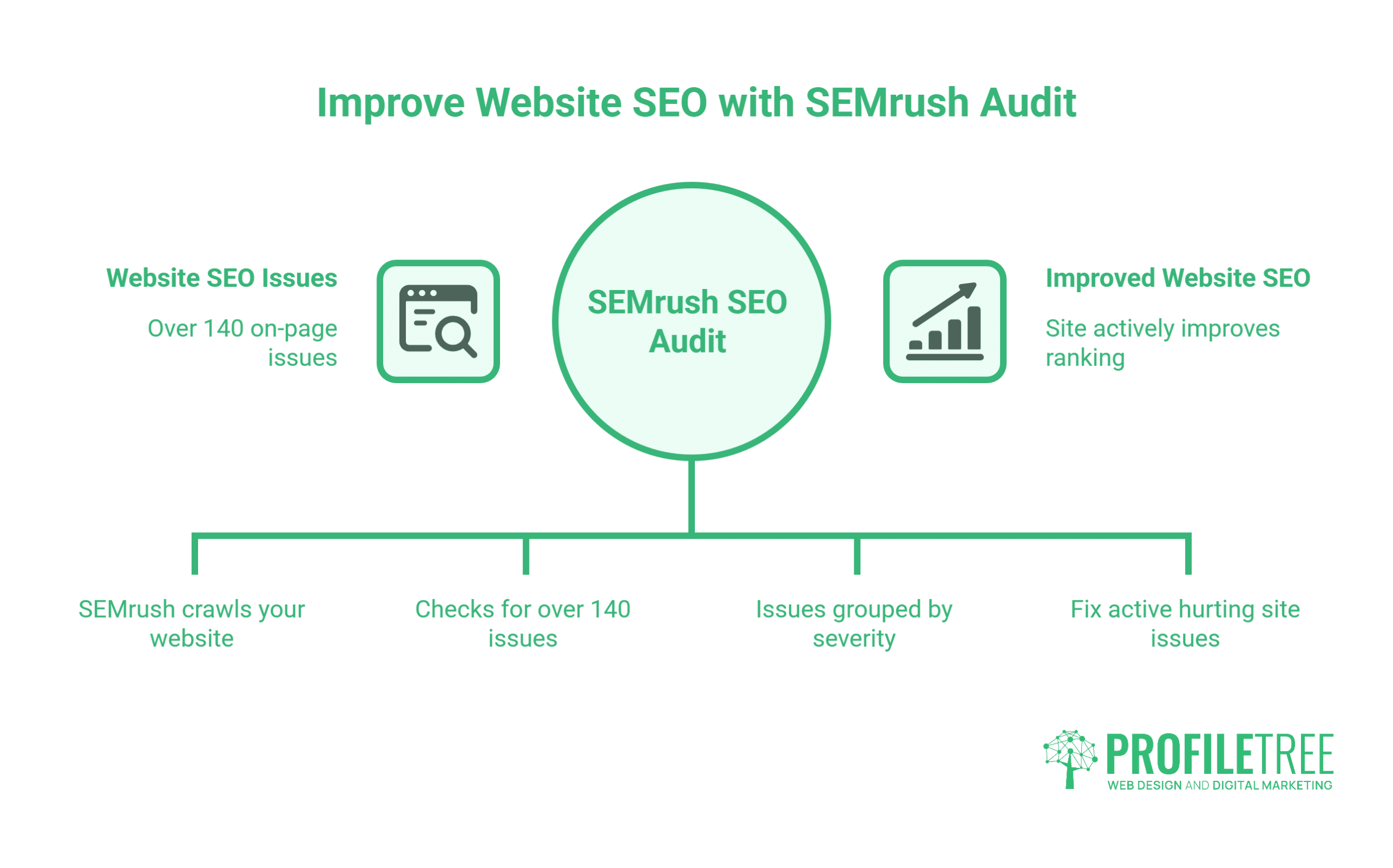
Before setting anything up, it helps to understand what the site audit tool is looking for. SEMrush crawls your website and checks for over 140 on-page and technical issues, grouped into three severity levels.
Errors are problems that actively hurt your site. Missing HTTPS, broken internal links, pages blocked from crawling by a misconfigured robots.txt file, and missing meta descriptions all fall into this category. Fix these first, before doing anything else.
Warnings are issues that reduce your site’s performance without necessarily causing an immediate drop in rankings. Slow-loading pages, missing alt text on images, and thin content pages (under 200 words) typically appear here. Notices are observations rather than problems. These include things like pages with too many internal links or redirect chains that are not broken but could be cleaner.
The SEMrush site health score rolls all of these into a single number out of 100. A score above 80 is generally considered healthy for a small business site. Most sites audited by ProfileTree’s SEO team sit somewhere between 55 and 75, with a cluster of warnings pulling the number down.
| Issue Type | SEMrush Label | Priority |
|---|---|---|
| Broken pages, missing HTTPS, blocked crawls | Error | Fix immediately |
| Slow pages, thin content, missing alt text | Warning | Fix within 30 days |
| Over-linked pages, long redirect chains | Notice | Fix when convenient |
Step 1: Set Up Your SEMrush Project and Run the Crawl
Every SEMrush audit starts with creating a project. This is SEMrush’s way of grouping all the data for a single website in one place, and it’s where your ongoing site audit reports will live.
Getting the setup right takes about five minutes but saves a lot of confusion later, particularly if you are managing audits for multiple client sites.
To set up a project:
- Log in to SEMrush and click Create Project from the main dashboard.
- Enter your domain (without the https:// prefix) and give the project a recognisable name.
- Once the project is created, click on the Site Audit tool within the project menu.
- Configure your crawl settings. For most small business sites, the default settings work fine. If your site has more than 500 pages, you may need to adjust the crawl limit on the free plan.
- Click Start Site Audit.
SEMrush will begin crawling your site. Depending on the size of the website, this can take anywhere from a few minutes to half an hour. You’ll receive an email notification when the audit is complete.
One thing worth noting: SEMrush’s free account limits you to 100 URLs per crawl. That’s enough to audit a basic five-page brochure site, but most SME websites will need the Pro plan or above to get a meaningful picture of technical health.
Step 2: Read the Site Audit Dashboard
When the crawl finishes, you land on the Site Audit Overview. The dashboard shows your overall health score, the total number of issues found, and a breakdown of errors, warnings, and notices.
Don’t be alarmed by the numbers. A site with 200 issues sounds catastrophic, but many of those will be the same problem repeated across multiple pages.
The sections to review first are:
Crawlability: Are all your important pages accessible to search engines? Look for any pages marked as blocked, noindexed by accident, or returning errors (4xx or 5xx responses). If key pages aren’t being crawled, they can’t rank.
HTTPS: Is your site served entirely over HTTPS with a valid SSL certificate? Mixed content warnings, where some page elements still load over HTTP, can suppress rankings and trigger browser security warnings.
Core Web Vitals: SEMrush pulls Google’s Core Web Vitals data into the audit. The three metrics (Largest Contentful Paint, Interaction to Next Paint, and Cumulative Layout Shift) measure how a page feels to use. Poor scores here affect your rankings directly, because Google uses them as a ranking signal.
Internal links: The audit maps your internal link structure and flags orphan pages (pages with no internal links pointing to them), broken links, and pages buried so deep in the site that search engines rarely reach them. For a broader view of how site structure connects to SEO performance, ProfileTree’s guide to examples of a marketing audit covers the wider audit framework that sits around technical checks like these.
Step 3: Fix Errors Before Anything Else
Once you’ve read the overview, move straight to the Errors tab. Sort by issue count to see what’s affecting the most pages.
Errors have the most direct impact on rankings and user experience, so they deserve attention before any content or keyword work begins.
Broken internal links (4xx errors): These happen when pages are deleted or moved without updating the links that pointed to them. Every broken link wastes the crawl budget SEMrush estimates for your site, and it creates a dead end for any user who clicks it. The fix is either to restore the missing page or to update the link to point to a relevant alternative.
Missing or duplicate meta descriptions: If your pages have identical or empty meta descriptions, you’re leaving the search engine to write them for you, which it will do, but often badly. Meta descriptions don’t directly affect rankings, but they affect click-through rate. A well-written description increases the chance someone clicks your result over a competitor’s. ProfileTree’s article on meta keywords and on-page signals explains the difference between the elements that still matter and those that don’t.
Pages with no H1 tag: Every page should have exactly one H1 heading. This is the primary signal to search engines about what the page covers. Missing H1 tags or pages with multiple H1S create ambiguity that tends to hurt rankings for competitive terms.
Mixed content warnings: Even after switching to HTTPS, images, stylesheets, or scripts from older parts of the site sometimes still load over HTTP. These generate browser warnings and tell search engines your HTTPS implementation is incomplete.
When SEMrush surfaces errors like broken page templates, misconfigured redirects, or structural problems across dozens of pages simultaneously, those tend to be development tasks rather than content edits. ProfileTree’s web development team handles exactly these kinds of audit-driven fixes for SMEs across Northern Ireland and Ireland, often as part of a broader site refresh rather than a one-off repair. You can see how that process works in the video below.
Step 4: Use the On-Page SEO Checker
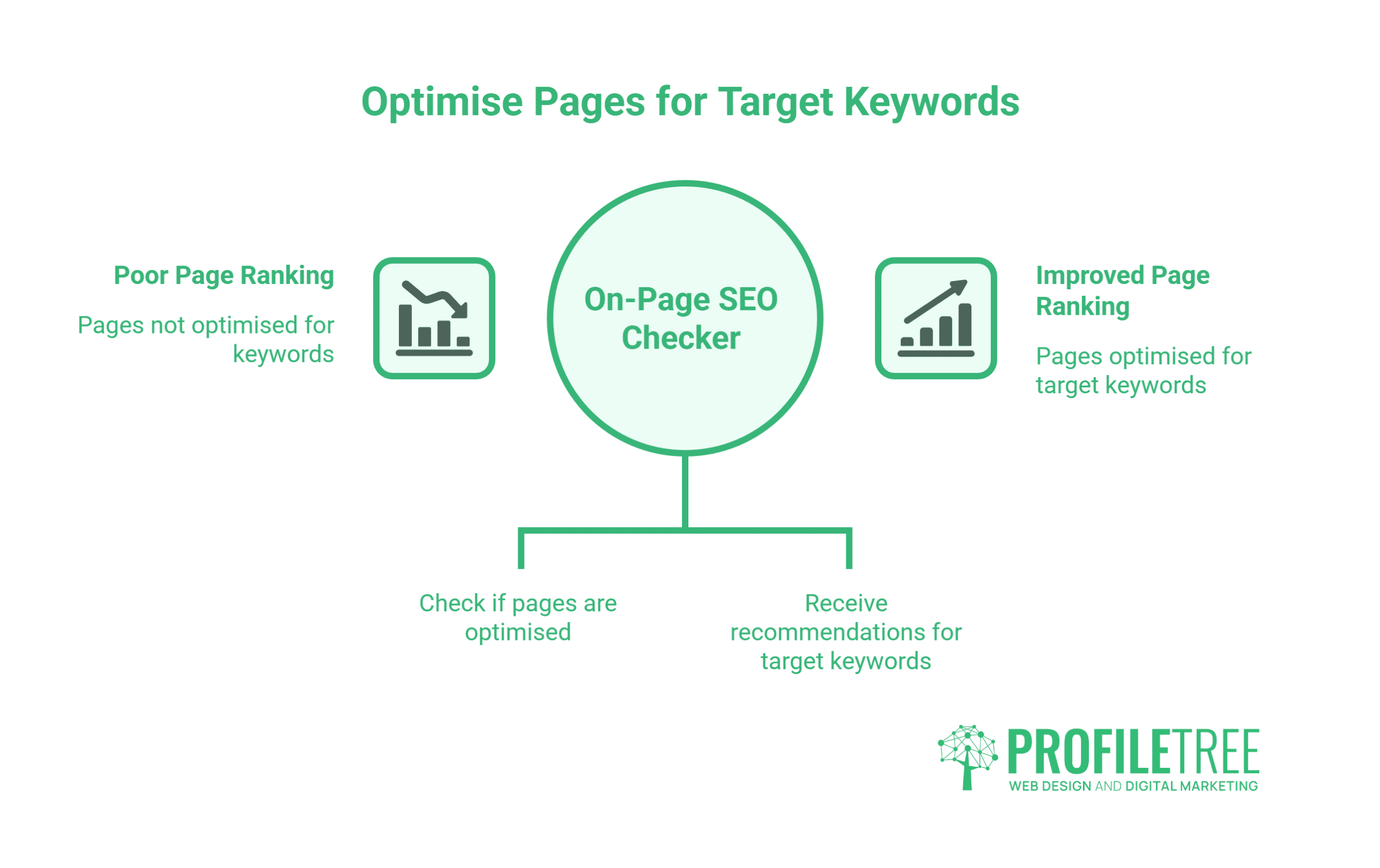
After working through the errors, the On-Page SEO Checker gives you page-specific recommendations based on what’s actually ranking for your target keywords.
This is different from the site audit. Where the audit finds technical problems, the On-Page SEO Checker analyses whether individual pages are optimised well enough to rank for the terms you want.
For each page, SEMrush generates a list of ideas grouped by category:
- Strategy ideas: Suggestions for which keywords to target based on current ranking positions and search volumes.
- Content ideas: Recommendations on word count, semantic keywords related to your topic, and whether your page covers the subtopics that competing pages cover.
- Backlink ideas: Pages on authoritative sites that are relevant to your content and might be worth approaching for links.
- Technical ideas: Page-level technical suggestions covering speed, structured data, and internal links.
One area where SMEs often find the biggest gains: the content ideas section frequently reveals that pages are ranking for terms that were never the intended target. A local accountancy firm might find that its blog post about self-assessment deadlines is attracting traffic for a completely different query. That’s a signal to either optimise the page for the query it’s actually winning or create a new, more relevant page. ProfileTree’s guide to content length and search engine ranking covers how page depth affects which queries a page can realistically compete for.
Step 5: Run the Backlink Audit
The SEMrush backlink audit tool analyses every external site linking to yours and scores each link by quality. Links from low-quality or spammy sites can work against you, especially following Google’s link spam updates in recent years.
For most small business sites in Northern Ireland and Ireland, the backlink profile is thin rather than toxic, but the audit is still worth running to confirm there’s no legacy spam.
How the backlink audit works:
- Open the Backlink Audit tool within your project.
- SEMrush pulls all known links pointing to your domain from its database.
- Each link receives a toxicity score. Links with a high toxicity score are flagged for review.
- You can mark flagged links for disavowal. SEMrush generates a disavow file you can submit directly to Google Search Console.
The Authority Score metric in SEMrush serves a similar purpose to the domain rating metrics used by other SEO tools. It factors in the number and quality of backlinks, organic search traffic estimates, and spam signals. A higher authority score generally means Google is more likely to trust the site’s content.
For a structured explanation of how Google evaluates link quality and what a healthy link profile looks like, Ahrefs’ guide to link building remains one of the most thorough publicly available resources on the subject.
Step 6: Keyword Research and Position Tracking
Once technical and on-page issues are addressed, the next phase of the SEMrush workflow is understanding which keywords to target and tracking how your rankings move over time.
Getting this phase right turns the audit from a one-off diagnostic into an ongoing performance tool.
The Keyword Magic Tool starts from a seed keyword and generates hundreds of related terms with search volume data, keyword difficulty scores, and intent labels (informational, commercial, navigational, transactional). For SMEs, the most useful filter is keyword difficulty. Terms with a difficulty score below 50 are generally achievable for a well-optimised page on a site with reasonable authority.
Dynamic keyword insertion is one tactic worth understanding once your keyword list is established, particularly if you’re running paid search campaigns alongside your organic SEO work.
The Position Tracking tool tracks where your site ranks for a defined list of keywords, updated daily. Set it up immediately after the audit so you have a baseline to measure progress against. Add your primary target keywords and any terms the site already ranks for in positions 11 to 30. For businesses with multiple locations, SEMrush allows location-specific tracking. A plumber in Belfast and Dublin can track rankings separately for each city, giving a much clearer picture of where local SEO work is having an effect. ProfileTree’s guide to local SEO for geolocation covers how to structure that targeting effectively.
Step 7: Connect Google Search Console and Google Analytics
SEMrush becomes significantly more useful once it’s connected to your Google accounts. The integration pulls in first-party data that SEMrush can’t access on its own.
This step is often skipped by SMEs who are new to the tool, but it’s where the most actionable insights tend to surface.
Google Search Console integration brings in your actual impression and click data by keyword and page. This is more accurate than SEMrush’s estimated traffic figures because it comes directly from Google rather than third-party modelling. The combined view shows you where the gap between impressions and clicks is largest, which points directly to pages where the meta title or description needs work. ProfileTree’s guide to Search Console errors and how to fix them is a useful companion read for this step.
Google Analytics integration lets SEMrush show how organic traffic from different keywords relates to user behaviour on the site: bounce rate, pages per session, and goal completions. This is where SEO starts to connect with business outcomes rather than just rankings. ProfileTree’s overview of business analytics tools covers the broader landscape of reporting and measurement options available to SMEs.
The SEMrush Position Tracking visibility score is sometimes confused with average position. They measure different things. Visibility is a weighted score that accounts for how much search volume sits behind each tracked keyword. A site ranking first for a 10-search-per-month term and tenth for a 1,000-search term will have a low visibility score despite technically ranking for more keywords.
How SEMrush Audit Findings Connect to Your Broader Digital Strategy
A SEMrush SEO audit doesn’t exist in isolation. The findings almost always connect upward to larger business and marketing decisions.
Understanding those connections is what separates businesses that act on audit data from those that file the report and move on.
Technical errors often mean development work. When the audit finds widespread Core Web Vitals failures, server errors, or crawlability problems across a site, these typically require code-level fixes rather than content edits. For SMEs without an in-house developer, this is where a web design and development partner becomes relevant. ProfileTree, the Belfast-based digital agency, handles these kinds of post-audit technical implementations for SMEs across Northern Ireland, Ireland, and the UK.
Content gaps mean content marketing investment. The On-Page SEO Checker frequently reveals that a site ranks for dozens of terms for which it has no dedicated content. Addressing those gaps means building out a content plan, which is a content marketing function. A well-structured digital marketing strategy provides the framework for deciding which content gaps to fill first based on commercial value.
Backlink gaps mean authority-building work. If the backlink audit shows a thin link profile, the answer isn’t disavowal. It’s earning more high-quality links through digital PR, guest content, and original research that other sites want to reference.
Reporting complexity means training investment. For businesses that want to manage their SEO in-house long-term, learning to interpret SEMrush data accurately takes time. ProfileTree Academy offers digital training for business owners and marketing teams who want to build that capability without relying on an agency indefinitely. Watch how ProfileTree approaches digital training for SMEs:
Conclusion
A SEMrush SEO audit gives SMEs a structured starting point for improving search visibility. Work through the findings in order: errors first, on-page optimisation second, keyword and backlink strategy third. The tool does the diagnostic work; acting on the findings is where the results come from. ProfileTree’s SEO team works with SMEs across Northern Ireland, Ireland, and the UK who need both the analysis and the hands-on implementation. If your audit is surfacing issues you’re not sure how to prioritise, get in touch to talk through next steps.
Frequently Asked Questions
What does a SEMrush site health score mean?
The site health score is a percentage calculated from the number of technical SEO checks your site passes versus fails. A score of 100 means no issues were detected. Most live websites score between 60 and 85, with warnings around image optimisation, internal linking, and page speed pulling the number down. A score below 50 suggests the site has significant technical problems that are likely affecting search rankings. Because publishing new content, adding pages, or making structural changes can all affect it, running the audit on a monthly schedule gives you the most useful ongoing picture.
Is SEMrush’s free plan enough to audit my website?
The free plan crawls up to 100 URLs per audit, which is sufficient for a simple brochure site with fewer than ten pages. Most SME websites will need the Pro plan to get a complete audit. The free plan also limits keyword research data to ten queries per day, which isn’t enough for ongoing strategy work. If you want to explore the tool before committing to a subscription, the free trial gives full access to all features for a limited period.
How often should I run a SEMrush SEO audit?
For most SME websites, a monthly audit schedule is appropriate. Run the audit after any significant changes to the site, such as a redesign, a platform migration, or a major content publishing sprint. If you notice a sudden drop in organic traffic, an immediate audit is the fastest way to check whether a technical issue has appeared.
What is the difference between the SEMrush site audit and the On-Page SEO Checker?
The site audit checks the technical health of your entire website: crawlability, indexing, page speed, broken links, HTTPS status, and similar factors. The On-Page SEO Checker analyses individual pages against the actual search results for your target keywords and recommends improvements to help those specific pages rank better. Run the site audit first to fix what’s broken, then use the On-Page SEO Checker to optimise what’s already working.
Can SEMrush replace Google Search Console?
No, and the two tools are better used together. Google Search Console provides first-party data directly from Google’s search index: your actual clicks, impressions, and average positions by keyword. SEMrush provides estimated data for competitor domains, broader keyword research across terms you don’t yet rank for, and automated audit and tracking features that Search Console doesn’t have. For understanding your own site’s performance, Search Console is more accurate. For understanding the competitive landscape and identifying opportunities, SEMrush provides data you can’t get from Google directly.
How do I access the SEMrush backlink audit tool?
The backlink audit tool sits inside your project in SEMrush. Once you’ve created a project for your domain, open the project dashboard and select Backlink Audit from the left-hand menu. SEMrush will pull in all the backlinks it has found pointing to your domain and begin scoring them for quality. The first audit can take several minutes to complete, depending on the size of your backlink profile. On subsequent runs, SEMrush updates the list with any new links it has discovered.