
Is Your SEO Actually Working? A Metrics Guide for UK SMEs
Table of Contents
You are paying for SEO, or spending your own time on it. Either way, you want one straight answer: is it working? SEO performance metrics are how you answer that question properly, instead of guessing from a ranking screenshot that looks good but says nothing about revenue.
This guide sets out the SEO performance metrics that actually matter for small and medium businesses across Northern Ireland, Ireland, and the UK, why your Google Search Console numbers and your GA4 numbers will never quite match, and how to report on all of it to someone who doesn’t have time for jargon.
The Difference Between Vanity and Value in SEO Performance Metrics
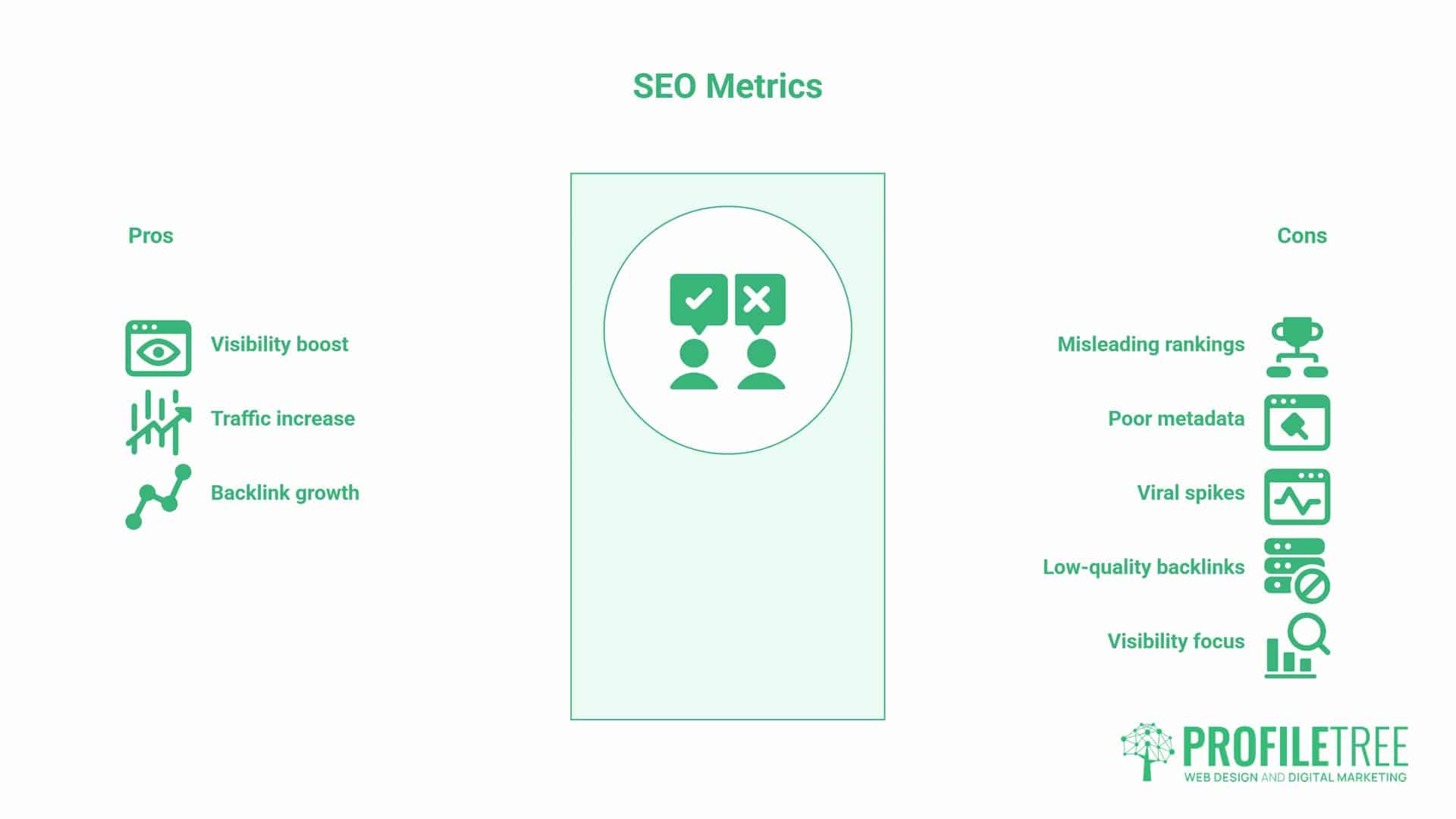
Not every number in an SEO report tells you something useful. Some SEO performance metrics look impressive on a slide and mean almost nothing for the business. Others are less exciting, sitting quietly in a spreadsheet tab nobody opens, but directly explain whether the phone is ringing more this month than last. Learning to tell the two apart is arguably the single most useful skill an SME owner can take away from any SEO reporting conversation.
Why Rankings Alone Won’t Pay the Bills
A first-place ranking for a keyword that nobody with money to spend is searching for is not a win. It’s a vanity metric: satisfying to screenshot, disconnected from outcome. Take a Newry-based joinery business ranking first for a broad, informational term about wood types. The ranking is real, impressions are climbing, and the report looks strong. But if that term never leads to a quote request, it’s telling a story that has nothing to do with the business getting busier. The table below sets out the split we use when we’re deciding what to put on page one of a client report and what to leave in the appendix.
| Vanity Metric | Why It’s Misleading | Value Metric Instead |
|---|---|---|
| Keyword rankings alone | Position 1 for a low-intent term won’t generate enquiries | Organic conversions from ranking keywords |
| Total impressions | High visibility with no clicks often means poor metadata | Click-through rate against position |
| Total sessions | A traffic spike can be a single viral share, not SEO | Non-branded organic sessions |
| Total backlinks | Quantity from low-quality directories adds little authority | Referring domains from relevant, topical sites |
A first-place ranking is a starting point, not a result. It only becomes a value metric once you can trace it through to a form submission, a phone call, or a booking. That’s the shift most SME reports miss: they measure visibility and stop, when visibility is only step one of the journey. If your current reporting stops at rankings, a professional SEO audit will show you where the gap between visibility and enquiries actually sits.
The GA4 Reality Check: Tracking Local Leads and Conversions
Rankings and impressions tell you whether Google can see you. GA4 tells you what happens once someone actually lands on your site, and for most SMEs, that’s the part of the SEO performance metrics picture that’s least understood.
Essential GA4 Key Events for SMEs
In GA4, conversions are called Key Events. Go to Admin, then Events, and mark the actions that matter to your business. For a service business, that’s typically form_submit, phone_call_click, and sometimes file_download if you offer a brochure or price list. For a business selling online, add purchase and add_to_cart.
A Belfast electrician’s website, for example, doesn’t need e-commerce tracking. It needs phone_call_click marked as a Key Event, because that’s where the actual enquiries happen. Without it, GA4 will show sessions and engagement but no proof that any of it led anywhere, which is exactly the gap that makes SEO performance metrics look weaker than they really are.
Getting this configuration right the first time, rather than discovering six months of missing data, is exactly the kind of tracking work our website development team builds in as standard on a new site or an existing site audit.
Building an Organic Traffic View Is Worth Checking Monthly
Once Key Events are set up, use GA4’s Explorations feature to build a single view filtered to organic search sessions only. Set the dimensions to landing page, session source, and medium, and set the metrics to sessions, engagement rate, and Key Events. Save it, and check it monthly rather than rebuilding a report from scratch each time. This one saved view becomes the core of your ongoing SEO performance metrics tracking, and it’s the same report structure most agencies present in a monthly client update.
Understanding Engagement Rate vs Bounce Rate in a Post-UA World
Universal Analytics used bounce rate: the percentage of single-page, no-interaction visits. GA4 replaced it with engagement rate, which counts a session as engaged if it lasts ten seconds or more, includes a Key Event, or involves two or more page views. This is a better signal of genuine interest, but it also means your engagement rate will typically look higher than your old bounce rate suggested quality was. That’s not your SEO improving overnight; it’s the metric definition changing underneath you.
Aim for a 55 to 70% engagement rate on service pages and blog content. If sessions are climbing but engagement isn’t, the page is probably attracting the wrong search intent, not the wrong amount of traffic.
Google Search Console: Measuring Your Digital Shop Front
If GA4 is your till roll, Google Search Console is your shop window. It shows what Google shows searchers before they ever click through, making it one of the most underused sources of SEO performance metrics for SMEs.
Non-Branded vs Branded Traffic: Which One Shows Growth
Search Console lets you filter queries into branded (searches including your company name) and non-branded (searches for the service or problem you solve). Branded traffic growth usually means word of mouth or offline marketing is working. Non-branded traffic growth is the real proof that SEO is expanding your reach to people who didn’t already know you existed. If your SEO performance metrics improve only for branded terms, the SEO investment isn’t yet doing its job.
Click-Through Rate and the Low-Hanging Fruit in GSC
CTR is the percentage of people who see your listing and click it. The pattern is steep: independent studies commonly put position one at somewhere between 25 and 35%, dropping to around 5 to 7% by position five, though that gap narrows on SERPs where an AI Overview appears above the organic results.
Either way, a small ranking improvement near the top of page one is typically worth more than the same jump lower down. Use the Performance report, filter to positions 8-20, and sort by impressions. Pages already getting seen but not clicked, sitting just below page one, are your quickest wins: a sharper title tag or meta description can move them without any new content at all.
If your CTR sits below what you’d expect for your position, the title tag and meta description are the first things to fix, not the page content. A title that front-loads the primary keyword and gives a clear, honest reason to click will usually outperform a generic one, even at the same position.
Our full SEO services guide covers this in more depth if you want to work through your own metadata line by line. That kind of quick audit is usually the first thing we look at during an SEO project, because it’s often the fastest way to shift SEO performance metrics without a full rebuild.
The Technical Health Check: Core Web Vitals for Local Search
None of the above matters if Google can’t crawl and render your pages properly, or if your site is too slow for people to stick around long enough to convert.
LCP, INP, and CLS: The Current Benchmarks
Google’s three Core Web Vitals are Largest Contentful Paint (LCP), Interaction to Next Paint (INP), and Cumulative Layout Shift (CLS). The targets are LCP under 2.5 seconds, INP under 200 milliseconds, and CLS under 0.1. Check your current scores in Google PageSpeed Insights. Failing these on mobile is particularly damaging, given Google’s mobile-first indexing and the fact that most local searches happen on mobile.
Google’s own research has shown that as mobile load time increases from one to three seconds, the probability of a visitor bouncing rises sharply, and slow-loading pages built on unoptimised images or an overloaded WordPress theme are a common cause of that delay. Our web design team builds Core Web Vitals targets into every new site from the outset, rather than trying to retrofit them once a slow theme is already live.
Indexation and the Technical Basics Google Needs
None of this matters if the page isn’t indexed in the first place. Search Console’s Coverage report shows which pages are indexed and flags crawl errors, and pages sitting in “Discovered: currently not indexed” or “Crawled: currently not indexed” are invisible to searchers no matter how good the content is. For WordPress sites, correctly configured canonical tags, an accurate XML sitemap, and a sensible robots.txt file determine whether this becomes a recurring problem. If your site’s technical foundation needs a proper review, that’s exactly the groundwork our website development team handles as part of a rebuild or an existing-site audit.
Where Content Depth Still Earns Authority
It’s worth a brief note on why some pages accumulate authority faster than others, even with identical technical health. Original, well-researched content that genuinely goes deeper than what’s already ranking tends to attract organic mentions and links over time, in a way that thin or rewritten content doesn’t. This is less about chasing backlinks directly and more about producing something worth referencing in the first place, which is the approach our content marketing service takes for clients targeting competitive, informational search terms.
SEO Performance Metrics for Stakeholders and Business Owners
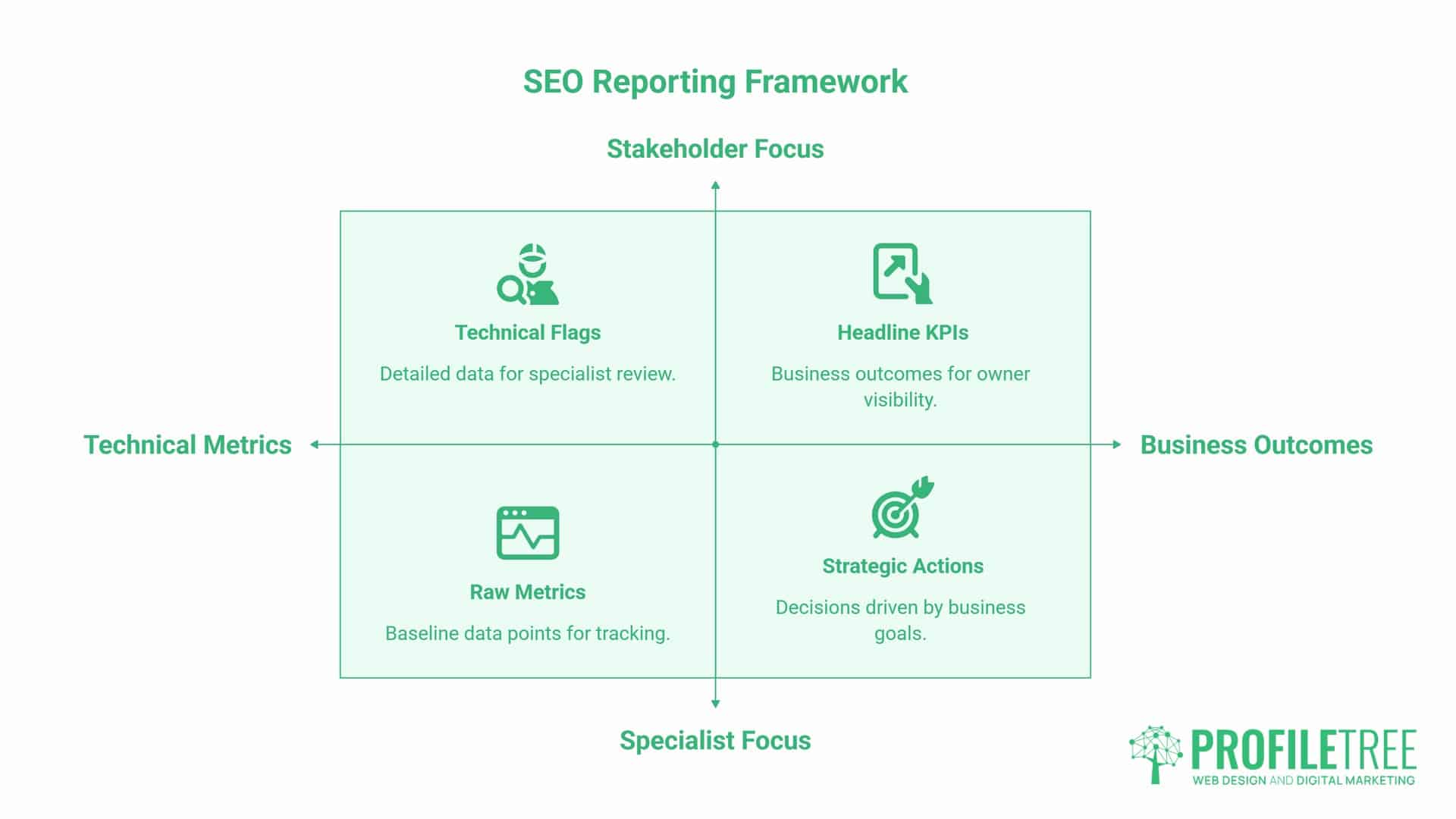
A technically excellent SEO report that a business owner can’t act on is a wasted report. This is the section most competitor guides skip, and it’s where SEO performance metrics either earn their keep or get quietly ignored.
Translating SEO Jargon into Return on Investment
Lead with three things: organic conversions, organic revenue or enquiries, and cost per organic acquisition. Everything else, impressions, keyword movement, and technical flags, belongs in an appendix. A director doesn’t need to understand how impression share works. They need to know whether the SEO spend is generating a return, and what one thing you’re doing about it next month.
A useful discipline here is separating a metric from a KPI. A metric is a raw number you track; a KPI is a target tied to a business outcome. “Organic sessions: 1,800 this month” is a metric. “Grow organic enquiries to 40 a month by Q3” is a KPI. Reports that mix the two without distinguishing them tend to bury the one number a business owner actually cares about under a dozen that a specialist cares about. Teaching marketing teams to make that separation, and to build a one-page monthly summary around it, is the kind of practical session our digital training programme runs for teams across Northern Ireland.
A one-page summary in front of every report should cover: what improved, what declined, and what action you’re taking because of it. Add the headline KPIs, a short traffic trend line, a visibility snapshot showing how many priority keywords moved, and a flag for any new technical issues. That’s it. Everything more detailed sits behind it for anyone who wants to dig further.
As Ciaran Connolly, founder of ProfileTree, puts it: “The SEO performance metrics on the front page of a report should answer one question for a business owner: did this make us money? If a report can’t answer that in the first paragraph, it’s the wrong report, not the wrong SEO.”
If your current reporting is mostly rankings and traffic charts with no lines connecting them to enquiries, that’s usually a sign the strategy needs to be reset around business goals rather than search volume, which is where a digital strategy review earns its place.
Why GSC and GA4 Numbers Never Match, and Why That’s Fine
This trips up almost every SME owner the first time they compare reports. Search Console counts a click the moment someone taps your result on the search page. GA4 only counts a session once its tracking code fires on your site. If someone clicks through and closes the tab before the page finishes loading, GSC logs a click that GA4 never sees. On top of that, UK cookie consent rules mean GA4 misses a share of sessions from visitors who reject non-essential cookies, an effect covered fully below. Expect a gap between the two platforms. Don’t expect them to reconcile to the number.
| What You See | GSC | GA4 | Why It Differs |
|---|---|---|---|
| A “click” | Recorded the moment the search result is tapped | Only recorded once the page finishes loading and fires tracking | Tab closures and slow loads create clicks with no matching session |
| Visitor volume | Counts all clicks, consent or not | Subject to cookie consent choices | UK GDPR consent gaps reduce GA4’s visible sessions |
| Timeframe | Data can lag by a few days | Near real time | Reports pulled on different days won’t align exactly |
The 10-Minute Monthly SEO Health Check
- Check Search Console for new crawl errors or manual actions
- Review the Performance report for non-branded query growth
- Check GA4’s engagement rate against the 55 to 70% benchmark
- Confirm Key Events are still firing correctly (forms, calls)
- Run PageSpeed Insights on your two highest-traffic pages
- Note one action for next month, not ten
The Impact of UK Privacy Rules on Your Data Accuracy
This is a gap almost every generic guide on SEO performance metrics ignores, and it matters more in the UK and Ireland than in markets with looser cookie enforcement.
Consent Mode and the Missing Slice of Your Traffic
UK GDPR requires a genuine choice about non-essential cookies, and a meaningful share of visitors decline them. That means GA4 loses visibility of some real sessions before tracking even starts. Google’s own guidance suggests this gap commonly falls in the region of 10 to 30% of actual traffic, depending on how the consent banner is built and how quickly it disappears from view. This is why organic sessions in GA4 can be noticeably lower than the clicks recorded in Search Console for the same period.
Enabling Consent Mode v2 lets GA4 use modelled data to estimate the gap, providing an approximation for visitors who declined tracking rather than simply omitting them. It’s not a perfect substitute for real data, but it’s a considerably better starting point than assuming every session that wasn’t tracked simply didn’t happen. You should still label reports clearly as reflecting consented sessions unless modelling is switched on, so a reader doesn’t mistake a partial number for a complete one.
Skipping this caveat is how an SME ends up thinking SEO underperformed, when the real issue was a consent banner quietly hiding a fifth of the traffic. It’s one of the most common and most avoidable misreadings of SEO performance metrics we see when reviewing a business’s existing reporting for the first time.
From Data to Strategy
SEO performance metrics only earn their name once they change what you do next. Set up Key Events properly, link Search Console to GA4, separate non-branded traffic from branded traffic, and account for the consent gap before drawing conclusions. Review monthly, assess trends over a minimum of 90 days, and lead every report with the number that answers whether the investment paid off.
None of this needs to happen all at once, and it rarely does for a busy SME owner juggling the day-to-day running of the business alongside marketing. Start with whichever gap is costing you the most right now, whether that’s missing Key Events, a consent banner hiding a chunk of your real traffic, or a report that nobody at the board level actually reads. If you’re not sure where your own numbers currently stand, a structured SEO audit is the fastest way to find out.
FAQs
Why doesn’t my Google Search Console data match my GA4 data?
GSC counts a click the instant someone taps your result; GA4 only counts a session once tracking fires on the page. UK cookie consent choices also mean GA4 misses a share of real visitors. A gap between the two is normal and doesn’t mean either tool is wrong.
What’s a good CTR for a local UK business?
It depends heavily on the position and query type, but most local service businesses do well to aim for the 3-8% range for their priority terms. Compare your CTR against your own average position rather than a single fixed target.
How long should I wait to see a change in these metrics?
Give any change 3 to 6 months before judging it. SEO performance metrics move slowly and unevenly, and a single strong or weak month rarely reflects the underlying trend. Judge movement over 90-day periods, not week to week.
Is bounce rate still a thing in GA4?
No, GA4 replaced it with engagement rate, which counts a session as engaged if it lasts ten seconds or more, includes a Key Event, or has two or more page views. It’s a more accurate signal of genuine interest than the old single-page bounce definition.
Which matters more: impressions or clicks?
They answer different questions. Impressions show brand visibility and reach, clicks show actual traffic. A page can have both climb together, or impressions can rise while clicks stay flat, which usually points to a metadata problem rather than a content one.