
Sprout Social and Buffer: Which Social Media Tool Fits Your Business?
Table of Contents
If you have spent any time researching social media management tools, you have almost certainly come across Sprout Social and Buffer. They dominate comparison searches, appear in every marketing blog roundup, and serve genuinely different types of businesses. One is built for data-hungry teams that want to turn social activity into boardroom reports. The other is built for people who need to get posts scheduled and get on with their day.
This guide to Sprout Social and Buffer cuts through the feature lists to help SME owners, marketing managers, and agency teams in Northern Ireland, Ireland, and the UK make a practical decision. It also addresses a question that rarely appears in the standard reviews: at what point does buying a tool become less valuable than investing in training or bringing in specialist support?
The Quick Verdict: Sprout Social and Buffer at a Glance
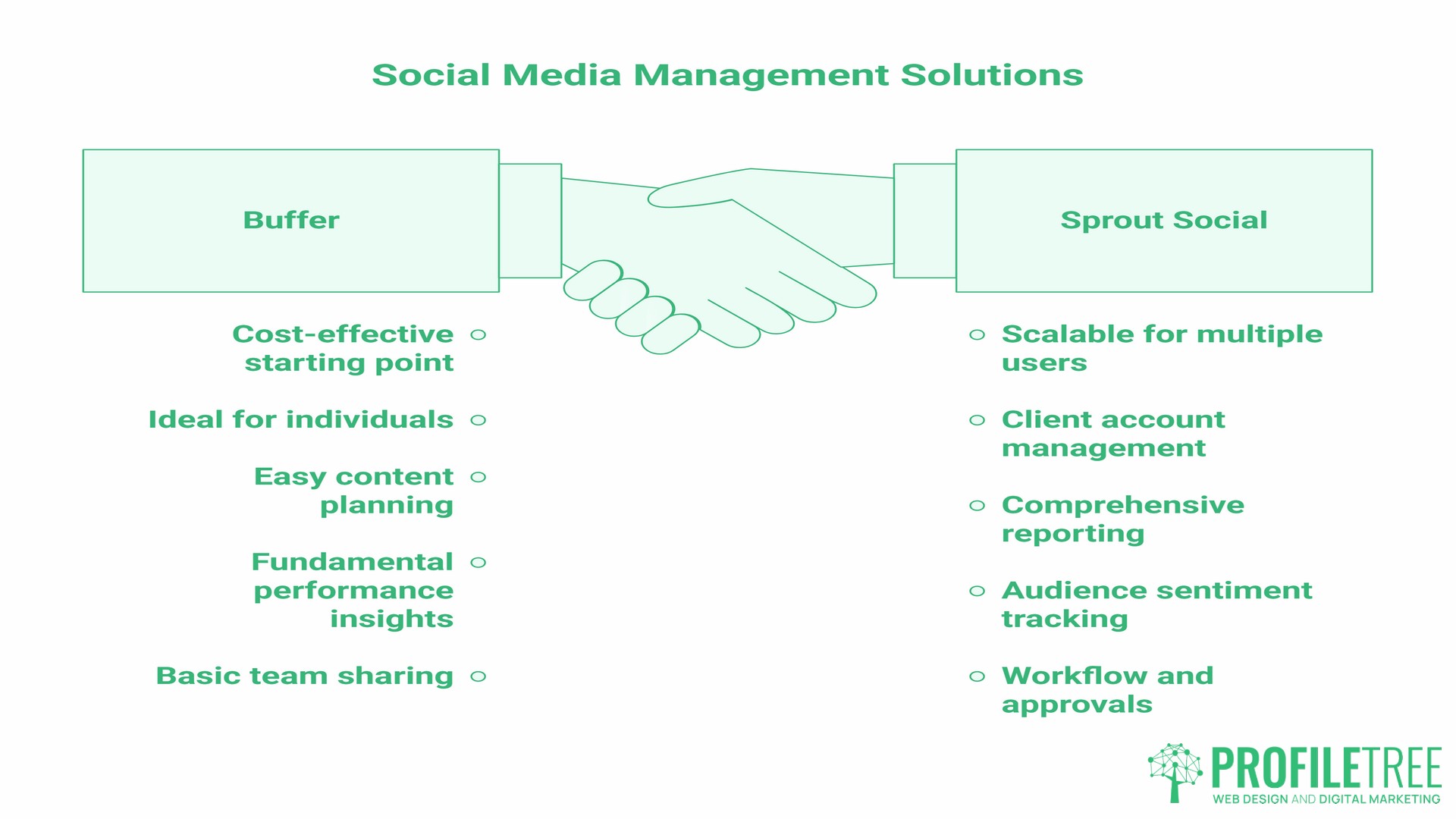
Before going into depth, here is where each tool fits best.
| Factor | Buffer | Sprout Social |
|---|---|---|
| Starting price | Free tier available | From $79/seat/month (Essentials, annual billing) |
| Best for | Solo operators, micro-businesses, straightforward scheduling | Growing teams, agencies, data-led strategy |
| Analytics depth | Basic to moderate | Deep, customisable reporting |
| Social listening | Not offered | Premium add-on, sold separately |
| Team collaboration | Approval workflows on Team plan; no task assignment | Approval workflows plus task assignment and per-member reporting |
| Learning curve | Low | Moderate to high |
| UK/GDPR considerations | Standard data processing | More detailed compliance documentation available |
Buffer is the right choice if you are a sole trader, a micro-business managing two or three social channels, or a team that needs a reliable scheduling tool without a steep learning curve or a high monthly cost.
Sprout Social is worth the investment if you have a team managing multiple client accounts, you need automated reporting for internal stakeholders, or social listening and sentiment analysis are material to your strategy.
Neither tool fixes a weak content strategy. That distinction matters more than any feature comparison, and it is covered in the “Tool, Training, or Agency?” section below.
Platform Setup and Ease of Use
How long it takes to get a tool working is a real cost, not a footnote. The gap between these two platforms on setup is wide enough to be a deciding factor on its own, particularly for a business where one person handles social alongside other work.
Buffer: Getting Started in Minutes
Buffer’s onboarding is designed to create as little friction as possible. You register with an email address, connect your social accounts (Facebook, Instagram, LinkedIn, X, Pinterest, TikTok, and Google Business Profile), and you can begin scheduling posts within a few minutes. The dashboard is clean, and the posting calendar is easy to read.
For a small business owner in Belfast or Dublin who wants to maintain a consistent social presence without dedicating a lot of time to it, this low barrier to entry is a genuine advantage. You do not need training to use Buffer at a basic level. Most users are functional within their first session.
The trade-off is that Buffer’s simplicity becomes a ceiling. When you need custom reporting, cross-channel inbox management, or approval workflows involving multiple team members, the platform starts to show its limits.
Sprout Social: A More Structured Start
Sprout Social’s setup takes longer. You work through a more detailed onboarding process, configure user roles and permission levels, and connect a wider range of platforms, including YouTube, TikTok, Mastodon, and the major networks. The dashboard is denser than Buffer’s, and there is a moderate learning curve before the platform feels intuitive.
That investment pays off for teams managing multiple accounts. The initial configuration options, particularly around user permissions and approval workflows, are what make Sprout genuinely useful for agencies or in-house marketing teams with more than two or three people involved in social publishing.
“The right tool is the one your team will actually use consistently,” says Ciaran Connolly, founder of ProfileTree. “We see SMEs buy enterprise-level platforms and then use 10% of the features because nobody was trained on the rest of it.”
If your team has not previously used a structured social media management platform, consider whether formal digital marketing training would help you extract more value from whichever tool you choose.
Content Management and Scheduling Features
Both tools schedule posts. The difference is what they do around the scheduling: how much of the work they take off your hands, and how well they handle the formats that actually get distribution now. For most SMEs the deciding question is not which has more features, but whether the extra automation saves enough time to notice.
Workflow Automation and AI Assist
Both Sprout Social and Buffer have moved beyond basic queue-based scheduling. Buffer now offers an AI assistant that generates caption variations and suggests posting times based on engagement history. Sprout Social’s AI features extend further, including automated responses to common messages, suggested optimal posting windows based on per-platform data, and a content performance scoring system.
For most SMEs, Buffer’s automation features are sufficient for day-to-day posting. Where Sprout pulls ahead is in volume and complexity: if you are managing fifteen or more accounts across a marketing agency, the time saved by Sprout’s automation compounds quickly.
Platform-Specific Scheduling: TikTok, Instagram, and LinkedIn
Both Sprout Social and Buffer support TikTok scheduling, though there are practical limitations to keep in mind. Native TikTok auto-publishing is available on both platforms, but certain video formats and longer content may require manual posting. For Reels, both tools support scheduling, though Instagram’s own native scheduler has caught up considerably and is worth considering as a complementary option.
LinkedIn is where the tools diverge more clearly for B2B-focused SMEs. Sprout Social offers more granular LinkedIn analytics and supports Company Page management with greater control than Buffer. For professional services firms in Northern Ireland or Ireland that use LinkedIn as a primary channel, this may be a deciding factor.
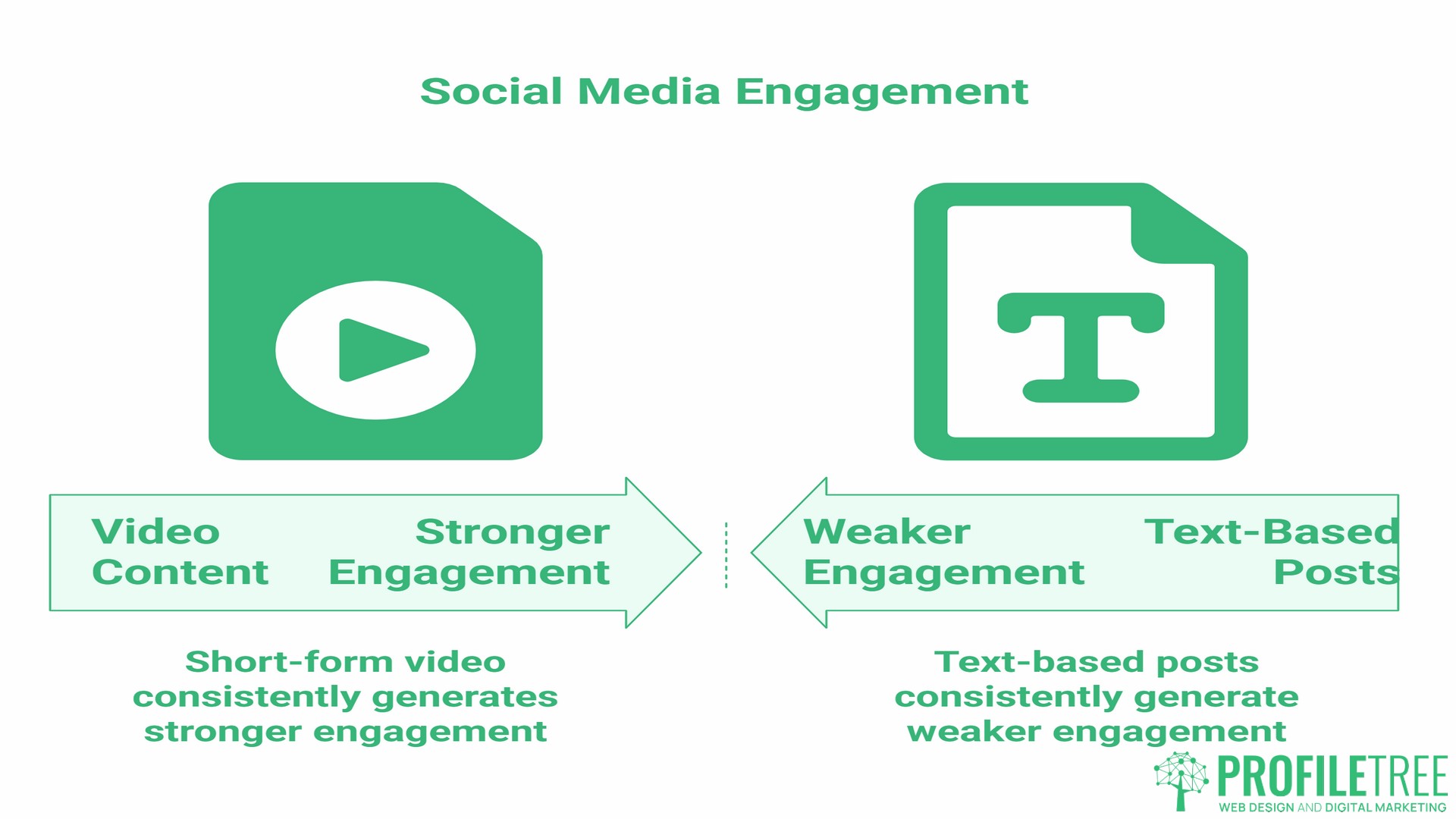
If video content is central to your social strategy, the scheduling capabilities of either tool are secondary to having a strong production and distribution plan. In ProfileTree’s experience working with SMEs across the UK and Ireland, short-form video consistently generates stronger engagement than text-based posts, but only when the production quality and content relevance are there from the outset. If you are building a video-led social presence, it is worth looking at video production as part of the strategy rather than treating it as an afterthought to the scheduling tool you choose.
Social Listening and Analytics: Data Versus Decisions
Analytics is where the price gap between the two tools starts to look either justified or indefensible, depending entirely on who is reading the reports and what happens next. A dashboard nobody opens costs the same as one that changes decisions.
Reporting for Stakeholders
The gap here is about who the reports are for. Buffer reports to you. Sprout reports to other people on your behalf.
Buffer’s analytics cover the essentials: post performance, reach, engagement rate, and audience growth over time. You can export reports and track which content performs best. For a small business owner reviewing performance monthly, this is adequate.
Sprout Social’s reporting layer is substantially more powerful. You can build custom report templates, schedule automated report delivery to stakeholders, pull cross-channel performance data into a single dashboard, and track competitor performance (within limits) through social listening. For an in-house marketing team presenting to a board, or an agency reporting to multiple clients, this capability has real commercial value.
Sentiment Analysis: Does Your SME Actually Need It?
Sprout Social offers sentiment analysis, which classifies brand mentions as positive, negative or neutral. It sits on the Advanced tier at $399 per seat, not on the entry plans, which is worth knowing before budgeting for it. This is a genuinely useful feature for businesses where brand reputation is actively managed, such as larger retailers, hospitality businesses, or organisations in regulated sectors.
For the majority of SMEs in Northern Ireland and Ireland managing fewer than five social profiles, sentiment analysis is a premium feature they are unlikely to use consistently. If your primary need is to know whether your content is reaching people and prompting engagement, Buffer’s analytics are sufficient and cost far less.
Where social listening becomes material is when your business needs to track competitor activity, monitor industry conversations, or manage a brand that generates a high volume of organic mentions. Sprout Social’s listening tools cover this. Buffer’s do not, at least not to the same depth.
Team Collaboration and Approval Workflows
Both tools now offer approval workflows, so the old shorthand that Buffer cannot handle teams no longer holds. The real difference is narrower and more specific: what happens to a post between someone writing it and it going live, and who is accountable when an incoming message goes unanswered. For agencies and growing in-house teams, that second part is usually the deciding factor.
How Sprout Social Handles Team Workflows
Sprout Social is built with multi-user operations in mind. You can set granular permission levels so a junior content writer can draft and submit posts for approval without publishing directly. A senior manager or client can review, comment on, and approve content through the platform without accessing any other system.
The task assignment system allows team members to be assigned specific incoming messages or engagement responsibilities. For an agency managing social accounts on behalf of multiple clients across Belfast, Dublin, and further afield, this workflow structure reduces the risk of messages being missed or posts going out without sign-off.
Performance reports can also be broken down by team member, which is useful for agencies demonstrating output and response times to clients.
Where Buffer’s Collaboration Stops
Buffer’s Team plan supports multi-user access, shared profile management and approval workflows, which covers most small teams working on a single brand. What it lacks is the task assignment layer Sprout provides: there is no native way to assign an incoming message to a specific person, or to report on output by team member.
For a two-person marketing team within a small business, this is not a problem. For an agency managing 10 client accounts with different approval chains and shared inbox duties, the absence of task assignment starts to bite, and teams often end up tracking responsibilities in a separate tool.
If your team collaboration needs sit closer to the agency end of the spectrum, Sprout Social’s workflow tools are a better fit. If you are a small in-house team, Buffer’s Team plan is unlikely to hold you back.
Pricing and the Sprout Social ROI Question
The headline prices tell you less than you would expect, because the two tools charge on completely different bases. Sprout charges per seat, so cost scales with team size. Buffer charges per channel, so cost scales with how many accounts you run. A one-person business managing eight channels and an eight-person team managing one brand will find the cheaper option flips depending on which model applies.
The True Cost of Sprout Social
Sprout Social is more expensive than Buffer, and it is worth being direct about the numbers. Sprout runs from $79 per seat per month for Essentials, through Standard at $199 and Professional at $299, up to Advanced at $399, all billed annually. Monthly billing costs more: Essentials is $99 on a rolling month. Each additional user adds the same per-seat cost, so pricing scales with team size rather than with the number of social profiles you manage. Sprout bills in US dollars, so your actual cost moves with the exchange rate.
For a three-person marketing team on Standard, that is $7,164 a year before any add-ons. Premium Analytics and Social Listening are sold as separate add-ons on top of the base plan cost, which can increase the total materially for teams that need those features. That is a large budget line for an SME, and it is worth being clear about what is and is not included before signing up.
The ROI case for Sprout Social rests on two things: time saved through automation and reporting, and the commercial value of the social listening and CRM features. If Sprout’s automated reports save a marketing manager four hours a month of manual data pulling, and if the social listening prevents or resolves a brand issue that would otherwise have been missed, the cost can be justified. If those features are not being used consistently, the justification collapses.
Buffer’s Modular Pricing
Buffer’s free tier covers three channels with up to 10 scheduled posts per channel, which is genuinely useful for very small businesses or individuals testing social media for the first time. Paid plans are priced per channel: the Essentials plan costs $5 per channel per month on annual billing ($6 monthly), and the Team plan, which adds approval workflows and unlimited users, costs $10 per channel per month on annual billing ($12 monthly).
Above ten channels, Buffer’s Agency plan at a flat $120 per month bundles ten channels with team features, which works out cheaper than per-channel pricing for larger accounts. A small team managing ten channels on the Team plan would pay around $100 per month on annual billing, a fraction of Sprout Social’s per-seat cost.
The modular structure means you pay for what you use. For budget-conscious SMEs, particularly those in the early stages of building a social media presence, this structure is practical.
Hidden Costs: The Learning Curve Tax
Sprout Social and Buffer both carry a hidden cost that rarely appears in comparison articles: the time required to configure the platform properly, train the team to use it, and establish the reporting processes that actually justify the subscription. Buffer’s low learning curve minimises this. Sprout Social’s higher complexity means that without adequate training, a large percentage of the platform’s value goes unused.
This is not a reason to avoid Sprout Social if your needs justify it. It is a reason to budget for onboarding time and, where necessary, external support.
Tool, Training, or Agency? The Strategic Question
Sprout Social and Buffer are both distribution tools. They schedule content, pull analytics, and manage incoming engagement. What neither of them does is tell you what to say, who to say it to, or how to connect social activity to commercial outcomes.
This is the question that gets skipped in almost every feature comparison: if your social media strategy is not generating leads, building brand recognition, or supporting your sales process, the problem is almost certainly not the tool you are using. Buying a more expensive platform does not fix a content strategy that lacks direction.
For SME owners in Northern Ireland and Ireland, the relevant question before choosing between Sprout Social and Buffer is whether the constraint is execution (in which case a tool helps) or strategy (in which case a tool is an expensive overhead).
If your team can produce consistent, relevant content but needs help distributing and measuring it, a scheduling tool is the right investment. If the more fundamental problem is not knowing what content to produce, who your audience is on each platform, or how to connect social activity to your business goals, then a structured digital marketing strategy review is a better starting point than a software subscription.
A third option for SMEs without an internal marketing resource is to outsource social media management entirely. The cost of a managed social media service from a specialist agency is often comparable to, or lower than, the combined cost of a Sprout Social subscription plus the staff time required to use it properly. ProfileTree works with SMEs across Northern Ireland, Ireland, and the UK to manage social content, distribution, and reporting as part of a broader social media marketing service.
Support and Reliability for UK and Ireland Users
Both companies are US-based, which matters more than most comparison guides acknowledge. Sprout Social offers phone support on most plans, but it runs on US business hours, so an urgent issue at 9am in Belfast lands outside their working day. Response times are otherwise reliable.
Buffer’s support is primarily email-based, supplemented by an extensive self-service knowledge base and community forum. For most technical issues, the documentation is thorough enough that users can resolve problems without raising a support ticket. Buffer does not offer phone support on standard plans.
GDPR and Data Considerations
Both Sprout Social and Buffer process user data in accordance with GDPR-compliant frameworks and publish data processing agreements. For businesses in Ireland handling EU citizen data, or UK businesses operating under UK GDPR, both tools maintain the standard compliance documentation required for a data processing agreement with a third-party platform.
If your business operates in a regulated sector and requires specific data residency guarantees or enhanced security documentation, verify Sprout Social’s enterprise-tier compliance options, which are more detailed than Buffer’s standard documentation.
Making the Decision
Sprout Social and Buffer are genuinely useful tools for different types of businesses. The comparison between them is not a question of which is better in absolute terms; it is a question of which matches your team size, your budget, and your actual usage patterns.
For micro-businesses and sole traders, Buffer’s free tier or low-cost paid plans are the practical choice. For growing teams managing multiple accounts where structured approval workflows and deep reporting matter, Sprout Social’s higher cost is justifiable. For businesses where the fundamental challenge is strategy rather than execution, neither tool is the priority investment. Take the time to define what you want from social media before committing to either platform. The tool follows the strategy, not the other way around. ProfileTree’s team is available to discuss your digital marketing needs if you would like a practical assessment before making a decision.
Frequently Asked Questions
Is Buffer or Sprout Social better for a sole trader or micro-business?
Buffer is the better fit for sole traders and very small businesses. The free tier covers three channels with up to 10 scheduled posts per channel, which is sufficient for a business managing one or two social profiles. The paid plans are affordable and scale by channel. Sprout Social starts at $79 per seat per month for Essentials on annual billing, rising to $199 for Standard. Even the entry tier is difficult to justify for a single-person operation unless social media management is central to the business model and the analytics features will be used consistently.
Does Sprout Social include social listening in the base plan?
Sprout Social’s social listening capabilities are available as a paid add-on rather than included in all plans. Basic profile monitoring and brand mention tracking is available on the Standard plan, but the more advanced Listening add-on, which covers sentiment analysis, competitive benchmarking, and broader keyword monitoring across networks, requires a separate purchase on top of the base subscription cost. Check Sprout Social’s current pricing page for the most up-to-date breakdown, as plan inclusions change periodically.
How do these tools handle UK GDPR requirements?
Sprout Social and Buffer both operate under GDPR-compliant data processing frameworks and provide data processing agreements for business customers. For UK businesses, both platforms comply with UK GDPR requirements. For Irish businesses handling EU citizen data, both platforms maintain documentation for EU data processing. If your business is in a regulated sector and requires specific data residency or enhanced security clauses, Sprout Social’s enterprise documentation is more detailed and should be reviewed with your data protection officer before purchasing.
Can I schedule TikTok and Instagram Reels on both platforms?
Yes, Sprout Social and Buffer both support TikTok scheduling and Instagram Reels scheduling, with some practical caveats. Native auto-publishing is available for standard video formats on both tools. Some TikTok content types and longer videos may prompt a mobile push notification to manually publish rather than auto-publish. Instagram Reels scheduling works on both platforms, though Instagram’s native scheduler inside Meta Business Suite is a useful complementary option for Reels-heavy strategies.
Should I hire a digital marketing agency instead of buying Sprout Social?
This depends on whether your constraint is execution or strategy. If you have a capable in-house team that can produce content but needs a tool to manage distribution and reporting at scale, Sprout Social can deliver value. If the more fundamental challenge is knowing what content to produce, who to target, or how to connect social activity to business outcomes, then working with a digital marketing specialist is a better investment. For many SMEs, the combined cost of a Sprout Social subscription and the staff time required to use it properly is comparable to that of a managed social media service that includes strategy, content, distribution, and reporting.
Is there a free version of either Sprout Social or Buffer?
Buffer offers a permanent free tier covering up to three social channels, with a queue of up to 10 scheduled posts per channel at any one time. Once a post is published, the slot becomes available again. This is a genuine free plan, not just a time-limited trial. Sprout Social does not offer a free plan; it offers a 30-day free trial with full access to Standard plan features, with no credit card required to start. After the trial, a paid subscription is required.