
Free SSL WordPress Hosting: UK Providers Compared
Table of Contents
“That’ll be £149 for your SSL certificate.” The hosting salesperson says it casually, like SSL certificates haven’t been free since 2016. You’re already paying for hosting, domain registration, and now they want to charge you for the digital equivalent of a door lock—something that should be standard, not an expensive extra.
This SSL certificate scam costs UK businesses millions annually. Hosting companies sell fear, claiming their “premium” SSL provides better security than free alternatives. It’s nonsense. They’re reselling something that costs them nothing, banking on your lack of technical knowledge and fear of security warnings.
This guide discusses free SSL WordPress hosting, exposing the SSL certificate racket, reveals which UK hosting providers include free SSL (and which are still scamming customers), and explains why paying for basic SSL in 2025 is like paying extra for seatbelts in a car. After helping hundreds of UK businesses implement SSL since Google made it mandatory, we know exactly who’s honest and who’s profiting from confusion.
The Great SSL Certificate Swindle
Let’s expose how hosting companies turned free security into a profit centre.
How SSL Became “Premium”
SSL certificates were expensive historically—£100-500 annually was normal. Then Let’s Encrypt launched in 2016, providing free SSL certificates to make the internet more secure. Instead of passing savings to customers, many hosting companies saw opportunity.
The Scam Structure:
- Let’s Encrypt provides free SSL
- Hosting company gets it free
- They install it (takes 5 minutes)
- They charge you £49-149/year
- Pure profit for zero cost
A Manchester accountant paid £99 annually for five years for an SSL certificate their host got free. Total overpayment: £495. When confronted, the host claimed their “premium SSL” was “better.” It wasn’t—it was identical Let’s Encrypt certificate with markup.
The Fear Marketing Machine
Hosting companies use fear to sell unnecessary SSL “upgrades”:
- “Free SSL isn’t secure enough for business” Lie. Let’s Encrypt uses identical encryption to paid certificates. The cryptography is exactly the same—2048-bit RSA keys, same algorithms, same security.
- “Paid SSL includes warranty” Misleading. SSL warranties are marketing nonsense. They cover the certificate authority if their certificate is compromised—something that’s never happened. They don’t cover your business if you get hacked.
- “Google prefers paid SSL” Complete fabrication. Google cares that you have SSL, not what you paid. Their own services use Let’s Encrypt certificates.
- “Free SSL doesn’t include the green padlock” False. All valid SSL certificates show the padlock. The old “green bar” extended validation certificates are obsolete—browsers removed them because they provided no additional security.
Birmingham retailer believed these lies, paying £149 annually for “professional SSL.” Their competitor used free SSL. Both sites had identical security, but one business wasted £745 over five years.
Understanding SSL: What It Actually Does (And Doesn’t)
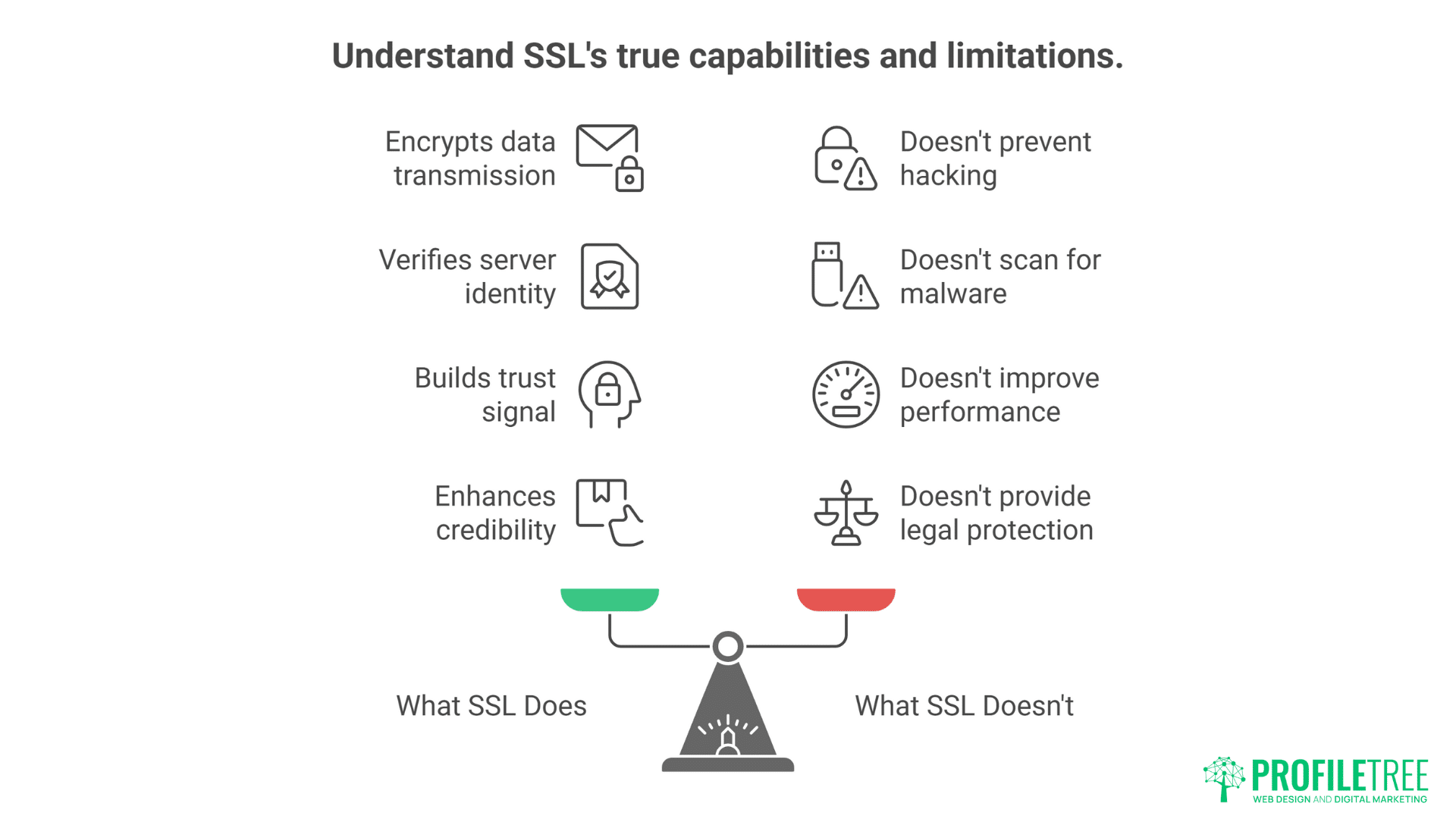
Before comparing providers, let’s understand what SSL actually is, destroying marketing myths along the way.
What SSL Certificates Actually Do
Encryption: SSL encrypts data between the browser and the server. Customer types credit card number, SSL scrambles it during transmission, server unscrambles it. Without SSL, data travels in plain text anyone can read.
Authentication: SSL verifies you’re connecting to the correct server, not an imposter. It’s like checking ID at the door—confirms the website is who it claims to be.
Trust Signal: The padlock tells visitors the connection is secure. No padlock means browsers show scary warnings that terrify customers away. It’s not optional—it’s mandatory for business credibility.
What SSL Certificates DON’T Do
- Protect Against Hacking: SSL doesn’t prevent your site being hacked. It only encrypts transmission. Your site can have perfect SSL and terrible security. It’s like having bulletproof windows but leaving the door open.
- Scan for Malware: SSL doesn’t check if your site has viruses. Infected sites can have valid SSL certificates. The padlock means an encrypted connection, not safe content.
- Improve Performance: Despite hosting company claims, “premium” SSL doesn’t make sites faster. HTTP/2 (which requires SSL) improves speed, but that works with any certificate.
- Provide Legal Protection: SSL warranties are worthless. No business has ever successfully claimed on one. They’re marketing tools, not insurance policies.
Leeds marketing agency spent £200/year on “enhanced SSL with warranty.” When their site got hacked, the warranty covered nothing. The SSL worked perfectly—the hack came through an outdated plugin. Warranty requirement: prove the certificate mathematics were broken. Good luck with that.
Let’s Encrypt vs Paid SSL: The Truth
Let’s compare free Let’s Encrypt certificates with paid alternatives, destroying marketing lies with facts.
Technical Comparison
Encryption Strength:
- Let’s Encrypt: 2048-bit RSA
- Paid Basic SSL: 2048-bit RSA
- Paid “Premium” SSL: 2048-bit RSA
- Identical. No difference.
Browser Compatibility:
- Let’s Encrypt: 99.9% browsers
- Paid Certificates: 99.9% browsers
- Identical coverage.
Validation Levels:
- Let’s Encrypt: Domain Validation (DV)
- Paid Basic: Domain Validation (DV)
- Paid Premium: Organisation Validation (OV) or Extended Validation (EV)
- OV/EV provide no additional security, just verify company details
Certificate Lifespan:
- Let’s Encrypt: 90 days (auto-renewed)
- Paid: 365 days typically
- Shorter lifespan is MORE secure—compromised certificates expire faster
Cost Analysis
Let’s Encrypt Total Cost:
- Certificate: £0
- Installation: £0 (automated)
- Renewal: £0 (automatic)
- Annual cost: £0
Paid SSL from Hosting Companies:
- Basic DV: £30-60/year
- “Premium” DV: £60-150/year
- OV Certificate: £150-300/year
- EV Certificate: £300-1000/year
- No additional security benefit
Newcastle business calculated they spent £3,000 on SSL certificates over ten years across five sites. Converting to Let’s Encrypt saved them £300 annually with zero security downgrade.
When Paid Certificates Make Sense
Legitimate Paid SSL Use Cases:
- Wildcard certificates for complex subdomains (though Let’s Encrypt does these free too)
- Extended Validation for banks/financial institutions (psychological trust)
- Specific compliance requirements (rare)
- Multiple domains on one certificate (SAN certificates)
These are edge cases. 99% of UK businesses need only free Let’s Encrypt.
UK Hosting Providers: Who’s Honest About SSL?
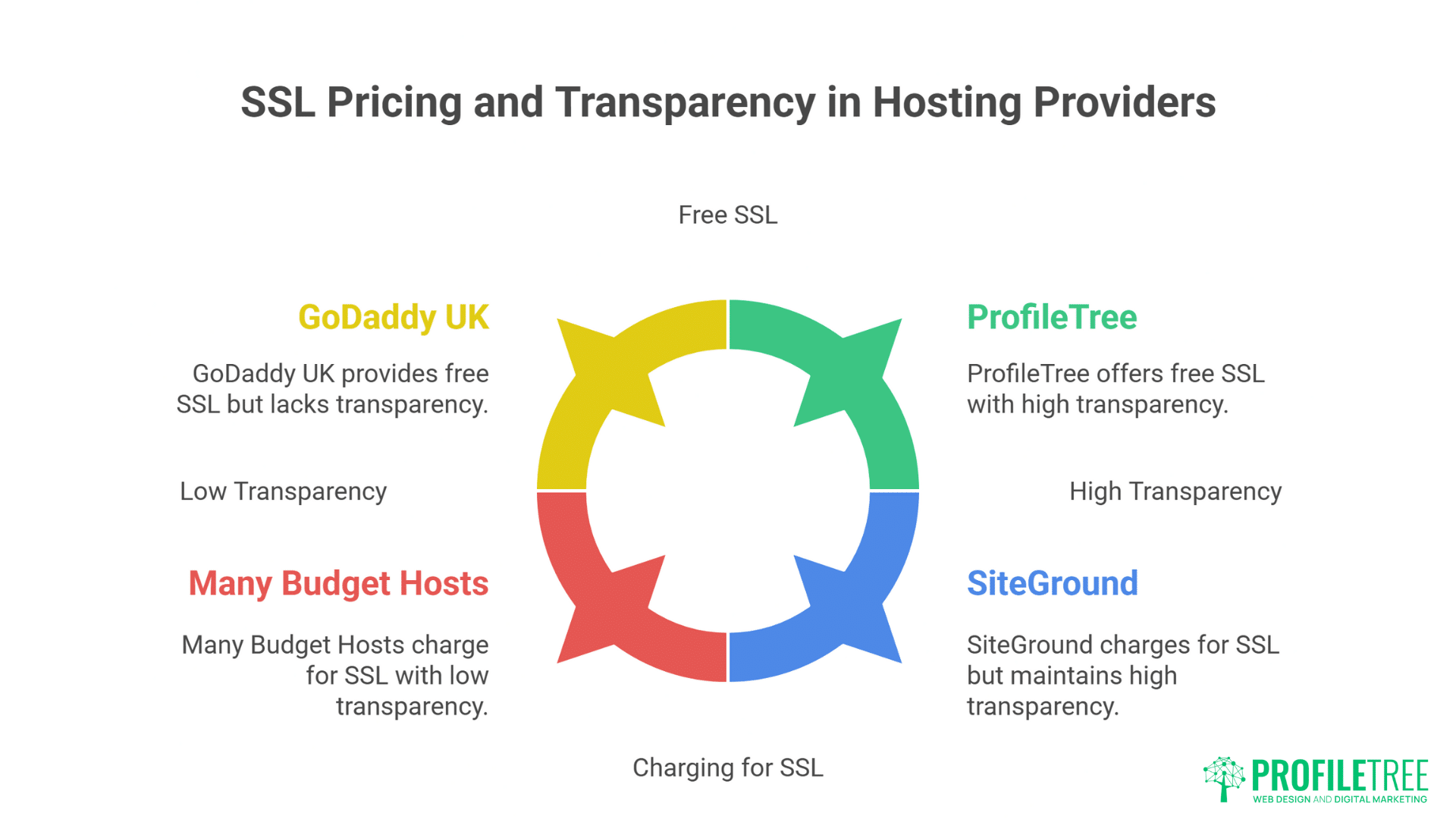
Let’s name names. Here’s who includes free SSL and who’s still scamming.
The Honest Providers (Free SSL Included)
ProfileTree
- Free Let’s Encrypt on all plans
- Automatic installation
- Automatic renewal
- No upselling attempts
- Wildcard certificates available
SiteGround
- Free Let’s Encrypt included
- One-click installation
- Auto-renewal standard
- Also sells paid (but doesn’t push)
Krystal Hosting
- Free SSL all plans
- Automatic everything
- UK-based company
- Transparent about it
20i
- Free SSL standard
- Multiple certificates supported
- Reseller-friendly
- No hidden costs
Kinsta
- Free SSL included
- Cloudflare integration
- Global CDN included
- Premium price but honest
The Mixed Bag (Free Available, But…)
GoDaddy UK
- Free SSL technically available
- But hidden in menus
- Aggressively sells paid
- Makes free option hard to find
- Annual renewal hassles
123-reg
- Offers free SSL
- But pushes paid heavily
- Confusing interface
- “Professional” SSL marketed aggressively
Fasthosts
- Free SSL on some plans
- Charges on others
- Inconsistent policies
- Upselling common
Heart Internet
- Free on higher plans
- Charges on basic
- Not transparent
- Changes policies frequently
The Shameless Profiteers (Still Charging)
Many Budget Hosts
- No free SSL option
- Charge £40-100/year
- Claim “security concerns”
- Target non-technical customers
- Pure profit motivation
Some Resellers
- Buy hosting wholesale
- Add SSL charges on top
- No technical justification
- Exploiting ignorance
- Should be avoided
Birmingham charity discovered their “local” hosting reseller charged £75/year for SSL the upstream provider included free. Five years of donations wasted on unnecessary certificates.
How to Get Free SSL WordPress Hosting and on Any Hosting
Even if your host charges for SSL, you can often get it free. Here’s how.
Method 1: Cloudflare (Universal Solution)
How It Works:
- Sign up for Cloudflare (free)
- Point your domain to Cloudflare
- Cloudflare provides SSL
- Enable “Flexible SSL”
- Instant free SSL
Pros:
- Works with any hosting
- Additional CDN benefits
- DDoS protection included
- Actually improves performance
Cons:
- Additional service to manage
- Flexible SSL less secure than Full
- Some learning curve
Sheffield business saved £400/year using Cloudflare when their host wanted £100/year per site for SSL.
Method 2: Let’s Encrypt Manual Installation
For Technical Users:
- Generate certificate via Let’s Encrypt
- Install on hosting manually
- Set up auto-renewal
- Repeat every 90 days
Requirements:
- SSH access
- Technical knowledge
- Time commitment
- Automation skills
Better Solution: Change hosts to one including free SSL.
Method 3: Pressure Your Host
The Shame Approach:
- Ask why they charge for free certificates
- Point out competitors include it
- Threaten to leave
- Share on social media
- Often works
Liverpool agency tweeted about their host charging for free SSL. Public embarrassment led to “complimentary upgrade” within hours.
The Technical Implementation Reality
Hosting companies claim SSL implementation is complex, justifying charges. Let’s expose that lie.
How SSL Actually Gets Installed
Automated Process (Modern Hosting):
- Click “Enable SSL” button
- System requests certificate
- Validates domain ownership
- Installs certificate
- Configures server Time: 30 seconds to 5 minutes
Manual Process (Outdated Hosting):
- Generate CSR
- Submit to certificate authority
- Validate ownership
- Receive certificate
- Install on server
- Configure web server Time: 30-60 minutes
Either way, charging £100/year for 5-60 minutes work is outrageous.
The Auto-Renewal Scam
Let’s Encrypt certificates expire every 90 days, requiring renewal.
- Honest Hosts: Automate renewal completely. You never notice.
- Dishonest Hosts: Claim manual renewal justifies charges. It’s one line of code in a cron job—takes 30 seconds to set up, runs forever.
Nottingham business paid £50 “renewal fee” quarterly because their host claimed Let’s Encrypt’s 90-day certificates required “manual processing.” Complete lie—automation is trivial.
SSL and SEO: Why It’s Not Optional
Google made SSL a ranking factor in 2014. In 2025, not having SSL is digital suicide.
The SEO Impact
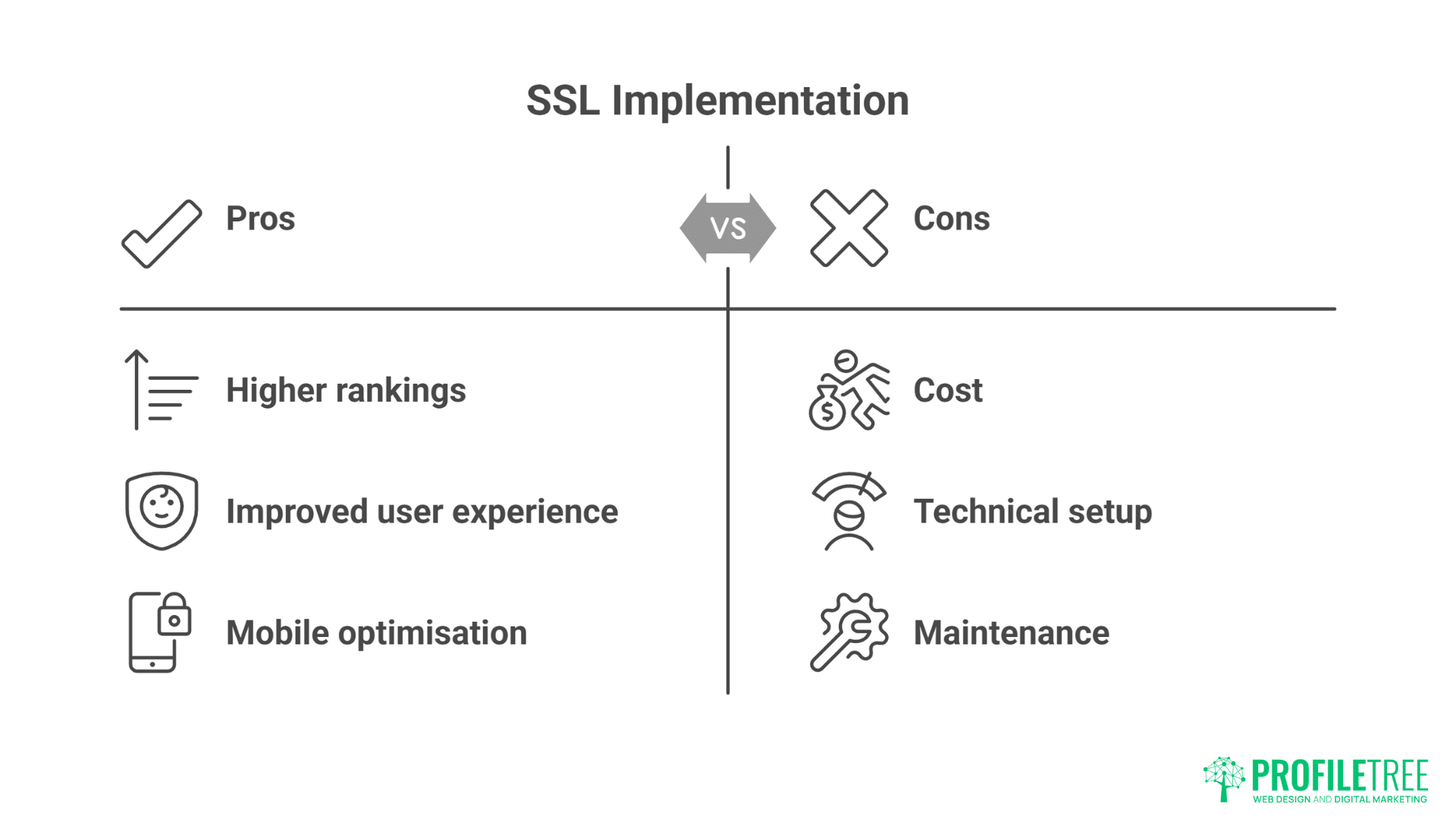
- Direct Ranking Factor: Google officially states HTTPS is a ranking signal. Sites with SSL rank higher than identical sites without. It’s not the strongest factor, but why give competitors any advantage?
- Page Experience Signal: Core Web Vitals include security. No SSL means failed security metric, means lower rankings, means less traffic, means less business.
- Chrome Warnings: Chrome shows “Not Secure” on non-HTTPS sites. 65% of UK users use Chrome. They see warnings, they leave immediately. Bounce rate skyrockets, rankings plummet.
Manchester plumber removed SSL to save £60/year. Traffic dropped 40% in one month. Re-adding SSL took three months to recover rankings. Lost revenue: £4,000. Saved: £5. Mathematics: Idiotic.
Mobile Impact
- Mobile-First Indexing: Google indexes mobile version primarily. Mobile users especially sensitive to security warnings. No SSL means mobile users flee, Google notices, rankings tank.
- AMP Requirements: Accelerated Mobile Pages require HTTPS. No SSL, no AMP, slower mobile experience, lower mobile rankings, lost mobile traffic.
- Progressive Web Apps: PWAs require HTTPS. Modern web features need SSL. You’re locked out of web evolution without it.
SSL Certificate Types: Cutting Through Marketing BS
Hosting companies push “premium” SSL types. Let’s decode what actually matters.
Domain Validation (DV) – All You Need
What It Is:
- Verifies domain ownership
- Provides full encryption
- Shows padlock
- Takes minutes
Cost Should Be: Free
Who Needs It: 99% of businesses
Marketing Lies: “Not professional enough” – Nonsense. Google, Facebook, Amazon use DV certificates.
Organisation Validation (OV) – Questionable Value
What It Is:
- Verifies domain + company details
- Same encryption as DV
- Shows padlock (identical to DV)
- Takes days
Cost: £150-300/year
Who Needs It: Nobody really
Reality: Users can’t tell difference from DV. Zero additional security. Pure profit margin.
Extended Validation (EV) – Obsolete
What It Was:
- Extensive company verification
- Green bar in browser (removed 2019)
- Same encryption
- Takes weeks
Cost: £300-1000/year
Who Needs It: Nobody since 2019
Truth: Browsers removed the visual distinction. Literally no benefit over free DV. Complete waste of money.
Leeds bank spent £5,000/year on EV certificates. When browsers removed the green bar, they had nothing to show for it. Switched to free Let’s Encrypt, customers never noticed.
Wildcard Certificates – Sometimes Useful
What It Is:
- Covers *.domain.com
- Unlimited subdomains
- One certificate
Cost: Free with Let’s Encrypt
Who Needs It: Sites with multiple subdomains
Note: Let’s Encrypt does these free too. Never pay for wildcard certificates.
Setting Up Free SSL: Step-by-Step Guide
Let’s walk through getting free SSL on your WordPress site.
For Sites on Good Hosting
- Step 1: Log into hosting control panel
- Step 2: Find SSL/Security section
- Step 3: Click “Enable Free SSL” or “Let’s Encrypt”
- Step 4: Select your domain
- Step 5: Click activate
Done. Seriously, that’s it.
For Sites on Stubborn Hosting
Option A: Cloudflare Method
- Sign up at cloudflare.com (free)
- Add your site
- Update nameservers
- Enable SSL in Crypto settings
- Set to “Full” mode
- Force HTTPS redirects
Option B: Really Simple SSL Plugin
- Install Really Simple SSL plugin
- Activate
- Follow prompts
- Fixes mixed content
- Forces HTTPS
Option C: Change Hosts Honestly, if your host charges for SSL in 2025, leave. They’re either technically incompetent or ethically challenged.
Post-Installation Checklist
- [ ] Check padlock appears
- [ ] Test all pages load
- [ ] Update internal links to HTTPS
- [ ] Redirect HTTP to HTTPS
- [ ] Update Google Search Console
- [ ] Update social media links
- [ ] Monitor for mixed content warnings
- [ ] Test contact forms
- [ ] Verify payment processing
Common SSL Problems and Solutions
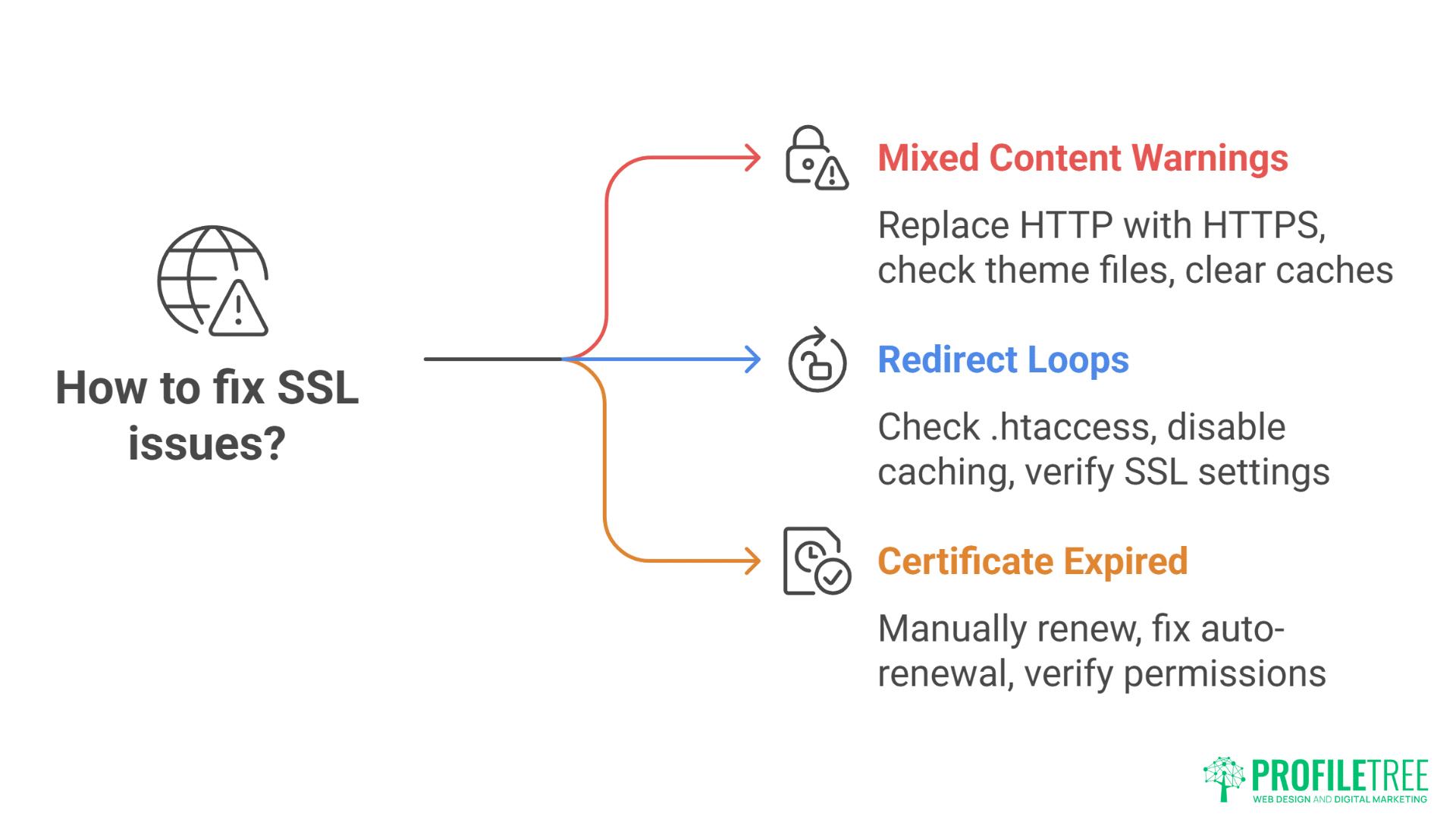
Even free SSL can have issues. Here’s how to fix them.
Mixed Content Warnings
Problem: Padlock broken, security warnings
Cause: Some resources loading over HTTP
Solution:
- Install Better Search Replace plugin
- Replace http:// with https://
- Check theme files
- Update hardcoded links
- Clear caches
Redirect Loops
Problem: “Too many redirects” error
Cause: Conflicting HTTPS rules
Solution:
- Check .htaccess file
- Disable caching plugins
- Check Cloudflare settings
- Verify hosting SSL settings
- Contact support if needed
Certificate Expired
Problem: Security warnings return
Cause: Auto-renewal failed
Solution:
- Manually renew
- Fix auto-renewal
- Check cron jobs
- Verify permissions
- Consider changing hosts
Oxford charity’s SSL expired during donation drive. Lost £10,000 in donations before noticing. Proper hosting would have auto-renewed.
The ProfileTree Approach to SSL
Our managed WordPress hosting includes free SSL because charging for it is theft.
Our SSL Implementation:
- Free Let’s Encrypt on all plans
- Automatic installation
- Automatic renewal
- Wildcard certificates available
- No upselling ever
- Mixed content fixing included
- HTTP to HTTPS redirects configured
Combined with our development services and SEO expertise, we ensure your SSL implementation actually improves your site, not just adds a padlock.
Your SSL Action Plan
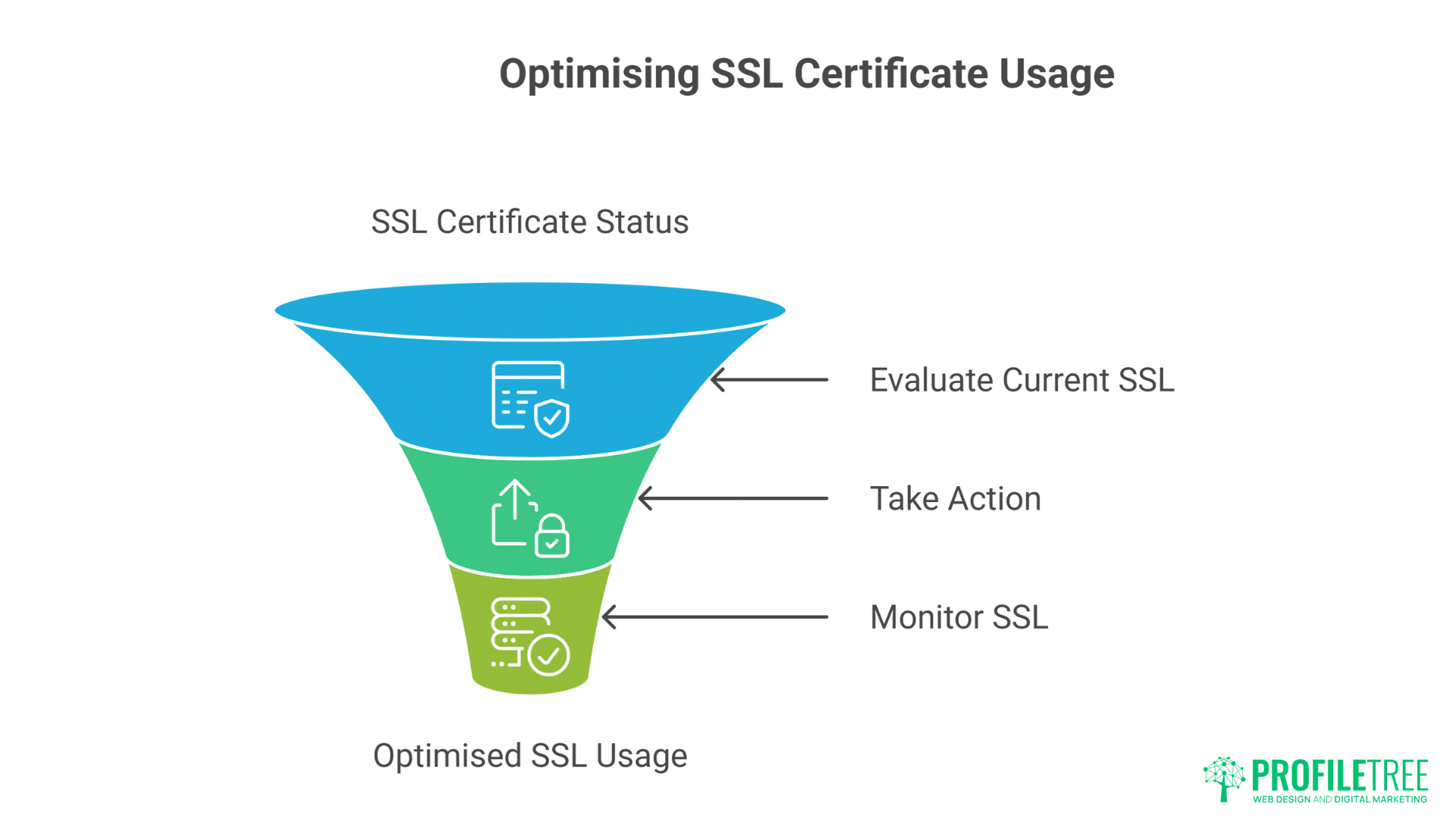
Stop paying for free certificates. Take action:
If You’re Paying for SSL:
- Ask your host why
- Demand free alternative
- Switch if they refuse
- Calculate refund owed
- Warn others
If You Don’t Have SSL:
- Get it today
- Use free Let’s Encrypt
- Don’t pay for basic DV
- Implement properly
- Monitor regularly
If You Have SSL:
- Verify it’s working
- Check auto-renewal
- Fix any warnings
- Ensure all pages covered
- Stop paying if you are
The Bottom Line on WordPress SSL
SSL is mandatory for UK businesses. It should be free. Paying for basic SSL certificates in 2025 is accepting theft through ignorance or fear.
Hosting companies charging for Let’s Encrypt certificates are either incompetent (can’t implement free SSL) or dishonest (won’t implement free SSL). Either disqualifies them from hosting your business website.
The padlock in your browser bar shouldn’t cost extra—it should be standard, like wheels on a car or walls on a house. Any host claiming otherwise is lying.
Your business deserves honest hosting that includes essential features without fictional charges. SSL is not optional, not premium, not an extra—it’s basic infrastructure that should be free.
Stop accepting SSL certificate scams. Demand free SSL or change hosts. The money you save is better invested in actual improvements to your business, not paying for something that costs nothing to provide.
Contact ProfileTree for hosting that includes everything essential—including free SSL—without insulting your intelligence with unnecessary upsells. Because UK businesses deserve transparent pricing, not certificate scams.
Your website needs SSL. Your business doesn’t need SSL bills. Make the smart choice today.