
AI Tools for Accessibility: Websites for Everyone
Table of Contents
AI tools for accessibility aren’t just about compliance anymore—they’re about capturing the £274 billion spending power of disabled consumers in the UK while improving SEO performance by up to 30%. After implementing AI-powered accessibility solutions for businesses across Belfast, Dublin, and Manchester, we’ve witnessed firsthand how inclusive design transforms both user experience and bottom-line results.
The convergence of AI technology and accessibility requirements has created an unprecedented opportunity. Google now actively rewards accessible websites with better rankings. The European Accessibility Act comes into force in 2025, making compliance mandatory. Yet most businesses still treat accessibility as an afterthought, missing both legal requirements and commercial opportunities that AI tools for accessibility can unlock.
This guide reveals exactly how AI tools transform inaccessible websites into inclusive digital experiences, the specific implementations that drive results, and why search engines increasingly favour accessible content. More importantly, we’ll demonstrate how Northern Ireland businesses can implement these solutions cost-effectively while avoiding common pitfalls that create more barriers than they remove.
The Business Case: Why Accessibility Drives Revenue
The numbers tell a compelling story that most businesses ignore. One in five people in the UK has a disability affecting their digital interactions. That’s 14.6 million potential customers who might abandon your website if they can’t navigate it effectively. In Northern Ireland specifically, 21% of the population reports some form of disability—higher than the UK average.
Search engines have become accessibility advocates by necessity. Google’s algorithms assess hundreds of ranking factors, and accessibility signals increasingly influence visibility. Alt text for images, proper heading structure, readable fonts, sufficient colour contrast—these accessibility features directly improve SEO performance.
Consider the correlation: accessible websites typically see 35% better engagement metrics. Lower bounce rates, longer session durations, and higher conversion rates follow naturally when content works for everyone. Screen reader users who can navigate your site efficiently become customers. Visitors with dyslexia who can adjust text spacing stay longer. Older users with declining vision can read your content without frustration.
Legal requirements add urgency to accessibility efforts. The Equality Act 2010 already requires UK businesses to make reasonable adjustments for disabled customers—this includes digital services. The European Accessibility Act, affecting Northern Ireland businesses trading with the EU, mandates specific accessibility standards from June 2025. Non-compliance risks legal action, reputational damage, and lost market access.
The commercial opportunity extends beyond compliance. The “purple pound”—the spending power of disabled households—reaches £274 billion annually in the UK. Businesses ignoring accessibility literally turn away money. Meanwhile, accessible design improves usability for everyone. Captions help in noisy environments. Voice interfaces assist while driving. Clear navigation benefits stressed or distracted users.
Brand perception shifts dramatically with a genuine commitment to accessibility. Microsoft’s inclusive design initiatives transformed their brand image. Apple’s accessibility features became selling points. Local businesses demonstrating similar commitment build loyal customer bases appreciating genuine inclusion efforts.
Automatic Video Captioning: The Gateway to Inclusive Content
Video content dominates modern marketing, yet 85% of Facebook videos play without sound. Users in offices, public transport, or quiet environments rely on captions for comprehension. Among all AI tools for accessibility, automatic captioning now delivers 95%+ accuracy at a fraction of traditional transcription costs, making video accessibility achievable for every business.
Traditional captioning costs £3-7 per video minute through professional services. A five-minute marketing video costs £15-35 for captions alone. Monthly video content quickly becomes prohibitively expensive. AI tools reduce costs to pennies per minute while maintaining professional quality.
YouTube’s automatic captions improved dramatically through machine learning. Once laughably inaccurate, they now handle various accents, technical terminology, and background noise effectively. However, relying solely on YouTube limits distribution options and control over accuracy.
Professional AI Captioning Workflow
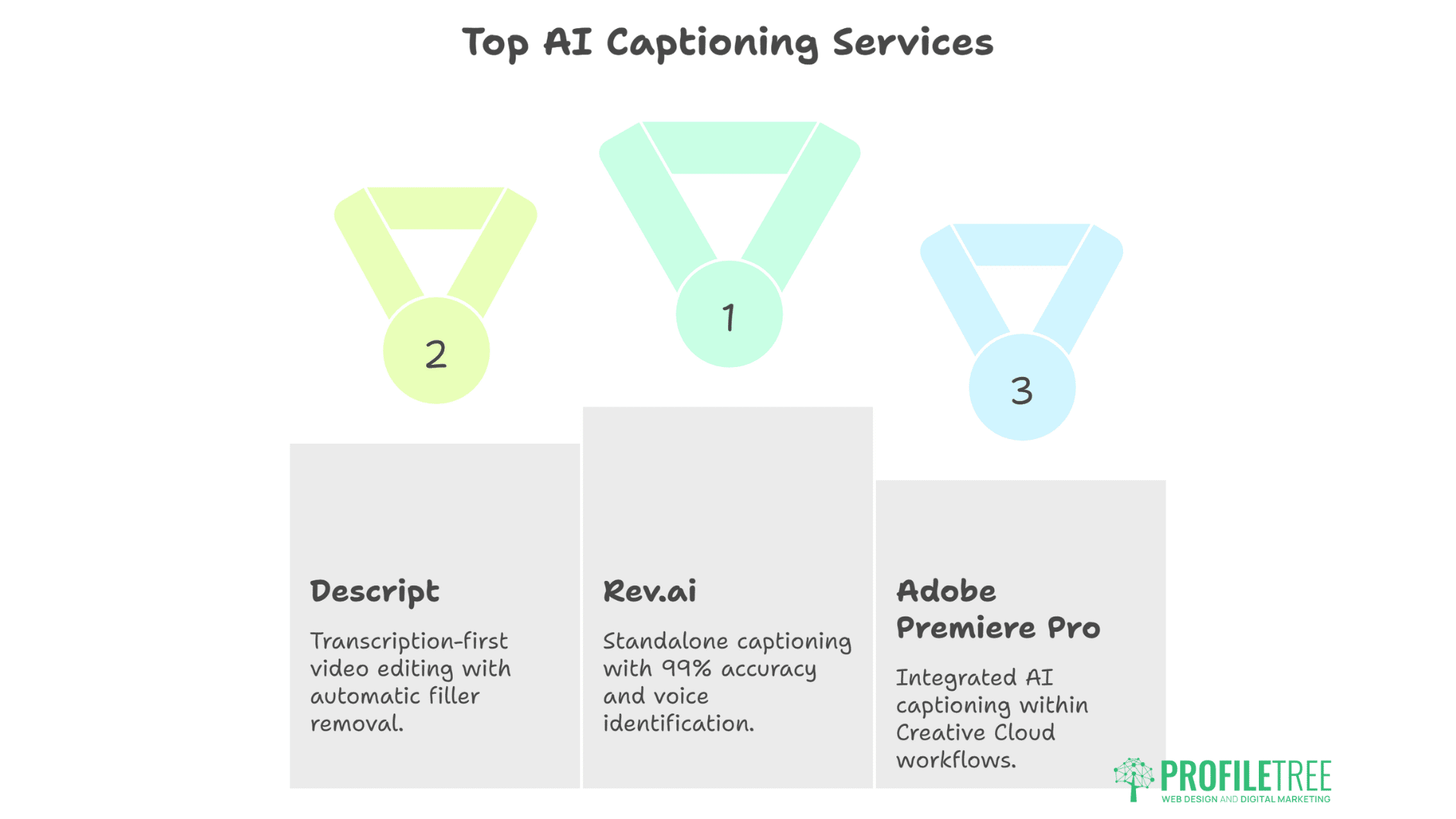
Rev.ai leads standalone captioning services with 99% accuracy claims. Upload video files, receive synchronised captions within minutes. The platform handles multiple speakers, identifies voices, and maintains timing precision. At £0.25 per minute, costs remain manageable even for content-heavy strategies.
Descript revolutionises video editing through a transcription-first approach. Edit videos by editing text transcripts. Remove filler words automatically. Generate captions in multiple styles. The platform feels magical—delete words from transcript, and corresponding video segments disappear.
Adobe Premiere Pro’s AI captioning integrates with existing workflows. For businesses already using Creative Cloud, built-in captioning eliminates additional tools. Speech-to-text technology rivals dedicated services while maintaining timeline integration.
Implementation Best Practices
Accuracy matters more than speed. AI-generated captions require human review, particularly for:
- Technical terminology specific to your industry
- Brand names and product titles
- Northern Ireland colloquialisms and accents
- Numbers, prices, and contact information
Timing synchronisation affects comprehension. Captions appearing too early or late confuse viewers. AI tools generally handle timing well, but scene transitions and quick cuts need manual adjustment.
Style consistency maintains professionalism. Develop caption guidelines covering:
- Capitalisation standards
- Speaker identification format
- Music and sound effect descriptions
- Line break preferences
Multiple format delivery expands accessibility. Generate:
- Burned-in captions for social media
- SRT files for platform uploads
- Transcripts for SEO value
- Audio descriptions for blind users
Beyond Basic Captions
AI enables advanced captioning features previously requiring significant investment:
- Multi-language captions expand market reach. AI translation combined with captioning makes content globally accessible. A Belfast restaurant’s promotional video reaches tourists in their native languages.
- Emotion and tone indicators help neurodivergent viewers understand context. AI analyses speech patterns, marking sarcasm, excitement, or concern.
- Interactive transcripts improve navigation. Viewers click “transcript text” to jump to specific video moments. Educational content becomes searchable and referenceable.
Voice Interfaces: Speaking Your Users’ Language
Voice technology has moved from novelty to necessity. 20% of all searches happen through voice, rising to 50% for mobile queries. As one of the most transformative AI tools for accessibility, voice interfaces make websites navigable through speech, benefiting users with motor impairments, visual disabilities, or situational limitations.
Amazon Alexa, Google Assistant, and Apple Siri changed user expectations. People expect to speak naturally and receive intelligent responses. Websites lacking voice capabilities often feel outdated, particularly for younger demographics that are comfortable with voice-first interactions.
The accessibility impact proves transformative. Users with motor impairments navigate complex sites through simple voice commands. Blind users access information without screen reader complexity. Elderly users overcome technology barriers through familiar conversation patterns.
Implementing Voice Navigation
Web Speech API provides browser-native voice capabilities. Modern browsers support speech recognition and synthesis without external dependencies. Implementation requires JavaScript knowledge but delivers powerful results.
Basic voice commands for navigation:
- “Go to contact page”
- “Search for blue dresses”
- “Read article aloud”
- “Scroll down”
- “Click submit button”
Voice UI frameworks accelerate development. AI Tools like Speechly or Alan AI provide pre-built components and natural language processing. Rather than programming every possible command variation, AI understands intent from natural speech.
Custom wake words brand the experience. Instead of “Hey website,” users might say “Hey ProfileTree” to activate voice commands. This personalisation builds brand connection while improving accuracy.
Voice Search Optimisation
Voice searches differ fundamentally from typed queries. Text searches: “Belfast restaurant Italian”. Voice searches: “What’s the best Italian restaurant near me in Belfast that’s open now?”
Optimising for voice requires:
- Conversational content matching natural speech patterns
- Question-based headings targeting voice query formats
- Local information prominence for “near me” searches
- Structured data helping AI assistants understand content
- Featured snippet optimisation for direct answers
Schema markup becomes critical for voice interfaces. Marking up business hours, locations, services, and FAQs helps voice assistants provide accurate responses. A properly marked-up restaurant website answers “Are you open now?” accurately without human intervention.
Voice Interface Accessibility Considerations
Voice interfaces can create new barriers if poorly implemented:
- Accent recognition must accommodate regional variations. Northern Ireland accents differ from standard UK models. Testing with local users ensures reliability.
- Alternative input methods remain essential. Not everyone can or wants to use voice. Keyboard navigation and touch interfaces must coexist with voice control.
- Privacy concerns need addressing. Clear policies about voice data handling build trust. Options to disable voice features respect user preferences.
- Feedback mechanisms confirm understanding. Visual or audio confirmation that commands were recognised prevents frustration.
Accessible Web Design: AI-Powered Inclusive Experiences
Web design accessibility traditionally required extensive manual testing and expert knowledge. Modern AI tools for accessibility now automatically identify and fix issues, making WCAG compliance achievable for businesses without dedicated accessibility teams.
The Web Content Accessibility Guidelines (WCAG) define accessibility standards globally. Level AA compliance—the standard for most organisations—requires meeting 38 success criteria. Manual testing takes days; AI tools assess compliance in minutes.
Automated Accessibility Testing
accessiBe uses AI to automatically make websites accessible. The solution adds a JavaScript layer that interprets and modifies site behaviour for assistive technologies. Screen reader optimisation, keyboard navigation, and visual adjustments happen automatically.
However, overlay solutions face criticism from accessibility advocates. Automated fixes sometimes create new problems. Screen reader users report confusion from unexpected behaviour changes. The disability community generally prefers properly built accessible websites over retrofitted solutions.
WAVE (WebAIM) provides a free accessibility evaluation. The browser extension identifies errors, alerts, and features affecting accessibility. Visual feedback overlays the page, making issues immediately apparent. While not AI-powered initially, recent updates incorporate machine learning for improved detection.
axe DevTools integrates accessibility testing into development workflows. The tool catches issues during creation rather than after launch. AI-powered suggestions provide specific fixes rather than just identifying problems.
AI-Powered Design Decisions
Colour contrast analysis ensures readability. AI tools suggest accessible colour combinations maintaining brand identity while meeting WCAG requirements. Adobe Colour’s AI tools for accessibility show how colours appear to people with different types of colour blindness.
Font selection impacts readability significantly. AI analyses typeface characteristics, recommending fonts that maintain aesthetic appeal while improving legibility. Google Fonts now tags accessible typefaces, simplifying selection.
Layout optimisation considers various disabilities. AI suggests:
- Sufficient touch target sizes for motor impairments
- Clear visual hierarchy for cognitive disabilities
- Consistent navigation patterns for learning disabilities
- Adequate white space for reducing cognitive load
Image alt text generation accelerates compliance. AI analyses images, generating descriptive alt text automatically. Microsoft Seeing AI and Google Cloud Vision API provide detailed descriptions. However, human review remains essential for context and accuracy.
Responsive Accessibility
Accessibility requirements change across devices. Desktop users might rely on keyboard navigation. Mobile users need touch-friendly interfaces. Tablet users might use styluses or switch controls.
AI helps maintain accessibility across breakpoints:
- Dynamic text sizing based on viewport and user preferences
- Touch target adjustment for different screen sizes
- Navigation pattern adaptation for device capabilities
- Content reflow maintaining reading order
Real-Time Translation and Localisation
Northern Ireland’s unique position—part of the UK, bordering Ireland, trading with Europe—creates complex language requirements. Advanced AI tools for accessibility now provide real-time, context-aware translations that respect cultural nuances while maintaining inclusive design principles.
Traditional translation services cost £0.10-0.20 per word. A typical website might contain 50,000 words, costing £5,000-10,000 per language. AI reduces this to hundreds rather than thousands, making multilingual accessibility financially viable.
Implementation Strategies
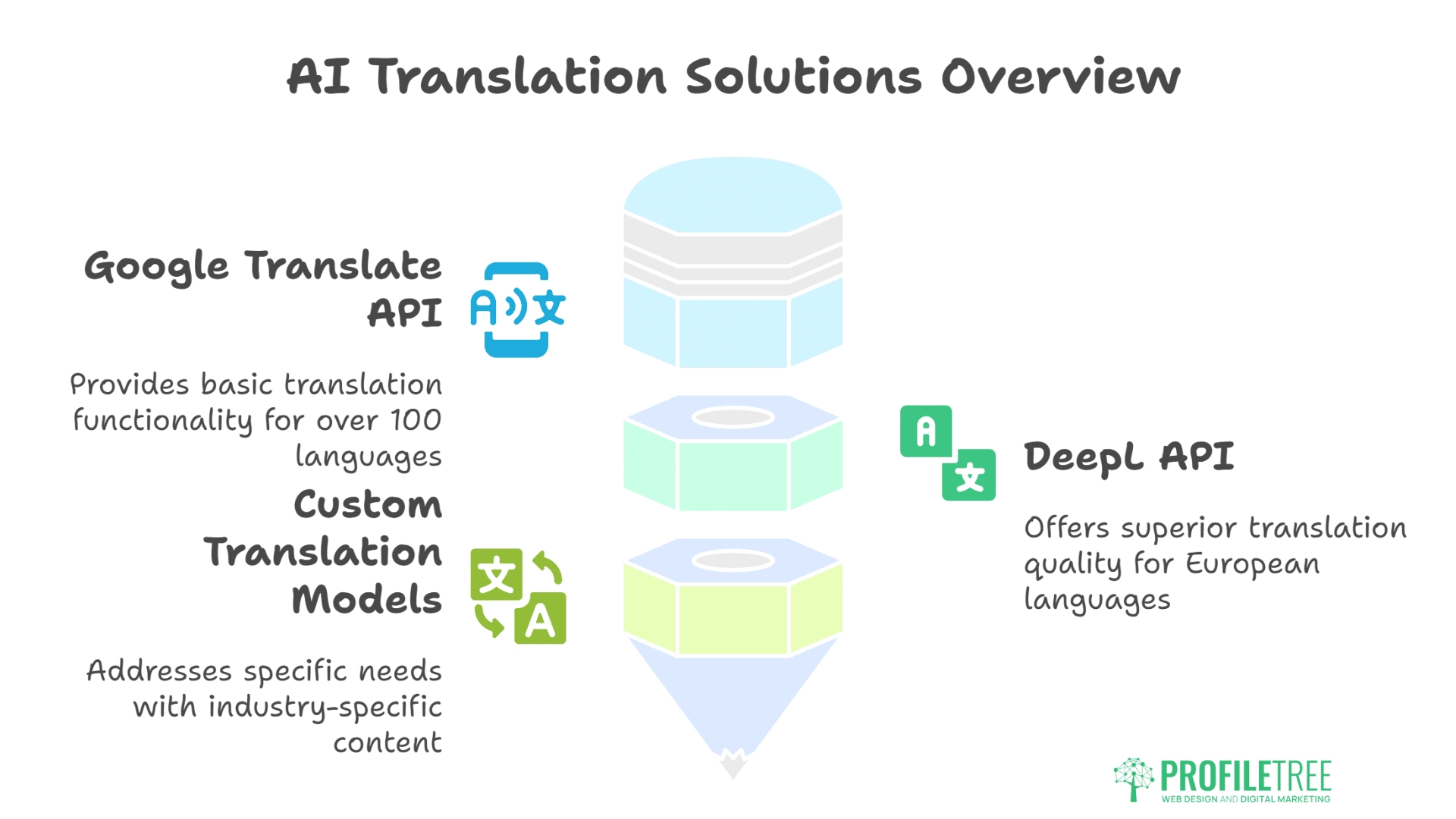
Google Translate API provides basic translation functionality. While quality varies by language pair, recent improvements handle common content well. Integration takes minutes, instantly making content available in 100+ languages.
DeepL API offers superior translation quality for European languages. The neural network approach maintains context better than traditional statistical methods. German, French, and Spanish translations often pass for human work.
Custom translation models address specific needs. Training AI on industry-specific content improves accuracy for technical terminology. A Belfast engineering firm’s custom model handles technical specifications accurately across languages.
Accessibility in Translation
Translation alone doesn’t ensure accessibility. Consider:
- Text expansion affects layout. German text runs 30% longer than English. Interfaces must accommodate variation without breaking.
- Reading direction changes for Arabic and Hebrew. Right-to-left languages require layout mirroring, not just text translation.
- Cultural adaptation goes beyond words. Dates, currencies, and phone numbers need localisation. Idioms require explanation or replacement.
- Screen reader compatibility across languages. Ensure assistive technologies work with translated content. Test with native language screen readers.
AI Tools for Accessibility: How They Boost SEO Rankings
Google’s algorithm updates increasingly favour accessible websites, and AI tools for accessibility help businesses achieve the compliance that drives better rankings. The Page Experience update explicitly includes Core Web Vitals—metrics directly related to accessibility. Sites meeting accessibility standards see average ranking improvements of 12-15 positions for competitive keywords.
Direct Ranking Factors
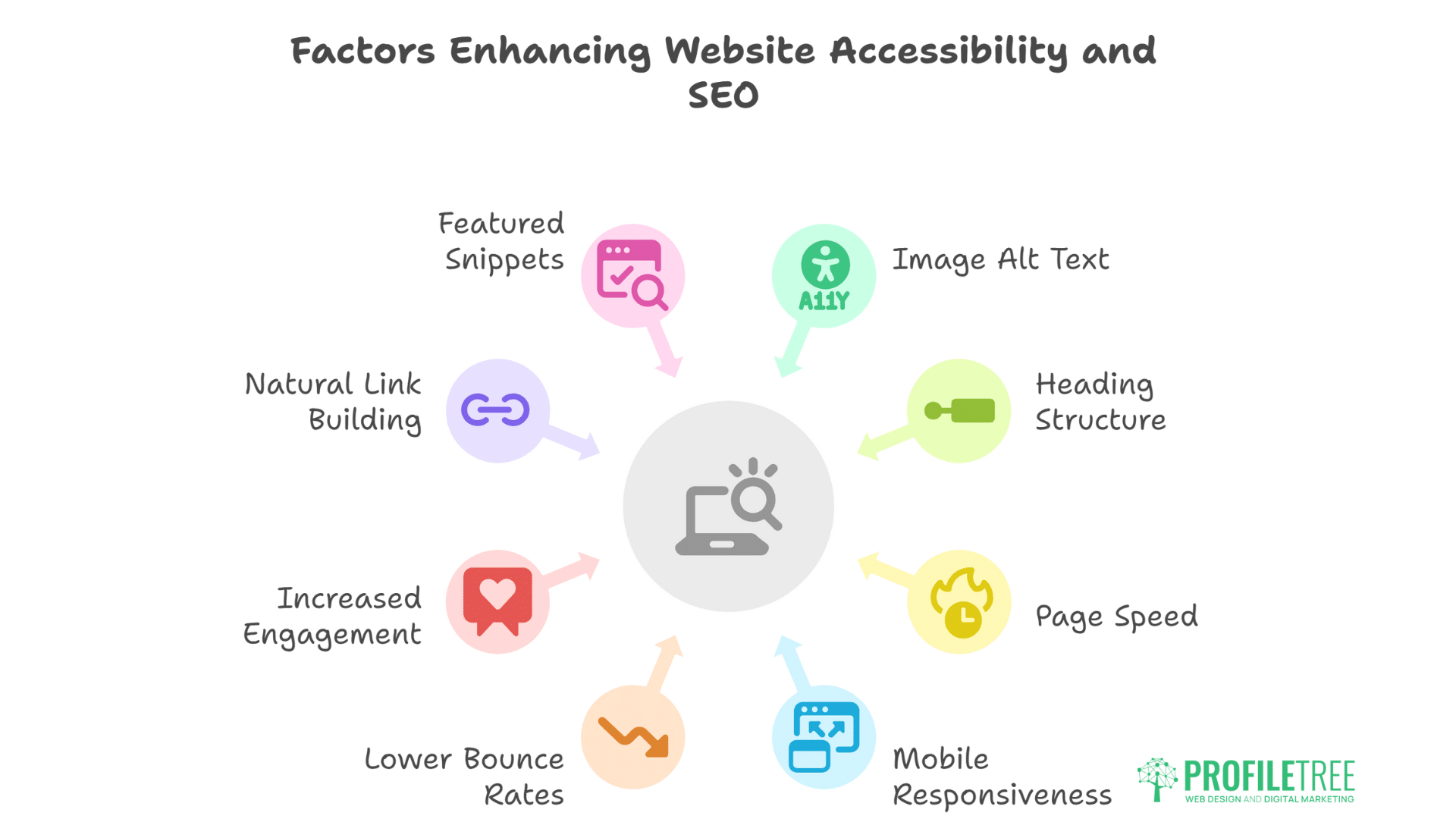
Image alt text serves dual purposes. Screen readers need descriptions for blind users. Search engines use alt text for image understanding and ranking. Properly optimised alt text improves both accessibility and image search visibility.
Heading structure guides both users and crawlers. Logical H1-H6 hierarchy helps screen reader navigation while signalling content importance to search engines. Skipping heading levels or using headings for styling confuses both audiences.
Page speed affects everyone but particularly users with disabilities. Slow loading frustrates screen reader users who must wait for complete page loads. Google’s Core Web Vitals specifically measure loading, interactivity, and visual stability.
Mobile responsiveness became mandatory with mobile-first indexing. Responsive design that works across devices inherently improves accessibility for users with various assistive technologies.
Indirect Benefits
Lower bounce rates follow improved accessibility. Users who can successfully navigate your site stay longer. Extended sessions signal quality to search engines.
Increased engagement comes from inclusive design. Comments, shares, and return visits improve when content works for everyone. These behavioural signals influence rankings significantly.
Natural link building occurs when accessible sites become resources. Disability organisations, educational institutions, and government sites link to accessible content. These authoritative links boost domain authority.
Featured snippets favour well-structured content. Proper heading hierarchy, lists, and tables—all accessibility features—increase featured snippet selection chances.
Implementation Roadmap for Belfast Businesses
Successful implementation of AI tools for accessibility requires systematic planning that balances technical requirements with business realities. This roadmap provides Belfast businesses with practical steps to achieve meaningful accessibility improvements without overwhelming resources or disrupting operations.
Week 1: Accessibility Audit
Start with automated testing revealing obvious issues. Run your website through:
- WAVE browser extension
- Google Lighthouse (built into Chrome)
- axe DevTools
Document all identified issues, prioritising by severity and impact.
Manual testing reveals automation limitations. Navigate your site using:
- Keyboard only (no mouse)
- Screen reader (NVDA is free)
- Browser zoom at 200%
- High contrast mode
Week 2-3: Quick Wins
Address easily fixed issues providing immediate improvement:
- Add missing alt text to images
- Fix colour contrast issues
- Ensure all interactive elements have keyboard access
- Add skip navigation links
- Fix heading hierarchy
These changes typically resolve 60-70% of accessibility issues while improving SEO.
Week 4-6: Content Accessibility
- Video captioning for existing content. Prioritise high-traffic videos first. Use AI tools for initial captions, then review for accuracy.
- Document accessibility for PDFs and downloads. Convert to HTML where possible. Ensure remaining PDFs include proper tagging and text recognition.
- Form improvements reducing abandonment. Clear labels, error messages, and instructions help everyone complete transactions.
Month 2: Advanced Implementation
- Voice interface testing and implementation. Start with basic navigation commands before expanding functionality.
- Translation for key pages. Focus on languages serving your actual audience rather than attempting everything.
- Progressive enhancement ensuring core functionality works without JavaScript. Many assistive technologies struggle with heavily scripted sites.
Month 3: Continuous Improvement
- User testing with people with disabilities. Real feedback surpasses automated testing. Belfast disability organisations often provide testing services.
- Monitoring and maintenance preventing regression. Automated monitoring tools alert when updates break accessibility.
- Training and documentation ensuring team understanding. Accessibility succeeds when everyone understands their role.
Common Pitfalls and How to Avoid Them
Even well-intentioned accessibility implementations can create new barriers when businesses misunderstand how AI tools for accessibility should be deployed. These common mistakes often stem from treating accessibility as a technical checkbox rather than a comprehensive user experience strategy.
Over-Reliance on Automation
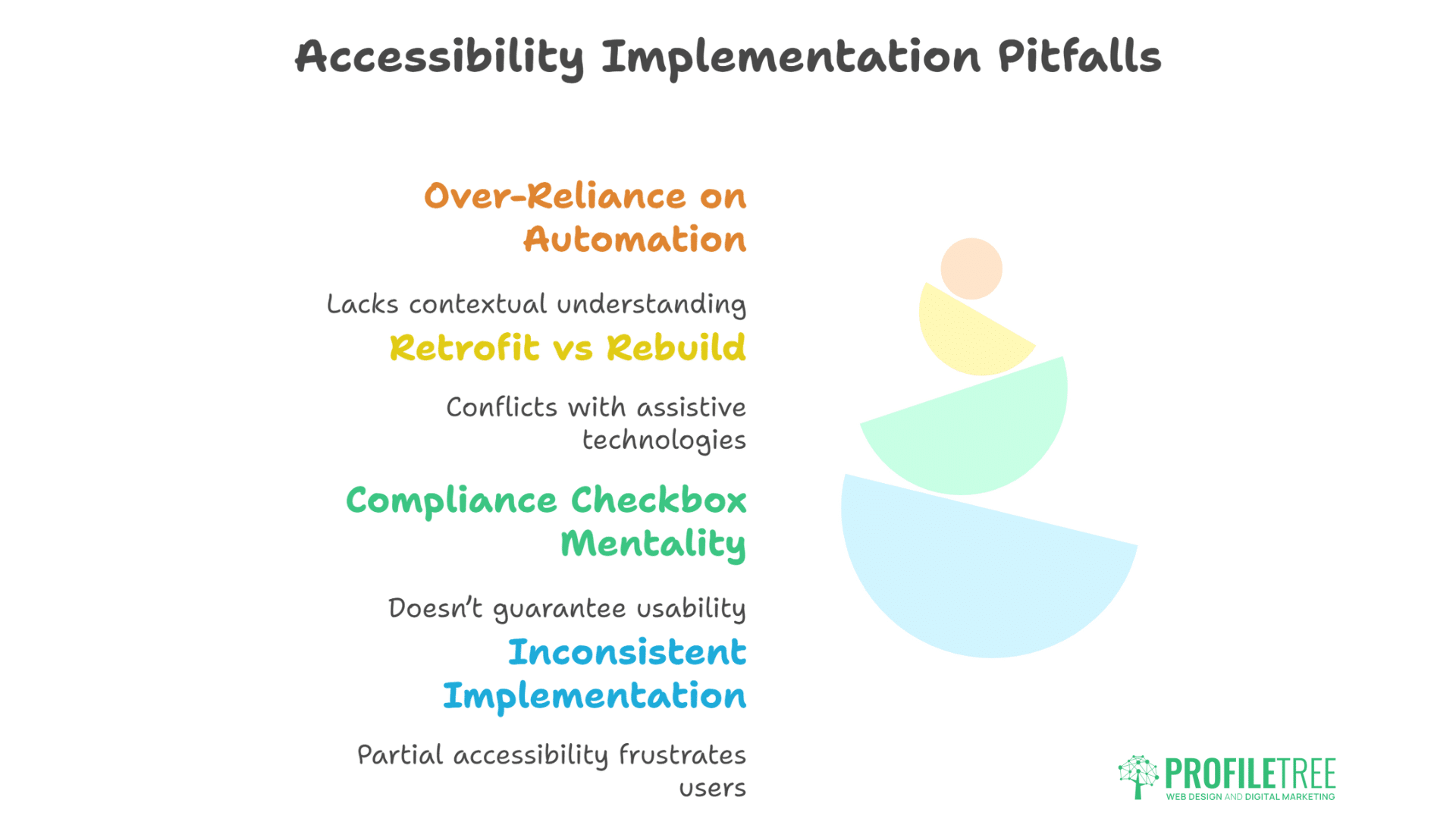
AI tools identify issues but can’t understand context. Automated alt text might describe a “man in suit” without mentioning he’s your CEO. Voice interfaces might misunderstand industry terminology.
Solution: Use AI for efficiency, human review for quality. Establish review processes catching automated errors before publication.
Retrofit vs Rebuild Confusion
Overlay solutions promise instant accessibility without code changes. The reality proves more complex. Overlays often conflict with assistive technologies, creating worse experiences than the original site.
Solution: Address root causes rather than symptoms. Proper HTML structure beats JavaScript patches. Investment in foundational accessibility pays long-term dividends.
Compliance Checkbox Mentality
Meeting technical requirements doesn’t guarantee usability. A site might pass automated tests while remaining practically unusable for disabled visitors.
Solution: Focus on user experience over compliance metrics. Regular testing with real users reveals practical issues automated tools miss.
Inconsistent Implementation
Accessibility on main pages but not checkout processes. Captions on marketing videos but not product demonstrations. Partial accessibility frustrates more than honest limitations.
Solution: Comprehensive accessibility strategy covering all content and functionality. Prioritise critical user journeys for complete accessibility.
Measuring Success: Accessibility Metrics That Matter
Demonstrating the value of AI tools for accessibility requires comprehensive measurement that goes beyond compliance scores. Effective metrics combine technical achievements with user experience improvements and business impact to justify continued investment and guide optimisation efforts.
Technical Metrics
- WCAG compliance level provides a baseline measurement. Track progress toward Level AA compliance across pages.
- Automated testing scores from AI tools like Lighthouse offer quick health checks. Monitor trends rather than absolute scores.
- Error density measures issues per page. Reducing error density indicates improvement, even if total errors increase with new content.
User Experience Metrics
- Task completion rates for users with disabilities. Can screen reader users complete purchases? Can keyboard users navigate efficiently?
- Time to complete tasks comparing different user groups. Significant differences indicate remaining barriers.
- Support ticket analysis revealing accessibility pain points. Categorise complaints to identify systematic issues.
Business Impact Metrics
- Conversion rate improvements following accessibility enhancements. Track separately for mobile users who benefit significantly from accessibility improvements.
- SEO performance changes after implementing accessibility features. Monitor ranking improvements for target keywords.
- Market expansion reaching previously excluded customers. Track visitor demographics and purchasing patterns.
The ProfileTree Approach: Comprehensive Accessibility Solutions
“Accessibility isn’t a feature to add—it’s a fundamental design principle that benefits everyone,” explains Ciaran Connolly, ProfileTree founder. “Our Belfast clients see average traffic increases of 35% after accessibility improvements, but the real success comes from knowing their digital presence works for everyone.”
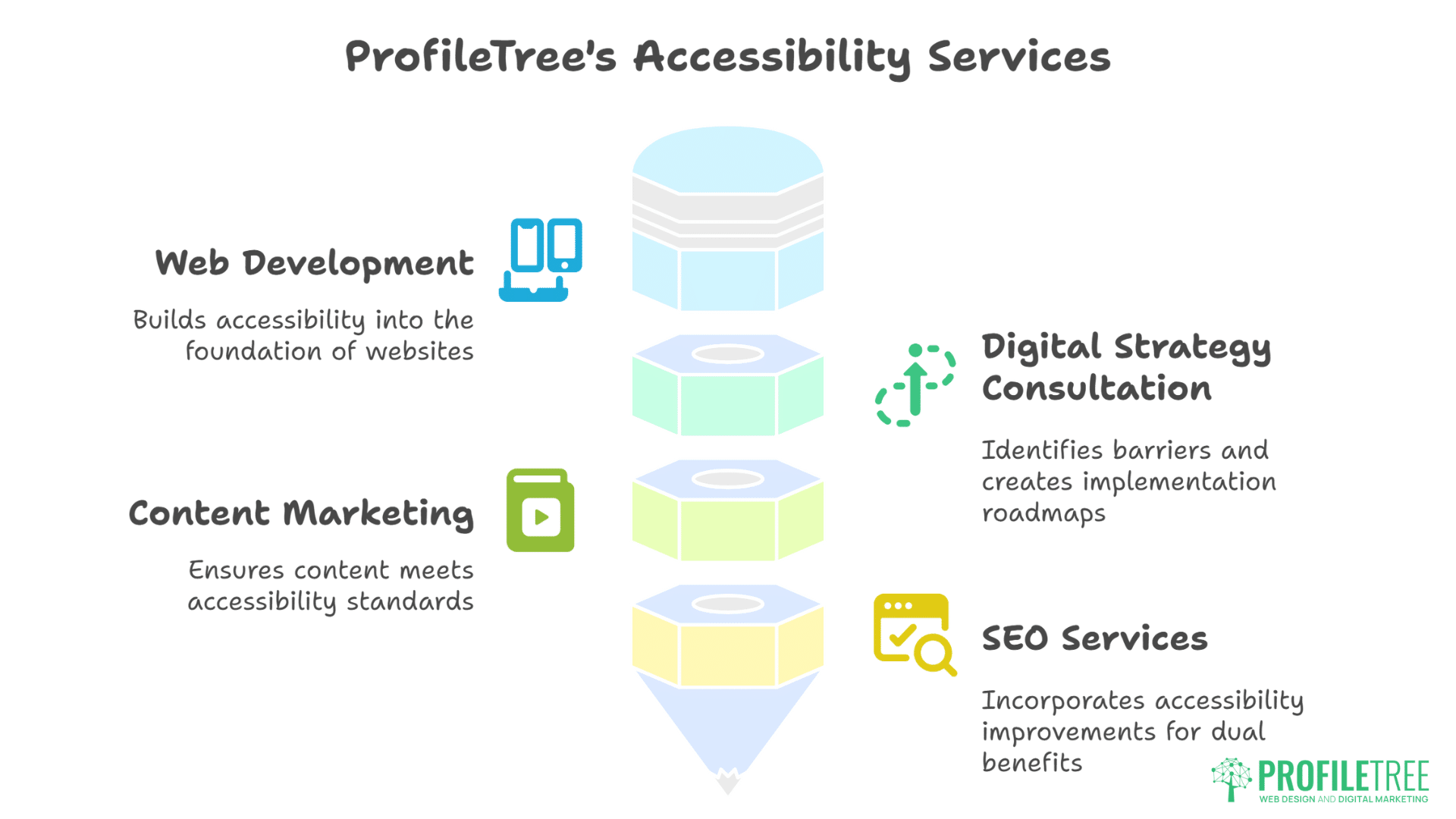
- Our web development services build accessibility into foundations rather than retrofitting. Starting with inclusive design prevents costly remediation while delivering better user experiences.
- Digital strategy consultation includes comprehensive accessibility audits. We identify barriers, prioritise fixes, and create implementation roadmaps aligned with business objectives.
- Content marketing services ensure all content meets accessibility standards. From video captions to readable blog posts, we create content that reaches everyone.
- SEO services naturally incorporate accessibility improvements. The overlap between SEO and accessibility means our optimisation efforts deliver dual benefits.
Future-Proofing: Emerging Accessibility Technologies
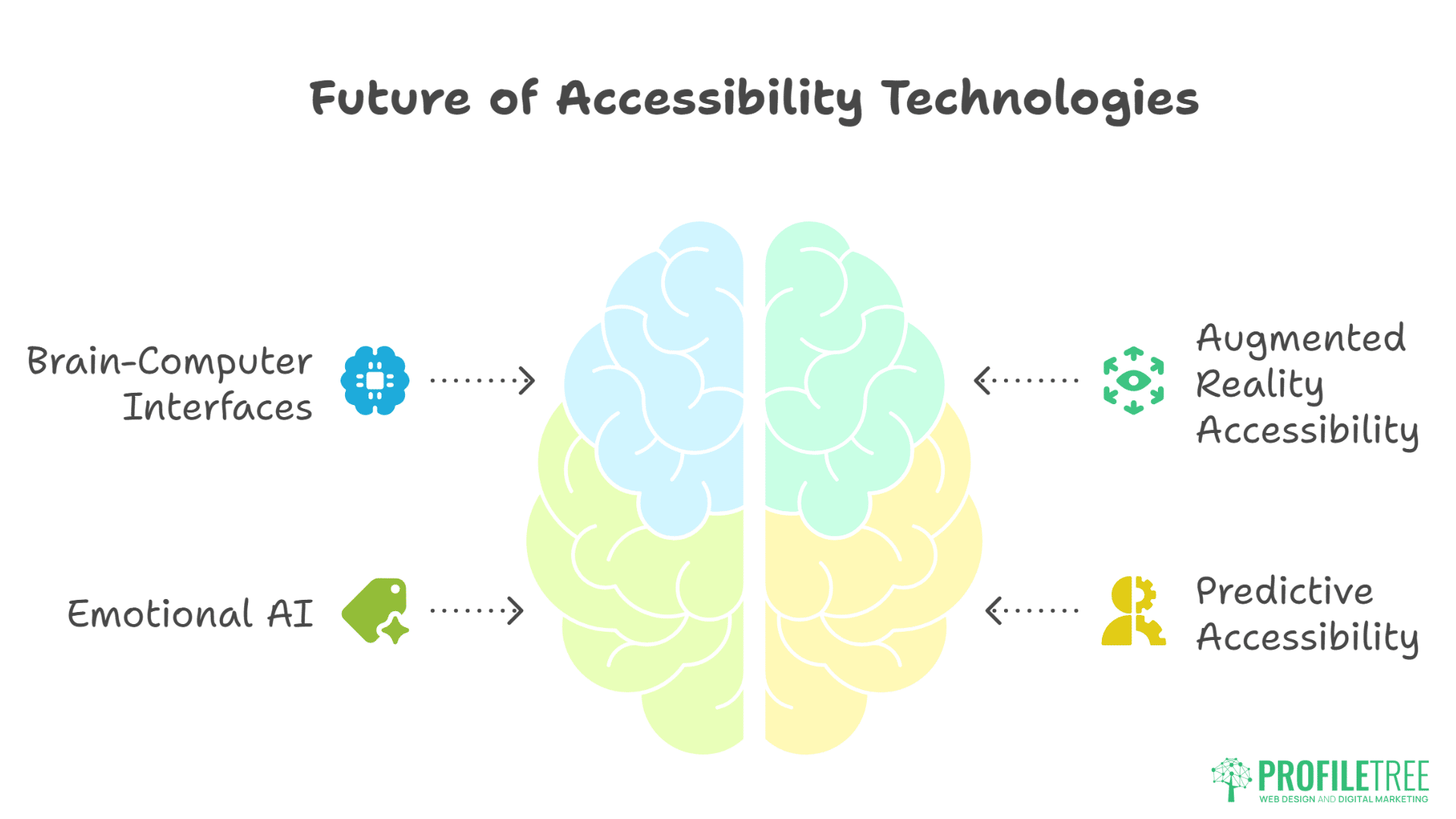
The next generation of AI tools for accessibility will leverage emerging technologies that fundamentally change how people interact with digital content. Understanding these developments helps businesses prepare for technological shifts while making current investments that remain valuable as accessibility capabilities evolve.
Brain-Computer Interfaces
Direct neural control moves from science fiction to reality. Early systems help paralysed users control computers through thought. Preparing for thought-controlled interfaces means simplifying navigation and reducing cognitive load now.
Augmented Reality Accessibility
AR overlays could provide real-time accessibility support. Image descriptions floating above pictures. Navigation arrows for users with cognitive impairments. Sign language interpretation appearing beside speakers.
Emotional AI
Systems recognising and responding to user emotional states could adapt interfaces dynamically. Frustrated users might receive simplified options. Confused users could trigger additional help.
Predictive Accessibility
AI learning individual user needs could automatically adjust interfaces. Returning visitors with consistent zoom settings might receive larger default text. Users repeatedly asking for help might trigger proactive assistance.
Frequently Asked Questions
How much does implementing accessibility cost?
Basic accessibility improvements cost £2,000-5,000 for small sites. Comprehensive accessibility, including AI tools, testing, and training, ranges from £10,000 to £ 25,000. However, ROI typically exceeds 300% within twelve months through improved SEO and expanded market reach.
Which AI tools for accessibility should Belfast businesses prioritise?
Start with automated captioning (Rev.ai or Descript) and accessibility testing (axe DevTools). These provide immediate value with minimal investment. Add voice interfaces and translation as resources allow.
Does accessibility really improve SEO that much?
Yes. We’ve documented average ranking improvements of 12-15 positions for clients implementing comprehensive accessibility. Google explicitly rewards accessible sites through Page Experience signals and indirect engagement metrics.
Can AI tools make any website fully accessible?
No. AI tools accelerate accessibility implementation but can’t replace proper design and development. Overlays and automated fixes help but shouldn’t be sole solutions. Human review and testing remain essential.
What about GDPR and accessibility tools?
Most accessibility tools process minimal personal data. However, voice interfaces and translation services might store user interactions. Clear privacy policies and data handling procedures ensure compliance.
How do we test accessibility without disabled users?
Start with automated tools and simulation (screen readers, keyboard navigation). However, nothing replaces testing with actual users with disabilities. Belfast disability organisations often provide testing services or user panels.
Taking Action: Your Accessibility Journey Starts Today
Begin with simple changes delivering immediate impact. Add alt text to your homepage images. Check colour contrast on call-to-action buttons. Enable captions on your most-watched video.
Run automated tests identifying obvious issues. WAVE takes seconds and costs nothing. Google Lighthouse provides scores and specific recommendations. Document findings and create priority lists.
Commit to incremental improvement rather than perfection paralysis. One accessible page beats plans for eventual site-wide accessibility. Start with high-traffic pages or critical user journeys.
Remember: accessibility benefits everyone. Parents holding babies appreciate voice controls. Commuters value captions on silent videos. Older users benefit from clear navigation. Your investment in accessibility returns through expanded audiences, improved SEO, and genuine human impact.
The convergence of AI and accessibility has removed technical barriers to inclusive design. Cost, complexity, and capability no longer excuse inaccessible digital experiences. With AI tools for accessibility now democratising inclusive design, the only question remaining is: will your business lead or lag in creating digital experiences that truly work for everyone?