
Educational Vlog Projects for Schools: A Practical Guide for Teachers
Table of Contents
An educational vlog is a short video in which a pupil explains a topic to camera, scripted and filmed as classwork. Kept on a closed school platform and marked against a written rubric, it builds spoken explanation and shows what a pupil understands. ProfileTree, a Belfast video and digital training agency, explains how schools can run one safely.
Why Educational Vlogs Work in the Classroom
A vlog task asks a pupil to explain something, watch the explanation back and improve it before anyone else sees it. That cycle of explaining and redrafting is the part that matters for learning, and the camera is simply the tool that makes it visible. Schools that want polished films for their own website or open evenings can bring in a video production Belfast team, but a classroom project needs nothing more than the tablets and laptops a school already owns.
Oracy and Spoken Explanation
Oracy (the ability to speak clearly and listen well) has strong evidence behind it. The Education Endowment Foundation rates oral language interventions as high impact for very low cost, with pupils making around six months of additional progress on average over a year. A scripted vlog fits that description well, because the pupil has to put ideas in order and check that a listener could follow them.
Policy in England is moving the same way. The Curriculum and Assessment Review published its final report on 5 November 2025 and recommended a new primary oracy framework and a combined secondary framework for oracy, reading and writing. A revised National Curriculum is expected to be published in 2027 and taught from September 2028, so schools building oracy activities now are preparing for that change.
Self-Review and Peer Review
Watching yourself back is uncomfortable for most pupils at first, and that discomfort is useful. A pupil who hears a hesitation, a missing step, or a word used wrongly will usually fix it without being told, which is metacognition (thinking about how you learn) in a form that pupils can see and hear.
Peer review adds a second layer. When pupils judge a classmate’s vlog against the same criteria that will be used on their own, they learn what a clear explanation sounds like and apply it to their next attempt. The structure matters here, and the editing section below sets out two criteria that keep feedback specific.
Audience Awareness and Student Motivation
Pupils prepare differently when they know someone will watch. They start asking whether a term needs explaining and whether the opening tells the viewer what is coming, which are habits that carry over into their written work.
Teachers often use video tasks to re-engage pupils who have switched off from written work. Creative control and a finished product the pupil can point to give a sense of ownership that a worksheet rarely matches. For some pupils with special educational needs, or those learning English as an additional language, a vlog can show understanding that a written test would hide.
Where Educational Vlogs Fit in the Curriculum

Vlogging is a format, so it fits wherever a curriculum asks pupils to explain, present, or communicate. The table below shows the clearest links across the four systems most readers of this guide work in.
| Jurisdiction | Where it fits | Example vlog task |
|---|---|---|
| England, Key Stages 1 and 2 | Spoken language requirements in the English programme of study | A two-minute retelling of a story in sequence, with a clear opening and ending |
| England, Key Stage 3 | Computing (creative projects that combine several applications) and science (communicating method and results) | A three-minute lab report vlog explaining an experiment and what the results show |
| England, Key Stage 4 | GCSE English Language spoken language endorsement and GCSE language speaking practice | A rehearsed presentation recorded for self-review, or a 60-second topic talk in French or Spanish |
| Wales | Languages, Literacy and Communication area of learning, and the cross-curricular skills of literacy and digital competence | A bilingual explainer on a local history topic |
| Northern Ireland | Using ICT, one of the three statutory cross-curricular skills, including the Express and Exhibit elements of the five Es | A digital storytelling vlog presenting a Key Stage 2 topic to a younger class |
| Ireland | Junior Cycle English oral communication | A short recorded talk used to rehearse the oral communication classroom-based assessment |
English and Spoken Language
In GCSE English Language, spoken language is assessed through a separate endorsement, reported as Pass, Merit, Distinction or Not Classified, and it does not form part of the final mark and grade. Even so, every candidate must attempt it, and exam board guidance covers how presentations are recorded for monitoring. A vlog project gives pupils repeated, low-pressure practice at exactly that kind of presentation before the assessed one.
Computing and Digital Skills
Computing at Key Stage 3 expects pupils to plan and carry out creative projects using more than one application. A vlog covers scripting, filming, editing and publishing to a set audience in one assignment. In Northern Ireland, CCEA’s guidance for Using ICT lists digital storytelling as one of the types of ICT that schools can use to cover the five Es, and CCEA treats Using ICT as a cross-curricular skill that teachers assess across subjects.
Modern Languages and Personal Development
Target language vlogs suit modern foreign languages well. The ability to re-record lowers the fear of making mistakes, and the need to speak to a camera makes pupils prepare more carefully than they would for a quick classroom exchange. In personal, social and health education, an opinion vlog that poses a question to the viewer and then works through an answer pushes pupils towards a reasoned argument.
Safeguarding and Data Protection for Student Video
Safeguarding is usually the first question a headteacher or designated safeguarding lead asks, and it should shape the project from the start. Any video in which a pupil can be identified is personal data. In England, Wales and Northern Ireland, this falls under UK GDPR and the Data Protection Act 2018, and in Ireland under the GDPR as given effect by Ireland’s own Data Protection Act 2018. Schools in England also work within Keeping Children Safe in Education, the statutory safeguarding guidance, and schools in Ireland within the Child Protection Procedures for Primary and Post-Primary Schools.
Lawful Basis, Consent and Opt-Outs
Consent is one route, but it is not the only one. The Department for Education’s guidance on photos and videos in schools says schools can rely on public task or consent, with legitimate interests as a third option. Where a school uses consent, it must be freely given, specific, informed and unambiguous, and the school should keep a record of who gave it and what they were told.
Whichever basis applies, the school’s privacy notice should explain it and say how families can opt out. The same guidance recommends a separate photo and video policy that states where images will appear and how long they will be kept. Once pupils can understand how their images may be used, often at around the age of 13, schools should consider asking the pupils themselves. Talk to your data protection officer at the planning stage, as they may want a data protection impact assessment (a documented check of the risks) for this type of activity.
Choosing a Closed Platform for Student Video
Student vlogs belong on a platform the school controls, where only the class and staff can see them. The DfE guidance is direct on publishing: do not publish photos or videos of pupils who should not be publicly identified, and collect specific consent before anything is posted to a school social account. Public video sites, YouTube included, are fine for watching published material in class and a poor home for identifiable pupil work. Our article on social media and education looks at the wider benefits and risks.
Microsoft Flip, which many older guides still recommend, no longer exists as a separate app. Its website and mobile apps were retired on 30 September 2024, and the Flip camera now works only inside Microsoft Teams for Education. Schools already on Microsoft 365 for Education can use it within class teams, so videos stay inside the school’s own account.
Canva Education is free for primary and secondary teachers and their students, and students join through a teacher’s invitation. Adobe Express for Education is also free for schools. When the school sets up the accounts, it owns them, and administrators can restrict sharing options for staff and pupils. Whichever tool you pick, check the privacy settings before the first upload, because the DfE guidance asks schools to confirm the lawful basis and privacy settings before sharing through any third-party platform.
No-Face Formats That Remove Most of the Risk
The simplest way to cut the safeguarding risk is to design the project so that faces never appear on screen. Many teachers find this produces more creative work, and it means a pupil whose family has opted out can still take part fully. Formats that work well include:
- Screen recordings with a voiceover, where the pupil narrates a process or a worked problem, which suits computing, maths and science.
- Object or model filming, where the camera shows diagrams, models or a stop-motion sequence, which suits art, geography and primary storytelling.
- Point-of-view filming, with the camera facing outwards to show what the pupil sees, which suits design and technology and practical subjects.
- Narrated slides or animated characters built in a design tool, which suit pupils who are camera-shy.
Before any vlog leaves the classroom, check that no faces are visible unless the project allows it, that no full names are spoken or shown, and that nothing in the background identifies a home, a bedroom or a named uniform. Then confirm that the lawful basis or consent is on file and that any opt-outs have been respected.
Running an Educational Vlog Project in Four Stages
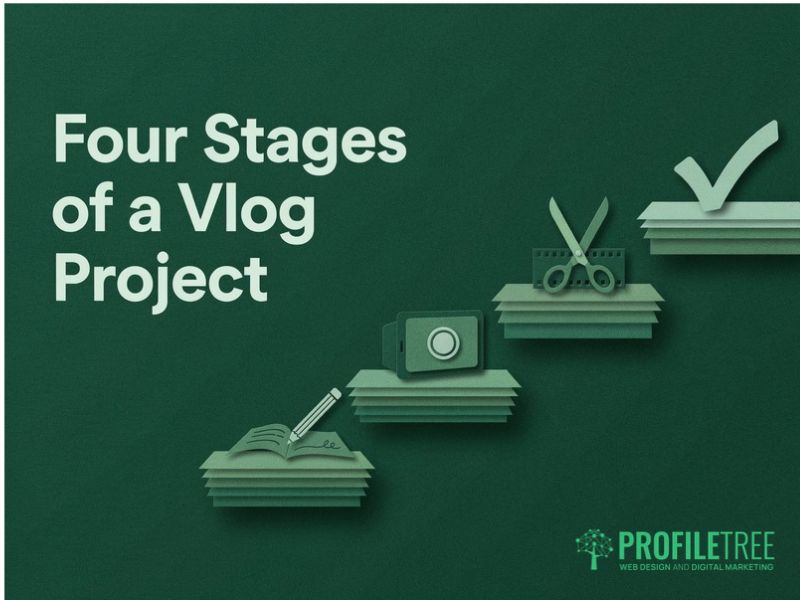
A well-run vlog assignment follows a predictable workflow that suits most subjects and budgets. Give pupils enough structure to know what they are producing, and leave the creative decisions to them.
Planning and Scripting
Start with a brief that pupils can follow on their own. Pupils need to know their audience, their time limit and the marking criteria before they pick up a device, and two to three minutes suits most tasks. Teach scripting as a skill in its own right, because pupils who write out what they want to say produce better vlogs and practise writing for the ear at the same time.
A storyboard helps with visual projects. A simple grid with columns for the shot, the narration and any props takes about fifteen minutes and heads off most filming problems. It also gives the teacher an early checkpoint for safeguarding, such as a planned shot that would show a pupil’s face or home.
Filming
Film in the quietest space available, near a window for natural light. Audio quality affects how watchable a vlog is far more than camera resolution, so the choice of room does more than a better device. Thorough scripting pays off here, with fewer takes and cleaner recordings.
Keep filming sessions short and focused. Two or three takes are usually enough. A pupil who spends a whole lesson re-recording the same section is often avoiding the harder work of reviewing and improving the explanation, so set a limit on takes and move pupils on to review.
Editing and Peer Review
Basic editing is a transferable digital skill worth teaching directly. Pupils can trim clips, add a title card, and remove long pauses in the tools named above, and that is as far as most classroom projects need to go. The learning sits in the explanation, so production polish should not take over the time available.
Structure peer review around two questions: could someone who knows nothing about this topic follow it, and does the pupil use subject vocabulary accurately? Without set criteria, peer feedback tends to stop at “it was good”. With them, pupils give comments that improve the next draft and learn to hear their own work as a viewer would.
Assessment
Mark the learning and leave the camera work out of the grade. Criteria should come from the curriculum objectives for the task, and a pupil should not lose marks for a wobbly shot or a plain edit unless media production is the point of the task. Share the rubric with pupils before they start writing their scripts.
A Fair Rubric for Marking Student Vlogs
A rubric with three core criteria and written descriptors is easier to defend than a single numerical score for a creative task. The table below is a starting point that teachers can adapt to the subject and key stage.
| Criterion | Working towards | Expected | Strong | Exceptional |
|---|---|---|---|---|
| Subject knowledge and accuracy | Some errors or gaps in the main idea | Main idea accurate, with minor gaps | Accurate and complete, with relevant examples | Accurate and complete, with examples that show deeper understanding |
| Clarity and structure | Hard to follow without prior knowledge | Clear order, with some jumps between points | Clear opening, logical order and a summary | A viewer new to the topic could follow every step |
| Subject vocabulary | Little subject vocabulary, or used wrongly | Key terms used correctly | Key terms used correctly and explained | Precise vocabulary, explained naturally for the audience |
| Audience awareness (Key Stage 4, optional) | Speaks at the camera with no sense of a viewer | Addresses the viewer at points | Anticipates what the viewer needs to know | Pace, questions and examples chosen for the viewer throughout |
Production quality belongs outside the core criteria for subject tasks. If you do include it, give it a light weighting so that pupils with older devices or less confidence on camera are not penalised.
Equipment for Schools on a Tight Budget
Most schools already have everything a classroom vlog project needs. The table separates what is essential from what is useful once the project is running.
| Item | Essential | Useful later |
|---|---|---|
| Camera | The built-in camera on a school tablet, laptop, or Chromebook | A plug-in webcam for desktop recording |
| Audio | The device’s own microphone in a quiet room | A clip-on lapel microphone or a USB desktop microphone |
| Lighting | Natural light from a window | A small LED panel or ring light |
| Editing | Canva Education, Adobe Express for Education or the Flip camera in Teams | A browser-based video editor with teacher controls |
| Script prompt | A printed script held out of shot | A free teleprompter app on a second device |
| Storage | The school’s Microsoft 365 or Google Workspace account | A dedicated class area with set retention dates |
If you are weighing up kit for a media club or staff use, our guide to camera gear for vloggers compares cameras, microphones and lighting at different budgets. For pupil projects, start with what the school owns and spend money only on the gap that holds the work back, which is usually sound.
Training Staff Before Students Pick Up a Camera
Teachers who have made a short video themselves run better pupil projects, because they know where the time goes and which problems to expect. A short staff session at the start usually saves several lessons of troubleshooting later.
ProfileTree is a Belfast web design and digital marketing agency, founded in 2011 and based at the McSweeney Centre. Our digital training includes practical sessions on video content creation and the tools used to make it, and our video team films and edits for organisations across the UK and Ireland. Schools that also want professional video for open days or their website can look at our video marketing service, which starts from £1,200 plus VAT.
As our founder, Ciaran Connolly, puts it: “Training only works if someone does the thing afterwards. That is why ProfileTree’s digital training is built around the organisation’s own work, and people leave our sessions in Belfast with something already made. For a school, the best outcome from a video session is a teacher who walks back into class with a vlog project planned for real pupils.”
Next Step: Staff Training in Classroom Video
If your school wants to run vlog projects but staff are not yet confident with filming, editing, or the platform settings, a short practical session is the quickest way to start. ProfileTree’s digital training covers video content creation for organisations across the UK and Ireland, with training from £350 plus VAT. Get in touch with the team to plan a session around your school’s own devices and the vlog task you want to run first.
FAQs
1. How Do I Make a Vlog for a School Project?
Start with a short script, then film it on a school device and watch it back before you submit. Plan who you are talking to and what they should understand by the end, and keep to the time limit your teacher sets, which is usually two to three minutes. Read the script aloud before filming and cut any sentence you stumble over.
Film two or three takes, pick the clearest one, and trim the start and end. Upload it only to the platform your school uses for classwork, never to a public site.
2. What Are Good Educational Vlog Ideas for Students?
The best ideas are tasks where a pupil explains something to someone who does not know it yet. Strong examples include a lab report vlog that walks through an experiment, a tutorial teaching a skill to a younger pupil, a diary entry recorded in the role of a historical figure, and a short topic talk in a modern language. Each one has a clear audience and a natural structure. Ideas that depend on showing a pupil’s home or daily life are best avoided in school projects, because they raise privacy questions that a topic-based vlog does not.
3. Is Vlogging Safe for Primary School Pupils?
Yes, provided the school uses a closed platform, follows its photo and video policy and designs the task with safeguarding in mind. No-face formats such as narrated drawings or screen recordings remove most of the risk and suit younger pupils well. Families should be told how videos will be used, with a clear way to opt out, and the safeguarding lead should agree the plan before the first lesson. Videos should stay within the class group and be deleted in line with the school’s retention policy.
4. Can Schools Use YouTube for Student Vlogs?
YouTube is not a suitable place to publish videos of identifiable pupils. Department for Education guidance tells schools not to publish videos of pupils who should not be publicly identified and to collect specific consent before posting online, and a public site makes those controls hard to manage. YouTube works well for watching published educational content in class. For pupil work, use a platform the school controls, such as Microsoft Teams for Education, Canva Education or Adobe Express for Education, where only the class and staff can see the videos.
5. How Do You Mark a Student Vlog Fairly?
Mark the subject learning against a written rubric and keep production quality out of the core criteria. Three criteria cover most tasks: accuracy of subject knowledge, clarity and structure of the explanation, and correct use of subject vocabulary. Write four descriptors for each criterion so that grades can be explained to pupils and parents.
Share the rubric before pupils write their scripts, and add audience awareness as an optional criterion for older pupils. Give camera work and editing little or no weight in subject tasks.