
Site Architecture Optimisation: A Strategic Guide for SMEs
Table of Contents
Site architecture optimisation determines whether search engines can find your pages, whether users can navigate your site without frustration, and whether AI search systems like Google’s AI Overviews and Bing Copilot can accurately surface your business when it matters most.
For SMEs in Northern Ireland, Ireland, and across the UK, these decisions are made once, usually during a web build, and their consequences last for years. A poorly structured site buries your best content, dilutes link equity, and signals to search engines that your pages lack a clear purpose. A well-structured site does the opposite.
This guide explains how site architecture optimisation works, what the most common SME mistakes look like, and what a sound structural approach achieves across web design, SEO, and AI visibility.
Why Site Architecture Affects More Than Rankings
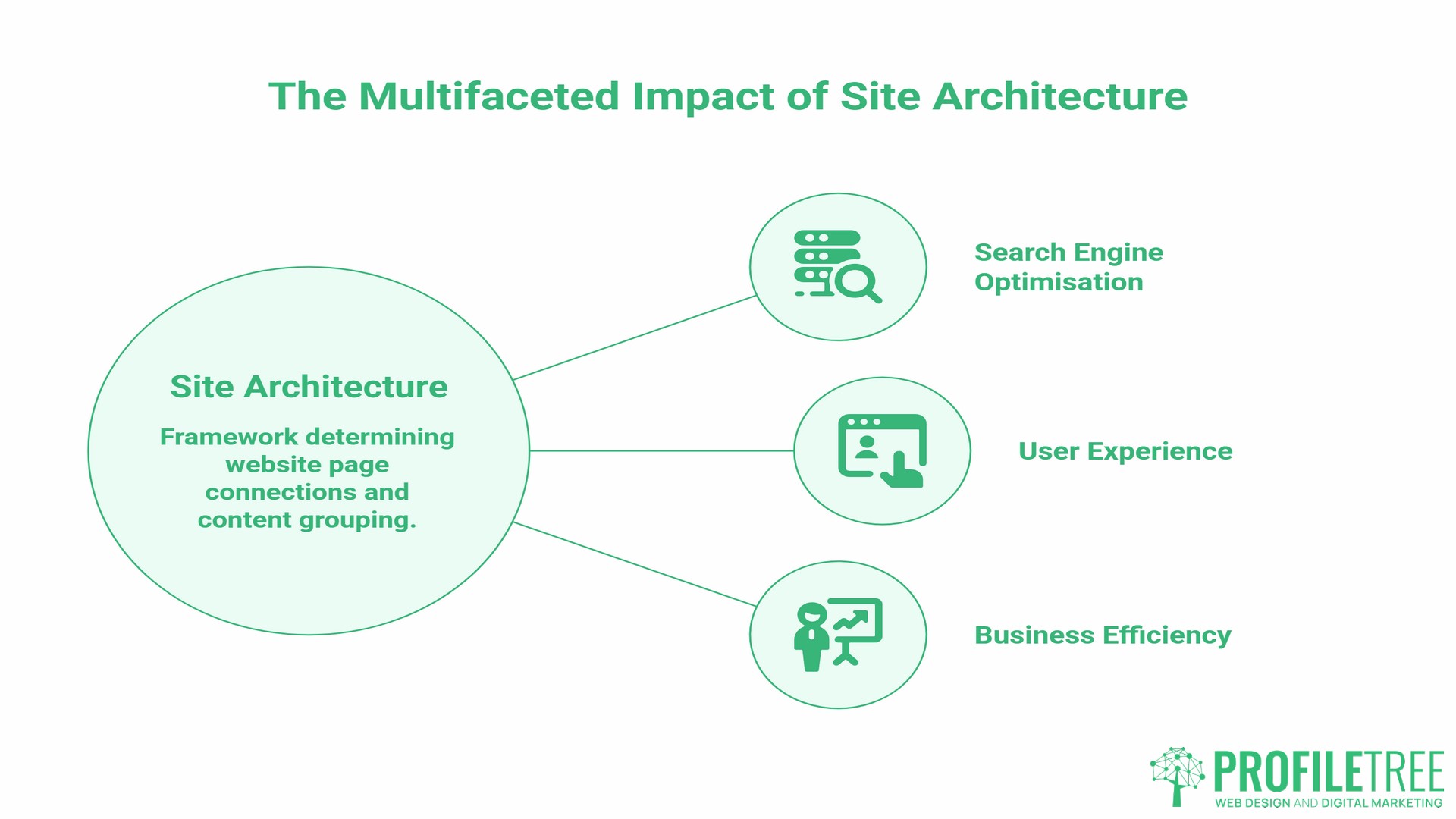
Site architecture optimisation is the framework that determines how pages on your website connect to each other, how content is grouped, and how far any given page sits from your homepage.
Search engines use this structure to decide which pages matter. When Googlebot crawls your site, it follows internal links. Pages with more links pointing to them, particularly from high-authority pages near the top of your hierarchy, receive more crawl attention and accumulate more ranking potential. Pages that are buried 6 levels deep or have no internal links at all may never be properly indexed.
Users make the same judgment through different signals. If they land on a service page and cannot intuitively find related information within a click or two, they leave. High bounce rates on top-level pages and low engagement on deeper content are both symptoms of poor site architecture.
A useful working principle: any page a user might want to reach should be accessible within three clicks of your homepage. It is not a rigid technical rule, but sites that consistently require more than four or five clicks to reach important content tend to have structural problems worth addressing.
For businesses working with ProfileTree on web design projects, site architecture optimisation is addressed before a single page is designed. Mapping the intended hierarchy, URL structure, and internal link relationships during the planning stage avoids the far more costly process of restructuring after launch.
Flat vs Deep Hierarchy: Choosing the Right Model
The most important structural decision in any site architecture optimisation project is how many levels of hierarchy to use.
Flat site architecture keeps most pages within two or three levels of the homepage. A typical flat structure for a service business looks like this:
Homepage
├── Services
│   ├── Web Design
│   ├── SEO Services
│   └── Digital Marketing
├── Blog
│   ├── Article A
│   └── Article B
└── Contact
Pages in a flat architecture receive link equity more evenly because they sit closer to the homepage. Search engines crawl them faster, and users reach them in fewer clicks. For most SMEs with fewer than a few hundred pages, a flat structure is the correct choice.
Deep site architecture nests content under multiple layers of subdirectories. This suits large e-commerce sites or content-heavy publications where categorical depth is genuinely necessary. For a 20-page services website or a 200-post blog, it creates unnecessary complexity.
| Flat Architecture | Deep Architecture | |
|---|---|---|
| Best for | SMEs, service businesses, local businesses | SMEs, service businesses, and local businesses |
| Click depth | 2–3 clicks from homepage | 4+ clicks from homepage |
| Crawl efficiency | High | Lower for deeper pages |
| Link equity distribution | More even | Concentrated at top levels |
| Risk | Few | Buried pages, indexing gaps |
The most common mistake ProfileTree encounters when auditing inherited SME websites is excessive depth created without a plan: blog posts nested under multiple category layers, service pages buried under outdated subdirectories, and contact pages sitting four levels below the homepage. Flattening the structure , done properly, with appropriate redirects , consistently improves both crawl coverage and organic performance.
URL Structure: The Foundation of a Crawlable Site
URL structure is one of the most visible outputs of any site architecture optimisation process. A URL is not just a web address; it is a signal to search engines about what a page covers and where it sits in your site hierarchy.
Good URL structures are short, descriptive, and keyword-relevant:
| Page | Optimised URL | Avoid |
|---|---|---|
| SEO services | /seo-services-belfast/ | /services/digital/seo/?cat=6 |
| Web design guide | /web-design-guide/ | /p=1423 |
| Blog post on WordPress | /wordpress-speed-optimisation/ | /blog/2023/04/15/post-title-here/ |
The rules for SME URL structure are straightforward:
- Use hyphens to separate words, never underscores
- Keep slugs under 60 characters where possible
- Include the primary keyword near the start of the slug
- Never include dates or year references in URLs; they create pressure to change URLs as content ages, which risks losing link equity
- Match the URL structure to your site hierarchy: a blog post lives under
/blog/, a service page under/services/or at the root level, depending on your architecture plan
One area that causes persistent problems is the use of automatically generated WordPress URLs. Out of the box, WordPress can produce URLs like /p=123 or /category/sub-category/post-title/. Both need to be corrected before a site launches. The permalink structure should be set to /%postname%/ or /%category%/%postname%/ Depending on your hierarchy plan, it should never be changed after content has been indexed without a full redirect mapping exercise.
Internal Linking and Topic Clusters
Internal links are the connective tissue of site architecture optimisation. They tell search engines which pages are related, pass link equity between pages, and guide users through your content.
The hub-and-spoke model is the most practical internal linking framework for SME content strategies. One pillar page covers a broad topic in depth. A cluster of supporting articles covers specific subtopics, each linking back to the pillar and to each other where relevant.
For example, a business offering SEO services in Belfast might structure a cluster as:
- Pillar page: SEO Services Belfast (the commercial page)
- Supporting article: How to Conduct a Technical SEO Audit
- Supporting article: Local SEO for Northern Ireland Businesses
- Supporting article: Site Architecture Optimisation (this page)
- Supporting article: Internal Linking Strategy for WordPress Sites
Each supporting article links back to the pillar. The pillar links out to each supporting article. This structure tells search engines that all these pages are topically related and that the pillar page is the most commercially significant in the cluster.
Practical rules for internal linking on SME sites:
- Place the most important internal links early in the content, not at the bottom of the page
- Use anchor text that describes what the linked page covers, not generic phrases like “click here” or “find out more”
- Never repeat the same internal link twice in a single article
- Avoid linking to your homepage from within body content; link to specific service or content pages instead
- Audit for orphan pages regularly: pages with no internal links pointing to them are effectively invisible to search engines, regardless of their quality
Crawlability, Indexability, and Sitemaps
Search engines can only rank what they can find and understand. Crawlability and indexability are the technical prerequisites for site architecture optimisation to deliver results.
Crawlability refers to whether Googlebot can access and follow the links on your site. Common crawlability problems include:
- Pages blocked in robots.txt that should be indexed
- Broken internal links leading to 404 errors
- Redirect chains (A redirects to B, which redirects to C) that slow crawl speed
- Excessive duplicate content that wastes crawl budget on low-value pages
Indexability refers to whether a page is added to Google’s index after it is crawled. Pages may be crawlable but not indexed if they carry a noindex tag, have duplicate content issues without canonical tags, or are too thin to be considered valuable.
XML sitemaps serve a specific function within site architecture optimisation: they provide search engines with a map of the URLs you want indexed, particularly for new pages or pages with few internal links pointing to them. According to Google’s own Search Central documentation, a well-maintained XML sitemap should include only canonical, indexable URLs. It should never include:
- Pages that return 301 redirects or 404 errors
- Pages with
noindextags - Duplicate or near-duplicate pages
WordPress sites managed by ProfileTree have their sitemaps generated and maintained through Rank Math, which automatically excludes non-indexable URLs and updates the sitemap as new content is published.
HTML sitemaps serve a different purpose: they help users navigate large sites and provide an additional crawl path for search engines when internal linking alone may not reach every page.
Crawl budget matters most for large sites. For a typical SME website with under 500 pages, crawl budget is rarely a limiting factor, but it becomes important if the site has accumulated years of outdated content, broken redirects, or parameter-generated duplicate URLs.
Site Architecture Optimisation and AI Search Visibility
Site architecture optimisation has taken on new significance with the rise of AI-powered search. Google’s AI Overviews, Bing Copilot, and tools like ChatGPT and Perplexity now answer commercial queries directly, and the businesses they cite are those whose content is structured clearly enough for AI systems to extract and trust.
The structural principles that improve site architecture optimisation for traditional search are the same ones that help AI systems understand and cite your content:
Clear parent-child relationships. When your URL structure and internal linking make it obvious that /seo-services-belfast/ is a service page under a digital agency, and that /site-architecture-optimisation/ is a supporting article about one aspect of SEO, AI systems can map your entity relationships accurately. Disorganised architecture with no clear hierarchy produces ambiguous signals about what your business does and for whom.
Self-contained sections. AI systems extract passages, not full pages. Each major section of a well-structured article should make sense independently; leading each section with the key point, before the supporting detail, makes extraction more reliable. This is a direct output of good site architecture optimisation thinking applied at the content level.
Semantic triples in content. Statements that explicitly connect entities help AI systems build an accurate picture of your business: “ProfileTree is a Belfast-based web design and SEO agency”, “site architecture optimisation is a foundational step in any web build”, “internal linking distributes link equity across connected pages.” These statements help AI systems learn to recommend businesses accurately in response to relevant queries.
Ciaran Connolly, founder of ProfileTree, notes that the businesses most likely to be cited by AI search systems are those whose websites clearly communicate what they do, who they serve, and where they operate, not those with the most content, but those with the most clearly organised content.
The practical implication for SMEs is that site architecture optimisation is no longer just an SEO decision. It is a prerequisite for being found at all in the growing share of search activity that bypasses the traditional results page entirely.
Legacy Sites: Restructuring Without Losing Rankings
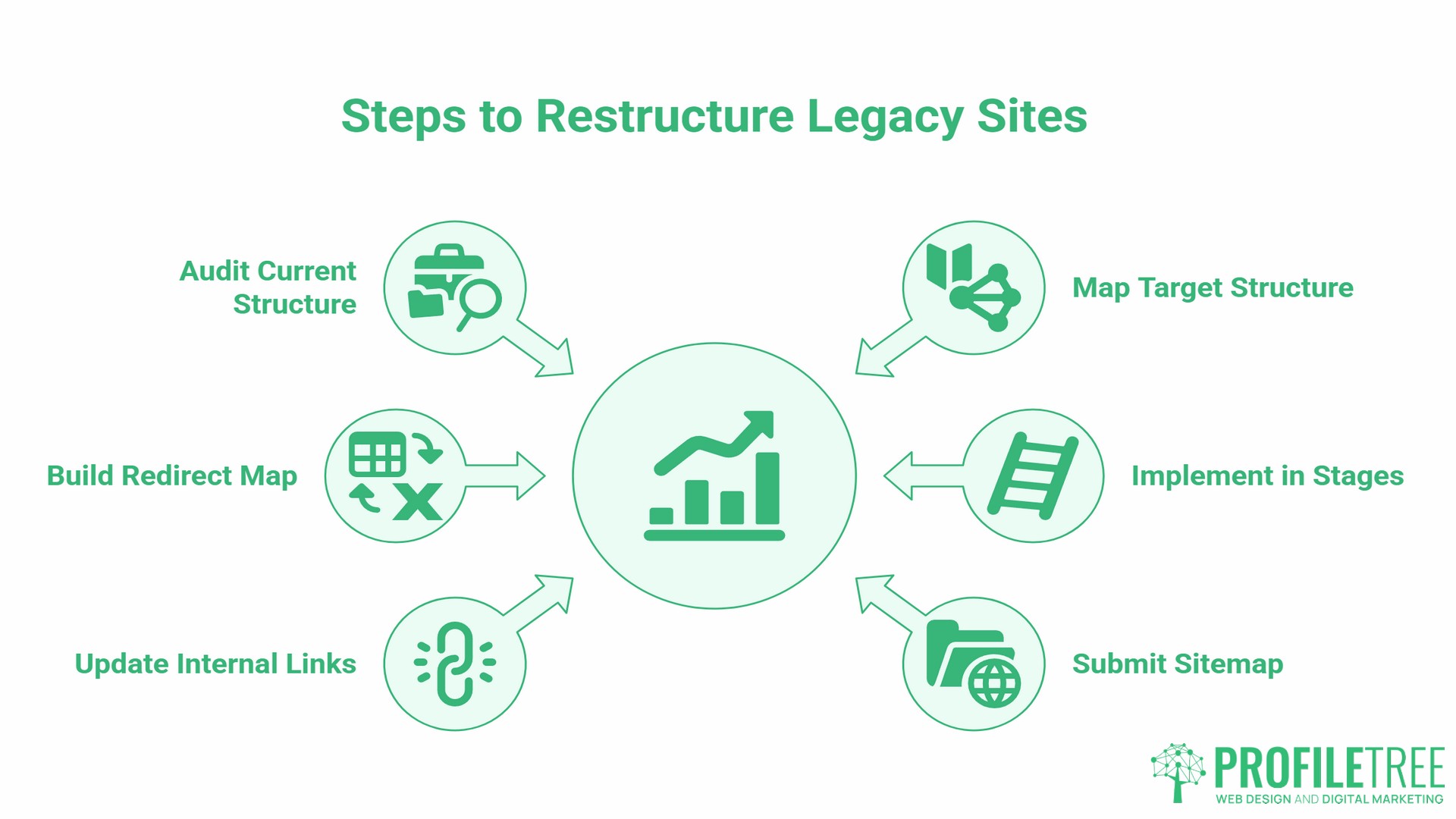
Most SMEs do not have the luxury of starting a website from scratch. The more common scenario is an existing site that has grown without a plan: categories added ad hoc, blog posts published without a topic hierarchy, service pages created and forgotten without internal links. Approaching site architecture optimisation on a legacy site requires a methodical process to avoid losing the organic performance that already exists.
- Step 1: Audit the current structure. Use a crawl tool like Screaming Frog to map every indexed URL, identify orphan pages, flag redirect chains, and locate duplicate content. This gives you a full picture of what exists before anything is moved.
- Step 2: Map your target structure. Define the hierarchy you want, including which pages will be kept, consolidated, or retired. Every existing URL that will change needs a 301 redirect to its new destination.
- Step 3: Build a redirect map. A redirect map is a spreadsheet listing every old URL alongside its new equivalent. This is the single most important document in any site architecture restructure. Missing redirects means losing the link equity and ranking history of the old URL permanently.
- Step 4: Implement in stages. Restructure the highest-traffic sections first. Monitor Search Console for crawl errors and ranking changes after each stage before proceeding.
- Step 5: Update internal links. Once new URLs are live, update all internal links across the site to point directly to the new destinations, rather than relying on redirect chains.
- Step 6: Submit an updated sitemap. After restructuring, submit the updated XML sitemap through Google Search Console and Bing Webmaster Tools to accelerate re-crawling of the new structure.
The fear that restructuring will destroy rankings is understandable but overstated when the process is followed correctly. What destroys rankings is restructuring without redirects or making URL changes without a plan. With a proper redirect map and a staged implementation, a site architecture overhaul can significantly improve organic performance within eight to twelve weeks, the typical timeframe for Google to recrawl and re-evaluate a restructured site.
ProfileTree handles site architecture restructuring as part of both new web builds and SEO audit engagements. For businesses where the existing site’s structure is actively limiting performance, this is often the highest-impact work available.
Regional Site Architecture for UK and Ireland Businesses
For businesses operating across both Northern Ireland and the Republic of Ireland, or expanding from the UK into European markets, site architecture optimisation has an additional layer of complexity: how to handle multiple regions without creating duplicate content or diluting domain authority.
The three main options are:
- Subdirectories:
/ie/,/uk/,/en-gb/: all sitting under the main domain. This is the approach most SEO specialists recommend for SMEs because it consolidates all link equity under one domain and is straightforward to manage in WordPress. Multiple SEO practitioners and Google’s own documentation confirm that subdirectories are generally the most practical choice for businesses without the resources to build separate domain authority for each region. - Subdomains:
ie.yoursite.com,uk.yoursite.com: Google treats these as separate sites for indexing purposes, as confirmed by John Mueller in multiple Google Search Central sessions and reflected in how Google Search Console requires each subdomain to be verified independently. This means link equity built on the main domain does not transfer automatically to subdomains, which creates additional SEO overhead for most SMEs. - Country-code top-level domains (ccTLDs):
yoursite.ie,yoursite.co.uk: these carry strong geographic signals, but require building domain authority separately for each. This suits businesses with distinct regional identities and the budget to support them, but creates substantial ongoing SEO overhead for most SMEs.
For a Northern Ireland business serving customers on both sides of the border, the subdirectory approach is typically the most practical. Hreflang tags then tell search engines which version of a page to serve to users in which region, preventing the wrong version from appearing in Irish or UK results.
Getting regional architecture right during a web build is significantly less disruptive than migrating to a different structure later. It is one of the site architecture optimisation decisions with the longest-lasting consequences.
How ProfileTree Approaches Site Architecture Optimisation
At ProfileTree, site architecture optimisation is built into the web design process from the first planning session, not added as a technical afterthought once the design is finished.
The typical sequence for a new SME web build:
- Keyword and intent mapping: understanding what queries the business wants to appear for, and grouping them into logical page clusters
- Hierarchy planning: deciding how many levels of structure are needed and which pages sit at each level
- URL structure definition: setting out the permalink format and naming conventions before any pages are built
- Sitemap wireframing: creating a visual map of every page and its connections before design begins
- Internal link planning: identifying which pages should link to which, and what anchor text to use
- Technical configuration: setting robots.txt, XML sitemap, and permalink structure in WordPress before content is migrated
For existing sites undergoing an SEO engagement, ProfileTree conducts a technical audit covering crawl coverage, redirect health, orphan pages, and URL structure before recommending any content changes. Architecture problems that are not resolved first will limit the impact of any content improvements layered on top of them.
Digital training programmes run by ProfileTree also cover site architecture optimisation basics for in-house marketing teams managing WordPress sites. Understanding how category structure, permalink settings, and internal linking affect search performance equips marketing staff to maintain a well-structured site between agency engagements.
FAQs
How long does it take for site architecture changes to affect rankings?
Typically, four to twelve weeks, depending on how frequently Googlebot crawls your site. Larger or higher-authority sites are crawled more frequently and may see changes reflected sooner. For an SME site, submitting an updated sitemap through Google Search Console after structural changes accelerates re-crawling.
Can I change my site structure without losing current SEO rankings?
Yes, if every changed URL is covered by a 301 redirect to its new destination. A 301 redirect passes the ranking history and link equity of the old URL to the new one. Rankings typically recover within a few crawl cycles. Changing URLs without redirects permanently loses that history.
What is a flat site architecture?
A flat architecture is one in which all pages are reachable within 2 or 3 clicks from the homepage. Most important content sits at the top two levels of the hierarchy rather than being buried under multiple subdirectory layers. For most SMEs, a flat structure is the correct default in any site architecture optimisation plan.
Is a sitemap the same as site architecture?
No. Site architecture optimisation is the structural design of how your pages connect and relate to each other. A sitemap (specifically an XML sitemap) is a file that lists your URLs for search engines to crawl. The sitemap is a document that describes part of your architecture; it is not the architecture itself.
Does site architecture matter for mobile users?
Directly. Google completed its transition to mobile-first indexing in July 2024, as confirmed in Google Search Central documentation. Since then, the mobile version of your site is the primary basis for crawling and ranking. A deep or complex navigation structure that works adequately on a desktop often becomes unusable on mobile, where multiple navigation levels create friction. Flat architecture and clear navigation hierarchies improve mobile usability and, by extension, mobile-first indexing performance.
How do I know if my site architecture has problems?
Common indicators include: top-level pages with high bounce rates, important pages not appearing in Google Search Console coverage reports, crawl errors found in site audits, and pages with no internal links pointing to them. A crawl using Screaming Frog will surface most structural issues within a few minutes on a typical SME site.
What are the main types of website architecture?
The four structures most commonly discussed in SEO are: flat (or shallow) hierarchy, deep hierarchy, silo structure (where content is grouped in strict thematic silos with limited cross-linking), and hub-and-spoke (where pillar pages link to and from a cluster of supporting content). Hub-and-spoke is generally the most practical for SME content strategies because it builds topical authority while keeping link equity flowing between related pages, making it the default recommendation in most site architecture optimisation engagements.