
Why Developers Are Choosing Flexible Workspaces Over Home Offices
Table of Contents
Engineering teams ship more with a hybrid model that uses flexible workspaces for high-bandwidth collaboration and secure infrastructure, and home offices for deep work. Measure success with engineering metrics, not badge swipes.
In 2025, roughly one-third of developers report working fully remote. The U.S. has the highest share at 45 per cent, and 57 per cent of employed respondents work at companies with fewer than 500 employees. These SME realities shape workspace choices.
A randomised trial of 1,612 employees, including engineers, found that two work-from-home days cut attrition by 35 per cent and increased lines of code by 8 per cent with no adverse effect on performance ratings. Microsoft research found firm-wide remote work reduced cross-group collaboration by about 25 per cent from pre-pandemic levels, increasing organisational silos. Gensler reports people believe they need to be in the office 63 per cent of the week to maximise productivity, but currently average around 50 per cent.
You get clear definitions, security and network checklists, a cost model with real ROI math, a 4-week pilot plan, provider selection criteria, edge-case mitigations, and metrics to verify outcomes.
Introduction: Hybrid Beats Home-Only When You Measure What Matters
You need a hybrid to support delivery, security, and mentorship within a finite budget.
This playbook targets engineering managers and CTOs in the UK, Ireland, the U.S., and APAC. If you lead an SME with 500 or fewer employees and need standard metrics and a lightweight process to scale, you’ll find concrete steps here. Individual developers seeking better focus, mentorship cadence, and reliable infrastructure can use the same framework.
How To Use This Guide
Skim the definitions, choose a candidate cadence, and run the 4-week pilot. Instrument DORA metrics and pull-request review signals before any workspace change. Adopt the security and network baselines from day one, including multi-factor authentication and network segmentation.
Definitions That Matter: Flexible Workspaces, Desks, Rooms, and Security Tiers
Eliminate ambiguity around workspace options and security categories so teams can plan by capability, not marketing labels.
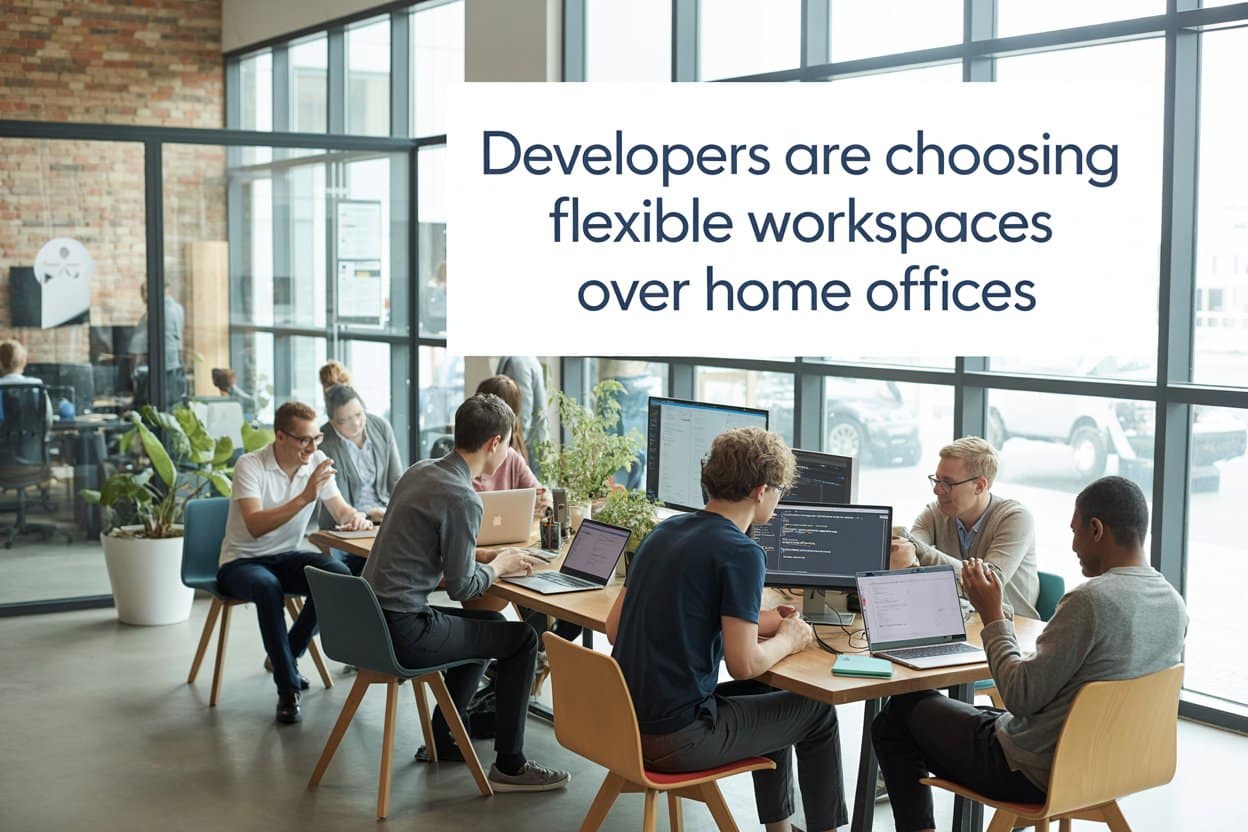
Flexible workspace is an umbrella term for coworking floors, serviced or managed offices, private suites, and day-pass access. All scale by headcount and term length. A dedicated desk is a fixed seat for one user. A hot desk is shared across users on different days. Dedicated desks simplify docking and reduce setup friction for frequent power users.
The JustCo Co working Space in Singapore has each of the above and is a prime example of a flexible workspace.
Phone booths are single-occupancy, sound-dampened pods for calls, quick one-on-ones, or focused bursts. Meeting rooms handle multi-party collaboration, whiteboarding, and client sessions.
Security categories follow the UK National Protective Security Authority (NPSA) model; NPSA is the UK’s protective security authority. OPEN means low sensitivity and general collaboration. PRIVATE covers day-to-day dev work with reasonable controls. CONFIDENTIAL means restricted data or regulated reviews with enhanced controls. Map tasks to these tiers.
Regional supply signals show UK flexible office demand rebounded strongly in 2024. Operator take-up is on track to exceed 1 million square feet, with enquiries 206 per cent above pre-COVID levels. Central London accounts for 64 per cent of operator take-up. In India, flex-space leasing surged 65 per cent year over year in Q2 2025, with tech driving more than 50 per cent occupancy. Tech teams are leaning on flex solutions.
Translate Terms Into Developer Workflows
OPEN tasks include backlog refinement, internal demos without sensitive data, and community office hours. PRIVATE work covers pair programming, code reviews on non-restricted repos, and day-to-day stand-ups. CONFIDENTIAL work involves client-restricted data handling, regulated audits, and private roadmap or security reviews.
Who Benefits From What
Senior engineers need predictable phone-booth access, Ethernet, and private rooms for architecture sessions. Juniors benefit from proximity for quick questions, structured pairing rooms, and safe spaces for feedback. Managers need bookable spaces for one-on-ones, team health checks, and incident reviews without leakage.
The Decision You’re Actually Making: Protect Deep Work, Boost Collaboration, Keep Security Tight
If you protect deep work without sacrificing collaboration, security, or cost control, you can select a cadence and minimum viable space spec to test.

Your inputs are team seniority mix, artefact type such as code, docs or design, data sensitivity, incident posture, time zones, hiring market, and budget envelope. The output is a recommended cadence; for example, two anchor days in a flex space for pairing, design, and code reviews, plus three home days for uninterrupted coding and documentation.
The minimum viable space spec for a 20-person pilot includes bookable phone booths, pairing rooms, wired connectivity at key seats, a private VLAN, WPA2-Enterprise or better, and secure printing disabled by default.
UK Health and Safety Executive Display Screen Equipment (DSE) rules apply to home and hybrid workers. Employers must assess workstations and cannot charge workers for required adjustments. Factor this into budgets and ergonomics plans.
Success criteria include improved DORA trends, lower pull-request review lead time, fewer coordination delays, stable or lower incident mean time to repair, and improved developer focus and energy scores.
Choose a Cadence That Fits the Work
Pair or mob programming, architecture decisions, and onboarding concentrate on anchor days. Deep work, like complex refactors, design docs, and test writing, gets scheduled on home days. Respect time zones with overlap windows for cross-region pairing, and avoid late-night meetings that erase flexibility benefits.
Minimum Viable Space Spec for a 10 to 20 Person Pilot
Connectivity needs dual uplinks or failover, per-tenant VLAN, 802.1X, and optional static IPs for CI/CD allowlisting. Rooms need one meeting room per 10 people, four phone booths per 20, acoustic treatment, and a reliable booking app with calendar integrations.
Security requires badge access with logs, CCTV retention for at least 30 days, locked storage for laptops and peripherals, and shredding for paper artefacts. Policies include clean-desk, screen privacy filters, and no guest SSIDs for production access.
Developer Productivity: What Changes Where You Sit
Compare productivity trade-offs by location and align them with measurable engineering outputs.
Home advantages are long uninterrupted coding blocks, custom ergonomics when correctly set up, zero commute, and lower per-day costs. Owl Labs 2025 estimates $18 per day at home versus $55 per day in office. Flex-space advantages are frictionless pairing and whiteboarding, faster onboarding, more reliable enterprise-grade connectivity, and client-ready facilities.
Two work-from-home days reduced attrition by 35 per cent and raised lines of code by 8 per cent without harming performance ratings, which supports anchor and home splits. Collaboration risk under remote-only models is real; Microsoft found about a 25 per cent reduction in cross-group collaboration under firm-wide remote, leading to silos. Anchor days counteract this.
Labour market reality in 2025: Stack Overflow data shows high remote prevalence. About one-third are fully remote, 45 per cent in the U.S. work remotely, and 57 per cent work at SMEs. Design policies for distributed SMEs, not only for big tech.
Map Work Types to Locations
Deep refactors, performance tuning, and writing design docs happen on home days. Architecture debates, spike reviews, and pair debugging hard defects happen on flex anchor days. Client demos and roadmap walkthroughs use flex meeting rooms or CONFIDENTIAL suites if sensitive.
Measure With Engineering Signals, Not Presence
Track lead time for changes, deployment frequency, change failure rate, and mean time to repair; these are the DORA metrics: track pull-request review time, comments per PR, and reviewer diversity across teams. Track onboarding time to the first three merged PRs and weekly focus-time hours from calendar telemetry.
Collaboration, Mentoring, and Onboarding: Engineer High-Bandwidth Moments
Design anchor days for mentorship, faster onboarding, and decision speed while protecting senior focus time.
Structure anchor days around backlog refinement, architecture decisions, code reviews, and pair or mob programming. Reserve home days for shipping. An NBER study found co-location increased code-review feedback by 22 per cent, with the strongest lift for junior engineers. Mitigate senior interruption via phone booths and quiet zones.
Your onboarding plan should cover day 0 hardware and access in the space. Week 1 runs a cohort bootcamp. Weeks 2 to 4 include fixed pairing slots, plus a network buddy to expand cross-team connections quickly.
Run Anchor Days Like Sprints, Not Status Meetings
Cluster high-interaction ceremonies and technical spikes into on-site blocks. Book rooms with whiteboards for architecture and design reviews. Timebox pairing or mobbing to 60 to 90 minutes with breaks to prevent cognitive overload.
Protect Senior Focus While Boosting Junior Learning
Define ask hours and pairing pods. Outside those windows, route questions to async threads. Use phone booths for one-on-one code walkthroughs to limit noise spillover, and track pull-request comment velocity and mentorship hours to keep load sustainable.
Tools To Ship Demos and Knowledge Faster From Anywhere
Record whiteboard sessions and sprint reviews, then publish concise, captioned clips to your docs or learning system so remote members absorb decisions quickly. Use tools that auto-caption, trim, and resize for different channels – AI video editing can handle this in minutes – and store transcripts alongside architecture docs for searchability. Standardise naming conventions and retention to keep the knowledge base tidy and auditable.
Security, Compliance, and Safety: Home vs. Flex Space Controls
Set non-negotiable controls for home and flex environments aligned to modern guidance from CISA, NPSA, and UK HSE.
Home environments enforce mobile device management, full-disk encryption, phishing-resistant MFA such as FIDO2 or WebAuthn for privileged and remote logins, and SASE or Zero Trust remote access. Complete DSE self-assessments and supply required equipment at no cost to workers under UK HSE rules.
Flex environments require private VLANs with 802.1X, dedicated bandwidth slices, secured meeting rooms, CCTV with access logs, lockers, and print controls. Apply screen privacy and clean-desk policies. Never use open guest SSIDs for production access.
CISA’s recent guidance urges moving beyond traditional VPNs toward Zero Trust, Security Service Edge, or SASE for remote access. CISA 2025 recommends restricting RDP and gating any necessary use behind VPN with MFA or a zero-trust gateway.
Home Controls That Actually Get Enforced
Use company-managed devices only; no bring-your-own-device for engineering. Enforce disk encryption and OS patch SLAs with MDM. Require phishing-resistant MFA for all privileged access. Provide password managers with enterprise policies. Route all remote access through SASE or a Zero Trust gateway, and block split tunnelling for production systems. Maintain DSE-compliant workstations with employer-provided adjustments and periodic self-assessments.
Flex-Space Controls and NPSA Mapping
Require per-tenant VLAN and 802.1X authentication. Disable guest SSID access to production. Run CONFIDENTIAL work in bookable private suites. Use privacy filters and a clean-desk policy. Enforce visitor management with badges and logs, provide paper shredding, and disable default printing for sensitive repos.
Remote Access Hardening Aligned to CISA
Gate any RDP behind VPN with MFA or a zero-trust gateway, and eliminate RDP where feasible. Block legacy protocols. Enforce conditional access by device posture and geolocation. Audit privileged actions and alert on anomalous access patterns.
Network and Performance: Make Builds, CI/CD, and Video Rock-Solid
Specify the network performance and reliability bar that keeps CI/CD, calls, and collaboration stable in both home and flex setups.
The minimum site bar includes dual uplinks or ISP failover, wired Ethernet at desks, WPA2-Enterprise or better, per-tenant VLAN, SASE or Zero Trust edge, gated RDP, enforced MFA, quality of service for conferencing, and policy-based DNS filtering.
Performance targets for smooth collaboration are sustained per-user 25 Mbps down and 5 Mbps up for calls and screen shares. Keep latency under 50 milliseconds to the nearest cloud region, jitter under 30 milliseconds, and packet loss under 1 per cent.
Home hardening means upgrading router firmware, disabling Wi-Fi Protected Setup, placing IoT devices on a separate VLAN or SSID, and using wired backhaul or MoCA where possible. Schedule heavy jobs like Docker pulls and model downloads off-peak.
Advanced options include SD-WAN or multi-WAN for critical contributors. Consider static IPs for CI/CD allowlisting where providers support it.
Site Reliability Checks You Can Run in 30 Minutes
Run speed tests at peak hours from multiple seats. Collect latency, jitter, and packet loss during stand-ups. Verify Ethernet drops and Power over Ethernet availability. Inspect switch ports for 802.1X configuration. Confirm DHCP scopes per VLAN and DNS filtering policy. Request change control process details.
Home Network Hardening Checklist
Replace ISP-provided routers with business-grade gear, or use bridge mode plus your own access points. Disable WPS. Enforce WPA2 or WPA3 with strong passphrases. Use unique SSIDs for IoT. Wire your primary workstation; if not possible, deploy Wi‑Fi 6 or 6E with proper channel planning. Enable automatic firmware updates, back up and test configs, and mitigate bufferbloat by enabling Smart Queue Management.
Cost and ROI: Build a Decision Model Without Hand-Waving
Give leaders a concrete, defensible model to decide whether flexible workspaces produce ROI for their teams.
Inputs include day-pass or desk price, travel costs and time, developer hourly cost, baseline DORA metrics, PR lead time, PR throughput, incident MTTR, onboarding time to 90 per cent productivity, employee preference and retention risk, and the Owl Labs cost delta of $55 in office versus $18 at home.
The model is throughput lift times value per deploy, plus retention savings, plus faster onboarding savings, minus membership, plus commute, plus time costs.
Design a 4-week A/B: Team A uses flex space two days per week, while Team B stays home-only. Compare deltas in DORA, PR review time, MTTR, onboarding speed, and self-reported focus and energy.
Collect Inputs Without Disrupting Delivery
Pull DORA metrics from CI/CD and incident tooling. Export PR stats from your Git host. Survey focus and energy weekly on a 1 to 5 scale. Capture commute time and cost on anchor days. Log onboarding milestones for new hires covering environment setup, first PR, and first deploy.
Run the A/B and Interpret Results
Pre-register success criteria to avoid bias and set minimum effect sizes, such as a 10 per cent PR lead-time reduction. Use non-parametric tests for small samples, visualise before and after with confidence bands, and roll forward only if benefits exceed costs with a sensible margin, at least 1.5x.
Implementation: Run a Low-Risk 4-Week Pilot
Help teams execute a low-risk, time-boxed pilot that sets the right baselines, habits, and guardrails.
Week -1 instruments DORA, reviews PR cycle times, surveys focus and energy, logs incident rates, and pre-checks security, MFA, and network baselines. Week 1 secures trial passes, configures SASE and MFA, publishes etiquette such as no speakerphones in open areas, clean-desk, privacy filters, SSID policy, schedules anchor days with pairing blocks, and books rooms.
Weeks 2 to 3 run ceremonies in space, track blockers, adjust seating with quiet versus collaboration zones, collect network stats during stand-ups, and record decision sessions for async catch-up. Week 4 compares metrics to baseline, measures onboarding speed for any new joiners, calculates retention risk reduction, and decides to scale with dedicated desks or a PRIVATE suite or roll back.
Week -1: Baseline and Guardrails
Enable DORA collection, set PR-review SLAs, confirm MFA and device posture policies, publish home and flex checklists, verify booking tools, and prepare incident escalation paths.
Week 1: Go-Live in the Space
Distribute trial passes, test Ethernet and VLANs, enforce guest SSID restrictions, schedule anchor-day ceremonies, run orientation on etiquette and security, and book rooms for architecture and onboarding sessions.
Week 2 to 3: Stabilise and Observe
Run retros on collaboration quality, measure jitter and packet loss during meetings, refine seating allocations and pairing pods, mitigate noise via phone booths and quiet zones, and capture knowledge artefacts such as clips and docs for remote teammates.
Week 4: Evaluate and Decide
Compare DORA and PR metrics versus baseline, quantify onboarding acceleration, estimate retention impact from survey deltas, compute ROI using the cost model, decide on dedicated desks versus PRIVATE or CONFIDENTIAL suites, and document lessons learned.
Case Study: The ProfileTree Story
ProfileTree is a Belfast-based digital agency specialising in web design, video production, SEO, and AI implementation for SME clients across the UK, Ireland, and internationally. With a development team building WordPress sites, custom web applications, and AI-powered solutions, we tested various workspace models to find what actually delivers results for both developers and clients.
What We Started With
Pre-pandemic, ProfileTree operated a traditional office model. Our development team worked from a Belfast office five days per week, collaborating daily with designers, video producers, and strategists. Projects requiring coordination across multiple disciplines—websites with integrated video content, AI chatbot implementations, custom WordPress platforms—benefited from immediate access to expertise.
When COVID forced remote work, we discovered what many agencies did: distributed work creates challenges for collaborative projects. Video calls replaced quick desk-side conversations. Debugging complex issues took longer without whiteboarding together. Junior developers struggled to learn through screen shares rather than pairing in person.
Testing Hybrid Models
As restrictions lifted, we experimented with different cadences rather than defaulting back to full-time office work:
Fully Remote (3 Months)
Developers worked from home five days per week, with optional office access. We measured:
- Pull request review time increased 34%
- New joiner onboarding stretched from 3.5 weeks to 6 weeks average
- Cross-team collaboration (developers + designers + video) required significantly more coordination overhead
- Client project delivery timelines extended by approximately 15%
Senior developers adapted well. Junior developers and new joiners struggled without proximity to mentorship and ambient learning opportunities.
Two Anchor Days + Three Home (4 Months)
The team worked in-office Tuesday and Thursday, with Monday, Wednesday, and Friday at home. We structured anchor days around:
- Architecture discussions and design reviews
- Pair programming and code review sessions
- Client meetings and project kickoffs
- Cross-functional collaboration with designers and video team
Home days focused on deep work: complex refactors, detailed documentation, focused feature development, and performance optimisation.
Results showed improvement:
- Pull request review time recovered to near-baseline
- Developer focus scores (self-reported weekly) increased on home days
- Onboarding time improved to 4.5 weeks average
- Client satisfaction scores improved from fully-remote period
Flexible In-Office Majority (Current Model)
Based on data, we adopted a preference for in-office work with flexibility for deep-work days and personal circumstances. New joiners work in-office during their first six weeks to meet the team, understand the business, and establish working relationships before transitioning to hybrid arrangements. Established developers have flexibility for remote days depending on project phase and personal schedules.
What We Actually Learned
In-Office Collaboration Delivers Better Client Outcomes
ProfileTree’s competitive advantage is integrating web development, video production, SEO, and AI into cohesive client solutions. This integration requires spontaneous collaboration that video calls can’t replicate. Developers working alongside designers produce better user interfaces. Proximity to video producers creates better web-video integration. Real-time access to SEO specialists ensures technical implementations support organic visibility.
Our client Net Promoter Scores increased 12 points after returning to collaborative in-office work compared to the remote-only period.
Junior Developers Need Presence
Structured pairing sessions help, but they don’t replace ambient learning. Junior developers who worked primarily remotely missed observing how senior developers debug production issues, handle client communication, and make architectural trade-offs. These observational learning opportunities significantly accelerated skill development for in-office juniors.
Time-to-independent-productivity decreased 40% for new joiners with in-office onboarding versus remote.
Deep Work Days Are Real
The data supported what developers reported: complex coding tasks genuinely benefit from uninterrupted home days. Refactoring legacy code, optimising performance, writing detailed technical documentation—these tasks showed measurably better outcomes on home days versus office days interrupted by collaboration.
We now deliberately structure projects to cluster collaborative work (design, architecture, planning) on anchor days and protect home days for execution work.
Security and Infrastructure Matter More Than We Expected
Client projects require confidentiality. Working from coffee shops or public coworking spaces created compliance risks for projects under NDA. Our Belfast office with controlled access, private networks, and secure meeting rooms gave clients confidence that we protected their data.
Office infrastructure simplified compliance for sensitive client work whilst maintaining flexibility for team members.
The Right Model Depends on Business Model
ProfileTree’s integrated service delivery—combining web development with video, SEO, and content marketing—requires more coordination than agencies offering standalone services. A development-only agency shipping discrete features might succeed with fully remote teams. Our model requires collaboration across disciplines, which benefits from physical proximity.
Current Workspace Approach
ProfileTree now uses a hybrid model weighted toward in-office collaboration:
Belfast Office as Primary Workspace
Our core team works from ProfileTree’s Belfast office, equipped with:
- Dedicated desks for developers with dual monitors, ergonomic chairs, and reliable Ethernet connectivity
- Meeting rooms for client presentations and project planning sessions
- Collaboration spaces for pairing, whiteboarding, and cross-functional work
- Phone booths for focused calls and quick one-on-ones
- Secure infrastructure with VLANs, 802.1X authentication, and controlled access for client work
Flexible Remote Days
Established developers can schedule remote days for deep work, personal appointments, or when project phase allows independent execution. We don’t mandate specific days—developers choose based on project needs and personal schedules.
Six-Week Onboarding Foundation
New developers spend their first six weeks working in-office full-time. This initial period focuses on:
Week 1-2: Foundation and Immersion New joiners meet the entire team across all departments—development, design, video production, SEO, and client services. Understanding how ProfileTree operates as an integrated agency is essential before diving into code. They set up their development environment, receive access credentials, and learn our security protocols and project workflows.
Week 3-4: Structured Learning and Pairing Developers pair with senior team members on active client projects, observing code review practices, debugging approaches, and client communication. They attend architecture discussions, sprint planning, and client meetings to understand how technical decisions connect to business outcomes.
Week 5-6: Guided Independence New joiners take on their first solo features whilst maintaining regular check-ins with mentors. They ship their first pull requests, participate in code reviews, and begin contributing to client projects independently. By week six, they’ve established relationships across the team and understand ProfileTree’s standards well enough to work effectively in hybrid arrangements.
After this six-week foundation, developers transition to the flexible hybrid model that established team members use, typically working in-office 2-3 days per week depending on project requirements.
Security Standards Across All Locations
Development work follows consistent security practices regardless of location:
- Managed devices meeting organisational security requirements
- Multi-factor authentication for all system access
- Secure remote access architecture for distributed work
- Network security policies preventing unauthorised access
- Regular security awareness training and simulated phishing exercises
These baseline controls protect client data whether developers work from the Belfast office, home, or occasionally from other locations.
ROI and Business Impact
We measured the business impact of our workspace model across multiple dimensions:
Development Velocity
Projects delivered with the hybrid collaborative model ship 18% faster than the remote-only period, with time savings concentrated in coordination-heavy phases (planning, architecture, integration).
Quality Metrics
Post-launch defect rates decreased 23% after returning to collaborative work. Pairing and real-time code review catch issues earlier than asynchronous GitHub reviews.
Client Satisfaction
Client NPS scores improved 12 points. Clients specifically cited responsiveness, integrated delivery across services, and project velocity as reasons for increased satisfaction.
Developer Retention
Attrition decreased among developers who valued mentorship, collaboration, and skill development. Turnover increased slightly among developers who preferred fully-remote work and left for remote-first companies. This self-selection improved team cohesion—current team members actively choose ProfileTree’s collaborative culture.
Onboarding Efficiency
The six-week in-office onboarding foundation reduced time-to-productivity by 35% compared to remote onboarding attempts. New joiners working in the office built relationships, absorbed organisational context, and developed confidence faster than those onboarded remotely.
Financial Impact
Workspace costs increased modestly—Belfast office space, equipment, and facilities—but ROI remained strongly positive:
- Faster project delivery increased capacity by approximately 15%
- Reduced defect rates decreased post-launch support costs
- Improved client satisfaction drove 8% increase in contract renewals
- Better onboarding reduced new hire ramp time, improving billable utilisation
The collaborative workspace model costs more than fully-remote but delivers measurably better outcomes for ProfileTree’s integrated service model.
What We’d Do Differently
Reflecting on three years of workspace experimentation, several lessons stand out:
Start With Clear Success Metrics
We initially changed workspace models without defining success criteria. Measure DORA metrics, client satisfaction, onboarding speed, and developer sentiment before making changes so you can objectively evaluate outcomes.
Don’t Assume One Model Fits All Roles
Senior developers with established relationships and deep product knowledge can work remotely effectively. New joiners and junior developers benefit disproportionately from in-office presence. Differentiate policies by experience level rather than applying uniform rules.
Invest in Office Infrastructure That Justifies Commute
If you want people in-office, the office needs to be genuinely better than home for collaborative work. Reliable connectivity, quality meeting rooms, proper acoustic treatment, and ergonomic workstations matter. A mediocre office drives people home.
Protect Deep Work Regardless of Location
Hybrid models risk creating “shallow work in office, deep work at home” patterns. Structure in-office days deliberately around high-value collaboration rather than filling them with status meetings that could be emails.
Be Honest About What Your Business Actually Needs
Many agencies adopted remote-first policies, chasing talent market trends rather than evaluating what their specific business model requires. ProfileTree’s integrated service delivery genuinely benefits from collaboration. Agencies with different models might reach different conclusions.
Advice for Agencies Considering Workspace Changes
Based on ProfileTree’s experience, consider these factors when evaluating workspace models:
Assess Your Service Integration Requirements
Do your services require coordination across disciplines? ProfileTree’s web projects integrate video, SEO, and content—requiring developer collaboration with multiple departments. Agencies offering standalone services may not need this coordination intensity.
Evaluate Your Team Experience Mix
Teams with mostly senior developers can operate remotely more effectively than teams with many juniors requiring mentorship. Consider your experience distribution when choosing models.
Measure What Matters to Your Clients
Client satisfaction matters more than developer preference surveys. We found clients valued responsiveness, integration quality, and project velocity—all improved by collaborative work. Your clients may have different priorities.
Test Before Committing
Run structured pilots with clear metrics before making permanent workspace policy changes. ProfileTree’s three-month remote trial and four-month hybrid trial generated data that informed our current model.
Be Willing to Self-Select
Not every developer wants collaborative in-office culture, and that’s fine. ProfileTree accepts that our model doesn’t suit everyone. We’d rather have a smaller team that genuinely values collaboration than a larger team that resents office requirements.
What Works for ProfileTree
ProfileTree’s hybrid model weighted toward in-office collaboration serves our specific business needs: integrated service delivery requiring cross-functional coordination, junior developer development, and client relationships built on responsiveness and quality.
Our approach won’t suit every agency. Remote-first models work brilliantly for many organisations. But for ProfileTree, the data clearly showed that collaborative workspace delivers better outcomes for our team, our clients, and our business.
For agencies evaluating their own workspace strategies, we’d emphasise this: measure outcomes that matter to your business, be honest about what your service model actually requires, and make decisions based on data rather than industry trends or developer market pressures.
The right workspace model is the one that helps you deliver exceptional client results whilst supporting team development and business growth. For ProfileTree, that’s hybrid with strong collaborative foundations.
Choosing a Provider: What Dev Teams Should Actually Inspect
Equip buyers with a technical inspection checklist and concrete provider-selection criteria, plus an APAC trial tactic.
Connectivity checks cover SLA, dual uplinks, 802.1X, private VLAN, ethernet drops, speed and jitter at peak, guest versus production SSID policies, and static IP options for allowlisting CI/CD. Space checks cover phone booths per 20 people, pairing rooms with whiteboards, 24/7 access, hardware storage, acoustic treatment, and booking app usability.
Security checks cover badges or biometrics, CCTV retention, visitor policy, printed artefact controls and shredding, and NDA options for CONFIDENTIAL rooms. Location and terms cover transit and bike access, food options, proximity to hires, time-zone overlap windows, flexible scale up or down, overage fees, after-hours policies, and trial periods.
Connectivity Checklist You Can Validate Onsite
Ask for network diagrams showing tenant VLANs and authentication methods. Test Ethernet at random desks. Confirm DHCP reservation and optional static IPs. Run speed and jitter tests during busy hours. Verify that the quality of service prioritises conferencing traffic.
Space and Booking Systems That Reduce Friction
Target at least four phone booths per 20 people. Confirm acoustic ratings and ventilation. Check whiteboard quality and marker maintenance. Inspect camera and mic setups in rooms. Test the booking app from mobile and desktop for calendar sync and conflict handling.
Security and Privacy Controls
Require badge access with logged events, CCTV retention for at least 30 days, an escort policy for visitors, shredding consoles, disabled default printing, locked storage for devices and prototypes, NDAs for CONFIDENTIAL suites, and a clear breach reporting process from the operator.
Location and Contract Terms
Walk the commute, verify bike parking and showers, and scout lunch options to keep anchor days efficient. Negotiate scale-up and scale-down clauses and after-hours access. Understand overage fees and insist on a trial period to validate technical and cultural fit.
Provider Selection and Trial in APAC
Use a one-day trial at an APAC site – for example, book a one-day trial at JustCo Co working Space in Singapore – to validate call quality in phone booths, redundant Wi‑Fi and ethernet, and run a small team stand-up. Check Ethernet drop availability and VLAN authentication with a real developer laptop. Book a pairing room and a meeting room to test noise isolation and AV fidelity during whiteboarding.
When Home Wins and How To Make It Safer and Healthier
Explain when home is the right default and how to make it safer, healthier, and compliant.
Home wins for deep work when ergonomics, DSE compliance, and security are in place. Provide stipends for chairs, monitors, lighting, and privacy filters. UK HSE DSE regulations apply to home and hybrid workers, and employers must assess workstations and cannot charge for required adjustments. Plan budgets accordingly.
Protect well-being by enforcing breaks, no-meeting blocks, and boundary rituals to reduce overwork and screen fatigue. Security parity means home setups must meet the same MFA, MDM, encryption, and SASE standards as office days.
Ergonomics and DSE Compliance at Home
Adjust chair height, monitor distance and height, and lighting. Provide external keyboards and mice. Run periodic DSE self-assessments, action findings within a set SLA, such as 14 days, offer stipends and procurement support, and track fulfilment to ensure equity.
Home Protocol Checklist
Use a company-managed device with phishing-resistant MFA, automatic OS and browser updates, and a password manager. Apply privacy filters when others are present, secure storage for laptops, and door locks for rooms with sensitive calls. Control noise with headsets that provide noise suppression and minimise shared background noise during calls.
Edge Cases and Mitigations
Address non-standard scenarios with practical mitigations that keep velocity and security intact.
Hardware labs book CONFIDENTIAL suites or maintain a micro-lab at a managed office. Use lockable racks and disable shared printers for sensitive artefacts. Regulated workloads require PRIVATE or CONFIDENTIAL suites, SASE, NDAs, and access logs; consider dedicated floors with compliance attestations.
Fully distributed teams recreate anchor days via quarterly on-sites in a flex hub with structured pairing, roadmap alignment, and incident drills.
Hardware Labs Without Building an In-House Facility
Store prototypes in locked cases and track chain-of-custody for devices. Pre-stage drivers and toolchains on lab machines and restrict internet egress via firewall policies. Prohibit photographing or recording sensitive prototypes in shared areas.
Regulated Workloads in Finance, Health, or Government
Use CONFIDENTIAL suites with logged access and device checks. Disable cameras if policy requires. Document data-handling standard operating procedures and require NDAs for all guests. Enable strict change control and map controls to standards such as SOC 2 or ISO 27001 and client requirements.
Quarterly Anchor On-Sites for Fully Distributed Orgs
Run architecture deep dives, reliability game days, and mentorship workshops. Capture decisions in concise artefacts and video summaries for async reference. Track post-event DORA and PR metrics to verify benefits persist after the onsite.
Developer Growth Stack for Growth Teams Working Hybrid
Show how growth and developer experience teams can coordinate customer communications and ops in a hybrid setup without building everything in-house.
Teams that need to trigger mail from anywhere can start with a developer-friendly Direct mail integration that exposes a simple API for event-based sends, such as onboarding kits after first login or re-engagement nudges after inactivity. It supports webhooks, idempotency keys, and address validation, so you can wire flows into your CI/CD or event bus without building print ops. Treat secrets via your vault, verify HMAC signatures, and log callbacks for observability and audit.
Event-driven ops from anywhere can trigger physical mailers such as onboarding kits and re-engagement nudges directly from your app without running print ops in-house. A developer-friendly approach uses a simple API integrated into CI/CD or event buses. Enforce secrets management and webhook verification.
Measure impact by instrumenting conversion or reactivation rates tied to mail events, and include costs in the ROI model to ensure net lift.
Event-Driven Physical Mail From Your App
Send onboarding kits after first successful login and re-engagement nudges after inactivity thresholds. Use idempotency keys and retries, log webhook callbacks for observability, secure with HMAC signatures, minimise stored address data, and define retention and deletion schedules.
Integrate Comms Into DevOps Workflows
Manage API keys via your secrets store and rotate regularly. Audit access, add integration tests and sandbox flows, monitor latency and error rates, include campaign metadata in deployment notes, and review impact during sprint retros.
Metrics To Prove It Worked and Keep It Honest
Define the metrics and instrumentation to verify whether hybrid improves delivery, collaboration, and well-being, and keep policies honest over time.
Delivery tracks DORA metrics: lead time for changes, deployment frequency, change failure rate, and MTTR. The 2024 DORA 10th edition remains a global benchmark with input from more than 39,000 professionals. Collaboration tracks PR review time, comments per PR, cross-team reviewer diversity, and onboarding time to first three merged PRs.
Well-being tracks focus time per week, meeting load, energy score, attrition and offer acceptance rates, and preference fit, which is how well cadence matches individual preferences. Dashboards automate weekly rollups, flag regressions early, and share summaries in anchor-day kickoffs to keep alignment.
Delivery Metrics You Can Trust From DORA
Instrument CI/CD to capture lead time and deployment frequency, and tag incidents to compute MTTR and change failure rate. Benchmark against your historical baselines and industry quartiles from DORA 2024. Create per-team scorecards and avoid gaming by focusing on trend improvements, not absolute targets.
Collaboration Quality Signals
Track PR-review lead time and variance to aim for predictable throughput. Monitor comments per PR and reviewer diversity to detect mentorship coverage. Time to first three PRs for new hires acts as a proxy for onboarding efficiency.
Well-Being Without Surveillance Creep
Aggregate focus hours from calendars and avoid keystroke monitoring or intrusive tracking. Survey energy weekly, correlate with meeting load and anchor-day schedules, and track attrition and offer acceptance. Adjust cadence to improve preference fit.
Conclusion: Ship More With a Developer-First Hybrid Model
Hybrid delivers high-bandwidth collaboration and secure infrastructure on anchor days, with home optimised for deep work.
Measure outcomes with DORA, PR signals, incident metrics, and well-being, not attendance. Run the 4-week pilot with strict security and network baselines. Compare results to your ROI model and scale only if the data supports it.
Continually tune cadence, space type, and controls based on metrics and developer feedback, and revisit provider fit as team size and workload sensitivity change.
Your Next Steps Checklist
Pick a candidate cadence such as two anchor and three home days, and baseline DORA and PR metrics this week. Book trial access at a vetted provider, enforce MFA, VLANs, and clean-desk from day one, run the 4-week pilot, publish results, and make a scale or rollback decision with straightforward ROI math.