
Wireframing: The SME Guide to Clear Website Layouts
Table of Contents
Most business owners come to a first web design meeting with a list of colours they like and a rough idea of which pages they want. The conversation about wireframing rarely happens until an agency presents a layout document that looks like a series of grey boxes, at which point many clients either approve it without fully understanding it or push to skip it entirely to save time.
Both responses tend to be expensive mistakes.
Wireframing is the stage where structural decisions are made that determine how your website will perform: how users move through it, where your calls-to-action sit, how content flows on a small screen, and whether a developer can build what the designer intended without months of clarifying back-and-forth. Done properly, it is the most cost-effective decision in a web design project. Skipped or rushed, it typically produces the costliest reworks.
This guide explains wireframing from the perspective of a business owner or marketing manager commissioning a website, not a designer learning to draw boxes. It covers what wireframes are, how to read them, what to look for when an agency presents them, and why the decisions made at this stage shape every outcome that follows.
What is Wireframing?
A wireframe is a structural diagram of a web page. It shows where elements will sit, how content will be organised, and how a user will move through the page, without any visual design applied. No colours, no fonts, no imagery. Just structure.
Think of it as the architectural floor plan for a building. An architect does not ask what colour the walls will be before deciding where the load-bearing walls go. Web design works the same way. Layout logic must be established before visual design begins, because layout decisions affect everything from navigation usability to SEO performance to mobile responsiveness.
A wireframe typically shows navigation menus and their position, the placement and hierarchy of content blocks, where calls-to-action sit and what they say, the location of headers, footers, forms and media areas, and how the layout adapts across different screen sizes.
What it does not show is how any of those elements will look. That comes later, in the mockup and visual design stages.
“One of the most common causes of project overruns we see is clients and agencies skipping or shortening the wireframe stage to save time early on,” says Ciaran Connolly, founder of ProfileTree. “The cost of fixing a structural layout problem in development is multiple times higher than fixing it in a wireframe. The wireframe stage is where a business owner’s input has the most commercial leverage.”
Why Wireframing is the Most Consequential Step in Any Web Project
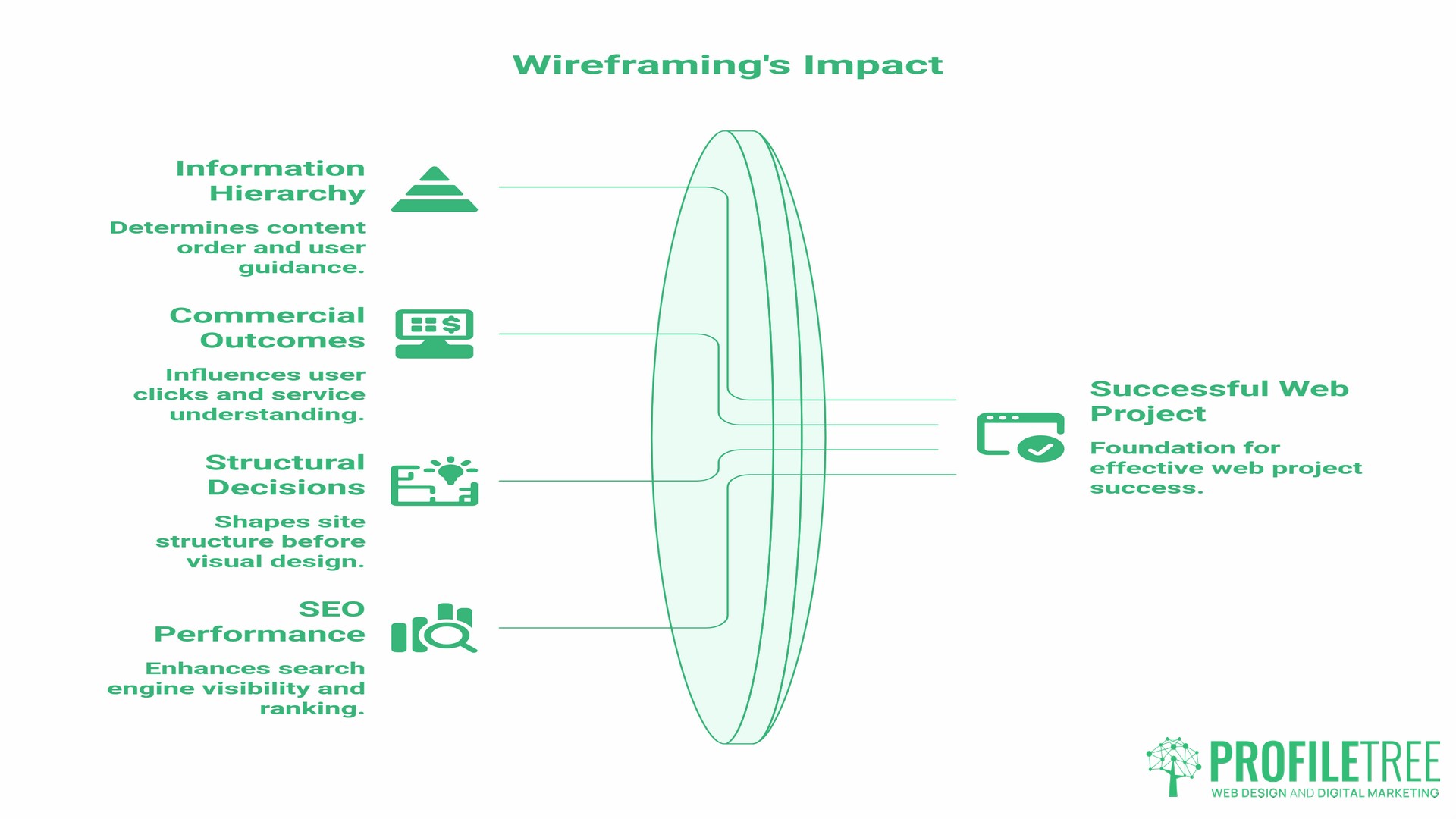
The decisions made in a wireframe are foundational. They determine the information hierarchy of every page: which content appears first, which actions a user is guided towards, and how content flows when viewed on a mobile device with a 375-pixel screen rather than a desktop monitor.
These decisions directly affect commercial outcomes. Where a call-to-action button sits on a page affects how many people click it. Whether your most important service appears above or below the fold affects whether a visitor understands what you do before they leave. How your navigation is structured affects whether users find what they came for or abandon the site.
None of these are design decisions. They are structural decisions, made at the wireframe stage. Visual design can make a well-structured page look appealing, but it cannot fix a poorly structured one.
For SMEs in Northern Ireland, Ireland and the UK working with a web agency, the wireframe presentation is the single most important meeting in the project. It is the last practical opportunity to reshape the site’s structure before investment in visual design and development begins. Changes at the wireframe stage take hours. The same changes in development take days and cost significantly more.
There is also an SEO dimension. Search engines read content hierarchy. The order in which content appears on a page, the heading structure, and the positioning of key text relative to navigation elements: these are all wireframe-stage decisions that affect organic search performance. A site built on a solid wireframe is easier to optimise after launch because the structural logic is sound from the start. Sloppy structure produces SEO problems that are difficult and expensive to unpick later.
Low-Fidelity, Mid-Fidelity and High-Fidelity Wireframes
Not all wireframes are the same. There are three levels of detail, and each serves a different purpose in the design process.
Low-Fidelity Wireframes
These are the roughest versions: quick sketches, often on paper or using basic digital tools, that show the general layout of a page without any detail. A rectangle for an image, a line for a heading, a box for a paragraph. They are produced quickly and are intended to test whether a layout concept makes sense before investing further time.
Low-fidelity wireframes are most useful at the very start of a project, when the agency is exploring structural options, and you need to give broad directional input fast. Do not get attached to the specifics at this stage. The point is the concept, not the execution.
Mid-Fidelity Wireframes
These are the most common format presented to clients. They are produced digitally, show clearly labelled content areas, and include placeholder text and grey boxes to indicate where images and media will sit. Navigation structures are defined, content hierarchy is established, and interactive elements like buttons and forms are shown in context.
This is the wireframe stage where your input as a business owner matters most. The structural logic of the site is being set. You should be reviewing whether the content priority reflects your commercial priorities, whether the navigation covers the services or products users need to find, and whether the calls-to-action are positioned where users are most likely to see and act on them.
High-Fidelity Wireframes
These are detailed, annotated documents that closely define the layout and behaviour of each element on a page. They are produced towards the end of the design process and are primarily used for developer handoff. Annotations explain how interactive elements behave, how the layout responds to different screen sizes, and what content sits in each zone.
At this stage, major structural changes become expensive. If you have been involved and provided feedback at the mid-fidelity stage, the high-fidelity wireframe should largely confirm the decisions already made.
Wireframes vs Mockups vs Prototypes
These three terms are often used interchangeably, but they describe different things and serve different purposes. Understanding the distinction helps you give the right kind of feedback at the right stage.
| Wireframe | Mockup | Prototype | |
|---|---|---|---|
| What it shows | Layout structure and content hierarchy | Visual design applied to the layout | Interactive simulation of the finished product |
| Includes colour and imagery | No | Yes | Yes |
| Is it interactive | No | No | Yes |
| Primary purpose | Define structure before design begins | Get approval on visual direction | Test user flows before build |
| Cost to change | Low | Medium | High |
| When you see it | Early in the project | After wireframes are approved | Before or during development |
The practical implication for SME clients: push structural feedback into the wireframe stage. Aesthetic feedback (colours, fonts, imagery) belongs at the mockup stage. Behavioural feedback (does this flow feel intuitive?) belongs at the prototype stage. Mixing these up, particularly requesting structural changes at the mockup or prototype stage, is the most common source of budget overruns in web projects.
The Core Elements of a Clear Layout
A wireframe defines the page’s architecture. Understanding what each element does helps you review one with confidence.
Navigation Structure
The navigation menu is the primary wayfinding system for your site. A wireframe should show you where the main navigation sits, what labels are used, and how it behaves on mobile screens. If you have a service that accounts for most of your revenue, it should be directly accessible from the main navigation, not buried two levels deep.
Content Hierarchy
Every page has a visual hierarchy: the order in which the eye encounters elements, from top to bottom and left to right. Wireframes establish this hierarchy. Content placed higher and given more visual prominence will receive more attention from users. This is where business priorities must align with layout decisions. Your most important offering should sit at the top of its relevant page, not halfway down after three paragraphs of background text.
Calls-to-Action
Where your contact form, phone number, enquiry button or booking link sits determines how many people use it. Wireframes show CTA placement, and this is one area you should pay close attention to. A CTA buried below the fold or positioned after a long block of text will receive far fewer interactions than one placed within the first visible screen of content.
Content Blocks and Reading Patterns
Web users do not read pages from top to bottom. Eye-tracking research shows that most users follow an F-pattern or Z-pattern when scanning a page, moving quickly across the top, down the left side, and across again before dropping further. A good wireframe places the most important content along these natural scanning paths, not in the corners or at the bottom, where attention is lowest.
Grid Systems
Professional wireframes use grid systems to align elements and create visual order. A common approach is the 8-point grid, where all spacing, sizing and alignment decisions are made in multiples of 8 pixels. This creates consistency across the layout and makes developer implementation more predictable. You do not need to understand the technical details, but a wireframe that looks ordered and aligned reflects a cleaner build than one where elements appear arbitrarily placed.
Headers, Footers and Persistent Elements
Headers and footers appear on every page of your site. Their wireframe-stage design matters because changes to it later require updating across the entire site. Your header should include your logo, primary navigation and a contact mechanism. Your footer should carry contact information, secondary navigation, legal links and any trust signals such as certifications or accreditations.
How to Plan a Wireframe for Commercial Results
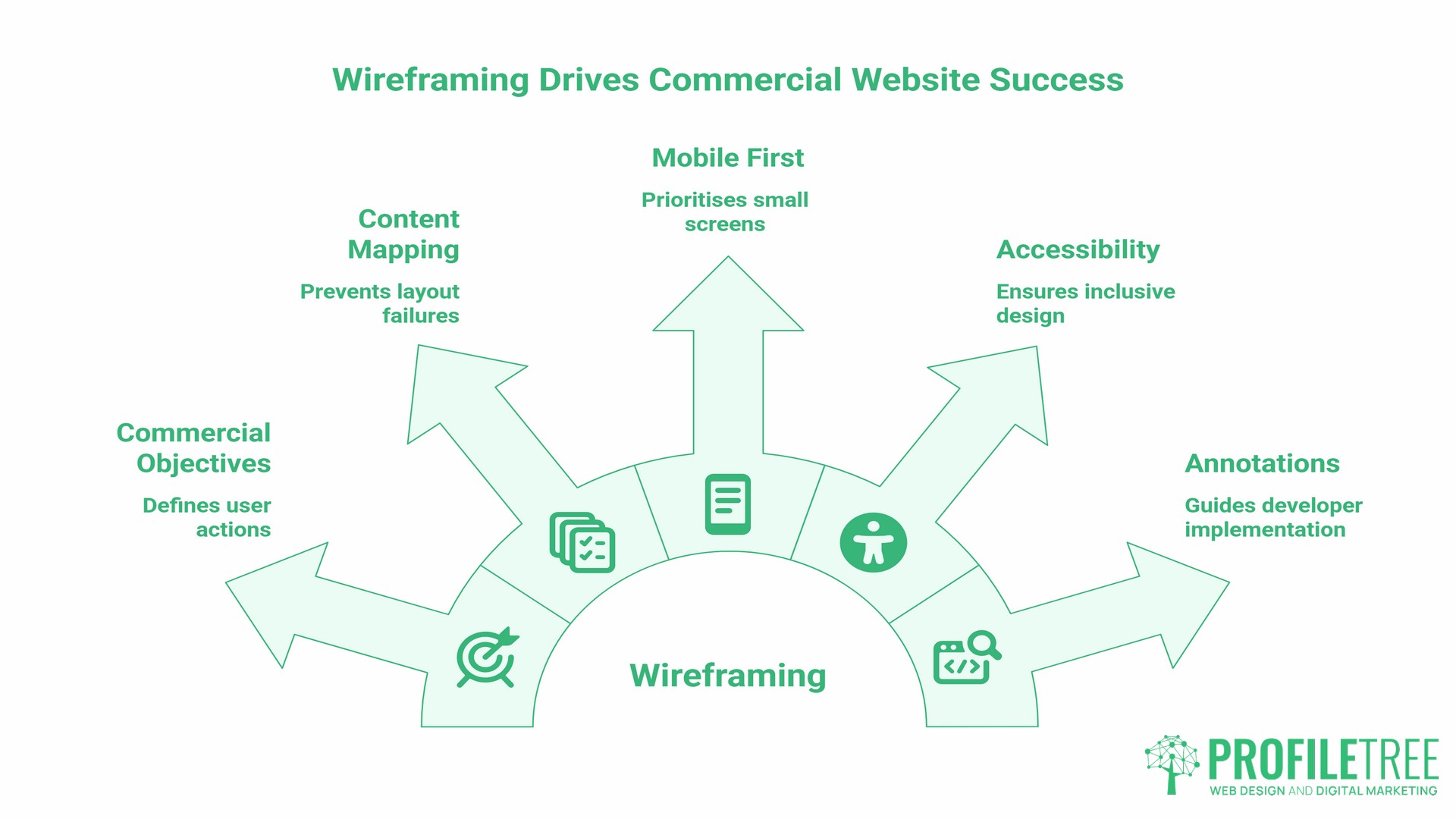
If you are commissioning a website rather than building one yourself, your role in the wireframing process is not to draw boxes. It is to give the right input at the right time so the agency can make informed structural decisions. Here is how that process works in practice.
Step 1: Define Your Commercial Objectives Before the Wireframe Begins
A wireframe built around the wrong objectives will produce a well-structured site that fails commercially. Before your agency produces wireframes, you should be able to answer: What do you want users to do when they arrive on each page? What is the single most important action on your homepage? Which services generate the most margin and need the most prominent placement?
These answers drive structural decisions. An agency without this input will make assumptions, and those assumptions may not align with how your business actually works.
Step 2: Map Your Content Before Your Layout
One of the most common layout failures is building a structure around placeholder text, only to insert real content that does not fit. A heading written for a two-line label becomes four lines of text. A content block designed for 80 words receives 250. The layout collapses.
The solution is content-first wireframing. Before a wireframe is finalised, you should know what each content block will actually contain. Not the final copy, but realistic approximations: the actual length of your key service descriptions, the real number of items in your navigation, the genuine word count of your homepage introduction. This prevents layout failures that only surface during the build phase.
If you are working with a content marketing partner as part of your web project, this step is much easier to manage because content strategy and layout planning are developed together rather than in sequence.
Step 3: Plan for Mobile First
More than half of UK web traffic comes from mobile devices. A wireframe that starts with the desktop layout and then considers mobile as an afterthought typically produces a mobile experience that is functional but cramped. A mobile-first wireframe starts with the smallest screen and works outward, ensuring that the most important content is prioritised for the users with the least screen space.
For SMEs targeting local customers in Northern Ireland, Ireland or the UK, mobile optimisation is not optional. A significant proportion of local search traffic is mobile, and a layout that performs poorly on a phone will lose potential customers before they have read a single line of copy.
Step 4: Plan for Accessibility from the Start
UK websites serving public sector organisations or large commercial clients must comply with WCAG 2.2 accessibility standards. Even for SMEs not directly governed by the Public Sector Bodies Accessibility Regulations, accessible design is good practice that benefits all users and reduces legal risk.
Wireframes are where accessibility decisions begin. Logical heading order, keyboard-navigable layouts, sufficient spacing for touch targets on mobile, and the positioning of cookie consent mechanisms (a specific requirement under UK GDPR and the Privacy and Electronic Communications Regulations) are all structural decisions made at this stage. Retrofitting accessibility compliance onto a built site is expensive. Designing for it from the wireframe stage is not.
For more on how web accessibility overlaps with legal compliance requirements in the UK, the article on accessibility compliance in website design covers the relevant frameworks in practical detail.
Step 5: Annotate for the Developer
A wireframe that ends at the design approval stage is an incomplete document. A wireframe that arrives with a developer needs annotations: notes that explain how interactive elements behave, what happens when a user clicks a dropdown, how the layout responds at different breakpoints, and what content is dynamic versus static. Without these annotations, developers make their own interpretations, which may not align with the designer’s intent. This is one of the most common causes of design-to-development drift in web projects.
Wireframing Tools for SME Teams
The tool used to create a wireframe matters less than the quality of thinking behind it. That said, different tools suit different project types and team structures.
| Tool | Best for | Fidelity level | Collaboration |
|---|---|---|---|
| Balsamiq | Quick low-fidelity sketching | Low | Limited |
| Figma | Full design workflow, real-time collaboration | Low to high | Strong |
| Sketch | Mac-based design teams, polished wireframes | Mid to high | Plugin-dependent |
| Adobe XD | Teams already using Adobe Creative Cloud | Mid to high | Good |
| Axure RP | Complex interactive prototypes, developer handoff | High | Advanced |
| Miro | Early-stage collaborative brainstorming | Low | Strong |
For most SME web projects, Figma has become the default tool because it allows clients, designers and developers to view and comment on wireframes in a shared browser-based environment, without needing to install software or manage file versions. If your agency presents wireframes in Figma, you can review and annotate them directly in the browser.
The choice of tool should be transparent. If you are commissioning a website, ask your agency which tool they use for wireframing and how you will access and comment on documents during the review process. A professional agency will have a clear answer.
How Wireframes Prevent Costly Development Rework
The financial case for thorough wireframing is straightforward. Fixing a structural problem at the wireframe stage requires moving boxes in a design file. Fixing the same problem in a built website requires rewriting code, retesting across browsers and devices, and potentially rebuilding template files. The cost and time involved are not comparable.
This principle is well established in software engineering. Research from IBM, published in the Systems Sciences Institute report, found that the cost of fixing a defect increases substantially the later it is discovered in the development process. A layout decision changed during wireframing might take an hour. The same change made after development is complete typically takes a day or more and may require revisiting surrounding elements that have dependencies on the changed component.
For SMEs working with fixed-price or day-rate web agencies, this has a direct financial consequence. Structural changes requested after the development phase is underway almost always trigger change requests, additional invoices, and project delays. A thorough wireframe review process, where the client has genuinely engaged with the structural decisions and given clear feedback before design and build begin, reduces the probability of this outcome significantly.
The same principle applies to content. A homepage redesigned after launch because the original wireframe did not account for the full range of services, or because the navigation structure did not reflect how customers actually look for products, is a preventable cost. These are structural decisions that belong at the wireframe stage.
If you are reviewing an agency’s web design process and they present a timeline in which wireframing receives very little time, or appears optional, treat this as a signal worth exploring. The agencies that do this stage well tend to deliver projects closer to the brief, on time and within budget. The article on essential skills for web designers gives useful context on what to expect from a professional design process.
The SME Wireframe Review Checklist
When an agency presents wireframes for your approval, this checklist helps you provide structured, useful feedback rather than subjective reactions.
- Layout and Hierarchy
- Does the most important content appear in the first visible section of each page, without requiring a user to scroll?
- Are your primary services or products clearly represented in the navigation?
- Is there a logical flow from the top of each page to the call-to-action?
- Calls-to-action
- Is there a clear, visible call to action on every key page?
- Are contact mechanisms (phone number, enquiry form, booking link) accessible without scrolling on a desktop and on a mobile?
- Are the CTA labels specific (“Get a free quote” rather than “Contact us”)?
- Mobile layout
- Has the agency shown you the mobile wireframe as well as the desktop?
- Does the content priority remain correct on mobile? Is the most important content still at the top of the page when the layout stacks vertically?
- Are navigation menus workable on a small screen?
- Content fit
- Have realistic content lengths been used in the wireframe, rather than placeholder text that may not represent the actual volume of copy?
- Do content blocks have enough space for the copy they will actually contain?
- Accessibility scaffolding
- Does the layout use a logical heading hierarchy (one H1 per page, H2s for major sections)?
- Are form fields clearly labelled?
- Are touch targets on mobile sufficiently large for users with limited dexterity?
- Technical clarity
- Are interactive elements annotated to explain their behaviour?
- Has the agency defined how the layout responds at different screen sizes?
- Is it clear which content will be static and which will be dynamically populated from a database or CMS?
If any of these questions cannot be answered from the wireframe document you have been shown, raise them before approving the design to proceed.
Wireframing and the Web Design Process
Wireframing sits in a specific position within the broader web design and development workflow. Understanding where it fits helps you know when to engage and what to expect at each stage.
A typical professional web project runs roughly as follows: discovery and strategy, information architecture and sitemap, wireframing, visual design (mockups), client approval, development, content population, testing, and launch. Wireframing is the bridge between strategic planning and visual design.
The discovery phase is where your business goals, audience, and content requirements are defined. The sitemap establishes which pages will exist and how they relate to each other. Wireframing then establishes how each page will be structured. Visual design applies the brand aesthetic to the approved structure.
For SMEs working with a full-service digital agency, these stages may overlap or be condensed for smaller projects. But the sequence of logic should remain the same: structure before aesthetics, always.
ProfileTree’s web development work for businesses across Northern Ireland, Ireland and the UK follows this process because it produces better outcomes. You can read more about the approach on the web development services page.
Wireframing and SEO: The Structural Connection
Wireframing decisions have direct implications for search engine optimisation that are rarely explained to SME clients. The structural choices made at this stage shape how search engines read and index your site.
Heading hierarchy is a wireframe decision. Whether your page uses a single H1 followed by logically ordered H2S and H3S, or whether headings are applied inconsistently for visual effect, is determined during the wireframe and design stages. A well-structured heading hierarchy helps search engines understand a page’s content structure and increases the likelihood that content appears in featured snippets or AI Overview citations.
Content priority is a wireframe decision. Search engines weigh content that appears higher on a page more heavily than content that appears lower. If your most commercially important service description is buried below three sections of introductory text, this affects its visibility in organic search.
Internal navigation structure is a wireframe decision. The links that appear in your navigation, in your footer, and within your content are partially determined at the wireframe stage. These links distribute authority across your site and signal to search engines which pages are most important.
Page speed is partially a wireframe decision. Layouts that include heavy above-the-fold image areas, complex animation zones, or excessive third-party scripts embedded in the structural template will load more slowly than simpler structures. Speed is a ranking factor, and the performance characteristics of a layout are visible at the wireframe stage.
FAQs
What are the three main types of wireframes?
The three types are low-fidelity, mid-fidelity, and high-fidelity. Low-fidelity wireframes are rough sketches used for early-stage concept testing. Mid-fidelity wireframes are digitally produced, clearly structured documents used for client review and feedback. High-fidelity wireframes are detailed, annotated documents used for developer handoff at the end of the design phase.
Why is wireframing important for achieving a clear page layout?
Wireframing separates structural decisions from aesthetic ones. By establishing content hierarchy, navigation logic, and call-to-action placement before any visual design begins, wireframing ensures that the layout serves user and business objectives rather than being shaped by visual preferences. A page built on a sound wireframe is easier to design, build, and optimise for search.
Does skipping wireframing actually save money?
No. Skipping wireframing saves a small amount of time early in a project and transfers that cost, with interest, to the development phase. Structural changes made during or after development are multiple times more expensive than the same changes made in a wireframe. For most SME web projects, the cost of a proper wireframing stage is recovered within the first round of avoided development revisions.
Should wireframes contain real copy or placeholder text?
Realistic copy is significantly better than placeholder text. Wireframes built around “Lorem Ipsum” frequently produce layouts that collapse when real content is inserted, because actual copy rarely matches the word counts assumed by the placeholder. Using an approximate real copy, even if not the final version, produces a more accurate wireframe and prevents layout failures during build.
What is the difference between a wireframe and a mockup?
A wireframe shows the structural layout of a page without visual design: no colour, no typography, no imagery. A mockup applies visual design to that structure, showing how the page will look with the brand’s colours, fonts and photography. Wireframes come first and define structure. Mockups come second and define aesthetics. Structural changes are much cheaper at the wireframe stage; aesthetic changes are cheaper at the mockup stage.
How do wireframes help with mobile-responsive design?
Wireframing allows designers to plan mobile layouts before any code is written. A mobile-first wireframe defines how content will stack and be prioritised when displayed on a small screen, ensuring that key content and calls to action remain accessible without requiring users to scroll excessively. Planning mobile layouts at the wireframe stage prevents the common problem of a desktop-designed layout being poorly adapted for mobile after the fact.
How do I know if an agency’s wireframes are good?
Useful wireframes show clear content hierarchy, labelled interactive elements, annotations explaining behaviour, mobile layout variants, and realistic content lengths. If a wireframe shows only a desktop layout, uses only placeholder text, and has no annotations, it is an incomplete document and is unlikely to prevent the structural problems it is meant to catch. Ask the agency to walk you through their wireframe-to-handoff process before the project begins.
How does wireframing connect to SEO?
Wireframing decisions directly affect SEO. Heading structure, content priority, navigation architecture, internal linking patterns, and page load characteristics are all determined partly at the wireframe stage. A site built on a well-structured wireframe has a stronger SEO foundation than one where layout decisions were made during development without a structural plan. For businesses where organic search is a significant channel, wireframing and SEO planning should happen in parallel, not in sequence.