
Web Accessibility Law in the UK: A Compliance Guide
Table of Contents
Most UK business owners assume web accessibility law is a public sector problem. It is not. The Equality Act 2010 applies to every business in England, Scotland, and Wales that offers goods or services online, courts have consistently interpreted websites as falling within that duty, and Northern Ireland has its own equivalent legislation covering the same ground. Get this wrong, and you are not just failing users with disabilities: you are exposed to legal claims, losing potential customers, and almost certainly leaving search performance on the table.
This guide sets out UK web accessibility law in practical terms: which legislation applies where, what WCAG 2.2 actually requires, how accessible design connects to commercial performance, and the steps to close the gap between where your site is now and where the law expects it to be.
What Is WCAG and Why It Matters for UK Web Accessibility Law
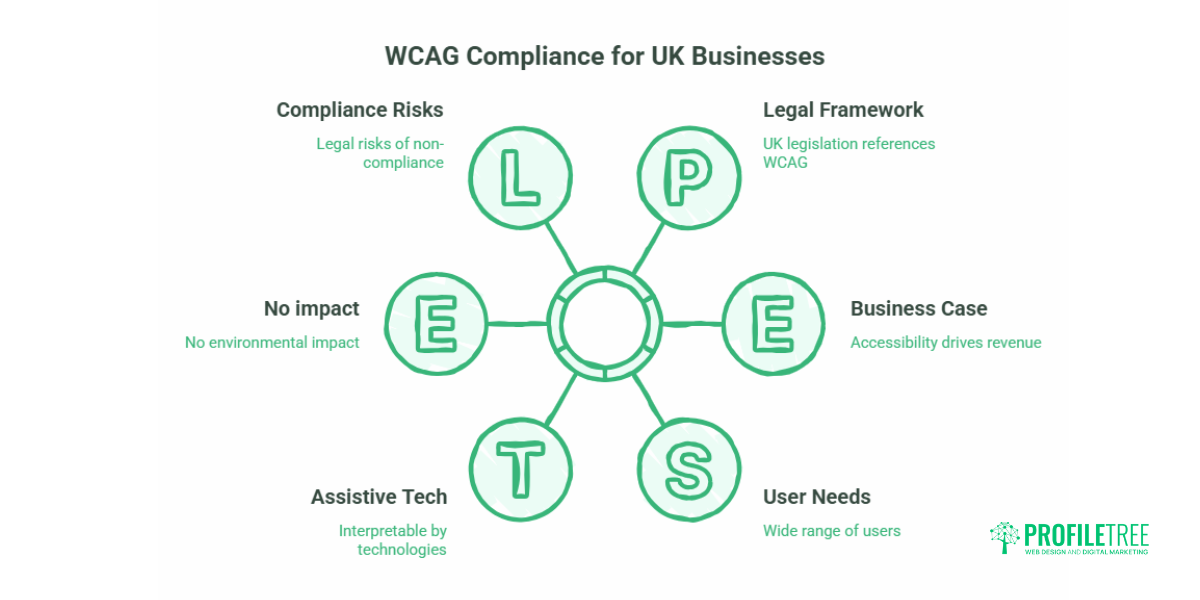
The Web Content Accessibility Guidelines (WCAG), published by the World Wide Web Consortium (W3C), are the internationally accepted technical standard behind almost every piece of web accessibility law in the UK and beyond. The guidelines define how to make web content perceivable, operable, understandable, and robust, the four principles that form the POUR framework, for the widest possible range of users, including those who rely on assistive technologies such as screen readers, magnification software, and keyboard-only navigation.
WCAG itself is not law. It is a technical standard that UK web accessibility law references, directly or indirectly, as the benchmark for what “accessible” and “reasonable adjustment” actually mean in practice.
WCAG is structured across three conformance levels. Level A covers the most basic accessibility requirements. Level AA, which sits in the middle, is the level referenced across UK web accessibility law and recommended as the practical target for all commercial websites. Level AAA represents the highest standard and is generally not required in full, since some criteria are difficult to meet across all content types.
WCAG 2.1, published in 2018, added criteria specifically addressing mobile accessibility and users with cognitive and low-vision needs. WCAG 2.2, published by the W3C in October 2023, added nine further success criteria, including clearer rules around focus indicators, target sizes for interactive elements, and consistent help mechanisms. Most existing guidance on UK websites still references 2.1; any web design agency or developer who has not updated their process to 2.2 is already working to an outdated standard.
The Four POUR Principles
Perceivable: Users must be able to perceive all content and interface components. This means providing text alternatives for images, captions for video, and sufficient colour contrast between text and background. The minimum contrast ratio for standard body text under WCAG 2.2 AA is 4.5:1.
Operable: All functionality must be operable without a mouse. Users must be able to navigate by keyboard alone, and interactive elements must have visible focus indicators. WCAG 2.2 introduced stricter requirements here, including a minimum target size of 24×24 pixels for interactive elements such as buttons and form controls.
Understandable: Content must be readable and predictable. Language must be set in the page code so that screen readers pronounce text correctly. Error messages must identify the field in question and explain what the user needs to do.
Robust: Content must be interpretable by current and future assistive technologies. This means using valid, semantic HTML and avoiding practices that break screen reader compatibility.
UK Web Accessibility Law: What the Framework Actually Requires
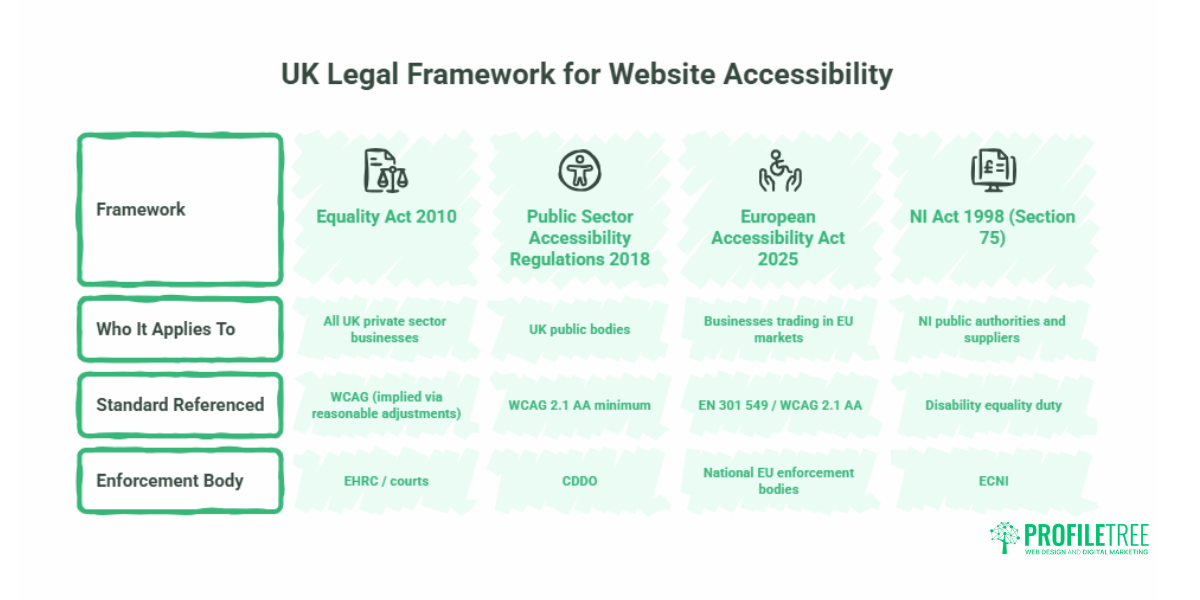
UK web accessibility law is not one statute. It is a patchwork of legislation that differs by nation and by sector, and getting the wrong piece of guidance for your business is a common and avoidable mistake.
Equality Act 2010 (England, Scotland, and Wales)
The Equality Act 2010 is the primary piece of legislation governing web accessibility law for private companies in England, Scotland, and Wales. Under Section 20, service providers have a legal duty to make reasonable adjustments to remove barriers that place disabled users at a substantial disadvantage. Websites have been treated by courts and the Equality and Human Rights Commission (EHRC) as a service under this definition.
The reasonable adjustments standard means the duty is not absolute: it is proportionate to the size and resources of the business. A sole trader operating a simple brochure site has different obligations from a national e-commerce retailer. What is consistent is the principle: if your website design is putting disabled users at a substantial disadvantage compared with non-disabled users, you are likely in breach.
For public authorities specifically, Section 75 of the Northern Ireland Act 1998 adds a further dimension. It places a statutory duty on public authorities in Northern Ireland to promote equality of opportunity across a range of grounds, including disability. If you supply services to public authorities or operate as a public body, this duty sits alongside the private-sector legislation below, and your obligations are both more specific and more actively monitored.
The Disability Discrimination Act 1995: Northern Ireland Private Sector
Northern Ireland does not sit under the Equality Act 2010. Equality legislation is devolved, and NI private sector businesses are instead governed by the Disability Discrimination Act 1995 (DDA 1995). This is separate from the Section 75 duty above, which applies to public authorities specifically; the DDA 1995 is the general anti-discrimination framework that covers private-sector service provision, including websites.
The practical obligations under the DDA 1995 are broadly the same as under the Equality Act 2010: businesses must not treat disabled people less favourably and must make reasonable adjustments to remove barriers to access. The Equality Commission for Northern Ireland (ECNI) handles enforcement and guidance, rather than the EHRC. For an NI-based business, this is the relevant starting point, not the Equality Act 2010 guidance most UK web accessibility law content defaults to. The standard a court or the ECNI would reference in assessing “reasonable adjustment” is the same WCAG 2.1 AA benchmark used across the rest of the UK.
Public Sector Bodies Accessibility Regulations 2018
The Public Sector Bodies (Websites and Mobile Applications) Accessibility Regulations 2018 apply to public sector organisations across the UK. These regulations require compliance with WCAG 2.1 AA as a minimum and mandate the publication of an accessibility statement. Monitoring and enforcement are carried out by the Central Digital and Data Office (CDDO).
While these regulations do not directly cover private businesses, they set the practical benchmark against which all commercial websites are increasingly assessed. They also matter if you supply digital services to public sector clients, where contract requirements frequently reference compliance with the 2018 Regulations.
The European Accessibility Act (Relevance to UK Exporters)
The European Accessibility Act (EAA), in force for EU member states from June 2025, applies to businesses selling digital products and services in EU markets. UK businesses that export to Ireland, France, Germany, or any EU country, or that operate in the Irish market, need to be aware of the EAA’s requirements even though it sits outside UK web accessibility law itself. The EAA draws heavily on EN 301 549, which itself references WCAG 2.1 AA. Businesses building to WCAG 2.2 AA are well placed for EAA compliance.
| Framework | Who It Applies To | Standard Referenced | Enforcement Body |
| Equality Act 2010 | Private sector businesses in England, Scotland, and Wales | WCAG (implied via reasonable adjustments) | EHRC / courts |
| Disability Discrimination Act 1995 | Private sector businesses in Northern Ireland | WCAG 2.1 AA (recommended) | ECNI |
| Public Sector Accessibility Regulations 2018 | UK public bodies | WCAG 2.1 AA minimum | CDDO |
| European Accessibility Act 2025 | Businesses trading in EU markets | EN 301 549 / WCAG 2.1 AA | National EU enforcement bodies |
| NI Act 1998 (Section 75) | NI public authorities and suppliers | Disability equality duty | ECNI |
WCAG 2.2: What Has Changed and Why It Matters
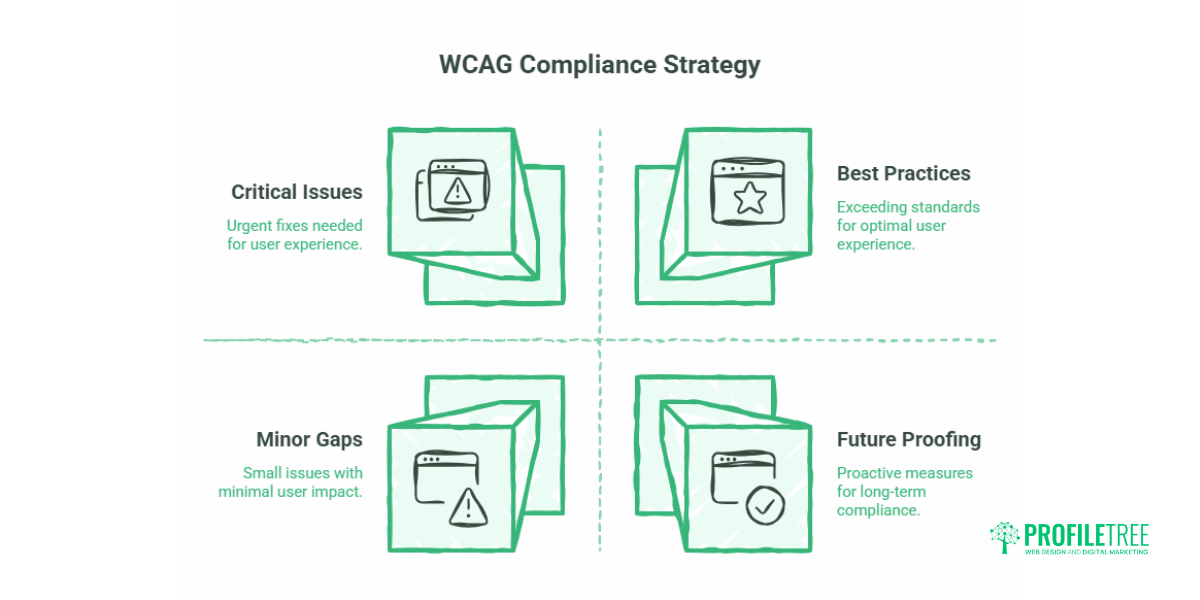
WCAG 2.2 was published in October 2023. It added nine new success criteria to the existing 2.1 framework, and understanding what changed matters both for compliance and for the practical experience of real users.
The most commercially significant new criteria are:
Focus Not Obscured (2.4.11, AA): the keyboard focus indicator, the visible outline showing which element is currently selected, must not be fully hidden by sticky headers, cookie banners, or other overlaid components. This is a very common issue on websites with fixed navigation bars.
Focus Not Obscured (Enhanced) (2.4.12, AAA): the component receiving focus must be entirely visible. This is the AAA variant and is not required for AA compliance, but it represents best practice.
Focus Appearance (2.4.13, AA): focus indicators must meet minimum size and contrast requirements. Many websites use a thin browser-default outline that technically shows focus but is effectively invisible to users with low vision.
Dragging Movements (2.5.7, AA): any functionality that requires a dragging gesture, such as a carousel or sortable list, must also be operable with a single pointer action. This matters for users with motor impairments who cannot reliably control drag interactions.
Target Size Minimum (2.5.8, AA): interactive targets must be at least 24×24 CSS pixels, unless spacing between targets is sufficient or an equivalent control is available elsewhere. This is particularly relevant for mobile navigation elements and icon-only buttons.
Consistent Help (3.2.6, A): if a website offers help mechanisms such as a live chat widget, phone number, or contact form, these must appear in a consistent location across pages.
Redundant Entry (3.3.7, A): users must not be required to re-enter information they have already provided in a single session. This matters for multi-step forms and checkout processes.
Accessible Authentication (3.3.8, AA): login processes must not rely solely on a cognitive function test; specifically, they must not require users to solve puzzles or transcribe distorted text, such as traditional CAPTCHA, as the only authentication option.
Accessible Authentication (No Exception) (3.3.9, AAA): the AAA version removes the exceptions allowed in 3.3.8.
None of these criteria was present in WCAG 2.1. A website that was fully compliant with 2.1 AA in 2022 may fail several 2.2 AA criteria today, particularly around focus visibility, target sizes, and authentication flows.
The Business Case for Accessible Web Design
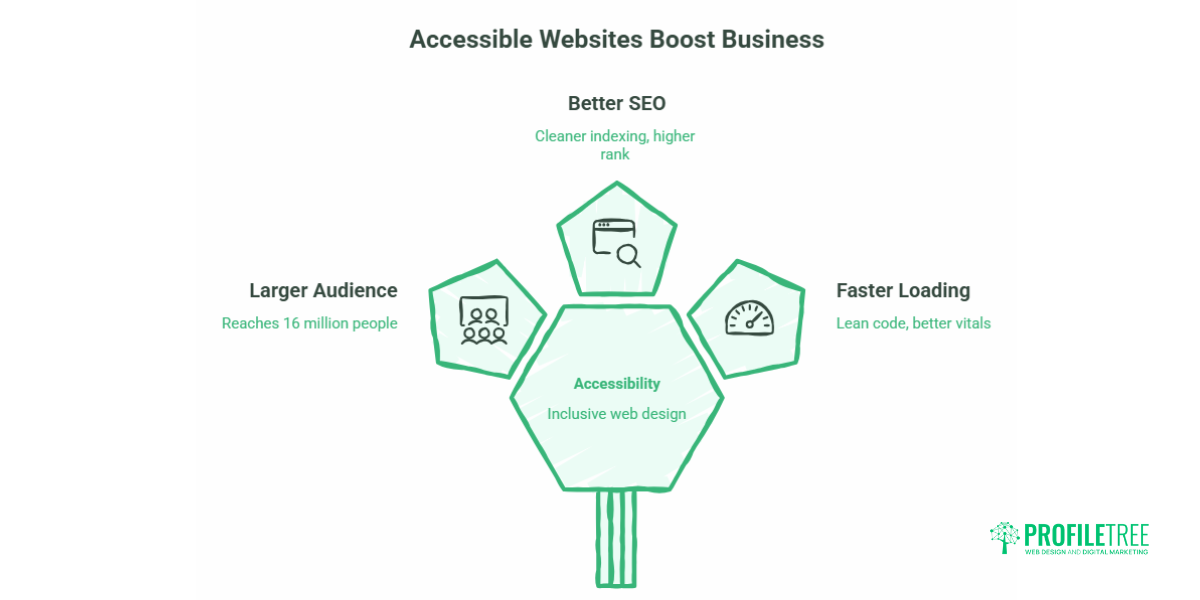
Accessible websites are not only a legal obligation under UK web accessibility law: they serve a larger audience and typically perform better in search.
The Office for National Statistics estimates that around 16 million people in the UK have a disability. Spending decisions made by disabled people and their households represent an estimated £274 billion annually, a figure often referred to as the “Purple Pound.” Businesses that design their websites to exclude this audience are not just facing legal risk; they are voluntarily reducing their addressable market.
The connection between web accessibility and search engine performance is substantive. Google’s crawler processes pages in a way that closely mirrors how a screen reader does: it reads text, follows links, interprets heading structure, and checks whether images have text descriptions. A site with proper semantic HTML, descriptive alt text, logical heading hierarchy, and keyboard-navigable structure will index more cleanly and typically rank better. These are not separate disciplines. They share the same technical foundation.
Accessible sites also tend to perform better on Core Web Vitals metrics. Lean, semantic code loads faster than markup-heavy designs built with visual presentation as the only consideration. Improving a site’s accessibility often has a measurable positive effect on page speed scores.
According to Ciaran Connolly, founder of ProfileTree: “When we audit websites for accessibility, we almost always find that the same code issues causing accessibility failures are also affecting SEO crawlability and page performance. Treating accessibility as a separate box to tick misses the point: it’s part of building a website properly.”
How to Balance Aesthetics and Accessibility in Web Design
One of the most persistent concerns we hear from SME owners is that accessible design means visually compromised design. That has not been true for some time.
The most common misconception is that accessible websites must use high-contrast black-and-white colour schemes that eliminate all visual character. WCAG’s contrast requirements apply specifically to text and its background, and to user interface components. A brand colour palette can meet contrast requirements while remaining distinctive. The WCAG 2.2 AA threshold of 4.5:1 for normal text and 3:1 for large text (18pt and above, or 14pt bold) is achievable with most well-considered colour systems.
Typography works the same way. WCAG does not mandate a minimum font size: it requires that text can be resized to 200% without loss of content or functionality. Good responsive typography already satisfies this. The constraints are real, but they are design constraints, not design defeats.
Where aesthetics and compliance most frequently clash is in interactive design: animated transitions that cannot be paused, icon-only buttons with no accessible label, modal overlays that trap keyboard focus, and custom form elements built without ARIA markup. These are development decisions, not aesthetic ones, and they are fixable without redesigning the visual language of the site.
ProfileTree’s web design process treats accessibility requirements as part of the brief rather than a post-build remediation task. This is worth asking about when commissioning a new website: at what stage do your designers and developers address WCAG compliance?
Roadmap to WCAG Compliance
An audit and a fix list are the easy part. The harder part is stopping the same issues creeping back in after the next content update or redesign. For the full roadmap, from naming an owner through to scheduling ongoing reviews, see the accessibility roadmap in Web Accessibility Basics.
Legal Risks Under UK Web Accessibility Law
The question SME owners often ask is: what is the actual enforcement risk under UK web accessibility law?
Under the Equality Act 2010, enforcement is driven by individual complaints rather than proactive regulation. A disabled user who cannot access your service can bring a claim in the county court (England and Wales) or sheriff court (Scotland), or raise a complaint with the EHRC. The EHRC can also conduct formal investigations and issue compliance notices. In Northern Ireland, the equivalent route runs through the DDA 1995 and the ECNI rather than the EHRC.
Legal actions brought under the Equality Act for digital accessibility failures are less common in the UK than equivalent ADA cases in the United States, but the legal pathway exists and has been used. The more immediate and frequent risk is reputational: public complaints about accessibility failures, particularly from disabled advocacy organisations, can generate significant negative coverage.
For public sector suppliers, the risk profile is different. Many public sector procurement frameworks in the UK and Ireland now include accessibility compliance as a contract requirement. Failure to meet WCAG 2.1 AA can disqualify a supplier from a tender or breach a contract clause during delivery.
The implications of ignoring web accessibility law extend beyond formal enforcement. Insurance policies covering professional indemnity sometimes exclude claims arising from regulatory non-compliance. If accessibility failures form part of a broader claim about fitness for purpose, that exclusion can become relevant.
Accessible Web Design for Specific Industries
Law Firms
The particular irony of a law firm’s website failing accessibility standards is not lost on clients or courts. Legal services websites typically handle complex document downloads, form-based client intake, and account portals, all areas where WCAG failures are common. Keyboard navigation of form fields, accessible error handling, and PDF accessibility (for downloadable precedents and policy documents) are the three areas most commonly failing on law firm sites we have reviewed.
The connection between accessible design and ethics in digital marketing for law firms is also worth noting: a firm that cannot demonstrate compliance with web accessibility law on its own website faces an obvious credibility problem when advising clients on regulatory compliance elsewhere.
Healthcare and Public Sector Organisations
Healthcare websites sit within the Public Sector Bodies Accessibility Regulations for the NHS and public health organisations. Accessibility failures on healthcare websites carry additional severity: a patient who cannot access appointment booking, prescription information, or emergency guidance because of an inaccessible design is facing a real-world harm beyond inconvenience.
E-commerce
Checkout flows are a primary failure point for e-commerce accessibility. Custom payment form elements, CAPTCHA during account creation, and complex product selectors are all common sources of WCAG 2.2 failures. For any e-commerce operation targeting UK consumers, the Equality Act 2010 duty to make reasonable adjustments applies directly to the transactional journey.
ProfileTree’s Approach to Web Accessibility Law and Design
ProfileTree is a Belfast-based web design and digital marketing agency, and compliance with web accessibility law has been part of our web development process for over a decade. We work with SMEs across Northern Ireland, Ireland, and the UK, from professional services firms in Belfast to e-commerce businesses across Great Britain.
Our web design team builds to WCAG 2.2 AA as a default, not as an optional upgrade. This means accessibility decisions are made at the wireframe and design stage, not retrospectively identified during a pre-launch audit. Development follows semantic HTML practices with ARIA integration where required, and all new projects include screen reader testing as part of the quality assurance process.
We also support businesses that have inherited inaccessible websites and need a clear remediation pathway. An accessibility audit from ProfileTree produces a prioritised fix list with effort estimates, so you can decide what to address immediately and what to plan for in a phased development programme.
If you need to understand where your website currently stands against WCAG 2.2 and UK web accessibility law, our web development team can carry out a structured audit and advise on the most practical route to compliance.
Frequently Asked Questions
What is web accessibility law in the UK?
UK web accessibility law is not a single statute. Private businesses in England, Scotland, and Wales fall under the Equality Act 2010; private businesses in Northern Ireland fall under the Disability Discrimination Act 1995 instead. Public sector bodies across the UK must additionally meet the Public Sector Bodies Accessibility Regulations 2018, and businesses trading into the EU may also need to account for the European Accessibility Act. All of these reference WCAG, usually at Level AA, as the practical benchmark for what “accessible” means.
Is WCAG compliance a legal requirement for UK private companies?
Not directly: WCAG is a technical standard rather than legislation. However, web accessibility law requires UK private businesses to make reasonable adjustments so disabled users are not placed at a substantial disadvantage when accessing services, and courts have interpreted websites as falling within this duty. WCAG 2.2 AA is the practical standard against which “reasonable adjustment” is measured. The question is not whether the law applies to you, but what your exposure looks like if a disabled user cannot access your site and raises a complaint.
What version of WCAG should my UK website follow?
WCAG 2.2 AA is the current recommended standard. The Public Sector Bodies Accessibility Regulations 2018 reference WCAG 2.1 AA as the minimum for public sector bodies, but WCAG 2.2 was published in October 2023 and represents current best practice. Any new web design project should be built to 2.2 AA from the outset.
Who enforces web accessibility law in the UK?
For public sector organisations, the Central Digital and Data Office (CDDO) monitors compliance with the 2018 Regulations and can require remediation. For private businesses in England, Scotland, and Wales, enforcement under the Equality Act 2010 is driven by individual complaints through the civil courts or the EHRC. In Northern Ireland, the equivalent enforcement body is the Equality Commission for Northern Ireland (ECNI), acting under the DDA 1995 rather than the Equality Act.
How much does a web accessibility audit cost in the UK?
Cost varies significantly based on the size and complexity of the site. A basic automated scan with a written summary report for a small brochure site can cost from a few hundred pounds. A full manual audit, including screen reader testing for a large transactional website with multiple user journeys, will typically cost several thousand pounds. The more relevant question is whether the audit produces actionable output; a pass/fail list with no prioritisation or effort estimate has limited practical value.
Do UK private companies need an accessibility statement?
An accessibility statement is legally required for public sector bodies under the 2018 Regulations, but it is not currently mandated for private businesses under either the Equality Act 2010 or the DDA 1995. Publishing one is widely considered best practice: it demonstrates genuine engagement with accessibility, provides a contact route for users who encounter barriers, and is increasingly expected in public sector procurement processes.
Does web accessibility law apply to mobile apps as well as websites?
Yes. The Public Sector Bodies Accessibility Regulations 2018 explicitly cover mobile applications as well as websites for public sector organisations. Under both the Equality Act 2010 and the DDA 1995, the same reasonable adjustments principle applies to apps as to websites. WCAG 2.2 is applicable to native mobile apps via ARIA and the related Mobile Accessibility guidance, though the implementation details differ from web contexts.
What is the difference between WCAG 2.1 and WCAG 2.2?
WCAG 2.2 added nine new success criteria to the 2.1 framework and removed one (4.1.1, Parsing, deprecated as redundant given how browsers and assistive technologies now handle HTML errors). The most significant additions for commercial websites are clearer requirements for focus indicator visibility (2.4.11, 2.4.13), minimum target sizes for interactive elements (2.5.8), accessible authentication without CAPTCHA (3.3.8), and consistent help mechanisms (3.2.6). A site built to 2.1 AA may fail several 2.2 AA criteria without any visible changes having been made.