
Video Email Marketing for Small Businesses: A UK Guide
Table of Contents
Video email marketing gives small businesses a way to stand out in crowded inboxes, combining the reach of email with the engagement of video content. For SMEs across Northern Ireland, Ireland and the UK, it is one of the more accessible ways to move beyond plain-text campaigns and build a real connection with customers.
Done well, it does not require a broadcast studio or a significant budget. What it does require is a clear plan, the right technical approach, and an understanding of what UK regulations expect from you when you track how recipients interact with your video content.
What Is Video Email Marketing?
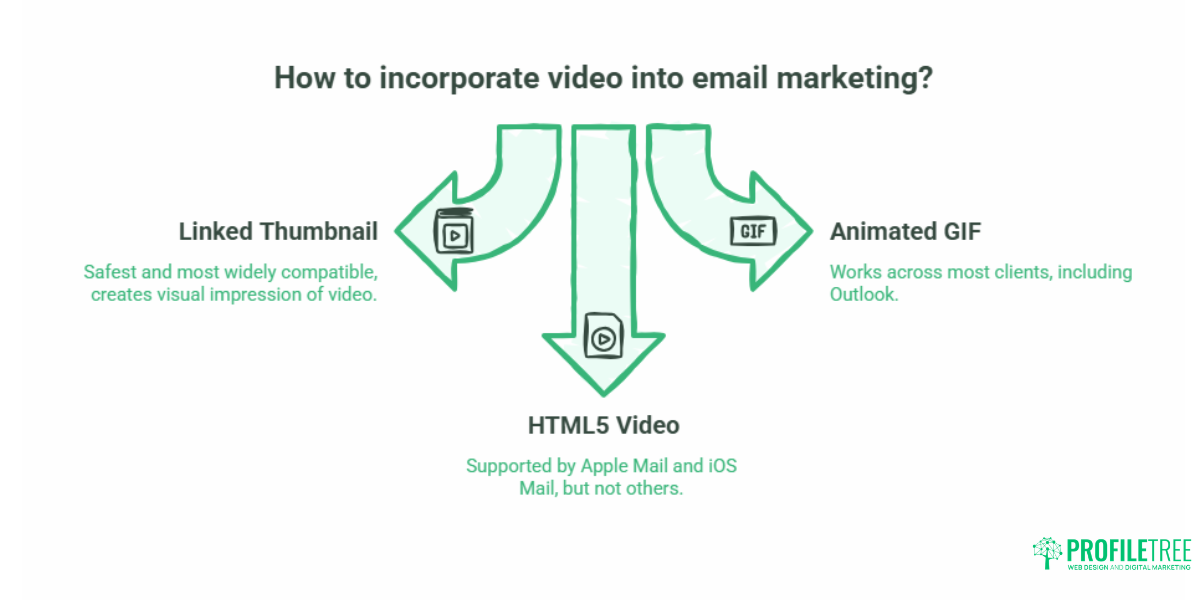
Video email marketing is the practice of incorporating video content into email campaigns to increase engagement and drive recipients towards a specific action. Despite the name, it rarely involves a video that plays directly inside an inbox. Most major email clients, including Gmail, Outlook, and Yahoo Mail, do not support inline video playback due to security and file-size restrictions.
The industry-standard approach is to place a static thumbnail image, often with a play button icon overlaid, and link it through to a landing page or YouTube video where the actual content sits. This creates the visual impression of a playable video while keeping deliverability intact and giving you a trackable click event to measure.
A short animated GIF showing a preview of the video is also widely used and works across most email clients, including Outlook, which blocks HTML5 video entirely.
Email client compatibility at a glance:
| Email Client | HTML5 Video Support | Recommended Approach |
|---|---|---|
| Apple Mail | Yes | HTML5 or linked thumbnail |
| Gmail | No | Linked thumbnail or GIF |
| Outlook Desktop | No | Linked thumbnail or GIF |
| Outlook Mobile | No | Linked thumbnail or GIF |
| Yahoo Mail | No | Linked thumbnail or GIF |
| iOS Mail | Yes | HTML5 or linked thumbnail |
For most SME campaigns targeting a broad audience, a linked thumbnail is the safest and most widely compatible choice.
Why Use Video in Email Campaigns
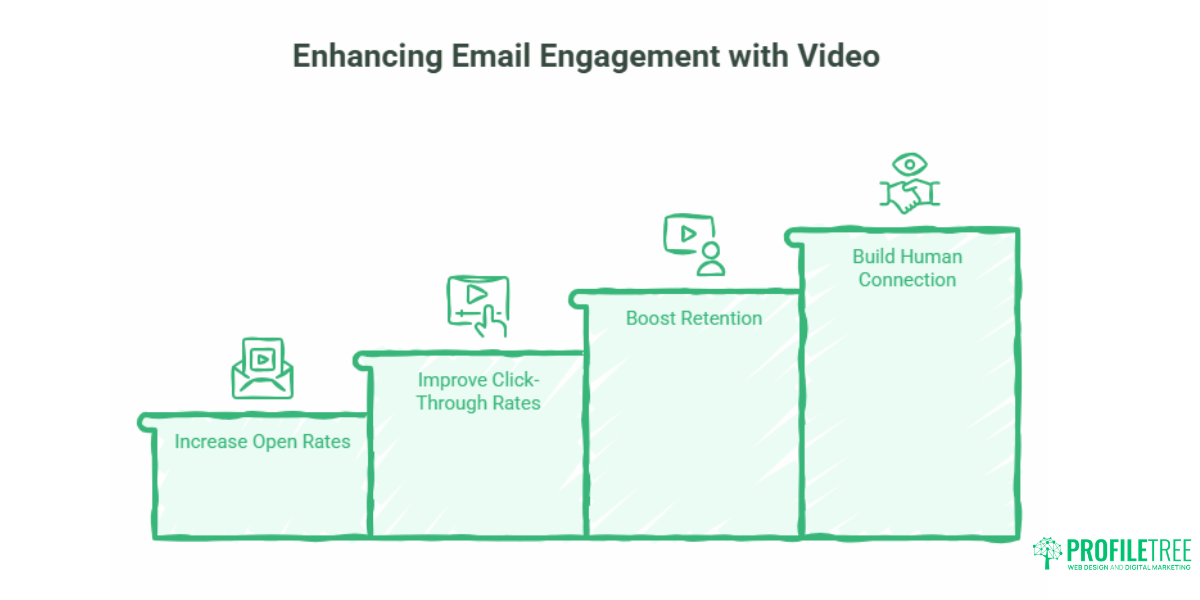
The business case for video email marketing comes down to engagement. Email campaigns are increasingly competing for attention against social media notifications, instant messaging, and a high volume of promotional mail. Video content gives recipients a reason to pause.
Research from Wistia and other video hosting platforms consistently shows that emails referencing video in the subject line achieve higher open rates than text-only equivalents. Click-through rates improve further when recipients see a recognisable video thumbnail rather than a block of text. For small businesses where every lead counts, that uplift is worth the additional effort.
There is also a retention argument. A short, well-produced video explaining a service, answering a common question, or showing a product in use can do more in 60 seconds than several paragraphs of copy. It builds familiarity with the people behind a business in a way that written content cannot replicate.
“Video content consistently outperforms static alternatives in email campaigns because it creates a human connection at scale. For small businesses in particular, that authenticity is often what separates a click from a delete,” says Ciaran Connolly, founder of ProfileTree.
The Step-by-Step Process for Sending a Video Email
Step 1: Record and host your video
Record your video using whatever equipment you have available. A smartphone held in landscape orientation with a ring light and a quiet room will produce results that are more than adequate for most SME campaigns. Aim for between 30 and 90 seconds for campaign emails; anything longer risks losing viewers before they reach your call to action.
Once recorded, host the video somewhere accessible. YouTube is the most practical option for most small businesses: hosting is free, the platform handles playback across devices, and you can set videos to unlisted so they do not appear in public search results if you prefer. Vimeo’s free tier is an alternative if you want a cleaner, ad-free viewing experience.
For businesses that need professional video production, a Belfast-based team familiar with your brand will save considerable time and deliver content that performs consistently across campaigns. ProfileTree’s video marketing services include production and strategy for businesses across Northern Ireland, Ireland and the UK.
Step 2: Create a clickable thumbnail or GIF
The thumbnail is the element the recipient actually sees in their inbox, so it carries most of the creative weight. A still image from the video works well; add a play button icon over the centre and a short text overlay indicating the video length, for example, “Watch: 60 seconds”. This reduces friction and sets accurate expectations.
To create a GIF thumbnail, use the free tier of Canva or a tool like EZGIF to export a short looping clip, typically two to four seconds, from the opening of your video. Keep the file size below 1MB to avoid deliverability problems.
Step 3: Insert the asset and link to your landing page
In your email editor (MailerLite, HubSpot Free, Mailchimp, and most other platforms handle this without difficulty), insert the thumbnail as an image block. Add a hyperlink to the entire image pointing to the page where your video is hosted. If you are linking to a YouTube video, use the direct watch URL. If you are linking to a page on your own website, ensure that the page is optimised for mobile and that the video autoplays, muted, on load to maintain the viewing journey.
Write the surrounding email copy as though the video is not there. If a recipient’s images are blocked or they are using a screen reader, the text should still communicate your message clearly.
Step 4: Track and measure performance
Standard email metrics, open rate and click-through rate, will tell you whether recipients are engaging with your thumbnail. If you host video on your own website rather than YouTube, tools like Wistia or Vidyard provide more granular data: watch time, drop-off points, and replay rates. This level of detail helps you understand whether your video content is holding attention and where the narrative might be losing people.
Whichever platform you use, connect your campaign data to a simple tracking spreadsheet so you can compare performance across sends over time. A useful starter metric: divide video views by email opens to get a rough idea of thumbnail-to-view conversion. If this is consistently below 20%, the thumbnail or subject line is the problem, not the video itself.
GDPR and PECR Compliance for Video Email Campaigns
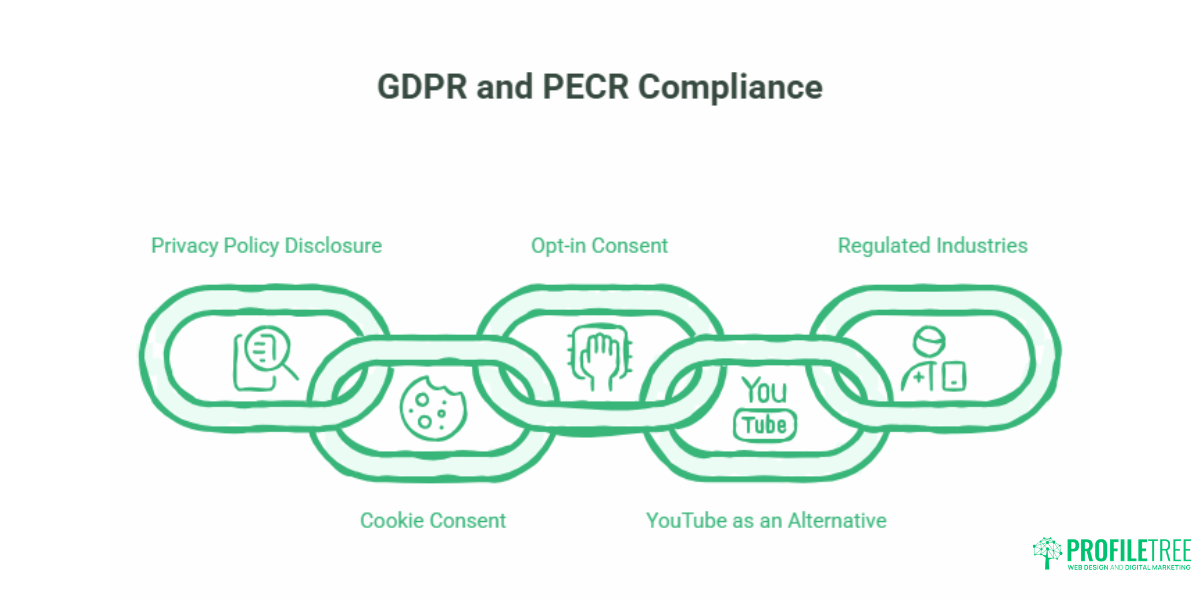
This is an area where UK and Irish SMEs face requirements that the major US-centric guides almost never address. If you are sending emails to contacts in the UK or the Republic of Ireland and using third-party video hosting platforms that track viewer behaviour, GDPR and the Privacy and Electronic Communications Regulations (PECR) are directly relevant.
The key question is what data the video hosting platform collects when a recipient clicks through from your email. Platforms like Wistia and Vidyard collect IP addresses, watch-time data, and in some configurations, they link viewing behaviour back to individual contact records in your CRM. This constitutes personal data processing under UK GDPR.
What this means in practice:
Your privacy policy must disclose that you use video hosting tools that collect viewing data. If you link to video content on a landing page on your own website, your cookie consent banner must be correctly configured to cover any tracking scripts that the video player sets. Contacts who have not consented to marketing communications should not appear in your campaign list.
For most SMEs sending to opt-in email lists with compliant consent records, the additional risk is low, but it is not zero. Using YouTube as your video host rather than a dedicated analytics platform reduces the tracking complexity: YouTube’s data processing is governed by Google’s terms and is familiar to most UK and Irish data protection officers.
If you handle data for clients in regulated industries, financial services, healthcare, or legal services, take specific advice on your video email setup before running campaigns. For a broader look at how digital marketing compliance intersects with these requirements, the guide to data privacy in digital marketing on the ProfileTree site covers the principles in more detail.
ProfileTree also delivers GDPR training for teams, which includes a practical module on marketing compliance. The digital marketing training offer covers this alongside broader digital skills development for SMEs.
Cost-Effective Video Email Stacks for Small Budgets
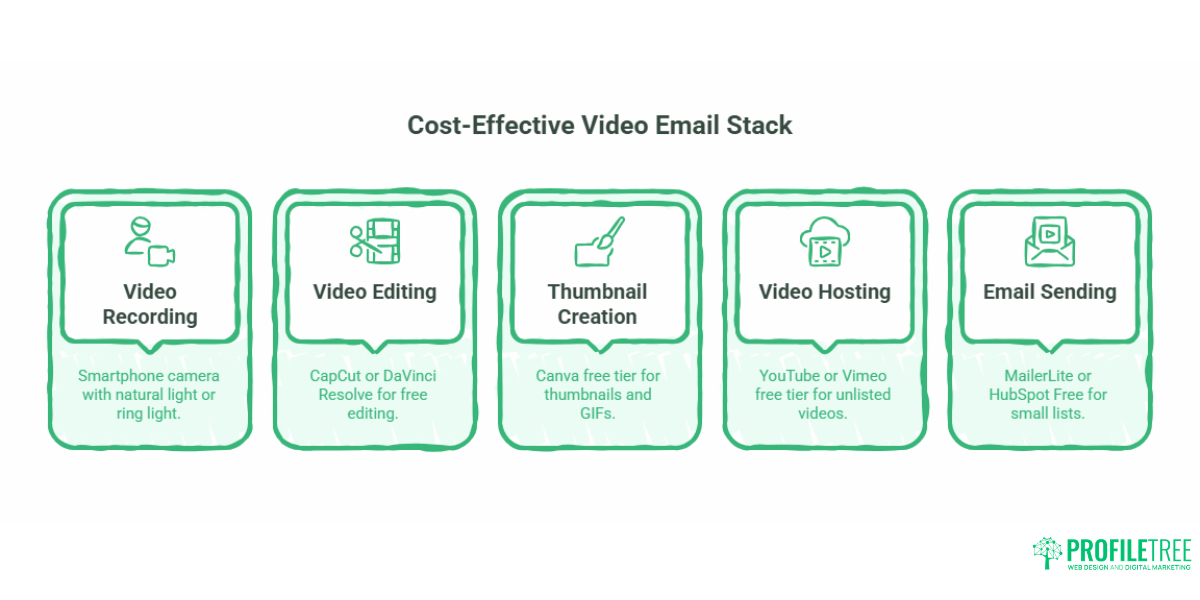
One of the persistent frustrations with most video email marketing guides is that they are written by the companies selling the premium tools. The reality for a small business in Belfast, Galway, or Manchester is that a zero-cost tech stack is entirely viable for most campaign types.
A practical free stack:
Video recording: Smartphone camera (landscape mode, natural light or a basic ring light) Video editing: CapCut (free, available on iOS and Android) or DaVinci Resolve (free, desktop) Thumbnail and GIF creation: Canva free tier Video hosting: YouTube (unlisted) or Vimeo free tier Email sending: MailerLite or HubSpot Free (both offer generous free tiers for small lists)
This combination produces results that are competitive with paid alternatives for audiences up to several thousand contacts. The limitations only become significant when you need advanced CRM integration, granular video analytics, or the ability to personalise thumbnails dynamically at scale.
Video Content Types That Work in SME Email Campaigns
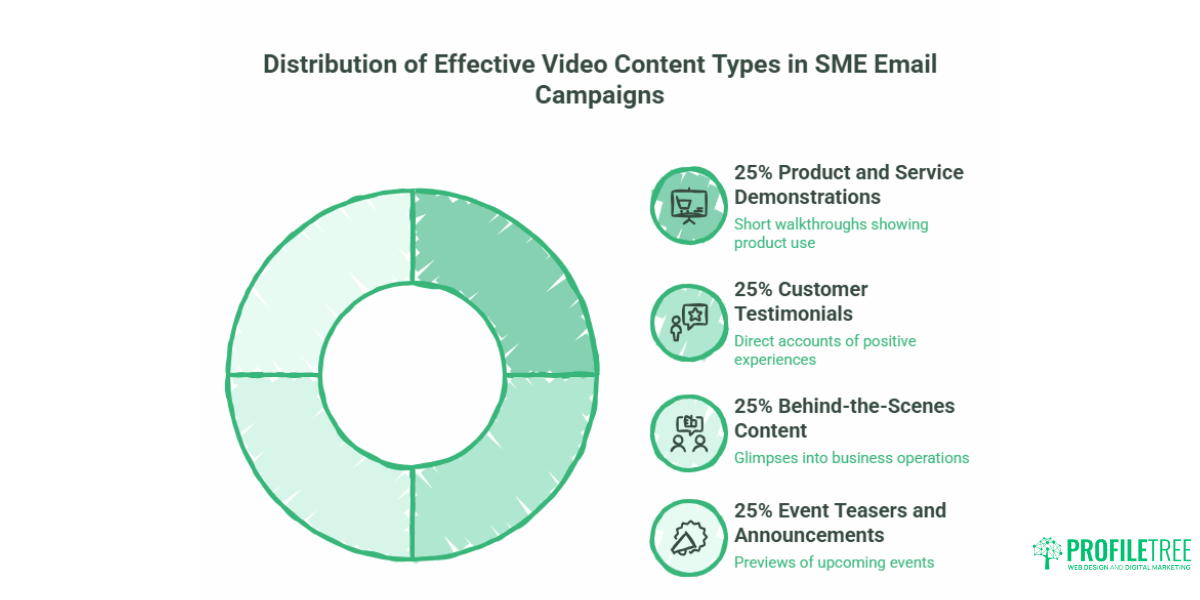
Not all video content performs equally in email. The format that works depends on where the recipient is in their relationship with your business.
Product and service demonstrations work well for warm audiences. A short walkthrough showing exactly how a product is used, or what a service process looks like from the client’s perspective, answers the questions that prospective customers are forming but not always asking.
Customer testimonials carry significant weight when delivered on video. A written review can be questioned; a person speaking directly to the camera about a specific outcome they experienced is more credible. For service businesses, a 60-second client testimonial filmed after a project completion is one of the most useful assets you can build.
Behind-the-scenes content suits retention campaigns aimed at existing customers. Showing how your workshop operates, who is handling a client’s account, or what quality control looks like builds familiarity that keeps customers from comparing you with competitors when it comes to renewal time.
Event teasers and announcements are effective for businesses that run workshops, open days, or product launches. A 30-second teaser showing highlights from a previous event or a brief preview of what is planned creates anticipation and gives contacts a concrete reason to click through.
For businesses in the Republic of Ireland and Northern Ireland, consider seasonal and local relevance. A short video tied to a local event, a sector-specific development, or a genuinely relevant occasion in your business calendar will outperform generic content across most audience segments.
UK Small Business Use Cases
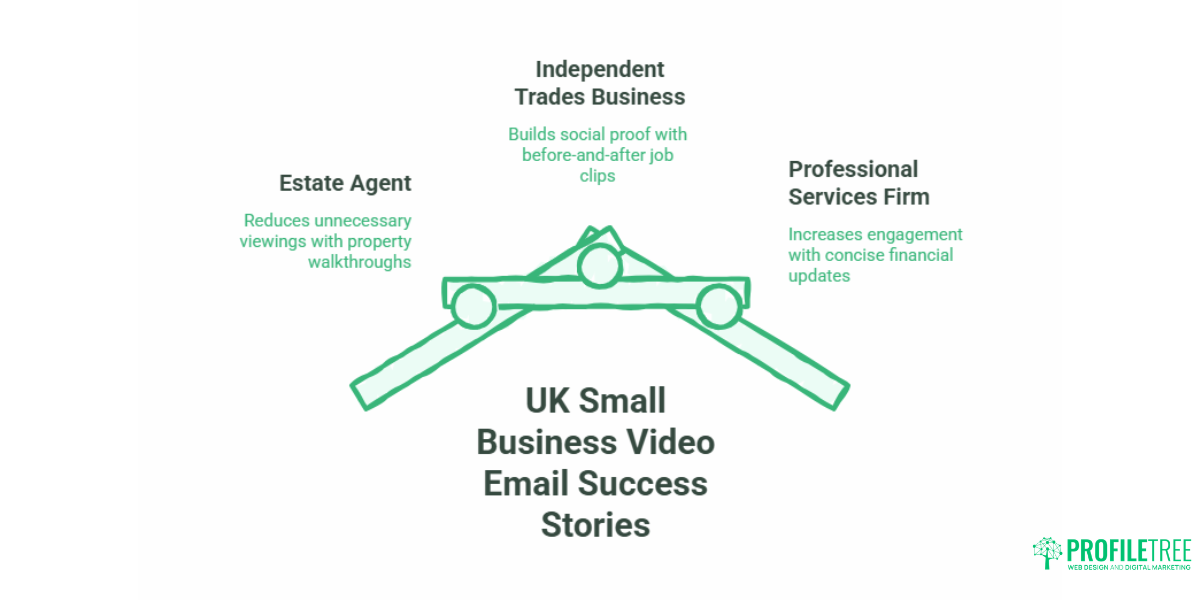
Estate agent, Northern Ireland. A property walkthrough video embedded in a follow-up email after an initial enquiry reduces the need for early viewings on properties that do not match requirements. The agent films a 90-second tour on their smartphone, uploads it to YouTube (unlisted), and links the thumbnail from a personalised email. Recipients who click through self-qualify before requesting a formal viewing.
Independent trades business, England. A plumbing or electrical contractor films a short before-and-after sequence at the end of each job, with the customer’s permission. These clips become a library of social proof that can be used in follow-up emails to previous customers when a new service is being promoted. No production cost; no external agency required.
Professional services firm, Republic of Ireland. An accountancy practice sends a short video at the start of each financial quarter summarising the key changes relevant to their SME client base. The video is recorded by a senior partner, lasts under two minutes, and replaces a text-heavy newsletter that was being opened but not read. Click-through rates to the firm’s service pages increase because the video creates a reason to want more information.
Key Metrics to Track in Video Email Campaigns
Email open rate tells you whether your subject line is working. Click-through rate tells you whether your thumbnail and surrounding copy are working. These two numbers, tracked together over multiple sends, are the starting point for any meaningful optimisation.
Beyond the standard email metrics, if your video is hosted on your own site, watch time and drop-off rate are worth monitoring. A video with strong click-through but poor watch time points to a gap between the thumbnail promise and the video content itself. A video with good watch time but low click-through on the in-video call to action suggests the content is engaging but not creating enough urgency.
Track these monthly. After four to six sends, patterns emerge that tell you which content formats, subject lines, and thumbnail designs perform best for your specific audience.
FAQ
Can you embed an actual video in Gmail or Outlook?
No. Neither Gmail nor Outlook supports inline video playback. The practical workaround is to insert a thumbnail image linked to a hosted video page. A looping GIF preview is an alternative that displays without clicking, though file size needs to be managed carefully to avoid deliverability problems.
How do I send a video email for my small business?
Record your video and upload it to YouTube (unlisted) or Vimeo. Create a thumbnail with a play button overlay using Canva’s free tier. Insert the thumbnail as a linked image in your email editor, pointing to your video page. Write supporting copy that makes sense even if the image does not load, and include a text link as a fallback.
How do I send a video through email without a link?
You can attach a raw MP4 file directly, but this approach causes real problems in practice. Large file attachments trigger spam filters, consume recipients’ storage, and prevent you from tracking any engagement. Linking to a hosted video is the approach used by virtually every effective video email campaign.
Does video tracking in email campaigns fall under GDPR?
Yes, if the video hosting platform collects IP addresses or viewing behaviour data from your UK or Irish contacts. Make sure your privacy policy discloses this and that your cookie consent configuration covers any tracking scripts loaded on the landing page. Using YouTube as your host reduces this complexity for most small businesses.
How long should a marketing email video be?
Between 30 and 90 seconds for campaign emails. Short enough to respect the recipient’s time, long enough to communicate one idea clearly. If you have more to say, use the video to introduce the topic and link through to a fuller piece of content on your website.
What is the best free setup for video email marketing?
For most small businesses, a combination of smartphone recording, Canva for thumbnails, YouTube for hosting, and MailerLite or HubSpot Free for sending covers everything needed without any subscription cost. The limitations of this stack only become relevant when you need advanced analytics or CRM integration at scale.
Video email marketing does not require significant investment to produce results, but it does reward a structured approach. Getting the technical setup right, understanding what UK regulations require, and building a library of genuine content across a few proven formats will put your campaigns ahead of the majority of SME email marketing in most sectors. ProfileTree works with small businesses across Northern Ireland, Ireland and the UK to develop video content and digital marketing strategies that connect with real audiences. Talk to the team to find out how video can work in your email campaigns.