
MarTech Implementation for Small Businesses: A Practical Guide
Table of Contents
Most small businesses already have a MarTech stack. They just don’t know it. A CRM someone set up three years ago, an email tool used for the occasional newsletter, and a Google Analytics account nobody checks. The tools are there; the strategy is not.
MarTech implementation, the process of selecting, connecting, and actually using marketing technology to grow a business, is one of the areas where UK and Irish SMEs lose the most time and money. The waste usually comes not from buying the wrong software, but from buying more than the team can manage, failing to connect tools together, and having no clear goal for what the stack should do.
This guide cuts through the enterprise-level advice that dominates most MarTech content. It covers what a practical small business stack looks like, how to keep it compliant with UK GDPR and PECR, where AI automation is genuinely useful in 2026, and how to measure whether any of it is working.
What Is a MarTech Stack for a Small Business?
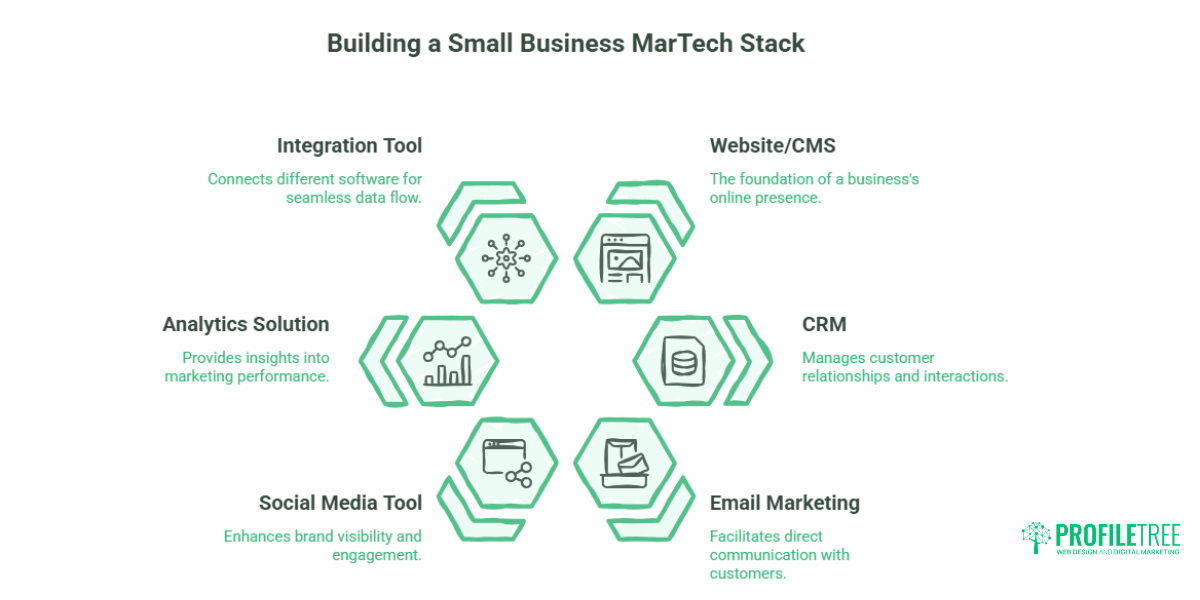
A MarTech stack is the collection of digital tools a business uses to attract, convert, and retain customers. For a small business, that typically means five or six categories of software: a website or content management system, a CRM, an email marketing platform, a social media tool, an analytics solution, and something to connect them all.
The term sounds more complicated than the reality. Most SMEs are already running one; they just haven’t thought of it as a stack. The goal of a structured MarTech implementation is to make those tools work together so that data flows in one direction, nothing gets duplicated, and the business gets useful information out of what it is already doing.
Why Enterprise MarTech Advice Fails SMEs
The majority of MarTech guides online are written for businesses with dedicated marketing operations teams. They recommend platforms like Salesforce, Marketo, and Adobe Experience Cloud tools that require months of setup, specialist developers, and ongoing licence costs well above what most SMEs can justify.
The problem is not that those tools are bad. They are excellent for the organisations built to use them. A Salesforce implementation for a 10-person accountancy practice in Belfast is not going to deliver results proportional to the cost, the setup time, or the ongoing management required.
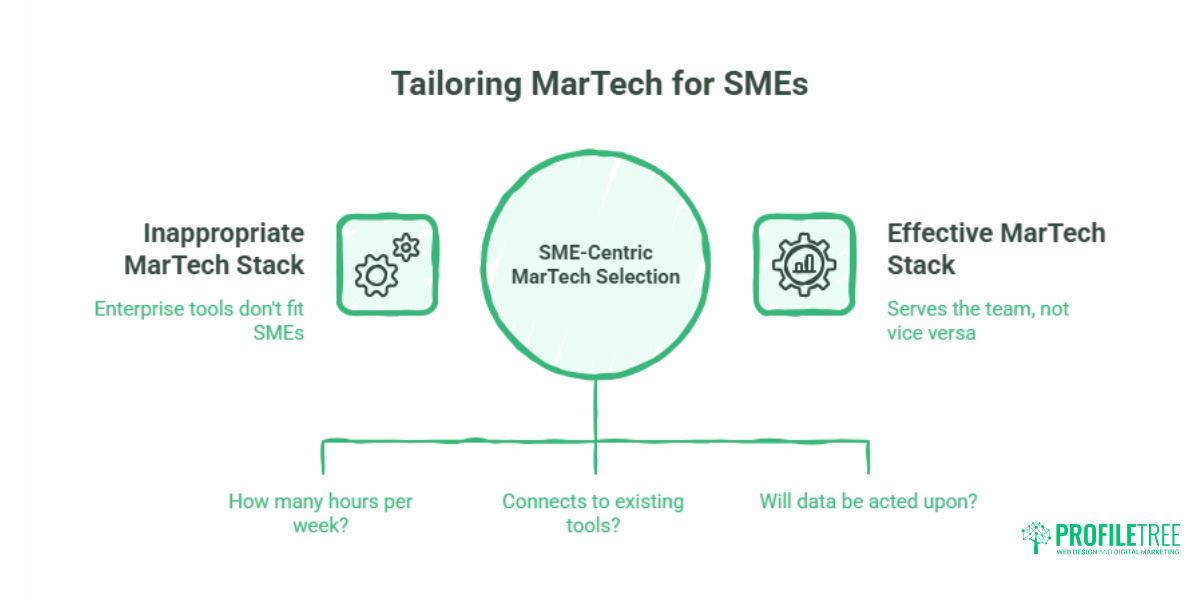
Ciaran Connolly, founder of Belfast digital agency ProfileTree, puts it plainly: “The biggest MarTech mistake we see small businesses make is buying a tool because they’ve heard of it, not because it fits how they actually work. The stack should serve the team, not the other way around.”
The practical consequence is that SMEs need to think about three constraints before selecting any platform: how many hours per week the team has to manage it, whether it connects to the tools already in use, and whether the data it produces will actually be acted on.
The Five Layers of a Practical SME MarTech Stack
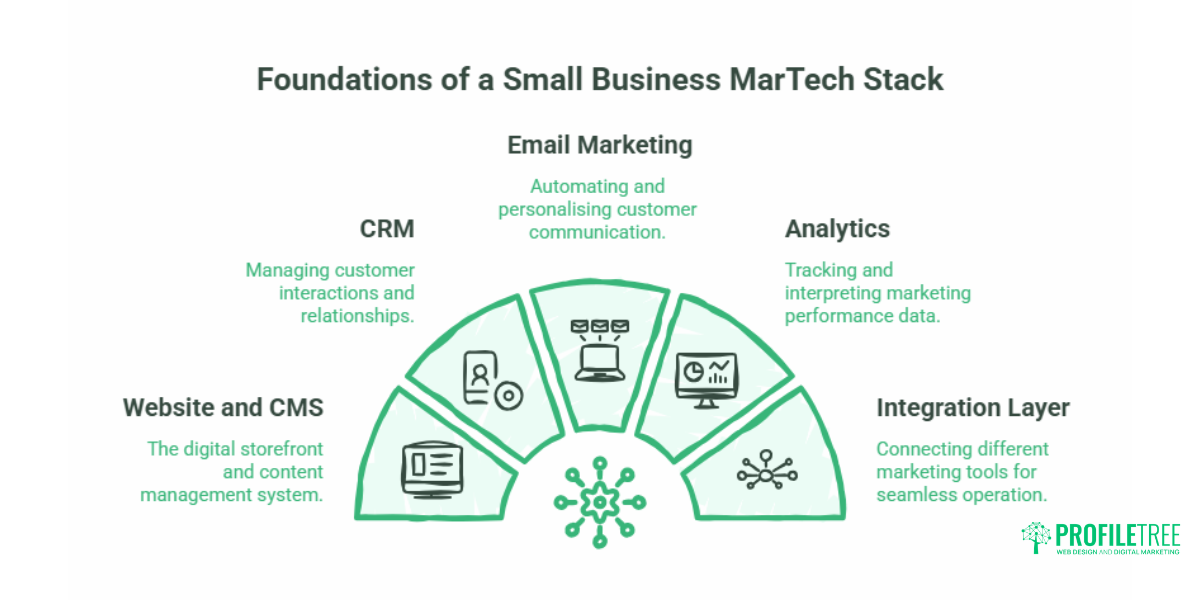
A functional small business MarTech stack has five layers. Each layer has a clear job. When they connect, the business gets a picture of where leads come from, how they convert, and what keeps customers returning.
Layer 1: The Website and CMS
The website is the foundation for everything else feeds into. For most SMEs, this means WordPress, which remains the most practical choice for businesses that need flexibility, SEO control, and the ability to integrate with a wide range of marketing tools. The CMS decision affects the entire stack because it determines which tracking scripts, form tools, CRM integrations, and automation platforms can be added without custom development work.
Getting the website right before building the rest of the stack matters. A site that doesn’t capture form submissions correctly, doesn’t load tracking scripts reliably, or isn’t built with clean URL structures will create data problems that no amount of MarTech can fix downstream. ProfileTree’s web design and development services are built around this principle: the website has to be a functional data collection point, not just a digital brochure.
Layer 2: Customer Relationship Management (CRM)
The CRM is the central database. Every contact, every conversation, every purchase should eventually live here. For SMEs starting out, free-tier CRMs are genuinely capable: HubSpot’s free CRM, Zoho CRM’s free plan, and the free tier of Brevo (formerly Sendinblue) all allow small businesses to manage contacts, track activity, and set up basic pipelines without spending anything.
The CRM earns its value when it is properly connected to the website. Form submissions from the contact page, enquiry forms, and landing pages should flow directly into the CRM, so no lead is manually entered. That single integration website form to CRM is where most SMEs get their first real return on MarTech investment.
Layer 3: Email Marketing and Automation
Email remains the highest-ROI marketing channel for most SMEs. The tools that work best at a small business scale are those that include both email broadcast capability and basic automation: the ability to send a sequence of messages triggered by a user action, such as signing up, making a purchase, or abandoning a form.
For UK businesses, the platform choice here has a compliance dimension covered in the next section. The short version is that platforms storing data on EU or UK servers and offering PECR-compliant double opt-in workflows are the correct starting point. MailerLite, Brevo, and HubSpot Starter all meet that standard.
Layer 4: Analytics
Google Analytics 4 (GA4) is the baseline. It is free, it connects to Google Search Console, and it provides the traffic and conversion data every SME needs. The limitation is that GA4 requires some configuration to be useful: goals, events, and conversion tracking all need to be set up correctly before the data means anything.
For businesses looking at deeper content performance, social media analytics tools can complement GA4 by showing which channels are actually driving quality traffic rather than just volume.
Layer 5: Integration Layer
Most SMEs have tools that don’t talk to each other. The website lives separately from the CRM, which is separate from the email platform, which is separate from the social scheduler. The integration layer fixes this without requiring custom development.
Zapier and Make (formerly Integromat) are the two most widely used low-code integration platforms. Both allow non-technical users to build automated workflows connecting different tools. A basic example: when a new contact is added to the CRM, automatically add them to the correct email sequence in the email platform and notify the sales contact via Slack. This kind of workflow previously required a developer. In 2026, a business owner can set it up in an afternoon.
UK GDPR and PECR: Building a Compliant MarTech Stack
This is the section most MarTech guides skip. Almost all of the dominant content on this topic is written for US audiences, where data protection law is significantly less prescriptive. UK and Irish SMEs are operating under a different legal framework, and the tools they choose need to reflect that.
The key regulations are:
UK GDPR requires that personal data is collected with a lawful basis, stored securely, used only for the purpose it was collected for, and not transferred to countries without adequate data protection standards without appropriate safeguards in place.
PECR (Privacy and Electronic Communications Regulations) governs electronic marketing specifically. It requires explicit, active consent before sending marketing emails to individuals. Pre-ticked opt-in boxes do not meet the standard. Consent must be freely given, specific, informed, and unambiguous.
Practical implications for your stack:
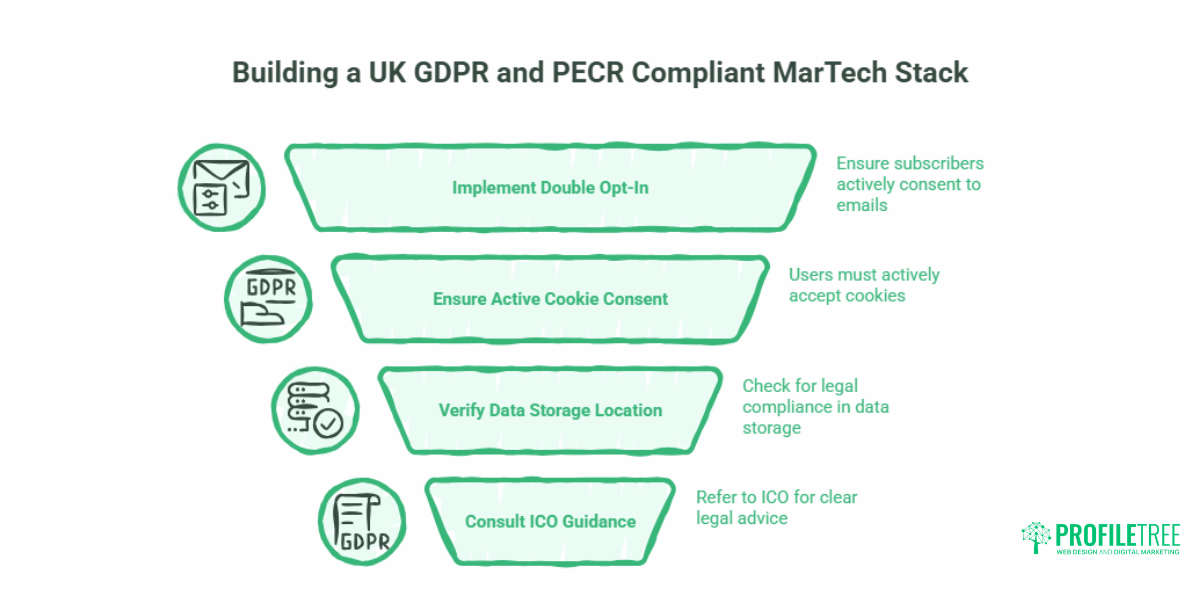
- Double opt-in is not optional for marketing databases. Your email platform must be configured to send a confirmation email before any new subscriber is added to a marketing list. Most platforms support this, but it is not always the default setting.
- Cookie consent must be active, not passive. A banner that says “by continuing to use this site you accept cookies” does not meet PECR. Users must actively accept non-essential cookies (including analytics cookies from GA4) before those scripts fire.
- Data storage location matters. Check where each platform in your stack stores data. US-based platforms can be used, but they must have a mechanism (such as Standard Contractual Clauses) that makes the transfer legally compliant under UK GDPR. HubSpot, Mailchimp, and Salesforce all have appropriate transfer mechanisms in place; verify this in their data processing agreements.
- The ICO provides plain-English guidance on all of the above at ico.org.uk. Refer to their direct marketing and PECR sections before finalising your stack selection.
For businesses handling customer data across e-commerce or financial services, navigating data privacy laws goes into further practical detail on what compliance looks like in practice.
AI Agents and Low-Code Automation in 2026
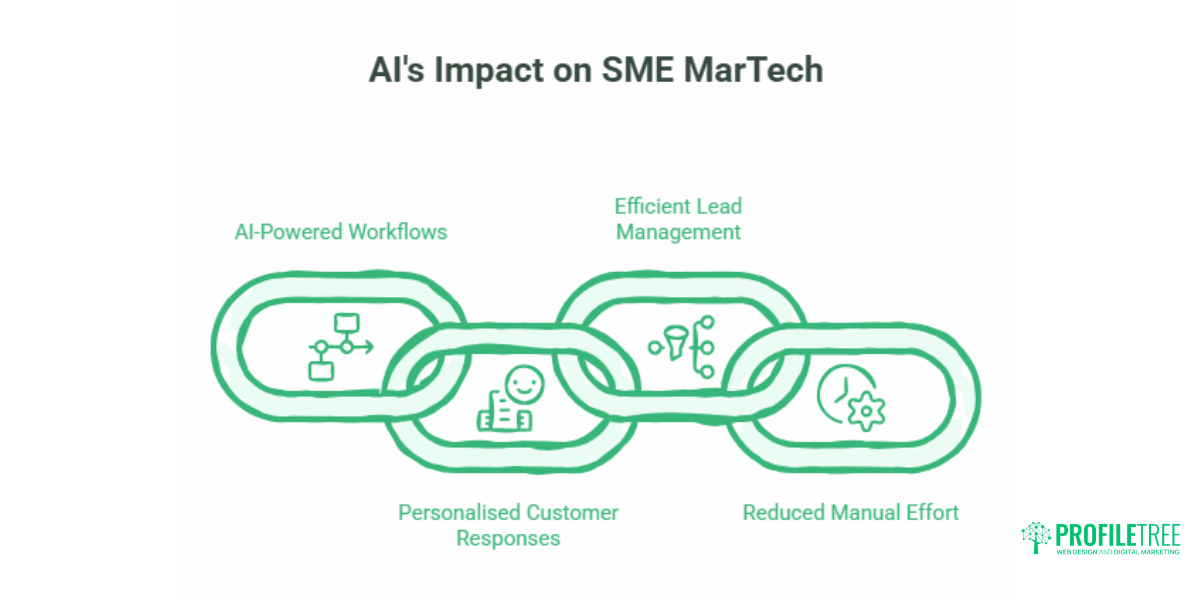
The most significant change to SME MarTech in the past 18 months is not a new category of software. It is what AI can now do inside the tools already in use.
AI agents automate workflows that use large language model capabilities to interpret, draft, and respond rather than just move data, and are available to small businesses through platforms they are already likely to be using. HubSpot’s AI features, Zapier’s AI actions, and Make’s AI modules all allow businesses to build workflows that go beyond simple data transfer.
A practical example: a business receives a new Google review. An AI-powered Zapier workflow detects the review, drafts a personalised response using the customer’s name and the product mentioned, and flags it in Slack for a human to approve before posting. The entire process takes seconds rather than the 20 minutes it would take someone to notice the review, write a response, and log it. Multiply that across 50 reviews a month, and the time saving becomes meaningful.
Another: when a website contact form is submitted, an AI agent in the CRM reads the enquiry, categorises it by service type, assigns it to the right team member, and sends an initial acknowledgement email with relevant links. No developer required. No manual sorting. The lead gets a faster response; the business gets cleaner data.
For SMEs looking to understand where AI automation fits into their operations more broadly, how SMEs can implement AI without huge investment covers the decision framework in detail.
Cost-Tiered Blueprints: What Your Stack Costs at Different Stages
One of the most asked questions about MarTech implementation is what it actually costs. The honest answer is that it depends on business size, team capacity, and which tools you choose. But the tiers below give a realistic starting point for UK SMEs.
| Budget | CRM | Email Platform | Analytics | Integration | Indicative Monthly Cost |
|---|---|---|---|---|---|
| Starter | HubSpot Free | MailerLite Free (up to 1,000 contacts) | GA4 (free) | Zapier Free (5 zaps) | £0 |
| Growth | HubSpot Starter | Brevo Starter | GA4 + Search Console | Zapier Starter (~£20/mo) | £55–£100 |
| Scale | HubSpot Professional or Zoho CRM Plus | ActiveCampaign Plus | GA4 + Looker Studio | Make Core (~£9/mo) | £200–£500 |
Note that these figures cover software licences only. Implementation time, configuration, training, and ongoing management are additional costs that vary significantly depending on whether the business uses an agency, a freelancer, or an internal resource.
The free-tier starter stack is genuinely capable for businesses up to around 1,000 marketing contacts. It supports basic automation, lead tracking, and email marketing at zero monthly cost. The main limitation is the ceiling on automation complexity and the number of workflows that can run simultaneously.
A 90-Day MarTech Implementation Plan
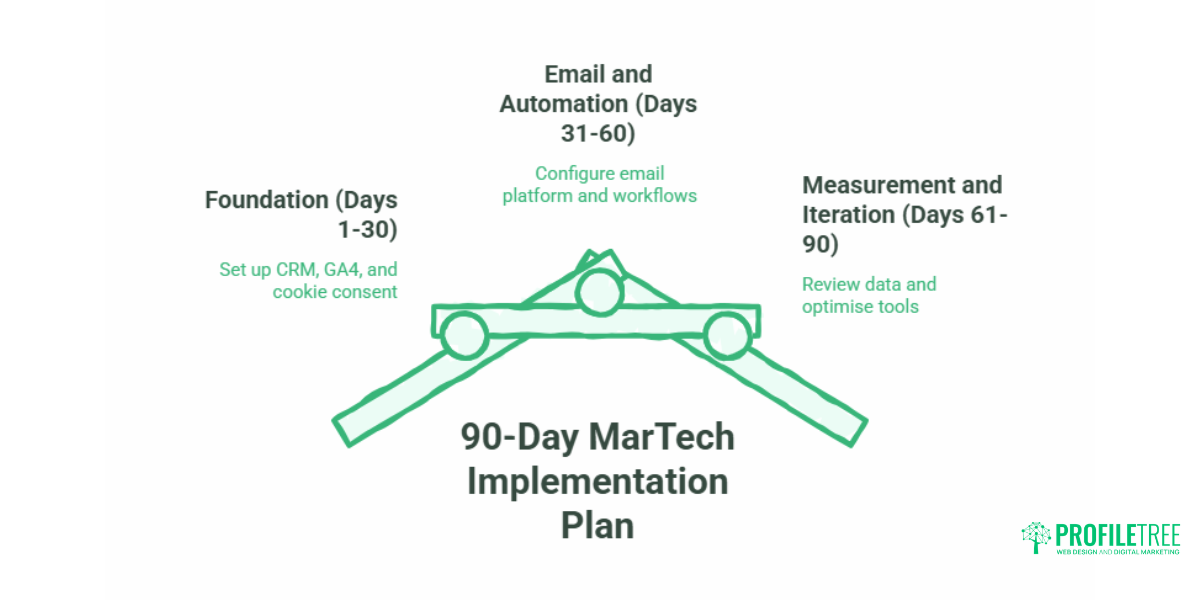
Trying to implement everything at once is the most common reason MarTech projects fail in small businesses. A phased approach spreads the workload and allows each layer to be tested before the next is added.
Days 1 to 30: Foundation Set up the CRM and connect it to the website contact form. Configure GA4 with basic goal tracking. Install and configure the cookie consent tool that meets PECR requirements. Do not add anything else until these three are working correctly.
Days 31 to 60: Email and Automation. Choose the email platform and configure double opt-in. Build one welcome sequence for new contacts (three to five emails is enough to start). Set up the first Zapier or Make workflow connecting the CRM to the email platform.
Days 61 to 90: Measurement and Iteration Review the data from the first 60 days. Are leads being captured? Is the email open rate above 25%? Are the automation workflows triggering correctly? Fix what isn’t working before adding new tools. Most SMEs add their fourth or fifth tool too early and end up with a stack that generates noise rather than insight.
ProfileTree’s digital training programmes include practical MarTech sessions for SME teams who want to build and manage their stack in-house rather than outsourcing the entire function.
Measuring MarTech ROI: What to Track and When
The metrics that matter for MarTech ROI depend on what the stack is being used for. There is no universal KPI set that applies equally to a professional services firm and an e-commerce retailer. But three categories of metrics apply to almost every SME:
Lead capture rate: What percentage of website visitors complete a form or take a trackable action? If the CRM and website are connected correctly, this should be visible. A below-average capture rate usually points to a website issue rather than a MarTech issue.
Email engagement: Open rates, click rates, and unsubscribe rates. Open rates below 20% suggest list quality or subject line problems. Unsubscribe spikes often indicate a content mismatch between what the subscriber expected and what they are receiving.
Attribution: Where are converting leads coming from? GA4, connected to the CRM, should make this answerable. If it isn’t, the integration has a gap somewhere. Businesses making significant paid media investments should also connect their advertising platforms (Google Ads, Meta) to GA4 for unified attribution.
Business automation statistics provide a broader context on where automation investment is returning value across UK businesses, which can help benchmark your own expectations.
ProfileTree Video: MarTech and Digital Strategy for SMEs
For a practical overview of how digital strategy, automation, and web infrastructure work together for small businesses, the video below covers ProfileTree’s approach:
FAQs
What is a MarTech stack for a small business?
A MarTech stack is the set of digital tools a business uses to attract, convert, and retain customers. For most SMEs, this covers a website CMS, a CRM for managing contacts, an email marketing platform, an analytics tool, and something to connect them. A functional stack does not need to be large; five well-chosen and properly connected tools will outperform twenty disconnected ones.
How much does a basic small business marketing tech stack cost?
A functional starter stack can cost nothing in monthly software fees, using free tiers of HubSpot CRM, MailerLite, and GA4. A growth-stage stack with automation, a paid email platform, and a low-code integration tool typically runs between £55 and £100 per month. Scaling to more advanced automation and a professional CRM tier brings costs to £200 to £500 per month. Implementation time and any agency support are additional.
Can a small business use a free MarTech stack?
Yes, and for businesses with fewer than 1,000 marketing contacts, it is often the right starting point. Free tiers of HubSpot CRM, MailerLite, and GA4 support basic lead capture, email marketing, and traffic analytics at no cost. The ceiling on free tiers is automation complexity; once workflows become more sophisticated, a paid integration tool becomes necessary.
What role can a CRM play in an effective MarTech stack?
The CRM is the single source of truth for all contact data. When properly connected to the website, email platform, and sales process, it ensures every interaction with a lead or customer is recorded in one place, accessible to the whole team, and usable for segmentation and reporting. Without a CRM at the centre, MarTech tools produce data that lives in silos and cannot be acted on cohesively.
Do I need a developer to build a MarTech stack?
For most small businesses, no. Modern CRMs have native integrations with common email platforms, and low-code tools like Zapier and Make allow non-technical users to connect tools that don’t have native integrations. The exception is website-level integration: connecting CRM to custom forms, configuring tracking scripts, or building landing pages that capture data correctly often benefits from developer involvement, at least at the setup stage.
How do UK GDPR and PECR affect small business marketing tools?
UK GDPR requires that personal data be collected with a clear lawful basis and stored in compliance with transfer rules if using US-based platforms. PECR requires active, unambiguous consent before sending marketing emails. In practice, this means configuring double opt-in on your email platform, using a PECR-compliant cookie consent tool on your website, and checking that any US-based platform in your stack has Standard Contractual Clauses in place for data transfers. The ICO’s website provides current guidance on all of these requirements.