
Business System Integration: A Guide for UK SMEs
Table of Contents
Most growing businesses reach a point where their systems stop talking to each other. The website captures enquiries that never reach the CRM. The CRM holds customer data that doesn’t sync with the project management tool. Accounts are reconciled manually at month-end.
This fragmentation isn’t a sign of poor management. It’s a predictable consequence of adding software incrementally as a business grows. Business system integration is the discipline of connecting those systems so that information flows where it needs to go, without someone copying it across by hand.
This guide covers what business system integration means in practice, the main approaches SMEs use, the integration process from audit to deployment, and the specific benefits for businesses investing in web design or digital marketing alongside their internal systems.
What Is Business System Integration?
Business system integration is the process of connecting separate software applications so they can share data and trigger actions across each other automatically. Rather than each platform operating as a self-contained unit, a properly integrated setup treats your software as a single coordinated infrastructure.
A straightforward example: a web enquiry form submits a lead to the CRM, which creates a project task, which triggers an onboarding email sequence; all without anyone opening three different tabs and copying information across. That kind of flow is what business system integration enables.
The term ‘business systems integration’ covers a wide range of scenarios, from simple API connections between two cloud tools to full enterprise middleware projects linking dozens of platforms. For most SMEs, the realistic scope is connecting four to eight core business tools to remove the most costly manual hand-offs.
What counts as a business system?
Any software your business relies on to capture, process, or act on information counts as a business system for integration purposes. You’ll typically find the most valuable connections between:
- CRM platforms (contact management, sales pipeline, customer history)
- Website and e-commerce platforms (lead capture, product data, order processing)
- Project management and scheduling tools
- Accounting and invoicing software
- Email marketing and automation platforms
- Customer support and helpdesk tools
- Inventory and supply chain management systems
The goal isn’t to integrate everything for its own sake. Identify which data hand-offs in your current workflow are creating the most friction, duplication, or delay, and connect those specific systems first.
Business system integration versus automation
Integration and automation are related but distinct. Integration creates the connections between systems; automation uses those connections to trigger actions without human intervention. You need integration before you can automate. A workflow that automatically assigns a lead based on location, for example, requires the website, CRM, and a routing rule to be integrated first.
When a web design project includes CRM integration in scope, it typically means building the API connections that allow the new website to pass structured data to existing business systems in real time. That’s digital system integration applied directly to your commercial infrastructure.
Common Integration Approaches for SMEs
There’s no single correct way to connect business systems. The right approach depends on the number of systems involved, how they’re hosted, the technical capabilities available in-house, and the budget. The table below summarises the four main approaches and their practical trade-offs for SME environments.
| Approach | How it works | Best suited to | Typical complexity |
|---|---|---|---|
| Point-to-point | A direct connection between two systems via a custom API call or webhook | Simple, stable connections between two tools that rarely change | Low initially; high over time if scaled to many systems |
| Hub-and-spoke (middleware) | All systems connect to a central integration platform that manages data routing | Businesses with four or more systems to integrate | Medium to high; requires middleware configuration |
| iPaaS (integration platform as a service) | Cloud-based platforms with pre-built connectors and visual workflow builders | SMEs without an in-house development resource | Low to medium; depends on platform and data complexity |
| Custom API development | Bespoke connections built to exact data structure and business logic | Scenarios where no off-the-shelf connector meets the requirement | High; requires ongoing developer support |
Point-to-point integration
Point-to-point integration connects two systems directly through an API or webhook. It’s fast to set up and works well when the connection is simple and unlikely to change. A web form sending a lead to a CRM via webhook is a typical example of point-to-point digital system integration in practice.
The limitation becomes apparent when a business has ten or more systems and tries to connect them all point-to-point. Each new connection multiplies the number of direct links, and any change to one system can break multiple connections. This is sometimes described as ‘spaghetti integration‘ because the web of interdependencies becomes unmanageable. At that point, systems integration needs a more structured architecture.
Hub-and-spoke and middleware
A hub-and-spoke architecture routes all data through a central integration layer rather than connecting systems directly to each other. When a system sends data, it sends it to the hub, which translates it into the correct format and routes it to the right destination.
This approach is more resilient than point-to-point at scale. Changing one system only requires updating its connection to the hub, not every other system it communicates with. For businesses running complex CRM, ERP, and web platforms together, a middleware layer is usually the right long-term architecture for systems integration.
iPaaS platforms
Integration platform as a service (iPaaS) tools offer pre-built connectors to hundreds of common business applications, combined with visual workflow builders. They’re particularly practical for SMEs that need to connect standard cloud tools quickly without committing to a large development project.
The trade-off is an ongoing subscription cost and potential gaps in coverage for bespoke data models. For most standard business systems integration scenarios (website to CRM, CRM to accounting, CRM to email), an iPaaS platform will cover the requirement without custom development.
The Integration Process: A Step-by-Step Guide
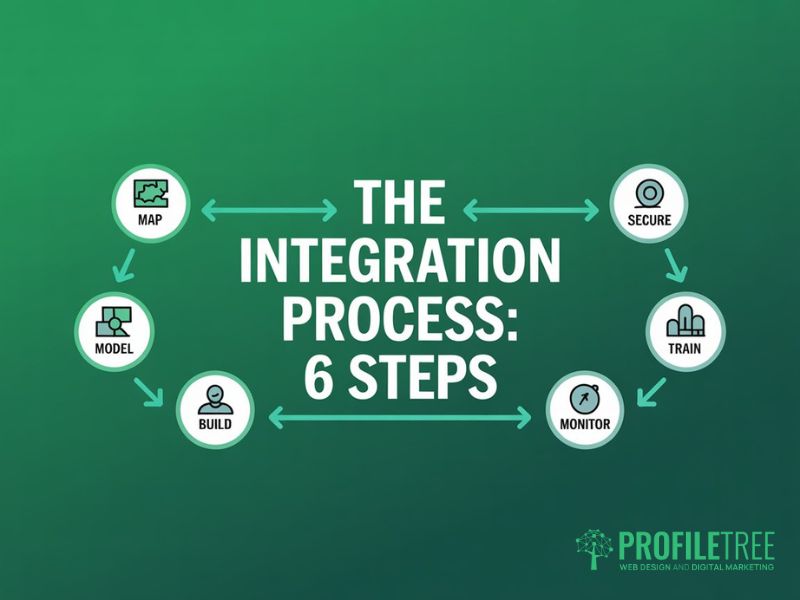
Business systems integration projects fail most often not because of technical complexity but because of poor scoping at the start. A structured process reduces the risk of discovering mid-project that two systems use incompatible data formats, or that a key connection requires a more expensive API tier.
Step 1: Map your current systems
Before any technical work begins, document every business system in use, what data each one holds, who uses it, and how information currently moves between them. This includes any manual steps, such as staff copying customer details from a web form into the CRM.
A practical output from this step is a simple diagram showing each system as a box with arrows for each data flow, whether automated or manual. This makes the gaps in your digital system integration visible and helps prioritise which connections will deliver the most value.
Step 2: Define the data model and quality baseline
Business system integration problems are frequently data problems. If your website uses email addresses as unique customer identifiers but the CRM uses account numbers, a direct connection without translation logic will either fail or create duplicate records.
Before building any connections, agree on the canonical data model: what a ‘contact’, ‘lead’, or ‘order’ looks like across all systems, which fields are mandatory, and how conflicts are resolved when two systems hold different values for the same record. This step prevents the majority of systems integration failures.
Step 3: Set a security and compliance baseline
Every integration creates a new data pathway, and each pathway is a potential point of exposure. Before deployment, confirm that data transmitted between systems is encrypted in transit, that access credentials use service accounts with minimum necessary permissions, and that any data held in a middleware layer meets your retention and deletion requirements.
For UK businesses, business system integration projects that involve personal data require a Data Protection Impact Assessment (DPIA) if they create new processing activities or substantially change existing ones. The ICO’s DPIA guidance sets out when one is legally required and how to carry it out. The broader UK GDPR framework also governs how personal data must be handled across all connected platforms, making compliance a first-order concern in any integration project.
Step 4: Build and test connections
With the data model agreed and security requirements confirmed, the technical build can begin. Each connection should be built and tested in isolation before being tested end-to-end. Test cases should cover expected inputs, edge cases (missing fields, duplicate records), and failure scenarios where a connected system is temporarily unavailable.
Load testing matters more than most projects budget for. A systems integration connection that works at five records per hour may behave unpredictably at five hundred. Establish realistic volume estimates before sign-off.
Step 5: Train the team and document everything
Integrated systems change how people work. Staff who previously reconciled data manually need to understand the new automated flows and what to do when something looks wrong. Brief the relevant people before going live, not after.
Document every connection: the systems involved, the data fields mapped, the transformation logic applied, the credentials used, and the troubleshooting process for common errors. This documentation protects the business when the person who built the business system integration moves on.
Step 6: Monitor, maintain, and iterate
Systems integration isn’t a one-time project. Systems update their APIs, data volumes grow, and business processes evolve. A connection that works reliably today may break six months from now when a platform releases a new version.
Build monitoring in from the start. Log failed transactions, set up alerts for unusual error rates, and schedule a quarterly review to check that data quality across connected systems remains as expected.
Business Benefits and How to Build the Case
The business case for business system integration needs to be grounded in the specific costs your current fragmented setup is generating. Calculations about staff hours, error rates, and delayed decision-making make a stronger case than vague claims about efficiency.
Reduced manual effort and fewer errors
The most immediate benefit of business system integration is the elimination of manual data re-entry. Every time a staff member copies information from one system to another, there’s a time cost and an error risk.
For a business receiving fifty web enquiries a week, each taking three minutes to log manually in the CRM, digital system integration recovers roughly two and a half hours of staff time per week. Across a year, that’s a meaningful return on a modest integration project.
Faster, more reliable customer data
When your website and CRM are integrated, customer records are created the moment a form is submitted rather than when someone has the capacity to process the backlog. First-response time is one of the most significant variables in whether a sales enquiry converts.
It also means every customer interaction is recorded in one place. A business owner looking at a customer record can see the original enquiry source, every email exchange, any support tickets raised, and the current project status, without switching between four systems. That’s a direct outcome of well-planned business systems integration.
Better reporting and decision-making
Fragmented systems produce fragmented reporting. When business data is spread across a website analytics tool, a CRM, an accounting package, and a project management platform with no connections between them, building an accurate picture of performance requires hours of manual aggregation.
Digital system integration lets you pull data from across your business into a single reporting layer. Marketing spend, lead volumes, conversion rates, project profitability, and customer retention can all be tracked from one source rather than compiled in separate spreadsheets.
Scalability without proportional headcount growth
A well-executed systems integration allows volume to grow without a proportional increase in administrative overhead. A business processing a hundred orders a week through an integrated web-to-fulfilment pipeline doesn’t need twice the admin staff to process two hundred.
Businesses that try to scale without addressing business system integration find that manual processes, which worked at smaller volumes, become critical bottlenecks, and retrofitting integration later costs more than building it in from the start.
Stronger web design and digital marketing outcomes
There’s a direct connection between business system integration and the performance of your digital marketing investment. When a website is designed with integration in the brief, the enquiry form, chat function, and landing pages are built to pass structured, clean data to the CRM from day one. Marketing attribution is captured accurately, leads are followed up faster, and the sales team has the context they need.
A website that sits in isolation from the rest of a business’s systems is an expensive brochure. Connected to your CRM, email platform, and project tools through professional web design services that include integration planning in scope, it becomes an active part of your sales and delivery infrastructure.
Integration and your broader digital strategy
Business system integration delivers the most value when it’s part of a joined-up digital strategy rather than a standalone IT project. When web design, content, and CRM configuration are planned together, the connections between them are built in from the start.
For businesses at an earlier stage of digital maturity, digital training helps internal teams understand the data flows they’re responsible for and the questions to ask when briefing a systems integration project.
For those connecting AI-driven tools to existing workflows, ProfileTree’s AI implementation services treat business system integration and AI adoption as a connected challenge rather than separate workstreams.
Planning the costs: a three-year view
Integration projects are often under-budgeted because the initial build cost is visible, but the ongoing maintenance cost isn’t. The table below outlines the typical cost categories over three years for an SME-scale business systems integration project.
| Cost category | Year 1 | Year 2 | Year 3 |
|---|---|---|---|
| Scoping and data modelling | Required | Not applicable | Not applicable |
| Initial build (development or iPaaS setup) | Primary cost | Minor amendments | Minor amendments |
| iPaaS platform licence (if applicable) | Annual fee | Annual fee | Annual fee |
| API tier upgrades as volume grows | Low | Medium | Medium to high |
| Maintenance and monitoring | Low | Moderate | Moderate |
| Staff training and documentation updates | Required | As needed | As needed |
Making Business System Integration Work for Your Organisation
Business system integration isn’t a technology project for its own sake. It’s a structural improvement to how your business captures, processes, and acts on information. Done well, it reduces administrative overhead, improves data quality, and makes every other digital investment more productive.
The businesses that get the most from systems integration start with a clear picture of the specific pain points they need to address, choose the right approach for their scale, and invest properly in the data modelling and documentation work that makes connections stable over time.
If your business is at the point of redesigning your website, building a new CRM workflow, or planning a broader digital strategy, integration planning should be part of that conversation from the start. ProfileTree works with SMEs across Northern Ireland and the UK to design and deliver websites built for business system integration and digital strategies that connect the right tools in the right way.
FAQs
1. What is the difference between system integration and software integration?
The terms are often used interchangeably, but there’s a useful distinction. Software integration connects two or more applications at the code or API level, whereas business system integration is the broader discipline that also covers hardware, networks, data architecture, and business process design. For most SMEs, the practical work is software integration, but the planning and governance should follow a business systems integration mindset.
2. How long does a typical business system integration project take?
Timescales vary considerably depending on the scope. A simple two-system connection (such as a web form to a CRM via a pre-built connector) can be configured and tested in a few days, whereas a full business systems integration covering four to six platforms with custom data mapping, security review, and staff training typically takes six to twelve weeks. Enterprise-level systems integration projects involving legacy infrastructure typically take 3 to 9 months.
3. How much does business system integration cost?
For SMEs using cloud-based tools with available API connectors, a practical digital system integration project using an iPaaS platform typically costs between £2,000 and £8,000 for initial setup, depending on the number of connections and the complexity of the data mapping required. Custom API development for bespoke connections sits higher, typically £5,000 to £20,000 or more. Ongoing costs include platform licences, API usage fees, and periodic maintenance, which for a straightforward SME business systems integration project usually run to a few hundred pounds per month.
4. Does business system integration affect UK GDPR compliance?
Yes. Any integration creating a new data flow involving personal data is a change to your processing activities. Under UK GDPR, you’re required to document your processing activities and, in some cases, carry out a Data Protection Impact Assessment before deploying a new digital system integration. You should also confirm that data transmitted between systems is encrypted in transit, that retention periods are applied consistently across connected platforms, and that data processor agreements with any third-party iPaaS providers are in place.
5. What is the biggest risk in a system integration project?
The most common cause of business system integration failure is inadequate data modelling at the outset: when two systems use different identifiers or field structures for the same information, the integration produces duplicate records, failed matches, or corrupted data. A thorough data audit and an agreed mapping document before any build work begins is the most effective mitigation available. The second most common risk is scope creep, where a simple two-system connection gradually accumulates requirements until the project becomes unmanageable.