
Create A Squarespace Membership Site: A Practical Build And Growth Guide
Table of Contents
A membership site charges for access to content, services, or a community. It turns one-off visitors into recurring revenue, which is steadier than chasing new sales every month. Squarespace handles the website, hosting, and billing in one place, so you don’t stitch together separate tools. That convenience is also the trade-off: you’re working inside Squarespace’s rules, which matters most when you later want stronger SEO or custom functionality.
If you’re weighing platforms before committing, our guide to WordPress vs custom development covers where hosted builders stop being the right fit. For most brochure or content businesses, Squarespace is fine to start. The decision point comes when membership becomes the core of the business.
This guide keeps the full build walkthrough from the original, with current pricing and a sharper focus on the part most owners get wrong: keeping people subscribed.
How To Set Up A Squarespace Membership Site
Setting up the mechanics takes an afternoon. The ten steps below move from plan selection to live member content. Squarespace’s own Member Sites documentation is the authoritative reference if a screen differs from what’s described here, since the interface changes periodically.
Step 1: Choose A Plan That Supports Memberships
Member Areas need at least the Business plan. Squarespace pricing changes, so check the current rate at checkout rather than relying on a figure in any guide. A free trial lets you test member features before you pay. Pick the billing cycle (monthly or annual) that matches your cash flow, not the one with the biggest discount banner.
Step 2: Set Up Your Account And Domain
A custom domain builds trust at the checkout, which is where membership sign-ups are won or lost. Register a new domain through Squarespace or connect one you already own under Settings, then Domains. Confirm SSL is active before you take a single payment. A secure padlock is the baseline expectation for any site handling card details.
Step 3: Pick And Customise A Template
Choose a template under Design, then Templates, filtering for membership or business categories. Customise the colour scheme, typography, logo, and navigation so the site reads as your brand and not a stock theme. If the template fights you on layout or you want a build that’s easier to extend later, professional web design saves the rework that comes from outgrowing a template six months in.
Step 4: Build The Pages Members Expect
A membership site needs a homepage that sells the benefit, a clear pricing page, an FAQ, a content preview, and the legal pages (terms and privacy). Add each under Pages using the plus icon. Keep the path from landing page to sign-up short. Every extra click between interest and payment costs you conversions.
Step 5: Enable Member Areas And Set Access Levels
Under Settings, then Member Areas, enable the feature and configure the login page, welcome email, and recovery options. Create a member area for each tier you plan to sell, name it plainly (for example “Premium Content”), and set which pages or sections sit behind it. Start with one tier. You can add more once you know what people actually pay for.
Step 6: Create Subscription Products
Under Commerce, then Products, add a product and select Subscription. Set the name, description, pricing, any trial period, and the member area it unlocks. Configure failed-payment recovery here too, because involuntary churn (cards expiring, payments bouncing) quietly drains more subscribers than active cancellations for many sites.
Step 7: Connect Payment Processing
Under Commerce, then Payments, connect Squarespace Payments or Stripe and complete verification. Set your currency to GBP if you bill UK and Ireland customers, configure transaction emails, and handle tax settings if they apply to you. Get this right before launch; switching processors after you have live subscribers is painful.
Step 8: Create Member-Only Content
Build the content that justifies the price: articles, video tutorials, downloads, or a community space. Restrict each page to the right member area in its page settings. Video tends to retain members better than text alone, which is why many membership owners bring in video production for their flagship content. If you produce video, our content marketing approach covers how to plan a release schedule members can rely on.
Step 9: Design A Frictionless Sign-Up And Login
Place clear sign-up buttons throughout the site, keep checkout fields minimal, and show secure-payment indicators near the card form. Customise the login page to match your brand under Design, then Member Areas. The fewer decisions a prospect faces at checkout, the more of them finish.
Step 10: Automate Member Communications
Set up the welcome email, subscription confirmations, and renewal notices under Settings, then Member Areas, then Email. A strong welcome sequence sets expectations and reduces early cancellations. This is the cheapest retention work you’ll ever do, and most owners skip it.
What You Need Before You Start
Preparation decides whether the build goes smoothly. Before you touch the platform, settle five things: a clear membership concept (what value subscribers get), a pricing model, a content plan for at least the first three months, the Business plan or higher, and a payment processor account. The content plan is the one people underestimate. A membership site is a promise of future content, not a one-time product, and running out of material by month two is the fastest way to lose subscribers.
Pick A Membership Model That Fits Your Business
Squarespace supports content subscriptions, service subscriptions, community memberships, digital product access, and tiered plans. Match the model to what you can sustain. A solo consultant can run a content subscription far more easily than a busy community that needs daily moderation. Be honest about the time each model demands before you commit to it.
Set Pricing You Can Defend
Research what comparable offers charge, then price based on the value you deliver rather than undercutting to win sign-ups. Test annual against monthly billing. Annual plans improve cash flow and cut churn, but monthly lowers the barrier to that first commitment. If pricing strategy is tied to a wider commercial goal, our digital strategy work maps pricing to acquisition and retention targets rather than treating it as a standalone number.
Growing And Keeping Subscribers
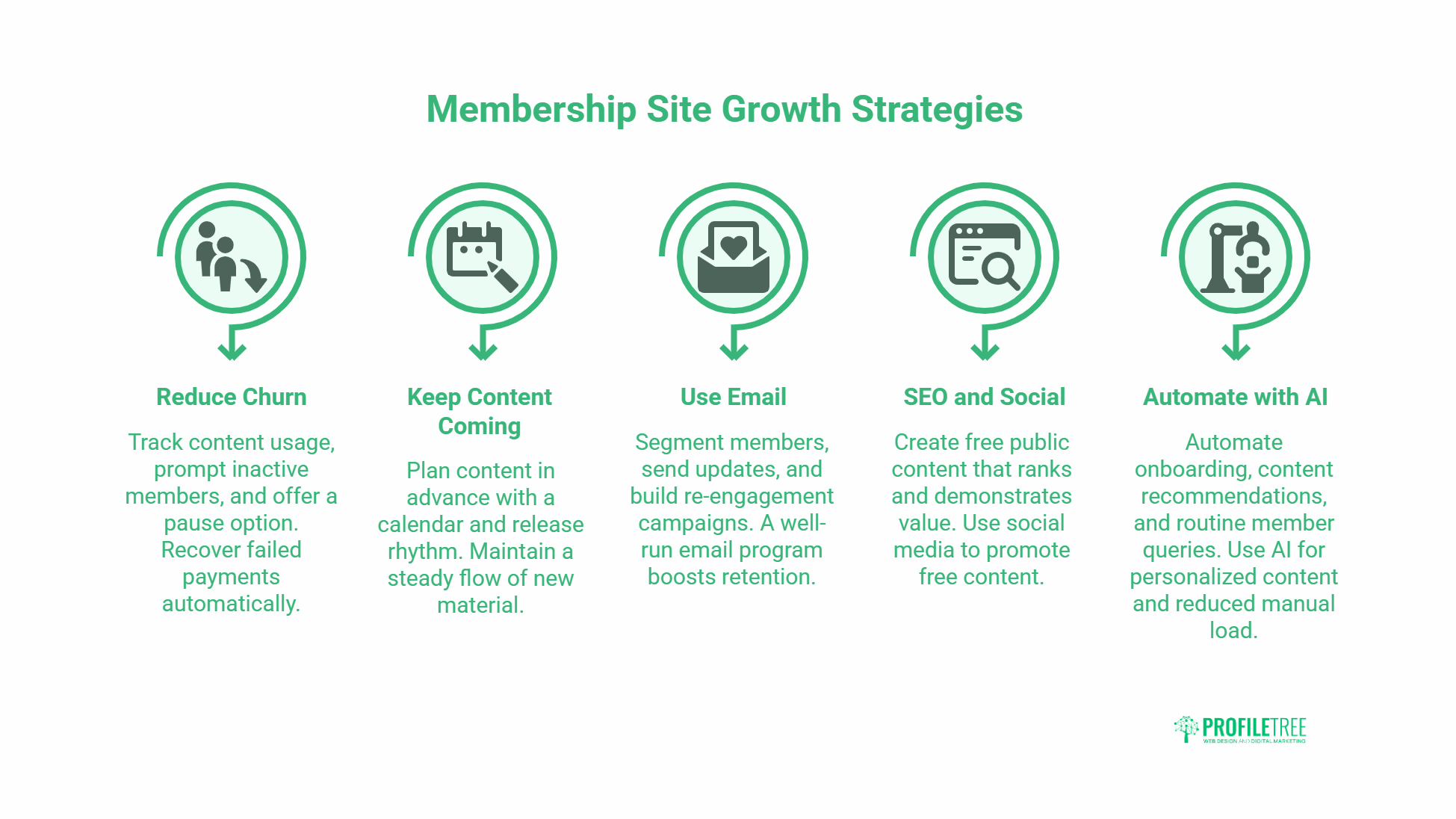
Retention matters more than acquisition for any subscription business. Winning a member costs more than keeping one, so the maths favours reducing churn over chasing volume. The original setup is only the first afternoon of work; everything below is what makes the site pay.
Reduce Churn Before It Starts
Most cancellations are decided weeks before the click. Members who don’t use the content in the first month rarely renew. Track which content gets accessed, prompt inactive members back in, and run exit surveys to learn why people leave. Offering a pause option instead of a hard cancel keeps some subscribers who would otherwise be gone for good. Set up renewal reminders and recover failed payments automatically, because the silent losses from expired cards add up.
Keep The Content Coming
Members pay for what’s next, not what you’ve already published. A content calendar, batches produced in advance, and a steady release rhythm turn renewal into the default rather than a monthly decision. This is where most membership sites quietly fail. The owner runs out of road and the value proposition collapses. Planning content as a pipeline, the way our content marketing services team does for clients, is what keeps the promise credible.
Use Email To Hold The Relationship
Email is the channel you own, unlike social platforms that can change the rules overnight. Segment members by status, send regular updates, and build re-engagement campaigns for at-risk subscribers. A well-run email marketing programme does more for retention than any feature you can add to the site itself.
Get Found: SEO And Social For Membership Sites
Squarespace handles basic SEO, but membership sites face a structural problem: your best content sits behind a paywall where search engines can’t index it. The fix is a layer of free, public content that ranks, demonstrates value, and feeds the sign-up funnel. That’s a deliberate search engine optimisation strategy, not an afterthought. Pair it with social media marketing to put the free content in front of the right audience and pull them toward the gate.
Automate The Repetitive Work With AI
Onboarding, content recommendations, and routine member queries can be partly automated. An AI chatbot can handle common support questions so a small team isn’t answering the same thing fifty times a week. Owners looking to go further can explore AI for marketing to personalise content and reduce the manual load that comes with a growing member base. If you want your team to run these tools confidently, digital training covers the practical skills.
A Note On Analytics
Enable Squarespace Analytics and connect Google Analytics for deeper data. Watch four numbers above all: visitor-to-subscriber conversion, retention rate, average subscription length, and which member content gets used most. These tell you where to spend effort. Everything else is noise until those four are healthy.
“Content consistency is the silent killer of most membership sites. Members aren’t paying for what you’ve already created; they’re investing in what you’ll produce next. When you establish a reliable rhythm of high-quality content delivery, renewal becomes the default choice rather than a decision point.” — Ciaran Connolly, founder of ProfileTree
When To Build It Yourself And When To Hire Help
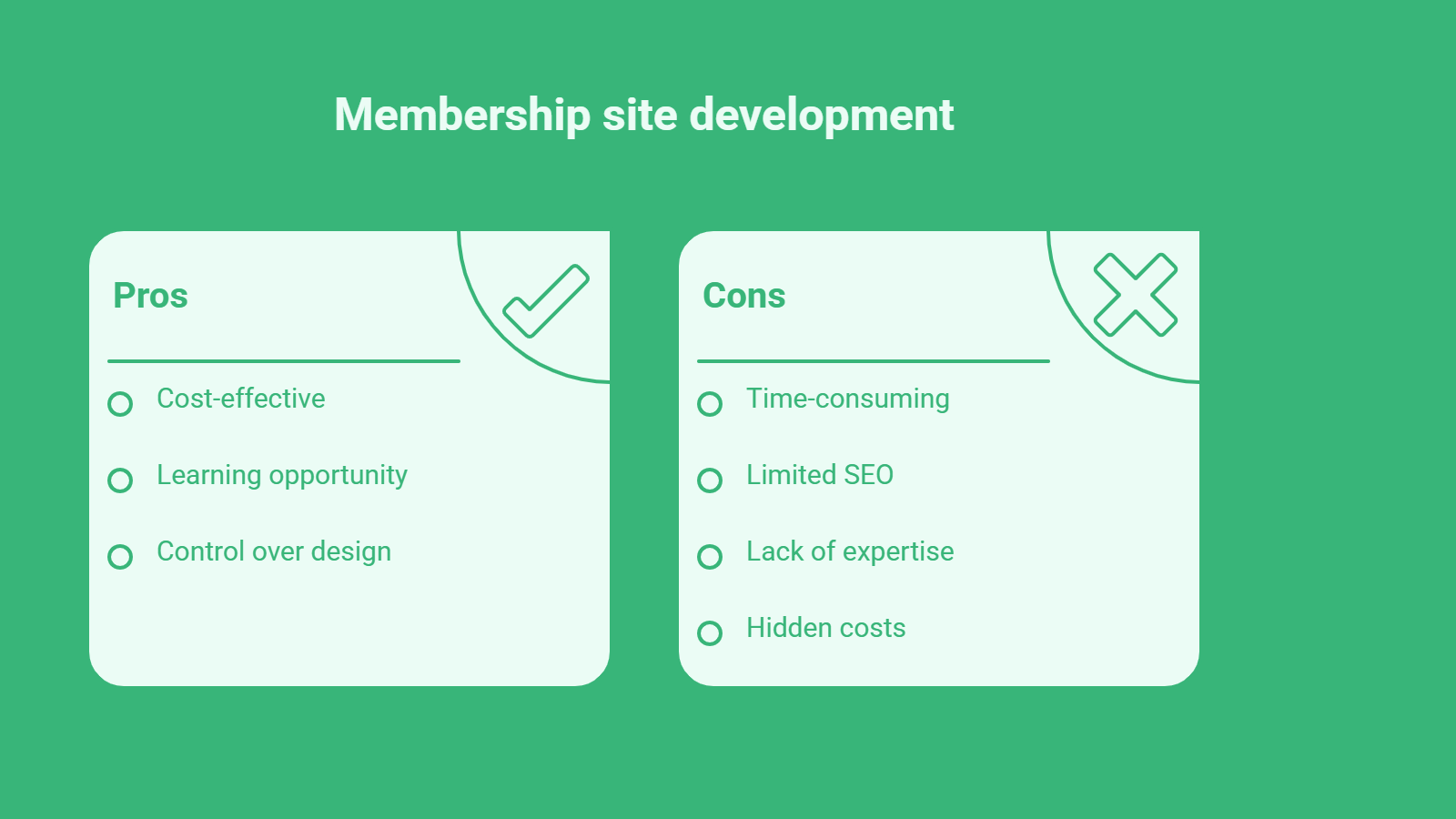
Build it yourself when the membership is a side project, the content is straightforward, and you have time to learn the platform. Squarespace is genuinely usable for a first paid membership, and there’s no shame in starting lean.
Bring in help when the membership becomes central to your revenue, when you need SEO that a hosted builder limits, or when you want functionality Squarespace doesn’t offer natively. The hidden cost of DIY isn’t the build; it’s the months of slow growth while you learn what a specialist already knows about conversion, retention, and search visibility. At that point the question shifts from “can I build this” to “what is my time worth.”
ProfileTree, the Belfast digital agency, works with businesses across Northern Ireland, Ireland, and the UK on the parts of a membership business that decide whether it grows: web development, website hosting and management, and the digital marketing that fills the funnel. If you’re planning a larger shift toward automation across the business, our AI transformation work is where to start.
Frequently Asked Questions
Can You Create A Membership Site On Squarespace?
Yes. Squarespace supports membership and subscription sites through its Member Areas feature, available on the Business plan and higher. You can gate pages, sections, or entire content libraries behind paid access, set up multiple tiers, and bill members automatically through Squarespace Payments or Stripe. The feature suits content subscriptions, community memberships, and service-based recurring offers. It’s well suited to a first paid membership, though sites that need advanced SEO or custom functionality often outgrow it over time.
How Much Does A Squarespace Membership Site Cost?
You need at least the Squarespace Business plan, and Squarespace takes a transaction fee on the Business tier that drops to zero on the Commerce plans. Pricing changes, so check the current figures at checkout rather than trusting a number in any guide. Beyond the plan, factor in your domain, any premium template or extensions, payment-processor fees through Stripe, and the cost of producing content regularly. For most SMEs the platform cost is minor next to the time or budget needed to create content members will keep paying for.
Squarespace Or WordPress For A Membership Site?
Squarespace is faster to launch and easier for non-technical owners, with hosting and billing built in. WordPress offers far more control over SEO, custom features, and membership plugins, but needs more setup and maintenance. For a simple content or community membership, Squarespace is usually enough to start. For a membership that’s central to your business, needs strong organic search, or requires custom member logic, WordPress (or a custom build) tends to be the better long-term home. The right answer depends on how big a role the membership plays in your revenue.
How Do I Stop Members From Cancelling?
Focus on the first 30 days. Members who engage early renew; those who don’t, leave. Send a strong welcome sequence, prompt inactive members back to the content, keep a reliable publishing rhythm, and recover failed payments automatically. Offer a pause option instead of only a hard cancel. Run exit surveys to learn the real reasons people go, then fix the pattern rather than treating each cancellation as a one-off.
Can I Improve My Membership Site’s SEO On Squarespace?
Partly. Squarespace covers SEO basics, but paywalled content can’t be indexed by search engines, which limits how much a membership site ranks on its own. The workaround is a layer of free, public content (guides, previews, blog posts) that ranks in search, demonstrates value, and funnels visitors toward sign-up. Strong on-page SEO on that public content, plus internal links to your pricing page, does most of the heavy lifting for organic acquisition.