
Grammarly for Business: What It Checks and What It Misses
Table of Contents
A Grammarly style guide lets a team load its own writing rules, such as service names and preferred spellings, so that every writer sees on-brand suggestions as they type. It keeps copy consistent, but it cannot judge whether a page persuades a buyer or states its facts accurately, which is the work ProfileTree’s editors and copywriters do for UK businesses.
How the Grammarly style guide works for a team
Grammarly style guide feature turns a company’s written standards into rules that the software checks while people write. An administrator builds a rule set, for example, “write ProfileTree as one word” or “use enquiry, not inquiry”, and Grammarly flags any writer who breaks a rule in its browser extension or desktop app. Grammarly’s own documentation states that the feature is not supported on mobile, so anyone drafting on a phone works without those checks.
Style rules and company style guides
A style rule is a single instruction that Grammarly can test mechanically, and a style guide is the collection of those rules for one organisation. Teams can upload an existing house style document or add rules one at a time. The rules that work best are the ones with a right answer: service names, capitalisation, number formats, spelling variants and words the business has decided not to use.
Anything that needs judgement, such as how formal a sentence should be for a particular buyer or which objection to answer first, belongs with a person. That is the territory of a copywriting service, not a software rule, because it depends on knowing the customer and the business behind the page.
Brand tones and shared company knowledge
Brand tones describe a company’s voice as a set of traits, such as “confident” or “plain-spoken”, each with a definition and examples of on-brand and off-brand wording. Once an administrator saves the profile, Grammarly suggests changes when a sentence drifts away from it. A related feature, Knowledge Share, surfaces approved company information as people type, which helps when several staff describe the same service in slightly different words.
These settings only work if the voice has been written down first. Our guide to keeping a brand voice consistent sets out the document a team should agree on before any software is configured.
Which plans include the team features
Grammarly style guide page lists the feature on its Pro and Enterprise plans, with one style guide on Pro and an unlimited number on Enterprise. Brand tones are presented as part of the business offering, and Grammarly directs buyers to its sales team for plan details. Plan names and inclusions have changed more than once, so check the current plans page before you budget for a rollout.
What Grammarly checks in business content
Outside the style guide, Grammarly reviews everything a writer types for spelling, grammar, punctuation, wordiness and tone. Tone detection is an estimate of how a message will come across to the reader, and it is most useful on emails and short updates where a misjudged phrase causes more harm than a typo. For first drafts written in a hurry, this catches the errors that make a business look careless.
Setting British English for UK and Irish audiences
Grammarly offers five English dialects: American, British, Canadian, Australian and Indian, and the choice is made at account level and carries across its apps. A team selling into the UK and Ireland should set British English on every account on the first day. One writer left on the American setting will reintroduce “optimize” and “color” into copy that the style guide has just cleaned up.
Spelling is only part of the difference between the two markets. Our article on the differences between UK and US copy covers phrasing and the conventions that change when a page is written for a British reader.
Where Grammarly stops and editorial judgement starts
Grammarly checks how a sentence is written, and it has no way of knowing whether the sentence should be on the page at all. The table below shows where the software does the work and where a human editor has to.
| Check | Grammarly with a style guide | Human editor |
| Spelling, grammar and punctuation | Yes, in real time | Spot checks only |
| House terms and spelling variants | Yes, once the rules are loaded | Maintains the rules |
| Voice and tone | Suggestions against the tone profile | Final judgement |
| Facts, prices and figures | No | Checks each against its source |
| Search intent and page structure | No | Plans the query, headings and links |
| Persuasion and the call to action | No | Writes for the buyer’s decision |
Correct copy and persuasive copy are different jobs
A service page can pass every Grammarly check and still fail to produce an enquiry. Persuasion depends on knowing what the buyer is worried about, answering those worries in the right order and putting proof where a decision-maker will look for it. None of that is visible to software that reads one sentence at a time.
Facts, claims and sources still need a person
Grammarly cannot tell whether a price on the page is current or whether a statistic has a source behind it. Its generative features can also produce fluent sentences with no factual basis, and those read as plausibly as the accurate ones. That check is done by an editor reading the draft against the brief.
Does Grammarly help SEO?
Grammarly does not improve search rankings directly. SEO depends on matching the intent behind a query, answering it early, structuring headings, linking related pages and covering what competing pages leave out. Grammarly sees none of this.
Google’s published guidance on AI-generated content, issued in February 2023, says it rewards helpful, original content however it is produced, which puts the weight on substance. Clean copy removes one reason for a visitor to leave a page, although it gives Google nothing new to rank. The search planning happens before the Grammarly pass, and the structural checks happen after it, which is the part our content marketing support covers.
A three-stage editing workflow for marketing teams
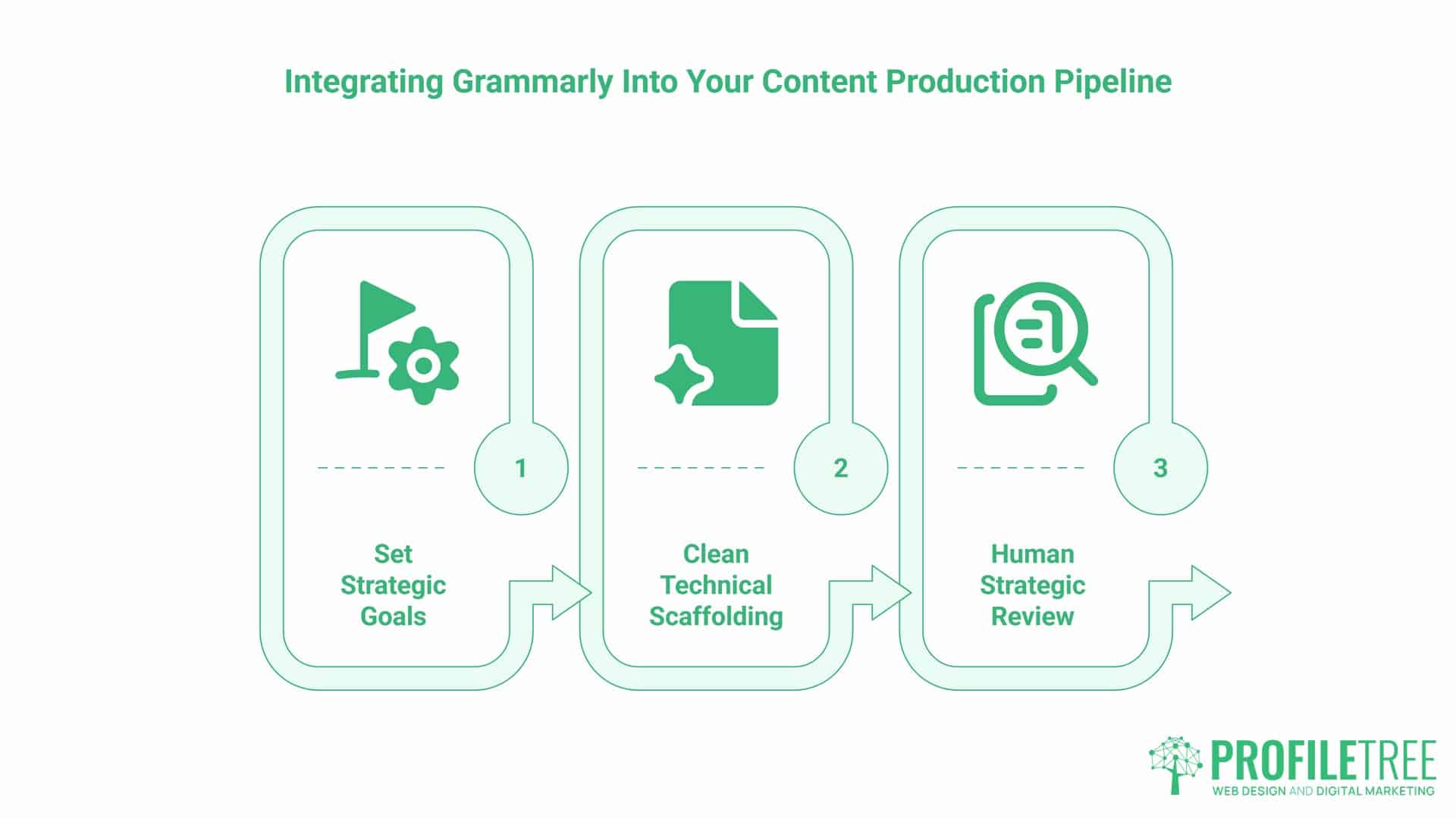
Grammarly earns its place in the middle of the process, after the brief and before the final editorial read. This is the order ProfileTree recommends to clients who keep their writing in-house because each stage catches what the others cannot.
Stage one sets the brief and the style guide rules
Write the brief before anyone drafts. It should name the reader, the question the page answers, the action you want the reader to take and the facts that may be quoted. Keep the rules in Grammarly in step with the house style document, and change both on the same day whenever a decision about wording is made.
Stage two is the Grammarly pass
Run Grammarly once the draft is complete, accept the corrections, then work through the style guide flags. Treat tone suggestions as prompts to reread a sentence. Read any full-sentence rewrite before accepting it because repeated rewrites flatten a writer’s voice. Grammarly’s own AI detector page says it looks for text produced with Grammarly and other tools and that no detector is fully accurate. Our guide on how AI detection tools judge copy explains what tends to trigger a flag.
Stage three is the human editorial review
An editor who knows the business reads the piece as the customer would. They check each figure against its source, confirm that the opening paragraph answers the question the brief set, and make sure the call to action leads to the right page. Reading the opening aloud is the quickest test of whether the copy sounds like a person.
“In ProfileTree’s own content and in the content marketing we do for businesses in Belfast and across Northern Ireland, the software does the checking and a person who knows the business decides what is true and what the customer needs,” says Ciaran Connolly, founder of ProfileTree. “Take the person out and the result reads like everyone else’s.”
Rolling Grammarly out across a business
Start with the written house style because Grammarly can only enforce rules that someone has already agreed. Switch every user to British English, load the mechanical rules, then add brand tones once the voice traits are defined. Grammarly’s brand tones guidance suggests the configuration itself takes less than a day; the slower part is getting the marketing team and the directors to agree on the tone guide.
Pilot the setup with one team before extending it, and collect the flags people dismiss most often, since those usually point to a rule that is too strict or badly worded. Software alone rarely changes how a team writes, so pair the rollout with instruction. Our AI training for marketing teams covers editing tools alongside the generative ones.
Check the data position before client material passes through the tool. Grammarly states that it does not sell user content, and individual users can switch off the use of their writing for model training in their account settings. Confirm the default for business accounts with Grammarly directly if your team handles confidential client documents.
When to bring in an editor or copywriter
Grammarly with a well-built style guide is enough for internal emails, routine updates and drafts that a competent writer will review. Bring in a professional for service pages, sales copy, anything that states prices or results, and content you want to rank in Google or be cited by AI assistants. Those pages carry commercial weight, and a sentence that is grammatically perfect can still lose the reader.
ProfileTree is a Belfast web design and digital marketing agency, founded in 2011 and based at the McSweeney Centre. Our copywriters and editors work with SMEs and public bodies across Northern Ireland, the Republic of Ireland and Great Britain, writing pages around interviews with the people who do the work and checking every claim before it is published.
Get your business content edited for search and sales
If your team already uses Grammarly and the copy is clean, but the pages are not producing enquiries, the next step is an editorial review of the pages that matter most commercially. Our copywriters plan each page around the query a buyer searches, check every claim and write for the decision the reader is making. ProfileTree has more than 500 Google reviews with a 5.0 rating, and copywriting is quoted on request. Find out how our copywriting service works.
FAQs
Does Grammarly improve my SEO ranking?
No, Grammarly has no direct effect on rankings. It improves readability and removes errors, which helps visitors trust a page, but it does nothing for search intent, keyword targeting, headings or internal links. Google’s guidance asks for helpful, original content, so the gains come from the substance of the page and the structure an editor gives it.
Can Grammarly be set to British English?
Yes, Grammarly supports British English alongside American, Canadian, Australian and Indian English, and the setting is chosen in your account preferences. It applies across Grammarly’s apps and not per document, so an administrator rolling the tool out to a UK team should confirm that every user has been switched before loading the style guide.
Does Grammarly flag content as written by AI?
Grammarly’s spelling and grammar corrections are not what AI detectors look for, but heavily rewritten passages can read as machine-generated. Grammarly’s own AI detector page says it checks for text produced with Grammarly and other tools, and that no detector is fully accurate. Keep the writer’s own sentences and accept full rewrites sparingly.
What services edit English text without changing its content?
Proofreading is the service that corrects spelling, grammar and punctuation while leaving the meaning and structure alone. Copy editing goes a step further and tightens sentences, and copywriting rewrites the content for a purpose. Grammarly covers much of what a proofreader checks, while a human proofreader adds judgement on context, names and house style that software can miss.
How do you roll out Grammarly across a whole team?
Agree on the written house style first, then set the dialect for all users, load the style rules and add brand tones. Pilot with one team, review which suggestions people reject, and adjust the rules before extending access. Short training sessions help, because staff given a login without instruction tend to accept suggestions they have not read.