
Business Analytics Tools and Techniques for SMEs
Table of Contents
Most small and medium-sized businesses need two things from business analytics tools and techniques: a reliable view of what has already happened, and a way to test what might happen next. Power BI and Google Analytics cover the first for under £11 per user per month between them. The second requires either a capacity-based platform such as Qlik or a genuine data preparation layer such as Alteryx, and both cost several times more.
That gap is where most SME analytics projects stall. Buying the wrong tier is expensive. Buying the right tier and never connecting it to a decision is worse, because the licence renews whether anyone opens the dashboard or not.
Getting the sequence right matters more than the software choice, which is why digital strategy support usually starts with the decisions a business is trying to make and works backwards to the reporting it needs. This guide covers the main platforms available in 2026, the techniques they are used to carry out, what each one actually costs, and how to pick between them.
Three Things to Take Away:
- Start free. Google Analytics and Looker Studio cover website and marketing performance at no cost, and Tableau now offers a free desktop edition for local analysis.
- Vendor pricing models changed significantly in 2025 and 2026. Qlik and Tableau no longer price the way most comparison articles describe.
- The technique matters more than the tool. Cohort analysis and funnel analysis work in a spreadsheet; neither works if the underlying data is inconsistent.
What Is Business Analytics?
Business analytics is the use of data to understand how a business is performing and to inform decisions about what to do next. It covers four activities: describing what has happened, diagnosing why it happened, predicting what is likely to happen, and recommending what action to take.
Most SMEs operate almost entirely in the first category. Reporting on sales, traffic, costs, or customer behaviour answers the question of what changed. The more capable platforms in this guide go further, helping you spot correlations, run what-if scenarios, and build models that forecast outcomes. Very few small businesses reach that stage in year one, and there is no particular shame in that.
Why the Tools Became Accessible
Five years ago, a reliable analytics dashboard required a data analyst or significant IT spend. Modern business analytics software ships with drag-and-drop report builders, pre-built connectors to platforms like Shopify, Xero, and Salesforce, and natural language query functions that turn a typed question into a chart.
The technical barrier has largely gone. You no longer need to hire a data scientist to find out which product lines are most profitable or where a website loses visitors. What has not changed is the need for someone to look at the answer and act on it.
Business Analytics Techniques Worth Knowing
Software gets most of the attention, but the business analytics tools and techniques that produce results for SMEs are mostly a small set of well-understood methods. Each of these works in Power BI, in Looker Studio, and in a spreadsheet if the dataset is small enough.
Funnel Analysis
Funnel analysis tracks how many people move from one step to the next in a defined sequence: landing page, product page, basket, checkout, purchase. The value is in the drop-off rates rather than the totals. A 70% fall between basket and checkout points at a specific problem, usually delivery cost or a forced account creation step.
Cohort Analysis
Cohort analysis groups customers by when they first bought and tracks each group over time. It answers a question that headline revenue hides: are newer customers behaving like older ones? A business with flat revenue and steadily worsening cohorts is in more trouble than the top line suggests.
Customer Segmentation
Segmentation splits a customer base by behaviour, value, or source rather than by demographics alone. For most SMEs the useful cut is simple, often just recency, frequency, and spend. Once segments exist, marketing and service decisions can differ by segment instead of being applied uniformly.
Forecasting and Scenario Modelling
Forecasting projects a measure forward based on historical patterns and seasonality. Scenario modelling asks what happens to that projection if a variable changes: a 10% price rise, a supplier delay, a lost account. This is the point where free tools run out of road and a paid platform starts to earn its cost.
A/B Testing
A/B testing compares two versions of a page, email, or advert against a single measure. It is the only technique here that generates its own data rather than analysing what already exists, and it is the most commonly misused, mainly because tests are stopped early once a result looks favourable.
The Platforms Worth Considering
The market is crowded. A handful of platforms come up repeatedly in client conversations and in practical use. Pricing below was verified against vendor sources in August 2026.
Microsoft Power BI
Power BI is the most widely adopted analytics platform in the SME market, partly on price and partly because most businesses already run Microsoft 365. It connects to hundreds of data sources, including Excel, SharePoint, Salesforce, and Google Analytics, and produces dashboards that refresh automatically.
What it does well: The drag-and-drop report builder is genuinely intuitive. Sharing dashboards across a team is straightforward and the mobile app is usable rather than an afterthought. Copilot integration lets users ask questions in plain English and get a chart or summary back without writing code.
Where it falls short: Visualisations look dated next to Tableau. The free desktop version builds reports but cannot share them; publishing requires a Pro licence for every person who views the result, which catches teams out.
Pricing: Power BI Pro costs £10.80 per user per month, billed yearly, excluding VAT. Premium Per User is £18.50 per user per month on the same terms. Microsoft raised both in April 2025, so older figures circulate widely.
Best for: Businesses already inside the Microsoft stack, where native connections to tools you are paying for anyway reduce integration work.
Tableau
Tableau’s strength is visualisation. For presenting data to a board, to investors, or to clients unused to reading spreadsheets, it produces charts and dashboards that communicate clearly and look professional.
What it does well: The visualisation options are extensive, large datasets do not slow it down, and mapping is stronger than most competing tools. Tableau Desktop Free Edition now gives full local authoring on Excel, CSV, and database files, which makes it viable for a single analyst with no budget.
Where it falls short: Everything beyond local analysis requires an annual contract; there are no monthly plans. The free edition cannot publish, share packaged workbooks, or connect to Tableau Cloud, so collaboration means paying.
Pricing: Tableau restructured its pricing around editions rather than user roles. Tableau Standard starts at £12 per user per month billed annually, Tableau Enterprise at £28, and Tableau Next at £32. Creator, Explorer, and Viewer still exist as licence types within an edition rather than as price points, and every deployment needs at least one Creator.
Best for: Organisations where data presentation matters as much as data analysis, including agencies, consultancies, and any business reporting performance to external stakeholders.
Google Analytics
Google Analytics sits in a different category from the others. It is built for website and app performance rather than broader business intelligence. For any business with an online presence it remains the starting point.
What it does well: It is free, well documented, and tracks the full user journey across website and app, measuring conversion events and showing which traffic sources drive commercial outcomes. It connects natively to Google Ads, Google Search Console, and Looker Studio.
Where it falls short: The GA4 interface is considerably more complex than its predecessor and many business owners find it confusing at first. The move from session-based to event-based tracking also means historical comparisons need careful handling.
Pricing: Free. Google Analytics 360 exists for enterprise use but is quote-only, with no published price, and is not relevant to SMEs.
Best for: Every business with a website. It should be the first analytics tool set up, not an afterthought. Businesses starting from scratch will find the practical GA4 guide for business owners covers the setup decisions that matter most in the first month.
Google Looker Studio
Looker Studio, formerly Data Studio, is a reporting layer that sits on top of GA4, Google Ads, Search Console, and other sources. Its purpose differs from Google Analytics: where GA4 collects and analyses, Looker Studio presents.
What it does well: Free, flexible, and quick to learn once the connector model makes sense. Good for client-facing reports or internal dashboards without paying for Tableau or Power BI.
Where it falls short: Limited to sources with available connectors. Non-Google data needs third-party connectors, which usually carry their own fees. A paid Looker Studio Pro tier adds team management and support.
Pricing: Free for the standard product; Looker Studio Pro is charged separately.
Best for: Businesses working mainly inside Google’s tools that need shareable reports without enterprise costs.
Qlik Sense
Qlik takes a different approach through its associative data model. Where most tools expect a specific question, Qlik lets you explore freely, clicking through relationships to follow a thread wherever it goes.
What it does well: The associative engine suits exploratory work where the question is not yet clear. Qlik Sense includes automated machine learning and runs as cloud or on-premise.
Where it falls short: The learning curve is steeper than Power BI, and the pricing model rewards scale rather than small teams. There is no self-serve checkout on any tier.
Pricing: Qlik moved to capacity-based licensing in March 2025. Qlik Cloud Analytics starts at $300 per month for Starter, covering 10 users and 10GB, then $825 per month for Standard and $2,750 per month for Premium, all billed annually, with Enterprise on quote. Only Starter counts users. Standard and above charge by the volume of data analysed and include unlimited users, which inverts the usual cost curve: the more people use it, the less it costs per head.
Best for: Data-heavy businesses with wide internal readership, such as logistics, manufacturing, or multi-location retail, where the capacity model works in your favour.
Alteryx
Alteryx sits at the data preparation end of the spectrum rather than standard business intelligence. It is built for teams that need to clean, blend, and model data before anyone visualises it.
What it does well: It handles preparation tasks that would take hours in Excel in a fraction of the time, and the drag-and-drop workflow builder is accessible to analysts who are not developers.
Where it falls short: The cost is difficult to justify below a certain scale, and it carries far more capability than most SMEs need. Alteryx does not publish list pricing openly, so budgeting requires a sales conversation.
Pricing: Reported list pricing sits in the region of $4,950 to $5,195 per user per year depending on product line, billed annually with a minimum user count on the cloud edition. Treat any published figure as a starting point for negotiation.
Best for: Organisations with genuinely complex preparation requirements, typically larger businesses or regulated industries pulling from multiple systems that need heavy transformation before analysis.
Business Analytics Tools Compared
| Tool | Best For | Pricing | Ease of Use |
|---|---|---|---|
| Power BI | Dashboards and reporting | From £10.80/user/month | Medium |
| Tableau | Advanced visualisation | From £12/user/month | Medium |
| Google Analytics | Website performance | Free | Medium |
| Looker Studio | Shareable dashboards | Free | Easy |
| Qlik Sense | Exploratory analytics | From $300/month (10 users) | Hard |
| Alteryx | Data preparation | From ~$4,950/user/year | Medium |
Qlik and Alteryx publish in US dollars, so the sterling cost moves with the exchange rate and any VAT treatment. Microsoft and Tableau both publish GBP list prices directly.
How to Choose the Right Business Analytics Software
The most common mistake is choosing a tool based on brand recognition or on what a competitor uses. The right platform depends on four things: where your data lives, who will use it, what decisions you need to make, and what you can realistically spend.
Start With Your Data Sources
Before evaluating any platform, list every system holding data you want to analyse. That typically means the website, the CRM, the accounting package, the ecommerce platform, and any industry-specific tools. The platform that connects to all of them without expensive middleware will save you more than any feature difference between products.
Match the Tool to the User
A Power BI dashboard built by IT and opened by the marketing manager once a month is a different proposition to a Looker Studio report the whole team checks weekly. Think about who uses it day to day and whether they can maintain it. Analytics setups built by external consultants and never handed over properly stop being useful the moment the consultant leaves.
Define the Decision First
Good analytics work is built around decisions rather than data. Write down the three to five business decisions you want to make more confidently. If they are all about website performance and marketing return, GA4 and Looker Studio may be enough. If you need to model cash flow scenarios or read demand across multiple product lines, you need something more capable.
Factor in Total Cost
Licence fees are only part of the picture. Setup, data cleaning, training, and ongoing maintenance all add to the real cost. A free tool that takes three months to configure properly can cost more in staff time than a paid platform ready in a week. Northern Ireland businesses should check current Invest NI business support programmes before committing, since eligibility and scope change between funding rounds.
What Gets in the Way
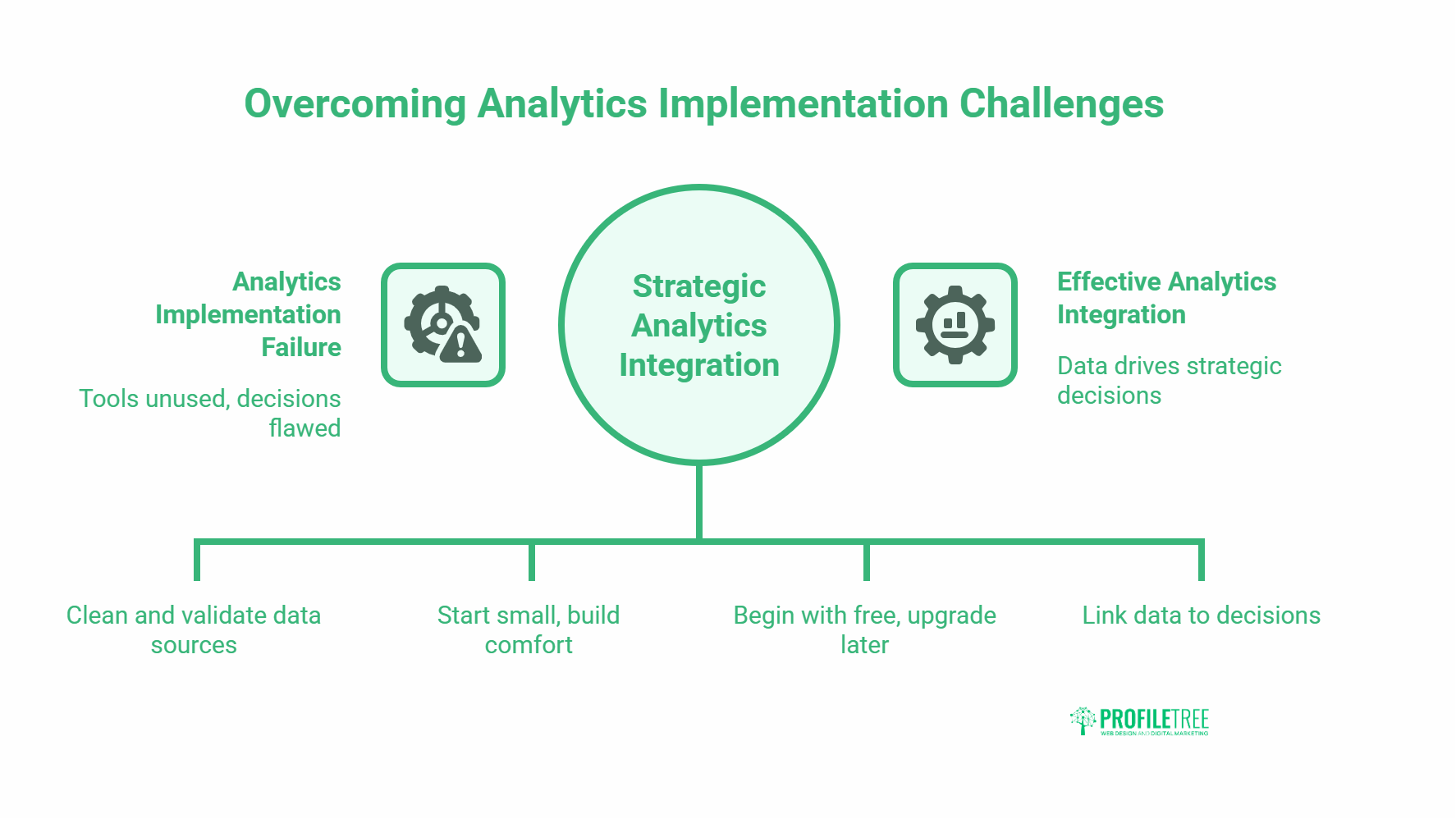
Platform choice is rarely what determines whether an analytics project works. Three problems account for most of the failures, and all three are visible before anyone signs a licence agreement.
Data Quality
Analytics tools are only as reliable as the data behind them. Inconsistent CRM records, duplicate customers, or misconfigured website tracking produce results that look credible and lead to wrong decisions. The fix is boring and unavoidable: audit and clean the data before connecting it to anything. Accuracy is also a legal obligation rather than just good practice, and the ICO’s guidance on the accuracy principle sets out what UK organisations are expected to do about incorrect personal data.
Skills and Adoption
Most analytics tools sit unused six months after purchase because the person who chose the platform was not the person expected to use it daily. Build adoption by starting small: one dashboard, one team, one decision. Structured data literacy training through AI and data transformation services helps teams get comfortable reading analytics output before anyone expects them to act on it.
Choosing the Wrong Level of Complexity
A manufacturing business in Antrim does not need Alteryx. A Belfast ecommerce startup does not need Tableau Enterprise. Starting with more tool than the business can absorb is a common and expensive mistake. Begin with free options, prove they are being used, then upgrade once you have outgrown them.
Where AI Now Sits in SME Analytics
The most visible change across business analytics tools and techniques since 2024 is that natural language querying has moved from a demo feature to a default one. Power BI ships Copilot, Tableau ships Tableau Agent, and Qlik includes automated machine learning in Qlik Sense. Typing a question and getting a chart back is now table stakes rather than a differentiator.
Two things follow from that for a small business. The first is that the skills barrier has dropped again, which strengthens the case for putting analytics in front of non-technical staff earlier than you otherwise would. The second is that the quality bar for the underlying data has risen, because an assistant that confidently summarises a badly modelled dataset produces a wrong answer faster than a human would.
Vendors are also repositioning around agents that act rather than only report. Tableau Next is sold explicitly on that basis, and Microsoft has folded Power BI into the broader Fabric platform. For an SME buying today, the practical read is to avoid paying a premium for agentic features until the basic reporting is trusted and used. An assistant sitting on top of clean, well-modelled data is a genuine time saver. The same assistant on top of a messy CRM export just produces confident nonsense at speed.
How Analytics Fits Into a Broader Digital Strategy
Business analytics does not sit in isolation. Data collected from a website, from marketing channels, and from customer systems is only useful once it connects to decisions about content, campaigns, and services.
In content marketing work, analytics data drives which topics get covered, which formats get used, and which pages get updated. On web design projects, analytics from the old site shapes the architecture and conversion flow of the new one. The platforms in this guide are infrastructure that makes the rest of a digital operation measurable.
“The businesses that grow fastest aren’t always the ones with the biggest budgets,” says Ciaran Connolly, founder of ProfileTree. “They’re the ones that know which numbers matter and check them regularly.”
The businesses that get the most out of analytics have usually built a clear link between their data, their strategy, and their weekly decisions. Tool sophistication comes a distant second to that habit.
Frequently Asked Questions
These are the questions that come up most often from SME owners weighing up a first analytics purchase.
What is the best business analytics tool for a small business?
For most small businesses, Google Analytics combined with Looker Studio covers website and marketing performance at no cost. For broader business intelligence, Power BI at £10.80 per user per month offers the best balance of capability and affordability, particularly for businesses already using Microsoft 365. Start with free tools, measure whether they are actually being used, and upgrade only once you have clearly outgrown them. One detail catches teams out: in Power BI, everyone who views a published report needs a licence, not just the person who builds it.
What is the difference between business analytics and business intelligence?
Business intelligence typically refers to reporting on historical data: what happened, when, and how much. Business analytics goes further, using statistical methods, predictive modelling, and data mining to explain why things happened and forecast what is likely to happen next. In practice most modern platforms blend both, with tools like Power BI covering standard BI reporting alongside more advanced analytical features. The distinction matters mainly at buying time, because platforms priced for predictive work cost several times more than platforms priced for reporting.
What skills do you need to use business analytics tools?
Basic data literacy matters more than technical skill. Understanding how to read a chart, spot an outlier, and ask a sensible question of a dataset counts for more than knowing how to code. Most modern platforms are designed for non-technical users and natural language querying has lowered the barrier further. Familiarity with spreadsheets helps. The harder skill is connecting an output to a business decision, and that comes from practice rather than training courses.
How much do business analytics tools cost for SMEs?
Costs range from free, in the case of Google Analytics and Looker Studio, to several thousand pounds per user per year for data preparation platforms. For most SMEs, Power BI Pro at £10.80 per user per month or Tableau Standard at £12 per user per month cover the majority of use cases. Qlik prices by data volume rather than per seat above its entry tier, which can work out cheaper for businesses with many readers and modest datasets. Budget for setup, training, and data preparation, which often exceed the licence fee in year one.
Can analytics tools help with SEO and content marketing?
Yes, and this is one of the most direct use cases for SMEs. Google Search Console shows which queries drive impressions and clicks, where rankings are slipping, and which pages underperform on click-through rate. Combined with GA4 conversion tracking, you can tie specific pieces of content to specific commercial outcomes. That combination sits at the centre of how ProfileTree builds content strategies for clients, and it costs nothing beyond the time to set it up properly.
What are the main business analytics tools and techniques used in practice?
The most common techniques are dashboarding and reporting, funnel analysis, cohort analysis, A/B testing, customer segmentation, and demand forecasting. The tools used to carry them out vary by complexity: Excel and Looker Studio cover the basics, Power BI and Tableau handle intermediate needs, and platforms like Qlik or Alteryx support heavier modelling. In digital marketing specifically, the combination of GA4, Google Search Console, and a CRM with reporting capability covers most analytical needs for a small business.