
Mockups with Balsamiq: How SMEs Get Better Web Design Results
Table of Contents
Most web projects that go over budget do so before a developer writes a single line of code. A business owner has a clear idea; a web agency has a brief written in prose. Between the two, something almost always gets misread. Creating mockups with Balsamiq is one of the most practical ways to close that gap. Balsamiq is a low-fidelity wireframing tool built for speed and clarity, designed specifically for people who are not professional designers. Its sketch-style interface strips away colour, typography, and visual detail so that conversations stay focused on structure and page layout rather than aesthetics.
For SME owners, marketing managers, and anyone planning a website in Northern Ireland, Ireland, or the UK, learning to build Balsamiq mockups before approaching a web agency saves time, reduces revision costs, and produces a far clearer project brief. This guide covers how wireframing and prototyping improve the web design process, how to build your first mockup with Balsamiq step by step, how to compare Balsamiq with higher-fidelity tools, and how to turn a completed wireframe into a professional web design brief.
How Wireframing Improves the Web Design Process
Wireframing is the stage in a web project where the structure is agreed upon before design begins. A wireframe is a rough sketch of a page: boxes for images, lines for text, rectangles for navigation. Nothing is styled, coloured, or polished. That deliberate roughness is the point.
When a business begins a web project by discussing visual design before the underlying page structure is agreed upon, changes become expensive. A structural adjustment at the wireframing stage takes minutes. The same change during development requires template rebuilds, CMS updates, and cross-device retesting. Catching structural problems early, on paper or in a tool like Balsamiq, is the most cost-effective stage at which to do it.
For SMEs commissioning a website, this has a direct financial implication. Changing the primary navigation structure after development is underway affects page templates, internal linking, CMS taxonomy, and potentially the URL structure. None of that applies to a wireframe adjustment.
Beyond cost, wireframes improve communication. A written brief describing “a homepage with a hero section, three service blocks, and a contact form” leaves significant room for interpretation. A Balsamiq mockup of the same page removes that ambiguity. Both the client and the agency see the same structure, agree on it before work begins, and reduce the number of revision rounds that eat into project timelines.
ProfileTree is a Belfast-based web design and digital marketing agency working with businesses across Northern Ireland, Ireland, and the UK. Clients who arrive at a project kickoff with completed wireframes consistently move from brief to design approval faster than those who describe requirements solely in writing. “The most successful web projects start with a clear visual dialogue,” says Ciaran Connolly, founder of ProfileTree. “When a client presents a wireframe, it eliminates guesswork and ensures every penny of the development budget is spent on building, not guessing.”
For businesses planning a new site or redesign, ProfileTree’s web development services cover the full process from brief through to build and launch.
What Are Mockups with Balsamiq?
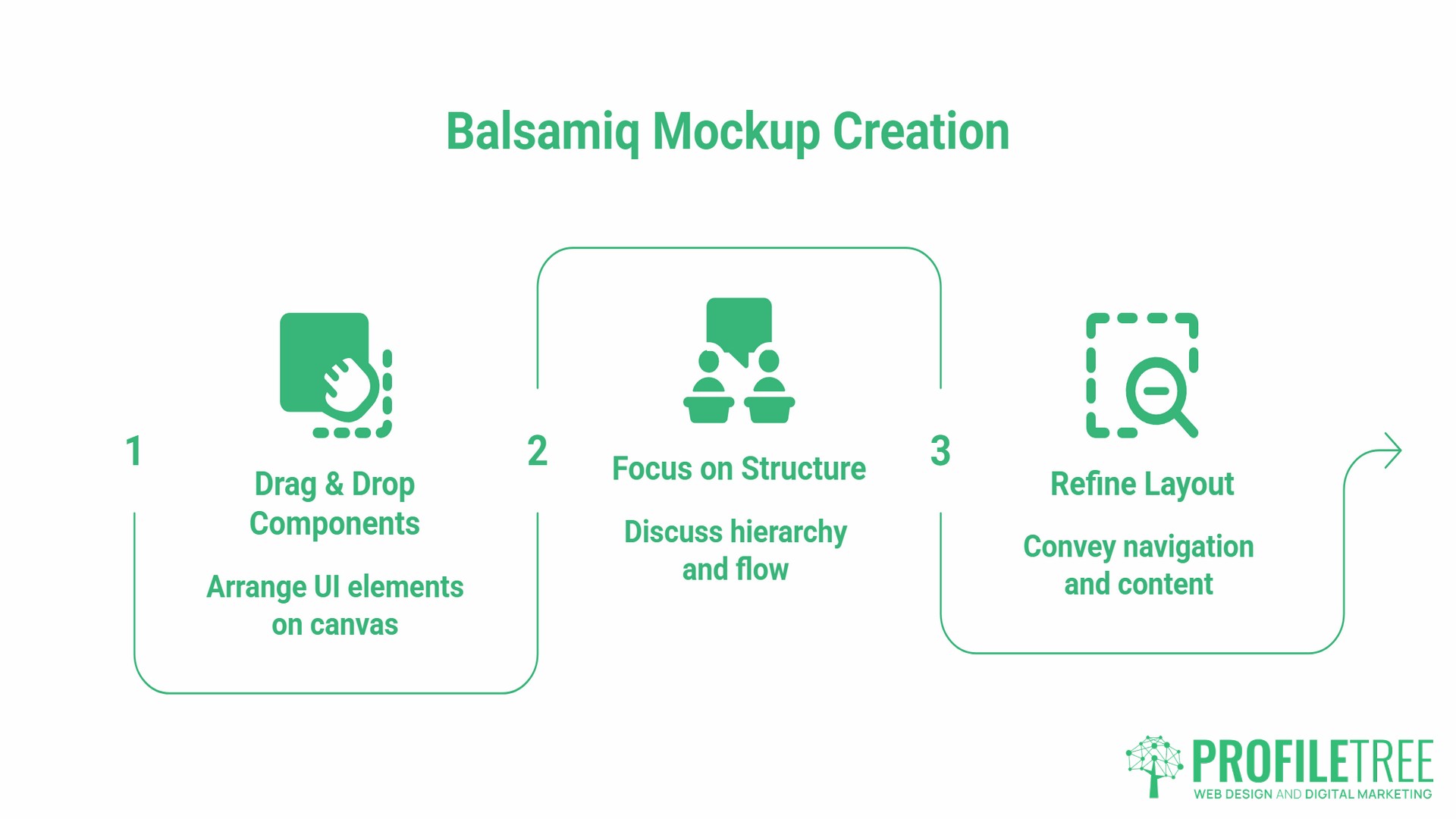
Mockups in Balsamiq are low-fidelity wireframes created with its drag-and-drop interface. The tool uses a hand-drawn, sketch-style visual language that deliberately avoids realism. Every element looks unfinished. That is intentional: when a wireframe looks polished, stakeholders debate the wrong things. When it looks rough, the conversation stays on structure and flow.
Balsamiq provides a library of pre-built user interface components: buttons, text fields, navigation bars, image placeholders, dropdown menus, form fields, icons, and containers. These are dragged onto a canvas and arranged to represent a page layout. The result conveys hierarchy, navigation flow, and content placement without committing to any final visual decisions.
The tool is available as Balsamiq Cloud, a browser-based subscription requiring no installation, and as Balsamiq Wireframes for Desktop, which works offline. A 30-day free trial is available for both versions. Balsamiq Cloud starts at $12 per month and supports unlimited collaborators, making it the more practical option for SME teams that need to share wireframes with colleagues, clients, or agency partners.
The product was previously called Balsamiq Mockups. Balsamiq later renamed it Balsamiq Wireframes to more accurately reflect what the tool produces. Both names remain in common use, and references to “Balsamiq Mockups” in older tutorials and search results refer to the same product.
Step-by-Step: How to Create Mockups with Balsamiq
Creating mockups with Balsamiq does not require a design background. A homepage wireframe with a clear structure can be built in 30 to 45 minutes by a business owner or marketing manager working from a rough sketch on paper.
Setting Up Your First Project
After logging into Balsamiq Cloud, create a new project and name it after the site or the specific section you are wireframing. Balsamiq organises all work into projects containing individual wireframe screens, one per page or view.
Set the canvas to a standard desktop width for your first screen (the homepage). Once the desktop layout is agreed, a separate mobile canvas for the same page can be added. Starting with a desktop avoids making layout decisions on a constrained screen before the full structure is confirmed.
Building the Page Structure
The Quick Add function is the fastest way to place elements in Balsamiq. Typing directly on the canvas opens a search field: type “button” and a button component appears; type “nav” and a navigation bar appears. The full UI library in the left panel contains hundreds of components, including icons, form elements, charts, image placeholders, and containers.
Before adding any detail, establish the major structural blocks. Place a rectangle for the header, a large rectangle for the hero section, a row of boxes for service or feature tiles, a content block in the middle of the page, and a footer rectangle at the base. This gives the overall page proportion and confirms the hierarchy before any elements are specified.
Adding Page Elements in Sequence
- Header: Place a rectangle across the top of the canvas. Add a logo placeholder on the left using the image component and a horizontal list component on the right for navigation links. Label each navigation item with its intended page name.
- Hero section: Below the header, place a full-width rectangle to represent the hero area. Add a heading text element, a subheading, and a button labelled with its intended call to action, for example, “Get a free quote” or “Book a consultation.”
- Service or feature blocks: Most SME homepages include three to four equal-width blocks side by side. Use Balsamiq’s columns component or place rectangles manually. Add an icon or image placeholder at the top of each block, a short heading, and two to three lines of placeholder text.
- Content section: For a longer text section, place a two-column layout with a text block on the left and an image placeholder on the right. Annotate rather than fill: a note reading “600-word overview of service, landscape photo supplied by client” communicates everything a developer and copywriter need.
- Footer: A footer rectangle with columns for navigation links, contact details, and social media icons is sufficient at this stage. The footer wireframe confirms its existence and indicates its approximate height; the detailed footer design comes later.
Linking Screens Together
In Balsamiq Cloud, individual wireframe screens can be linked to create a clickable prototype. Select a button or navigation element, open its linking properties, and connect it to the relevant screen in the project. This allows stakeholders to click through the wireframe and experience the page flow before any design or development work begins. For a web project brief, a clickable prototype of the homepage, a service page, and a contact page cover the core user journey.
Using Symbols to Keep Mockups Consistent
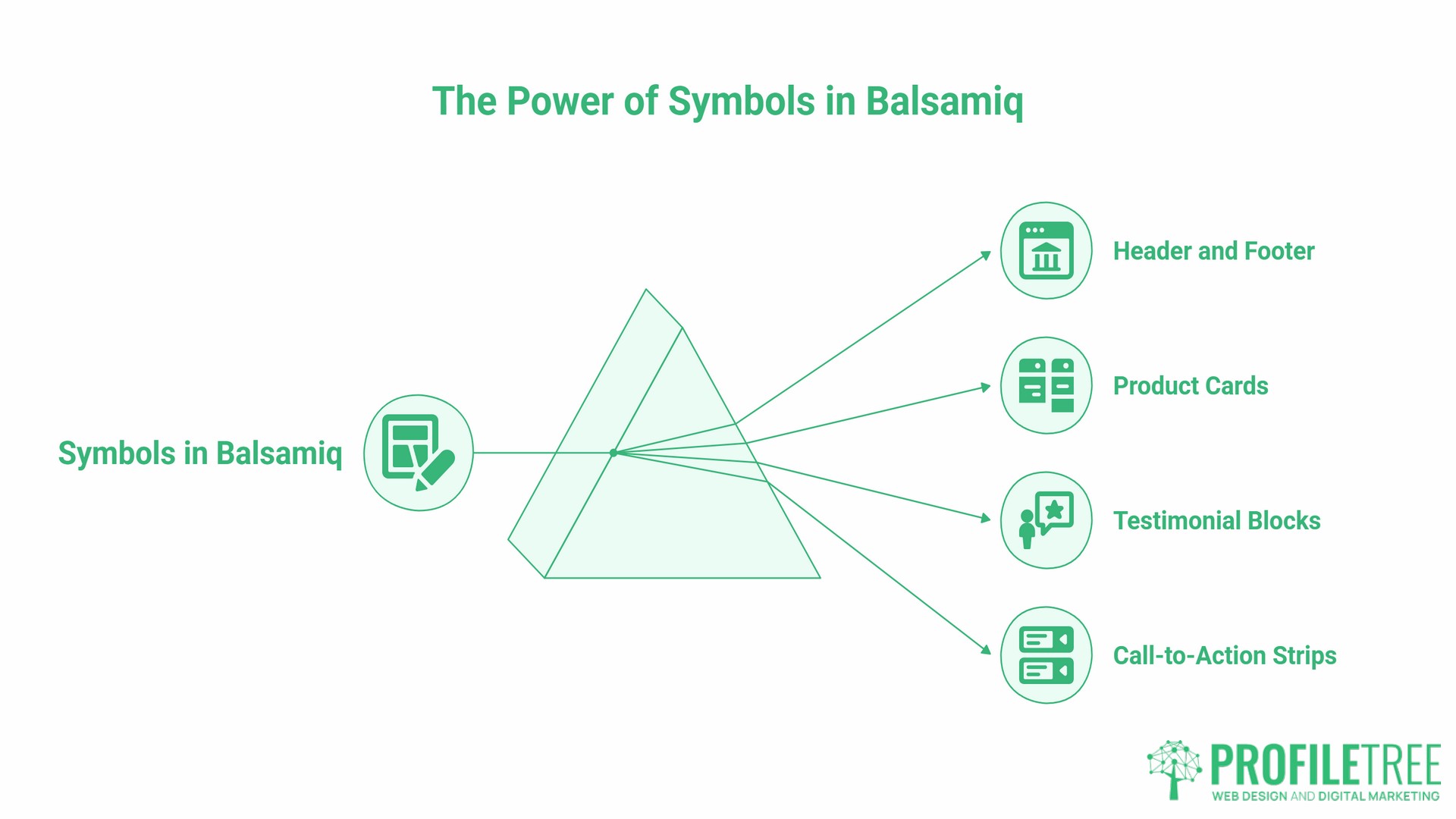
Symbols in Balsamiq are reusable components. Any element or group of elements can be saved as a symbol and placed consistently across multiple wireframe screens.
The most practical application for a website project is the header and footer. Build the header once, save it as a symbol, and apply it to every page wireframe. If the navigation structure changes, updating the symbol updates every screen simultaneously. This prevents inconsistencies across a multi-page wireframe set and reduces the time needed to maintain a complete set of mockups with Balsamiq.
The same principle applies to any repeating element: a product card, a testimonial block, a call-to-action strip. Building these as symbols before placing them across screens keeps the entire wireframe internally consistent and produces a cleaner handoff document for the web agency.
How to Turn Balsamiq Mockups into a Web Design Brief
A completed set of Balsamiq mockups, annotated clearly and exported as a PDF, is the most useful document a business can bring to a web design briefing. It replaces multiple rounds of written clarification with a single visual reference that both the client and the agency can work from.
- Export as PDF. In Balsamiq Cloud, go to File> Export> Export to PDF. This produces a multi-page document with one wireframe screen per page. PDF is the standard format for sharing mockups with a web agency: it is universally accessible, cannot be accidentally edited, and supports annotation by the recipient.
- Annotate before exporting. Balsamiq includes sticky notes and callout shapes for annotations. Before exporting, add notes to any section that requires explanation: the intended word count for a text block, whether an image will be supplied by the client or sourced by the agency, whether a section is static or dynamically populated from a CMS, and any specific functionality requirements such as a form submission, a video embed, or an e-commerce product grid.
- Include a mobile wireframe. A mobile-specific wireframe of the homepage and any key conversion pages signals that responsive behaviour has been considered before development begins. Mobile wireframes are faster to build than desktop versions because fewer column layout decisions are required. Providing one alongside the desktop mockups with Balsamiq prevents a common problem: a layout that works at full width but cannot be stacked cleanly on a small screen.
Understanding how professional web designers use these documents in practice is covered in ProfileTree’s guide to essential skills for web designers, which includes the handoff process from wireframe to visual design.
Balsamiq vs Figma: Choosing the Right Tool for Your Stage
The most common comparison in the wireframing category is Balsamiq against Figma. The answer is that these tools operate at different stages of a web project and are not direct alternatives.
| Feature | Balsamiq | Figma |
|---|---|---|
| Fidelity | Low (sketch style) | High (pixel-accurate) |
| Learning curve | Minimal (1 to 2 hours) | Moderate to steep |
| Best for | Structure and flow decisions | Visual design and developer handoff |
| Primary user | Business owners, PMs, non-designers | Designers and design-developer teams |
| Collaboration | Real-time via Balsamiq Cloud | Real-time via Figma Cloud |
| Starting price | $12/month (Cloud) | Free tier available; paid plans from $15/month per editor |
| Export options | PDF, PNG | PNG, SVG, CSS, developer inspect |
For an SME working with a web agency, mockups with Balsamiq are the right output for the briefing stage. Figma is the right tool for the visual design stage, and it is typically used by the agency’s design team rather than the client. There is no practical reason for a business owner to learn Figma before commissioning a web project. There is a genuine reason to understand how to build a Balsamiq wireframe.
Teams that require high-fidelity prototyping for user testing or investor presentations may find that Figma or Adobe XD better suits their specific requirements at that stage. For communicating a web brief to a development partner clearly and efficiently, Balsamiq’s simplicity is an advantage.
Collaboration and Feedback in Balsamiq Cloud
Balsamiq Cloud supports real-time collaboration. Multiple users with editing access can work on the same project simultaneously, with changes visible across all connected devices as they are made. A permissions system distinguishes between editors, who can make changes, and reviewers, who can view and comment but not edit.
For SME marketing teams, this means a marketing manager, a content lead, and a director can each review and comment on the same wireframe before it is sent to the web agency. This replaces sequential email feedback loops with a single shared document that captures all input in one place.
Balsamiq also integrates with project management platforms, including Jira and Confluence. Wireframes embedded within a Jira issue or a Confluence page keep the visual context attached to the project task, preventing the common problem of a design reference becoming detached from the project record over time.
For businesses looking to improve their internal digital workflows more broadly, ProfileTree’s digital training programmes cover practical tools and processes for running more effective web project briefs and digital marketing campaigns.
Best Practices When Creating Mockups with Balsamiq
- Annotate decisions, not labels. A wireframe element marked “image” communicates nothing. An annotation reading “400x300px landscape photo of product in use, client to supply” provides everything the developer needs. The wireframe shows placement; the annotation explains intent.
- Agree on the homepage before wireframing other pages. The homepage wireframe establishes the header structure, the grid system, the footer layout, and the overall page proportions. These decisions cascade across every internal page. Locking them down first prevents structural questions from being reopened mid-project.
- Wireframe the empty state for dynamic sections. Any page section that displays dynamic content, such as a product grid, blog feed, or search results panel, should be wireframed in both a populated state and an empty state (zero results). Empty states are among the most consistently missed items in web project briefs and among the most common causes of late-stage development queries.
- Keep colour out entirely. Balsamiq’s sketch style discourages colour by default. Resist any temptation to add it. The moment colour appears in a wireframe, conversations shift from structure and layout to palette preference, and the wireframe stage loses its primary value.
- Test the mobile before finalising the desktop. A three-column service block that works at 1280px may be impossible to stack cleanly at 375px. Checking the mobile wireframe before the desktop layout is signed off prevents a design revision mid-project when the structural problem would be far more disruptive to resolve.
Wireframing for Accessibility
The wireframing stage is the most efficient time to incorporate accessibility requirements into a web project. In the UK, public sector websites and applications must meet WCAG 2.1 Level AA standards under the Public Sector Bodies (Websites and Mobile Applications) (No. 2) Accessibility Regulations 2018. Private sector organisations increasingly align to the same standards as a quality benchmark and to serve the broadest possible audience.
Several accessibility decisions are structural and are best addressed at the wireframe stage rather than retrofitted after development. These include heading hierarchy across pages, the logical reading order of page elements for screen reader users, the placement and labelling of all form fields, and the identification of areas where text will appear over images (which requires contrast planning at the design stage).
Adding accessibility annotations to mockups with Balsamiq before the project brief is submitted means a web agency can build to these requirements from day one, rather than conducting a post-launch accessibility audit and raising change requests against an already-built site.
Planning a new website or a significant redesign? ProfileTree’s web development team works with businesses across Northern Ireland, Ireland, and the UK from initial brief through to launch. A wireframe is always a good place to start.
Frequently Asked Questions
What is the difference between Balsamiq Mockups and Balsamiq Wireframes?
They are the same product under two different names. Balsamiq originally called the product Balsamiq Mockups. The company later renamed it Balsamiq Wireframes to more accurately reflect that the tool creates wireframes rather than high-fidelity mockups. All tutorials, documentation, and search results referencing “Balsamiq Mockups” refer to the current product.
Is Balsamiq free to use?
Balsamiq does not offer a permanent free tier. A 30-day free trial is available for both Balsamiq Cloud and Balsamiq Wireframes for Desktop, with no credit card required. Balsamiq Cloud is a paid subscription starting at $12 per month. Educational institutions and registered non-profit organisations can apply for discounted or free licences directly through Balsamiq.
Can I create mockups of a mobile app in Balsamiq?
Yes. Balsamiq includes a set of mobile UI components covering common iOS and Android interface patterns. Setting the canvas to a standard mobile viewport width and drawing from the mobile-specific components in the UI library allows you to wireframe app screens using the same process as desktop wireframing.
How do I share Balsamiq mockups with a developer or web agency?
The standard approach is to export the project as a PDF via File > Export > Export to PDF. This produces a single multi-page document containing every wireframe screen, suitable for email or file sharing. In Balsamiq Cloud, the share link feature lets recipients view and comment on wireframes in their browsers without a Balsamiq account.
Does Balsamiq support high-fidelity design?
No. Balsamiq is designed specifically for low-fidelity wireframing and does not support custom typefaces, precise colour values, or pixel-accurate layout work. For high-fidelity prototyping, tools such as Figma or Adobe XD are more appropriate.
Can comments be added to features in Balsamiq wireframes?
Yes. Balsamiq Cloud supports comments on individual wireframe elements and screens. Reviewers with view access can add comments without editing the wireframe, and editors receive notifications of new feedback. This makes Balsamiq Cloud practical for collecting structured feedback from multiple stakeholders without running separate review meetings.