
Best Content Management Systems for Beginners Guide
Table of Contents
Picking the right content management system is one of the most consequential decisions you will make before building a business website, yet most guides reduce it to a popularity contest. WordPress wins, Wix is easy, Shopify is for shops, and then you are left wondering which one actually fits your situation. The reality is that no platform is objectively best. The right CMS depends on what your business needs to do online, what technical support you have access to, and where you want to be in three years.
“I have seen businesses spend months rebuilding sites because they chose a platform on name recognition rather than fit,” says Ciaran Connolly, founder of ProfileTree. “The CMS decision shapes everything downstream: how fast the site loads, how well it ranks, how easily your team can update it. Getting it right early saves a significant amount of money and time.”
This guide walks through the key factors to weigh, how the main platforms compare on criteria that actually matter for SMEs, and what questions to ask before committing.
What a CMS Actually Does
A content management system is software that sits between your content and your website’s code. It lets you create pages, publish posts, upload images, and update text through an admin interface, without touching HTML or CSS. The back end handles the database, file management, and page rendering; you work in a visual editor.
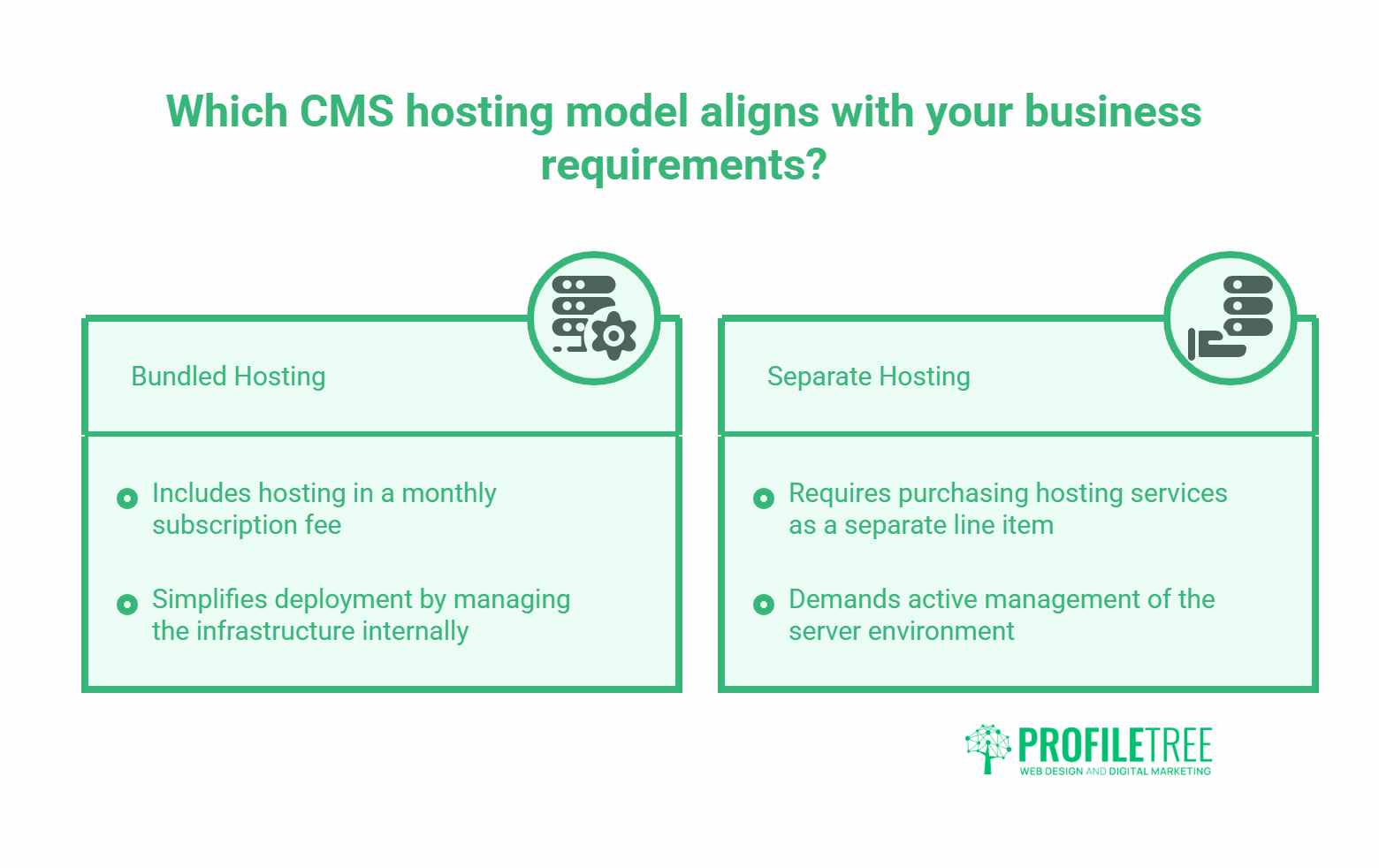
The distinction matters because it changes what you are actually choosing between. You are not choosing between “easy” and “powerful.” You are choosing between different approaches to the same job: structured content storage, presentation layer customisation, and user access controls. Some platforms bundle hosting into that package; others leave it separate.
For a business website, the relevant outputs are: pages that load quickly, content that search engines can read, and an interface your team can use without a developer on call every week. Any CMS assessment should start there.
How to Assess Your Real Requirements
Before reading a single platform comparison, answer these four questions:
- What will the site need to do in 12 months? A five-page brochure site has different requirements from a 200-page resource library or a product catalogue with transactional checkout. The platform that works for one can be actively wrong for another.
- Who will update the content? If your team includes someone comfortable with technology, a slightly steeper learning curve is manageable. If updates will fall to someone who uses a computer for email and spreadsheets, the admin interface needs to be close to foolproof.
- What does your SEO strategy require? Not all CMS platforms give you equal control over page titles, meta descriptions, URL structure, schema markup, and site speed. For businesses that depend on organic search traffic, these are not optional extras.
- What is your realistic hosting budget? Some platforms include hosting in a monthly subscription. Others require you to purchase hosting separately. The headline price of a “free” platform often excludes the hosting, security, and plugin costs that make it functional.
Getting honest answers to these questions before you evaluate platforms will rule out two or three options immediately and save weeks of confusion.
How the Main Platforms Compare
The table below covers the platforms most commonly considered by SMEs at the point of building or rebuilding a website. Criteria are weighted toward the factors that affect business performance over a two to three-year horizon, not just the onboarding experience.
| Platform | Best for | CMS complexity | SEO control | Hosting model | E-commerce |
|---|---|---|---|---|---|
| WordPress.org | SMEs needing flexibility and SEO | Moderate | Full | Self-hosted | Via WooCommerce |
| Squarespace | Design-led brochure sites | Low | Limited | Included | Basic |
| Wix | Simple sites, fast setup | Low | Moderate | Included | Basic |
| Shopify | Dedicated online stores | Low-moderate | Moderate | Included | Native |
| Joomla | Structured content, mid-complexity | Moderate-high | Good | Self-hosted | Via extensions |
| Drupal | Large-scale, enterprise | High | Full | Self-hosted | Via modules |
A few observations worth making explicit. Squarespace and Wix score well on initial ease of use, but both impose limitations on URL structure, schema implementation, and page speed optimisation that become real constraints if organic search is a priority. Shopify is purpose-built for transactional retail and does that job well; using it for a service business website introduces unnecessary complexity and cost. Drupal’s power is real, but the technical overhead is significant for teams without an in-house developer or agency support.
WordPress and Why It Dominates SME Builds
WordPress is not the most popular CMS because it is the easiest. It is the most popular because it is the most flexible platform that still has a manageable learning curve, an enormous community, and a plugin ecosystem that covers almost any functional requirement without custom development.
The Case for WordPress.org Over WordPress.com
The distinction between WordPress.org (self-hosted, open source) and WordPress.com (hosted subscription service) trips up a lot of businesses. WordPress.com is simpler to set up but restricts plugin installation, URL customisation, and code access at most plan levels. For a business website with any SEO ambition, WordPress.org with a quality hosting provider is the correct choice.
Managed WordPress hosting from a specialist provider typically starts around £40 per month and includes automatic updates, daily backups, and server-level security. That cost is often lower than the equivalent Squarespace or Shopify plan once you account for features that come standard with WordPress through free plugins.
Themes, Plugins, And the Real Cost
WordPress themes control the visual design and layout. Quality commercial themes from established marketplaces typically cost £40 to £100 as a one-time purchase. Free themes are available, but support is inconsistent, and they may not be updated regularly.
Plugins extend functionality. An SEO plugin like Rank Math, a caching plugin for speed, a security plugin, and a form builder will cover the functional requirements of most SME sites. Many of the most used plugins have capable free versions. Where paid versions are needed, the annual costs are usually modest.
The practical implication: a well-configured WordPress site built by an experienced web design and development team will outperform a Squarespace or Wix equivalent on search performance, load speed, and long-term flexibility. The upfront investment is higher; the long-term cost is lower. ProfileTree’s web design and development services cover the full build process, from platform selection through to launch and ongoing support.
WooCommerce For E-commerce
If your WordPress site needs to sell products or take bookings, WooCommerce is the native extension. It is free to install and handles product management, payment processing, shipping configuration, and order management. More than 5 million live stores run on WooCommerce, and the plugin integrates with virtually every payment gateway and delivery provider operating in the UK and Ireland.
When Other Platforms Make Sense
WordPress is not always the right answer. There are situations where a different platform is genuinely better suited.
Shopify for Retail-First Businesses
If your entire business model centres on selling products online, and you do not need a content-heavy website alongside the store, Shopify is a legitimate choice. Its checkout flow is optimised, its payment processing integrations are broad, and the admin interface for managing inventory, orders, and customers is well-designed. The trade-off is that content marketing and blog performance on Shopify lags behind WordPress, and monthly costs at the mid-tier are higher.
Squarespace for Portfolio and Creative Businesses
Photographers, designers, architects, and other creative businesses that want a visually polished site with minimal maintenance will find Squarespace a reasonable fit. The templates are genuinely well-designed, the all-in-one pricing removes hosting decisions, and the drag-and-drop interface is accessible. For businesses where the website is a display case rather than a content or conversion engine, the SEO limitations matter less.
Joomla for Structured Content Requirements
Joomla sits between WordPress and Drupal in complexity. It handles content with multiple categories and structured hierarchies well, making it a reasonable choice for membership organisations, local government bodies, or educational institutions. For most commercial SMEs, the additional complexity over WordPress does not deliver proportionate benefit.
CMS, SEO, and Long-Term Performance
The platform you choose affects your search performance in ways that are difficult to reverse once the site is built and indexed. Three areas warrant specific attention.
URL Structure and Slug Control
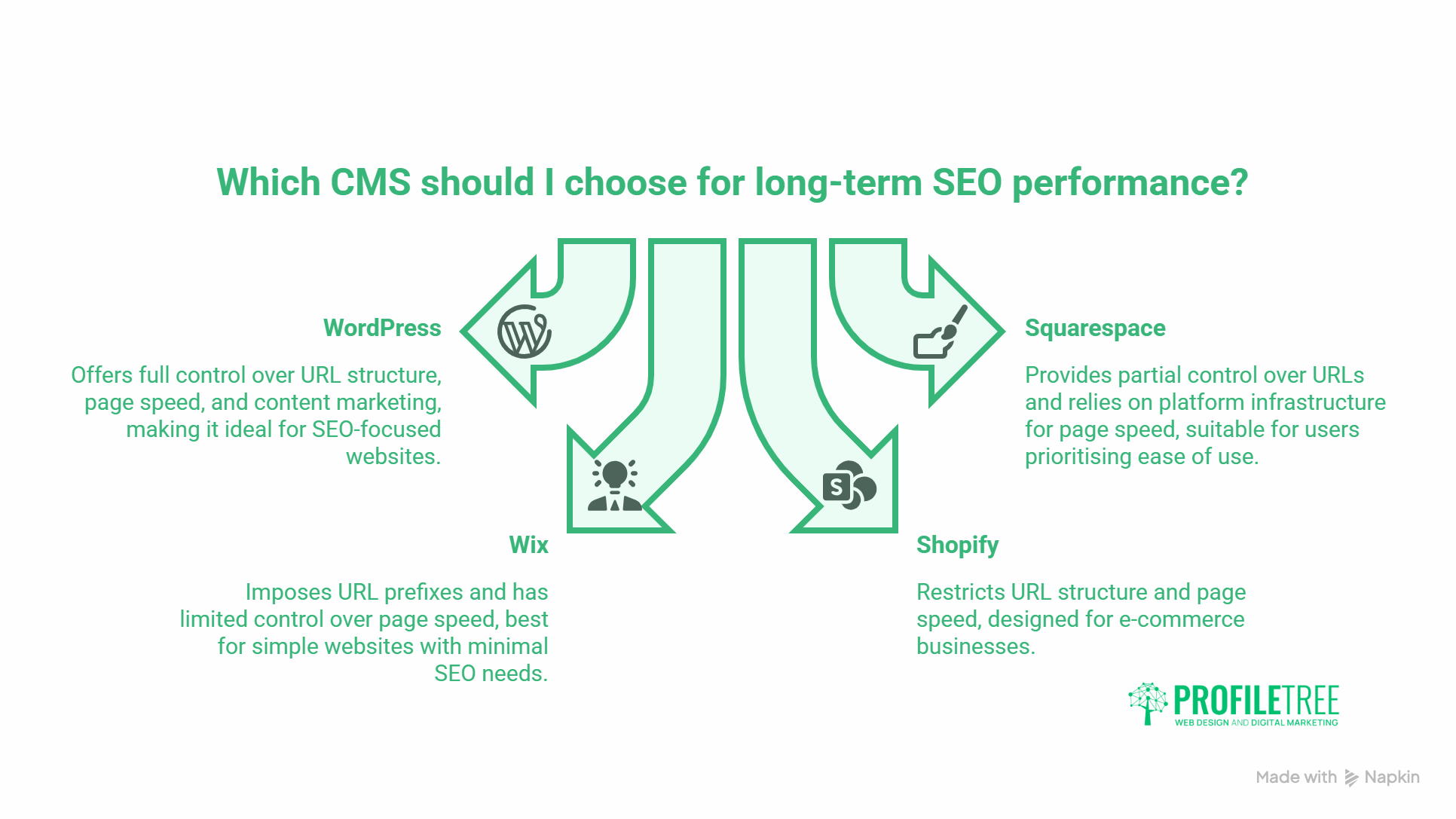
Search engines use URL structure as a relevance signal. A CMS that forces dynamic URLs (e.g. /?p=123) or locks URL patterns at the category level limits your ability to create clean, keyword-relevant page addresses. WordPress gives you full control over URL structure. Squarespace and Wix offer partial control. Shopify imposes /products/ and /collections/ prefixes that cannot be removed.
Page speed and Core Web Vitals
Google’s Core Web Vitals are a confirmed ranking factor. Page speed is directly affected by the CMS platform, the hosting environment, and the quality of the theme and plugins. On a well-configured WordPress installation with a lightweight theme, caching, and image optimisation, it is straightforward to achieve strong Core Web Vitals scores. On Squarespace and Wix, performance is more dependent on the platform’s own infrastructure, which gives you less control over the outcome.
Content Marketing and Internal Linking
A CMS that makes it easy to create, organise, and link between content pages directly supports a content marketing strategy. WordPress’s category, tag, and internal linking structure is purpose-built for this. If organic search and content marketing are part of your growth plan, the CMS needs to support that at a structural level, not just at the page editor level. ProfileTree’s content marketing services work alongside web build projects to create the content infrastructure that turns a new site into a traffic asset.
The connection between platform choice and digital marketing performance is direct. A CMS that limits your SEO control, restricts your content structure, or requires developer involvement for routine updates creates friction at every stage of a digital marketing strategy. Getting the platform right is a precondition, not an afterthought.
AI Search and Structured Content
It is worth noting that AI-powered search tools, including Google’s AI Overviews, Bing Copilot, and tools like Perplexity, increasingly draw on structured, well-organised web content when generating answers. A CMS that supports clean heading hierarchies, schema markup, and self-contained sections gives your content a better chance of appearing in those answers. This is increasingly relevant for businesses investing in AI transformation and wanting their digital presence to perform across both traditional and AI-assisted search.
FAQs
Which CMS is best for a small business in Northern Ireland?
For most SMEs, WordPress.org with managed hosting is the strongest choice. It gives you full SEO control, a large developer community, and the flexibility to grow the site as your business grows. If you are building a primarily e-commerce site, Shopify is worth considering. For simple brochure sites with minimal content, Squarespace or Wix reduce the setup overhead.
Do I need technical knowledge to use WordPress?
Not for day-to-day content management. Adding pages, writing posts, uploading images, and updating text are all manageable through the WordPress admin interface without any coding knowledge. Initial setup, theme configuration, and plugin installation are more technical and are typically handled by a developer or web agency during the build phase.
What is the difference between WordPress.com and WordPress.org?
WordPress.org is the open-source software you install on your own hosting. It gives you full control over plugins, themes, and code. WordPress.com is a hosted service that runs the same software but imposes restrictions on customisation and plugin access at lower plan levels. For a business website with SEO requirements, WordPress.org is almost always the correct choice.
How much does a CMS website cost for a small business?
Costs vary widely depending on the platform, the complexity of the design, and whether you use an agency or build it yourself. For a professionally built WordPress site in Northern Ireland, expect to pay from £2,000 to £10,000 for the build, plus ongoing hosting costs of £40 to £100 per month depending on the provider. Squarespace and Wix all-in-one plans range from £12 to £35 per month but exclude professional design and development work.
Can I switch CMS platforms later?
Yes, but it is disruptive. Migrating content, maintaining URL structures, and preserving SEO performance during a platform switch requires careful planning and technical execution. It is far more efficient to choose the right platform at the outset than to migrate later. If you are unsure, a web agency can assess your requirements before you commit.
Which CMS platforms support e-commerce?
WordPress with WooCommerce, Shopify, Squarespace, and Wix all support e-commerce. For a dedicated online store with significant product volume, Shopify or WooCommerce are the most capable options. For a service business that wants to add a small shop or take bookings, WooCommerce on WordPress is usually sufficient and avoids the cost of running a separate platform.
Does the CMS affect how well my site ranks on Google?
Yes, significantly. The platform affects your control over URLs, page speed, schema markup, internal linking structure, and the technical implementation of SEO best practices. WordPress gives you the most flexibility in all of these areas, which is one of the main reasons it remains the dominant platform for businesses where organic search performance matters.