
AWS WordPress Hosting: Complete Setup Guide for UK Businesses
Table of Contents
Setting up WordPress on Amazon Web Services sounds intimidating. The AWS console looks like a spacecraft control panel, the pricing seems deliberately confusing, and most guides assume you have a computer science degree. But here’s what those guides won’t tell you: AWS can slash your hosting costs by 70%, while delivering performance that embarrasses traditional hosting providers.
After helping dozens of Northern Ireland businesses migrate to AWS, we’ve learned that the platform’s complexity is also its strength. You only pay for what you use, scale instantly during traffic spikes, and get enterprise-grade infrastructure at SME prices. This guide strips away the jargon to show UK businesses exactly how to host WordPress on AWS, what it actually costs in pounds sterling, and when it makes sense versus managed hosting solutions.
Why UK Businesses Are Moving WordPress to AWS
The shift started during the pandemic. A Belfast e-commerce client running on traditional hosting got featured on BBC Northern Ireland. Their site crashed within minutes. The hosting provider’s response? “Upgrade to our £400/month plan.” They moved to AWS instead, handled 50,000 concurrent visitors, and paid £47 for the entire month.
AWS offers something traditional hosting can’t: true pay-as-you-go pricing with instant scalability. Your WordPress site sits on the same infrastructure powering Netflix, Amazon, and half the internet. When properly configured, it’s faster, more reliable, and often cheaper than premium managed hosting.
But AWS isn’t just about infrastructure. For UK businesses, it provides crucial advantages:
- Data Sovereignty Control Choose between London (eu-west-2) and Dublin (eu-west-1) regions. Keep customer data within UK or EU jurisdiction. Essential for GDPR compliance and increasingly important post-Brexit.
- VAT-Inclusive Pricing AWS charges UK businesses VAT properly. No surprises when American hosting companies suddenly add 20% to your bill. Pricing transparency matters for budgeting.
- Local Support Options AWS has UK-based partner networks and support centres. When issues arise, you’re dealing with people who understand British business requirements, not reading scripts from halfway around the world.
Understanding AWS WordPress Hosting Options
AWS offers multiple ways to host WordPress. Most guides dive straight into EC2 instances, overwhelming readers with technical details. Let’s start with what actually matters for your business.
Lightsail: AWS Made Simple
Amazon Lightsail is AWS’s answer to traditional hosting. Fixed monthly pricing, pre-configured WordPress installations, and a simplified interface. It’s AWS with training wheels—and that’s perfectly fine for most businesses.
Lightsail Pricing (London Region, GBP):
- 512 MB RAM, 1 vCPU: £3.50/month
- 1 GB RAM, 1 vCPU: £5/month
- 2 GB RAM, 1 vCPU: £10/month
- 4 GB RAM, 2 vCPUs: £20/month
- 8 GB RAM, 2 vCPUs: £40/month
Each plan includes data transfer (1TB on the £5 plan), SSD storage, static IP, DNS management, and automatic snapshots. For context, a typical Northern Ireland SME website runs perfectly on the £10 plan.
When Lightsail Works:
- WordPress sites with predictable traffic
- Businesses wanting AWS reliability without complexity
- Sites needing better performance than shared hosting
- Development and staging environments
Lightsail Limitations:
- Less flexibility than full AWS services
- Basic load balancing options
- Limited integration with advanced AWS services
- Simplified scaling compared to EC2
EC2: Full Control for Growing Businesses
Elastic Compute Cloud (EC2) is AWS’s core computing service. You get virtual servers with complete control over configuration. It’s more complex but infinitely more powerful.
EC2 Pricing (On-Demand, London Region):
- t3.micro (1GB RAM, 2 vCPU): ~£7/month
- t3.small (2GB RAM, 2 vCPU): ~£15/month
- t3.medium (4GB RAM, 2 vCPU): ~£30/month
- t3.large (8GB RAM, 2 vCPU): ~£60/month
But here’s the key: EC2 pricing includes compute only. Add storage (£0.10/GB/month), data transfer (£0.09/GB), and other services. A properly configured t3.small instance running WordPress typically costs £25-35 monthly total.
EC2 Advantages:
- Complete server control
- Auto-scaling for traffic spikes
- Reserved instances save 40-70%
- Spot instances for development (90% cheaper)
- Integration with entire AWS ecosystem
The Architecture That Actually Works
Forget complex multi-tier architectures from enterprise guides. Here’s what works for UK SMEs:
Basic Production Setup:
- EC2 instance (t3.small or t3.medium)
- RDS MySQL database (separation improves performance)
- S3 bucket for media files
- CloudFront CDN for global delivery
- Route 53 for DNS management
- Automated backups to S3
This configuration handles 100,000+ monthly visitors reliably. Total cost: £40-80 monthly depending on traffic.
Step-by-Step AWS WordPress Setup
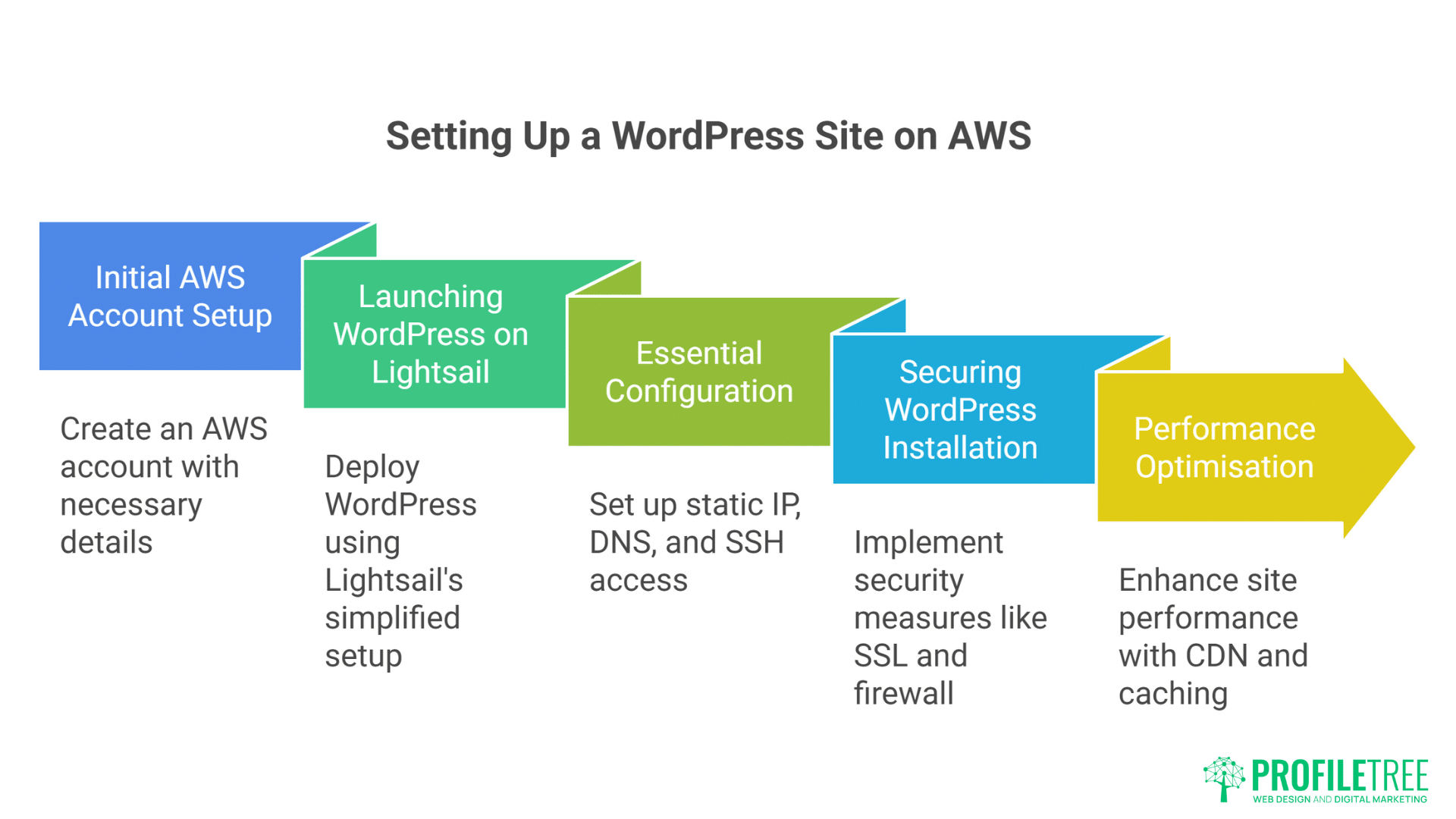
Let’s build a production-ready WordPress site on AWS. We’ll use Lightsail for simplicity, then explain EC2 variations for those needing more control.
Step 1: Initial AWS Account Setup
Create your AWS account at aws.amazon.com. You’ll need:
- Business credit card (personal works too)
- Valid UK phone number
- VAT number (optional but recommended for businesses)
AWS offers 12 months free tier including:
- 750 hours EC2 t2.micro monthly
- 5GB S3 storage
- 1GB RDS database
Perfect for testing before committing.
Important: Enable MFA (Multi-Factor Authentication) immediately. AWS accounts are valuable targets for cryptominers. One compromised account can generate thousands in charges overnight.
Step 2: Launching WordPress on Lightsail
- Navigate to Lightsail Console (lightsail.aws.amazon.com)
- Click “Create Instance”
- Select Instance Location: London, Zone A (eu-west-2a)
- Select Platform: Linux/Unix
- Select Blueprint: WordPress
Lightsail offers several WordPress options:
- WordPress: Basic installation
- WordPress Multisite: Multiple sites, one installation
- WordPress Certified by Bitnami: Pre-optimised stack
Choose “WordPress Certified by Bitnami” for the best performance out-of-box.
- Choose Instance Plan: Start with £10/month (2GB RAM)
- Name Your Instance: Use descriptive names like “clientname-prod-wp”
- Create Instance
Your WordPress site launches within 2 minutes. Lightsail provides a temporary IP immediately.
Step 3: Essential Configuration
Assign Static IP:
- Networking > Create Static IP
- Attach to your instance
- Name it descriptively
Static IPs are free, while attached to running instances. This IP becomes your server address for DNS configuration.
Configure DNS:
- Networking > Create DNS Zone
- Add your domain
- Create A record pointing to static IP
- Update nameservers at your domain registrar
For UK businesses, we recommend keeping domain registration separate from hosting. Use UK registrars like Nominet or 123-reg for .uk domains.
SSH Access Setup:
- Account > SSH Keys
- Download default key or upload your own
- Connect using: ssh -i keyfile.pem bitnami@your-static-ip
Windows users: Use PuTTY or Windows Terminal. Mac/Linux users have built-in SSH.
Step 4: Securing Your WordPress Installation
AWS provides infrastructure security, but WordPress needs additional hardening.
Change Default Passwords:
cat bitnami_credentials
Note the default password, then immediately change it in WordPress admin.
Install SSL Certificate: Lightsail includes free Let’s Encrypt SSL. Run Bitnami’s tool:
sudo /opt/bitnami/bncert-tool
Follow prompts, entering your domain and email. The tool configures SSL and automatic renewal.
Configure Firewall: Lightsail > Networking > Firewall
- Keep SSH (22) restricted to your IP
- Allow HTTP (80) and HTTPS (443) from anywhere
- Close all other ports
Enable Automatic Backups: Lightsail > Snapshots > Enable Automatic Snapshots
- Time: 3 AM (low traffic for UK sites)
- Keep 7 days (adjust based on needs)
- Cost: ~£2/month for 20GB disk
Step 5: Performance Optimisation
Raw AWS WordPress needs optimisation for UK audiences.
Configure UK/Ireland CDN:
- Create CloudFront distribution
- Origin: Your Lightsail static IP
- Price Class: US, Canada, Europe, Israel
- Compress objects automatically
- Cache behaviours for wp-content/uploads/*
This serves static files from edge locations in London, Dublin, Manchester, and Edinburgh. UK visitors see 200-400ms improvement.
Database Optimisation: For sites over 10,000 monthly visitors, separate your database:
- Create RDS MySQL instance (db.t3.micro for starting)
- Import existing database
- Update wp-config.php with RDS endpoint
- Delete local MySQL to free resources
Separated databases improve performance by 30-40% and enable independent scaling.
Object Caching with ElastiCache: Add Redis caching for dynamic content:
- Create ElastiCache Redis cluster (cache.t3.micro)
- Install Redis Object Cache plugin
- Configure wp-config.php with cluster endpoint
This reduces database queries by 70-80%, crucial for WooCommerce sites.
Real Costs: What UK Businesses Actually Pay
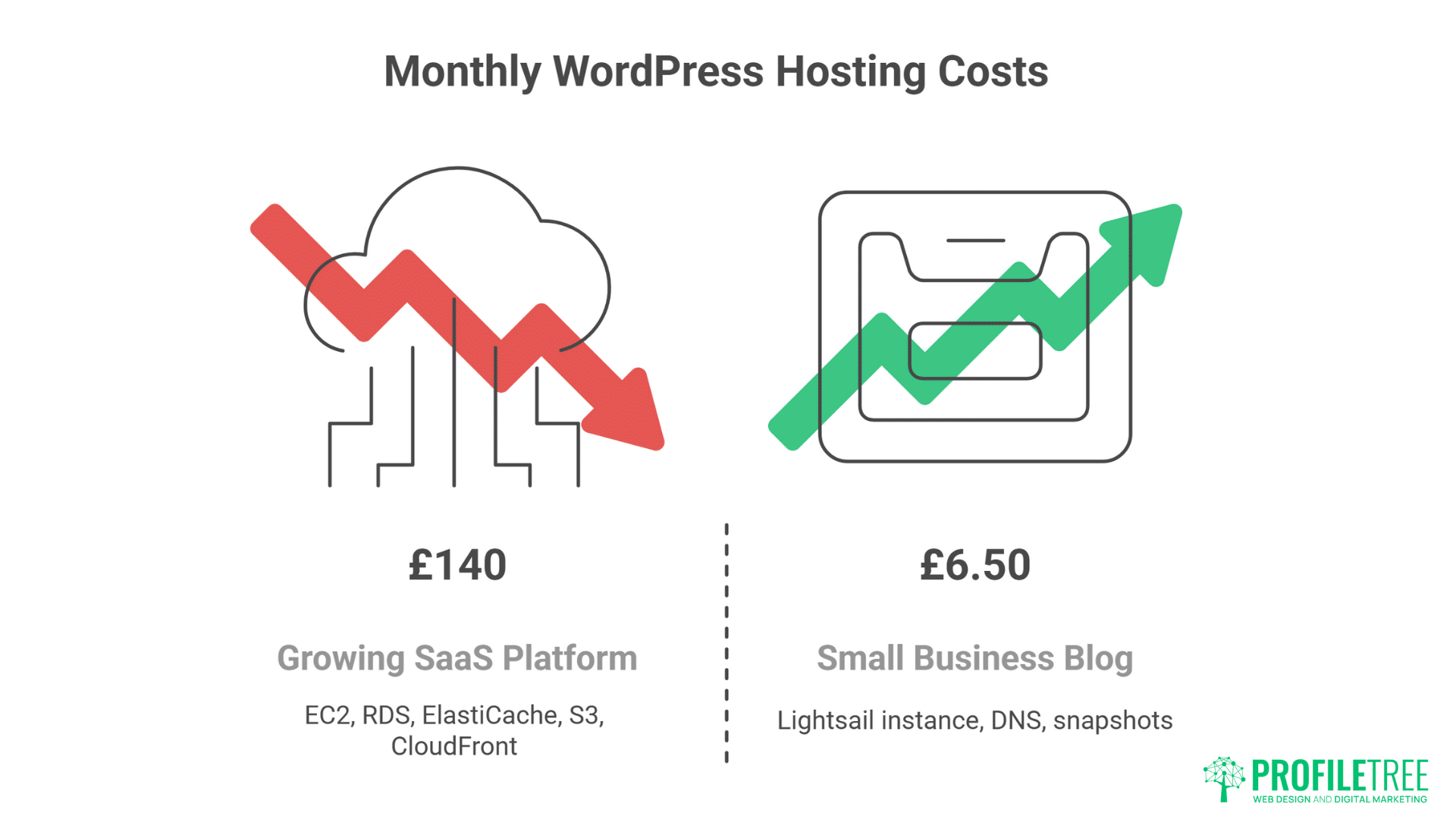
AWS pricing calculators show hundreds of options. Here’s what real UK businesses pay for WordPress on AWS:
Small Business Blog (5,000 monthly visitors)
- Lightsail 1GB instance: £5
- Automatic snapshots: £1
- Route 53 DNS: £0.50
- Total: £6.50/month
Local E-commerce Site (25,000 monthly visitors)
- Lightsail 4GB instance: £20
- RDS db.t3.micro: £12
- S3 storage (50GB): £1.50
- CloudFront CDN: £3
- Backups: £2
- Total: £38.50/month
Growing SaaS Platform (100,000 monthly visitors)
- EC2 t3.large: £60
- RDS db.t3.small: £25
- ElastiCache: £12
- S3 + CloudFront: £15
- Application Load Balancer: £20
- Backups and monitoring: £8
- Total: £140/month
Compare these to traditional hosting charging £200-500 for similar performance.
Hidden Costs to Budget For
Data Transfer: AWS includes generous transfer allowances, but excess costs £0.09/GB. Video-heavy sites need careful planning.
Support Plans:
- Basic: Free (community forums)
- Developer: £23/month (12-hour response)
- Business: £80/month (1-hour response)
Most SMEs manage fine with Developer support.
Management Time: Budget 2-4 hours monthly for updates and monitoring, or consider managed services. ProfileTree offers AWS management for businesses wanting AWS power without the complexity—our website development team handles the technical details, while you focus on growth.
When AWS Makes Sense vs Managed Hosting
AWS isn’t always the answer. After migrating hundreds of WordPress sites, we’ve identified clear indicators for when AWS suits versus when professional managed hosting works better.
Choose AWS When:
- Traffic Varies Dramatically Seasonal businesses, event sites, or viral content creators benefit from AWS’s scaling. Pay for baseline resources, scale during peaks. A Christmas decoration retailer saved £2,000 annually by scaling down January-October.
- You Have Technical Resources Whether in-house expertise or agency support, AWS rewards technical knowledge. The control and flexibility justify the learning curve.
- Cost Optimisation MattersBusinesses running multiple sites or development environments save significantly. Reserved instances and spot pricing can reduce costs by 70%.
- Specific Compliance Requirements Need data in specific regions? Require particular security configurations? AWS provides granular control impossible with traditional hosting.
Choose Managed Hosting When:
- Simplicity Is Priority If WordPress updates cause anxiety, AWS adds unnecessary complexity. Quality managed hosting like ProfileTree’s handles everything, letting you focus on business.
- Predictable Requirements Stable traffic and resource needs make fixed-price hosting more sensible. Why manage scaling for traffic that doesn’t vary?
- Limited Technical Resources AWS management requires ongoing attention. Without technical staff, you’re either neglecting security or paying consultants more than premium hosting costs.
- Local Support Matters When you need someone to talk through issues, local providers excel. Our Belfast team provides support AWS can’t match—we know your business, your site, and your goals.
Migration Strategy: Moving WordPress to AWS
Migration feels daunting but follows predictable patterns. Here’s our proven process for moving UK businesses to AWS.
Pre-Migration Assessment
Analyse Current Setup:
- Document all plugins and custom code
- List email accounts and forwarders
- Check integrated services (payment gateways, CRMs)
- Measure current performance baselines
- Export complete backup
Size Your AWS Resources: Monitor current resource usage for one week. Peak CPU and RAM usage indicates AWS requirements. Add 50% headroom for growth.
Plan Migration Window: UK B2B sites: Sunday 2-6 AM Retail sites: Tuesday-Wednesday 2-6 AM Never migrate during sales or campaigns
Migration Process
1. Create AWS Staging Environment Launch Lightsail/EC2 instance with identical specifications to planned production. This becomes your testing ground.
2. Migrate WordPress Files
# From old server
tar -czf wordpress.tar.gz /path/to/wordpress
scp wordpress.tar.gz bitnami@aws-ip:/tmp/
# On AWS
tar -xzf /tmp/wordpress.tar.gz -C /opt/bitnami/wordpress/
3. Migrate Database
# Export from old host
mysqldump -u username -p database > backup.sql
# Import to AWS
mysql -u root -p bitnami_wordpress < backup.sql
4. Update Configuration
- Edit wp-config.php with new database credentials
- Update site URLs if changed
- Configure SSL certificates
- Test all functionality
5. DNS Switchover Reduce TTL to 300 seconds 24 hours before migration. During switchover, update A records to AWS IP. Monitor both servers for 48 hours.
Post-Migration Optimisation
Week 1: Stabilisation
- Monitor error logs daily
- Check all forms and integrations
- Verify email delivery
- Test backup restoration
Week 2: Optimisation
- Implement CDN
- Configure caching
- Optimise database
- Set up monitoring
Week 3: Cost Optimisation
- Analyse usage patterns
- Consider reserved instances
- Implement auto-scaling if needed
- Remove unnecessary resources
Common AWS WordPress Problems and Solutions
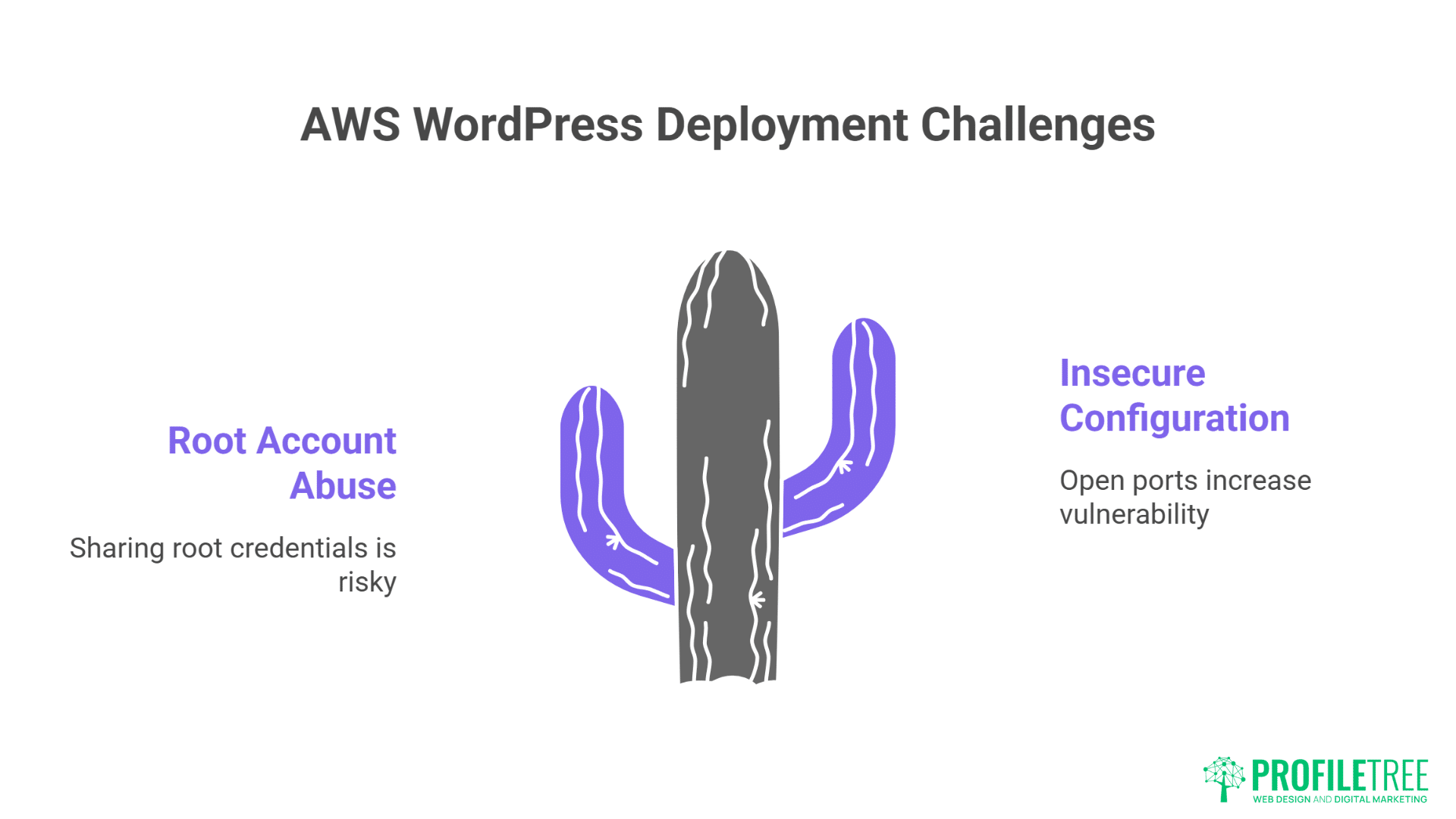
Every AWS WordPress deployment faces similar challenges. Here’s how to solve them before they become crises.
Problem: Unexpected Costs
Symptom: Monthly bill doubles without traffic increase
Cause: Usually data transfer or unused resources
Solution:
- Enable Cost Explorer
- Set billing alerts at 50%, 80%, 100% of budget
- Use AWS Budgets for automatic actions
- Tag resources properly for cost attribution
- Regular audit for unused resources
We’ve seen forgotten development servers cost businesses hundreds monthly. Implement “terminate protection” for production only.
Problem: Slow Admin Panel
Symptom: Frontend loads quickly, but wp-admin crawls
Cause: Database location or PHP memory limits
Solution:
# Increase PHP memory
sudo nano /opt/bitnami/php/etc/php.ini
memory_limit = 256M
max_execution_time = 300
# Restart services
sudo /opt/bitnami/ctlscript.sh restart apache
sudo /opt/bitnami/ctlscript.sh restart php-fpm
For persistent issues, move to larger instance or implement object caching.
Problem: Email Delivery Failures
Symptom: Contact forms submit but emails never arrive
Cause: AWS blocks port 25 by default (spam prevention)
Solution:
- Use Amazon SES (Simple Email Service)
- Configure WordPress with WP Mail SMTP plugin
- Verify domain in SES
- Request production access (removes sandbox limitations)
Cost: 10,000 emails for £1. Most SMEs never exceed free tier.
Problem: Security Concerns
Symptom: Worried about AWS security complexity
Reality: AWS is more secure than traditional hosting when configured properly
Essential Security Checklist:
- [ ] MFA on root account
- [ ] IAM users for developers (never share root)
- [ ] Security groups configured (minimum open ports)
- [ ] Automated backups enabled
- [ ] CloudWatch alerts for unusual activity
- [ ] Regular security updates applied
AWS provides tools—you must use them properly.
Advanced Configurations for UK Businesses
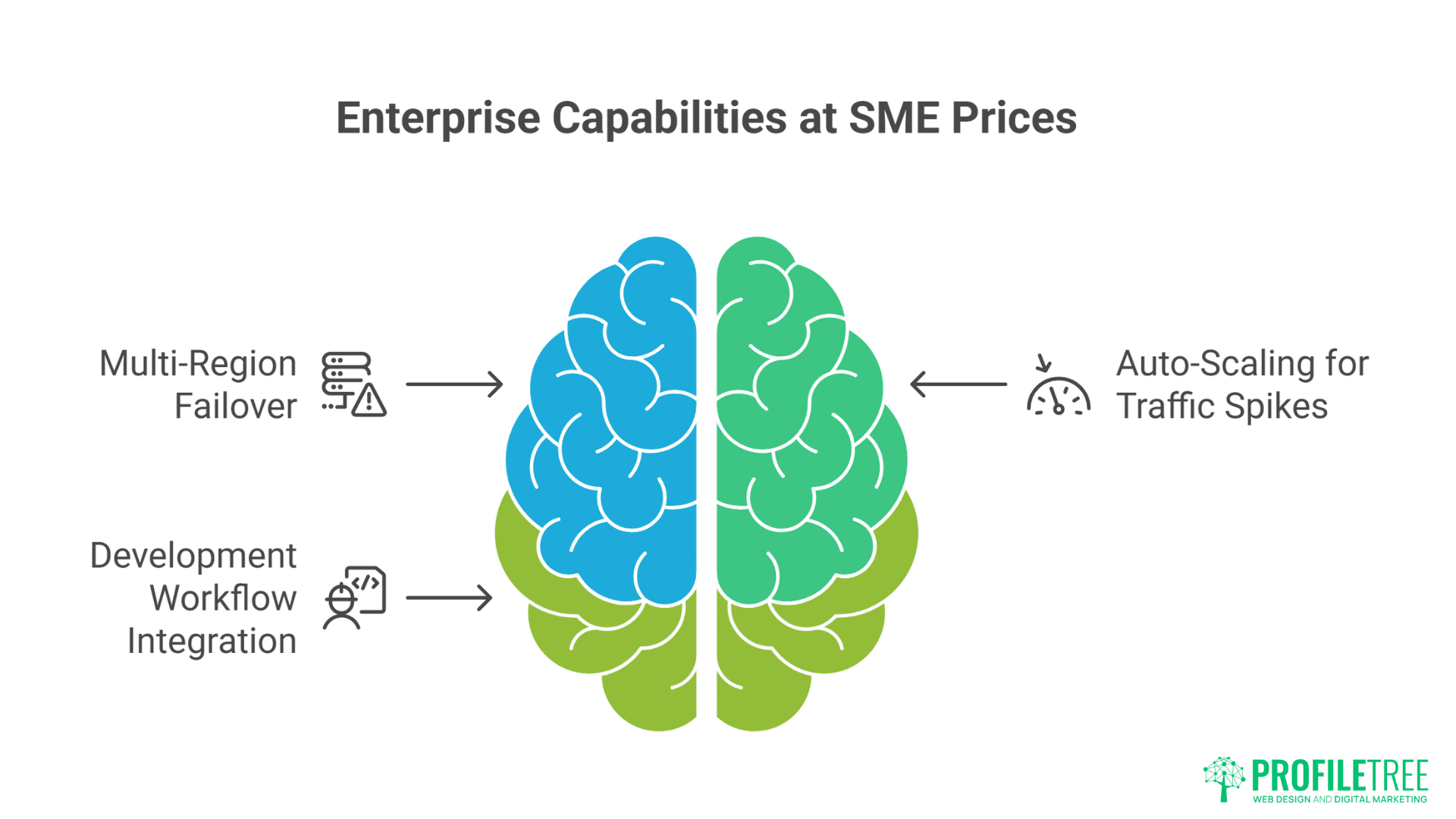
Once comfortable with basics, these advanced configurations deliver enterprise capabilities at SME prices.
Multi-Region Failover
For businesses requiring 100% uptime:
- Replicate site to Dublin region
- Use Route 53 health checks
- Automatic failover if London fails
- Additional cost: ~40% of primary region
A Belfast financial services client implemented this after one outage cost £50,000. The redundancy costs £200 monthly—cheap insurance.
Auto-Scaling for Traffic Spikes
Configure WordPress to handle viral moments:
- Create AMI (Amazon Machine Image) of configured instance
- Set up Application Load Balancer
- Create Auto Scaling Group
- Define scaling policies (CPU > 70% for 5 minutes)
- Use RDS for shared database
- Implement Redis for session sharing
This handled 100,000 concurrent visitors for a client featured on Dragons’ Den. Cost during spike: £47. Traditional hosting quote: £2,000/month minimum.
Development Workflow Integration
Professional development requires proper environments:
- Production: Full resources, always running
- Staging: Identical configuration, smaller instances
- Development: Spot instances (90% cheaper), terminated nightly
Use AWS Systems Manager for deployment:
# Push code from Git to all environments
aws ssm send-command \
–instance-ids “i-prod” “i-stage” “i-dev” \
–document-name “AWS-RunShellScript” \
–parameters ‘commands=[“cd /var/www/html && git pull”]’
This workflow costs less than traditional single-server hosting, while providing enterprise deployment practices.
Making the Decision: Your Next Steps
AWS WordPress hosting offers unmatched flexibility and potential cost savings, but success requires planning and ongoing management. For UK businesses, the benefits often outweigh complexity—especially with proper guidance.
If you’re technically confident:
- Start with Lightsail for simplicity
- Migrate non-critical sites first
- Learn AWS gradually
- Scale to EC2 when needed
If you need support: Consider partnering with AWS-experienced developers. ProfileTree’s website development team migrates and manages AWS WordPress installations for Northern Ireland businesses. We handle the technical complexity, while you benefit from AWS’s power and pricing.
If you’re unsure: AWS offers a middle ground between basic hosting and expensive enterprise solutions. But it’s not for everyone. Our managed WordPress hosting provides similar performance with full management, local support, and predictable pricing.
The key is matching hosting to business needs. AWS excels for variable traffic, multiple sites, or specific technical requirements. Traditional managed hosting wins for simplicity and support. Both beat cheap shared hosting that constrains growth.
Working with ProfileTree for AWS Success
Whether you choose AWS or managed hosting, professional guidance accelerates success. Our website design and SEO teams ensure your WordPress site performs brilliantly regardless of hosting choice.
We offer three AWS support levels:
- Migration Only: We handle the complete migration, then hand over documentation and training. Perfect for businesses with technical staff who need initial expertise.
- Ongoing Management: We manage your AWS infrastructure, while you manage WordPress. Includes monitoring, updates, cost optimisation, and emergency support.
- Full Service: Complete AWS and WordPress management. From infrastructure to content updates, we handle everything. Popular with businesses wanting AWS benefits without the complexity.
Stop letting hosting limit your WordPress site’s potential. Whether AWS or our managed hosting, ProfileTree provides the foundation for sustainable online growth. Contact our Belfast team to discuss your needs—we’ll recommend the right solution based on your specific requirements, not what makes us most money.
Because that’s the difference between a hosting provider and a digital partner invested in your success.