
What is Web Accessibility? A Practical Guide for UK & Irish Businesses
Table of Contents
Web accessibility is the practice of designing and building websites so that everyone can use them, including people with visual, auditory, motor, or cognitive disabilities. For business owners in the UK and Ireland, it is also a legal obligation, a commercial opportunity, and an SEO signal that most SME websites currently get wrong.
If your website was built without accessibility in mind, you are likely excluding a significant portion of your potential customers and exposing your business to legal risk under the Equality Act 2010. The good news is that the fixes are achievable, and the benefits extend well beyond compliance.
What Web Accessibility Means for Your Business
Web accessibility, in plain terms, means this: your website should work for everyone, regardless of how they interact with it. That includes someone using a screen reader because they are blind, someone navigating by keyboard because they cannot use a mouse, and someone with dyslexia who needs clear contrast and readable type.
The Web Accessibility Initiative, run by the World Wide Web Consortium (W3C), defines web accessibility as removing barriers that prevent people with disabilities from using the web. In practice, those barriers are almost always introduced at the design and development stage, often unintentionally.
Web accessibility is not a feature you bolt on after launch. It is a design and development decision that runs through every stage of building a website, from the wireframe to the code.
Why Web Accessibility Matters: Legal and Commercial Reality
The Legal Framework for UK and Irish Businesses
Many SME owners assume web accessibility laws apply only to public sector organisations. That is not accurate.
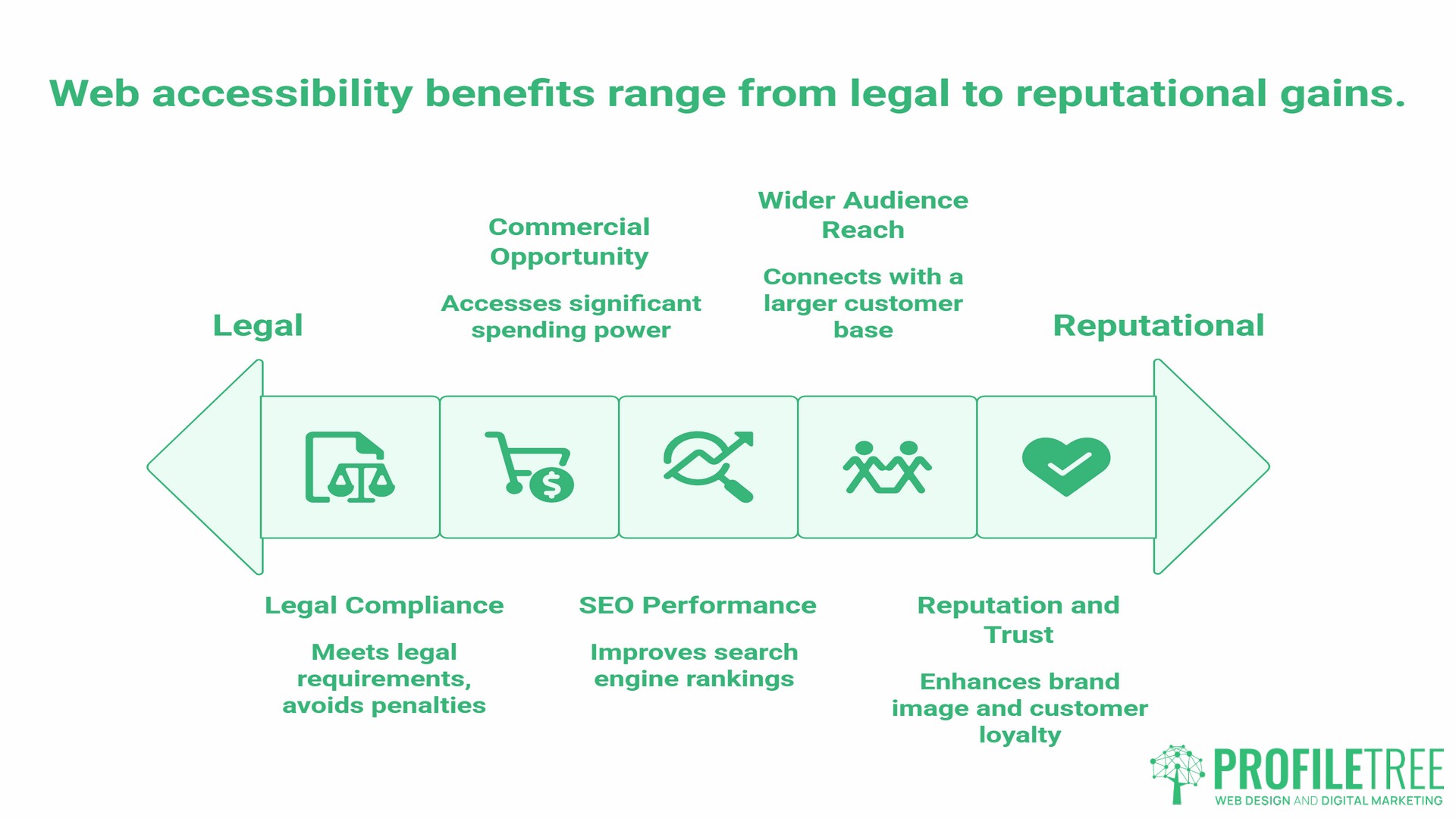
In the UK, the Equality Act 2010 requires businesses to make reasonable adjustments so that disabled people are not put at a substantial disadvantage compared to non-disabled people. The Act covers digital services. A business that cannot demonstrate reasonable steps to make its website accessible risks a discrimination claim.
In Ireland, S.I. No. 358/2020 implements the EU Web Accessibility Directive for public sector bodies. Private sector businesses are increasingly affected by the European Accessibility Act (EAA), which came into full effect for private sector services in June 2025. If your business sells to customers in Ireland or across the EU, the EAA is directly relevant to your website.
UK businesses that export or operate across Ireland and the rest of the EU face requirements from both frameworks. Getting this right early is considerably less expensive than addressing a legal challenge after the fact.
The Business Case Beyond Compliance
The spending power of disabled households in the UK is estimated at over £274 billion annually, a figure referred to as the Purple Pound. Businesses whose websites exclude disabled users are leaving a substantial share of that spending inaccessible.
Beyond the direct commercial argument, web accessibility and SEO share a significant amount of common ground. Search engines and screen readers both rely on clean HTML structure, descriptive alt text, logical heading hierarchies, and keyboard-navigable layouts. A website built to WCAG standards tends to perform better in organic search as a direct consequence of the same technical decisions that make it accessible. Our guide to SEO services for Northern Ireland businesses covers how technical site quality feeds into rankings in more detail.
The 4 Principles of Web Accessibility: POUR
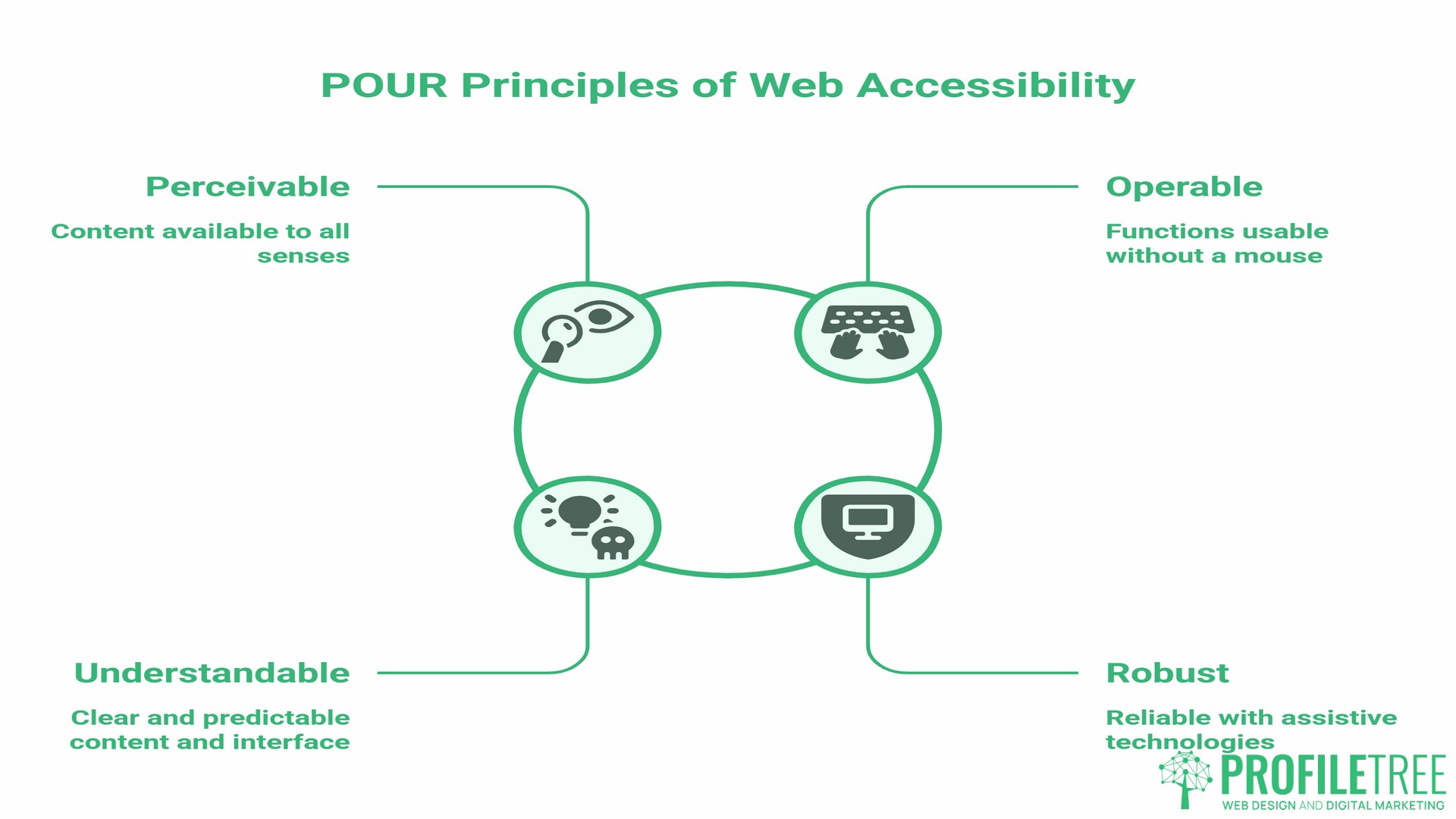
Web accessibility standards are built on four core principles, defined by the Web Content Accessibility Guidelines (WCAG) and referred to by the acronym POUR.
Perceivable
Content must be presentable to users in ways they can perceive. This means providing text alternatives for images, captions for video, and ensuring that information is not conveyed by colour alone. If a user cannot see your page, they should still be able to access its content.
Operable
All functions on your website must be operable by keyboard, not just by mouse. Navigation menus, forms, buttons, and interactive elements all need to work without a pointing device. This matters for users with motor disabilities and for anyone using assistive technology.
Understandable
Your content and interface must be understandable. That means consistent navigation, clear error messages in forms, readable text, and predictable page behaviour. A user who encounters an error when filling in a contact form should receive a message that tells them exactly what went wrong.
Robust
Your code must be robust enough to work reliably with current and future assistive technologies. This is largely a development-layer requirement, involving clean semantic HTML and correct use of ARIA (Accessible Rich Internet Applications) attributes.
Understanding WCAG 2.2: The Current Standard
The Web Content Accessibility Guidelines are the internationally recognised web accessibility standards, developed by the W3C. WCAG 2.2, published in October 2023, is the current version and represents the benchmark UK and EU legislation points toward.
WCAG Conformance Levels
WCAG is structured around three conformance levels.
Level A covers the most basic requirements. Failing Level A means your website has significant barriers that will prevent some users from accessing content entirely.
Level AA is the standard that UK and EU legislation references. It is the realistic target for any business website and includes requirements around colour contrast ratios, consistent navigation, and focus visibility.
Level AAA represents the highest level of conformance. It is not required by law for most organisations but represents best practice for public-facing services that handle sensitive information or serve particularly vulnerable audiences.
For most SMEs in Northern Ireland, Ireland, and the UK, Level AA is the right target.
| Level | Requirement | Legally Referenced? |
|---|---|---|
| A | Basic accessibility | Minimum threshold |
| AA | Standard compliance | Yes, UK Equality Act and EAA |
| AAA | Enhanced compliance | Not required for most SMEs |
What Changed in WCAG 2.2
WCAG 2.2 added nine new success criteria compared to version 2.1. The most significant changes relate to focus appearance (visible keyboard indicators must meet specific contrast requirements), authentication (login processes must not rely on cognitive tests that disadvantage users with memory or processing difficulties), and dragging movements (functions that require dragging must offer a single-pointer alternative). Many websites built before 2023 will fail several of these new criteria.
Web Accessibility and SEO: Where They Overlap
The overlap between web accessibility and SEO is not incidental. Both disciplines require the same underlying technical decisions.
Alt text written for screen reader users also tells Google what an image contains. Heading structure that creates a logical reading order for keyboard users also helps search engines understand page hierarchy. Captions added to video content for deaf users also create text that search engines can index. Fast-loading pages required by accessibility audits also satisfy Google’s Core Web Vitals signals.
When ProfileTree conducts a web design project for an SME, accessibility and SEO considerations run in parallel from the brief stage rather than being addressed separately after launch. This is more cost-effective and produces better outcomes on both dimensions.
Common Web Accessibility Barriers and How to Fix Them
Most accessibility failures on SME websites fall into a small number of recurring categories.
Missing or Poor Alt Text
Images without alt text are invisible to screen readers. Images with generic alt text like “image1.jpg” or “photo” provide no useful information. Alt text should describe the content and function of the image concisely. A product image on an e-commerce site should describe the product; a decorative image that adds no information should have an empty alt attribute so screen readers skip it.
Insufficient Colour Contrast
WCAG AA requires a contrast ratio of at least 4.5:1 for normal text and 3:1 for large text. Many website colour palettes, particularly those using light grey text on white backgrounds, fail this requirement. Free tools such as the WebAIM Contrast Checker allow you to test any colour combination before or after publication.
Keyboard Navigation Traps
A keyboard trap occurs when a user navigating by keyboard enters a section of the page, such as a modal window or dropdown menu, and cannot exit without using a mouse. This is a Level A failure and one of the more common development-layer problems on sites built with complex JavaScript components.
Unlabelled Form Fields
Contact forms and booking forms frequently omit visible labels for input fields, relying on placeholder text instead. Placeholder text disappears when a user begins typing and is not reliably read by all screen readers. Every input field on a form needs a properly associated label element.
Poor Heading Structure
Heading levels communicate page structure to screen reader users, who often navigate a page by jumping between headings. A page that uses heading tags for visual styling rather than semantic structure, such as jumping from an H1 to an H4, creates a confusing experience for screen reader users and simultaneously weakens search engine understanding of the page.
As Ciaran Connolly, founder of ProfileTree, puts it: “When we build a website for a client, accessibility is not a separate checklist at the end of the project. It runs through every decision we make at the design and development stage, because fixing it retrospectively always costs more and often misses things.”
A Note on Accessibility Overlays
Accessibility overlays are third-party plugins, sold on a subscription basis, that claim to make a website accessible by applying automated fixes. Several are heavily marketed to SMEs as a low-cost compliance solution.
They do not work reliably. Automated tools can identify roughly 30 to 40 per cent of accessibility issues; they cannot identify the majority. Overlays have been subject to legal action in the United States, and legal authorities in the UK and EU have not recognised them as a substitute for genuine WCAG compliance. Several major disability advocacy organisations actively recommend against them.
If an overlay is your current accessibility plan, it needs to be replaced with a genuine audit and remediation programme. Our web development team works with clients to identify and fix the underlying code issues that overlays attempt to patch over without addressing the root cause.
How to Test Your Website for Accessibility
Automated Testing Tools
Automated testing is the starting point, not the complete answer. Tools such as WAVE (from WebAIM), the Lighthouse accessibility audit built into Google Chrome DevTools, and axe DevTools can identify a significant number of technical failures quickly and without cost.
Run an automated audit on your most important pages first: homepage, main service pages, contact form, and any page where a transaction takes place. The results will surface the most common failures and give you a prioritised list to work through.
Manual Testing
Manual testing covers what automated tools miss, which is the majority of accessibility issues. This includes testing all interactive elements with only a keyboard, ensuring focus indicators are visible throughout the user journey, reviewing all form error messages for clarity, and verifying that the page makes sense when read in the order a screen reader would follow.
If your website has not had a professional accessibility audit, the combination of an automated scan and structured manual testing will almost certainly surface more issues than you expect. Contact the ProfileTree team to discuss an accessibility review for your site.
The Accessibility Statement
UK public sector bodies are legally required to publish an accessibility statement. Private sector businesses are not currently required to do so under UK law, but publishing one is considered best practice and demonstrates good faith in the event of a complaint or legal challenge. An accessibility statement should describe your site’s current conformance level, known issues, and how users can request content in an alternative format.
Professional Web Design: The Route to Genuine Compliance
The most reliable path to web accessibility compliance is building it in from the start of a web design project, not adding it afterwards.
When accessibility is addressed during the wireframe and design stages, decisions such as colour palette selection, typographic hierarchy, and interaction patterns are made with compliance in mind. When it is addressed during development, the underlying HTML structure, ARIA implementation, and form behaviour are built correctly from the first line of code.
Retrofitting accessibility to an existing website is almost always more expensive than building it in from the outset, and it often misses issues embedded in a site’s theme or template. Our web design services for Belfast and Northern Ireland incorporate WCAG AA compliance as a standard requirement rather than an optional add-on.
For businesses already running a website that has never had an accessibility review, a professional audit followed by a structured remediation programme is the appropriate starting point. This will identify the specific failures, prioritise them by severity and impact, and provide a clear scope of work.
Web accessibility is not a compliance exercise to be completed once and forgotten. It is an ongoing design and development philosophy that protects your business from legal risk, opens your website to a wider audience, and strengthens your organic search performance at the same time. For SMEs across Northern Ireland, Ireland, and the UK, the question is no longer whether web accessibility matters; it is how quickly you can get your site to the standard it needs to meet. Speak to the ProfileTree team about a web design or development project built with accessibility at its core.
Frequently Asked Questions
Is web accessibility a legal requirement for private companies in the UK?
The Equality Act 2010 requires UK businesses to make reasonable adjustments for disabled people. This has been held to apply to websites in practice. Private sector companies are not subject to the same explicit requirements as public sector bodies under the Public Sector Bodies Accessibility Regulations, but the Equality Act provides a clear legal basis for a discrimination claim if a disabled person cannot access a business’s online services. The European Accessibility Act, which applies to private sector businesses selling to EU consumers, came into full effect in June 2025 and is directly relevant to any UK business with Irish or EU customers.
What does WCAG stand for?
WCAG stands for Web Content Accessibility Guidelines. They are developed and maintained by the World Wide Web Consortium (W3C) through its Web Accessibility Initiative. WCAG 2.2 is the current version and the standard referenced by UK and EU accessibility legislation.
What is the difference between WCAG 2.1 and WCAG 2.2?
WCAG 2.2 added nine new success criteria to version 2.1. The most relevant changes for most SME websites relate to focus appearance (keyboard focus indicators must meet specific visibility requirements), accessible authentication (logins cannot rely solely on cognitive function tests), and alternatives to dragging interactions. Many websites built before 2023 will not meet these new criteria without code-level changes.
Are free accessibility checkers accurate?
Free automated tools such as WAVE and Lighthouse are useful starting points but they identify approximately 30 to 40 per cent of accessibility issues. The majority of failures require manual testing to find. Automated tools are good at identifying missing alt text, contrast failures, and some structural problems; they cannot assess whether content makes sense when read by a screen reader, whether keyboard navigation flows logically, or whether form error messages are genuinely useful.
Do accessibility overlays work?
Accessibility overlays do not reliably meet WCAG standards. They address only a narrow subset of detectable issues using automated methods, thereby missing the majority of real-world accessibility barriers. They have been subject to legal action in the United States. Neither the UK Equality Act nor the European Accessibility Act recognises overlay tools as a substitute for genuine WCAG compliance. Businesses using overlays as their primary accessibility solution remain exposed to legal risk.
Does web accessibility help with SEO?
Yes, directly. The technical decisions that make a website accessible, including semantic heading structure, descriptive alt text, clean HTML, keyboard-navigable layouts, and fast load times, are the same decisions that improve search engine visibility. Search engine crawlers and screen readers interpret web content in similar ways. A website built to WCAG AA standards will, in most cases, perform better in organic search than a structurally equivalent site that ignores accessibility.