
Effective Email Writing: 10 Rules That Work
Table of Contents
Most business emails fail before they are read. A vague subject line, a wall of text, or a buried request — any one of these sends your message straight to the bottom of someone’s inbox. For SME owners and managers across the UK and Ireland, where professional relationships often hinge on tone as much as substance, getting email right is a practical business skill, not just an etiquette exercise.
This guide covers ten clear rules for writing effective emails, with specific guidance on the UK and Irish business context, adjusting your tone for different recipients, and knowing when email is not the right channel.
Why Effective Email Still Matters for Business Communication
Email remains the primary channel for formal business communication in the UK and Ireland. Despite the rise of tools like Slack, Teams, and WhatsApp for internal messaging, client-facing communication, proposals, follow-ups, and formal agreements still live in the inbox.
The problem is volume. Most professionals receive dozens of emails daily, and the ones that get read, replied to, and acted on are the ones that make it easy. Cognitive load — the mental effort required to understand something — is the hidden enemy of business email. A poorly structured email forces the reader to work out what you want. A well-structured one hands them the answer immediately.
For businesses working on their broader content marketing strategy, email often gets overlooked in favour of blog content and social media. But email outperforms both channels for direct conversions when the message is well written.
10 Rules for Writing an Effective Email
These rules apply whether you are chasing a late invoice, pitching a new client, or briefing your team on a project update. Follow them consistently, and your emails will get read, understood, and acted on.
1. Write a Specific, Action-Oriented Subject Line
The subject line determines whether your email gets opened. Generic subject lines — “Following up,” “Quick question,” “Checking in” — are easy to defer. Specific ones create urgency and context.
Compare these two subject lines for the same email:
Weak: “Proposal” Effective:“Web design proposal for Smith & Co — three options, feedback needed by Friday
The second version tells the recipient what it is, who it is for, and what action is needed. They can decide on priority before they even open it.
Keep subject lines under 50 characters where possible. On mobile, anything longer than a few lines gets cut off. Avoid all caps, excessive punctuation, and words that trigger spam filters such as “free,” “urgent,” or “guaranteed.”
2. Choose the Right Greeting for the Context
UK and Irish business culture sits in a middle ground between the highly formal conventions of traditional British correspondence and the increasingly casual norms of modern workplaces. Getting the greeting wrong in either direction creates an immediate friction.
A useful reference table:
| Recipient | Appropriate Greeting |
|---|---|
| First contact, external client | Dear [First name] |
| Ongoing client relationship | Hi [First name] |
| Senior executive you have not met | Dear [Mr/Ms Surname] |
| Internal colleague | Hi [First name] |
| Group or team | Hi all / Hi team |
Avoid “To Whom It May Concern” unless you genuinely do not know who will read it, and avoid “Hey” in any formal or external context, regardless of how casual the relationship feels.
3. Front-Load Your Main Point
This is the single most important structural rule in business email. State what you want or need in the first one or two sentences. Do not build up to it.
This approach is sometimes called BLUF — Bottom Line Up Front. It is the same principle used in executive briefings and journalism, and it works for the same reason: busy people make decisions based on the first thing they read.
Poor structure: “I hope you’re well. I wanted to get in touch because we’ve been reviewing a few different options for the project and after speaking with the team and considering various factors, we think it might be worth discussing…”
Effective structure: “We’d like to proceed with Option B for the project. Could you confirm availability for a 20-minute call this week to discuss next steps?”
The first version buries the request. The second leads with it. The reader knows what is needed within five seconds.
4. Keep It Concise and Scannable
Long paragraphs in emails get skipped. If your email contains more than three or four paragraphs, consider whether it should be a document or a call instead.
Where you need to cover multiple points, use a short numbered or bulleted list. Keep each bullet to one sentence. Use bold text sparingly — only for genuinely important information that might be missed in a scan.
A practical rule: if you cannot read your email aloud in under 90 seconds, it is too long.
5. Adjust Your Tone: Emailing Managers vs. Clients vs. Colleagues
This is the question most email guides ignore, but it is the one that causes the most professional friction.
Emailing a senior manager or director: Be brief. They are time-poor and read email differently to peers. State the context in one sentence, the request or update in one sentence, and any required action or deadline in a third. Do not include background detail unless they have explicitly asked for it. If you need a decision, make it easy to give one — offer two clear options rather than an open question.
Emailing an external client: Match formality to the relationship and the project’s stage. Early in a new relationship, err on the side of formality. As the relationship develops, it is acceptable to relax. Always be clear about next steps, who is responsible for what, and any deadlines. Clients who feel confused about where a project stands email back to ask, which doubles everyone’s workload.
Emailing internal colleagues: Casual is fine, but clarity still matters. “Can you look at this?” is less effective than “Can you review the attached and send comments by the end of Thursday?”
6. Navigate UK and Irish Business Etiquette
British and Irish professional culture places a high value on politeness, which can create a specific email problem: messages that are so hedged and softened that the actual request disappears.
Phrases like “I was just wondering if perhaps you might be able to…” or “Sorry to bother you, but…” are common in UK and Irish business emails. They read as polite but also as uncertain and easy to defer to. You can be both polite and direct.
Overly softened: “I was just wondering if it might be possible to get the revised quote before the end of the week, if that’s not too much trouble?”
Polite and direct: “Could you send the revised quote by Friday? That would be really helpful, thank you.”
The second version is still warm. It is also clear and easy to act on.
Sign-offs follow the same logic. “Yours sincerely” is now rare in UK business email, except in highly formal legal correspondence. “Kind regards” is the professional standard. “Best” or “Best regards” is acceptable in ongoing relationships. “Cheers” is fine internally, but reads as too casual in external or senior communication.
7. Include One Clear Call to Action
Every business email should end with one specific next step. Not a list of questions, not an open-ended “let me know your thoughts” — one clear action.
If you need a decision: “Please confirm by reply which option you’d like to proceed with.” If you need a meeting: “Are you available for a 30-minute call on Wednesday or Thursday this week?” If you are providing information with no required action: “No reply needed — I’ll follow up if anything changes.”
Multiple requests in a single email reduce the likelihood of receiving any response. If you have several things to cover, send separate emails or schedule a call to consolidate them.
For businesses managing client email as part of a digital marketing strategy, the CTA principle applies equally to marketing emails and newsletters. A single, focused action consistently outperforms emails that ask recipients to do three different things.
8. Write Accessible Emails
Accessibility in email is often overlooked, but it matters more than most people realise. A significant proportion of your recipients may use screen readers, have visual impairments, or process text differently due to conditions like dyslexia.
Practical steps:
- Use descriptive link text: “View the project timeline” rather than “click here”
- Avoid attaching images with text in them — screen readers cannot read image-embedded text
- Use a readable font at 14pt or above for HTML emails
- Ensure colour contrast is sufficient if using branded email templates
- Keep sentence structure simple; complex nested clauses are harder to process
If your business sends HTML marketing emails, your email template design should follow the same accessibility principles as your website. This is something ProfileTree’s web design team can advise on as part of broader digital communications work.
9. Know When Not to Send an Email
Email is the right channel for formal communication, written records, sharing documents, and communicating with people in different time zones. It is the wrong channel for:
- Urgent matters that need a same-day response (call or message instead)
- Sensitive conversations that could be misread in text
- Complex decisions that need back-and-forth discussion (book a call)
- Internal quick questions your team could answer in a chat tool in 30 seconds
A useful test: if you anticipate three or more reply cycles to resolve something, it should be a call.
10. Proofread for Tone, Not Just Typos
Spellcheck catches errors. It does not catch tone problems. Before sending, read your email from the recipient’s perspective and ask two questions: Is it clear what I need? Does this sound the way I intend it to?
Tone in written communication is easy to misjudge. A sentence that reads as neutral to the writer can read as abrupt or dismissive to the reader. If in doubt, read it aloud — the human voice is surprisingly good at detecting where the register goes wrong.
For teams that regularly communicate with clients, a short internal style guide for email tone is worth creating. ProfileTree’s digital training programmes include business communication modules for exactly this reason — consistent, professional email communication across a team protects brand reputation as much as any marketing activity.
Before and After: What an Effective Email Looks Like in Practice
Here is the same message, written poorly, then effectively.
Scenario: A web design agency following up on a proposal sent five days ago.
Ineffective version: “Hi Sarah, hope you’re well! Just wanted to touch base and see how things are going with the proposal we sent over last week. We put a lot of work into it, and we think it really covers all the bases. Let us know if you have any questions or would like to discuss anything further. Looking forward to hearing from you!”
Effective version: “Hi Sarah, following up on the proposal we sent last Tuesday. Are you happy to proceed, or would it help to talk through any of the options? I’m free Thursday afternoon or Friday morning if a call would be useful.”
The second version is shorter, specific about timing, and ends with two easy choices. It respects the recipient’s time and makes a response simple.
How Email Fits Into Your Wider Digital Marketing Strategy
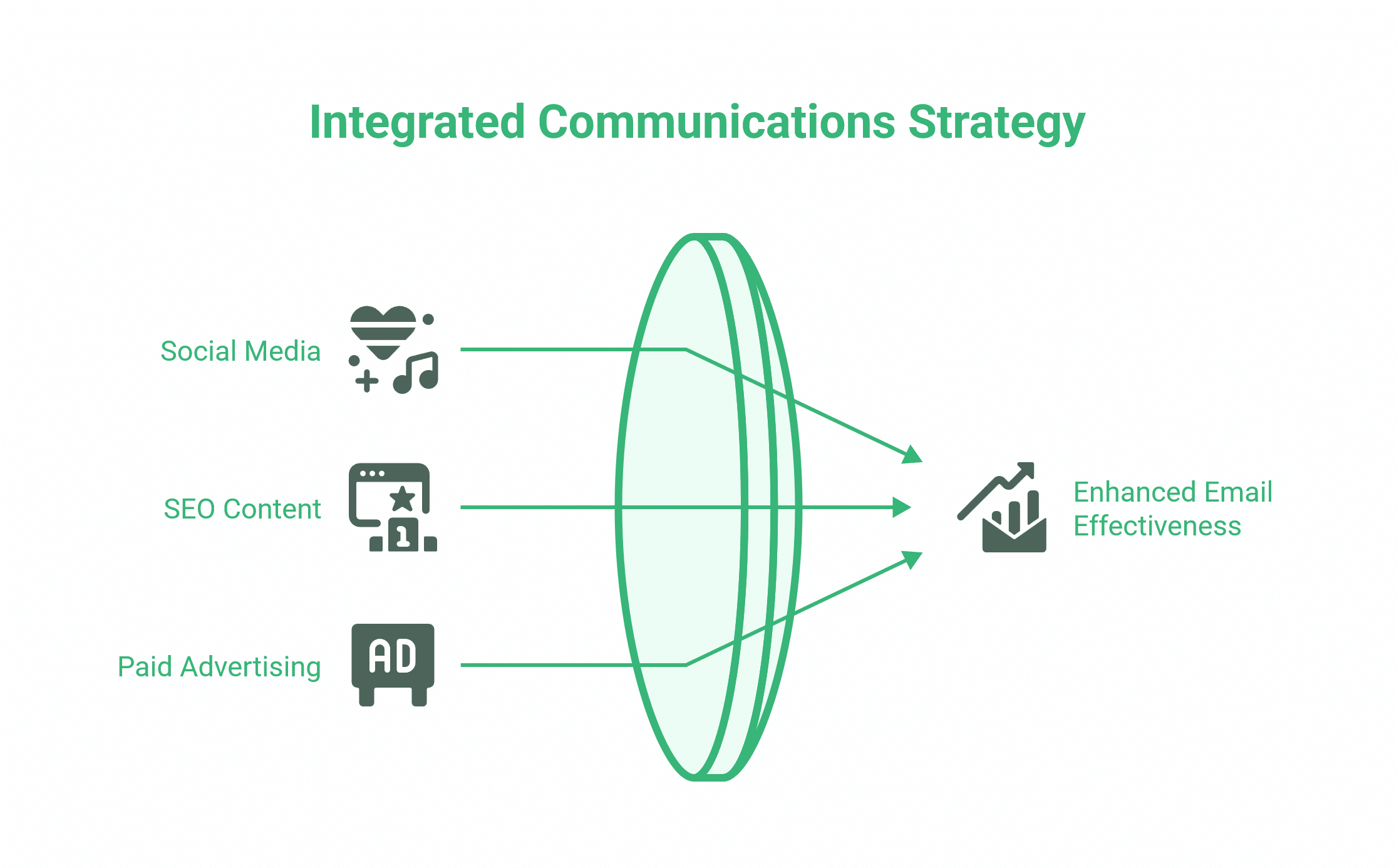
A well-written email does not exist in isolation. For most SMEs, email is one part of a broader communications mix that includes social media, SEO-driven content, and paid advertising. The businesses that get the best results from email are usually the ones that treat it as a channel within a strategy, not a standalone task.
That means your email list should be growing through your website — via a newsletter sign-up, a lead magnet, or a post-enquiry sequence. The content in your emails should connect with your site’s content, driving traffic back to service pages, blog posts, or case studies. And the tone of your emails should be consistent with how your brand communicates everywhere else.
For SMEs that have not yet mapped out how email connects to the rest of their digital activity, it is worth stepping back before investing time in individual campaign optimisation. ProfileTree’s digital marketing strategy works with clients across Northern Ireland, Ireland, and the UK, typically starting with exactly this kind of channel audit — establishing where email sits, what role it should play, and how it connects to the website, social presence, and content output.
UK and Irish SMEs: Common Email Mistakes Worth Avoiding
Having worked with small and medium businesses across Northern Ireland and Ireland, a few email habits come up repeatedly — not as catastrophic errors, but as consistent friction points that slow down communication and make businesses look less professional than they are.
The first is reply-all overuse. In businesses where everyone is copied on everything, inboxes fill up with low-value exchanges that nobody asked to be part of. Establish a team norm: copy people only when they need to act or be formally informed.
The second is sending emails that should be calls. Complex project feedback, sensitive HR matters, and difficult client conversations are routinely handled by email because it feels less confrontational. In most cases, a 15-minute call resolves in one exchange what would otherwise take six emails and three days.
The third is poor mobile formatting. A large proportion of business emails are read on a phone. Emails with long, unbroken paragraphs, oversized attachments, or links to non-mobile-optimised pages create a poor experience. If your business sends HTML marketing emails, the same principle applies — a template that looks polished on a desktop can be unreadable on mobile if it has not been tested. This is one area where investing in proper email template design as part of your website and digital presence pays back quickly in campaign performance.
Conclusion
Effective email is not about writing skill in the literary sense — it is about clarity, appropriate tone, and respect for the reader’s time. Apply these ten rules consistently, adjust your approach for different recipients and contexts, and you will find that your emails get faster responses, fewer follow-up queries, and better professional outcomes. For teams looking to build consistent communication standards across the business, ProfileTree’s digital training covers practical communication and digital marketing skills for SMEs across Northern Ireland, Ireland, and the UK.
FAQs
What are the most important elements of an effective email?
A specific subject line, a clear main point in the first sentence, a single call to action, and an appropriate tone for the recipient. Everything else supports these four elements.
How do you start an email to a manager?
Lead with context in one sentence, then your point or request in the next. Avoid lengthy preambles. “I’m writing to flag a change to the project timeline — we need to push the launch date by one week due to [reason]. Are you available to discuss briefly this week?” is more effective than building up to the same request over five sentences.
What is the right length for a business email?
Most professional emails should be readable in under 60 seconds. If you need more space than that, consider whether a short document, a call, or a structured briefing note would better serve the purpose.
Is it unprofessional to use emojis in a business email?
In external client communication and any formal context, avoid emojis entirely. In established internal relationships where the culture is casual, a single emoji in context is unlikely to cause problems. The safest rule is to follow the lead of the person you are writing to.