
Productivity Applications to Transform Your Business Workflow in 2026
Table of Contents
Overwhelmed by daily tasks and struggling to coordinate your team effectively? Business owners across Northern Ireland, Ireland, and the UK face mounting pressure to do more with less, often juggling client work, team management, and strategic planning simultaneously. The right productivity applications can make the difference between chaotic firefighting and structured growth.
At ProfileTree, we’ve helped businesses throughout Belfast and beyond implement digital solutions that genuinely improve efficiency. Through our digital training workshops and AI implementation services, we’ve seen firsthand how the right technology stack transforms operations.
Director Ciaran Connolly notes, “The businesses that succeed aren’t necessarily working longer hours—they’re working smarter by choosing tools that complement their actual workflow, not complicating it.”
This guide examines productivity applications that serve real business needs, from task management and collaboration to automation. Whether you’re running a small business in Northern Ireland or managing a growing team across the UK, you’ll find practical insights on selecting tools that deliver measurable results.
Understanding Productivity Tools for Business Success
Productivity applications have moved beyond simple to-do lists. Modern business productivity tools integrate task management, team collaboration, time tracking, and automation into unified platforms that support how work actually gets done. For business owners and marketing managers, this means less time switching between disconnected systems and more focus on revenue-generating activities.
The proper productivity application reduces friction in your existing processes rather than forcing you to adopt entirely new workflows. Your team shouldn’t need extensive training to manage basic tasks or track project progress. When evaluating productivity applications, consider whether the tool solves a genuine problem rather than creating new complexity.
Through our digital strategy consultations at ProfileTree, we guide businesses in identifying specific bottlenecks—such as project visibility, client communication, or task prioritisation—then select targeted solutions. This approach prevents over-complicating your technology stack whilst actually reducing effectiveness.
Modern productivity applications excel in three areas: they centralise information so teams work from a single source of truth, they automate repetitive tasks that drain time without adding value, and they provide visibility into work progress without requiring constant status meetings. The best productivity applications for small business operations strike a balance between sophistication and usability.
Business owners in competitive markets, such as Belfast and across Northern Ireland, need tools that scale with their growth. A productivity application that works for five team members should be able to accommodate fifteen team members without requiring a platform migration. This scalability consideration becomes particularly important for SMEs planning expansion.
Essential Task Management Solutions for Business Operations
Task management forms the foundation of business productivity. Without clear visibility into responsibilities and deadlines, even talented teams struggle to deliver consistent results. The right task management tools provide structure without rigidity, helping teams prioritise effectively whilst adapting to changing business demands.
Todoist for Individual and Small Team Productivity
Todoist delivers straightforward task management for solo business owners through to small teams. Its natural language input allows quick task creation—type “Review marketing proposal Friday at 2 pm” and the app automatically sets the date and time. This simplicity reduces the friction of actually using the tool.
For businesses starting their digital transformation, Todoist provides an accessible entry point. The free tier offers substantial functionality, including project organisation, priority levels, and basic collaboration features. Business owners can test productivity applications without financial commitment.
The app integrates with email platforms, calendars, and communication tools, allowing tasks to flow from wherever work originates. This integration capability prevents the common problem of tasks existing in one system while related information is stored elsewhere. Actual productivity requires information connectivity, not isolated data silos.
TickTick for Comprehensive Personal Management
TickTick combines task management with calendar views, habit tracking, and a built-in Pomodoro timer. This consolidation suits business owners who want fewer apps to manage more functions. Rather than separate tools for tasks, habits, and time blocking, TickTick provides integrated functionality within a single interface.
The calendar integration proves particularly valuable for businesses coordinating client meetings, project deadlines, and team availability. Seeing tasks alongside calendar commitments provides realistic visibility into available capacity. This contextual view supports better commitment management, reducing the tendency to overpromise and underdeliver.
For teams adopting productivity applications for the first time, TickTick’s visual approach eases the learning curve. The Kanban view option mirrors physical board systems many businesses already use, making digital adoption less disruptive.
Asana for Team Project Coordination
Asana shifts focus from individual task lists to collaborative project management. When multiple team members contribute to client deliverables or business initiatives, Asana provides the structure needed to maintain coordination without excessive meetings. Task dependencies, timeline views, and progress tracking help teams work asynchronously whilst preserving alignment.
The platform enables businesses to manage client projects, internal initiatives, and operational workflows simultaneously. Marketing teams can track campaign development, sales teams can manage pipeline activities, and operations can coordinate service delivery—all within one system.
For ProfileTree’s web design and development projects, we use collaborative project management tools to maintain client visibility into progress. This transparency builds trust and reduces the client’s anxiety that comes from not knowing the project status.
Asana’s reporting features offer insights into team workload, project velocity, and the identification of bottlenecks. These analytics support data-driven decisions about resource allocation and capacity planning. Growing businesses benefit from this visibility, moving beyond intuition-based management toward evidence-informed operational improvements.
Digital Collaboration Apps for Connected Teams
Effective collaboration separates high-performing teams from groups of individuals working in parallel. Digital collaboration apps facilitate communication, file sharing, and coordinated work, particularly valuable for businesses with remote team members or multiple locations.
Slack for Real-Time Team Communication
Slack revolutionised business communication by replacing email threads with organised channel-based messaging. Different channels serve different purposes—client projects, internal initiatives, department discussions—keeping conversations focused and information accessible.
The platform’s search functionality transforms how teams access institutional knowledge. Rather than asking colleagues for information they shared months ago, team members can search the message history to find answers independently. This efficiency reduces interruptions to experienced team members whilst empowering newer staff.
Integration with other business tools centralises work-related communication. When project management apps and analytics platforms send notifications to Slack, teams receive updates in one central location, rather than having to check multiple systems. At ProfileTree, we implement these integrations when setting up a client’s digital infrastructure.
For businesses concerned about productivity applications becoming distractions, Slack offers notification customisation and do-not-disturb scheduling. Team members can define focused work periods whilst remaining accessible for genuine urgencies.
Microsoft Teams for Integrated Business Suites
Microsoft Teams provides comprehensive collaboration within the Microsoft 365 ecosystem. For businesses already using Outlook, Word, Excel, and SharePoint, Teams provides integrated communication without requiring additional disconnected systems. Document co-authoring happens directly within Teams, eliminating version control chaos.
The video conferencing capabilities support face-to-face connections for distributed teams or client meetings. Screen sharing, recording, and meeting transcription features improve meeting effectiveness and create reference materials for absent participants.
Teams are suited for larger organisations or businesses with complex compliance requirements. The security features, administrative controls, and audit capabilities meet enterprise standards whilst remaining accessible for smaller operations.
Google Workspace for Cloud-Native Collaboration
Google Workspace centres on real-time collaborative document creation through Docs, Sheets, and Slides. Multiple team members can edit the same document simultaneously, seeing each other’s changes instantly. This capability transforms how teams create proposals, reports, and presentations.
The platform’s cloud-native architecture means no software installation, automatic updates, and universal access from any device. For businesses that support remote work or maintain operational continuity during disruptions, this accessibility provides genuine business resilience.
Google Meet integrates video conferencing directly into the collaboration suite, reducing the friction of organising virtual meetings. Calendar integration, automatic meeting links, and recording capabilities support efficient remote collaboration.
Through our digital training workshops, ProfileTree helps businesses effectively implement Google Workspace, focusing on practical usage patterns rather than comprehensive feature overviews. Focused implementation drives actual adoption and measurable productivity improvements.
Workflow Automation Tools for Business Efficiency
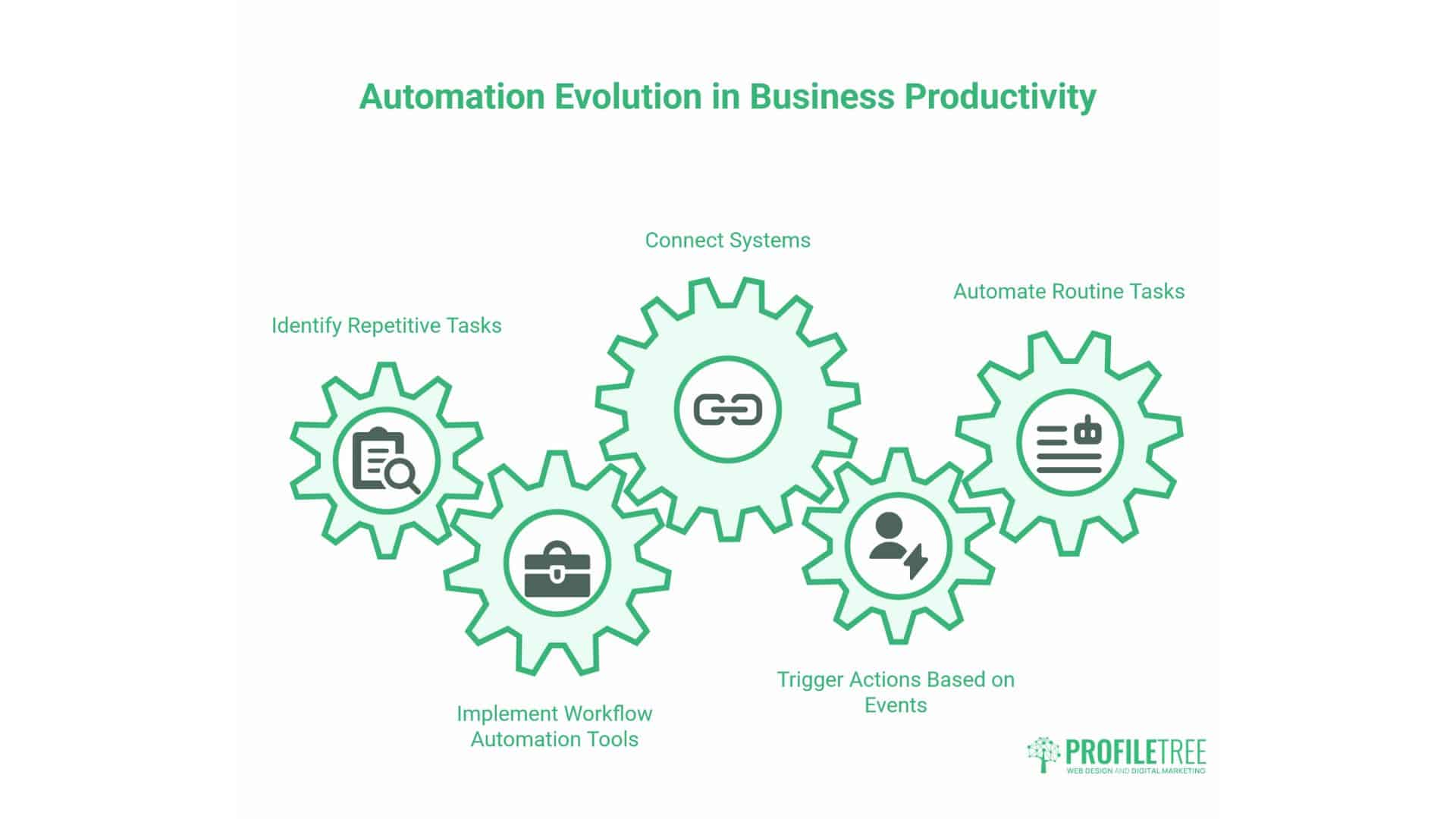
Automation represents the next evolution in business productivity—moving beyond better organisation toward eliminating repetitive work. Workflow automation tools connect various systems, trigger actions based on specific events, and automate routine tasks without requiring human intervention.
Zapier for Cross-Platform Integration
Zapier connects over 5,000 applications, creating automated workflows between tools that don’t natively integrate with each other. When a client submits a contact form, Zapier can automatically create a task in your project management system, add the contact to your CRM, and send a notification to your sales team.
The platform requires no coding knowledge, making automation accessible to business owners without technical backgrounds. Pre-built templates provide starting points for common workflows, whilst custom “Zaps” address specific business processes.
For businesses considering productivity applications, automation multiplies the value of individual tools. A task manager becomes more powerful when it automatically creates tasks from emails. A CRM improves when it updates from form submissions without manual input.
ProfileTree implements automation as part of our AI implementation services, helping businesses identify high-value automation opportunities. Strategic automation focuses on repetitive, rule-based tasks that consume time without adding value, thereby freeing teams to focus on higher-impact activities.
IFTTT for Simple Automated Tasks
IFTTT (If This Then That) offers simpler automation than Zapier, focusing on consumer applications and straightforward triggers. For solo business owners or small teams, IFTTT provides an accessible introduction to automation concepts.
The free tier supports basic automation needs, making it another accessible entry point for businesses testing productivity applications. As automation requirements grow, companies can migrate to more capable platforms without losing the conceptual understanding gained.
Make (formerly Integromat) for Advanced Workflows
Create visual automation with more sophisticated logic than Zapier, featuring multiple conditional branches, data transformation, and error handling, to support complex business processes that require nuanced automation.
The visual workflow builder makes complex logic more approachable than traditional programming. Business owners can visualise how data flows between systems, where decisions are made, and what happens when errors occur.
For agencies like ProfileTree managing client work, automation tools handle routine client communication, project setup, and progress reporting. This automation improves consistency—clients receive timely updates automatically—whilst reducing administrative burden.
Through our AI training services, we help businesses understand where automation complements human work rather than replacing judgment. Strategic automation drives genuine productivity improvements whilst maintaining the personal service that distinguishes successful companies.
Note-Taking and Knowledge Management Systems
Business knowledge shouldn’t exist solely in individual heads or scattered across email threads and document folders. Knowledge management systems capture, organise, and make accessible the information teams need to work effectively.
Notion for Flexible Workspace Design
Notion combines note-taking, documentation, and databases into a flexible workspace that adapts to specific business needs. Unlike rigid templates, Notion enables businesses to design systems that match their actual workflows. Create client project hubs, internal wikis, meeting note repositories, or operational playbooks using the same platform.
This flexibility supports businesses as they grow and requirements evolve. A simple client database can be expanded to include custom fields, relationship links, and automated views as needs become more sophisticated.
For businesses managing substantial documentation—such as client briefs, project templates, and operational procedures—Notion provides organised storage with powerful search and linking capabilities. At ProfileTree, we use similar knowledge management approaches to maintain our content marketing resources and training materials.
The collaborative features support team contribution and review workflows. Multiple team members can collaborate on developing documentation, with a version history providing rollback capabilities when needed.
Evernote for Comprehensive Information Capture
Evernote excels at capturing a wide range of information types—text notes, web clippings, images, PDFs, and audio recordings—and making them searchable. Optical character recognition (OCR) makes text within images searchable, which is valuable for businesses digitising paper documents or capturing handwritten notes.
The web clipper browser extension allows you to save articles, research, and reference materials directly from your browsing experience. For businesses conducting market research, competitor analysis, or industry monitoring, Evernote provides efficient information collection.
Notebook organisation supports both broad categories and detailed subcategories. Tags provide additional classification, allowing notes to appear in multiple contexts without duplication.
Obsidian for Connected Thinking
Obsidian takes a unique approach to note-taking, emphasising connections between ideas rather than hierarchical organisation. Notes can link to other notes, creating a network of related concepts. The graph view visualises these connections, revealing patterns and relationships.
This connected approach suits strategic thinking, project planning, and knowledge development work. Business owners developing new service offerings, marketing strategies, or operational improvements benefit from seeing how different ideas relate.
The platform stores notes as plain text Markdown files on your computer rather than in a proprietary cloud system. This local storage provides complete data ownership and doesn’t depend on the company’s continued operation.
Focus and Time Management Applications
Digital distractions represent a growing productivity challenge. Focus applications help business owners and teams maintain concentration on high-value work, whilst time management tools provide visibility into how working hours actually disappear.
Forest for Distraction-Free Work Sessions
Forest gamifies focus by growing virtual trees during work sessions. Start a focus period, and a tree begins growing. Leave the app before the timer completes, and your tree dies. This simple mechanism provides gentle accountability.
The visual progress of growing a forest provides satisfying feedback for sustained focus over time. For business owners struggling with concentration, this tangible representation of focused work creates positive reinforcement that builds better habits.
The app includes a whitelist feature for apps needed during work sessions, recognising that not all phone usage represents distraction. This flexibility prevents the all-or-nothing approach that makes focus tools impractical.
Freedom for Comprehensive Distraction Blocking
Freedom blocks distracting websites and applications across all devices—computer, tablet, phone—during scheduled focus sessions. Unlike browser extensions that only block web access, Freedom prevents the workarounds that undermine willpower-based approaches.
The scheduling capability allows planning distraction-free periods, building focus time into the working day rather than relying on last-minute decisions. For business owners with recurring focus needs—such as writing proposals, financial planning, and strategic thinking—scheduled blocking creates predictable, uninterrupted time.
Custom block lists enable targeting specific distraction sources while maintaining access to necessary resources. Block social media and news sites whilst keeping email and work applications available.
RescueTime for Productivity Analytics
RescueTime automatically tracks time spent in applications and websites, providing detailed analytics about daily digital activity. This passive tracking reveals patterns that self-reporting misses—the cumulative effect of minor distractions, the actual time spent in email versus meaningful work, and the real cost of context switching.
The productivity scoring categorises activities based on your defined productive activities, calculating daily productivity percentages. Over time, these scores reveal trends—whether productivity improves, which days prove to be the most focused, and how specific events impact focus.
For business owners evaluating productivity applications, RescueTime provides an objective assessment of whether new tools actually improve efficiency. It tracks time allocation before and after adopting task management or focus applications to quantify their impact.
Building Your Business Productivity System
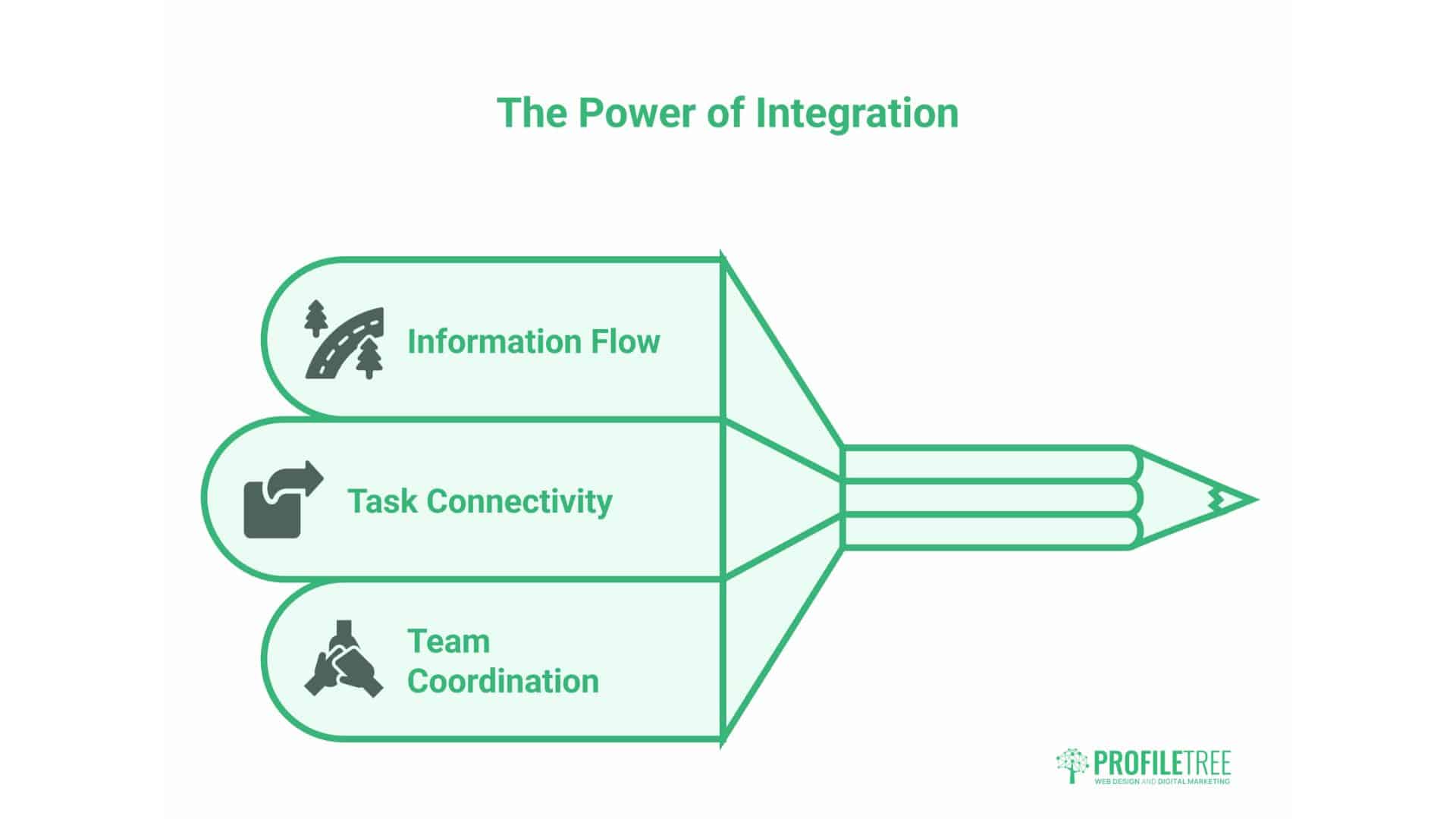
Individual productivity applications provide value, but integrated systems deliver transformation. The goal isn’t collecting impressive tools but creating workflows where information flows, tasks connect to outcomes, and teams coordinate effectively.
Assess Your Current Productivity Challenges
Begin by identifying specific areas of friction in current operations. Do client requests fall through communication gaps? Does project status remain unclear until problems emerge? Do team members duplicate effort because they are unaware of what others are doing?
Map your current workflows before evaluating digital solutions. Understanding how work actually moves through your business reveals where productivity applications add value versus where they introduce unnecessary complexity. Many companies discover that process improvements matter more than new technology.
Consider team capacity for change in conjunction with technical capabilities. Implementing comprehensive productivity systems overnight typically overwhelms teams and undermines adoption. At ProfileTree, we advocate incremental approaches when implementing digital solutions for clients, recognising that successful adoption matters more than theoretical capabilities.
Select Complementary Tools Rather Than Comprehensive Suites
The choice between integrated suites (Microsoft 365, Google Workspace) and best-of-breed point solutions depends on your specific situation. Integrated suites offer seamless data flow and unified interfaces, but may compromise on specialised functionality. Point solutions provide robust, specific capabilities but require integration effort.
For small businesses with limited technical resources, integrated suites often prove more practical. The reduced integration complexity and unified support channels offset any capability compromises.
Consider existing technology investments when selecting new productivity applications. If your team already uses Microsoft tools extensively, Teams provides a logical communication infrastructure. Building on existing capabilities accelerates adoption and maximises previous investments.
Implement Integration Between Productivity Applications
Integration transforms disconnected tools into unified systems. Use automation platforms like Zapier to connect task management with communication tools, synchronise calendars with project management, and update knowledge bases from customer interactions.
Start with simple, high-value integrations rather than attempting comprehensive automation immediately. Connecting form submissions to your CRM or creating tasks from flagged emails delivers immediate value whilst building automation capabilities.
Document your integrations and automation workflows. When team members join or tools change, these documented connections prevent mysterious failures and ease troubleshooting.
Train Your Team on Effective Usage
Productivity applications succeed or fail based on actual usage, not theoretical capability. Invest time in team training focused on daily workflows rather than comprehensive feature overviews. Demonstrate to team members how productivity applications address their specific needs and challenges.
Create simple guides for everyday tasks, accessible at a moment’s notice. These quick references reduce the friction of using new tools whilst building competence.
Designate team champions who achieve proficiency quickly and can support colleagues informally. Peer support often proves more effective than formal training for addressing specific questions.
The goal isn’t identifying the “best” tools in abstract terms but determining which solutions fit your specific situation—team size, technical capabilities, budget constraints, and growth plans.
ProfileTree’s Approach to Business Productivity Technology
At ProfileTree, we’ve implemented digital solutions for businesses throughout Belfast, Northern Ireland, and across the UK. Our experience reveals that productivity improvements come from strategic technology adoption aligned with business goals rather than accumulating fashionable tools.
Our digital training covers digital transformation. We don’t teach tool features but explore how technology supports business objectives—improving client service, scaling operations, or enabling growth.
Through our AI implementation services, we help businesses understand where automation complements human work most effectively. Strategic automation focuses on high-volume, low-judgement tasks that genuinely waste time without adding value.
For businesses developing their web presence, we integrate productivity considerations into website design and development. Client communication tools, project tracking systems, and content management workflows become part of the overall digital infrastructure.
Our content marketing services demonstrate how productivity applications support consistent output. Editorial calendars, collaboration workflows, and asset management systems make content production reliable rather than sporadic.
Productivity Applications and Business Growth Strategy
Productivity applications become strategic assets when they enable business capabilities rather than just improving current operations. Task management tools allow taking on more complex projects by maintaining coordination. Knowledge management systems preserve expertise as teams grow. Automation creates capacity for higher-value activities without requiring proportional increases in headcount.
For businesses planning growth, productivity infrastructure should precede rather than follow expansion. Establishing systems while small allows for refining them before high-stakes depend on their effectiveness.
The data productivity applications generate information for strategic decisions. Time tracking reveals profitability by project type, guiding the focus of service offerings. Task completion patterns help identify bottlenecks that require process improvements or additional resources. Communication analysis shows client engagement patterns that inform relationship management.
Consider productivity applications when evaluating market opportunities. Can your current operational capability deliver additional clients profitably? Do coordination limitations prevent offering more comprehensive services? Addressing these capability constraints through technology may prove to be faster and more cost-effective than hiring extra staff.
The scalability of productivity applications matters for growing businesses. Tools appropriate for five team members should accommodate fifteen without requiring platform migration. Evaluate whether productivity apps scale in both user capacity and feature sophistication.
Common Productivity App Implementation Mistakes
Many businesses accumulate productivity applications without achieving meaningful efficiency improvements. Understanding common implementation mistakes helps avoid them:
Tool Overload and System Fragmentation
Adopting too many productivity applications creates the opposite of intended efficiency. Team members spend time navigating between systems, and information becomes fragmented across platforms, negating the benefits of individual tools due to cognitive overhead. Focus on solving specific, high-priority problems using the appropriate tools.
Insufficient Integration Between Systems
Disconnected productivity applications necessitate manual data transfer, resulting in bottlenecks and increased opportunities for errors. When task management doesn’t integrate with communication tools or knowledge management exists separately from project tracking, promised productivity gains are often hindered by integration friction.
Inadequate Training and Change Management
Assuming teams will naturally adopt productivity applications without support typically results in abandoned tools and wasted investment. Change requires explaining why new approaches matter, training on practical usage, and addressing concerns about workflow disruption.
Selecting Tools Based on Features Rather Than Needs
Productivity applications marketed with extensive feature lists often include capabilities you’ll never use, while lacking critical requirements for your specific workflow. Focus on solving identified problems rather than acquiring impressive capabilities.
Failing to Establish Usage Conventions
Without agreed-upon conventions for how productivity applications should be used—such as tagging standards, priority definitions, and communication norms—team usage becomes inconsistent, and the value of these applications erodes. Productive collaboration requires a shared understanding of how to use tools effectively.
Future Trends in Business Productivity Technology
Understanding emerging trends helps businesses make forward-looking technology investments:
AI-Powered Productivity Assistance
Artificial intelligence is increasingly integrated into productivity applications, offering features such as meeting transcription, email drafting, summary generation, and intelligent task suggestions. These capabilities handle routine cognitive work, allowing teams to focus on judgment and creativity. At ProfileTree, our AI training helps businesses understand where these capabilities add value.
Unified Workspace Platforms
The trend toward comprehensive platforms that combine multiple productivity functions—tasks, communication, documents, and projects—addresses the challenges of fragmentation. This consolidation trades some specialisation for reduced complexity.
Async-First Collaboration Tools
As distributed work becomes the standard, productivity applications are increasingly supporting asynchronous collaboration. Rather than assuming real-time availability, tools enable contributors to work on their schedules while maintaining coordination.
No-Code Automation Capabilities
Automation, which formerly required programming skills, has become accessible through visual workflow builders and pre-built templates. This democratisation allows business owners without technical backgrounds to implement sophisticated process automation.
Privacy-Focused Productivity Solutions
Growing concerns about data privacy and platform dependency are driving interest in productivity applications that offer local data storage, end-to-end encryption, and data portability.
Conclusion
Productivity applications offer genuine potential to improve business efficiency, but only when selected strategically and implemented thoughtfully. The goal isn’t accumulating impressive technology but solving specific business challenges that constrain growth and profitability.
Business owners across Northern Ireland and the UK face similar productivity challenges, including coordinating teams, managing client relationships, and maintaining a strategic focus despite operational demands. The right productivity applications address these challenges by providing structure without rigidity, automating repetitive work without losing personal touch, and enabling scaling without proportional cost increases.
Success with productivity applications requires combining the right technology with effective processes and team capabilities. At ProfileTree, we help businesses achieve this integration through our digital training, AI implementation services, and strategic consultation. Whether you’re just beginning your digital transformation or refining established systems, expert guidance accelerates results and helps avoid costly mistakes.
The businesses thriving in competitive markets don’t necessarily work longer hours—they work smarter through strategic technology adoption. Productivity applications provide the leverage that allows small teams to deliver results rivalling much larger competitors. Start with one meaningful improvement, prove the value, then expand systematically. Your future efficiency and growth depend on the systems you build now.
FAQ
Do free productivity applications provide sufficient functionality for business use?
Many free productivity apps offer robust capabilities suitable for individual professionals and small teams. Platforms like Todoist, Notion, and Google Workspace provide free tiers with substantial functionality. Paid upgrades typically add advanced features, increased storage, or expanded user capacity. Start with free versions, then upgrade when you reach specific limitations.
How can I convince my team to adopt new productivity applications?
Focus on the specific problems that productivity apps solve, rather than the technology itself. Demonstrate how tools address current frustrations, including lost information, unclear responsibilities, and communication gaps. Involve team members in the selection process, address concerns about potential disruptions, and provide adequate training. Pilot with willing adopters before requiring universal usage.
Should I choose integrated productivity suites or specialised individual apps?
This depends on your specific situation. Integrated suites (Microsoft 365, Google Workspace) offer seamless connectivity and unified interfaces, valuable for teams with limited technical expertise. Specialised apps provide superior functionality for specific needs but require integration effort. Consider your team’s technical capacity and existing technology investments.
How do I measure whether productivity applications actually improve efficiency?
Establish baseline metrics before implementing productivity apps—perhaps time spent on specific activities, project completion velocity, or client response times. Track these same metrics after implementation to quantify impact. Utilise time tracking tools like RescueTime to monitor changes in focus time and identify patterns of distraction.
Taking Action: Implementing Productivity Apps in Your Business
Reading about productivity applications provides awareness, but it doesn’t necessarily improve efficiency. Implementation requires deliberate action:
Conduct a productivity audit of your current operations to identify areas for improvement. Where does work get stuck? What tasks consume time without adding value? Which information proves difficult to locate? These specific challenges should drive your productivity application selection.
Select one high-priority problem area to address initially. Attempting a comprehensive productivity transformation simultaneously typically overwhelms teams. Focus on one specific improvement—perhaps project visibility, client communication, or task prioritisation—prove value, then expand.
Test productivity applications thoroughly before committing. Most platforms offer free trials or basic versions at no cost. Use these evaluation periods with actual work rather than theoretical scenarios. Involve team members who’ll use the tools daily.
Invest in proper implementation and training—budget time for configuration, integration setup, and team training alongside the financial cost of productivity apps. Inadequate implementation undermines even excellent tools.
Review and refine regularly. Productivity needs evolve as businesses grow and markets change. Periodically assess whether current productivity applications still serve their purpose or whether new solutions better address current challenges.
At ProfileTree’s Belfast office, we assist businesses throughout Northern Ireland, Ireland, and the UK in implementing digital solutions that deliver measurable improvements. Whether you need web design that supports operational efficiency, digital training for your team, AI implementation to automate routine tasks, or strategic consultation on digital transformation, we bring practical experience in helping businesses succeed with technology.
Contact ProfileTree at the McSweeney Centre in Belfast to discuss how productivity applications and broader digital solutions can support your business goals. Through our digital training workshops, we provide hands-on guidance on implementing the productivity tools and workflows covered in this article, tailored to your specific business context and challenges.