
Web Design Project Management: A Complete Guide
Table of Contents
Web design project management is the discipline of planning, coordinating and delivering a website built on time, on budget and to a standard the client signs off without a fight. Most projects do not fail at the design stage. They fail in the proposal, in vague scope, and in feedback loops nobody controls.
This guide is written for agency leads, freelancers and project managers who already know their current process is messy. It covers the pre-sale foundation competitors skip, the full build lifecycle, UK compliance you cannot ignore, and the part most guides avoid entirely: managing difficult people.
Below you will find a practical framework, real-world tools and the post-launch model that turns a one-off project into recurring revenue.
Why Most Web Projects Run Over Budget
The damage is usually done before a single page is designed. Vague scope, an over-eager proposal and no agreed change process are the three faults that quietly sink margins. Fixing them is cheaper than rescuing a project mid-build, so this section starts where the money is won or lost.
Phase 0: Getting The Proposal Right
Most guides start at discovery. The project is often won or lost earlier, at the proposal stage, where promises get made without a clear scope behind them. Treat the proposal as a contract document, not a sales sheet.
Write a scope-of-work that lists what is included and, more importantly, what is not. Exclusions protect you. A line such as “two rounds of homepage revisions, additional rounds quoted separately” sets the boundary in writing before the relationship sours. This early rigour is part of how a serious web design service protects both sides.
Defining Deliverables That Hold Up
Deliverables should follow the SMART test: specific, measurable, achievable, relevant and time-bound. “A responsive five-page WordPress site with a contact form and basic on-page SEO, live by 30 September” is a deliverable. “A modern website” is an argument waiting to happen.
Tie each deliverable to an acceptance condition. Both sides should know what “done” looks like for every item, because a clear definition of done is what lets you close a phase and move on.
Costing The Work Honestly
Build your estimate from tasks, not gut feel. Break the project into components, price each one, then add a contingency buffer of 10 to 20 per cent depending on complexity. Unforeseen technical issues and client delays are not exceptions; they are the norm.
A useful habit is to separate fixed-scope work from open-ended work in the quote itself. Design and build to an agreed spec can be fixed-price. Content support, extra revision rounds and third-party integrations are better priced as day rates or quoted on request, because their true cost depends on how the client behaves.
Qualify the client before you commit. A short “before you say yes” checklist covering budget, decision-making structure, content readiness and timeline expectations will tell you whether a project is worth taking. Walking away from a poorly defined brief is often more profitable than winning it.
Bridging from price to people: an accurate estimate only works if you have the right team executing against it, which is the next thing to lock down.
All prices and figures in this guide are indicative UK examples and correct at the time of writing; use them as a benchmark rather than fixed quotations.
The Seven Phases Of A Web Design Build
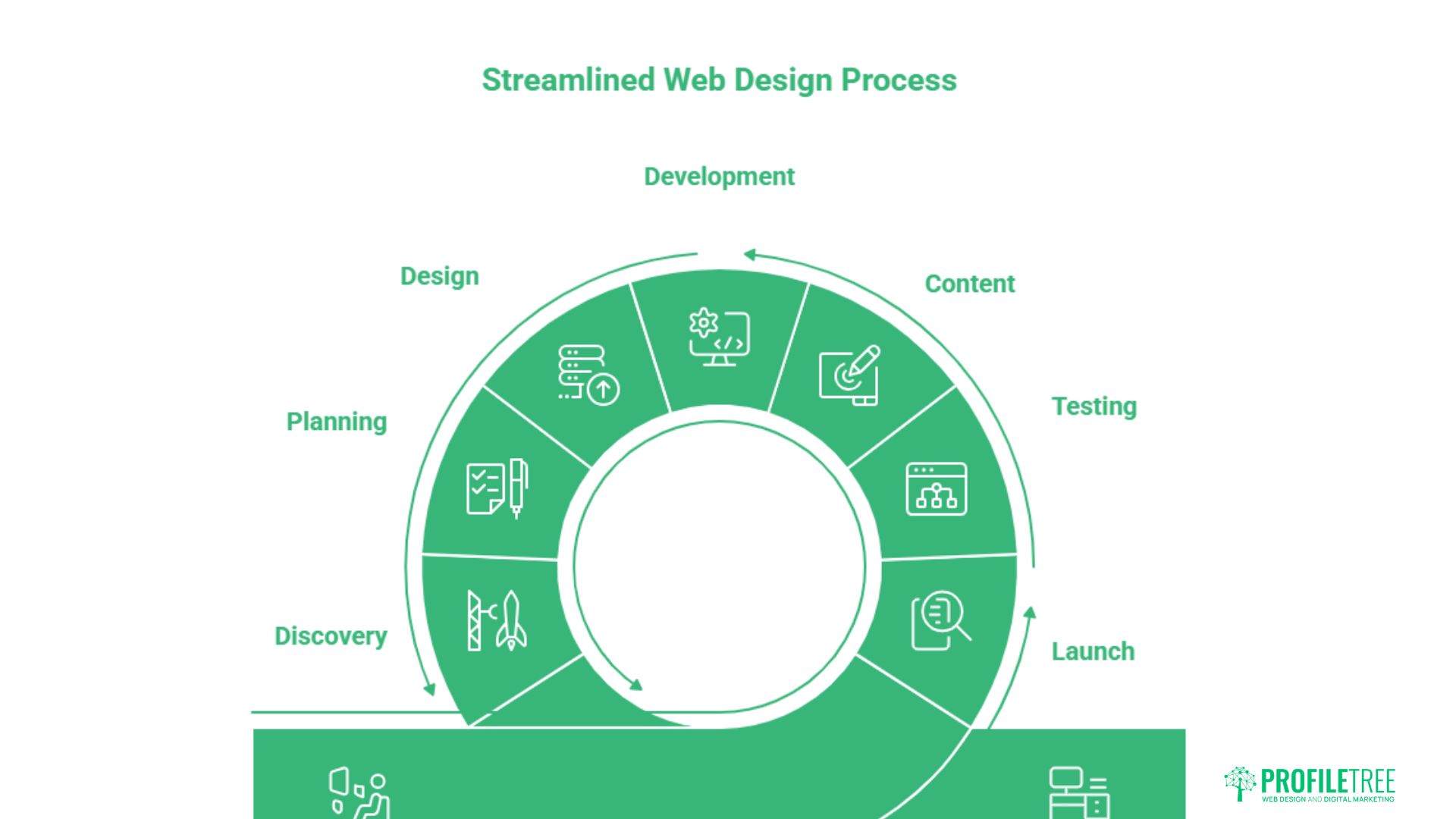
A clear lifecycle gives everyone a shared map. The build runs from discovery through to launch in seven stages, each with its own owner and its own definition of done. Skipping a stage rarely saves time; it just moves the delay later, where it costs more.
Before the stages themselves, agree who is accountable at each one. A simple responsibility matrix prevents the “I thought you were handling that” failures that stall builds. The table below shows a typical split.
| Phase | Accountable | Responsible | Client role |
|---|---|---|---|
| Discovery | Project manager | PM and strategist | Consulted |
| Planning and sitemap | Project manager | Designer and SEO lead | Consulted |
| Design | Lead designer | Design team | Approves |
| Development | Lead developer | Development team | Informed |
| Content integration | Project manager | Client and content team | Responsible |
| Testing and QA | Project manager | QA and developers | Informed |
| Launch | Project manager | Developer and PM | Approves |
Discovery And Requirements Gathering
Start with stakeholder interviews, not a design brief. Find out what the business actually needs the site to do, who the real decision maker is, and what counts as success. A structured discovery session surfaces the requirements that would otherwise appear halfway through development.
Document everything. A short discovery report, agreed by the client, becomes the reference point when the scope is questioned later. Good website strategy planning at this stage removes most of the friction further down the line.
Ask the awkward questions early. Who signs off on the final design? What happens if the content is late? Which existing pages must keep their search rankings? Surfacing these in discovery, while goodwill is high, is far easier than negotiating them mid-build when tempers are shorter.
Planning, Sitemap, and SEO Integration
Map the site architecture before any visual work begins. A clear sitemap shows how pages relate, where content sits and how users will move through the site. This is also the moment to bring search in, not after launch.
Planning URL structure, page titles and internal linking now is far easier than retrofitting them later. Treating search engine optimisation as a planning input rather than a final task is one of the clearest markers of a mature process.
Design And Feedback Loops
Present design work in a way that minimises revisions. Show one strong direction with a clear rationale rather than three options that invite committee debate. Use collaborative proofing tools so comments sit against the exact element being discussed.
Agree on the number of revision rounds in advance and log each one. A controlled feedback loop, where comments are consolidated, and the design moves forward at each stage, is what stops a project from drifting into endless tweaks.
Development And Build
Write accessible, standards-compliant code from the first line. Retrofitting accessibility and performance is slow and expensive. Professional website development services bake these standards in rather than bolting them on.
Keep the client informed but not involved in the details here. Development is the phase where they are consulted least, so set expectations early about quieter periods between visible milestones, or the silence gets mistaken for inactivity.
Content Integration
Content delays the majority of web projects. The design is ready, the build is waiting, and the client has not supplied the copy or images. Plan for this from the start by treating content as a tracked deliverable with its own deadline, not an assumption.
Where the client struggles, offer a content-first approach: agree on the words before the layout, so design serves the message rather than waiting on it. This is also where content marketing services can keep a build moving instead of stalling.
Testing And Quality Assurance
QA covers three things: function, compatibility and accessibility. Test every form, link and interaction. Check rendering across browsers and devices. Run an accessibility audit rather than assuming the build passes.
Work from a written pre-launch checklist, ticked off item by item. A documented QA pass is what stops the avoidable launch-day failures, and it gives the client confidence that nothing was left to chance.
Launch And Deployment
Launch is a sequence, not a switch. DNS changes, SSL activation, redirect mapping, and a final crawl all need to happen in the right order, ideally at a quiet traffic window agreed with the client.
Keep the old site recoverable until the new one is confirmed stable. A clear rollback plan turns a tense go-live into a routine one. Compliance runs through all seven phases, and two areas deserve their own focus, which the next section covers.
UK Compliance: Accessibility And Data Protection
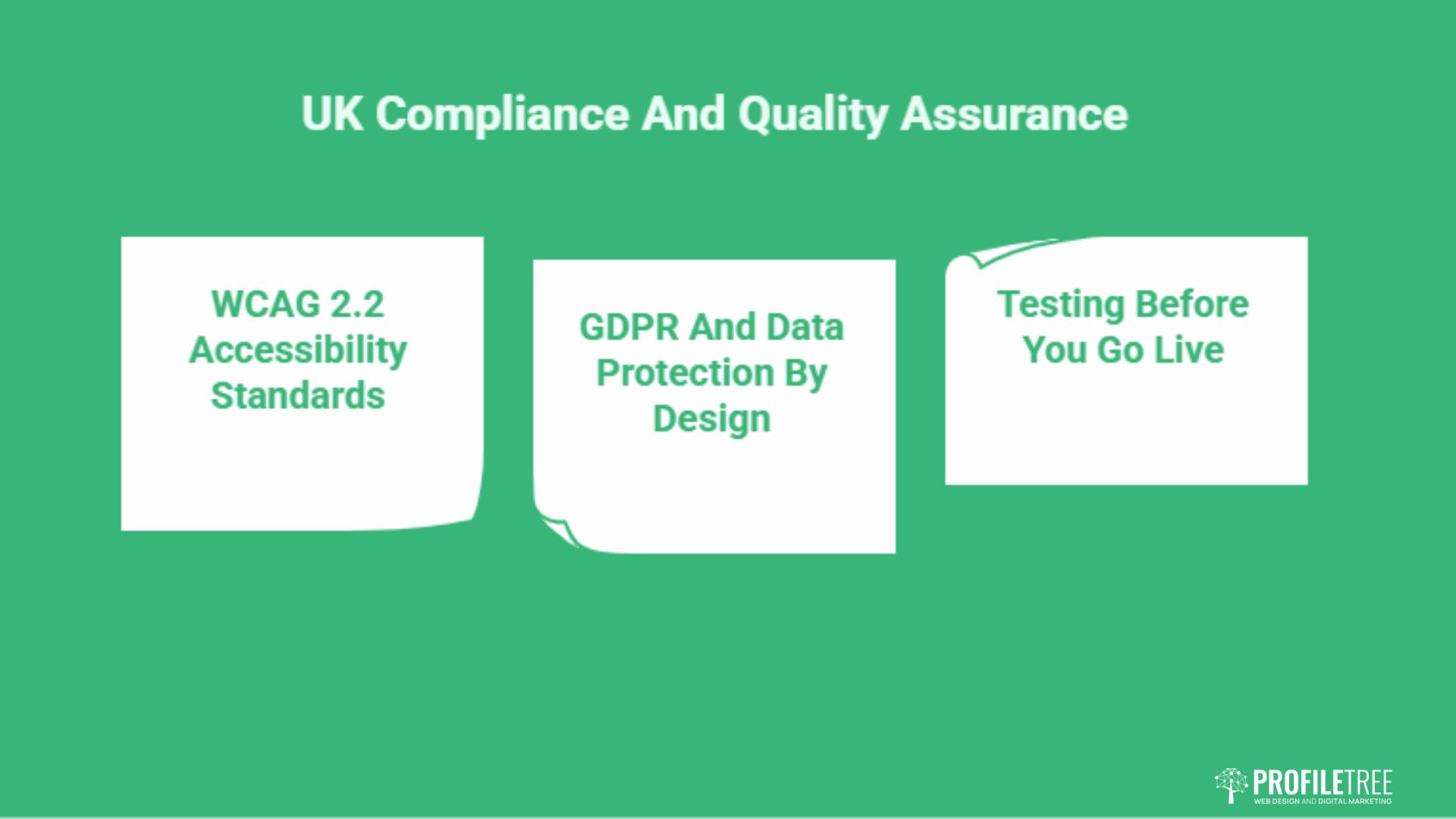
Compliance is not an optional extra for UK and Irish projects. Accessibility and data protection carry legal weight, and enterprise or public sector buyers will check. Building these requirements in from discovery is cheaper and far less stressful than a remediation project after a complaint.
Meeting WCAG 2.2 Accessibility Standards
WCAG 2.2 is the recognised benchmark for UK web accessibility, and for many public sector and enterprise sites, it is effectively a legal requirement. Plan for it from discovery, not as a final test.
Practical steps include sufficient colour contrast, keyboard navigation, descriptive alt text and clear focus states. Using ARIA for accessibility helps assistive technology interpret complex components correctly, and an early accessibility review keeps remediation costs down.
GDPR And Data Protection By Design
Any site collecting personal data must handle it lawfully under UK GDPR. Contact forms, analytics and marketing sign-ups all fall in scope, and consent cannot be an afterthought bolted on at launch.
Design forms that capture only what you need and explain why. Guidance on building GDPR-compliant web forms covers consent, data minimisation and storage in plain terms. For the authoritative position, the Information Commissioner’s Office sets out current UK rules.
Documenting Compliance For The Client
Record the accessibility and data-protection decisions you made and why. A short compliance summary handed over at the end protects the client if they are ever challenged, and protects you if standards are questioned later.
This kind of documentation also signals professionalism to enterprise buyers, who increasingly expect it. With the build complete and compliant, attention turns to people, tools and timelines.
Managing People, Tools, and Timelines
Software does not deliver projects; coordinated people do. The most common cause of delay is not a coding problem but a feedback problem. This section covers the human element first, then the tools and scheduling that support it.
Handling Client Feedback And Difficult Stakeholders
“Design by committee” is where good work goes to die. Insist on consolidated feedback: one document, one voice, reconciled internally by the client before it reaches you. Conflicting instructions from three people guarantee rework.
The hardest case is the late executive arrival who demands changes after sign-off. Your job is to protect the agreed objectives. As ProfileTree founder Ciaran Connolly puts it, “A project manager’s real value is saying no to the right things, calmly and with a reason the client can accept.”
When a senior stakeholder swoops in late, do not refuse outright and do not simply comply. Reframe the request against the agreed goals and the budget: “We can do that. It adds roughly a week and falls outside the current scope, so here is the cost and the revised date.” Putting the decision back in the client’s hands, with consequences attached, settles most of these moments without conflict.
Keep a written record of every approval. When someone questions a decision later, a dated sign-off ends the debate quickly and protects the relationship as well as the margin.
Choosing Project Management Tools
Trello suits small teams that want a simple visual board. Asana adds task dependencies, multiple views and reporting for larger builds. Monday.com offers heavy customisation and client-facing dashboards. Teamwork is built around agency-client transparency and time tracking.
Pick the tool that matches your scale and your need for client visibility, then use it consistently. Tracking time and progress against the estimate is also how a strong digital strategy planning stays grounded in reality.
The tool matters less than the habit. A cheap board used every day beats an expensive platform nobody updates. Whatever you choose, agree on one place where status lives, one place where files sit, and one channel for decisions, so nothing important hides in a forgotten email thread.
Client-facing tools deserve particular thought. A shared portal that shows progress without exposing internal chatter builds trust and cuts down on “any update?” messages. It also gives the client a sense of momentum, which keeps approvals moving.
Building Realistic Timelines
Estimate from the team doing the work, not from optimism. Break tasks down, consult the people executing them, and check historical data from similar projects. Add a contingency buffer and review the schedule continuously rather than at the end.
Gantt charts show dependencies and durations across the whole project. Kanban boards show live status at a glance. Many teams use a Gantt view for planning and a Kanban board for daily work. Strong scheduling depends on a capable team, which is worth investing in through digital training programmes.
Beyond Launch: Maintenance And Retainers
The project does not end at go-live. A launched site needs updates, security patches, hosting and ongoing improvement. Treating launch as the finish line leaves both the client exposed and recurring revenue on the table. The transition from project to retainer is where agency profitability stabilises.
The Project-To-Retainer Transition
Raise the maintenance conversation during the project, not after handover. Clients are far more receptive to a support plan when the build is fresh, and the value is obvious. Present it as protecting their investment rather than an upsell.
A clear retainer scope, defining response times and included work, prevents the slow drift into unpaid favours. Reliable website hosting management sits naturally inside this kind of ongoing agreement.
Structure the retainer around outcomes the client values: uptime, security, regular content updates and performance monitoring. Vague “support hours” are hard to sell and easy to dispute. A defined package, priced monthly, is clearer for both sides and far more predictable for your cash flow.
Running A Post-Mortem That Improves The Next Build
After every project, gather the team to review what worked and what did not. Compare actual outcomes against the original goals, examine where communication broke down, and document the lessons honestly.
These notes are only useful if you actually revisit them on the next proposal. A short, repeatable review turns each project into a better estimate and a tighter process for the one after.
Keeping The Relationship Active
A handover is not a goodbye. Regular check-ins, performance reporting and proactive suggestions keep you front of mind when the next phase of work appears. Ongoing reporting also feeds into wider digital marketing services the client may need as the site matures.
Many of ProfileTree’s clients are based across Northern Ireland, where local relationships matter; the region’s business hubs are worth knowing if you serve clients there, as this guide to the top cities to visit in Northern Ireland shows.
Conclusion
Strong web design project management protects scope, controls feedback and treats compliance and launch as planned stages, not afterthoughts. Get Phase 0 right, manage people as carefully as tasks, and build the maintenance relationship before handover. ProfileTree delivers websites with this discipline from proposal to retainer. Start your project with a team that manages the whole build.
FAQs
What is the best project management methodology for web design?
A hybrid model usually works best for agencies. Use Waterfall-style phases for predictable stages like discovery and launch, and Agile-style iteration for design and content where feedback drives changes.
How do you prevent scope creep in web projects?
Write a tight scope-of-work with clear exclusions, then run all change requests through a formal process. Each request is assessed for cost and timeline impact, documented and approved before any work starts.
How long does a typical web design project take?
A small business site often runs six to ten weeks. Larger or custom builds can take three to six months. Content delays are the most common reason projects overrun.
What is the role of a project manager in a web design agency?
The PM is the bridge between the client and the creative team. They protect scope, manage timelines and budget, coordinate feedback and keep the project aligned to its agreed objectives.
How do you manage client feedback effectively?
Insist on consolidated feedback. Ask the client to reconcile internal views into one clear document before it reaches your team, which removes conflicting instructions and the rework they cause.