
Social Media Advertising Checklist for UK Campaigns
Table of Contents
Paid social campaigns fail for predictable reasons: vague objectives, missing tracking, creatives built to the wrong dimensions, and budgets set without benchmarks. This social media advertising checklist walks through every stage of a campaign, from goal-setting to post-launch optimisation, so nothing gets missed before money starts leaving your account.
It’s built for SME marketing managers and business owners in the UK and Ireland who are running campaigns themselves or briefing an agency. The technical sections go deeper than most checklists you’ll find, because shallow preparation produces shallow results.
If you’re weighing up whether to manage paid social in-house or hand it to specialists, ProfileTree’s social media marketing services cover everything from strategy through to campaign management and reporting.
Phase 1: Pre-Campaign Strategy and Objective Setting
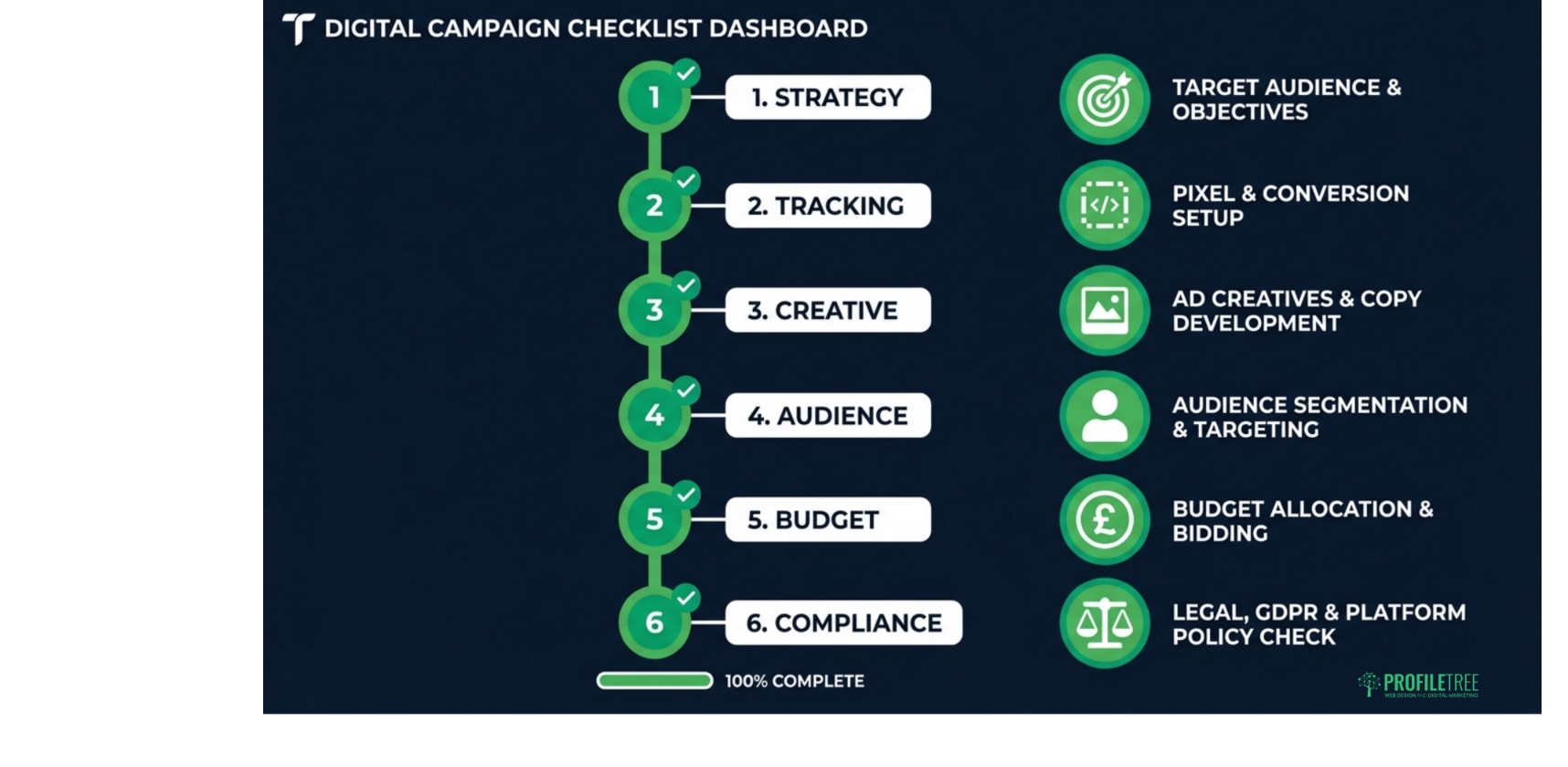
Every paid social campaign needs a clear answer to the question: what does success look like, and how will you measure it? Without that, you’re optimising towards the wrong thing from day one.
Set SMART goals and choose the right KPIs
SMART goals (specific, measurable, achievable, relevant, and time-bound) stop campaigns from drifting. “Get more followers” is not a goal. “Generate 50 qualified leads from LinkedIn in 30 days at a cost per lead under £35” is a goal you can build a campaign around.
Match your KPIs to your objective:
| Campaign Objective | Primary KPI | Secondary KPI |
|---|---|---|
| Brand awareness | Reach / Impressions | CPM (cost per thousand) |
| Traffic | Link clicks / CTR | CPC (cost per click) |
| Lead generation | Leads / CPL | Form completion rate |
| Conversions / Sales | Purchases / ROAS | Cost per acquisition (CPA) |
| Engagement | Engagement rate | Comment / share volume |
Choose your platform based on where your audience actually is
Platform choice should follow audience data, not assumptions. According to Ofcom’s 2024 Media Use report, YouTube and Facebook remain the most widely used platforms across UK adults, while TikTok has overtaken Twitter/X for under-35s. LinkedIn is the only platform where B2B decision-maker targeting is genuinely reliable at scale.
A quick checklist before committing budget to a platform:
- Does your audience use this platform actively (not just passively)?
- Can you reach them cost-effectively compared to other channels?
- Does the ad format suit your creative assets?
- Have you tested organic content here with any traction?
If you’re mapping paid social into a wider plan, digital strategy planning helps your paid channels support rather than duplicate your organic and email activity.
Watch: Building a paid social strategy
This overview from ProfileTree’s digital marketing channel covers how to structure a social campaign from the ground up:
Phase 2: Technical Setup, Attribution and Privacy Compliance
This is the section most checklists skip or underplay, and it’s where the majority of reporting errors originate. Get your tracking wrong, and every optimisation decision you make will be based on incomplete data.
Install and verify your tracking pixels
Before any campaign goes live, confirm the following:
- Your Meta Pixel (or TikTok Pixel, LinkedIn Insight Tag) is installed on every relevant page, not just the homepage
- Standard events are firing correctly: PageView, ViewContent, AddToCart, Lead, Purchase
- Use the Meta Pixel Helper browser extension or TikTok Pixel Helper to verify events in real time
- Conversion events are set up in Events Manager (Meta) or Campaign Manager (LinkedIn)
For Meta specifically, the iOS 14.5+ privacy changes significantly reduced browser pixel accuracy. If you’re running lead generation or sales campaigns, setting up Meta’s Conversions API (CAPI) is no longer optional. It’s the only way to capture server-side conversion signals that browsers can’t block. Your web developer or agency should configure this via a direct integration or a partner platform like Shopify, WooCommerce, or Google Tag Manager.
Set up UTM parameters and attribution windows
UTM parameters are the simplest way to track campaign performance in Google Analytics 4 independently of the ad platform’s own reporting (which tends to be optimistic). Use a consistent naming convention:
utm_source= platform (Facebook, LinkedIn, TikTok)utm_medium= paid-socialutm_campaign= campaign name or objectiveutm_content= ad variant or creative name
Attribution windows vary by platform. Meta defaults to a 7-day click / 1-day view window. LinkedIn uses a 30-day click window. When comparing performance across platforms, make sure you’re using the same attribution window in both places; your cost comparisons will be misleading.
UK GDPR and cookie consent compliance
This is a legal requirement, not a best practice. Under UK GDPR and the Privacy and Electronic Communications Regulations (PECR), you cannot fire tracking pixels or drop advertising cookies on a user’s browser until they have given informed, explicit consent through your cookie banner.
Your compliance checklist:
- Cookie consent banner is active and requires a positive opt-in (pre-ticked boxes are not compliant)
- Tracking pixels are blocked by default until consent is given. Check this in your Consent Management Platform (CMP) settings
- Your privacy policy references your use of advertising pixels and third-party data sharing
- If you’re uploading Custom Audiences (email lists), you can only include contacts who have consented to marketing communications
- Server-Side CAPI must only process data from consenting users
The Information Commissioner’s Office (ICO) has enforcement powers and a track record of fining businesses for non-compliant cookie practices. Full guidance is available at ico.org.uk.
For a broader view of legal obligations in digital marketing, ProfileTree’s guide to the ethics and legalities of digital marketing covers data protection, ASA rules, and advertising standards in the UK.
Phase 3: Creative Assets, Ad Specifications and Copy
Wrong file size, wrong aspect ratio, text over the wrong area. Creative rejections waste days. Keep this specifications table bookmarked as a working reference.
Platform ad specification cheat sheet
| Platform | Format | Aspect Ratio | Recommended Resolution | Max File Size | Max Video Length |
|---|---|---|---|---|---|
| Meta (Feed) | Image / Video | 1:1 or 4:5 | 1080 × 1080 / 1080 × 1350 | 30 MB (image) / 4 GB (video) | 241 minutes |
| Meta (Stories / Reels) | Video | 9:16 | 1080 × 1920 | 4 GB | 60 seconds (Stories) |
| Instagram (Feed) | Image / Carousel | 1:1 or 4:5 | 1080 × 1080 | 30 MB | 60 seconds |
| TikTok | Video | 9:16 | 1080 × 1920 | 500 MB | 60 seconds (recommended) |
| LinkedIn (Feed) | Single image / Video | 1.91:1 or 1:1 | 1200 × 627 / 1080 × 1080 | 5 MB (image) / 200 MB (video) | 30 minutes |
| YouTube | In-stream video | 16:9 | 1920 × 1080 | 256 GB | No limit (skippable after 5s) |
Always check the platform’s own ad specifications page before producing assets. These change periodically, and the above reflects best practice as of early 2026.
Writing ad copy that converts
Good ad copy does one thing: it stops the scroll long enough for the visual to land. A few principles that hold across every platform:
- Lead with the problem or outcome, not your brand or product name
- Keep primary text to 125 characters or under on Meta, as most users won’t tap “See more”
- Match the copy tone to the platform: LinkedIn tolerates professional language; TikTok and Instagram reward directness and personality
- Every ad needs one clear call to action: ‘Book a free consultation’, ‘Download the guide’, or ‘Shop now’. Not three.
- If you’re using AI tools to generate copy variants, review each one for factual accuracy and brand voice before running it
Ad copy is part of the same discipline as your wider brand messaging. ProfileTree’s content marketing service can help align your paid and organic messaging so that both reinforce each other.
Using video in paid social
Video consistently outperforms static images for engagement across all major platforms. ProfileTree’s video marketing team explains what makes short-form paid video work:
For businesses producing video ads for the first time, ProfileTree’s video marketing service covers scripting, production, and platform-specific formatting.
Phase 4: Audience Targeting and Segmentation
You cannot advertise to everyone. Trying to reach the broadest possible audience dilutes your budget and reduces relevance scores on every platform. Targeted, well-defined audiences consistently outperform broad ones, particularly for conversion objectives.
Know your audience before you build it
Start with your existing customer data. Who are your best customers? What do they have in common in terms of age, location, job title, interests, or behaviour? This profile becomes your initial targeting template.
On Meta, you have three main audience types to work with:
- Core audiences are built from demographic, interest, and behavioural data. Useful for cold prospecting.
- Custom audiences, built from your own data: website visitors, customer email lists, video viewers. Higher intent than cold audiences.
- Lookalike audiences: Meta finds users who resemble your Custom Audience. Start at 1–2% similarity for precision; expand to 5–10% for scale.
On LinkedIn, firmographic targeting (company size, industry, job function, seniority) is the most powerful option for B2B campaigns. It’s also the most expensive: LinkedIn CPCs are typically 3–5 times higher than Meta, so your offer must justify the cost per lead.
Save and iterate on your audience segments
Once a campaign has run for two to three weeks, you’ll have data on which audience segments are responding. Save the best-performing combinations as named audience segments within each ad platform. Over time, this builds a library of proven targeting configurations you can reuse across campaigns, which significantly reduces the trial-and-error phase for every new campaign you launch.
For platform-specific audience insights, our TikTok statistics for the UK article gives a current breakdown of who’s actually using TikTok in the UK, useful context if you’re planning TikTok advertising.
Phase 5: Budgeting, Bidding and Campaign Scheduling
Setting budgets without benchmarks is one of the most common reasons paid social campaigns underperform. You need a baseline (even a rough one) before you spend.
UK benchmark CPCs and CPMs (2025–2026)
| Platform | Average CPC (UK) | Average CPM (UK) | Notes |
|---|---|---|---|
| Meta (Facebook/Instagram) | £0.50 – £1.50 | £4 – £9 | Varies significantly by industry and audience quality |
| £3.50 – £8.00 | £20 – £40 | High cost; justified for B2B with strong offer | |
| TikTok | £0.40 – £1.00 | £6 – £10 | Minimum spend requirements apply; CPM-based by default |
| YouTube (Google Ads) | £0.05 – £0.30 per view | £3 – £8 | CPV (cost per view) is the standard metric |
These are indicative ranges. Your actual costs will depend on your audience, the competitiveness of your vertical, and your quality score, which is influenced by your creative relevance and landing page experience.
Daily vs lifetime budgets
Daily budgets give you predictable, controlled spending and are easier to adjust mid-campaign. Lifetime budgets allow the platform’s algorithm more flexibility to spend when your audience is most active, which is useful for time-limited promotions. For most SME campaigns, start with daily budgets until you understand your cost patterns.
Bidding strategies
Most platforms now default to automated or advantage bidding. For new campaigns with limited data, this is usually the right starting point. Once you’ve accumulated 50+ conversions in a 7-day window, manual cost cap or target cost bidding gives you more control. Avoid setting manual bids before you have conversion data. You’re guessing.
Campaign scheduling
Unless you have data showing your audience converts on specific days or times, run campaigns continuously rather than dayparting. Restricting delivery hours gives the algorithm less room to optimise and can increase CPCs. Review your analytics after two weeks and consider dayparting only if a clear pattern emerges.
Phase 6: Pre-Launch Checks and Campaign Optimisation
A pre-flight check before going live takes 20 minutes and prevents the kind of errors that waste days of budget.
Pre-launch checklist
- The pixel or tracking tag is firing correctly on the destination URL
- All UTM parameters are correctly applied to destination URLs
- Landing page loads in under 3 seconds on mobile
- Landing page content matches the ad: same offer, same language, same CTA
- Ad creative has been previewed in all selected placements (feed, stories, reels, etc.)
- Ad copy headline, primary text, and CTA are all within character limits
- Campaign objective matches your goal (don’t run a Traffic campaign if you want conversions)
- Audience size is appropriate: under 50,000 for targeted retargeting; over 500,000 for cold prospecting
- Daily budget is set with a cap to prevent overspend
- The ad account payment method is confirmed and has sufficient credit
A/B testing and creative rotation
Test one variable at a time: headline vs headline, image vs video, CTA vs CTA. Running too many variables simultaneously makes it impossible to identify what’s actually driving the difference in performance.
Allow a minimum of 7 days and at least 1,000 impressions per variant before drawing conclusions. Statistical significance matters; a conversion rate difference of 2% after 100 impressions is not actionable data.
Managing creative fatigue
Ad frequency above 3–4 on Meta is a reliable signal that your audience is seeing the same creative too often. When frequency rises and CTR drops, rotate your creative before adjusting your targeting. Most creatives have a useful life of 3–6 weeks before performance starts declining.
For context on what poor campaign decisions look like in practice, our breakdown of marketing campaigns that went wrong covers real examples and what they have in common.
Phase 7: UK Advertising Standards and Legal Compliance
This section is absent from most social media advertising checklists. That’s a problem, because breaching ASA or CAP rules in the UK can result in mandatory ad withdrawal, public rulings, and reputational damage. The rules aren’t complicated, but they do need to be followed consistently.
Labelling paid content and influencer collaborations
Under the CAP (Committee of Advertising Practice) Code rules, any ad or commercial communication must be obviously identifiable as such before the consumer engages with it. On social media, this means:
- Paid ads served through the ad platform are automatically labelled “Sponsored” by the platform. No additional action is needed
- Influencer or creator content you’re paying for must carry a clear label: “#ad” or “Ad:” at the beginning of the caption, not buried in hashtags
- “Gifted”, “in partnership with”, or “in collaboration with” are not compliant substitutes for “#ad” where payment or gifting is involved
- Promoted posts on your own brand page must be distinguishable from organic content, where the platform doesn’t apply an automatic label
The ASA’s guidance on labelling is clear and available in full at the CAP Code website. Brands in the UK have been publicly censured for non-compliant influencer content; the ASA publishes its rulings, and they are indexed by search engines.
Promotions, giveaways and prize draws
If your paid social campaign includes a prize draw, competition, or giveaway, additional CAP rules apply:
- Terms and conditions must be clearly accessible. Linking to a T&C page from the ad is the standard approach
- Prize draws must not require a purchase to enter (that constitutes an illegal lottery under UK law)
- The mechanics, prize description, and closing date must be stated clearly
- Winners must be selected randomly or by a judging process clearly described in the T&Cs
Price claims and comparative advertising
If your ad includes a price comparison, a “was/now” price, or a claim like “cheapest in the UK”, the CAP Code requires these to be accurate, verifiable, and not misleading. Percentage discount claims must be based on the genuine previous selling price over a meaningful period, not an artificially inflated original price.
Our article on the legal implications of misleading advertising covers how these rules are applied and enforced in the UK context.
“The businesses we see wasting the most on paid social are nearly always the ones who skipped the setup phase: no proper tracking, no audience research, creatives built to the wrong dimensions. Getting the foundations right doesn’t take long, but it makes every pound you spend afterwards work harder.”Ciaran Connolly, Founder, ProfileTree
Frequently Asked Questions
What should be included in a basic social media advertising checklist?
A basic checklist should cover five areas: a defined campaign objective with measurable KPIs, verified audience targeting, approved creative assets that meet the platform’s specifications, confirmed conversion tracking (pixel or CAPI), and a set budget with a daily or lifetime cap. Without all five in place, you don’t have a campaign. You have a spend with no reliable feedback loop.
How do beginners start with social media advertising?
Start on the platform where your existing audience is most active. Check your organic analytics first. Run a small test campaign (£5–£10 per day) with a single objective, a single audience, and two to three creative variants. Set up conversion tracking before spending anything; without it you won’t know if the campaign is working. Review performance weekly and make one change at a time. Once you’ve found what works at a small scale, increase the budget gradually rather than jumping to large spends.
How much does a paid social media campaign cost in the UK?
Campaigns can start from as little as £5 per day on Meta, though £15–£30 per day gives the algorithm enough data to optimise meaningfully within the first week. Average CPCs in the UK range from around £0.50 on Meta to £3.50–£8 on LinkedIn, depending on your audience and industry. Set a lifetime budget cap at the start to prevent runaway spend, and review your cost per result weekly against your target CPA to assess whether scaling makes commercial sense.
What is the 5-3-2 rule in social media strategy?
The 5-3-2 rule is an organic content-mix framework: for every 10 posts, five should be useful external content, three should be original educational content from your brand, and two should be personal or conversational posts. Applied to paid social budgets, the principle translates into a funnel allocation: roughly 50% on awareness (cold audience reach), 30% on consideration (mid-funnel educational content), and 20% on conversion (remarketing to warm audiences). This prevents the common mistake of allocating the entire budget to bottom-funnel conversion campaigns without feeding the top of the funnel.
What is the 5-5-5 rule on social media?
The 5-5-5 rule is an organic engagement technique: interact with five profile pages, engage meaningfully with five target accounts, and reply to five comments daily. It’s a useful habit for growing organic reach but has no direct application to paid advertising methodology. The two should be treated as separate workstreams, though organic engagement activity can inform which content themes are worth amplifying through paid campaigns.
Do I need to declare social media ads under UK law?
Ads served through official ad platforms (Meta Ads Manager, LinkedIn Campaign Manager, TikTok Ads) are automatically labelled as “Sponsored” by the platform, and no additional action is required. However, any paid influencer or creator content must carry a clearly visible “#ad” label at the start of the caption before the consumer engages. This is an ASA/CAP Code requirement, not a guideline. Brands and creators are jointly responsible for compliance, and the ASA publishes enforcement rulings publicly.
How do I know if my social media ads are working?
Performance is only measurable if your tracking is set up correctly from the start. With proper pixel or CAPI tracking in place, look at three primary signals: cost per result compared to your target CPA, click-through rate relative to your industry benchmark, and landing page conversion rate. A high CTR with a low landing page conversion rate points to a disconnect between the ad and the page. A low CTR with a reasonable conversion rate suggests the creative is the bottleneck. Separate these variables before making changes.