
Social Media Integration: A Practical Guide for UK SMEs
Table of Contents
Social media integration is the process of connecting your social media platforms to the other parts of your digital presence, including your website, email campaigns, CRM system, and customer support channels. For SMEs across Northern Ireland, Ireland, and the UK, getting this right is less about being everywhere online and more about making each channel reinforce the others to drive real business outcomes.
This guide explains what social media integration entails, how to implement it without causing technical problems for your website, and how to measure whether it is working. It covers the compliance requirements UK and Irish businesses need to understand, the platforms that matter most for this market, and the practical decisions a marketing manager or business owner needs to make before adding a single widget.
What Is Social Media Integration?
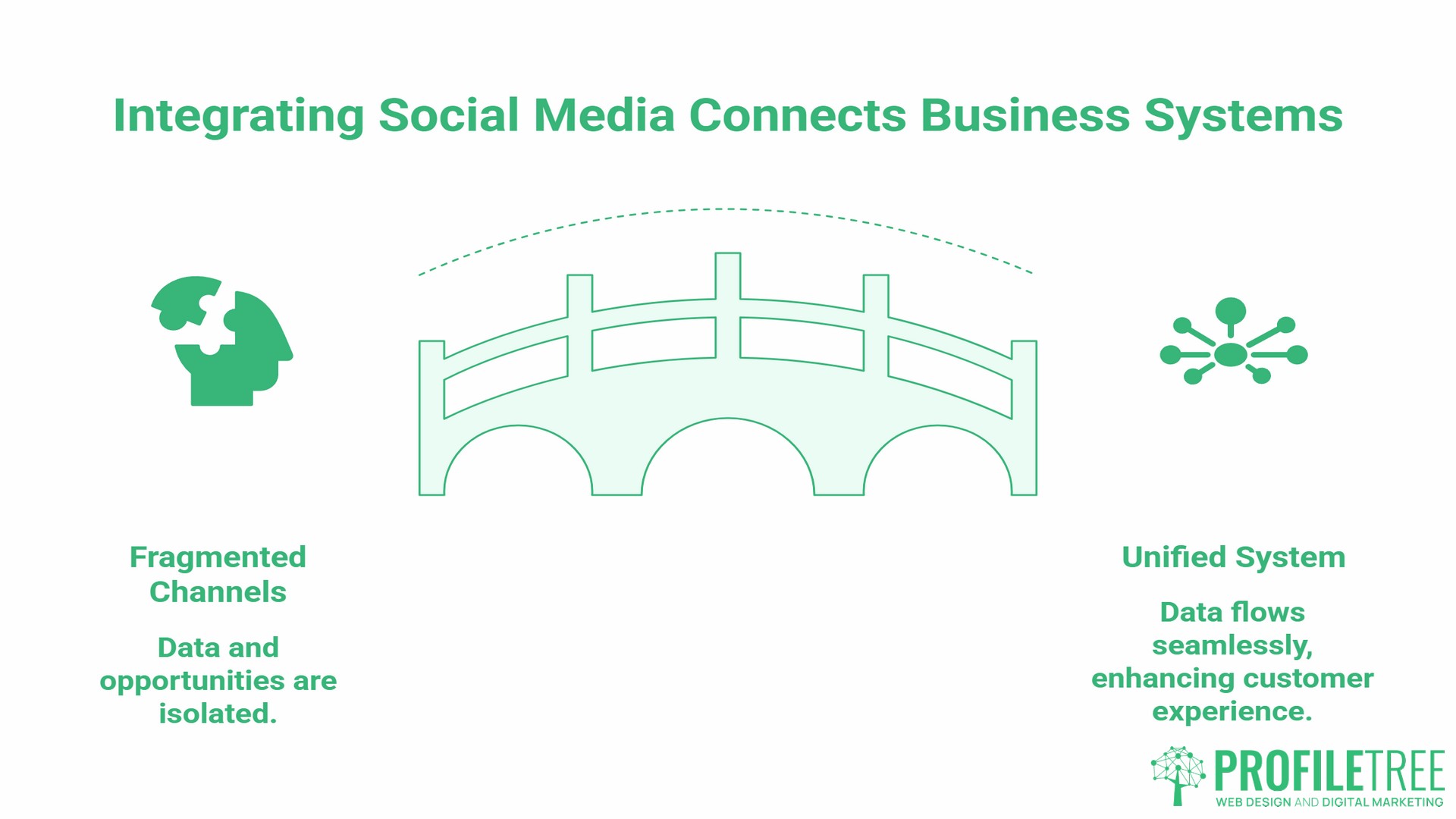
Social media integration means connecting your social media activity to the broader infrastructure of your business’s digital presence. It goes beyond simply having a Facebook page or an Instagram account. True integration means those platforms feed into your website, your CRM, your email list, and your customer service processes, and vice versa.
The Difference Between Social Media Marketing and Social Media Integration
Social media marketing is the content and campaigns you run on social platforms. Social media integration is the technical and strategic layer that connects those platforms to the rest of the system. You can run social media marketing without any integration at all. But without integration, you treat each channel as an island, leaving the data, the audience, and the commercial opportunity fragmented.
For a Belfast-based trade business, integration might mean embedding Google reviews on their homepage, routing Facebook Messenger enquiries into a single inbox, and triggering an email follow-up when someone clicks through from an Instagram post. Each of those is a practical integration point, not a marketing campaign.
Why Your Website Is the Foundation of Your Integration Strategy
Most social media integration guides start with the platforms. The right starting point is your website, because social channels drive traffic to it, and every integration decision has a technical impact on how that site performs.
How Social Signals Relate to SEO
Google search advocates, including John Mueller, have consistently stated that social signals such as likes, shares, and follower counts are not direct ranking factors. Google does not count social engagement metrics the same way it counts backlinks. The practical reasons are straightforward: social media platforms often block search engine crawlers, and social metrics are easily manipulated, making them unreliable as quality signals.
What social media integration indirectly supports is content distribution. Content shared widely across LinkedIn, Facebook, and Instagram reaches more people, some of whom will link to it from their own sites. It also increases branded search volume as people who encounter your content on social platforms later search for your business by name. Both of those are factors Google does consider. Integration is best understood as a distribution amplifier rather than an SEO shortcut.
ProfileTree’s SEO services take this into account when building content strategies for clients.
User Experience and Reducing Friction
Every integration point on your website is also a UX decision. Social sharing buttons that load heavy third-party scripts slow down page speed. Embedded Instagram feeds that pull live API data on every page load can push Core Web Vitals scores below acceptable thresholds. Social login options that are not properly implemented create compliance exposure.
Before adding any social integration feature to your site, the question is not “can we add this?” but “what does this cost in page speed, and does the conversion benefit justify that cost?” For most SMEs, a few well-implemented integrations outperform a site cluttered with social widgets.
ProfileTree’s web design and development services are built around this principle. Social proof and integration features are planned at the design stage, not bolted on afterwards.
10 Social Media Integration Strategies for SMEs
Not every strategy on this list will apply to every business. The right combination depends on your goals, your audience, and what your website can technically support.
Social Sharing Buttons on Content Pages
Adding share buttons to blog posts, guides, and product pages makes it easy for visitors to distribute your content. Place them where engagement is highest, typically at the end of an article or alongside key data points, rather than in the header. Use a lightweight implementation to avoid script weight slowing your pages.
Social Media Feed Embeds
Embedding a live Instagram or LinkedIn feed on your website keeps content fresh and provides social proof. A trade business showing recent project photos from Instagram on their services page is using their most current work as a trust signal without having to update the website manually. Use a caching tool rather than making a live API call on every page load to improve site speed.
Social Login Options
Allowing visitors to register or log in using their Facebook, Google, or LinkedIn account reduces the friction of account creation. This can increase registration rates on membership sites, e-learning platforms, and e-commerce stores. The trade-off is the complexity of GDPR compliance, covered in more detail below.
User-Generated Content Galleries
Encouraging customers to share photos, reviews, or testimonials on social platforms and then surfacing that content on your website builds authentic social proof. A hospitality business in Belfast that asks guests to tag them on Instagram and then features those images on their website is using UGC as a dynamic content asset. Explicit permission to repost is a legal requirement, not a courtesy.
WhatsApp for Business Integration
WhatsApp is the most widely used messaging app in the UK, with around 88% market penetration among smartphone users, according to data from Bizibl. Integrating a WhatsApp Business contact button on your website, particularly on service pages and the contact page, gives potential customers a low-friction way to get in touch. For trades, professional services, and hospitality businesses across Northern Ireland and Ireland, this is an integration point that US-centric guides consistently overlook.
Automated Social Sharing for New Content
Tools like Zapier or Buffer can automatically share new blog posts, product launches, or service updates across your social channels the moment they are published. For content-heavy sites, this keeps social profiles active without requiring manual scheduling for every piece. Automated post output should be reviewed periodically to confirm formatting is correct on each platform.
CRM Integration with Social Channels
Connecting your social media activity to a CRM system means every enquiry, comment, or direct message can be tracked against a contact record. For B2B businesses, this is particularly valuable: knowing that a prospect engaged with several LinkedIn posts before making an enquiry changes how your sales team approaches that conversation. HubSpot and Zoho both offer native social integrations suited to SME budgets.
Social Proof Widgets and Review Feeds
Pulling Google review scores into your website via integration keeps your social proof up to date. Rather than manually updating a testimonials page, the integration does it automatically. The key is ensuring the widget loads efficiently and does not block page rendering.
Pixel and Retargeting Integration
Installing the Meta Pixel and LinkedIn Insight Tag on your website allows you to build retargeting audiences from your web traffic. Visitors who viewed a specific service page can be shown relevant ads on Facebook or LinkedIn. This is a standard integration for any business running paid social, and it requires explicit disclosure in your cookie consent setup under UK GDPR and PECR (the Privacy and Electronic Communications Regulations).
Social Customer Support Integration
Routing social media messages, comments, and mentions into a single customer service inbox through a tool like Sprout Social or Hootsuite prevents enquiries from falling through the cracks. For SMEs without dedicated social media managers, this turns social channels into a manageable support queue rather than a source of noise.
The Technical Blueprint: Plugins, APIs, and Custom Builds
When implementing social media integration on your website, you have three main routes. The right choice depends on your budget, your technical resources, and what you need the integration to do.
| Native Plugins | Third-Party Widgets | Custom API Build | |
|---|---|---|---|
| Speed impact | Low to medium | Medium to high | Low (when optimised) |
| Customisation | Limited | Moderate | Full |
| Cost | Free to low | Subscription | Development fee |
| GDPR control | Limited | Varies | Full |
| Best for | Small sites, quick wins | Growing SMEs | High-traffic, bespoke needs |
Choosing Between Plugins and API Customisation
For most SME WordPress sites, a well-chosen plugin is the right starting point. Plugins like Smash Balloon handle Instagram and Facebook feed embeds without requiring API knowledge and include caching to improve page speed. For businesses with more specific requirements or higher traffic volumes, a custom API integration built by a developer gives full control over how data is fetched, cached, and displayed.
Ciaran Connolly, founder of ProfileTree, puts it plainly: “For most SMEs we work with, the plugin route gets them 80% of what they need at a fraction of the cost of a custom build. The cases where we recommend API development are typically when the business has outgrown standard plugins or needs integration data to feed into other systems, like a CRM or an analytics platform.”
Performance Optimisation
Every social integration adds weight to your pages. The standard practices for keeping performance acceptable are lazy loading, where social content only loads when the user scrolls to it; caching, where the feed data is stored locally rather than fetched from the platform API on every page load; and asynchronous script loading, which prevents social scripts from blocking the rest of the page from rendering.
ProfileTree’s web development team tests Core Web Vitals impact as standard when building or retrofitting social integration features into client sites.
Compliance and Privacy: GDPR and PECR for UK and Irish Businesses
This is the section that most social media integration guides skip entirely, and it is the one UK and Irish SMEs most need to read.
Any social media integration that involves tracking user behaviour, collecting personal data, or setting cookies on your website requires a legal basis under UK GDPR, in line with the Privacy and Electronic Communications Regulations (PECR). For Republic of Ireland businesses, the Irish transposition of GDPR applies. The ICO has made cookie compliance a stated enforcement priority and has issued formal warnings to hundreds of UK websites whose consent banners did not meet the required standard.
- Pixels and tracking tags such as the Meta Pixel or LinkedIn Insight Tag set third-party cookies. Under PECR Regulation 6, these are non-essential tracking technologies that require explicit prior opt-in consent before they fire. Pre-ticked boxes do not meet this standard, and neither does a banner that says “by continuing to use this site, you agree to cookies.”
- Social login collects personal data from the social platform and transfers it to your systems. You need a lawful basis for this processing, a privacy notice that covers it, and, where applicable, a data processing agreement with the social platform.
- Embedded feeds that load content from Instagram or Facebook may make requests to the platform’s servers even before the user interacts with them, which can constitute data transfer. Some implementations require consent; others can be configured to avoid the issue through server-side rendering or cached delivery.
- WhatsApp for Business contact buttons are generally lower risk under GDPR, provided you do not store message content beyond your stated retention policy.
The practical approach for most SMEs: configure your cookie consent banner to block all social tracking scripts until consent is given, update your privacy policy to list the social platforms you integrate with and the purpose of each, and take advice before implementing any integration that involves transferring personal data to a third party. The ICO can issue fines of up to £500,000 under PECR for serious breaches.
Measuring ROI: What Does Successful Social Media Integration Look Like?
Integration without measurement is decoration. These are the metrics and tools that show whether your social integration is driving real business outcomes.
Tracking Social Attribution in GA4
Google Analytics 4 tracks traffic source by default, but social media attribution is frequently undercounted due to app-to-browser behaviour, dark social sharing through direct messages and email forwards, and the impact of privacy changes on third-party cookie tracking. Setting up UTM parameters on all links shared through social channels, including automated posts, gives you cleaner attribution data in GA4 regardless of where the click originates.
Key Performance Indicators
The KPIs that matter depend on your integration goals.
- Social proof integration, such as review feeds and UGC galleries: track time on page, bounce rate, and conversion rate on pages where these features appear, comparing performance before and after implementation.
- Lead generation integration, such as WhatsApp buttons, social login, and contact forms linked to social campaigns: track enquiry volume by source and the conversion rate from social referral traffic.
- Content distribution integration, such as sharing buttons and automated posting: track referral traffic from each platform, which content types generate the most shares, and whether social-referred visitors have a different session depth or conversion rate compared to search traffic.
ProfileTree’s digital marketing strategy work includes setting up proper attribution tracking so clients can see the business impact of integration decisions, not just surface-level engagement metrics.
The SME Social Integration Audit
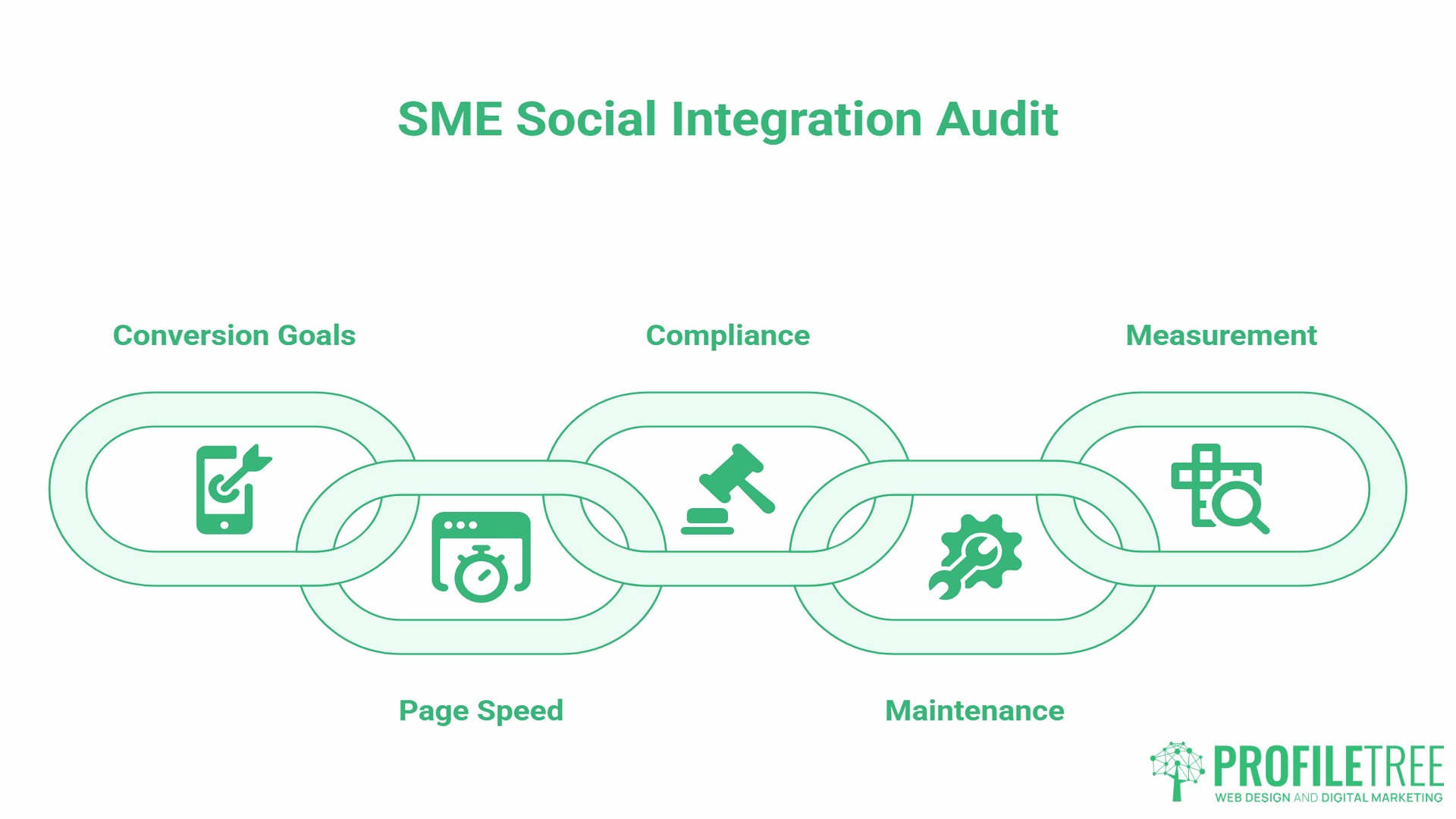
Before adding any new integration feature, work through these five questions:
- What conversion goal does this serve? Social proof, lead generation, or customer support. If you cannot answer this clearly, do not add the feature.
- What is the page speed cost? Test in PageSpeed Insights before and after. If your score drops significantly on mobile, investigate the cause before proceeding.
- Is it GDPR and PECR compliant? Does this integration set cookies or transfer personal data? If so, is your consent setup configured to handle it correctly before the scripts fire?
- Will you maintain it? An Instagram feed embed that breaks when the API changes, or a WhatsApp button pointing to an unmonitored number, creates a worse impression than no integration at all.
- How will you measure it? Define the metric before you launch.
Making Social Media Integration Work for Your Business
Social media integration works best when it starts with a clear business goal and a realistic assessment of your website’s technical capacity. The SMEs that get the most from it are not the ones with the most integrations; they are the ones where each integration point serves a defined purpose, is properly maintained, and is measured against a real outcome.
For businesses across Northern Ireland, Ireland, and the UK, the most underused integration opportunity is WhatsApp Business. The most common compliance gap is an inadequately configured cookie consent setup. The most common technical mistake is adding social widgets without checking their page speed impact first.
If you are building a new site or auditing an existing one, ProfileTree’s team works with SMEs to identify the integration points most likely to generate commercial return and implement them as part of a joined-up digital marketing strategy.
FAQs
What is the best way to integrate social media into a website?
Start with integrations that serve a specific purpose: social sharing buttons for content distribution, a WhatsApp Business contact button for direct enquiries, and a Google reviews feed for social proof. These three deliver measurable value to most SMEs without significant technical complexity or page-speed impact.
Does social media integration affect website loading speed?
Yes, it can. Third-party social scripts are among the most common causes of slow page loading, particularly on mobile. The solution is to use a caching-based implementation, enable lazy loading for feed embeds, and load scripts asynchronously. A developer can audit your current integrations and identify which are causing the most impact on your Core Web Vitals scores.
Is social media integration GDPR compliant?
It can be, but many common implementations are not correctly configured. Under PECR Regulation 6, pixels, social login, and many embedded feeds require explicit cookie consent before loading. Your cookie consent banner must block these scripts until the user opts in. Your privacy policy must disclose which social platforms you integrate with and why. This applies to UK GDPR for businesses in Great Britain and Northern Ireland, and to the Irish GDPR framework for businesses in the Republic of Ireland.
What are the most common social media integration tools for small businesses?
For WordPress sites, Smash Balloon handles feed embeds reliably and includes caching. For automation and connecting social platforms to CRM systems or email tools, Zapier works without requiring custom development. For centralising social customer support across multiple platforms, Sprout Social and Hootsuite both offer plans suited to small teams.
How do I track conversions from social media integration?
Use UTM parameters on all links shared on social channels, so GA4 attributes traffic correctly. For WhatsApp and Messenger enquiries, track volume by source in your CRM. For social login, most platforms provide conversion event tracking within their own analytics dashboards.
Can I integrate my Instagram feed into my website without slowing it down?
Yes, provided you use an implementation that caches the feed data rather than making a live API call on every page load. Smash Balloon’s Instagram Feed plugin does this by default. Set the cache refresh interval to every few hours rather than on every page view, and enable lazy loading so the feed only renders when the user scrolls to it.