
How to Automate Routine Tasks in SMEs Using AI Tools
Table of Contents
Many small and medium-sized businesses in the UK and Ireland are facing the same efficiency problem: their staff spend hours each week on tasks that a well-configured tool could handle in minutes. Learning how to automate routine tasks (scheduling, invoice chasing, lead follow-up, social media reporting) is one of the most direct ways to reclaim that time without adding headcount.
This guide covers the practical side of automating routine tasks in SMEs: which areas to start with, which tools are relevant, which UK and Irish compliance issues to account for, and how to manage the transition without disrupting your team. The point is to strip out the repetitive work that stops your people doing anything more valuable.
Why Automating Routine Tasks Is Now Within Reach for SMEs
For most of the past decade, automation was effectively a large-company conversation. Enterprise-grade platforms required technical teams to configure, IT departments to maintain, and budgets that smaller businesses could not justify. The idea of SME business process automation without specialist help felt out of reach for most owners.
That has changed. No-code automation platforms now allow a non-technical business owner to connect their CRM, email system, and accounting software without writing a single line of code. AI tools that once required enterprise budgets are now available to businesses with a handful of staff. Monthly costs for entry-level stacks have fallen to the point where even very small businesses can build meaningful workflows. Workflow automation is more accessible to a five-person business than it has ever been.
The economic pressure is also real. Labour costs across the UK and Ireland have risen steadily, and the productivity gap between large and small businesses remains significant. For an SME running on tight margins, reducing the time staff spend on administrative work is one of the few levers that does not require new headcount or new customers.
“We consistently find that SMEs underestimate how much time is lost to repetitive tasks they assume are unavoidable,” says Ciaran Connolly, founder of Belfast-based digital agency ProfileTree. “When we work through an AI readiness audit with a business, the automation opportunities in the first session usually surprise them.”
Identifying the Right Tasks to Automate First
Not every task is a good candidate for automation. When you set out to automate a business process, the best starting points share a few characteristics: they are high-volume, they follow a consistent process, and they do not require human judgement at every step.
Finance and Accounting (Including MTD Compliance)
Invoicing and payment chasing are among the most common first automation wins for UK SMEs, and one of the clearest examples of workflow automation that does not disturb existing processes. Platforms such as Xero and QuickBooks can generate and send invoices automatically, trigger payment reminders at set intervals, and reconcile bank transactions without manual input.
For UK businesses, Making Tax Digital (MTD) is a compliance factor that most generic automation guides ignore. MTD requires businesses above the VAT threshold to maintain digital records and file returns through HMRC-compatible software. Any financial automation tool you select needs to be MTD-compatible. Xero and QuickBooks both meet this requirement; if you are evaluating smaller or less established tools, check HMRC’s approved software list before committing.
In Ireland, the Revenue Online Service (ROS) is the equivalent of the filing system. Irish SMEs automating their accounts should confirm that their chosen tool integrates correctly with ROS to avoid compliance gaps.
Customer Enquiries and Lead Triage
Responding to website enquiries quickly has a direct impact on conversion rates. When a lead submits a form at 9 pm and receives a human response at 10 am the next morning, a competitor who automated an immediate acknowledgement and qualification sequence may already have that conversation moving forward.
AI-powered chat tools can handle initial enquiry qualification, answer frequently asked questions, and route leads to the right person based on their answers. The job here is coverage. No enquiry should fall through the gap between business hours.
Connecting a website contact form to a CRM such as HubSpot and triggering an automated email sequence based on the enquiry type is a simple workflow that most no-code platforms can configure without developer involvement. ProfileTree’s AI implementation services cover exactly this kind of workflow design for SMEs that want guidance through the setup process.
HR and Employee Onboarding
Onboarding a new employee involves a predictable sequence: contracts sent, equipment ordered, access granted, and introductory meetings scheduled. This is exactly the kind of process where you can automate routine tasks effectively. Most of it can be handled with a tool like Zapier or Make, triggered by the creation of a new hire record in your HR system.
The value here is consistency as much as time saving. When you automate the onboarding process, every new employee receives the same information in the same order, reducing the risk of a critical step being missed during a busy period.
Social Media Scheduling and Reporting
Scheduling social media posts in advance is one of the most widely adopted automation practices among SMEs, yet many businesses still do it manually. Tools such as Buffer or Hootsuite allow you to prepare and schedule a week’s content in a single session.
Reporting is a less obvious but equally valuable area. If your team is manually pulling analytics from Google Analytics, Meta Business Suite, and Google Search Console each month to produce a report, that process can be automated. Connecting your data sources to a reporting tool like Google Looker Studio reduces monthly reporting time from hours to minutes. It is one of the simplest ways to automate routine tasks that marketing teams rarely think to prioritise.
For SMEs working with a digital marketing agency, asking whether your agency’s reporting is automated is a reasonable question. ProfileTree’s digital marketing strategy work includes reporting infrastructure as part of campaign delivery.
The Regional Context: Compliance, Currency, and Connectivity
UK and Irish SMEs face compliance requirements that most generic automation guides written for a global or US audience do not address. When selecting business process automation tools, getting the compliance layer right from the start avoids expensive retrofitting later.
- UK GDPR and data handling. Any automation tool that processes personal data (customer names, email addresses, enquiry content) must comply with UK GDPR. This means selecting tools that store data within the UK or the EEA, have clear data processing agreements, and allow you to delete or export individual records on request. Before deploying any customer-facing automation, check where the tool stores data and whether a Data Processing Agreement (DPA) is in place.
- MTD and VAT automation. As noted above, Making Tax Digital affects VAT-registered businesses in the UK. If you are automating your invoicing or accounts, the tool must be on HMRC’s approved list. Automation tools that pull in bank transaction data must connect via Open Banking APIs from FCA-authorised providers.
- Currency and localisation. If you are using automation tools built primarily for the US market, check that they handle GBP and EUR correctly, that date formats are consistent (DD/MM/YYYY rather than MM/DD/YYYY), and that any address fields accept UK and Irish postcode formats. These seem like small details but they cause real problems in automated workflows when they are wrong.
- Local banking integrations. UK SMEs using challenger banks such as Starling or Tide should check that their accounting automation tool integrates directly with their bank before purchasing. In Ireland, AIB and Bank of Ireland both offer Open Banking APIs, but integration availability varies by platform.
Overcoming the Implementation Barrier
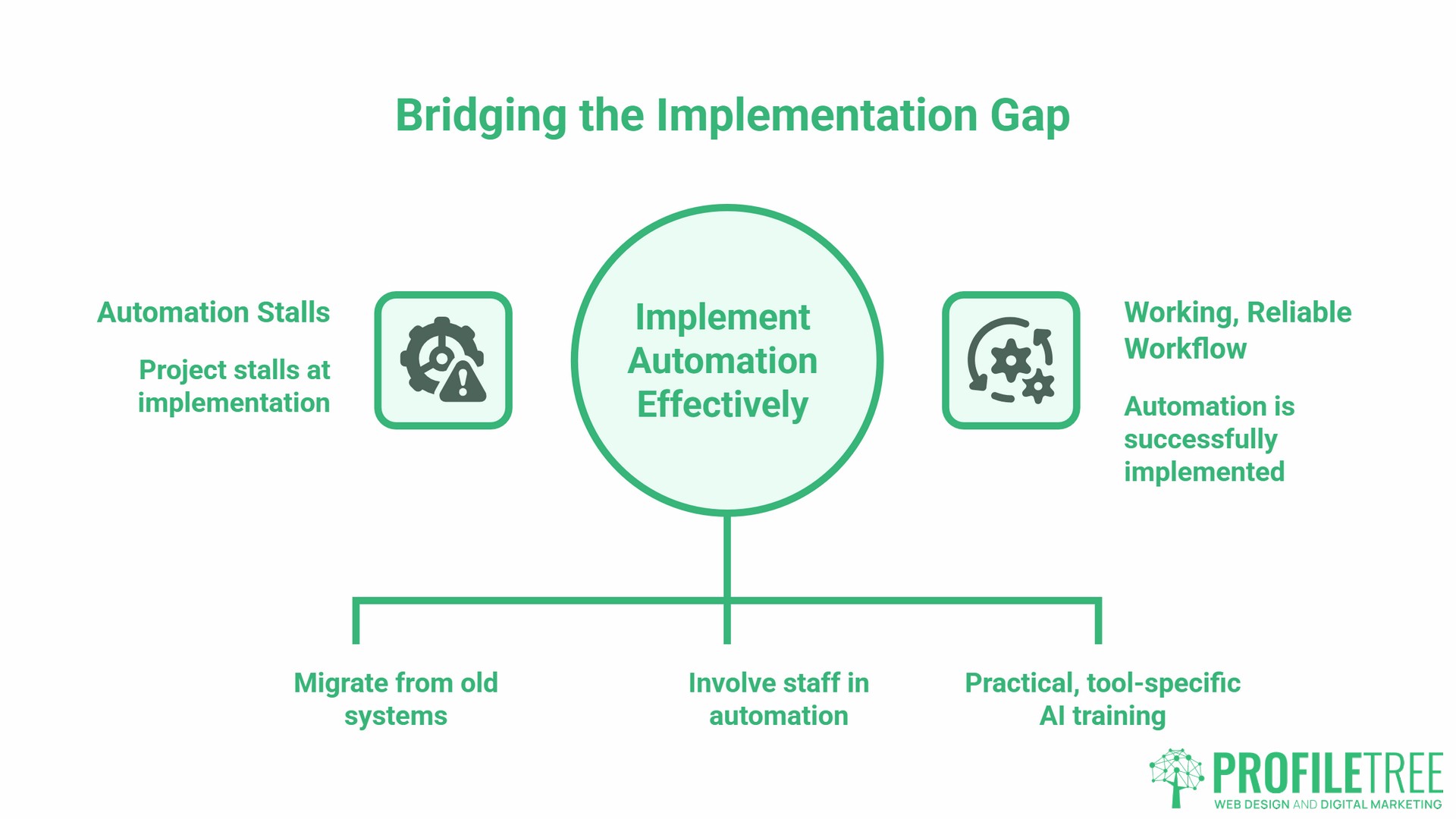
Cost is rarely what stops an SME automating. The gap between buying a subscription and having a workflow you can rely on is what stops them. Many businesses decide to automate routine tasks, only to find the project stalls at the implementation stage rather than the selection stage.
Moving from Legacy Systems
Many SMEs in Northern Ireland, Ireland, and across the UK are still running core processes on Excel spreadsheets, local desktop software, or paper-based systems. Most automation tools assume you are starting from a cloud-based foundation. If your data lives in a local Excel file that someone manually updates, you cannot connect it directly to Zapier or HubSpot.
This is the one area where no-code stops being enough. The first step is digitising the process before attempting to automate anything within it, which might mean migrating from a desktop accounting package to a cloud-based alternative, or moving a paper enquiry log to a simple CRM. Unglamorous work, but skipping it means the automation sits on an unstable base.
ProfileTree’s web development team regularly works with SMEs to build API-ready websites and backend integrations that make automation possible, particularly for businesses that have outgrown their original setup.
Training Your Team for AI Adoption
Technology adoption fails more often because of people than because of tools. Staff who do not understand why a new system is being introduced, or who feel their jobs are at risk, will work around automation rather than with it.
The most effective approach treats automation as a process improvement project with a people component. Involve the staff who currently do the task manually in deciding how to automate routine tasks within their workflow. They will know the edge cases the tool needs to handle, and their buy-in makes the transition considerably smoother.
Formal training matters too, particularly for more sophisticated AI tools. The business AI training programmes ProfileTree delivers through its training arm are designed for non-technical teams: practical, tool-specific, and focused on what staff need to do their jobs rather than on AI theory.
Selecting the Right Automation Stack
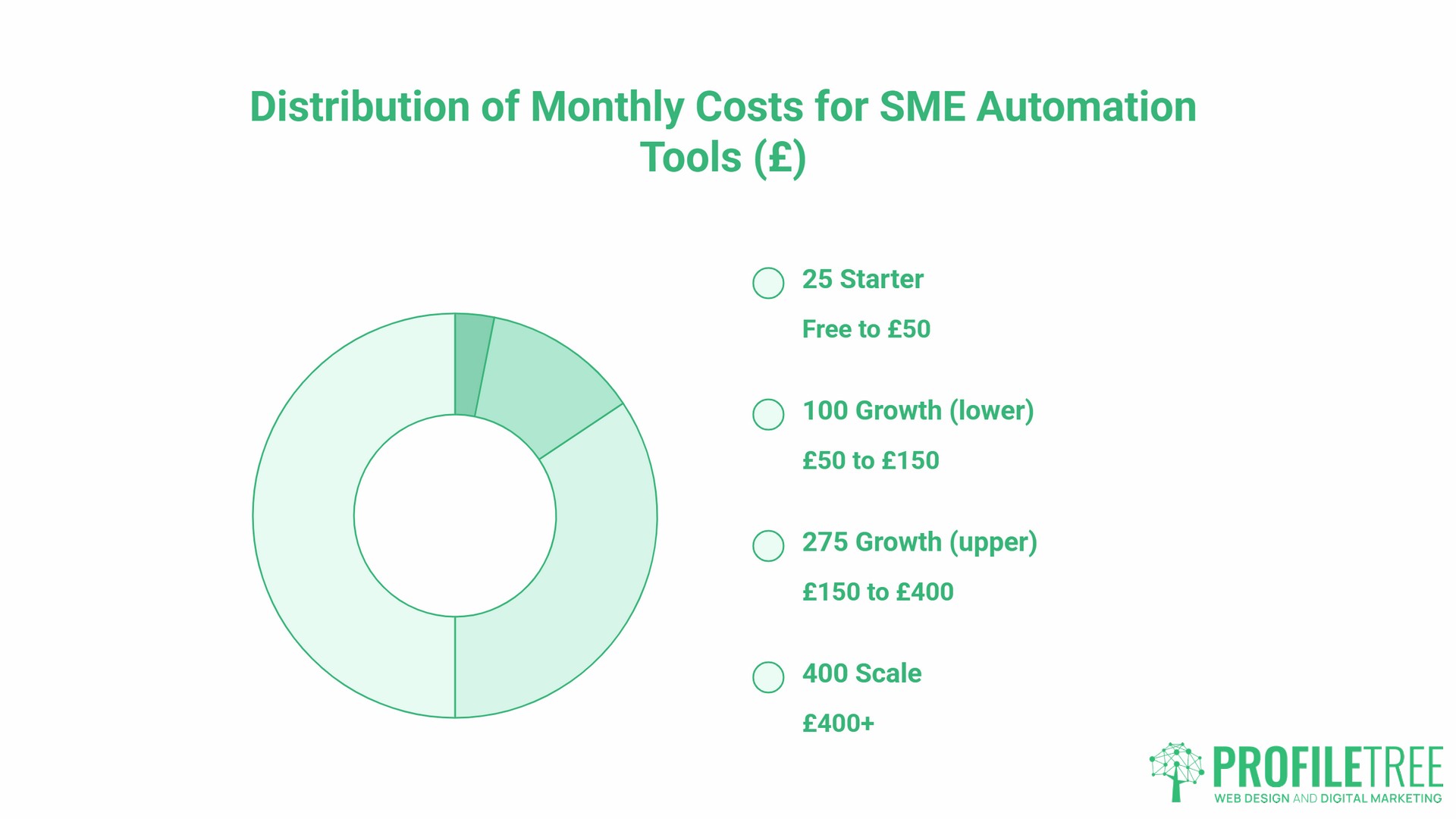
There is no single correct tool stack for SME automation. The workflow automation tools you choose should fit your existing systems, your technical confidence, and your budget. The table below gives a practical starting framework.
| Tier | Monthly Cost (approx.) | Typical Tools | Best For |
|---|---|---|---|
| Starter | Free to £50 | Zapier (free/paid), Make (formerly Integromat), Mailchimp, Google Workspace | First automations: email sequences, form-to-CRM connections, simple multi-step workflows |
| Growth (lower) | £50 to £150 | HubSpot Starter, Xero, ActiveCampaign | CRM automation, financial integration, email marketing workflows |
| Growth (upper) | £150 to £400 | HubSpot Professional, Xero, Make at higher credit volumes | Full marketing automation, advanced reporting, larger contact databases |
| Scale | £400+ | HubSpot Professional multi-seat, Salesforce, Power Automate | Complex workflows, enterprise integrations, large data volumes |
Zapier and Make bill in USD. GBP costs will vary with exchange rates. All figures are approximate guides only.
A few practical notes on tool selection:
- Zapier vs. Make. Zapier is generally easier to set up and suits straightforward two-step automations. Make handles more complex, multi-step workflows with conditional logic and it is a better value at higher task volumes. Most SMEs start with Zapier and graduate to Make as their workflows become more sophisticated.
- Microsoft Power Automate. If your business already runs on Microsoft 365, Power Automate is worth considering before adding a third-party tool. It integrates directly with Outlook, Teams, SharePoint, and Dynamics, and is included in many Microsoft 365 business plans.
- CRM selection. If you do not yet have a CRM, choosing the right one before you build automations around it is important. HubSpot’s free CRM is a reasonable starting point for most SMEs. Moving CRM platforms later means rebuilding every workflow that connects to it.
- For a detailed look at the financial case for automation investment, ProfileTree’s cost-benefit analysis of AI implementation covers how to evaluate the return on an automation project before committing budget.
How ProfileTree Supports SME Automation
ProfileTree is a Belfast-based web design and digital marketing agency that works with SMEs across Northern Ireland, Ireland, and the UK. The agency’s AI implementation and digital transformation services are built around the practical challenges that smaller businesses face when moving from manual to automated processes. That includes helping owners identify which AI tools are worth adopting and which are not the right fit for their stage of growth.
The typical engagement begins with an AI readiness audit: a structured review of existing processes to identify where automation will deliver the fastest return. From there, the work covers tool selection, workflow configuration, website and CMS integration where needed, and staff training. For businesses that have never automated routine tasks, this structured starting point removes the guesswork from the process.
For SMEs that want to automate their marketing alongside their operations, ProfileTree’s content marketing and SEO services support the organic search foundation that underpins the wider digital strategy. Automation handles the repetitive execution; a considered content and SEO strategy drives the traffic and leads that feed into those automated workflows.
Starting Small to Scale Fast
The businesses that get the most from automation are rarely the ones that attempt the most ambitious first project. They pick one high-volume, low-complexity process, get it working reliably, and then expand from there. A single working workflow that saves three hours a week is worth more than an elaborate system that nobody trusts. The most effective approach to SME automation is one process at a time.
Start with one task. Measure the time saving. Train the team member who owns that process. Then move to the next one.
If you want support identifying where to start or building the technical foundation that makes automation possible, get in touch with the ProfileTree team for an initial conversation.
FAQs
What is the first thing a small business should automate?
Invoicing and lead triage are the most consistently high-value starting points. Both are high-volume, follow a predictable process, and the time saving is measurable from week one. Most no-code tools can connect these processes to your existing systems without any coding.
How does Making Tax Digital affect my automation choices?
If your UK business is VAT-registered, your accounting and invoicing software must be MTD-compatible and able to file returns directly with HMRC. Before purchasing any financial automation tool, check HMRC’s approved software register. This is a hard compliance requirement, not an optional feature.
Is my data safe when using AI automation tools?
Under UK GDPR, you are responsible for how personal data is processed by any tool you use, including automation platforms. Before deploying a tool that handles customer data, check where data is stored, whether a Data Processing Agreement is available, and whether the provider is registered with the ICO. Most reputable platforms provide this documentation as standard.
What is the difference between RPA and simple automation?
Simple automation (Zapier, Make) connects existing software applications by passing data between them based on triggers and actions. Robotic Process Automation (RPA) goes a step further by mimicking human interaction with software interfaces, including desktop applications that have no API. RPA is more powerful but also more complex and expensive. Most SMEs do not need RPA; standard integration automation handles the vast majority of use cases.
Can I automate customer service without losing the personal touch?
Yes, if the automation handles the right parts of the process. AI tools work well for initial acknowledgement, FAQ responses, and routing enquiries to the right person. The human element becomes most valuable when the enquiry requires judgement, empathy, or a non-standard response. A hybrid model, where automation handles the first response and qualification, and a human picks it up from there, consistently outperforms both fully manual and fully automated approaches.
How can SMEs automate business processes without hiring a developer?
Most entry-level and mid-level workflow automation needs no code at all. Zapier, Make, and HubSpot all use visual builders, and the common SME workflows (form to CRM, invoice reminders, onboarding sequences) are built by dragging steps into order. Developer time becomes relevant at three points: connecting legacy or desktop software with no API, transforming data between systems that structure it differently, and building anything customer-facing on your own website. Everything before those three is configuration, not development.