
Technology System Selection: 5 Steps Any Business Can Follow
Table of Contents
Choosing the right technology system is one of the most consequential decisions a business owner will make. Get it right, and you gain real efficiency, better customer service, and a platform that grows with you. Get it wrong, and you’re locked into something expensive, underused, and disruptive to change.
This guide walks through a practical five-step framework for technology selection, covering everything from identifying your actual needs through to negotiating terms, with specific relevance for SMEs across Northern Ireland, Ireland, and the UK.
What Is a Technology System?
A technology system is any software platform, tool, or digital infrastructure a business uses to manage operations, communicate, serve customers, or deliver its product. For most SMEs, the question isn’t whether to use technology systems; it’s which ones, and when.
The most common types of UK or Irish business will include:
- Website and CMS platforms: Your website is often the first technology system a business needs to get right. Choosing between WordPress, Wix, Shopify, or a custom build affects everything from SEO performance to your ability to update content independently. Professional web design can help you make that decision based on your actual requirements rather than default choices.
- AI systems: AI tools for customer chat, content generation, and process automation are increasingly accessible to SMEs. The key question is whether they solve a real problem or add complexity for minimal return. ProfileTree’s AI implementation services help businesses assess and deploy tools that fit their actual workflows.
- CRM systems: Platforms such as HubSpot organise leads, follow-ups, and customer communication. Integration with email and SEO tools is now standard.
- Project management systems: Tools such as Monday.com, Asana, and ClickUp help teams manage workloads and client delivery from around five employees upward.
- Marketing technology: Email platforms, social media tools, analytics dashboards, and ad platforms. For many SMEs, this is where the most budget is wasted on overlapping tools. A clear digital marketing strategy should define what you need before you buy anything.
- Communication systems: Slack, Teams, and Zoom are now standard. Video production and YouTube have also moved into everyday business communication — product demos, onboarding, and customer education.
- Cybersecurity systems: Any business holding customer data needs security software and access controls. UK Cyber Essentials is a useful baseline standard.
Step 1: Identify Your Needs
Before looking at any software, spend time on the problem you’re actually trying to solve. Many technology implementations fail not because the tool was bad, but because the business never properly defined what it needed it to do.
Useful actions at this stage:
- Map your current workflows: Where does time get wasted, and which manual processes could realistically be automated or improved?
- Carry out a SWOT analysis: A weakness in customer follow-up points toward CRM. A weakness in online visibility points toward SEO tools or a stronger website. Context matters before you start browsing platforms.
- Talk to the actual users: The manager commissioning the software and the team member using it daily often have different priorities. Gather both perspectives before you research vendors.
- Set SMART goals: “We want to reduce average response time from 48 hours to 4 hours within three months” is a goal. “We want better customer communication” is not.
A PESTEL scan is worth running at this stage too, particularly for Northern Ireland businesses, where cross-border considerations and UK GDPR proximity to EU data rules can affect which vendors and hosting arrangements are suitable.
Step 2: Research Your Options
Once you know what you need, you can research which technology systems actually deliver it. Approach this stage like a significant purchase, which it is.
Key questions to work through:
- Does this technology fit your existing workflows, or would adopting it require your team to change how they work? Both can be valid, but they carry different costs and timelines.
- What are existing users saying? Reviews on G2, Capterra, and Trustpilot give a realistic picture of the day-to-day experience, not just sales materials.
- Does the vendor have a clear AI roadmap? In 2026, a platform with no stated position on AI integration may become a liability within two to three years. This matters whether you’re choosing a CMS, a CRM, or a project management tool.
- Where is your data hosted? For UK businesses, particularly those handling customer data under UK GDPR, checking whether data is stored on UK or EU servers and what the vendor’s data residency policy is is not optional.
- What are the real risks of switching later? Vendor lock-in is a genuine concern. Understand how easy it is to export your data if you change your mind in 18 months.
ProfileTree’s digital training programmes include practical guidance on evaluating software tools — useful for teams making these decisions without an in-house IT function.
Step 3: Evaluate ROI and Scalability
The sticker price is rarely the full picture. Account for the total cost of ownership: licence, implementation time, staff training, and ongoing maintenance costs.
Questions to ask before committing:
- How many users will need access? Per-seat SaaS pricing can make headline rates misleading once a team grows.
- What happens if implementation takes longer than planned? Most do. Factor that into both budget and timeline.
- Does this scale? A platform that works for five people may create problems at twenty.
- What is the realistic ROI timeframe? A CRM costing £3,000 per year that saves four hours of staff time per week has a calculable return. Vague benefits need clearer metrics before you commit.
Step 4: Test and Pilot
Most reputable technology vendors offer free trials, demo environments, or proof-of-concept periods. Use them properly; don’t just click through the interface once and make a decision.
A structured pilot approach:
- Shortlist to two or three options and run a real pilot with actual work, not test data. Use a live project for two weeks rather than a sandbox environment.
- Involve actual users. The people who use the system daily will find problems that a manager testing it briefly will miss. Their buy-in at the pilot stage is worth far more than their reluctant compliance at go-live.
- Score each option. Use a simple matrix weighted against your criteria from Step 2. The final decision should combine the data and the team’s qualitative feedback.
- Watch for red flags in demos: A vendor who avoids data export questions or can’t explain their support SLA clearly is telling you something about what comes after the contract is signed.
Step 5: Negotiate Terms
Once you’ve identified the right system, you’re in a stronger negotiating position than most buyers realise. Technology vendors, particularly SaaS companies, have flexibility on price, contract length, onboarding support, and included training that is rarely offered upfront.
What to negotiate:
- Pricing structure: Annual contracts almost always cost less than monthly. If the pilot went well, committing to a year is usually worth it.
- Onboarding and training: Ask for this to be included. Vendors would rather onboard you properly than manage churn from a customer who never adopted the product.
- Data portability: Confirm in writing that you can export data in a standard format if you leave.
- Review clauses: For longer contracts, negotiate a six-month review point. If the system isn’t delivering, you want options before the next renewal.
For businesses implementing new tools as part of a wider digital change, website rebuild, SEO, and AI integration, a digital agency that understands how these systems connect can prevent costly mismatches. ProfileTree supports SMEs across Northern Ireland, Ireland, and the UK with this kind of digital transformation planning.
Making the Right Technology Decision for Your Business
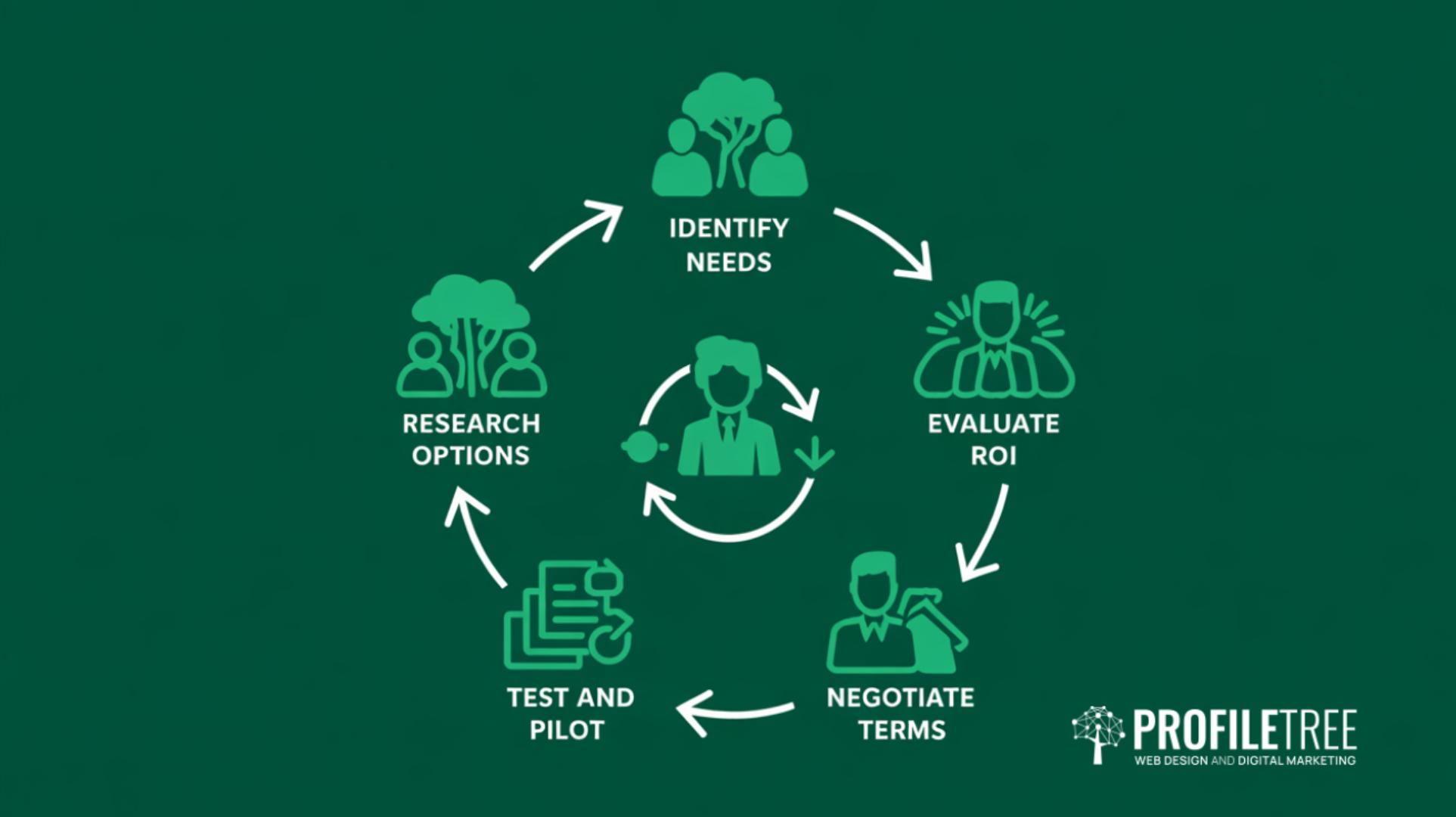
A structured technology selection process protects you from two mistakes: buying on impulse because something looked good in a demo, and stalling in analysis paralysis while the actual problem continues. The five steps above apply whether you’re choosing a CMS, a CRM, an AI tool, or a complete digital platform.
If you’d like guidance on how the right systems integrate with web design, SEO, or marketing strategy, speak to the ProfileTree team.
Frequently Asked Questions
The questions below reflect what business owners most commonly ask when working through the technology selection process for the first time.
What is a technology system?
A technology system is any software platform or digital tool a business uses to manage operations, serve customers, or support its team. Common examples include websites, CRMs, project management tools, and marketing platforms.
What are the 5 steps of the technological process?
The five steps are: identify your needs, research your options, evaluate ROI and scalability, test and pilot, then negotiate terms. Each step builds on the previous one to reduce the risk of a costly wrong choice.
What is a technological system in business?
In a business context, a technological system is any integrated set of tools or software that supports a core business function, from managing customer relationships to hosting and running a website.
What is the technology selection process?
It is a structured approach to evaluating and choosing software for business use, covering needs analysis, vendor research, cost assessment, piloting, and contract negotiation.
What are the key technology selection criteria?
Functionality, total cost of ownership, vendor support quality, integration with existing systems, and user experience. Weighting these against your specific priorities gives you a defensible, comparable score for each option.
How long does technology selection typically take?
Straightforward software choices can take four to eight weeks. Complex enterprise systems often require three to six months, particularly when stakeholder alignment and procurement processes are involved.