
Cloud Storage for Web Design Agencies: Dropbox vs Google Drive
Table of Contents
Choosing the wrong cloud storage setup costs web design agencies more than money. It costs the client trust. A generic Dropbox link with your provider’s branding splashed across the top does not signal a professional agency; it signals a freelancer with a free account. For SMEs across Northern Ireland, Ireland, and the UK managing multiple client projects, the stakes are higher still: UK GDPR compliance, large video asset transfers, and client handoff workflows all depend on getting this decision right.
This guide moves beyond the gigabyte-per-pound comparison. Dropbox and Google Drive are both capable tools, and most reviews will tell you that. What they rarely cover is how each performs inside a real agency workflow: from the moment a client brief lands to the final file handoff, and every revision cycle in between.
Why Web Agencies Need More Than Consumer Cloud Storage
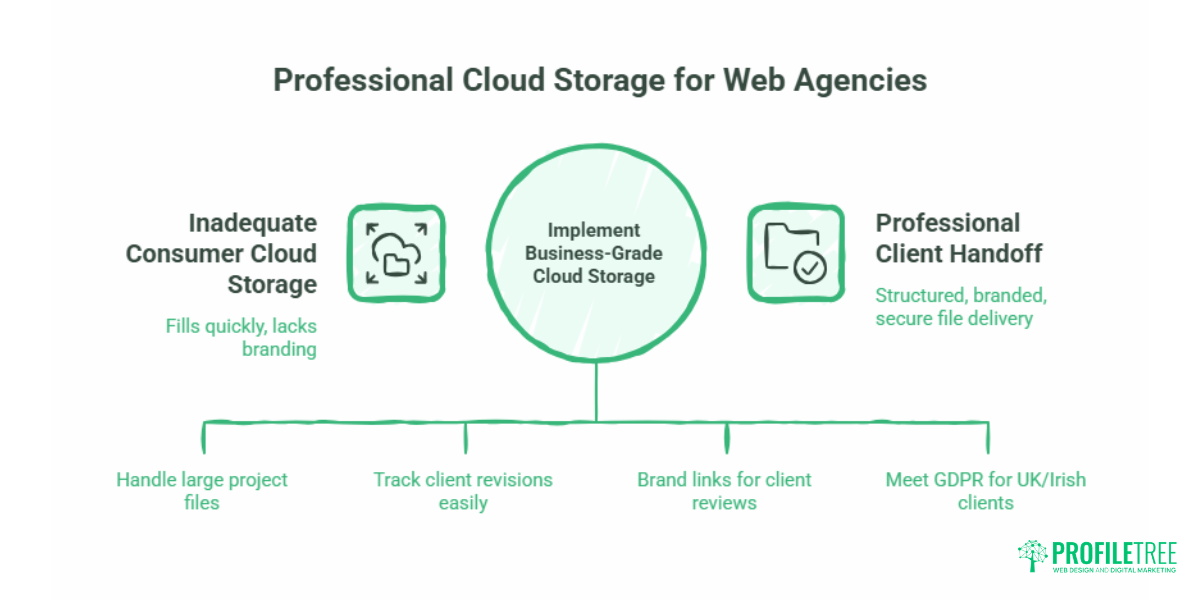
Most cloud storage comparisons are written for individuals deciding where to back up their holiday photos. Agency workflows are different. A web design project for a Belfast retailer might include raw photography, brand guidelines, wireframe files, video production assets, staging environment exports, and multiple rounds of client-annotated revisions. That is not a one-person folder on a free plan.
The File Size Reality
A single 4K video background for a homepage can run to several gigabytes. A Figma export package with component libraries, icon sets, and responsive mockups across breakpoints adds significantly more. Web agencies regularly handle files that would fill a consumer storage quota in a single project, before factoring in the six or eight concurrent clients that a small agency typically serves.
Storage capacity is table stakes. What matters more for agencies is how quickly files sync, whether version history is available when a client approves the wrong iteration, and whether the sharing experience looks professional when your client opens it.
What Clients Actually See
When you send a client a link to review their deliverables, that link is part of your brand. A raw Dropbox URL or a Google Drive “Shared with me” notification are both functional, but neither is designed to impress. Agencies serious about client experience use business-grade plans that allow custom-branded sharing or supplement cloud storage with a dedicated client portal.
ProfileTree’s web design projects include a structured handoff process for every client, covering how files are delivered, what format they arrive in, and how ongoing site assets are stored after launch. If you are building a professional web design workflow for your own agency, understanding how cloud storage fits into that process is worth getting right from the start.
GDPR and Data Residency for UK and Irish Agencies
This is the section most generic reviews skip entirely. UK GDPR (the retained version of the EU regulation, now sitting alongside the Data Protection Act 2018) requires that you take reasonable steps to protect personal data. Storing client files that include personal data on servers outside the UK or EEA introduces transfer risk unless appropriate safeguards are in place.
Both Dropbox and Google offer data residency options, but these are not available on consumer plans. Google Workspace Business Plus and above allow administrators to set regional data storage preferences. Dropbox Business plans provide EU data hosting options, with European servers available. For agencies working with UK-based clients whose data may pass through these systems, this is not a minor point.
If your agency handles client data and you are unsure whether your current storage setup meets UK GDPR obligations, protecting user data and secure storage practices{target=”_blank”} is worth reviewing as a starting point.
Dropbox vs Google Drive: How Each Performs in an Agency Workflow
Both platforms have matured significantly over the past few years. The gap between them is narrower than it was, which makes the decision genuinely context-dependent rather than an obvious winner.
File Syncing and Large Asset Transfers
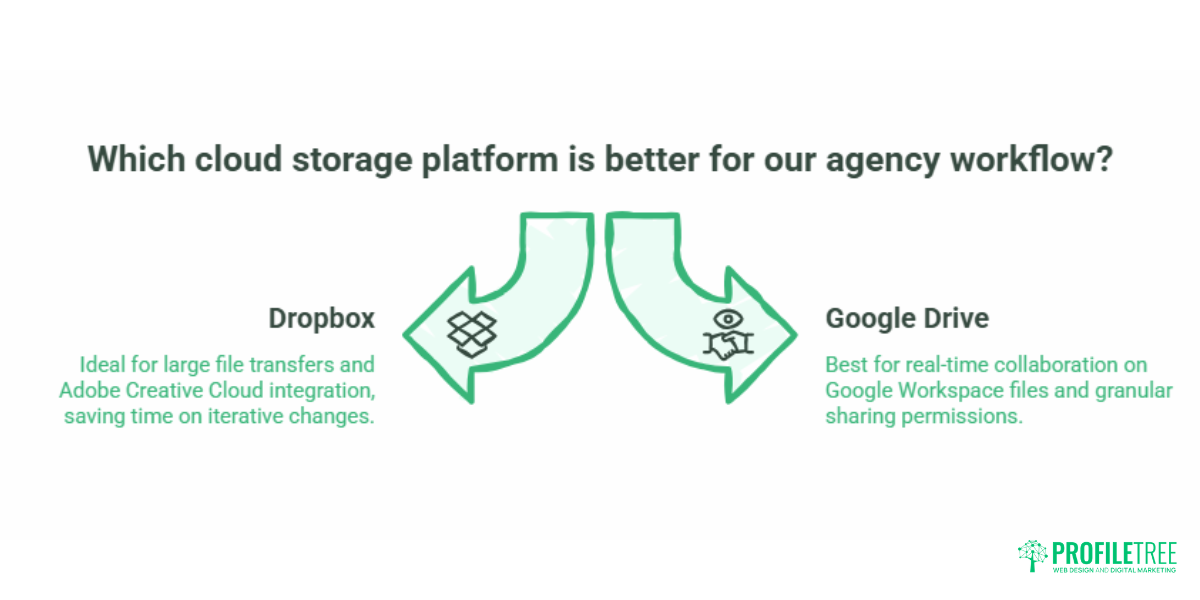
Dropbox uses block-level sync, which means only the changed portions of a file are uploaded after the initial sync rather than the whole document. For design files that go through dozens of iterative changes, this is a material time saving. Dropbox also supports uploads of very large files on paid plans, making it the more practical choice for agencies that regularly handle 4K video assets, RAW photography, or large Adobe project files.
Google Drive’s sync is solid for most file types, but it does not use block-level sync in the same way. Where it excels is in native Google Workspace files (Docs, Sheets, Slides), which do not count against storage quotas and update in real time without needing a sync cycle at all. For agencies that use Google Docs for proposals, briefs, or content drafts alongside heavier design files, this hybrid approach is often more practical than it first appears.
Collaboration and Sharing
Google Workspace is a stronger collaboration platform for document-based work. Real-time co-editing, inline comments, and suggestion mode are mature features that work well for agencies drafting copy, building out content strategies, or reviewing briefs with clients. The sharing permissions system is granular and broadly understood by most clients.
Dropbox’s sharing features are well-designed for asset delivery. Link-based sharing with expiry dates, download restrictions, and password protection is available on business plans. For sending a final deliverable to a client who does not use Dropbox, this is often the cleaner experience.
Neither platform offers true white-labelled client portals without third-party tools. Agencies that want their file-sharing interface to carry their own branding typically use dedicated client portal tools alongside one of these storage providers.
Integration with Design Tools
Google Drive integrates with Figma via plugins, and Google Workspace’s wider platform means files stored in Drive are accessible from within many web-based tools. Adobe Creative Cloud does not integrate natively with Google Drive in the same way it does with Dropbox.
Dropbox’s Creative Tools integrations include Adobe Creative Cloud, allowing assets to be opened, edited, and saved directly from Photoshop, Illustrator, and Premiere without leaving the application. For agencies using the Adobe suite as their primary production environment, this is a genuine workflow advantage.
Pricing Compared: What Agencies Actually Pay
Consumer pricing is largely irrelevant for agencies. The plans that matter are business-grade, and the comparison changes significantly at that level.
| Plan | Provider | Price (approx.) | Storage | Key Agency Features |
|---|---|---|---|---|
| Google Workspace Business Starter | £5.40/user/month | 30GB pooled | Meet, Docs, Drive | |
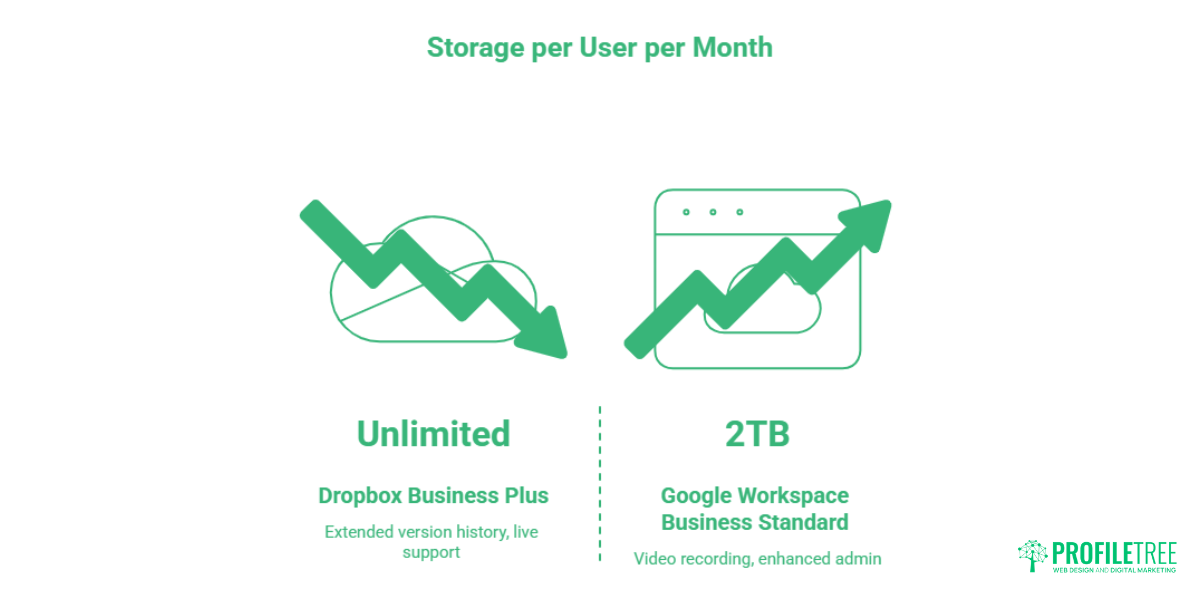
| Google Workspace Business Standard | £10.80/user/month | 2TB pooled | Video recording, enhanced admin | |
| Google Workspace Business Plus | £16.20/user/month | 5TB pooled | Data regions, Vault | |
| Dropbox Business | Dropbox | £12.50/user/month | 9TB pooled | Admin controls, 180-day version history |
| Dropbox Business Plus | Dropbox | £20.00/user/month | Unlimited | Extended version history, live support |
Pricing correct at time of writing. Verify current rates directly with each provider before committing.
Google Workspace Business Standard is the practical entry point for agencies that rely on Google’s collaboration tools. Dropbox Business makes more sense for agencies whose priority is large file handling and whose clients expect professional-looking file delivery rather than collaborative editing.
For a small agency of four to six people, the cost difference between the mid-tier options from both providers is not significant enough to be the deciding factor. Workflow fit matters more.
Security and Encryption: What the Specifications Actually Mean
Encryption Standards
Both Dropbox and Google Drive use AES 256-bit encryption for data at rest and TLS encryption for data in transit. This is the industry standard and, for most agency use cases, provides adequate protection for client files.
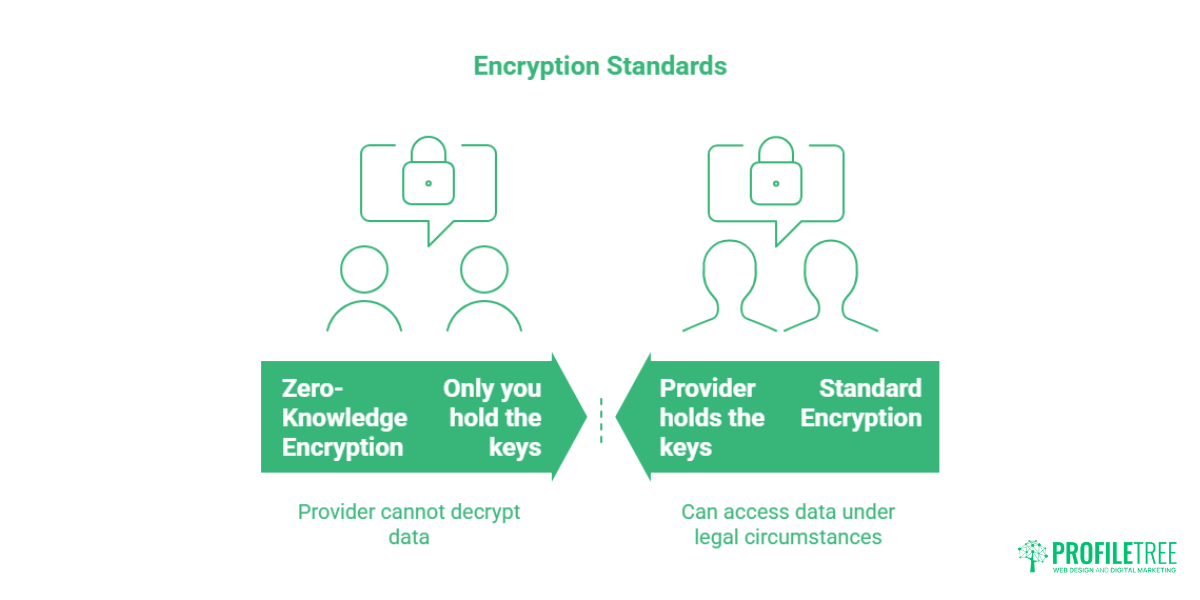
The distinction worth understanding is between standard encryption and zero-knowledge encryption. With standard encryption, the provider holds the keys and can, under certain legal circumstances, access your files. Zero-knowledge encryption means only you hold the keys; the provider cannot decrypt your data even if compelled. Neither Dropbox nor Google Drive offers zero-knowledge encryption on standard plans. If your agency handles highly sensitive client data and zero-knowledge is a genuine requirement, dedicated providers such as Tresorit are designed for that use case.
Two-Factor Authentication and Admin Controls
Both platforms support two-factor authentication, which should be mandatory for any agency account. Dropbox Business and Google Workspace both include admin consoles that allow team administrators to enforce security policies across the account, manage device access, and monitor sharing activity.
For agencies where junior team members have access to client files, admin controls are not optional. The ability to revoke access immediately when a team member leaves, or restrict sharing to specific domains, is standard practice for professional operations.
A Practical Security Checklist for Web Agencies
- Enable two-factor authentication across all team accounts
- Set link-sharing defaults to require a sign-in or include an expiry date
- Restrict external sharing to approved domains where possible
- Review connected third-party apps quarterly and revoke access for unused integrations
- Keep a separate folder structure for client data with controlled access permissions
For agencies managing websites on behalf of clients after launch, the same security discipline that applies to cloud storage should extend to secure login practices for web applications{target=”_blank”} and site maintenance.
Optimising Your Agency Workflow: From Brief to Final Handoff
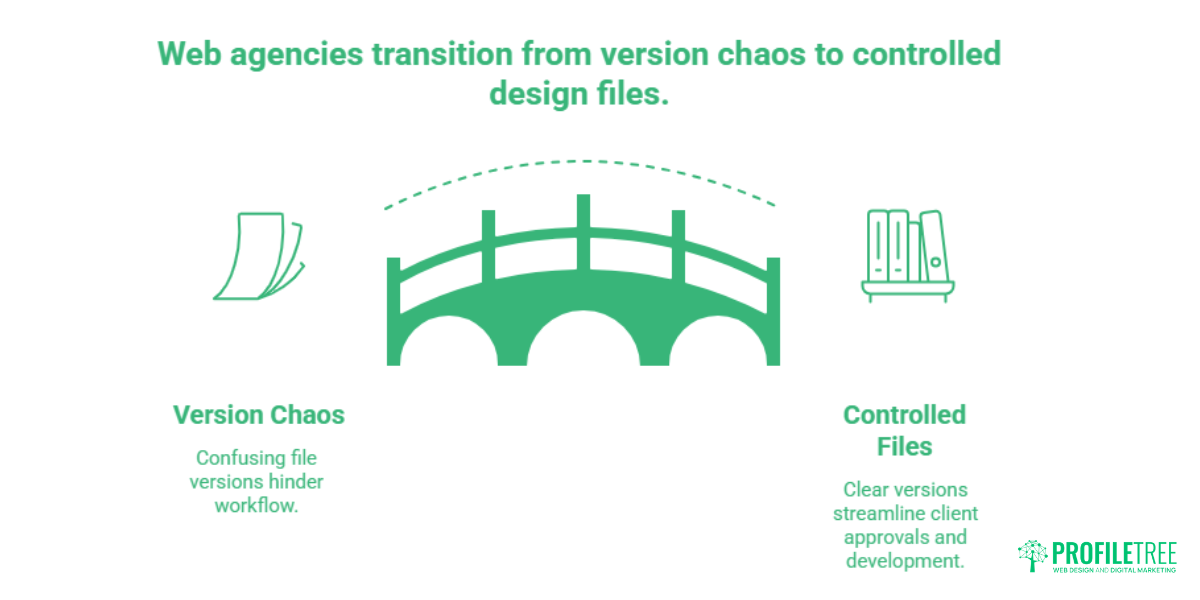
Cloud storage works best when the folder structure and access rules are defined before a project begins, rather than improvised as it grows.
A Folder Structure That Scales
A consistent project folder structure means any team member can find what they need without asking, and clients can access their files without a guided tour. A workable starting point for most agencies:
/[Client Name]
  /01_Brief and Strategy
  /02_Design Assets
    /Fonts
    /Brand Guidelines
    /Wireframes
    /Mockups
  /03_Development Files
  /04_Media
    /Photography
    /Video
    /Icons
  /05_Client Review
  /06_Final Deliverables
The naming convention (zero-padded numbers, plain descriptions) keeps folders in logical order in any cloud interface.
Version Control Without Version Chaos
Design files are rarely finalised on the first attempt. Both Dropbox and Google Drive offer version history, but the defaults differ. Dropbox Business retains 180 days of version history; Google Workspace Business Standard retains 30 days. For projects with longer timelines or clients who revisit decisions months after approval, Dropbox’s longer history is a practical advantage.
A simple naming protocol for design files reduces reliance on version history for everyday decisions. Appending _v1, _v2, or a date suffix to working files, and keeping a _FINAL A version clearly labelled in the deliverables folder prevents the wrong version from being sent to a developer or approved by a client.
Video Production Asset Management
Video files present the biggest storage challenge in a typical agency workflow. ProfileTree’s video production{target=”_blank”} work involves raw footage files that regularly run into tens of gigabytes per project, alongside cut sequences, motion graphics files, and audio.
For video-heavy workflows, Dropbox Business is the more practical choice. Its block-level sync means editing a sequence does not require re-uploading the entire project file, and its large file upload capability handles 4K footage without the throttling that sometimes affects consumer-tier plans. Google Drive can manage video files, but is better suited to agencies where video is occasional rather than central to the service offer.
The Client Handoff
How files are delivered at the end of a project matters for client perception. A disorganised folder with dozens of unnamed exports does not reflect well on the agency that produced the work. A clean, clearly labelled deliverables package with a brief read-me file explaining what each item contains takes ten minutes to prepare and lasts indefinitely in the client’s memory.
Dropbox’s link-based sharing with optional password protection gives agencies a degree of control over who can access deliverables after they have been sent. Google Drive’s sharing requires the recipient to have or create a Google account unless the file is set to “anyone with the link,” which removes all access control.
Which Cloud Storage Fits Your Agency’s Size?
| Agency Type | Recommended Option | Reason |
|---|---|---|
| Solo freelancer or sole trader | Google Workspace Business Starter or Dropbox Basic | Cost-effective; Google Workspace gives more value at the entry level |
| Small agency (2-5 people), mixed workload | Google Workspace Business Standard | Block-level sync, large file handling, and longer version history |
| Small agency (2-5 people), video/media focus | Dropbox Business | Block-level sync, large file handling, longer version history |
| Growing agency (6-15 people) | Dropbox Business or Google Workspace Business Plus | Need admin controls, data residency options, and audit logs |
| Larger agency with compliance needs | Google Workspace Business Plus or Dropbox Business Plus | Data regions, extended history, enhanced security reporting |
The right answer for most agencies under ten people is one of the two mid-tier business plans. The decision between them comes down to whether your team’s primary collaboration happens in Google’s document suite or in Adobe’s creative tools.
Embedded Video: Web Design and Digital Workflows
For a practical look at how ProfileTree approaches web design projects and the digital tools that support them, this overview covers the agency’s process from brief to delivery:
Frequently Asked Questions
Is Google Drive enough for a growing web agency?
Google Drive on a personal or free plan is not suitable for client-facing agency work. The 15GB free tier fills quickly once design files and video assets are included, and the sharing experience offers no branding or access control. Google Workspace Business Standard addresses most of these gaps and is a reasonable entry point for agencies of two or more people. As a team grows beyond five or six people, the pooled storage and admin features of Business Plus or Business Standard become more important.
Where should our client data be stored for UK GDPR compliance?
UK GDPR requires that personal data transferred outside the UK or EEA has appropriate safeguards in place. Both Dropbox and Google offer European data hosting options, but these are only available on business plans with explicit data residency settings. For most agencies, enabling EU or UK data residency in your account admin settings is sufficient. If your agency handles particularly sensitive personal data, taking legal advice specific to your situation is advisable rather than relying on a general-purpose guide.
Can cloud storage be used as a CDN for a client’s live website?
This is technically possible with some providers, but it is generally not recommended. Cloud storage is optimised for file access and collaboration, not for low-latency delivery of assets at scale. A content delivery network (CDN) is purpose-built to serve static assets quickly from edge locations close to the end user. Using Dropbox or Google Drive to serve live site assets introduces unnecessary latency and creates dependency on a service not designed for that purpose. Dedicated hosting and CDN solutions handle this far better.
Which provider handles large video files better?
Dropbox Business handles large video files more reliably for production workflows. Block-level sync means changes to a large file only require uploading the changed portion rather than re-uploading the whole file. For agencies where video production is a core service, this is a material difference in day-to-day time spent waiting for uploads. Google Drive manages video uploads competently but is better suited to agencies where video is an occasional output rather than a primary deliverable.
How does version control work in each platform?
Both platforms automatically save previous versions of files. Dropbox Business retains 180 days of version history; Google Workspace Business Standard retains 30 days. For native Google file types (Docs, Sheets, Slides), Google Drive’s version history is more granular, showing individual editing sessions and allowing restoration to any point in the document’s history. For uploaded files such as Adobe or Figma exports, Dropbox’s longer retention window is more useful for agencies working on extended projects.
What is zero-knowledge encryption, and does our agency need it?
Zero-knowledge encryption means only the account holder has access to the encryption keys; even the service provider cannot decrypt your files. Neither Dropbox nor Google Drive offers this on standard business plans. For the majority of web design agencies, standard AES 256-bit encryption combined with strong access controls and two-factor authentication provides adequate protection. Zero-knowledge encryption is worth considering if your agency handles highly confidential data for regulated industries such as healthcare, legal, or financial services.
Making the Decision: A Practical Framework
Before choosing between Dropbox and Google Drive, answer these three questions:
Where does your team primarily collaborate?
If briefs, copy, and proposals live in Google Docs and your client communication happens over Gmail, Google Workspace is the natural fit because everything is already connected. If your team uses Microsoft Office or Adobe Creative Cloud as the primary production environment, Dropbox integrates more cleanly.
How large and frequent are your file transfers?
Agencies producing video content, large photography sets, or complex multi-layer design files will find Dropbox’s block-level sync saves meaningful time across a working week. For agencies whose largest files are presentation decks and web-ready images, the sync speed difference between platforms is largely irrelevant.
What does your client relationship look like?
If clients actively collaborate on documents during a project, Google Workspace’s real-time editing features are useful. If clients primarily receive finished deliverables, Dropbox’s link-based sharing with expiry controls is cleaner.
As Ciaran Connolly, founder of ProfileTree, puts it: “The tool is only as useful as the workflow built around it. A well-organised Google Drive folder beats a chaotic Dropbox setup every time, and vice versa. Get the process right first, then choose the platform that fits it.”
For agencies at the stage of building or overhauling their digital workflows, project management training covers the broader process decisions that sit around storage, including how file organisation fits into project delivery and client communication.