
Interactive Content: A Practical Guide for SME Marketers
Table of Contents
Most businesses know interactive content works. Fewer know how to choose the right format, build it without a large budget, or measure whether it actually delivered anything. This guide covers all three: what interactive content is, which formats suit which goals, how SMEs in the UK and Ireland can build and deploy it, and what a compliant, data-driven approach looks like in practice.
What Is Interactive Content?
Interactive content is any digital asset that requires user input to produce a personalised result. Rather than reading a static page, the user does something: answers questions, adjusts variables, makes choices, or explores data at their own pace. That action generates a response tailored to what they said or did.
The most common formats are quizzes, calculators, assessments, polls, interactive infographics, and branching videos. Each serves a different purpose, attracts users at different stages of the buying journey, and requires a different level of technical investment to build.
The distinction from static content matters because it affects behaviour. A user who completes a quiz or inputs their details into a calculator is actively engaged with your brand. That session is longer, the data collected is richer, and the connection between the user’s problem and your solution is explicit.
Why Interactivity Has Become Part of Serious Content Strategy
Passive content does one job: inform. Interactive content can inform, qualify, segment, and convert within the same session. That is a meaningful difference for any SME managing a tight marketing budget.
The Shift Away from Third-Party Data
The deprecation of third-party cookies, combined with stricter enforcement of UK and EU privacy law, has made zero-party data one of the most valuable assets a business can collect. Zero-party data is information a user intentionally and directly provides: their preferences, situation, and priorities. A well-designed quiz or assessment gathers exactly that, with explicit consent built into the experience.
This is the strongest strategic argument for interactive content in 2025 and 2026. It is not about making content more fun. It is about building a first-party audience intelligence system that works inside the privacy rules UK businesses must follow.
Dwell Time and Search Signals
Interactive formats consistently increase time-on-page. A user who spends seven minutes completing an assessment sends different engagement signals to Google than a user who reads two paragraphs and bounces. Better engagement metrics do not automatically produce rankings, but they indicate that content is serving its purpose, and that matters to any content marketing strategy built around long-term authority.
Lead Quality
A contact who has told you they run a 15-person manufacturing business in Northern Ireland, struggles with their current website, and wants to improve their Google visibility is fundamentally different from a contact who downloaded a generic PDF. Interactive content can collect that context at scale, without a sales conversation.
Types of Interactive Content and When to Use Each
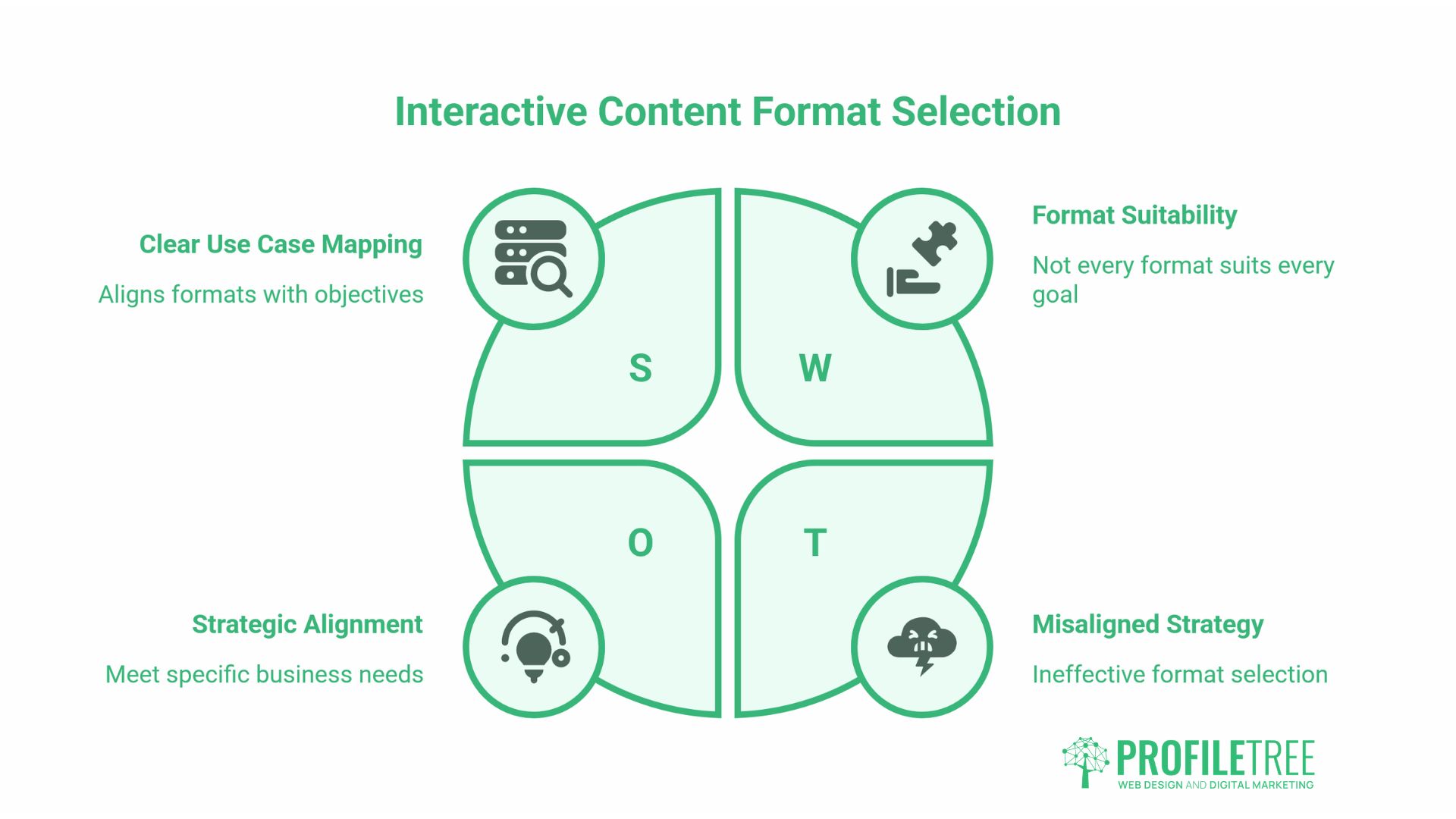
Not every format suits every business goal. The table below maps the most common types to their primary use cases.
| Format | Best For | Complexity to Build | Lead Value |
|---|---|---|---|
| Assessment / audit tool | Lead qualification, consultancy sectors | Medium | High |
| ROI / cost calculator | Commercial enquiry generation, high-consideration purchases | Medium-High | High |
| Quiz (knowledge-based) | Top-of-funnel awareness, training reinforcement | Low | Medium |
| Poll | Social media engagement, audience research | Low | Low |
| Interactive infographic | Explaining complex data, sector reports | High | Medium |
| Branching video | Product demos, onboarding, training | High | Medium-High |
| Configurator / product selector | E-commerce, bespoke service businesses | High | High |
Assessment and Audit Tools
For professional services businesses: accountants, solicitors, digital agencies, IT consultants. An assessment tool is one of the highest-converting interactive formats available. The user answers questions about their current situation and receives a report or score that identifies gaps or priorities.
The value exchange is clear: the user invests five minutes and receives something genuinely useful; you receive structured data about a qualified prospect.
ROI and Cost Calculators
Calculators work well when the buying decision involves numbers the prospect is already trying to calculate. A manufacturing business considering investing in a new website wants to understand the potential return. A calculator that takes their monthly enquiry volume, current conversion rate, and average order value and shows the impact of a 20% uplift in conversions speaks directly to that need.
These are also commercially effective for web design and development agencies, where project scope and cost vary considerably. A calculator that helps a business owner understand what a project might cost, based on their actual requirements, which removes a significant barrier to making contact.
Knowledge Quizzes
Knowledge-based quizzes work well at the top of the funnel, particularly for training-adjacent topics. A quiz titled “How well do you understand your website analytics?” serves an awareness function: it shows the user what they do not know and positions the brand that provided the quiz as the logical next step.
ProfileTree’s digital training programmes frequently use quiz-style assessments to identify skills gaps within a team before a training engagement begins.
Polls and Social Media Interactivity
Polls are the lowest-complexity entry point. LinkedIn, Instagram, X (formerly Twitter), and Facebook all support native polling. For SMEs with limited development resources, social polls are a practical first step in building an interactive content habit, testing what questions resonate with an audience before investing in more complex formats.
The data from social polls is relatively shallow, but it builds engagement, signals to algorithms that content is worth showing, and provides directional insight into what an audience cares about. There is a standalone guide to using social media polls effectively that covers platform-specific mechanics in more detail.
Interactive Infographics
Static infographics have declined in both production and effectiveness. An interactive infographic that lets users filter data by sector, explore a timeline by clicking through it, or toggle between comparison scenarios holds attention in a way that a flat image cannot.
They require more production effort and web development input to build well, but they earn significantly more backlinks and social shares than their static equivalents when the underlying data is genuinely interesting.
Branching and Interactive Video
Standard video is passive: the viewer watches what the creator chose to show them, in the order the creator chose. Branching video adds decision points. The viewer chooses a path: “Show me how this works for a restaurant” versus “Show me how this works for a retailer.” The video then branches accordingly.
This is distinct from embedding a quiz within a video, which is a simpler, more widely used approach. True branching video requires authoring tools such as Wirewax, Eko, or Mindstamp, plus a production process that accounts for multiple scenarios from the outset.
ProfileTree’s video production team works with clients on video formats that go beyond a single linear output. For product demonstrations and onboarding content in particular, interactive video reduces the volume of support queries that follow a new product launch.
The UK/EU Perspective: GDPR and Data Capture
This section is absent from most guides on interactive content, which are almost all produced by US companies for US audiences. For businesses operating in the UK or Ireland, it is not optional reading.
What GDPR Means for Interactive Content
When a user completes a quiz or calculator on your website, and you capture their responses, you are collecting personal data. If those responses include an email address, a company name, or any information that could identify an individual, the UK GDPR and Data Protection Act 2018 apply.
The key obligations are:
Lawful basis. You need a lawful basis for collecting and processing the data. For most interactive lead generation tools, this will be consent or legitimate interests. If you are collecting data specifically to follow up commercially, consent is the safer basis, as it is explicit and demonstrable.
Transparency. Users must know what data you are collecting, why you are collecting it, how long you will keep it, and with whom it may be shared. This information should be presented at the point of collection, not buried in a privacy policy linked from the footer.
Consent by design. The opt-in to receive follow-up communications should be a separate, unticked checkbox. Bundling consent with accessing quiz results (“Complete this form to get your results, and by submitting, you agree to receive our newsletter”) does not constitute valid GDPR consent.
Data minimisation. Collect only what you genuinely need. If the quiz result does not require the user’s phone number, do not ask for it.
Building Compliant Interactive Assets
A GDPR-compliant web form design requires explicit consent language, clear data use statements, and a mechanism for users to withdraw consent. These same principles apply to the lead capture step that follows a quiz or calculator.
For SMEs new to this, ProfileTree recommends reviewing your interactive content through three questions before publishing: Have you named the lawful basis? Have you given users a genuine choice about follow-up communications? And have you documented what you will do with the data?
How to Build an Interactive Content Strategy
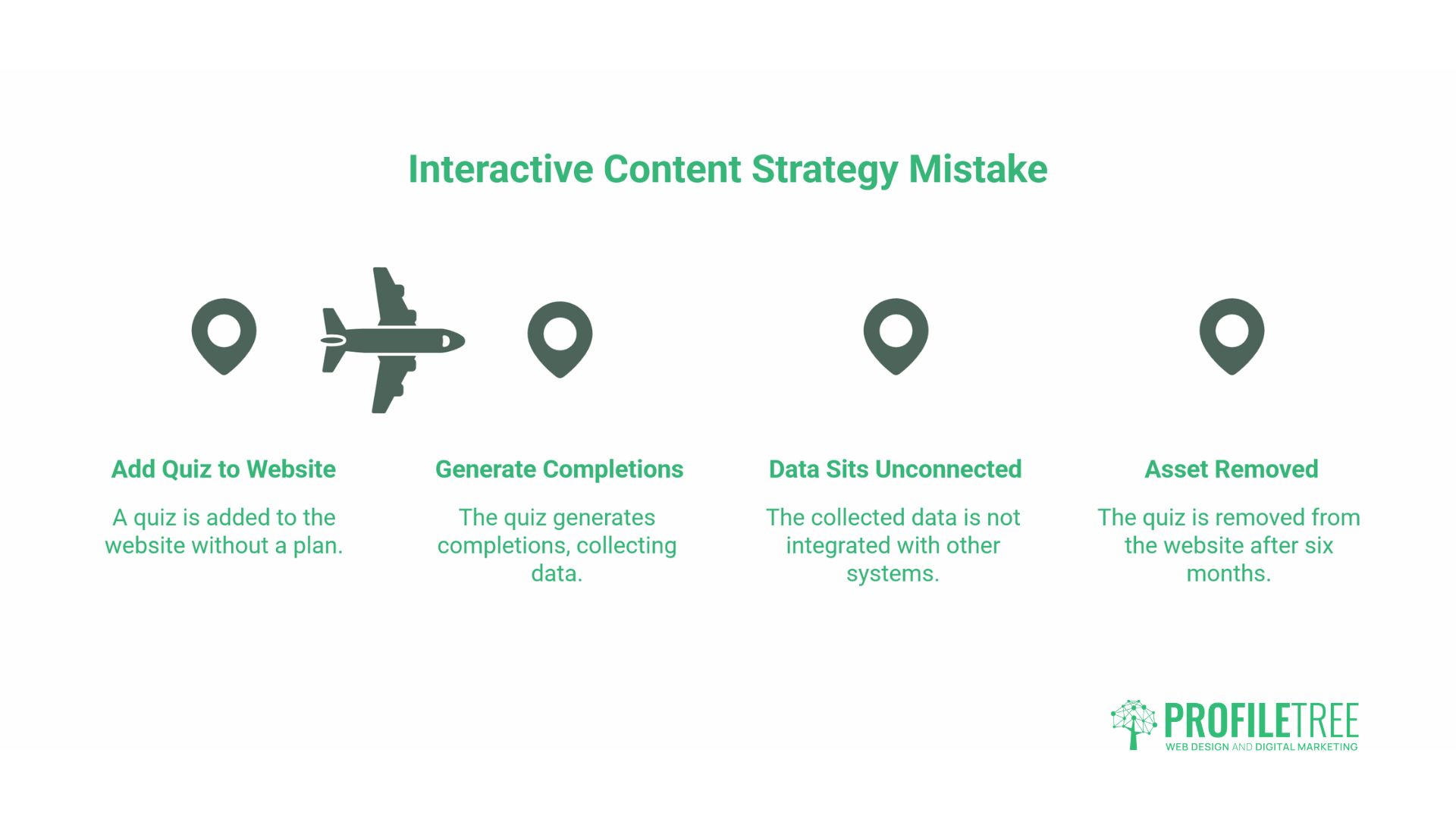
Adding a quiz to your website without a plan for what comes next is a common mistake. The quiz generates completions, the data sits unconnected to anything, and six months later, the asset is quietly removed because “it didn’t work.”
Interactive content works when it is connected to the rest of your digital marketing infrastructure.
Map Formats to the Buyer Journey
Different interactive formats suit different stages of the decision process.
At the awareness stage, a knowledge quiz or a short poll introduces your brand to someone who does not yet know they have a problem. The goal is not lead capture. It is relevance and memorability.
At the consideration stage, an assessment or audit tool serves someone who knows they have a problem and is trying to understand its scale. This is where lead capture becomes appropriate, because the user is genuinely evaluating options.
At the decision stage, a cost calculator or configurator helps a prospect scope a project. They are close to buying; they want to understand what the investment looks like for their specific situation.
Connect Interactive Data to Your CRM
A quiz that generates responses but sends no data anywhere is a missed opportunity. Most interactive content platforms (Typeform, Outgrow, Interact, Involve.me) support native integrations with CRM tools such as HubSpot, Salesforce, Mailchimp, and ActiveCampaign, as well as Zapier integrations for platforms that lack native integrations.
The output of a well-structured assessment should populate a CRM contact record with the key qualification fields: company size, sector, primary challenge, and stated priority. That information shapes every subsequent communication.
Measuring What Matters
The metrics that matter for interactive content are not simply impressions and completions. They are:
Completion rate. What percentage of users who start the interactive asset finish it? A low completion rate on a quiz usually means the questions are too many, too personal, too soon, or not clearly valuable enough to justify the effort.
Lead quality rate. Of the leads generated by the interactive asset, what percentage meet your qualification criteria? Compare this with leads from standard contact forms.
Time-to-contact. Do leads from interactive content convert to consultations or sales conversations faster than other lead sources? This is the most commercially meaningful metric, and it is rarely measured.
A digital marketing strategy that includes interactive content needs measurement frameworks built in from the outset, not added retrospectively.
Practical Platforms for SMEs
The following platforms are widely used and span different levels of complexity and cost. This is not a ranked list.
Typeform: form and quiz builder with strong UX. Free tier available; paid plans start from around £25/month. Good Zapier support. Best for straightforward quizzes and assessments.
Outgrow: purpose-built for calculators, assessments, and recommendations. More expensive than Typeform but better suited to complex lead qualification tools. Pricing from approximately £22/month for basic plans.
Interact: quiz-focused, with good lead capture integration. Popular for knowledge quizzes and personality-style formats. Free trial available; paid plans from around £27/month.
Involve me: broader format range including calculators, forms, and surveys. Competitive pricing and solid analytics. A good option for SMEs looking for a single platform for multiple formats.
Google Forms: free, unlimited, integrates with Google Sheets. Lacks polish and advanced branching logic, but is suitable for straightforward data collection where design is not a priority.
For SMEs that want interactive elements built directly into their website rather than embedded from a third-party platform, web development is involved. ProfileTree’s web development service handles custom-built requirements, including calculator tools, assessment frameworks, and interactive components integrated with WordPress.
Getting Started: A Practical Sequence
If you are new to interactive content, the sequence below is more productive than trying to build a sophisticated calculator in month one.
Month 1. Run a LinkedIn or Instagram poll on a topic your audience cares about. Analyse what the results tell you about their priorities. This costs nothing and builds the muscle of thinking in questions rather than statements.
Month 2. Build a simple knowledge quiz using Typeform or Interact. Five to eight questions. Connect it to your email list with an opt-in. Measure completion rate and list growth.
Month 3. Review the data from the quiz. Which questions had the most varied responses? Those are the topics your audience is genuinely uncertain about. Build your next piece of content, written or interactive, around the most common gap.
Month 6 onwards. If the quiz is generating consistent leads, invest in a more sophisticated assessment or calculator. Brief a developer to build it into your website natively, with CRM integration.
Ciaran Connolly, founder of ProfileTree, notes that the SMEs who get the most from interactive content are those who treat it as a data collection system, not a one-off engagement stunt. The format is the mechanism; the strategy is what connects the data to a commercial outcome.
FAQs
What is the best type of interactive content for B2B lead generation?
Assessment tools and ROI calculators consistently outperform other formats for B2B lead generation because they attract prospects who are actively evaluating a solution. The key is making the output genuinely useful: a score or report the prospect can act on, not a result that only makes sense once they are already in a sales conversation.
Is interactive content good for SEO?
Interactive content supports SEO indirectly: pages with interactive elements tend to have longer dwell times and earn more backlinks than static equivalents when the tool provides genuine utility. The on-page text still needs to be substantial and keyword-relevant, because an interactive element alone will not rank a thin page.
How do I make my existing content interactive?
Start with your highest-traffic pages and identify whether the reader’s core question has a numerical component (“How much will this cost?” or “How long will this take?”) because those questions suit calculators and quizzes well. Embed the interactive element near the top of the page and connect the lead capture to your CRM before publishing.
Is video considered interactive content?
Standard video is not interactive content. A video that plays from start to finish without user input is passive regardless of how engaging it is. Video becomes interactive only when it contains branching paths, embedded polls that affect the viewing experience, or clickable elements that direct the viewer to different content based on their selection.