
HubSpot Marketing Automation: A Practical Guide for SMEs
Table of Contents
HubSpot marketing automation gives businesses a single platform to manage contacts, send targeted emails, run multi-channel campaigns, and measure what actually drives revenue. Rather than stitching together separate tools for email, CRM, and analytics, it brings those functions into one connected system. For small and medium-sized businesses, that consolidation can save significant time and reduce the cost of customer acquisition.
“Most SMEs we work with are not short of marketing tools; they’re short of integration between them,” says Ciaran Connolly, founder of ProfileTree. “HubSpot’s value is in connecting the dots between your website visits, your email sequences, and your sales pipeline so you’re not working from three different spreadsheets.”
This guide covers how HubSpot’s main hubs work, which features have the biggest impact for SMEs, and how automation fits alongside a broader digital marketing strategy.
What HubSpot Marketing Automation Actually Does
At its core, HubSpot is a CRM platform with marketing, sales, and service software built on top of it. The marketing automation component handles the rules-based workflows that trigger actions based on what contacts do: visiting a page, opening an email, submitting a form, or reaching a certain lifecycle stage.
These workflows run in the background. A contact downloads a guide from your website, they get added to a nurture sequence. That sequence sends three emails over two weeks. If they click through to a pricing page, a task is created for the sales team. None of that requires manual input once the workflow is built.
For SMEs, the practical value is in reducing the time spent on repetitive outreach while making follow-up more consistent. The challenge is that automation only works as well as the strategy behind it.
The Four HubSpot Hubs and What Each One Does
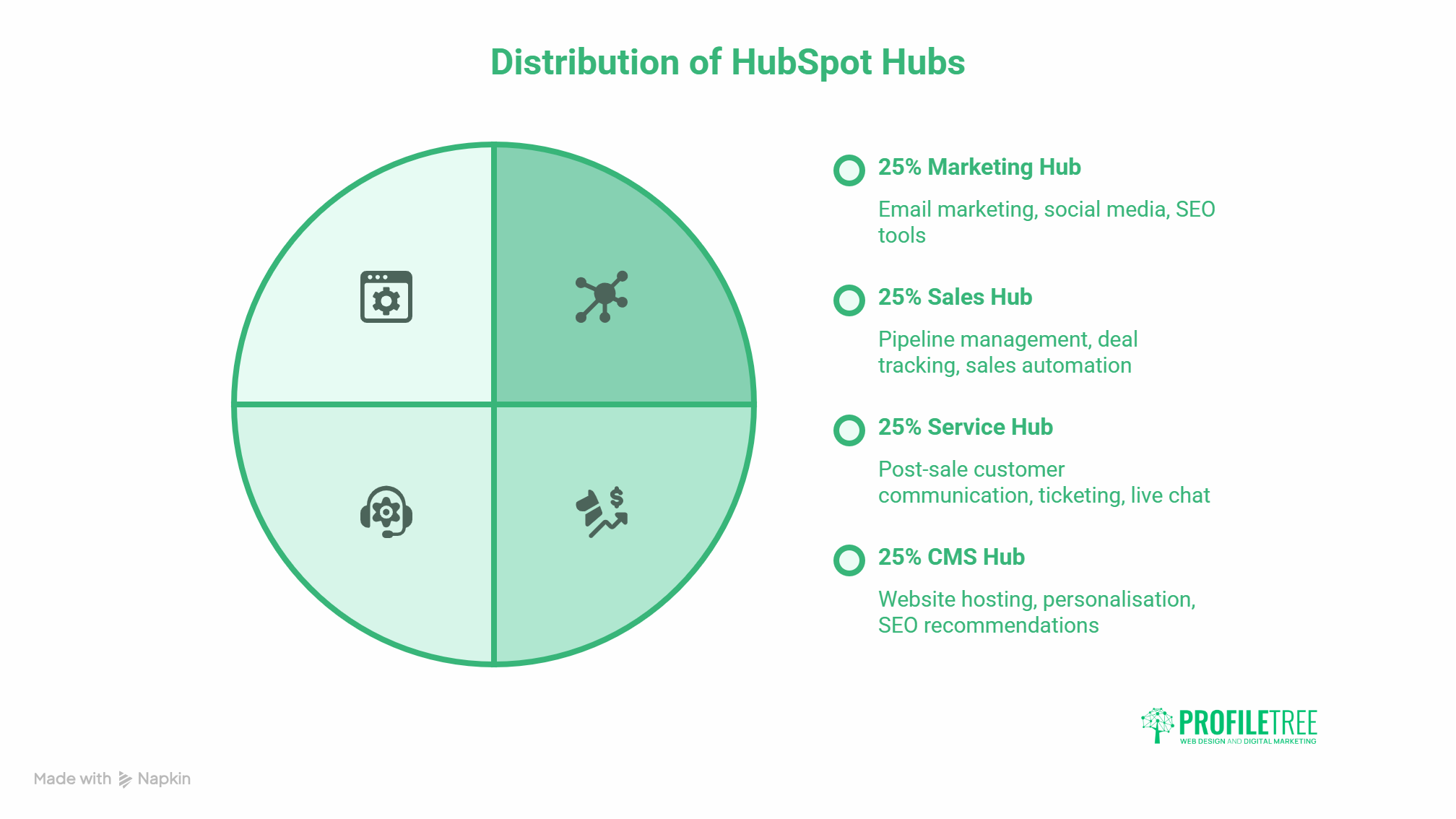
HubSpot organises its features into separate hubs. Most businesses start with the Marketing Hub, but the platform’s real strength comes from the connections between them.
Marketing Hub
The Marketing Hub contains email marketing, landing page creation, social media publishing, ad management, SEO tools, and the automation workflows that tie them together. It also includes lead capture forms and pop-ups, content staging tools, and a campaign reporting layer.
For SMEs on the Starter plan, the most useful features are email sequences, basic workflows, and the contact database. The Professional plan adds more sophisticated segmentation, A/B testing, and custom reporting. Enterprise unlocks multi-touch revenue attribution and advanced behavioural targeting.
The Marketing Hub works best when it connects to live data from your website. That usually means installing the HubSpot tracking code so that page visits, form submissions, and chat interactions feed directly into contact records.
Sales Hub
The Sales Hub focuses on pipeline management, deal tracking, and sales automation. It includes email templates, meeting scheduling links, call recording, and sequences that prompt sales reps to follow up at the right point.
For SMEs with small sales teams, the biggest gains tend to come from the meeting scheduler (which eliminates back-and-forth emails) and email sequences (which ensure no lead goes quiet without a follow-up). The CRM itself is free and surprisingly capable even without a paid Sales Hub subscription.
Service Hub
The Service Hub covers post-sale customer communication: ticketing, knowledge base articles, customer satisfaction surveys, and live chat routing. It is relevant for any business that handles support requests or onboarding and wants to track those interactions against the same contact records used by marketing and sales.
CMS Hub
HubSpot’s CMS Hub allows businesses to host their website directly on the HubSpot platform, with built-in personalisation, SEO recommendations, and A/B testing for pages. Most SMEs working with an agency will already have a WordPress or similar site; the CMS Hub is more relevant for businesses that want everything in one place and are comfortable with the trade-offs in flexibility. For businesses considering a more custom build, a specialist web design and development service will typically offer more control over performance and design.
HubSpot’s CRM: The Foundation Everything Runs On
The free HubSpot CRM is the backbone of the platform. It stores contact records, company records, deal records, and the activity history that connects them.
Every email opened, page visited, form submitted, and call logged appears in the contact timeline. That history is what makes personalisation possible: rather than guessing where a contact is in their decision-making process, you can see it.
The CRM also enforces the data structure that automation relies on. Workflows trigger based on contact properties (job title, lifecycle stage, last activity date), so the more accurate and complete your contact data, the better your automation performs.
| HubSpot CRM Feature | What It Tracks | Why It Matters for Automation |
|---|---|---|
| Contact properties | Demographics, job role, preferences | Used to segment lists and personalise emails |
| Lifecycle stages | Lead, MQL, SQL, Customer | Triggers different workflows at each stage |
| Activity timeline | Emails, calls, page views, form fills | Shows intent signals for follow-up timing |
| Deal pipeline | Stage, value, close date | Aligns marketing actions with sales progress |
Setting Up Marketing Automation: Where to Start
Most businesses that struggle with HubSpot try to do too much too quickly. A working automation set-up for an SME usually starts with three things: a lead capture mechanism, a nurture sequence, and a lead scoring model.
Lead Capture
Before automation can run, you need a way to bring contacts into the CRM with enough data to act on. That usually means forms on your website, gated content downloads, or landing pages for specific campaigns. The form fields you ask for at this stage determine how well you can segment later.
Keep forms short for first-time visitors. Name and email is enough to start a relationship. Collect more detail progressively as contacts engage further.
Nurture Sequences
A nurture sequence is a series of emails sent over a defined period, triggered by a contact joining a list or completing a specific action. The sequence’s job is to move contacts from awareness to consideration without requiring manual input.
Good nurture sequences address the questions prospects are likely to have at each stage of their decision. They are not sales emails dressed up as advice; they are genuinely useful content that builds trust. Content marketing sits directly behind effective nurture: if your email points to a thin page with no real depth, the sequence loses credibility regardless of how well it’s timed.
Lead Scoring
Lead scoring assigns numerical values to contact behaviours and properties. Opening emails, visiting pricing pages, and returning to the site multiple times within a short window are all signs of buying intent; they should earn higher scores. Downloading a basic introductory guide earns less.
The scoring model should be built in conversation with your sales team. They know which behaviours actually predict a sale. Set a score threshold that triggers a sales task or moves a contact to the SQL stage, then review the model quarterly as you gather data on what actually converts.
Workflows: What to Build First
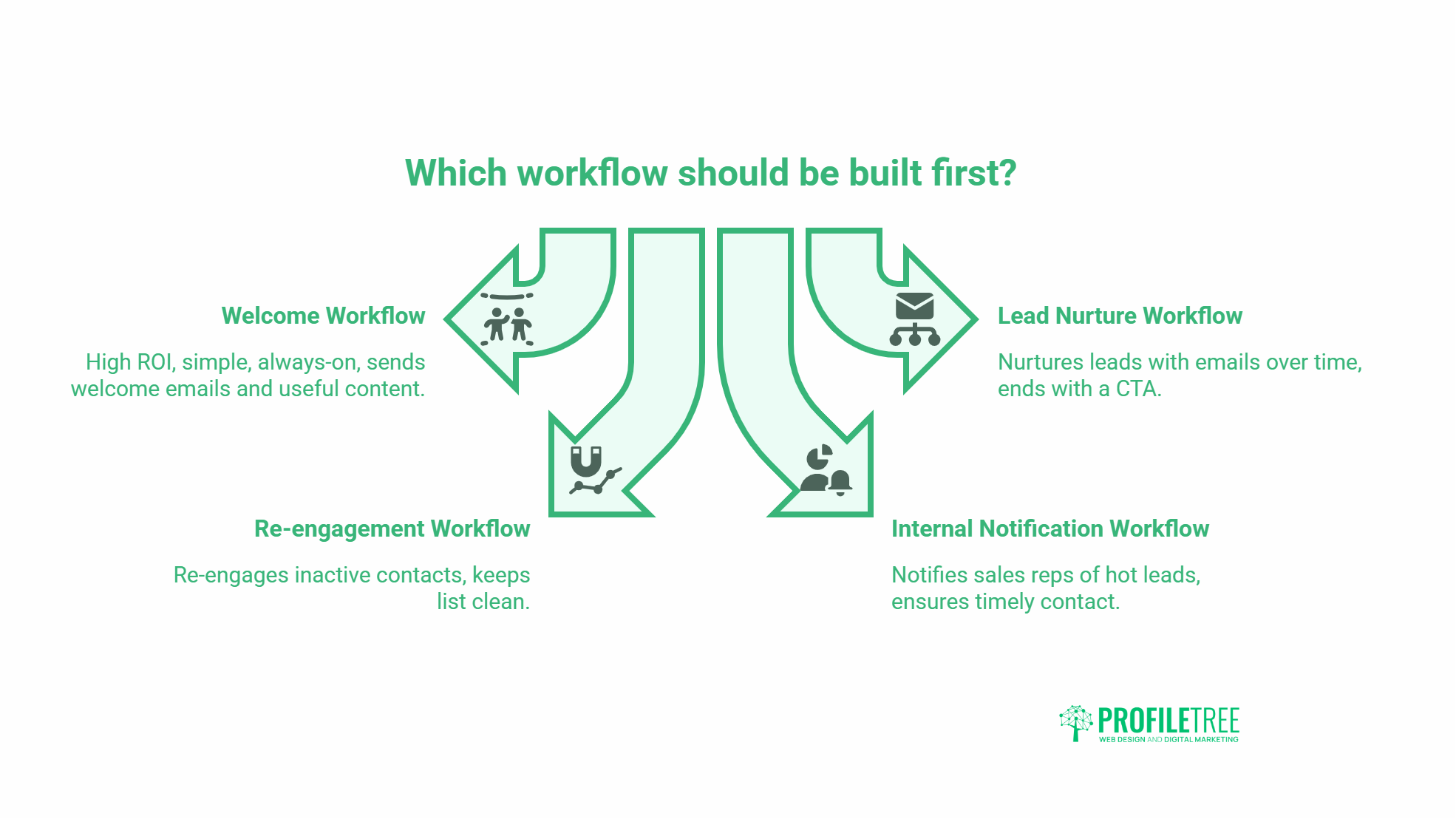
HubSpot workflows are the engine of automation. They run when a trigger condition is met and execute a sequence of actions: sending emails, updating properties, creating tasks, enrolling contacts in sequences, or notifying team members.
Welcome Workflow
Triggered when a new contact is created. Sends a welcome email within the first hour, then a follow-up three days later pointing to your most useful content. Simple, always-on, and one of the highest-ROI automations you can build.
Lead Nurture Workflow
Triggered when a contact downloads a piece of gated content or submits a specific form. Sends a series of emails over two to four weeks. Ends with a soft CTA to book a call or contact the team.
Re-engagement Workflow
Triggered when a contact has been inactive for 60 or 90 days. Sends two emails attempting to re-engage before suppressing the contact from future sends. Keeps your list clean and your engagement rates meaningful.
Internal Notification Workflow
Triggered when a contact reaches a defined score or visits a high-intent page (pricing, contact, or a case study). Creates a task for the relevant sales rep with the contact’s activity summary. Ensures no hot lead goes uncontacted.
Measuring What Matters: Analytics and Reporting
HubSpot’s reporting tools cover email performance, landing page conversion rates, traffic sources, and deal velocity. The Marketing Hub includes a campaigns tool that groups all assets (emails, ads, landing pages) under a single campaign and shows the contribution of each to contacts and revenue.
The most useful reports for SMEs tend to be:
- Contact source breakdown: which channels bring in the most qualified contacts
- Email engagement by list segment: which audience groups respond to which content
- Landing page conversion rates: identifying pages where traffic drops off without converting
- Deal pipeline by original source: showing which marketing activities produce closed revenue
HubSpot’s attribution modelling varies by plan tier. Starter plans use first-touch and last-touch attribution. Professional and Enterprise plans add multi-touch models, which give a more accurate picture of how different interactions contribute to a sale.
If your business is exploring how AI tools can improve reporting accuracy and reduce manual analysis time, ProfileTree’s AI transformation services cover how to integrate AI-driven analysis alongside platforms like HubSpot.
HubSpot Pricing: What SMEs Actually Need
HubSpot’s pricing changed significantly in 2023 and 2024, moving to a seats-based model for Sales and Service Hubs while retaining contact-based pricing for the Marketing Hub.
| Plan | Marketing Hub Price (approx.) | Key Features |
|---|---|---|
| Free | £0 | Basic CRM, forms, email (with HubSpot branding) |
| Starter | From ~£15/month | Remove branding, simple automations, ad management |
| Professional | From ~£702/month | Omni-channel automation, A/B testing, custom reporting |
| Enterprise | From ~£2,944/month | Advanced attribution, custom objects, predictive lead scoring |
For most SMEs, the Starter plan is a reasonable starting point to test the platform. The jump to Professional is significant in cost but also in capability; it is justified when your contact volume and campaign complexity outgrow the Starter limits.
Prices quoted here are approximate and change regularly. Always check HubSpot’s pricing page directly for current figures.
HubSpot vs Other Platforms: A Quick Reference
| Platform | Best For | Limitations |
|---|---|---|
| HubSpot | All-in-one CRM + marketing for SMEs | Cost increases sharply at Professional tier |
| Mailchimp | Email-first small businesses | Limited CRM and workflow depth |
| ActiveCampaign | Automation-heavy email marketers | Less intuitive CRM and reporting |
| Salesforce Marketing Cloud | Enterprise-level campaigns | Significant implementation cost and complexity |
| Klaviyo | E-commerce email and SMS | Limited outside of retail use cases |
HubSpot sits in the middle ground: more capable than entry-level email tools, more accessible than enterprise platforms. For growing SMEs that need their CRM and marketing tools to talk to each other without expensive custom integration, it is often the right fit.
Frequently Asked Questions
Is HubSpot suitable for small businesses with limited marketing budgets?
The free CRM and Starter Marketing Hub are genuinely useful entry points for small businesses. You can capture leads, send automated emails, and track basic performance without a large investment. The cost increases substantially at higher tiers, so it is worth mapping your requirements before committing to Professional or Enterprise.
How long does it take to set up HubSpot marketing automation?
A basic setup (CRM import, one or two workflows, and a nurture sequence) takes most teams two to four weeks. More complex configurations involving multiple segments, custom lead scoring, and integrated ad campaigns can take two to three months to build and test properly.
Can HubSpot integrate with WordPress?
Yes. The HubSpot plugin for WordPress syncs forms, tracks page visits, and feeds data into the CRM automatically. It is one of the most straightforward integrations HubSpot offers.
What is the difference between a sequence and a workflow in HubSpot?
Sequences are one-to-one email outreach tools used by sales reps; they pause when a contact replies. Workflows are many-to-many automated processes that run marketing actions in the background; they do not stop for replies. Most SMEs use workflows for marketing and sequences for sales follow-up.
Does HubSpot replace the need for a dedicated content strategy?
No. HubSpot is a distribution and measurement platform. The content it distributes still needs to be planned, written, and kept current. Automation amplifies the quality of your content strategy; it cannot substitute for one.
How does HubSpot handle GDPR compliance?
HubSpot includes consent management tools, a cookie banner builder, data privacy controls, and the ability to manage contact subscriptions and data deletion requests. It is GDPR-compatible, but compliance depends on how you configure and use those tools, not on the platform alone.
What support does HubSpot offer for onboarding?
HubSpot Academy provides free courses and certifications covering every hub. Paid plans include email and chat support. Professional and Enterprise plans include an onboarding fee that covers guided setup. Third-party agencies certified as HubSpot Partners can also provide hands-on implementation support.