
WordPress ADA Compliance: Building Accessible Websites
Table of Contents
Website accessibility has moved from a legal checkbox to a commercial imperative. For businesses operating across borders—particularly those serving customers in the United States—understanding how to build ADA-compliant websites using WordPress is no longer optional. The platform powers 43% of all websites globally, yet many fail to meet basic accessibility standards, leaving millions of users unable to access products, services, and information.
This guide addresses a specific challenge faced by UK and Irish businesses: how to build WordPress websites that satisfy American ADA requirements while simultaneously meeting UK Equality Act 2010 obligations and preparing for the European Accessibility Act (EAA), which is set to come into force in 2025. Whether you’re a marketing director evaluating your current site or a business owner planning a new digital presence, understanding WordPress accessibility will protect your organisation from legal risk while opening access to the £274 billion disabled consumer market in the UK alone.
Understanding ADA Compliance for Digital Platforms
The Americans with Disabilities Act (ADA) was enacted in 1990 to prohibit discrimination against individuals with disabilities across all areas of public life. Whilst initially focused on physical spaces, US courts have increasingly interpreted websites as “places of public accommodation” under Title III of the Act. This legal evolution means that UK businesses serving American customers face potential liability if their websites create barriers for disabled users.
For businesses in Northern Ireland, Ireland, and the wider UK, this creates a dual compliance requirement. Your website must satisfy domestic obligations under the UK Equality Act 2010 (which mandates “reasonable adjustments” for disabled users) while also addressing ADA requirements if you have any US market exposure. The practical reality is that both jurisdictions reference the same technical standard: the Web Content Accessibility Guidelines (WCAG).
The Legal Framework: ADA, Equality Act, and EAA
Three distinct legal frameworks govern website accessibility depending on your customer base and business structure. The ADA applies to US businesses and foreign companies serving US customers. Penalties for non-compliance include lawsuits (which increased by 14% in 2024) and settlements averaging £75,000. UK businesses selling software subscriptions, e-commerce products, or services to American customers fall within this scope.
The UK Equality Act 2010 applies to all UK businesses and requires service providers to make reasonable adjustments for people with disabilities. Whilst enforcement through litigation has been less aggressive than in the US, the moral and commercial case remains. Public sector bodies face stricter requirements under the Public Sector Bodies Accessibility Regulations 2018 (PSBAR), which mandate compliance with WCAG 2.1 Level AA.
The European Accessibility Act, which takes effect in June 2025, will require businesses selling products or services within the EU to meet accessibility standards. For companies operating across these markets, the solution is straightforward: build to WCAG 2.2 Level AA, and you satisfy all three frameworks simultaneously.
“Accessibility isn’t about avoiding lawsuits—it’s about opening your business to everyone who wants to buy from you,” notes Ciaran Connolly, Director at ProfileTree. “We’ve seen clients increase their addressable market by 15-20% simply by removing barriers they didn’t know existed.”
Who Needs ADA-Compliant Websites?
Certain business types face elevated scrutiny regarding web accessibility. SaaS companies based in the UK selling to US enterprise clients often encounter procurement requirements for VPAT (Voluntary Product Accessibility Template) certification before purchase orders are approved. E-commerce businesses with significant US traffic attract attention from law firms that specialise in accessibility litigation, particularly those in the luxury goods and fashion sectors. Travel and hospitality businesses that market directly to American tourists must consider how booking systems, room selection tools, and payment processes integrate with assistive technologies.
However, limiting accessibility thinking to legal risk misses the commercial opportunity. People with disabilities represent 22% of the UK population and control substantial purchasing power. Vision impairments, hearing loss, motor difficulties, and cognitive differences affect how users interact with websites. Building accessible WordPress sites means these users can complete purchases, access information, and engage with your brand—converting legal compliance into revenue generation.
Web Content Accessibility Guidelines for WordPress
WCAG provides the technical framework that bridges legal requirements across jurisdictions. Developed by the World Wide Web Consortium (W3C), these guidelines establish how to make web content accessible to people with disabilities. The current version, WCAG 2.2, was published in October 2023 and includes nine new success criteria addressing mobile accessibility and cognitive disabilities.
WCAG Conformance Levels Explained
WCAG organises accessibility requirements into three conformance levels: A, AA, and AAA. Level A represents the minimum accessibility features—basic requirements that create the foundation for usable content. Level AA (the target for most organisations) includes all Level A criteria, plus additional requirements that address the most common barriers for people with disabilities. Level AAA represents the highest level of accessibility, though W3C acknowledges that full AAA conformance isn’t possible for all content types.
For WordPress websites serving commercial purposes, Level AA conformance should be your target. This level meets ADA requirements, complies with UK government recommendations, and prepares sites for the EAA deadline. Achieving AA conformance requires attention to colour contrast (a 4.5:1 ratio for standard text), keyboard navigation (every interactive element must be reachable without a mouse), form labels (every input field must be clearly identified), alternative text for images, and video captions.
The Four Principles: POUR
WCAG structures all requirements around four fundamental principles, captured in the acronym POUR. Content must be Perceivable—users must be able to perceive information regardless of their sensory abilities. This means providing text alternatives for images, captions for videos, and sufficient colour contrast for text.
Content must be Operable—users must be able to interact with interface components regardless of physical abilities. Keyboard navigation, sufficient time to read content, and avoiding designs that trigger seizures all fall under this principle. Content must be Understandable—users must be able to comprehend both the information and the interface’s operation. This includes predictable navigation, clear error messages, and appropriate reading levels.
Finally, content must be Robust—content must work reliably across different assistive technologies and browsers. This requires semantic HTML, proper ARIA labels where necessary, and compatibility with screen readers such as JAWS and NVDA.
Why WCAG Serves as Your Global Standard
The practical value of WCAG lies in its universal acceptance. US Department of Justice guidance references WCAG 2.1 Level AA as the standard for ADA compliance. UK government guidance for public sector bodies mandates WCAG 2.1 Level AA under PSBAR. The EAA specifically references WCAG as the harmonised standard for digital accessibility across EU member states.
This convergence means that WordPress sites built to WCAG 2.2 Level AA simultaneously satisfy the requirements of the American, British, and European standards. You don’t need separate websites for different markets—you need one properly built site that works for everyone. This approach simplifies compliance whilst future-proofing your digital presence as regulations continue to evolve.
Building ADA-Compliant WordPress Websites
WordPress offers inherent advantages for accessibility compared to custom-coded platforms. The core software includes built-in accessibility features, and the platform’s widespread adoption means extensive plugin ecosystems and theme options designed explicitly for WCAG compliance. However, WordPress accessibility isn’t automatic—it requires deliberate choices during theme selection, plugin implementation, and content creation.
Selecting Accessibility-Ready WordPress Themes
Your WordPress theme provides the foundation for site accessibility. The WordPress.org theme directory features an “Accessibility Ready” tag for themes that meet specific accessibility standards. These themes undergo review to confirm proper heading hierarchy, keyboard navigation, ARIA landmark roles, skip links to main content, and colour contrast compliance.
Popular accessibility-ready themes include Astra, GeneratePress, and Kadence. When evaluating themes, test keyboard navigation by tabbing through the entire site without using your mouse. Every interactive element—navigation menus, form fields, buttons, links—should be reachable and clearly indicated with visible focus states. Check colour contrast using browser tools or plugins, such as WAVE. Text should meet a 4.5:1 contrast ratio against its background (3:1 for large text).
Avoid themes that rely heavily on visual-only indicators, use placeholder text instead of proper labels, require mouse hover for essential navigation, or implement custom interfaces without keyboard support. The most visually impressive themes often create the most accessibility barriers—prioritise function over flashy design elements.
Essential WordPress Accessibility Plugins
WordPress plugins extend core functionality to address specific accessibility requirements. However, be cautious of “overlay” solutions that promise instant compliance through JavaScript widgets. These automated tools (AccessiBe, UserWay, etc.) face criticism from the disability community and offer limited legal protection. Manual testing and proper code remediation remain necessary.
Legitimate accessibility plugins that add value include WP Accessibility, which helps fix common accessibility issues in themes and plugins. It adds skip links, removes title attributes from images, adds language and charset options, and provides toolbar controls. Accessible Poetry helps with specific WCAG requirements, such as adding ARIA labels and improving form accessibility.
For accessibility testing during development, use plugins like Accessibility Checker, which scans content as you create it, identifying missing alt text, heading hierarchy issues, and colour contrast problems. WAVE’s browser extension provides visual feedback about accessibility errors, alerts, and features directly on your pages.
Contact forms require particular attention. Use accessible form plugins like WPForms or Gravity Forms (with accessibility add-ons enabled). Forms must include visible labels, clear error messages, required field indicators, logical tab order, and submit buttons that are keyboard accessible.
Image Accessibility and Alternative Text
Alternative text (alt text) serves as a text replacement for images when they cannot be displayed or perceived. Screen readers announce alt text to users who are visually impaired, providing context and information. Search engines also use alt text to understand image content, creating SEO benefits alongside accessibility compliance.
Effective alt text concisely describes the image content and function. For informational images, describe what the image shows. For functional images (buttons, links), describe what happens when they are activated. For decorative images that don’t convey information, use empty alt text (alt=””) so screen readers skip them. Avoid phrases like “image of” or “picture of”—screen readers already announce that it’s an image.
WordPress makes adding alt text straightforward through the media library. When uploading images, complete the “Alternative Text” field. For images already in your library, edit each image to add alt text retrospectively. Plugins like Accessibility Checker flag images missing alt text during content creation.
Complex images, such as infographics, charts, or diagrams, require longer descriptions that extend beyond what can be accommodated in alt text. Use the longdesc attribute or provide a text equivalent in the surrounding content. For data visualisations, consider providing the underlying data in an accessible table format.
Creating Accessible WordPress Content
Content accessibility extends beyond images to how you structure and present text. Use heading tags (H1, H2, H3) in proper hierarchy to organise content logically. Screen reader users navigate by headings, quickly jumping between sections. Every page should have one H1 (the main page title), with H2S for major sections and H3S for subsections. Never skip heading levels for visual styling—use CSS instead.
Write descriptive link text that makes sense out of context. Screen readers often list all links on a page, so phrases like “click here” or “read more” provide no information about the destination. Instead, use descriptive words like “download the accessibility audit checklist” or “view our WordPress development services.”
Structure content using lists, tables, and semantic HTML elements in an appropriate manner. Use ordered lists for sequential steps, unordered lists for related items, and tables for tabular data (not for page layout). Add table headers and captions so screen readers can interpret the data structure.
Provide text transcripts for audio content and captions for videos. WordPress 5.0 and later include native video support with caption functionality. For YouTube embeds, verify that accurate captions are available (auto-captions often contain errors). Consider adding audio descriptions to videos that contain complex visual content, where vital information is conveyed visually and may be difficult for viewers to understand.
Form Accessibility Best Practices
Forms represent critical conversion points where accessibility barriers directly impact business outcomes. Accessible forms require visible labels for every input field, positioned consistently (typically above or beside the field). Don’t rely on placeholder text alone—it disappears when users start typing and may not be read by all screen readers.
Group related form fields using fieldsets and legends, particularly for radio buttons and checkboxes. This provides context about what the grouped fields relate to. Indicate required fields clearly with text labels (“required”) rather than relying solely on colour or asterisks. Colour-blind users may not perceive colour-coded indicators.
Provide clear, specific error messages that explain what went wrong and how to rectify the issue. Generic “error on page” messages don’t help users locate or understand problems. Position error messages near the relevant field and programmatically associate them so screen readers announce them when users focus on that field.
Set appropriate autocomplete attributes on form fields to help users with cognitive disabilities. Use standard HTML5 input types (email, tel, url) to ensure mobile devices display the appropriate keyboards. Allow sufficient time to complete forms without automatic timeouts, or provide warnings before sessions expire.
Testing and Validating WordPress Accessibility
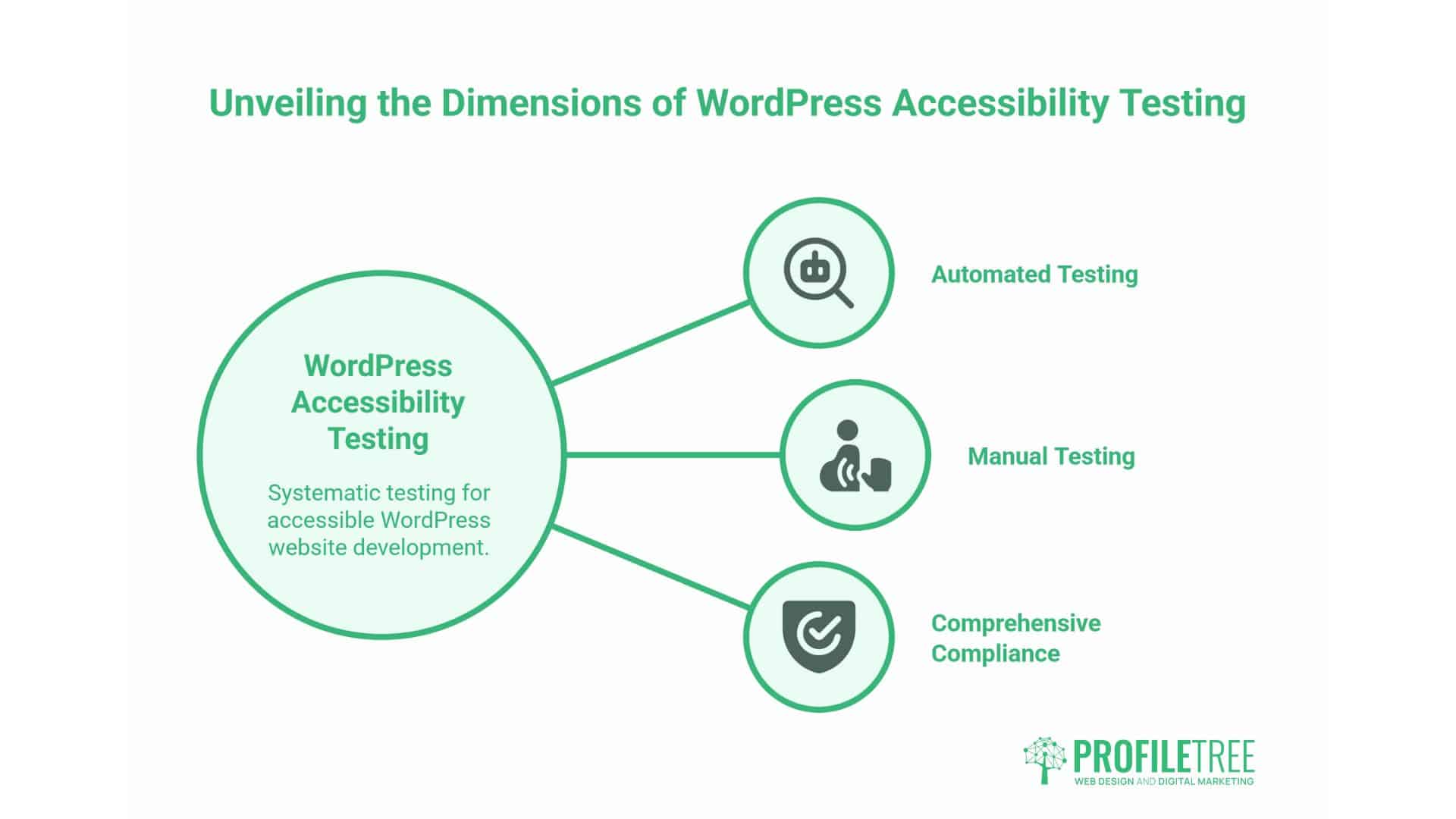
Building accessible WordPress sites requires systematic testing throughout development and regular audits after launch. Automated testing tools quickly identify many common issues, but human testing with assistive technologies remains essential for comprehensive compliance. An effective accessibility testing strategy combines both approaches.
Automated Accessibility Testing Tools
Automated testing tools scan code and content for WCAG violations, providing detailed reports of issues and their severity. WAVE (Web Accessibility Evaluation Tool) offers a browser extension that highlights accessibility errors, alerts, and features directly on your pages. It identifies missing alt text, colour contrast failures, and structural issues with helpful visual indicators.
Axe DevTools integrates into Chrome and Firefox developer tools, allowing testing during development. It provides detailed explanations of issues, suggests fixes, and rates severity. Lighthouse (built into Chrome DevTools) includes an accessibility audit alongside performance testing. Run it against any page to receive a score and specific recommendations.
WordPress-specific plugins, such as Accessibility Checker, scan content as you create it, preventing issues from reaching your live site. It flags problems with alt text, headings, colour contrast, and link text within the WordPress editor. Configure it to block publication when critical errors are detected, enforcing accessibility standards across your content team.
For comprehensive site-wide audits, use tools like Siteimprove or Monsido (commercial options) or the free Pa11y command-line tool. These scan multiple pages, track issues over time, and provide executive reports showing progress toward compliance.
Manual Testing with Assistive Technologies
Automated tools detect only about 30-40% of accessibility issues. Manual testing with screen readers, keyboard navigation, and browser accessibility features reveals issues that code analysis may overlook. Allocate time for human testing throughout your development process.
Test complete keyboard navigation by disconnecting your mouse and navigating your entire site using only the Tab key, Enter key, and arrow keys. Every interactive element should be reachable and operable. Focus indicators should be clearly visible. Dropdown menus should open with keyboard input. Forms should be completable without a mouse.
Screen reader testing provides the most comprehensive validation of accessibility. NVDA (free, Windows) and JAWS (commercial, Windows) are the most widely used screen readers. VoiceOver (built into macOS and iOS) provides testing on Apple devices. Learn basic screen reader commands and navigate through your site entirely using the screen reader.
Listen for logical reading order, clear element identification, proper form labels, meaningful link descriptions, and appropriate heading structure. Does the screen reader announce page landmarks? Can users skip to the main content? Are images described appropriately? Do forms make sense when you can’t see them?
Test with browser zoom and text resizing to verify layouts don’t break when users increase text size to 200%. Test colour contrast in different viewing conditions. Verify that information isn’t conveyed solely through colour—use icons, text, or patterns alongside colour coding.
Creating an Accessibility Statement
Publish an accessibility statement that demonstrates your commitment to accessibility and provides users with contact information for reporting issues. The statement should describe your commitment to accessibility, specify which standards you aim to meet (WCAG 2.2 Level AA), acknowledge any known limitations, provide alternative access methods where full compliance isn’t possible, and offer contact details for accessibility queries.
Place your accessibility statement prominently in your website footer and link to it from your main navigation. Update it regularly as you address issues and improve compliance. The statement serves both as a legal protection (demonstrating reasonable faith efforts) and a resource for users who encounter barriers.
Professional Accessibility Audits
Consider professional accessibility audits from specialists who combine automated testing with expert manual evaluation to ensure comprehensive and accurate results. A thorough audit should include automated scanning of your entire site, manual testing with assistive technologies, keyboard-only navigation testing, mobile accessibility testing, documentation of all issues by severity, and specific remediation recommendations with code examples.
At ProfileTree, we conduct three-phase accessibility audits: automated baseline scanning to identify common issues, manual testing with NVDA and JAWS screen readers by trained testers, and remediation planning with prioritised action items. We provide VPAT documentation for businesses that need to demonstrate compliance to procurement teams or regulators.
Commercial Benefits of Accessible WordPress Design
Accessibility compliance transcends legal obligation to create measurable business value. Accessible websites reach larger audiences, perform better in search rankings, and demonstrate corporate responsibility that resonates with socially conscious consumers. The commercial case for accessibility often outweighs the compliance case.
Expanding Market Reach Through Inclusive Design
The UK’s disabled population exceeds 14 million people—22% of the total population. This demographic controls substantial purchasing power (the “Purple Pound”), estimated at £274 billion annually. Accessible websites remove barriers that prevent these consumers from completing transactions, accessing information, or engaging with brands.
Vision impairments affect 2 million people in the UK, requiring proper colour contrast, screen reader compatibility, and keyboard navigation. Hearing impairments affect approximately 11 million people, necessitating the use of captions for video content. Motor impairments prevent many users from operating a mouse precisely, making keyboard accessibility essential. Cognitive differences affect how people process information, making clear language and predictable navigation important.
Accessible design benefits all users, not just those with disabilities. Captions help people watching videos in noisy environments or when sound isn’t available. Keyboard navigation aids power users who prefer keyboard shortcuts. Explicit language and logical structure help everyone understand complex information more quickly.
SEO Advantages of Accessible WordPress Sites
Search engines and screen readers interpret websites similarly—both rely on code structure rather than visual presentation. Accessibility improvements directly benefit search engine optimisation. Semantic HTML heading structure (H1, H2, H3) helps search engines understand content hierarchy. Alt text for images provides context that search engines use to index images and understand page topics.
Descriptive link text enhances the internal linking strategy and helps search engines understand which pages are linked to. Structured data and ARIA landmarks clarify page purpose and content organisation. Accessible forms with proper labels and structure convert more effectively, improving engagement metrics that influence search engine rankings.
Page speed—a critical ranking factor—improves through accessible design practices. Semantic HTML requires less code than div-heavy layouts. Proper heading structure loads faster than styling-dependent visual hierarchies. Accessible sites typically score higher on Core Web Vitals, Google’s page experience metrics.
Building Brand Reputation and Trust
Organisations that prioritise accessibility demonstrate values that resonate with consumers. A 2024 study found that 73% of UK consumers prefer to purchase from brands that show commitment to social responsibility. Accessibility represents a visible, verifiable commitment to inclusion.
Publishing an accessibility statement, achieving WCAG certification, and proactively addressing barriers distinguishes organisations from competitors. This becomes particularly relevant in B2B contexts where procurement teams evaluate vendor responsibility as part of purchasing decisions. Many enterprise RFPs now include accessibility requirements, making compliance a prerequisite for contract eligibility.
Negative publicity from accessibility lawsuits can substantially damage a brand’s reputation. The media regularly reports on accessibility litigation, particularly cases against well-known brands. Proactive compliance protects reputation whilst demonstrating foresight and responsibility.
Improving User Experience for All Visitors
Accessibility improvements create better experiences for every user. Consistent navigation helps all users find information quickly. Clear error messages reduce form abandonment. Logical heading structure helps users scan content efficiently. Sufficient colour contrast improves readability in various lighting conditions.
Mobile accessibility overlaps significantly with general accessibility requirements. Touch targets sized appropriately for keyboard accessibility also work better for touch input. Content structured for screen readers adapts better to small screens. Accessible forms translate well to mobile interfaces.
These improvements translate directly to conversion rate optimisation. Users who can complete tasks easily are more likely to convert. Forms that work with assistive technologies also work better for everyone. Clear calls-to-action that meet accessibility standards perform better in A/B testing.
Preparing for the European Accessibility Act 2025
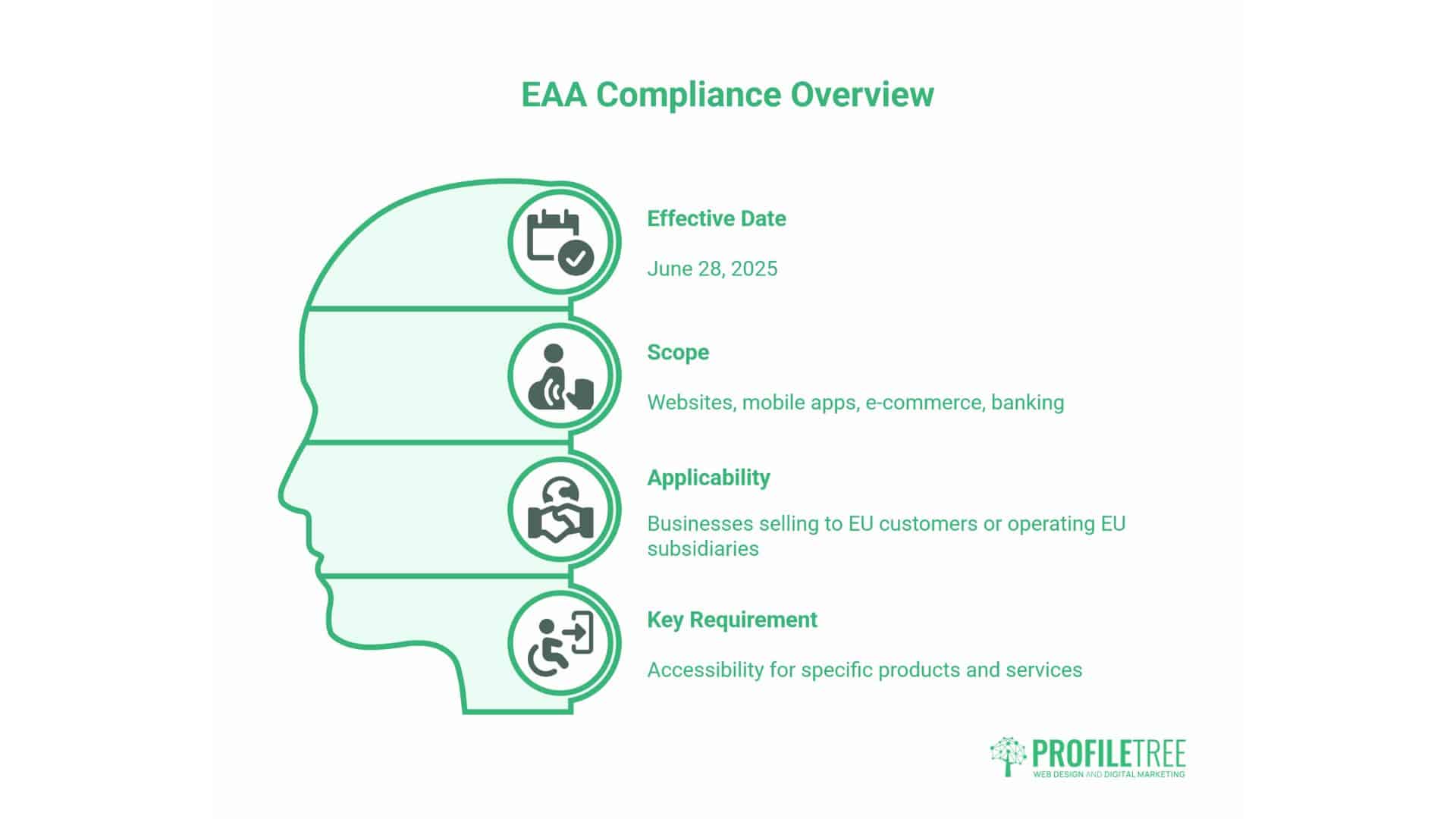
The European Accessibility Act (EAA) comes into force on 28 June 2025, creating new obligations for businesses operating within the EU. The EAA requires accessibility for specific products and services, including websites, mobile applications, e-commerce platforms, and banking services. Businesses that sell to EU customers or operate EU subsidiaries are required to comply.
EAA Requirements and Timeline
The EAA mandates that covered products and services meet accessibility requirements harmonised across EU member states. For websites and mobile applications, this means a minimum of WCAG 2.1 Level AA compliance. Member states may adopt stricter standards through national legislation.
Businesses have until June 2025 to achieve compliance for new products and services. Existing products and services receive transition periods, but preparation should begin now. Non-compliance can result in penalties determined by individual member states, which may include fines and exclusion from public procurement.
For UK businesses post-Brexit, the EAA applies if you sell products or services to customers in EU member states. E-commerce sites, SaaS platforms, digital services, and online banking must meet EAA requirements to serve EU customers. This creates similar cross-border compliance requirements to those facing businesses with US exposure under the ADA.
Future-Proofing Your WordPress Site
Building to WCAG 2.2 Level AA now positions your WordPress site ahead of EAA requirements. However, accessibility standards continue to evolve. WCAG 3.0 (currently in working draft) will eventually replace WCAG 2.x with a different conformance model and additional requirements.
Future-proofing means building accessibility into your development workflow rather than treating it as a one-time project. Train content creators on accessibility requirements. Establish accessibility standards in your style guide. Include accessibility testing in your quality assurance process. Review accessibility quarterly rather than waiting for regulation changes.
Regular updates keep pace with WordPress core updates, plugin updates, and theme updates that may introduce accessibility issues. Subscribe to W3C Web Accessibility Initiative updates to stay informed about standard changes. Monitor legal developments in jurisdictions relevant to your business.
FAQs
Does my WordPress site need a complete redesign to achieve ADA compliance?
Most WordPress sites can achieve WCAG 2.2 Level AA compliance through targeted remediation rather than complete redesigns. The approach depends on your current theme and how it was built. Accessibility-ready themes require minimal changes—typically adding alt text, improving colour contrast, and refining form labels. Heavily customised themes with poor semantic structure may require more substantial work.
Are WordPress accessibility plugins and overlays sufficient for compliance?
No. Automated accessibility overlays (JavaScript widgets that claim to “fix” accessibility) do not provide adequate compliance and offer limited legal protection. The disability community widely criticises these tools for creating additional barriers whilst claiming to remove them. Proper accessibility requires fixing the underlying code, not masking issues with overlays.
How long does it take to make a WordPress site ADA-compliant?
The timeline depends on the site’s size, complexity, and current accessibility level. Small business sites (10-20 pages) with modern themes typically require 2-4 weeks for audit, remediation, and testing. Medium-sized sites (50-100 pages) with custom functionality require 4-8 weeks. Large e-commerce or complex web applications require 3-6 months for comprehensive compliance.
What happens if someone files an ADA complaint against my WordPress site?
ADA complaints typically begin with a demand letter from the complainant’s lawyer, alleging specific accessibility violations. Respond promptly through legal counsel, demonstrating commitment to accessibility by sharing your accessibility statement, any audits conducted, and remediation plans. Many cases settle through agreements that address specific issues within predefined timeframes.
Take Action on WordPress Accessibility
WordPress accessibility represents both a legal requirement and a commercial opportunity for businesses serving customers across borders. Building WCAG 2.2 Level AA compliant sites satisfies ADA obligations, UK Equality Act requirements, and prepares for the European Accessibility Act, which is set to come into force in 2025.
Start by conducting an accessibility audit of your current WordPress site using automated tools and manual testing. Prioritise issues by severity—address barriers that prevent users from completing transactions or accessing critical information first. Select accessibility-ready themes for new projects or plan remediation for existing sites. Train your content team on accessibility requirements to prevent recurring issues.
At ProfileTree, we specialise in building accessible WordPress sites that combine WCAG compliance with commercial performance. Our three-phase approach—automated auditing, manual testing with assistive technologies, and comprehensive remediation—delivers sites that work for every user whilst protecting your business from legal risk.
Contact our team to discuss how accessible WordPress design can expand your market reach, improve search rankings, and demonstrate your commitment to inclusive digital experiences. Accessibility isn’t a barrier to overcome—it’s an investment that pays returns through larger audiences, better user experiences, and reduced legal exposure.