
Website Migration: A Complete Guide for Business Owners
Table of Contents
A well-executed website migration is invisible to your customers. Done badly, it can wipe out years of search rankings in a matter of days.
For business owners in Northern Ireland, Ireland and the UK, moving a website is rarely a purely technical decision. It usually signals something bigger: a rebrand, a platform upgrade, a move to better hosting, or a decision to rebuild entirely. Whatever the trigger, the risks and the planning required are the same.
This guide covers what website migration actually involves, the three main ways to carry it out, what can go wrong and when it makes sense to hand the work to a specialist.
What is a Website Migration?
A website migration is any significant change to a site’s technology, structure, content or location that affects how search engines index it. This is not the same as updating a page or publishing new content. Migration means the site’s underlying fabric changes.
The most common types of migration an SME will encounter are:
Moving to a new server or hosting environment. Changing a domain name. Switching CMS platforms, for example, moving from a legacy system to WordPress. Moving from HTTP to HTTPS. Restructuring the site’s URL architecture. Carrying out a full redesign that alters the page hierarchy.
Each type carries its own specific risks, but all share one characteristic: if the handover between old and new is not carefully managed, search engines lose the thread. Pages that ranked well simply vanish from results, and the traffic that came with them vanishes too.
What a migration is not
Editing your homepage copy is not a migration. Updating plugins is not a migration. Changing your colour scheme without altering your URL structure is not a migration. The distinction matters because businesses sometimes apply the same casual approach to a full platform move that they would to a minor update — and that is where serious damage occurs.
Does website migration carry any risks?
Yes, and they are significant enough to take seriously before you begin. The central risk is SEO loss. A site that has built organic visibility over several years carries that authority in its URLs, internal link structure, metadata, and backlink profile. A poorly planned migration can break all of these at once.
The most common technical problems that follow a migration gone wrong include 4XX errors (pages that no longer exist and return an error rather than a redirect), incorrect sitemaps that send search engines to the wrong pages, duplicate content created when both old and new versions of pages are briefly indexed simultaneously, and mixed content issues when some assets still load over HTTP after a move to HTTPS.
For an SME that relies on its website to generate enquiries, even a temporary 20–30% drop in organic traffic has a direct commercial consequence. A poorly handled migration can produce a drop that is not temporary at all.
When Does a Business Need to Migrate Its Website?
The trigger for a migration is usually one of five practical business situations. Understanding which one applies to you shapes the type of migration you need.
Your current platform no longer does what you need
Legacy CMS platforms, outdated bespoke builds and first-generation website builders often reach a point where the cost of maintaining them outweighs the cost of moving. If your developer charges significant time for simple changes, your platform cannot support the integrations your business now uses, or you cannot edit your own content without technical help, migration to a more capable platform is likely overdue.
WordPress powers a substantial proportion of small business websites in the UK and Ireland for precisely this reason: it offers genuine flexibility without requiring ongoing bespoke development for routine updates.
Your hosting environment is holding you back
Shared hosting plans that seemed adequate when a site launched frequently become a constraint as traffic grows. Slow load times, limited storage, poor uptime records and lack of SSL support are all signs that a hosting migration is needed. Migrating your site to a managed hosting environment typically improves performance, reduces downtime and provides proper support when something breaks.
You are rebranding or changing your domain
A domain change is one of the highest-risk migrations because it effectively asks search engines to transfer all the authority associated with one URL to a new one. Businesses rebranding after a merger, name change or strategic pivot frequently underestimate this. The technical work of mapping every old URL to its new equivalent, implementing 301 redirects correctly, and updating every internal link is considerable — and the cost of getting it wrong is high.
You need a full redesign
A redesign that changes page structure, removes pages or alters the URL architecture is a migration, even if the domain stays the same. This is one of the most common causes of SEO loss for SMEs: a new website is built and launched without anyone auditing what the old site ranked for or mapping those pages to their new equivalents.
You are integrating AI tools or new functionality
An increasing number of businesses are migrating specifically because their existing platform cannot support the integrations they now need — booking systems, AI-powered chat tools, marketing automation, or CRM connectivity. If the platform itself is the barrier to implementing tools that would improve how your business operates, a migration is often the more cost-effective long-term solution.
Three Ways to Migrate a Website
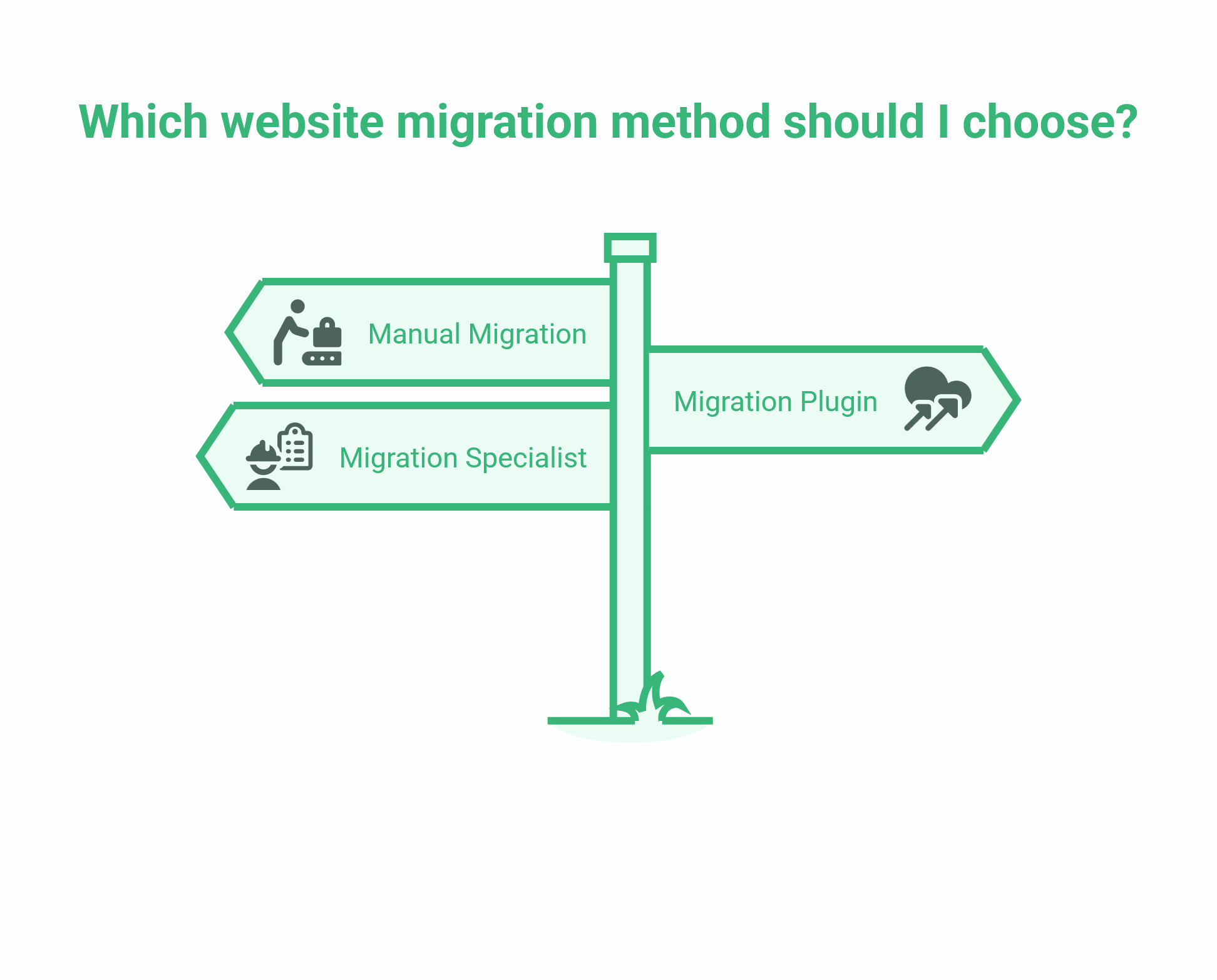
There is no single method that suits every situation. The right approach depends on your technical confidence, the complexity of your site and the level of risk you can accept.
1. Manual Migration Using FTP
FTP (File Transfer Protocol) software allows you to transfer files directly between servers. The most widely used free option is FileZilla.
A manual FTP migration gives you complete control over every file and configuration setting. It is also the most demanding option technically, and the one with the highest risk of errors if you are not familiar with server environments.
The process involves creating a full backup of your existing site, changing your DNS settings to point your domain to the new server, uploading your site files to the new server via FTP, reconfiguring your database connection, and submitting an updated sitemap to Google Search Console once the new site is live.
This approach is suited to developers and technically confident site administrators. If you are not comfortable working directly with server files, DNS records and database exports, this is not the right method.
2. Using a WordPress Migration Plugin
For WordPress sites, several plugins handle the technical elements of a migration without requiring direct server access. BlogVault is one established option; the Backup Migration plugin is another, and it is available free for sites under 2GB.
The Backup Migration plugin process is straightforward: install the plugin on your existing (source) site, create a backup and download it, install the plugin on your new (destination) site, upload the backup file and run the restore. The plugin handles the database and file transfer automatically.
The limitation of plugin-based migration is that it works best for like-for-like moves — same CMS, different server. If you are changing platforms, restructuring your URLs, or carrying out a full redesign at the same time, a plugin will not handle the redirect mapping or content restructuring required by the migration.
3. Engaging a Website Migration Specialist
For most SMEs, the safest and most commercially sound approach to a significant migration is to work with a web development team that has carried out migrations at scale and understands the SEO implications.
This is particularly true in three situations: when the domain or CMS is changing, or when the migration is happening alongside a redesign. In all three cases, the number of things that can go wrong — and the commercial cost if they do — justifies the investment in specialist support.
A web development team that handles migrations properly will audit your existing site before touching anything, build and test the new site on a staging server before it goes live, map every URL that currently has SEO value to its new equivalent, implement and test 301 redirects, update your XML sitemap, resubmit to Google Search Console, and monitor rankings and crawl data in the weeks following launch to catch and fix any issues that emerge.
ProfileTree provides website migration, development and managed hosting for businesses across Northern Ireland, Ireland and the UK. If you are considering a platform move or redesign, our web development team can assess your current site and advise on the most appropriate approach before any work begins.
How to Protect Your SEO During a Website Migration
This is where most DIY migrations fail. The SEO work around a migration is not a quick checklist item — it is the part of the project that requires the most careful preparation and the most rigorous post-launch monitoring.
Audit your existing site before you touch anything
Before a single file is moved, you need to know what your current site ranks for, which pages are generating organic traffic, and which URLs have backlinks pointing to them. This is your baseline. Without it, you cannot know what you need to protect, and you cannot verify after launch whether anything has been lost.
A technical SEO audit at this stage should cover your top-performing pages by organic traffic, the URLs with external backlinks, your current crawl structure, and any existing technical issues that need to be resolved as part of the migration rather than carried over.
Build a complete 301 redirect map
A 301 redirect is a permanent redirect that tells search engines and browsers that a page has moved to a new location. It transfers the SEO value associated with the old URL to the new one.
Every URL on your existing site that has SEO value — either through organic traffic, backlinks or internal link signals — needs a corresponding 301 redirect to its new equivalent. This is not optional. Pages without redirects become dead ends, and the SEO value they carried is lost.
For a site with hundreds of pages, this mapping exercise takes time. A spreadsheet listing every old URL alongside its new equivalent is the standard approach. The redirect rules are then implemented on the server before the new site goes live.
Test on a staging environment before launch
Never carry out a migration directly on a live site. A staging environment is a private copy of the new site where everything can be tested before it is exposed to search engines and live users.
During staging, the site should be set to noindex so search engines do not crawl it before it is ready. The moment the new site goes live, that block must be removed — leaving a noindex directive in place after launch is one of the most common (and most damaging) migration errors.
Resubmit your sitemap and monitor Search Console
Once the new site is live, submit your updated XML sitemap to Google Search Console and Bing Webmaster Tools. This tells search engines where to find your pages and accelerates re-indexation.
Monitor Google Search Console closely for the first four weeks after launch. Look for crawl errors, coverage issues, and any pages that are not being indexed. A short-term fluctuation in rankings is normal; a sustained drop in indexed pages or a spike in 404 errors indicates that something in the redirect implementation needs attention.
What about UK GDPR and data residency?
If your migration involves moving your hosting from one country to another — for example, from a US-based server to a UK or EU-based one — there are data protection considerations to address. Under UK GDPR and its EU equivalent, personal data processed on behalf of UK or EU residents must be handled in accordance with data transfer rules when it is transferred outside the UK or the EEA. If your current hosting provider stores data outside these areas and you are moving to bring it into compliance, document this change and update your privacy policy accordingly. If you are unsure whether a hosting migration has data residency implications for your business, take advice from a data protection professional before proceeding.
Website Migration Cost and Timeline
One of the most common questions business owners ask before commissioning a migration is what it will cost and how long it will take. The honest answer is that both vary significantly depending on the scope of work.
| Migration type | Typical timeline | Notes |
|---|---|---|
| Hosting move (same CMS, same domain) | 1–5 days | Low risk; primarily technical setup |
| HTTPS migration | 1–3 days | Straightforward if carried out correctly |
| Domain change (same site, new domain) | 2–4 weeks | Requires full redirect mapping and monitoring |
| CMS platform change | 4–12 weeks | Scope depends on site size and content volume |
| Full redesign with URL restructure | 8–16 weeks | Highest complexity; requires full SEO audit |
Cost varies with the same factors. A simple hosting move for a small WordPress site carries a fraction of the overhead of a full rebrand and platform migration for a multi-hundred-page website. Any agency quoting migration work should be able to tell you, before work begins, how many URLs require redirect mapping, what the staging and testing process will look like, and how they will verify SEO performance post-launch.
If you are also using paid search (Google Ads or Microsoft Ads), a migration affects your campaign landing pages and destination URLs. Campaigns pointing to old URLs will stop working correctly once redirects are in place, and some ad platforms will flag destination URL changes during review. Plan to pause and update affected campaigns as part of your migration project rather than treating them as a separate task.
Conclusion
Website migration is one of the higher-risk activities a business can undertake online, and the risk is almost entirely avoidable with proper planning. The businesses that come through migrations without losing traffic are not lucky — they audited before they started, mapped every redirect before anything went live, and monitored search performance closely in the weeks that followed. Those are the steps that make a migration successful, and they are the same steps a good web development partner will follow on your behalf.
FAQs
What is a website migration?
A website migration is any significant change to a site’s technology, structure, domain or hosting that affects how search engines crawl and index it. Common examples include migrating to a new CMS, changing a domain name, switching hosting providers, and restructuring the URL architecture.
How long does a website migration take?
A simple hosting move can be completed in a day or two. A domain change or CMS migration typically takes 2 to 8 weeks when carried out properly, including auditing, staging, testing, and post-launch monitoring. A full redesign with URL restructuring can take three to four months.
Will my SEO rankings be affected by a website migration?
A short-term fluctuation is common and usually recovers within four to six weeks if the migration has been handled correctly. Rankings that do not recover are a sign that redirects were not implemented properly, pages were lost, or technical issues, such as a noindex directive, were left in place after launch.
Do I need to migrate my old content, or can I start fresh?
Content that currently ranks for relevant search terms should be migrated and improved rather than deleted. Starting fresh is only appropriate for pages with no organic traffic and no backlinks pointing to them.
How much does a website migration cost?
A simple hosting move for a small site can cost a few hundred pounds. A full CMS migration or domain change is a more substantial project and should be scoped from an audit, not estimated in the abstract.