
LLMS-Txt and AI Crawlers: Should Your Website Allow AI Bots?
Table of Contents
Should your website allow AI bots? For almost every SME that sells a service rather than the words describing it, the answer is yes. LLMS-Txt and AI crawlers are already shaping how businesses get discovered, and blocking the crawlers trades away future visibility for no measurable gain.
“Every client who asks us to block ChatGPT’s crawler is really asking a different question,” says Ciaran Connolly, founder of ProfileTree. “They want to know if they’ll lose control of their content. The honest answer is that you already have less control than you think, and blocking the bot doesn’t restore it. It just removes you from the conversation.”
Two things have changed since most guides on this topic were written. Google has now stated in its own documentation that Search ignores llms.txt entirely, and Cloudflare changed its default crawler settings on 15 September 2026. This guide covers how LLMS-Txt and AI crawlers actually relate to each other, what genuinely controls crawler access, what the technical work involves, and the narrow cases where blocking makes sense. For the wider picture of how this fits a search strategy, see our guides to AI SEO and AI SEO in Ireland.
LLMS-Txt and AI Crawlers: What Are AI Crawlers, Exactly?
AI crawlers are automated bots, similar in principle to Googlebot, that visit websites to collect content. Where they differ is in what happens afterwards. A traditional search crawler indexes a page so it can appear in results with a link back to the source. An AI crawler might do that, but it might also feed the content into a training dataset, or pull it into a live answer generated for someone who never visits the original page.
That distinction changes the trade-off. When Google crawls a page for its index, the business gains access to organic traffic. When an AI system crawls a page for training, there is no direct traffic exchange. The value shows up later, if at all, when the model recommends the business in a conversation months down the line.
The term “AI crawler” covers three quite different things:
- Training crawlers collect content to improve a future version of a model. GPTBot from OpenAI and CCBot, used by Common Crawl, fall here.
- Search and retrieval crawlers fetch content in real time to answer a specific query, much as a search engine fetches a page to build a snippet. PerplexityBot and OAI-SearchBot behave this way.
- Agent crawlers fetch a page because a person asked an assistant to look at it, or because an agent is completing a task. ChatGPT-User and Claude-User sit here.
Getting this distinction right matters, because blocking one category does not block the others, and a business’s actual goal, usually to be found and cited accurately, is served differently by each.
The Main Bots Worth Knowing
Most business owners have heard of ChatGPT and Claude but have never seen the crawler names attached to them. Here is what typically shows up in server logs on a UK SME website:
| User-agent | Company | What it feeds |
|---|---|---|
| GPTBot | OpenAI | Model training data |
| OAI-SearchBot | OpenAI | ChatGPT’s live search feature |
| ChatGPT-User | OpenAI | Real-time fetches when a user asks ChatGPT to browse a page |
| ClaudeBot | Anthropic | Model training data |
| Claude-User | Anthropic | Real-time fetches during a Claude conversation |
| PerplexityBot | Perplexity | Perplexity’s answer engine and citations |
| Google-Extended | Controls use in Gemini training and grounding | |
| Applebot-Extended | Apple | Controls use in Apple Intelligence features |
| CCBot | Common Crawl | A dataset many AI labs use for training |
| Bytespider | ByteDance | Training data |
A business running a site audit for the first time is often surprised by how many of these hit the server every day. That volume tells you something on its own: these systems are indexing commercial websites now, not in some hypothetical future.
Anyone running technical checks should look at crawl logs alongside standard SEO services work, because bot traffic patterns are a normal part of a healthy technical audit rather than a curiosity.
robots.txt and AI Crawlers
The mechanism has not changed. robots.txt, the plain text file that has controlled search engine access since the 1990s, is also how businesses tell AI crawlers whether they are welcome. It sits at the root of a domain and uses simple allow and disallow directives per user-agent.
To allow a specific AI crawler explicitly:
User-agent: GPTBot
Allow: /
To block a specific AI crawler from the entire site:
User-agent: GPTBot
Disallow: /
To block several crawlers in one file:
User-agent: GPTBot
Disallow: /

User-agent: ClaudeBot
Disallow: /

User-agent: Google-Extended
Disallow: /
To block AI crawlers from one section while leaving the rest open, useful for a client portal or staging area:
User-agent: GPTBot
Disallow: /client-portal/

User-agent: ClaudeBot
Disallow: /client-portal/
Three practical points get missed. First, robots.txt is a request, not a lock. Well-behaved crawlers from major AI companies respect it, but the file has no technical means of stopping a bot that ignores it. Enforcement happens through firewall rules or IP blocking at the server level.
Second, each AI company documents its own user-agent strings and updates them periodically, so a robots.txt file written eighteen months ago may already be missing bots that did not exist then. A check against each company’s current documentation, done as part of routine website hosting and management, catches this before it becomes a gap.
Third, blocking a crawler in robots.txt is not the same as blocking that AI system’s users from finding you. If ChatGPT’s browsing feature is blocked but the underlying model was trained on Common Crawl data that already includes the site, the content may still surface, just without a live check for accuracy.
Cloudflare Changed the Default on 15 September 2026
This is the part that has moved most recently, and it affects sites whose owners never touched robots.txt at all.
Cloudflare announced on 1 July 2026 that from 15 September 2026 its default settings would block “mixed-use” crawlers, meaning bots that blend search indexing, agent use, and model training, from any page carrying advertising. The new defaults apply to new Cloudflare customers, new sites added by existing customers, and existing free-tier accounts. Paid customers with settings already configured keep them. Cloudflare also replaced its Pay Per Crawl model with Pay Per Use, which pays publishers when content is actually used in an AI answer rather than when a bot fetches the page.
The practical consequence for a UK SME is simple. If the site sits behind Cloudflare on a free plan and carries advertising, the crawler policy may have changed without anyone on the business side deciding anything. Cloudflare’s dashboard exposes these controls under AI Crawl Control, and the settings there override whatever robots.txt says, because they operate at the network layer before content is served.
Cloudflare also introduced a Content Signals extension to robots.txt, which lets a site declare how its content may be used across search, AI answers, and AI training. It is worth knowing about, but it is a declaration rather than an enforcement mechanism, and Google has said it is not aware of any crawler acting on it. Treat it the same way as llms.txt: cheap to add, not a lever that moves anything on its own today.
What LLMS-Txt Actually Does, and What Google Says About It
LLMS-Txt and AI crawlers are often discussed as though they are the same control. They are not. LLMS-Txt is a proposed standard, put forward by Jeremy Howard of Answer.AI, that suggests websites publish a plain markdown file at /llms.txt summarising the site’s most important content in a format built for AI systems to consume efficiently. Think of it as a curated table of contents aimed at language models rather than search engine indexers.
Where robots.txt says “you may or may not crawl this”, LLMS-Txt says “if you do crawl this, here is what matters”. That is the practical difference between LLMS-Txt and AI crawler controls: one describes, the other permits. A basic file looks like this:
# ProfileTree

> Belfast-based digital marketing agency offering web design, SEO,
content marketing, and AI training for SMEs.

## Services
- [SEO Services](https://profiletree.com/services/search-engine-optimisation/):
Technical SEO, content strategy, and local search for UK and Ireland businesses.

## Guides
- [Technical SEO Guide](https://profiletree.com/technical-seo-guide/)
- [Schema Markup Guide](https://profiletree.com/schema-markup-guide/)
Here is the part most articles on this topic still get wrong. Google’s position is no longer ambiguous. Its official guide to optimising for generative AI search, updated on 10 July 2026, includes a myth-busting section that names llms.txt directly and states that site owners do not need to create machine-readable files, AI text files, markup or Markdown to appear in Google Search, including its generative AI features, because Google Search does not use them. The same guide says creating one will neither harm nor help visibility or rankings in Google Search, because Search ignores them.
That is a rare thing in this field: a direct, dated, on-the-record answer from the company itself. It should change how the file gets sold to clients. Anyone promising llms.txt as a route to Google AI Overview visibility is contradicting Google’s own documentation.
The file is not worthless. Some AI developer tools and documentation platforms do consume it; it costs very little to produce, and it forces a business to think clearly about which pages represent its expertise. It is a low-cost bet on a plausible future rather than a proven lever. Framing it that way to a client avoids overpromising a result the mechanism cannot currently deliver.
Technical SEO for AI Search Engines
If llms.txt is not the lever, what is? Google’s answer, in the same guide, is that the technical fundamentals have not changed, because its generative AI features are rooted in the core Search ranking and quality systems. The work that makes a page eligible for AI Overviews and AI Mode is the work that makes it rank.
Google lists five technical priorities:
- Crawlability. A page must be indexed and eligible to appear in Google Search with a snippet to be eligible for generative AI features. Google notes that crawling must be allowed in robots.txt and by any CDN or hosting infrastructure. That CDN clause is what makes the Cloudflare change above a search issue rather than just a publishing one.
- JavaScript rendering. Google can process content inside JavaScript as long as it is not blocked, but sites built on JavaScript frameworks are harder to get right. Content that only appears after client-side rendering is the most common reason a page that looks fine to a human is close to empty to a crawler.
- Page experience and speed. Google’s guidance covers displaying well across devices, reducing latency, and making main content easy to distinguish from everything else on the page. This is where site speed enters the picture for AI search: not as a separate AI ranking factor, but as part of the page experience work that already sits in a technical audit.
- Content in textual form. Important information needs to exist as text. Information that lives only in an image, a video or a PDF diagram is harder for any system to retrieve and quote.
- Duplicate content. Duplicates waste crawl resources on URLs nobody cares about. On a site with hundreds of articles, this is usually the single largest recoverable inefficiency.
One clarification, because it comes up in almost every conversation about this. Structured data is not a crawler access control, and there is no special markup that makes a page eligible for AI answers. Google’s documentation states plainly that there is no special schema.org structured data needed to appear in AI Overviews or AI Mode, and that structured data is not required for generative AI search at all. It remains worth maintaining for rich results in classic Search, and Google asks that it match the visible text on the page. Our guide to getting pages cited in Google AI Overviews covers which markup types actually earn their keep.
None of this is AI-specific, which is the point. Our guide to AI for technical SEO covers the audit process in more depth, and a technical SEO guide explains how to read server logs if that is not something the team has done before.
Should You Block AI Crawlers?
For a typical SME service business, the case for allowing them comes down to where buyers now look for recommendations. When someone asks ChatGPT or Perplexity who does WordPress web design in Belfast, the businesses that appear are the ones whose content was crawlable. Blocking the bots that build those answers protects nothing for a service business.
There is a competitive dimension that rarely gets mentioned. If a business blocks GPTBot and three direct competitors do not, the AI system building an answer about local web design has three data sources and one gap. It does not wait for the missing business to change its mind.
Allowing the bots is necessary but not sufficient. The content still has to earn the citation, which is where content marketing services and a properly built content strategy do the actual work.
When Blocking Actually Makes Sense
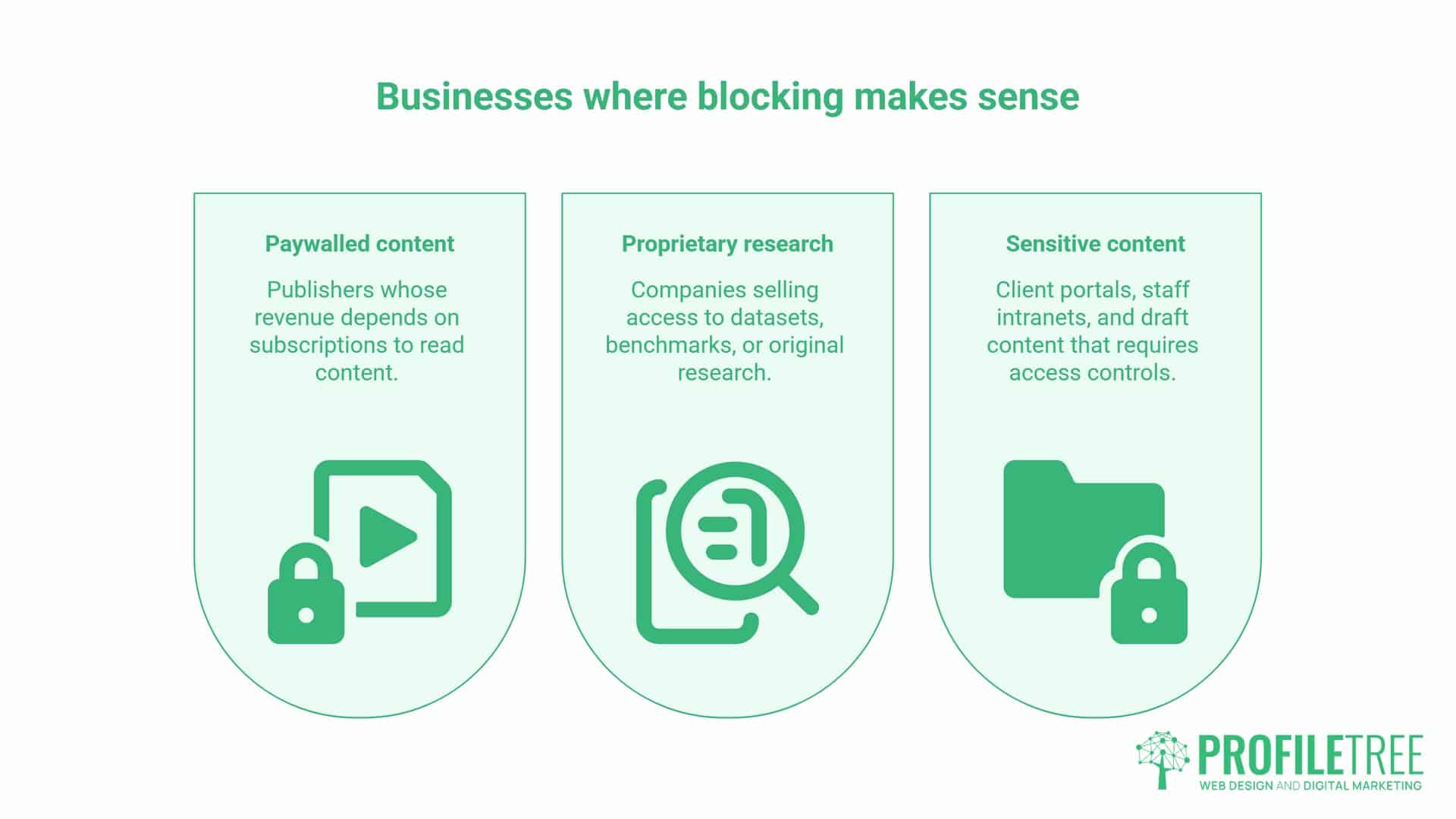
Blocking is reasonable for a narrow set of businesses:
- Paywalled or subscription content. A publisher whose revenue depends on people paying to read has a direct commercial reason to keep that content out of free AI answers. If an AI system can summarise the article well enough that nobody subscribes, the crawler works against the business model.
- Proprietary research or data products. A company selling access to a dataset, a benchmark report or original research has the same argument. If the value of the product is the information itself, letting a crawler absorb and redistribute it undermines the thing being sold.
- Genuinely sensitive internal content. Client portals, staff intranets, and draft content should be blocked from every crawler, AI or otherwise, though this is really a case for noindex and access controls rather than an AI-specific decision.
An SME service business fits none of these. It is not selling the content; it is using the content to demonstrate expertise so people hire the business behind it. That is the distinction worth explaining to a nervous client: are you selling the words on the page, or the service they describe? Almost every SME is in the second category.
How to Check What Is Currently Crawling Your Site
Before changing anything, establish what is happening today. Server access logs show every crawler that has hit the site, with user-agent and timestamp. Most hosting providers expose these through a control panel.
Google Search Console now includes a Generative AI performance report, which shows how content is performing in Google’s generative AI features. That is a genuine change from a year ago, when no first-party reporting existed at all. It covers Google only, so it will not show GPTBot, ClaudeBot, or PerplexityBot activity. For those, log file analysis remains the reliable method, and sites behind Cloudflare can see verified bot activity in AI Crawl Control.
Cross-referencing crawl activity against Google Analytics 4 referral data adds another layer, since GA4 can show whether traffic is arriving from AI chat interfaces. A page with strong AI crawler visits but no referral traffic may be feeding training data without generating citations. A page with both is doing what a business wants from its content. Our guide to how AI search engines cite websites covers what separates the two.
Setting This Up Without Breaking Your SEO
A few warnings before editing robots.txt on a live site. Test changes in staging or with Google’s robots.txt tester first. A misplaced Disallow: / under User-agent: * blocks every crawler, Googlebot included, and can remove a site from search results within days.
Do not confuse blocking AI crawlers with blocking AI-referred traffic. Bots like OAI-SearchBot and Claude-User fetch pages because a user asked to see them. Blocking those cuts off direct visitors rather than training data.
Check the CDN as well as the file. As the Cloudflare change shows, network-layer settings override robots.txt, and Google’s own guidance names CDN and hosting infrastructure alongside robots.txt as things that must allow crawling.
Treat it as ongoing maintenance. New crawlers appear as AI companies launch features, so review quarterly alongside broader SEO work.
Your LLMS-Txt and AI Crawlers Checklist
- [ ] Pull 30 days of server access logs and list every AI user-agent that appears
- [ ] Check whether the site sits behind Cloudflare, and on which plan
- [ ] Open Cloudflare AI Crawl Control and record the current setting for search, agent and training categories
- [ ] Review robots.txt against each AI company’s current published user-agent list
- [ ] Confirm no
Disallow: /rule applies toUser-agent: * - [ ] Confirm the CDN is not blocking Googlebot
- [ ] Decide the allow or block position for each of the three crawler categories, and write down the commercial reason
- [ ] Enable the Generative AI performance report in Search Console and note the baseline
- [ ] Check GA4 for referral traffic from ChatGPT, Perplexity and Copilot
- [ ] Validate that existing structured data matches the visible text on key pages
- [ ] Diarise a quarterly review
What This Means for Your Business: LLMS-Txt and AI Crawlers
Allow the crawlers. Check your CDN settings, because they may now override your intent. Publish an llms.txt if the time cost is low, while understanding from Google’s own documentation that it does nothing for Google visibility. Keep your structured data accurate, but do not pay anyone for AI-specific markup, because Google says none exists. Then keep building content worth citing.
That is the whole LLMs-txt and AI crawlers decision for most SMEs. Blocking protects nothing when the business sells a service rather than the words describing it, and every quarter spent blocked is a quarter in which a competitor’s content fills the gap. Check crawl logs and referral data periodically, adjust as new bots emerge, and treat AI visibility as a standard line in the digital marketing strategy rather than a speculative extra.
FAQs
What is the difference between LLMS-Txt and AI crawler controls?
They do different jobs. LLMS-Txt describes your content to AI systems; it grants no permissions and blocks nothing. AI crawler controls in robots.txt, and at your CDN, decide whether a bot may fetch the page at all. Only the second set has any effect on access, which is why LLMS-Txt and AI crawlers should be handled as two separate decisions.
Does blocking AI crawlers stop ChatGPT from mentioning my business?
Not reliably. Blocking GPTBot prevents OpenAI’s crawler from collecting new content, but it does not erase data already collected from earlier crawls or from third-party sources such as Common Crawl. A business that blocks GPTBot today could still be mentioned based on content indexed months ago, or on what other sites say about it.
Does Google use llms.txt?
No. Google’s guide to optimising for generative AI search, updated in July 2026, states that Google Search does not use llms.txt or similar files, and that creating one will neither help nor harm rankings or visibility. If the only reason for adding the file is Google performance, it will not deliver that.
Is there a special schema for AI Overviews?
No. Google’s documentation states there is no special schema.org structured data needed to appear in AI Overviews or AI Mode. Structured data is still worth maintaining for rich results in classic Search, and Google asks that it match the visible text on the page.
What does technical SEO for AI search engines actually involve?
The same fundamentals as standard technical SEO, because Google’s generative AI features run on its core Search ranking systems. In practice: make sure crawling is allowed in robots.txt and at the CDN, make sure JavaScript-rendered content is reachable, provide a good page experience across devices, keep important information in textual form, and reduce duplicate content.
Did Cloudflare change anything I need to act on?
Possibly. From 15 September 2026, Cloudflare blocks mixed-use AI crawlers by default on pages carrying advertising. The new defaults apply to new customers, new sites on existing accounts, and existing free-tier accounts. If your site is on a Cloudflare free plan and runs ads, check AI Crawl Control in the dashboard rather than assuming robots.txt still governs the outcome.
Will allowing AI crawlers hurt my Google rankings?
No. Googlebot, which drives organic rankings, is separate from GPTBot, ClaudeBot and PerplexityBot. Google-Extended controls training and grounding in Google’s other systems and does not affect standard Search results.
How do I know if AI crawlers are already visiting my site?
Check server access logs for user-agent strings such as GPTBot, ClaudeBot and PerplexityBot. Most hosting control panels expose these logs, and Cloudflare users can see verified bot activity in AI Crawl Control. Search Console’s Generative AI performance report covers Google’s features only.