
Proven Methods to Add Keywords to Your Wix Site for Superior Rankings
Table of Contents
Add keywords to your Wix website through five core fields: page titles, meta descriptions, URL slugs, content headers, and image alt text, not just by sprinkling them randomly throughout your text. Wix’s built-in SEO tools make implementation straightforward once you understand where keywords create maximum impact and how to avoid the over-optimisation that triggers ranking penalties.
You’ve built your Wix website, it looks professional, but Google seems to be ignoring it completely. The problem isn’t Wix, it’s that you haven’t properly implemented keywords in the technical elements that search engines actually evaluate. Without strategic keyword placement, even the most beautiful Wix site remains invisible to potential customers searching for your services.
The confusion around Wix SEO is understandable. Search data shows “add keywords to wix website” generating 556 impressions in Google Search Console over the past 16 months, whilst related queries about Wix SEO keywords and technical optimisation reveal widespread uncertainty about implementation. Many Wix users know keywords matter but don’t understand the specific technical locations where they influence rankings.
For UK businesses using Wix, proper keyword implementation can transform search visibility within weeks. The platform provides all necessary SEO tools; the challenge lies in knowing which settings actually matter and how to configure them without triggering Google’s over-optimisation penalties.
This technical guide provides step-by-step instructions for adding keywords to every key element of your Wix website. We’ll move beyond generic SEO advice to show exactly where to click, what to type, and how to verify your optimisation works. More importantly, you’ll learn which Wix SEO features drive real results versus those that waste time without improving rankings.
Understanding How Wix Handles Keywords (And Why It Matters)
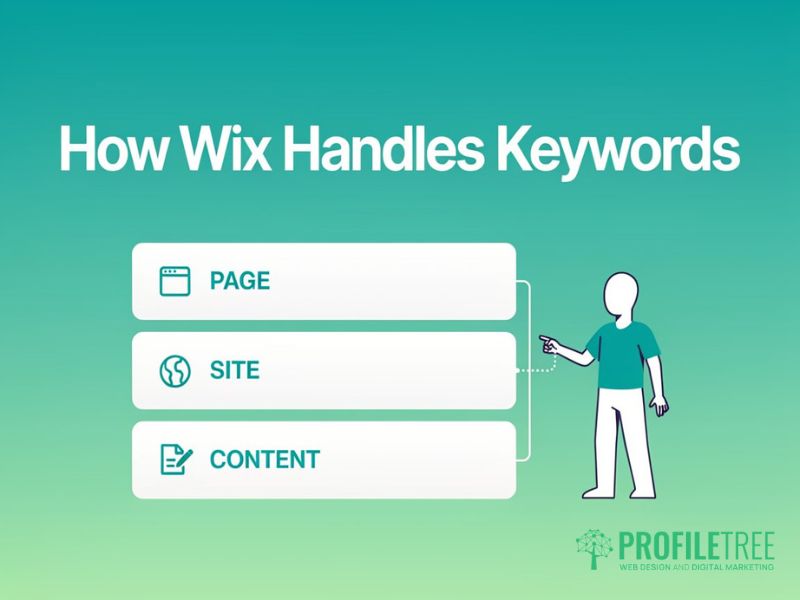
Wix’s SEO has moved on from its early reputation as an unfriendly platform, but the settings are still scattered across different panels.
The Wix SEO Architecture
Wix splits keyword implementation into three layers. Page-level settings, in the Pages menu and each page’s SEO Basics panel, control titles, meta descriptions, and URL slugs, the elements that appear directly in search results.
Site-level settings cover header code and blog configuration, and content-level placement happens inside the Editor itself through heading tags, alt text, and body copy. Wix’s visual editor sometimes hides the underlying heading structure, so check the actual style applied, not just how large the text looks.
Technical Limitations and Workarounds
Wix restricts direct editing of robots.txt and .htaccess, and some advanced schema markups aren’t available, though this rarely affects small business SEO. JavaScript rendering, once a real problem, is largely resolved, but keyword placement should still avoid elements that only load in after the page first renders.
URLs follow a fixed pattern (domain.com/pagename), so slugs need care since complex directory structures aren’t possible. Mobile responsiveness is automatic, but keyword-rich text can still end up hidden inside a mobile menu or accordion, so check it’s visible on a phone screen too.
Wix SEO Tools and Features
Treat the Wix SEO Wiz’s suggestions as a starting point, not gospel. It flags missing titles and descriptions but doesn’t understand your competitive strategy. SEO Patterns extends this by bulk-applying title and description templates with automatic keyword insertion, useful for e-commerce or multi-location service pages.
The SEO Panel previews exactly how a page will appear in search results, helping balance keyword inclusion against click appeal. Once live, connect Google Search Console immediately, since it’s the main source of real performance data on which keywords are actually driving traffic.
Step-by-Step Keyword Implementation in Page Titles
Page titles are the strongest on-page ranking signal, so every page needs a unique, keyword-optimised one.
Accessing and Editing Page Titles
Go to the Pages menu in the Wix Editor, select a page, then open the three-dot menu and choose “SEO Basics.” Replace the default Page Title, which just repeats the page name, with a title built around your primary keyword, for example, “Professional Web Design Services in Belfast” instead of “Services.”
Google typically displays only 50 to 60 characters, so front-load the keyword and put your brand name at the end after a pipe or dash. Use the search result preview at the bottom of the SEO panel to check the full title isn’t being cut off.
Title Tag Optimisation Strategy
Keep primary keywords within the first 30 characters for maximum visibility and ranking weight. Avoid stuffing, “Belfast Web Design | Web Designer Belfast | Website Design Belfast” reads as spam and performs worse than a natural “Professional Web Design in Belfast | Creative Solutions.”
Local businesses should naturally include their city or region. “Emergency Plumber in Manchester | 24/7 Service” outperforms a generic “Plumbing Services.” Power words like “Trusted” or “Expert” can lift click-through rates without diluting keyword focus.
Whatever wording you settle on, treat the Wix SEO title as the single highest-priority Wix keyword field on the page, since it carries more ranking weight than any other keyword location.
Advanced Title Optimisation Techniques
Wix’s SEO Patterns can generate keyword-rich titles for product pages automatically, for example, “{Product Name} | Buy Online | {Category} | Your Store,” avoiding duplication across a catalogue. Test title variations through Search Console data to see what actually earns clicks, and lead with your brand name only if people already search for it; new businesses do better leading with the keyword instead.
Mastering Meta Descriptions for Click-Through Optimisation
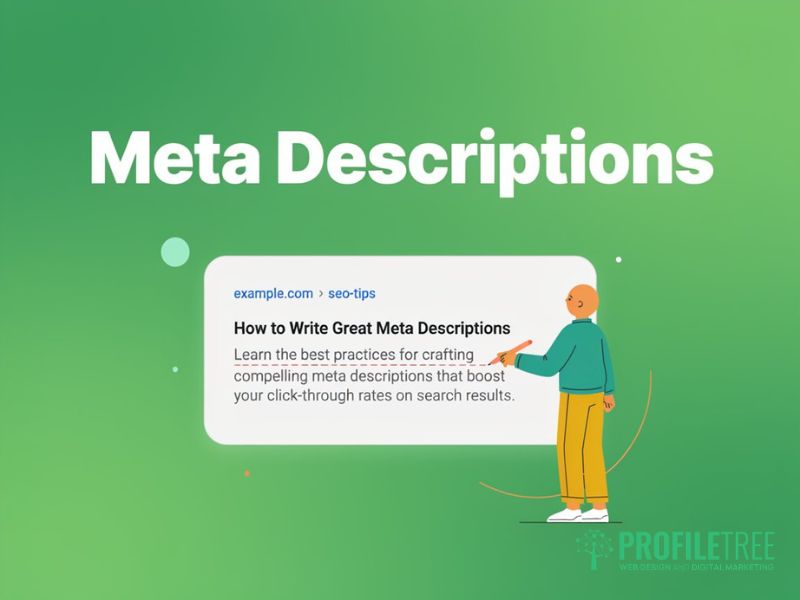
Meta descriptions don’t affect rankings, but they decide whether someone clicks your result over a competitor’s.
Writing Persuasive Meta Descriptions
The Page Description field, in the same SEO Basics panel as the title, holds 150 to 160 characters. Put your primary keyword within the first 100 characters so it survives truncation, but write for persuasion first; meta descriptions sell the click, not the ranking.
Lead with action verbs, “Discover,” “Learn,” “Get,” followed by a specific benefit: “Discover how professional web design transforms Belfast businesses. Free consultation, proven results, from £99/month” beats a generic line. A concrete number, price, or guarantee gives searchers a real reason to click.
Meta Description Best Practices
Every page needs its own meta description; duplicates across pages signal low quality and waste the chance to target different search intents. Mobile results show fewer characters, so front-load the key information.
Symbols like checkmarks or arrows can help a description stand out when used sparingly. End with a clear call to action, “Get your free quote” or “Learn more today,” to create urgency and lift clicks.
Common Meta Description Mistakes
Keyword-stuffed descriptions (“Web design Belfast, website design Belfast, Belfast web designers”) waste space that could sell a benefit, and a blank field just lets Google auto-generate something that rarely converts. Keep to roughly 155 characters to avoid truncation, and always say what makes the offer different, not just “quality services at affordable prices.”
URL Optimisation: Creating Keyword-Rich Slugs
URL structure significantly impacts both rankings and user experience. Wix’s URL customisation options, whilst more limited than WordPress, still provide sufficient flexibility for effective keyword implementation.
Configuring SEO-Friendly URLs
The URL Slug field, in the same SEO Basics panel, controls the page-specific part of the address. Replace Wix’s default, the page name with hyphens, with something concise and keyword-focused, “/web-design-belfast” rather than “/services-page-1.”
Aim for three to five words that describe the page clearly, using hyphens rather than underscores or spaces so search engines parse each word correctly.
URL Structure Best Practices
Drop stop words like “and” or “the” unless they’re part of a searched phrase, and keep URLs lowercase and consistent to avoid duplicate content and tracking issues.
Avoid repeating the keyword down the path. “/web-design/web-design-services/web-design-belfast” looks manipulative, and only use numbers in a slug when they’re permanent, like “/top-10-seo-tips,” since dates need redirecting later.
Managing URL Changes and Redirects
Wix’s 301 Redirect Manager, under Settings > SEO Tools, preserves ranking value whenever a URL changes, so use it every time rather than leaving a 404. Plan the slug correctly before publishing to avoid repeat changes, monitor Search Console for broken links, and check that Wix’s automatic canonicalisation is working as expected.
Strategic Header Tag Implementation (H1, H2, H3)
Header tags structure content for both readers and search engines, though many Wix users don’t realise how their visual formatting translates into actual HTML headers.
Understanding Wix’s Header System
Wix’s preset text styles map directly to HTML tags; “Heading 1” becomes an H1, and so on, but custom styling might not create a real header tag at all. Always choose from the Text Settings dropdown rather than just enlarging a font.
Stick to one H1 per page, carrying the primary keyword, and use two to four H2s for secondary keywords and related terms, more on longer content.
Keyword Placement in Headers
An H1 should read naturally as a headline; “Professional Web Design Services in Belfast” works, a forced pipe-separated string doesn’t. H2s can pick up related variations, if the H1 targets “Wix SEO,” H2s might cover “How to Add Keywords to Wix” or “Improving Wix Search Rankings.”
H3s and below can carry long-tail variations that would feel forced higher up, and question-format headers like “How Do I Add Keywords to My Wix Website?” have a good shot at featured snippets.
Visual Hierarchy and SEO Balance
Headers should outline the content clearly, not just provide keyword placement, and font size should reflect importance, H1 largest, then H2, then H3.
Consistent header styles across pages create predictable navigation and reinforce topical authority, and it’s worth checking that large desktop headers don’t overwhelm a mobile screen.
Content Optimisation: Natural Keyword Integration
Body copy gives the most room for keywords, but Wix’s visual editor can make it easy to lose track of density and placement.
Strategic Keyword Placement
Include your primary keyword naturally within the first 100 words to signal relevance immediately, then keep density to roughly 1 to 2%, five to ten mentions on a 500-word page, counted manually since Wix has no built-in density tool.
Use synonyms and related terms to avoid repetition, “Wix search optimisation” or “optimising Wix websites” instead of repeating “Wix SEO” outright. Google’s natural language processing reads context beyond exact matches, so forced insertion usually performs worse than natural writing.
Content Formatting for SEO
Bold or italic text adds mild SEO emphasis when used occasionally, and bullet points break up long text while improving your odds of a featured snippet.
Internal links with descriptive anchor text, “learn more about Wix technical SEO” rather than “click here,” distribute SEO value. Aim for at least 300 words on standard pages and 800+ on blog posts, since longer content naturally fits more keyword variation without stuffing.
Avoiding Over-Optimisation
If the content sounds unnatural when read aloud, it’s probably over-optimised, and Google’s algorithms are built to catch that. Hidden text tricks, white text on a white background or CSS hiding trigger severe penalties, and Wix’s editor blocks most of them anyway.
Don’t build doorway pages for near-identical phrases like “web design Belfast” and “Belfast web design,” one well-optimised page covers all the variations. Copying a page and swapping a few keywords still counts as duplication, so rewrite each page’s content completely.
Image SEO: Optimising Alt Text and File Names
Images are an overlooked keyword opportunity in Wix, and proper optimisation also improves accessibility.
Alt Text Optimisation
Click any image in the Wix Editor, open Settings, and use the “What’s in the image?” field for alt text. Write a genuine description, “Professional web designer working on Belfast client website,” rather than “IMG_1234” or a keyword-stuffed string.
Every meaningful image needs unique alt text (decorative images can stay empty), and the right wording can vary by page depending on surrounding content and target keyword.
Image File Naming Conventions
Rename files before uploading. “Belfast-web-design-team.jpg” carries more SEO value than “DSC0001.jpg,” using hyphens and three to five words, with a location keyword where relevant (“restaurant-interior-belfast.jpg”). Stop short of stuffing the file name with every variation; that reads as manipulative.
Technical Image Optimisation
Compress images to 100KB to 200KB for most web use. Wix does this automatically and checks that responsive versions display properly on mobile, where surrounding keyword text can sometimes get hidden.
Wix generates image sitemaps automatically, but check that important images still have proper alt text and file names, and WebP, served automatically to supporting browsers, improves load speed without costing any keyword value.
Using Wix SEO Apps and Tools
Wix’s App Market has plenty of SEO tools beyond the built-in features, though not all of them earn their keep.
Essential Wix SEO Apps
Rabbit SEO tracks keywords and suggests optimisations specific to Wix sites, while SEO Wizard for Wix runs automated audits that catch missing keywords, duplicate content, and other common oversights.
Schema markup apps help Google understand page context and can improve rich snippet eligibility, and Visitor Analytics shows which search terms actually drive traffic, more useful than position tracking alone for measuring what’s working.
Avoiding Unnecessary SEO Apps
Running several SEO apps at once tends to conflict and slow the site down; one complete solution beats a stack of overlapping tools. Automated content generators claiming to optimise keywords usually produce generic content that does more harm than good.
Link-building apps promising thousands of backlinks typically break Google’s guidelines, so focus on content that earns links naturally. Once you understand the 1 to 2% density guideline, stop checking it obsessively; engagement matters more than a perfect number.
Wix SEO Wiz Configuration
Complete the SEO Wiz’s initial setup to confirm basic configuration, then override its generic suggestions with your own keyword research, since it has no knowledge of your competitors or specific terms.
Run it monthly to catch missing meta descriptions, broken links, or implementation gaps, but evaluate every suggestion critically rather than accepting all of them automatically.
Mobile Optimisation for Keyword Visibility
Mobile search now dominates SEO, so keyword visibility needs checking on smaller screens, even though Wix’s responsiveness is automatic.
Mobile-Specific Keyword Considerations
Mobile queries lean more on “near me” phrases and immediate-need terms, “emergency plumber near me” rather than “plumbing services,” so keyword-rich content should sit within easy scrolling reach, not buried in an expandable menu.
Mobile meta descriptions need their key information within the first 100 characters, since fewer characters display, and page speed matters even more on mobile, since slow-loading pages both frustrate users and hurt rankings.
Wix Mobile Editor Optimisation
The Mobile Editor, reached through the device toggle, lets you adjust mobile layout separately from desktop, worth using to check that keyword-rich headers aren’t hidden inside a hamburger menu.
Move important keyword-rich sections higher on mobile, where attention spans are shorter, and check font sizes stay readable, since keyword-rich content is wasted if nobody can read it comfortably.
Voice Search Optimisation
Conversational phrasing captures voice search growth. “How do I add keywords to my Wix website?” performs better than “Wix keywords” alone.
Structuring content with clear questions and concise answers improves both featured snippet and voice response eligibility, and local voice queries like “OK Google, find web designers near me” need location keywords woven naturally throughout, ideally with a dedicated FAQ section for the longer, less competitive phrases.
Measuring and Monitoring Keyword Performance
Keyword work only pays off if you measure it, and Wix’s analytics, plus a few third-party tools, cover that.
Google Search Console Integration
Connect Search Console through Settings > SEO Tools straight after launch; it’s free and shows exactly which keywords drive traffic, often ones you weren’t even targeting.
Position tracking shows ranking changes over weeks and months rather than overnight, and a low click-through rate on a well-ranking keyword usually points to the meta description, not the ranking itself.
Wix Analytics Overview
Built-in Wix Analytics tracks visitor behaviour after a keyword-driven arrival; a high bounce rate usually means the content didn’t match what the searcher expected. Configure conversion goals for forms, calls, or purchases to connect keyword traffic to actual business results, and compare against other channels since organic visitors typically convert better.
Page-level analytics show which keyword-optimised pages perform best, worth replicating elsewhere.
Wix Analytics on its own isn’t a rank tracker, so pairing it with Search Console or a dedicated Wix SEO rank tracker gives a fuller picture of how your keywords are actually performing.
Third-Party Tracking Tools
Google Analytics adds more depth than Wix Analytics alone through its Search Console integration, and rank tracking tools like Serpwatcher or AccuRanker monitor keyword positions automatically, useful since positions naturally fluctuate day to day.
Tools like SEMrush or Ahrefs reveal which keywords competitors rank for that you’re missing, even on a free plan, and heat mapping tools like Hotjar show whether visitors actually engage with your keyword-rich sections.
Choosing a rank tracker for a Wix site usually comes down to how many keywords you’re monitoring: a handful of terms suit Search Console alone, while a larger keyword set justifies a dedicated rank tracker alongside the tools named above.
Common Wix SEO Mistakes to Avoid
Understanding common pitfalls helps avoid wasted effort and potential penalties when implementing keywords on Wix websites.
Technical Mistakes
Duplicate content across pages dilutes keyword focus and confuses search engines; don’t copy-paste with only minor keyword changes.
This is one of the fastest ways to undo good Wix SEO keywords work, since Google can’t tell which of the near-identical pages should actually rank.
Missing redirects after a URL change break links and lose ranking value. Always use the URL Redirect Manager, and check that Settings > SEO Tools has “Let search engines find your site” enabled, since this gets switched off by accident more often than you’d expect.
Ignoring Core Web Vitals hurts rankings regardless of keyword optimisation; Google’s PageSpeed Insights flags performance issues that should be fixed first.
Content Mistakes
Thin pages under 300 words struggle to rank, no matter how well the keywords are placed, and targeting the same keyword on multiple pages just confuses Google about which one should rank.
Matching content type to search intent matters just as much; an information searcher who lands on a sales page will bounce immediately, and basic proofreading still affects credibility regardless of keyword work.
Strategic Mistakes
New Wix sites won’t outrank established competitors for broad, highly competitive terms, so start with longer, more specific phrases; “Web design Belfast” faces far less competition than “web design” alone.
Desktop-perfect keyword work counts for nothing if mobile visitors can’t read it, and switching strategy every few weeks resets progress since SEO typically takes three to six months to show real results.
Has Your Wix Site Hit Its SEO Ceiling? When to Consider a WordPress Upgrade
Everything above closes the gap between a badly configured Wix site and a well-configured one. But Wix has a technical ceiling no amount of keyword work can lift: limited control over structured data and robots.txt, template-based speed limits at scale, and custom functionality (bespoke booking logic, complex multi-location structures, advanced schema), it simply can’t support.
A few signs point to that ceiling rather than a keyword gap: every field above is already optimised, rankings have plateaued for six months or more, WordPress-built competitors with less content still outrank the site, or the business has simply outgrown what Wix’s templates and apps can deliver.
If any of that sounds familiar, it’s worth talking to a web design team before assuming the answer is simply to add keywords to your Wix website. ProfileTree’s website design team builds WordPress sites specifically for businesses migrating off Wix once they’ve outgrown it, carrying keyword equity and rankings across in the move rather than starting from zero.
If you’re not yet sure whether you’ve reached that ceiling, our deeper look at how Wix websites can dominate Google rankings sets out exactly how far Wix’s own SEO tools can take a site before a platform change becomes worth considering.
“Wix is a genuinely capable platform for search engine optimisation, and most sites we look at haven’t yet used everything it offers,” says Ciaran Connolly, ProfileTree’s founder. “The businesses that do need WordPress are usually the ones outgrowing Wix’s technical ceiling, not the ones who’ve used it badly. If keyword implementation alone isn’t moving the needle after six months of consistent work, that’s the conversation worth having.”
Advanced Wix SEO Techniques
Beyond basic keyword implementation, advanced techniques provide competitive advantages for serious Wix users willing to invest extra effort.
International SEO Configuration
Multi-language sites need proper local research rather than auto-translated keywords for each market, and Wix Multilingual handles hreflang tags automatically to prevent duplicate content across language versions.
UK and US audiences expect different spellings, “optimisation” versus “optimisation,” so create market-specific variations, and match currency and measurement units to each region to reinforce the geographic signal.
Link Building for Keyword Authority
Internal links with descriptive, keyword-rich anchor text reinforce topical relevance across the site, and genuinely useful external content, guides, and original research attract the natural backlinks that boost rankings.
Keep business name, address, and phone number consistent across directories to reinforce local citations, and prioritise relevance over volume when guest posting; one link from a genuinely related site beats several from unrelated ones.
Taking Action: Your Wix Keyword Implementation Plan
Add keywords to your Wix website systematically across every technical element rather than at random. Start with realistic targets for your site’s authority level. Longer and more specific phrases beat fighting established sites for broad terms, “affordable web design for Belfast restaurants” over a generic “web design.”
Work through page titles first, then slugs, headers, and content, since this order helps search engines understand your primary focus while keeping the writing natural. Monitor progress through Search Console and expect three to six months for real movement, adjusting based on which keywords actually drive valuable traffic.
For Northern Ireland businesses, consistent keyword work is often enough to outrank a technically superior but poorly optimised competitor, on Wix or otherwise. Every business starts from zero visibility; the difference comes down to persistent, methodical optimisation rather than the platform itself.
Audit your current implementation against this guide, fix gaps in titles, meta descriptions, and URL structure first, then move on to the advanced techniques.
FAQs
1. How many keywords should I target per Wix page?
Focus on one primary keyword plus two or three closely related secondary terms per page, for example, “Wix SEO” alongside “Wix search optimisation” and “Wix keyword placement.” Targeting dozens of unrelated keywords dilutes effectiveness and confuses both search engines and visitors.
2. Where exactly do I add keywords in Wix for best SEO results?
Priority order is page title, URL slug, H1 header, meta description, first paragraph, and image alt text, with H2 headers, body copy (1 to 2% density), and internal link anchor text as secondary spots. The title and H1 carry the most weight, so check your primary keyword sits naturally in both.
3. Why isn’t my Wix site ranking despite adding keywords everywhere?
Over-optimisation is the most common cause; unnatural keyword repetition reads as manipulation to Google. Also check for thin content, slow page speed, poor mobile optimisation, or a broken heading structure, and keep in mind that SEO takes three to six months, so early impatience isn’t usually the real problem.
4. Can Wix websites really compete with WordPress for SEO?
Modern Wix sites compete for most keywords just fine once properly optimised, with customisable titles, meta descriptions, slugs, header tags, alt text, and mobile responsiveness all available. The platform’s few limitations (like restricted .htaccess access) rarely affect small business SEO; content quality and consistency matter more than platform choice.
5. Should I use Wix’s SEO Wiz or implement keywords manually?
Use SEO Wiz for the initial technical setup, then implement keywords manually based on proper research, since the Wiz doesn’t understand your competition or business goals. Treat it as a helpful starting point for the technical foundations, not a complete keyword strategy.