
AI Video Production: DIY Tools or Agency Support?
Table of Contents
Most SME owners now accept that video sells, but not everyone believes they can produce it. The AI video revolution changes that calculation. Tools that write scripts, generate voiceovers, and automatically edit footage mean a business owner with a laptop can publish video content that would have required a full production team two years ago. That doesn’t mean every business should do it alone. Some video work still needs a proper crew, a trained editor and someone who understands how a brand should sound on camera. This guide sets out what the AI video revolution actually offers UK and Irish SMEs, where the tools genuinely replace an agency, and where they don’t.
Beyond the Hype: What the AI Video Revolution Actually Means for Your Business
The phrase gets thrown around loosely, so it’s worth being specific about what the AI video revolution actually changed. Three years ago, producing a two-minute promotional video meant hiring a scriptwriter, a videographer, an editor and often a voice actor, then waiting weeks for a finished file. Today, a single person can write a script with ChatGPT or Claude, generate a voiceover with a tool like ElevenLabs, and edit the raw footage in Descript by editing a transcript rather than a timeline.
That’s the practical core of the AI video revolution: not a single miracle tool, but a set of assistants that each remove one bottleneck. Script generation removes the writer’s block stage. Automated transcription and editing remove the barrier to technical editing skills. AI voice tools remove the need for a recording studio or a hired voice actor for straightforward business content.
What hasn’t changed is judgement. AI can suggest a hook, but it can’t tell you whether that hook fits your brand or your audience. It can generate a script structure, but it won’t know that your customers respond better to a direct, no-nonsense tone than a polished corporate one. The AI video revolution gives SMEs the production mechanics. What you do with that capacity, and when you bring in someone who’s done it professionally hundreds of times, is the actual decision this guide is here to help with.
The SME Dilemma: When to DIY vs Bring in an Agency
Not every video needs the same level of production, and the AI video revolution makes it easier to match effort to stakes. A quick behind-the-scenes clip for social media carries little risk if it’s a bit rough. A TV advert, a funding pitch video, or anything going out under your company name on a client-facing page carries a lot more.
A useful way to think about it is a simple trade-off between complexity and consequence. Low-complexity, low-consequence content, quick social updates, internal training clips, and simple product walkthroughs are exactly where AI tools save the most time with the least risk. If the video looks slightly imperfect, nobody’s business relationship depends on it.
Higher-stakes content is different. A TV or cinema advert, a video that needs to match brand guidelines across multiple locations, or anything featuring a local accent that AI voice tools still can’t reproduce convincingly, usually needs someone who’s directed dozens of these projects already. We cover the accent limitation in more detail in the FAQs below, because it catches out more Northern Irish and Irish businesses than most guides admit.
There’s also a hybrid option that most competitor guides skip entirely: use AI for the parts of production that are genuinely mechanical, script drafts, rough cuts, background visuals, and bring in a professional for the parts that need judgement, the final structure, the colour and audio finish, and the brand check before anything goes live. That’s close to how we actually work with clients through our video production service: AI speeds up the early stages, and a trained editor makes sure the finished video still looks and sounds considered rather than fast.
If you’re weighing this up for your own business, ask three questions before you decide. Does this video need to work perfectly the first time, or can you test and improve it? Does it need a specific voice, accent or on-camera presenter? Will it still represent your brand in six months, or is it disposable content for this week’s feed? The answers usually make the DIY-versus-agency decision obvious once you’ve actually asked them.
The Essential AI Video Tools for 2026
The AI video revolution isn’t one tool; it’s a stack of them, each suited to a different stage of production. Below is a breakdown by function rather than by brand, because the right tool depends on what you’re making, not on what’s trending this month. Pricing and regional availability for these tools change often, so check current terms before committing a monthly budget.
- Scripting and concept ChatGPT and Claude work best as editing partners rather than one-shot script writers. Feed them your key points and ask for several hook variations, then pick and rewrite rather than publishing the first draft. This is where most of the time-saving in the AI video revolution actually happens, because a script that used to take an afternoon now takes 20 minutes of back-and-forth.
- Visual generation Tools like Runway and Google’s Veo generate video clips from text prompts or still images, useful for backgrounds, transitions and concept sequences that would be difficult or expensive to film. They’re not yet reliable for realistic human footage, particularly close-up dialogue, so most SMEs use them alongside live-action footage rather than as a replacement for it. It’s also worth flagging that OpenAI’s Sora was never officially available in the UK or Ireland during its active life, and the consumer product was wound down in 2026, so any guide still recommending it as a first choice is out of date. Veo and Runway are the more relevant options for UK and Irish businesses right now.
- Talking heads and avatars Synthesia and HeyGen generate presenter-style videos from a script without filming anyone. These suit training content, internal communications and explainer videos where a consistent, repeatable presenter matters more than a distinctive on-screen personality. They’re less convincing for anything customer-facing where trust and authenticity carry more weight, and neither currently reproduces regional accents like Belfast or Cork with much accuracy, which we cover in the FAQs.
- Automated editing, Descript turns editing into a text-editing task: delete a sentence from the transcript, and it disappears from the video, and filler words like “um” can be stripped in one pass. CapCut offers similar automated captioning and pacing tools for free, which is why it’s become the default for small teams producing social content without a dedicated editor.
The ProfileTree Method: AI-Assisted Production
Our own approach to the AI video revolution follows a simple sequence: concept and strategy stay with a person, script drafting gets AI assistance, visuals and rough cuts can involve AI tools where appropriate, and the final edit and brand check always go through a trained editor before anything reaches a client’s channel.
That last step matters more than most guides admit. AI-generated drafts still need a human check for tone, accuracy, and whether the pacing actually suits the platform it’s going on. Skipping that step is how businesses end up publishing video that feels generic, because a script or voiceover that reads fine in isolation can still miss what makes a brand recognisable.
“Most SMEs we work with want video content but don’t have a production team. AI tools close that gap enough that a business owner with a phone can start today. Our job is to help them take it further when a video needs to represent the business at a higher level.”
-Ciaran Connolly, ProfileTree Founder
For SMEs, the practical takeaway is that AI-assisted and agency production aren’t mutually exclusive choices. Where a business wants to build this capability in-house rather than outsource it on a project-by-project basis, that’s usually a conversation about AI training for the marketing team rather than a one-off video brief.
Navigating Legalities: GDPR, UK AI Rules and Detectability
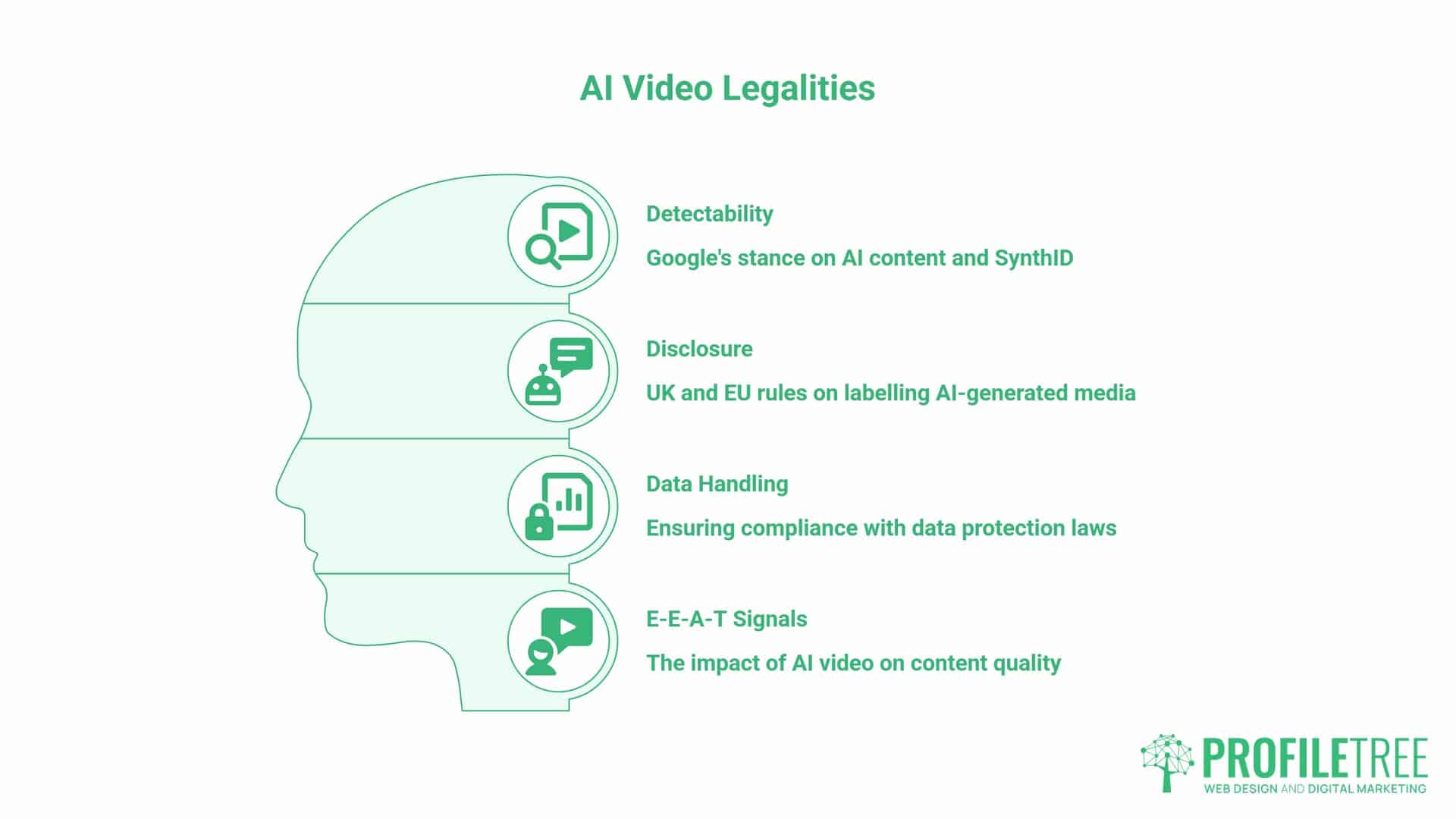
The AI video revolution raises questions that most tool comparisons skip entirely, and they matter more for regulated or reputation-sensitive businesses than the average tool review suggests.
On detectability: Google has said publicly that it doesn’t penalise content simply because it was made with AI assistance, including video. What it weighs is whether the content is genuinely useful, accurate and reflects real expertise, the same E-E-A-T standard Google applies to written content. A video that’s technically AI-assisted but well-edited, accurate and clearly branded performs the same as any other well-made video. Thin, generic AI output performs the same as thin, generic content of any kind: poorly. Google’s SynthID watermarking system is designed to help identify AI-generated media at the platform level, which is a separate question from ranking; it’s about provenance, not penalty.
On disclosure: UK and EU rules around AI-generated media are moving toward requiring clear labelling where a video could be mistaken for a real, unscripted person, particularly for anything resembling a synthetic likeness of a specific individual. If you’re using an AI avatar or a synthetic voice to represent your business, label it as such rather than letting a customer assume they’re watching a real person. This is as much about trust as it is about compliance.
On data: any transcript, script or footage you upload to a third-party AI tool is subject to that provider’s data handling terms, not automatically UK GDPR-compliant just because your business is. If a video features customer testimonials, staff, or any personal data, check the tool’s terms of use before uploading, not after. Our SEO team increasingly gets asked about video’s role in E-E-A-T signals alongside written content, and the honest answer is that the AI video revolution has made the two harder to separate, not easier.
ROI Comparison: Traditional Production vs AI-Assisted Workflows
Cost is usually the reason SMEs start looking at the AI video revolution in the first place, so it’s worth setting out approximate numbers rather than a vague promise of savings.
Traditional video production (typical UK freelance day rates):
- Videographer: roughly £500 to £1,500 per day
- Editor: roughly £300 to £500 per video
- Voice actor: roughly £200 to £500 per script
- Total per video: often £2,000 to £5,000
AI-assisted monthly tool costs (check current pricing before publishing; these shift often):
| Tool | Typical monthly cost | Learning curve | Best for |
|---|---|---|---|
| ChatGPT / Claude | ~£15-20 | Low | Scripts, hooks, captions |
| Descript | ~£10-20 | Low-medium | Transcript-based editing |
| CapCut | Free-£8 | Low | Social clips, captions |
| ElevenLabs | ~£4-25 | Low | Voiceovers, narration |
| Runway | ~£10-30 | Medium-high | Generated backgrounds, effects |
| Synthesia / HeyGen | ~£20-25 | Low-medium | Presenter-style training videos |
Video content pays off in ways that are worth naming specifically. Landing pages with video have converted up to 80% better in controlled testing (EyeView Digital), though the real-world lift depends heavily on where the video sits on the page and whether it’s the right format for that audience. Beyond conversion, ProfileTree’s own channels show what consistent output looks like in practice: over 2,000 videos published across three YouTube channels, building a combined audience of more than 250,000 subscribers.
None of this means AI tools always beat an agency on cost. A single high-stakes video, a TV advert, a funding pitch, a campaign film, still costs less overall through a professional production process, because the day rate reflects experience that prevents expensive reshoots and off-brand output.
Where AI-assisted workflows win is on volume: regular social content, training videos and quick updates that would never have justified a full production budget before. That’s the real economics behind the AI video revolution for most small teams, and it’s why a mixed approach, using our content marketing team for strategy and AI tools for volume, tends to work better than picking one route exclusively.
FAQs
Is AI video production cheaper for my business?
For everyday content like social clips and training videos, yes. AI tool subscriptions cost a fraction of hiring a full production team, though you’re trading day-rate cost for your own time learning the tools. For anything higher-stakes, the cost difference narrows once you account for revisions and brand risk.
Can I use AI to generate a video with a Northern Irish or Irish accent?
Not reliably yet. Most AI voice tools are trained mainly on standard British or American English, so Belfast, Derry or Dublin accents often come out flattened or slightly off. If an authentic local voice matters to your video, a real presenter is still the better option.
Will Google penalise my website for using AI-generated video?
No, not simply for using AI. Google has said its ranking systems focus on whether content is genuinely useful and demonstrates real expertise, the same E-E-A-T standard applied to written content. Thin or generic AI video performs the same as thin written content: poorly, regardless of the tool used to make it.
Do I need to disclose that my video was made with AI?
If the video could be mistaken for a real person speaking, particularly an AI avatar or synthetic voice standing in for a specific individual, yes, label it clearly. UK and EU rules are tightening around this, and it protects customer trust regardless of the legal minimum.
How long does it take to create a 60-second AI-assisted video?
A straightforward social clip using AI scripting, editing and captions can take one to two hours from concept to publish. Anything needing brand review or a hybrid AI-and-human edit usually takes a working day rather than an hour, still far faster than a traditional production schedule.