
Technical SEO Fundamentals: Your Complete Optimisation Guide
Table of Contents
If your website is invisible to Google, every other marketing effort is working against the clock. Technical SEO fundamentals are the foundation that makes everything else possible: content strategy, link building, and paid campaigns all perform better when a site’s technical health is sound. Get the basics wrong, and even outstanding content struggles to rank.
ProfileTree has delivered over 1,000 web projects for businesses across Northern Ireland, Ireland, and the UK, and one pattern appears consistently: the sites that rank well have sorted their technical house first. This technical SEO guide covers the technical SEO basics that every business owner, marketing manager, or developer should understand, from crawl configuration through to Core Web Vitals and structured data. Use the checklist at the end to audit your own site.
For businesses that need a hands-on assessment, ProfileTree’s search engine optimisation services include full technical audits as a starting point for any SEO engagement.
What Are Technical SEO Fundamentals?
Technical SEO is the process of optimising your website’s infrastructure so search engines can access, crawl, and index it correctly. The table below maps the key technical SEO elements and their outcomes. Mastering the technical SEO basics gives every other channel a stronger foundation to build from.
The three pillars of SEO are technical, on-page, and off-page. Page speed, crawlability, and indexability all sit firmly in the technical pillar, which often receives the least attention from small businesses, yet it’s the one that determines whether the other two pillars can do their job. A site with excellent content but poor technical SEO elements will be outranked by a competent competitor that has simply got the basics right.
| SEO Type | Who Handles It | Primary Impact |
|---|---|---|
| Technical SEO | Developer + SEO | Indexation + crawlability |
| On-page SEO | Content writer + SEO | Relevance + ranking |
| Off-page SEO | SEO + PR | Authority + trust |
Crawlability and Indexing
Search engines can only rank pages they’re able to find and store. Crawlability is the ability of a search engine bot to access your pages; indexability is the ability to store and categorise them. If either step breaks down, your content simply does not appear in search results, regardless of how good it is.
Robots.txt and Crawl Control
Robots.txt is one of the foundational technical SEO elements in any technical SEO guide. It tells search engine crawlers which parts of your site they can and can’t access. It sits at the root of your domain and is one of the first files a crawler reads. A misconfigured robots.txt that accidentally blocks important pages is one of the most common technical SEO mistakes we see, particularly on sites that have been through multiple redesigns.
For most business websites, robots.txt should block admin directories, login pages, and staging environments while leaving all public-facing content accessible. Test your robots.txt using Google Search Console’s URL inspection tool whenever you make changes.
XML Sitemaps
An XML sitemap lists all the URLs on your site that you want search engines to index. It’s a navigation guide for crawlers, particularly useful for sites where content isn’t well-linked internally. Submit yours through Google Search Console and Bing Webmaster Tools.
Keep your sitemap clean. Remove URLs that return 404 errors, pages marked as noindex, and any content that’s been redirected. A sitemap full of dead links doesn’t signal good site quality.
Managing Your Crawl Budget
Crawl budget is the number of pages a search engine crawls in a given period. For most small sites, it’s not a concern. For larger sites, your XML sitemap is the most direct tool for directing crawlers to the right pages. Pair it with fixing redirect chains and blocking low-value pages.
Website Performance and Core Web Vitals
This technical SEO guide treats page speed as a user experience signal first and a ranking factor second. It’s confirmed as a ranking input, but its impact is often overstated. Where it genuinely matters is user experience: a slow site loses visitors before they engage with your content. Google’s Core Web Vitals are the three performance metrics that carry the most weight: Largest Contentful Paint (LCP), Interaction to Next Paint (INP), and Cumulative Layout Shift (CLS).
Largest Contentful Paint (LCP)
LCP is the Core Web Vitals metric most directly tied to page speed: it measures how long the largest visible element takes to load. Google’s target is under 2.5 seconds. Common causes include unoptimised images, slow server response times, and render-blocking CSS or JavaScript.
For UK-based businesses, hosting on a server with London or Dublin data centres makes a measurable difference to LCP scores.
Cumulative Layout Shift (CLS)
CLS measures visual stability: how much the page jumps around as it loads. If elements are shifting after the initial paint, you’re creating a poor user experience and risking accidental clicks. Common causes include images without defined dimensions, fonts that swap late, and third-party scripts that inject content after load.
UK and European websites have a specific CLS risk: GDPR cookie consent banners. When implemented poorly, they inject into the page after the initial render, causing a layout shift. Set your banner to a fixed position with reserved space so it doesn’t push content down.
Image Optimisation
Images are typically the biggest contributor to poor page speed, and they’re usually the easiest fix, too. Every image should be served in WebP format, sized appropriately, and compressed before upload. Use descriptive filenames and include the keyword naturally in alt text, keeping descriptions between 80 and 125 characters.
Browser Caching and Compression
Cache-control headers tell browsers how long to store static resources. Set longer expiry times for assets that don’t change: logos, fonts, and similar static files. Enable Gzip or Brotli compression to reduce file sizes before they reach the browser. These two measures together cut load times for returning visitors.
Site Architecture and Internal Linking
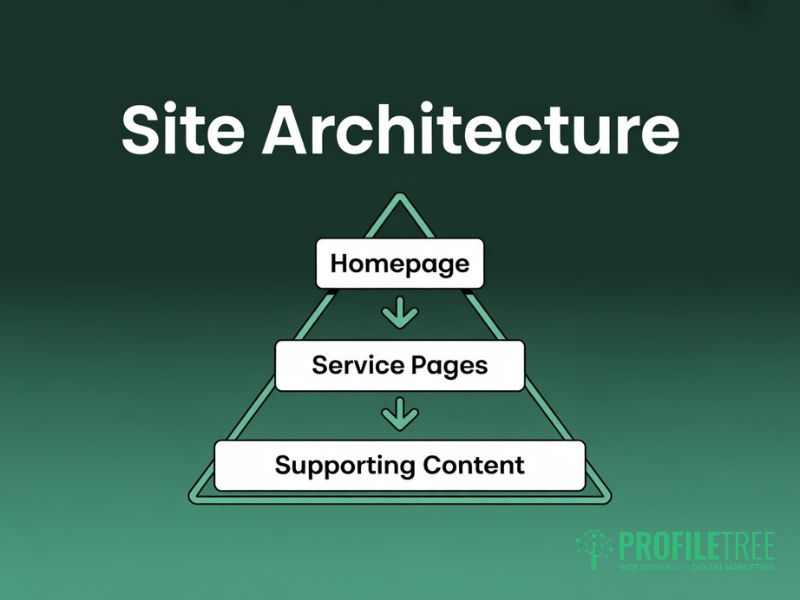
Site architecture is a core priority in any technical SEO guide. It’s how your pages are organised and connected. A well-structured site makes it easy for both users and search engines to find content. Think of it as a hierarchy: the homepage at the top, main category or service pages one level down, and supporting content beneath that. No page of value should be more than three clicks from the homepage.
URL Structure
URL structure won’t directly affect page speed, but a clean structure reduces crawl overhead. Keep URLs short, descriptive, and keyword-relevant. Use hyphens to separate words, keep everything lowercase, and avoid unnecessary parameters. A URL like profiletree.com/seo-services-belfast/ communicates clearly to both users and crawlers. A URL like profiletree.com/page?id=45 doesn’t communicate anything.
You shouldn’t include years in URLs. A URL like /seo-guide-2026/ becomes outdated within twelve months, forcing either a redirect or a page that looks stale. Use /seo-guide/ and update the content when it needs refreshing. You can signal freshness through the title tag and the body copy instead. Our digital strategy services cover site architecture planning as part of any new build or migration.
Internal Linking Strategy
Internal links are key technical SEO elements that distribute authority across your site and help crawlers discover content. Every important page should receive internal links from relevant supporting content. Use descriptive anchor text telling readers what they’ll find: ‘our guide to local SEO for Northern Ireland businesses’ is more useful than ‘read more here’.
Place your most important internal links early in the content, not clustered at the bottom. A page that only receives internal links from the footer isn’t sending a strong signal. Link to web design services and website development pages from supporting content where contextually relevant, not just from a navigation menu.
Duplicate Content
Duplicate content is a site architecture problem as much as a content one. It’s surprisingly common: www and non-www variants, HTTP and HTTPS duplicates, trailing slash differences, and tracking parameters all create it.
Use canonical tags to tell search engines which version of a page is the preferred one. A rel=canonical tag in the HTML head points crawlers to the right URL and consolidates link equity. Without it, you’re splitting your ranking signals across multiple versions of the same page.
Mobile Usability and Mobile-First Indexing
Google now uses the mobile version of your site as the primary version for indexing. This is called mobile-first indexing, and it has been the default since 2021. If your mobile experience is poor, that is what Google evaluates. A desktop-only optimisation mindset is no longer enough, regardless of how polished your desktop site might be.
Responsive Design Principles
A responsive website adapts its layout to the device being used. With mobile-first indexing, Google judges your site by this experience first. Text should be readable without zooming, tap targets should be selectable on a touchscreen, and navigation shouldn’t require horizontal scrolling.
You’ll find mobile usability data in Google Search Console, which flags pages with specific errors: text too small to read, tap targets too close together, or content wider than the screen.
Core Mobile Performance Checks
Mobile performance depends on the same factors as desktop: image file sizes, JavaScript execution time, and server response speed. Mobile devices often run on slower connections, which magnifies any performance issues. Use Google’s PageSpeed tool to get separate mobile and desktop scores, and prioritise the mobile fixes first.
Security, HTTPS, and Data Protocols

HTTPS is a confirmed ranking signal. If you’re still running on HTTP, treat it as an urgent upgrade. Beyond rankings, an SSL certificate isn’t optional: modern browsers mark HTTP sites as ‘Not Secure’, which creates friction that drives potential customers away before they’ve read a word.
If you’re collecting any personal data via contact forms, newsletter sign-ups, or e-commerce, HTTPS isn’t optional under UK GDPR. The ICO requires that personal data be transmitted securely. Handling this as part of your website hosting and management setup removes the risk of oversight.
Implementing HTTPS Correctly
Installing an SSL certificate isn’t complex, but implementing HTTPS correctly requires a few additional steps. You’ll need to update all internal links and resource URLs from HTTP to HTTPS; mixed content warnings occur when an HTTPS page loads resources over HTTP, which browsers flag as a security issue. Set up 301 redirects from all HTTP URLs to their HTTPS equivalents, and update your sitemap and canonical tags.
Structured Data and On-Page Technical Elements
Structured data is an advanced technical SEO element that generates rich results in search. It works alongside title tag and meta description optimisation to shape how your pages appear in SERPs. It uses Schema.org vocabulary, typically added as JSON-LD in the page header. Structured data can generate rich results (star ratings, FAQ dropdowns, event listings) that improve click-through rates without directly changing rankings.
Title Tags and Meta Descriptions
Title tags are the single most important on-page technical SEO element for communicating relevance to search engines. Getting this technical SEO element right is one of the fastest wins available to any site. Keep them between 50 and 60 characters. Front-load the primary keyword. Include a meaningful outcome or differentiator. Avoid years in title tags unless the topic is genuinely time-specific.
A well-written meta description doesn’t directly affect rankings, but it does influence click-through rate. Your meta description summarises the page’s value, includes the focus keyword naturally, and gives the searcher a reason to choose your result over the others on the page. Keep them between 150 and 160 characters.
Heading Hierarchy
Every page should have exactly one H1 tag containing the primary keyword. H2 tags define the major sections, and H3 tags break down subsections within those. You shouldn’t skip heading levels: jumping from H2 to H4 creates a confusing structure for both screen readers and crawlers. Keep H1 tags under 70 characters.
Schema Markup
Add schema markup via a plugin such as Rank Math rather than inserting it into body copy. The FAQPage schema applied to your FAQ section can generate expanded FAQ results in Google SERPs. The LocalBusiness schema is relevant for businesses with a physical address. Article schema supports blog and editorial content. You’ll want your developer or SEO team to handle schema implementation so it validates correctly.
Redirects, Broken Links, and Technical Health
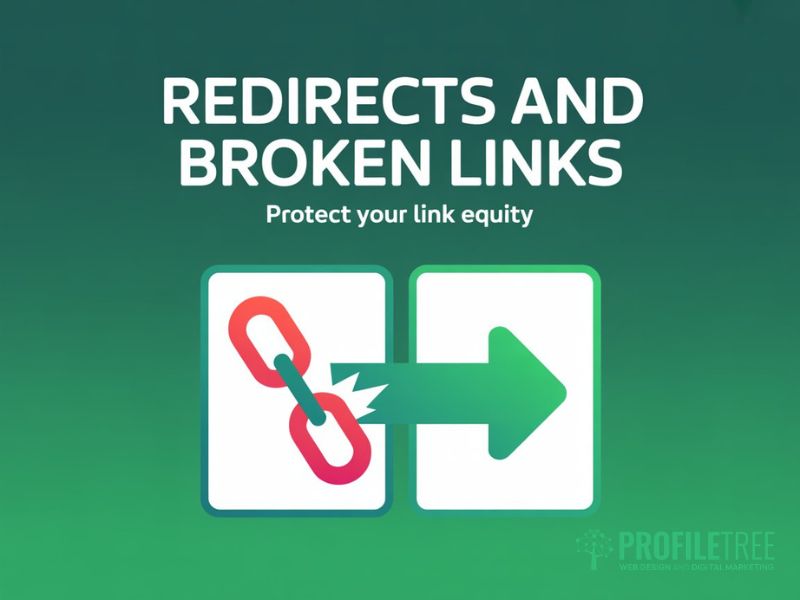
Redirect strategy is an often-overlooked part of the technical SEO basics, yet it has a direct impact on rankings. When pages move, a 301 redirect preserves the link equity that the original URL had built up, rather than letting it drain to a 404 error.
Managing 301 Redirects
Update internal links to point directly to the new URLs rather than relying on redirects. Redirect chains, where URL A redirects to B, which redirects to C, should be collapsed to a single hop wherever possible. Each redirect in a chain introduces a small performance penalty and dilutes the equity signal slightly.
Audit your redirects regularly using a crawl tool such as Screaming Frog. Check that your XML sitemap doesn’t contain redirected or 404 URLs. Cross-reference with Google Search Console’s Coverage report to catch crawl errors.
Broken Links
Broken outbound links weaken perceived content quality. Broken internal links are worse: they block crawlers and dead-end users. Schedule a quarterly crawl to catch both.
Technical SEO Tools for UK SMEs
You don’t need a large budget to cover the technical SEO basics. Most tools you’ll use are free or low-cost, and they cover the majority of ranking issues.
- Google Search Console: Free. Monitors indexing status and Core Web Vitals. Core Web Vitals data in Search Console is the most actionable free performance report available.
- Google PageSpeed Insights: Free performance scoring for mobile and desktop, with specific recommendations for each.
- Screaming Frog SEO Spider: Free up to 500 URLs. Crawls your site and reports on broken links, duplicate content, missing meta tags, and redirect chains.
- Bing Webmaster Tools: Free. Provides data on how your site performs in Bing and Copilot AI search, including AI citation tracking.
- Google Rich Results Test: Free. Validates your structured data implementation before you push changes live.
For businesses that want a thorough technical assessment without investing time learning each tool, ProfileTree’s SEO services in Northern Ireland begin with a structured technical audit covering over 200 signals.
Technical SEO Checklist for SMEs
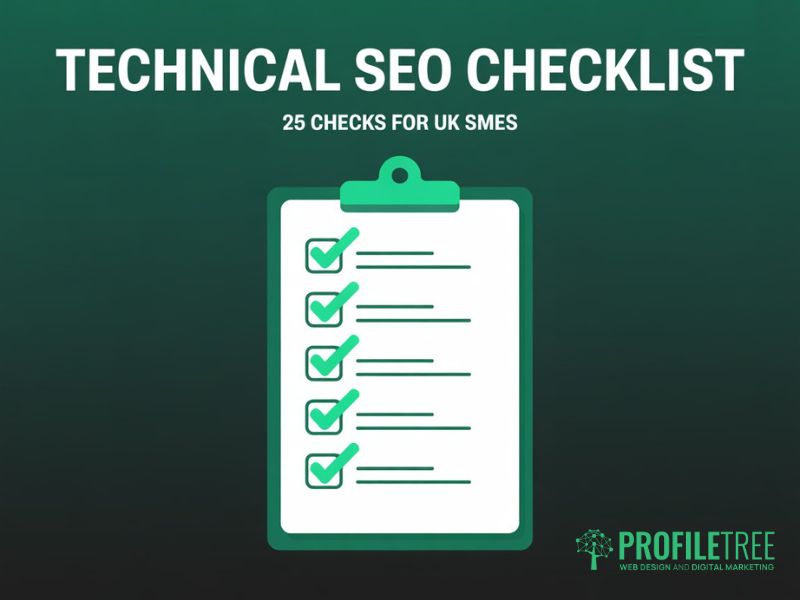
This technical SEO fundamentals checklist lets you run a 10-minute health check on any business website. Use it alongside this technical SEO guide to identify which areas need attention first. It covers the most common issues that block rankings for small and medium-sized sites in the UK and Ireland.
Crawl and Indexing: Technical SEO Checklist
- robots.txt is present and not accidentally blocking key pagesThe
- XML sitemap is submitted to Google Search Console and Bing Webmaster Tools
- All sitemap URLs return 200 status codes, with no 404s or redirects
- XML sitemap contains only canonical, indexable URLs
- Noindex tags are only applied to pages you genuinely want excluded from search
- No broken internal links identified in a recent crawl
Performance
These items cover the Core Web Vitals and page speed signals Google uses to assess page experience.
- LCP is under 2.5 seconds on mobile (tested via Google PageSpeed)
- CLS score is below 0.1 (no visible layout shifts on load)
- All images are in WebP format and appropriately sized
- Gzip or Brotli compression is enabled on the server
- No render-blocking resources are delaying the initial page paint
Mobile Usability
These checks confirm your site meets mobile-first indexing requirements.
- No mobile usability errors in Google Search Console
- Text is readable without zooming on a 375px viewport
- All tap targets are at least 48×48 pixels with adequate spacing
- The cookie consent banner does not cause a layout shift on mobile
Security and Structure: Technical SEO Checklist
- Site loads over HTTPS with a valid SSL certificate
- All HTTP URLs 301 redirect to their HTTPS equivalents
- No mixed content warnings in browser developer tools
- Canonical tags are present and pointing to the correct preferred URLs
- No redirect chains longer than one hop
On-Page Technical SEO Checklist
- Every page has a unique title tag between 50 and 60 characters
- Every page has a self-referencing canonical tag set in Rank Math
- Every page has a unique meta description (150 to 160 characters) containing the focus keyword
- H1 is present once per page, under 70 characters, and contains the focus keyword
- Heading hierarchy follows H1, H2, H3 with no skipped levels
- Schema markup is implemented via Rank Math and validates in the Rich Results Test
Getting Your Technical SEO Fundamentals Right
Technical SEO isn’t glamorous work, but it’s the work that makes everything else count. A well-written page that can’t be crawled won’t rank. A fast, mobile-friendly site with clean architecture gives every piece of content you publish the best possible chance of being found.
The technical SEO basics covered in this guide, from robots.txt configuration and XML sitemaps through to Core Web Vitals, canonical tags, and structured data, aren’t one-time tasks. They need to be revisited after every major site change and checked quarterly as a matter of routine. The businesses that treat technical SEO as ongoing maintenance, rather than a one-off project, are the ones that hold their rankings when competitors slip.
Use the technical SEO checklist in this guide as your starting point. Work through it section by section, fix what’s broken, and set a date to run it again. If the audit surfaces issues that need developer input or a more detailed investigation, ProfileTree’s search engine optimisation services are built around exactly this kind of structured technical work for SMEs across Northern Ireland, Ireland, and the UK.
FAQs
1. What are the three pillars of SEO?
There are three pillars of SEO: technical, on-page, and off-page. Mastering technical SEO basics is the right starting point. Technical SEO covers the infrastructure that lets search engines access and index your site. On-page SEO covers content, keywords, and headings. Off-page SEO covers backlinks and external authority. Technical SEO is the foundation; if it fails, the other two pillars cannot fully compensate.
2. Does technical SEO require coding?
Identifying most technical SEO issues, from site architecture gaps to mobile-first indexing failures, does not require coding. Tools such as Google Search Console, PageSpeed Insights, and Screaming Frog surface problems in plain language. Fixing those problems often does require developer involvement, particularly for Core Web Vitals improvements, structured data implementation, or server-level configuration changes. The SEO role is to identify and prioritise; the developer’s role is to implement.
3. How often should I run a technical SEO audit?
Quarterly is the right cadence for most sites. Mobile-first indexing issues flagged in Search Console should be treated as priority fixes. Run an audit after any major change: a redesign, migration, or large content update. Large e-commerce sites benefit from monthly crawls, with Search Console as an always-on monitoring layer.
4. What is the most important technical SEO factor?
Crawlability is the most important technical SEO element of all. No amount of meta description optimisation or structured data will help if Google can’t reach your pages. A page that ranks poorly due to weak content can be improved; a page that’s blocked from indexing simply can’t rank. Start every technical SEO audit by confirming that your key pages are crawlable and indexed. Page speed and structured data matter, but only once your pages are actually being found.
5. Why is my site slow for UK visitors if I use a US host?
Physical distance matters. A round trip between a UK user’s browser and a US server adds real latency that directly impacts Time to First Byte (TTFB) and LCP scores. Hosting on a server in a London or Dublin data centre, or using a CDN with UK edge nodes, will measurably improve load times.