
Non-Copyrighted Images: Sourcing and Licensing for UK Businesses
Table of Contents
Non-Copyrighted Images are one of the most misunderstood assets in digital work. The phrase suggests anything free to grab, but the legal reality is narrower, and getting it wrong can cost a small business a five-figure settlement. Almost every photograph, illustration or graphic online is protected from the moment it is created, whether or not it carries a copyright symbol.
This guide explains what Non-Copyrighted Images really are, how UK copyright law treats them, where to find genuinely usable ones, and how to verify a source before you publish. It is written for web designers, marketers and business owners who need safe, professional visuals for commercial projects.
What Non-Copyrighted Images Actually Mean
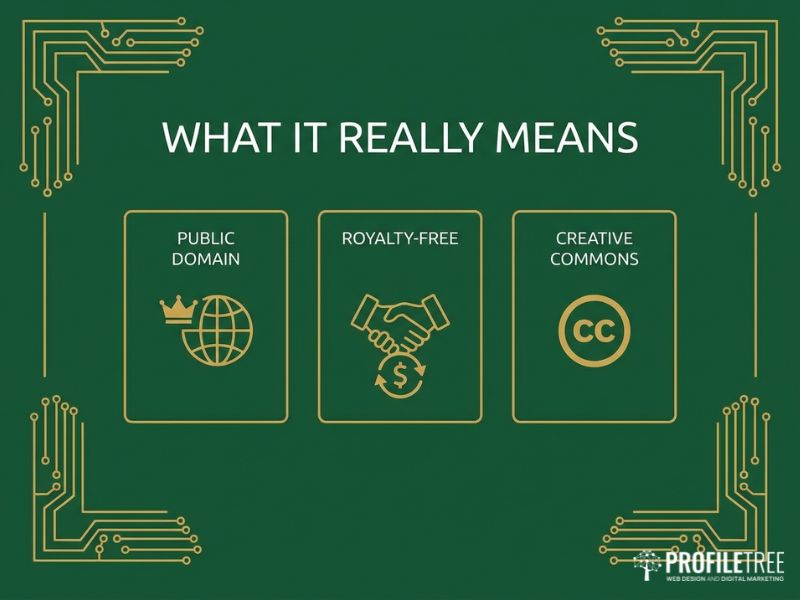
Non-Copyrighted Images, in the strict sense, are works that no longer carry copyright protection or never did. Everything else is licensed, and the terms of that licence decide what you can and cannot do. The confusion comes from three terms that get used as if they mean the same thing: public domain, royalty-free and Creative Commons. They do not, and the difference matters on any commercial project.
Public Domain Versus Copyright-free
An image is genuinely copyright-free only when it sits in the public domain. In the UK that usually happens 70 years after the creator’s death, or when a creator has explicitly waived all rights, often through a CC0 dedication. Public domain works can be used, edited and redistributed for any purpose without permission or attribution. The catch is supply: high-quality, modern public domain photography suited to current web design is scarce, so most professional projects rely on licensed sources instead.
Royalty-free is Not Free
Royalty-free is the term that trips people up most. A royalty-free image is still under copyright. What you pay for, once, is the right to use it many times without a fresh fee for each use. Platforms such as Adobe Stock and Shutterstock work this way. The licence is broad, covering client websites, social campaigns and print, but it carries conditions: you usually cannot resell the image as a standalone product, and sensitive uses may be restricted. So royalty-free images are convenient and low-risk, but they are not Non-Copyrighted Images.
Creative Commons in Plain Terms
Creative Commons licences sit between full copyright and the public domain, letting a creator grant permissions in advance. The label you must watch is “NC”, for non-commercial. A CC BY image can be used commercially with a credit. A CC BY-NC image cannot be used on a business website at all, credit or not. Using a non-commercial image on a client site is as much an infringement as using a fully protected one, so read the specific licence before you treat anything as part of your pool of Non-Copyrighted Images.
The UK Legal Framework for Non-Copyrighted Images
UK law shapes how you should treat Non-Copyrighted Images, and it is stricter than many people assume. Copyright here is automatic and unregistered, which means the absence of a notice tells you nothing about whether a work is protected. For commercial work, the safe default is to assume an image is protected until you can show otherwise.
The Copyright, Designs and Patents Act 1988
The Copyright, Designs and Patents Act 1988 is the statute that governs this. Protection attaches the moment an original work is created and gives the rights holder control over how it is copied, distributed and reproduced. There is no registry to check and no symbol to look for. That single fact is why sourcing Non-Copyrighted Images takes care: you are looking for the small set of works where the creator has deliberately given up those automatic rights.
Fair Dealing is Narrower Than You Think
Many UK creators lean on “fair dealing”, the local equivalent of US “fair use”, and assume a non-profit or educational use is safe. Fair dealing is limited to research and private study, criticism and review, news reporting, and caricature, parody or pastiche. A commercial blog post that exists to sell a service does not qualify. If the use is commercial, the image needs to be public domain, CC0, or covered by a proper commercial licence.
Model and Property Releases
A clear licence is not always the end of it. If an image shows a recognisable person, you also need a model release granting permission to use their likeness commercially. The same logic applies to private property or distinctive branded items through a property release. Reputable paid platforms confirm releases are in place; free platforms and user-generated content rarely do. Under UK privacy rules and GDPR principles, using an identifiable person’s image without a release can create a claim entirely separate from copyright, so releases belong in your checks for any commercial Non-Copyrighted Images featuring people.
Where to Find Non-Copyrighted Images for Commercial Use
Knowing the rules is half the job. The other half is finding Non-Copyrighted Images that are genuinely usable, relevant and good enough for client work. Sources fall into three groups, and the right mix depends on budget, sector and how distinctive the visuals need to be.
Free Platforms and Their Custom Licences
Unsplash, Pexels and Pixabay are the obvious starting points for free Non-Copyrighted Images, and the quality is often high. One detail catches people out: these platforms moved away from CC0 to their own custom licences. Use for commercial and personal projects is allowed without attribution, but the terms typically forbid reselling unaltered copies as a standalone product or running a competing stock service. For a client website that is fine. For merchandise sold on Etsy or a similar marketplace, read the licence first, because the free label does not stretch that far.
The same goes for visuals reused across paid channels: an image cleared for a website is not automatically cleared for a sponsored post, so confirm the terms before it feeds your social media marketing or your email marketing campaigns. It also helps to dig past the first page of results, since the images shown there are the ones every other site is already using. Narrower search terms and secondary pages surface fresher Non-Copyrighted Images that competitors have not exhausted, which keeps a brand’s visuals feeling distinct rather than recycled.
Uk-specific and Public Domain Archives
For authentic British content, archives often beat the mainstream platforms. Wikimedia Commons holds a large volume of UK landmarks and historical photography, though licensing varies image by image and needs checking. The National Archives, Historic England and several UK museums have released parts of their collections for reuse, and the British Library’s Flickr Commons stream offers high-resolution heritage material. These sources are where you find Non-Copyrighted Images with genuine local relevance, which matters when a generic international stock photo would feel out of place on a Northern Ireland or UK business site.
When Paid Royalty-free Earns Its Place
Free sources cover a lot, but paid royalty-free has real advantages: stronger quality control, confirmed model and property releases, and images competitors are less likely to be using. For an established brand, that certainty is usually worth the modest cost. A practical rule is to invest in licensed imagery for hero shots and key brand touchpoints, where a repeated free photo would undermine credibility, and use carefully chosen Non-Copyrighted Images elsewhere.
Which shots warrant that spend is a question of digital strategy support as much as design, and the answer often shapes the look of a site from the first professional web design drafts onwards. The same discipline applies to video and audio: free clip libraries exist, but any music track needs its own clearance, since copyright on a soundtrack is separate from the footage.
As Ciaran Connolly, founder of ProfileTree, puts it: “We verify the licence on every image before it goes near a client site, because the cost of checking is nothing next to the cost of a copyright claim.”
Using Advanced and Reverse Image Search to Verify Non-Copyrighted Images
Sourcing Non-Copyrighted Images is only safe if you can confirm where they came from, and two search techniques do most of that work. Advanced image search helps you find images filtered by usage rights in the first place. Reverse image search lets you trace an image back to its origin, which is the single best defence against a “free” file that was never free to begin with.
Advanced Image Search by Usage Rights
Google advanced image search and similar tools let you filter results by usage rights before you ever download a file. Setting the filter to Creative Commons or commercial-use licences narrows the field to images that are at least labelled as reusable. Treat the label as a starting point rather than proof, because filters reflect what an uploader claimed, not what the law says. Advanced image search is a fast way to build a shortlist of candidate Non-Copyrighted Images, after which you still confirm the licence on the source page.
Reverse Image Search for Provenance
A growing risk on free platforms is the fraudulent upload, where someone takes a professional’s copyrighted photo and posts it as CC0. If you use it, the original photographer can still pursue you, and “I found it on a free site” is rarely a defence in the UK. A reverse image search through Google Lens or TinEye takes thirty seconds and shows you everywhere the image appears. If the same shot turns up across paid stock libraries or a photographer’s portfolio, the free version is almost certainly stolen.
Running a reverse image search on any people-bearing or branded image before publication is the cheapest insurance you can buy for your stock of Non-Copyrighted Images. Keep a short record of what each search showed too, because if a claim ever arrives, being able to demonstrate that you checked the provenance and the licence at the time is far stronger than relying on memory months later.
AI-Generated Images and Copyright
AI image tools such as Midjourney, DALL-E and Stable Diffusion have changed how teams produce visuals, and they raise fresh questions about whether the output counts as Non-Copyrighted Images. The appeal is obvious: custom visuals on demand, no photographer to coordinate, and quick iteration. The legal position is less settled, and the gap matters for commercial use.
UK law generally requires a human author for copyright to attach, so a purely AI-generated image may not be protected in the way a photograph is. That does not make it risk-free. The model was trained on existing works, and an output that closely echoes a protected image or style can still raise an infringement question that competitors and stock photographers are starting to test.
Each platform also sets its own terms on commercial use and ownership, and they differ. For high-stakes commercial work, check the specific tool’s licence, keep a record of your prompts, and treat AI output with the same caution you would apply to any other source rather than assuming it is a free pool of Non-Copyrighted Images.
It is also worth weighing the reputational angle: some audiences react badly to obvious AI visuals, so for key brand pages a licensed photograph or a commissioned shot can still be the safer choice. Used with judgement, generated imagery has a place alongside our AI marketing services, and the same licensing questions apply when visuals feed tools like AI chatbots that surface images to customers.
Putting Non-Copyrighted Images to Work on Your Website
A legally clean image still has to perform once it is on the page. How you compress, serve and describe your Non-Copyrighted Images affects load speed, accessibility and search visibility, all of which feed into rankings and conversions. This is the stage where good sourcing either pays off or gets undone by sloppy implementation.
Optimising Images for Performance
Site speed is a confirmed Google ranking factor, and images are usually the heaviest part of a page. Pick the right format for the job: WebP for most photographs, PNG where you need transparency, and SVG for logos and icons. Compress before upload with a tool such as TinyPNG or Squoosh, aim to keep above-the-fold images under 100KB where you can, and use native lazy loading so below-the-fold images load only as the visitor scrolls.
A content delivery network helps if you serve a national audience, which is something to plan with your hosting and management provider rather than leave to chance. These steps turn well-chosen Non-Copyrighted Images into fast-loading assets rather than dead weight, and they are part of how our web design services and website development work approach every build. Heavier image needs, such as galleries or product catalogues, often call for a custom development build rather than an off-the-shelf theme.
Accessibility and Alt Text
Accessibility is a legal expectation under the Equality Act 2010, which requires reasonable adjustments for disabled users across digital services. Descriptive alt text is the core of this for images: it serves screen reader users, shows when an image fails to load, and gives search engines context. Keep it concise and relevant, describe the function rather than the look for buttons and links, and use an empty alt attribute for purely decorative images so screen readers skip them.
Where text sits over an image, hold a contrast ratio of at least 4.5:1 to meet the WCAG 2.1 guidelines. Done well, accessible Non-Copyrighted Images widen your audience and strengthen the same content that supports your SEO services goals, which is why accessibility and search engine optimisation are best handled together rather than as separate jobs.
Building a Safe Image Workflow
The practical takeaway is to make verification a habit rather than an afterthought, so that every project draws from a clean pool of Non-Copyrighted Images. Before any file goes live, confirm the licence type and that it allows commercial use, record the source and any attribution required, run a reverse image search on people-bearing or branded shots, and check that model and property releases exist where they apply. Then compress, add descriptive alt text and serve responsively.
Agencies producing regular content often find a paid stock subscription pays for itself in time saved and risk removed, and the same care extends naturally to clearing music and footage for any video marketing team work. Building this checking habit across a team is exactly what our digital training courses cover, and ongoing video content production benefits from the same rights-clearance routine. The discipline is simple once it is built in, and it protects both you and your clients.
FAQs
Are Non-Copyrighted Images always free to use commercially?
No. Only genuine public domain or CC0 images are free for any use. Many “free” images carry licences that limit commercial use, so check each one.
Is royalty-free the same as copyright-free?
No. Royalty-free means you pay once to reuse an image, but the creator keeps the copyright. Copyright-free means the work is in the public domain.
Can I use a free image that shows a person?
Only if a model release exists. Without one, using a recognisable person’s image commercially can breach privacy and data protection rules in the UK.
What is the safest way to verify Non-Copyrighted Images?
Run a reverse image search to trace the original source, then confirm the licence on that source page. This catches images uploaded fraudulently as free.
Are AI-generated images copyright-free?
Not reliably. UK protection usually needs a human author, but AI output can still echo protected works, and each platform sets its own commercial terms.
Does fair dealing let me use any image on my blog?
No. UK fair dealing covers research, review, news, and parody, not commercial promotion. A business blog needs a proper licence or a public domain image.