
Microsoft Copilot for SMEs: Worth £25? Business Review
Table of Contents
Small and medium enterprises face a critical decision with Microsoft 365 Copilot’s £25 monthly subscription. After extensive testing and analysis of real business implementations, we’ve discovered that the answer depends entirely on how your business currently uses Microsoft 365 and the specific productivity gains you’re targeting.
The Financial Reality: Breaking Down ROI for Different Business Sizes
Understanding the true financial impact of Microsoft Copilot for SMEs requires moving beyond marketing claims to examine real-world productivity calculations and measurable time savings.
Your break-even point with Microsoft Copilot comes down to simple mathematics. An employee earning £40,000 annually (approximately £55,000 total cost including overheads) needs to save just 32 minutes monthly to justify the subscription. For senior staff earning £70,000 (£95,000 total cost), that threshold drops to under 20 minutes.
The Forrester research commissioned by Microsoft projects returns between 132% and 353% over three years, with businesses reporting 6% revenue increases and 20% operational cost reductions. However, these figures assume optimal implementation and consistent usage across teams—something many SMEs struggle to achieve without proper planning.
For context, ProfileTree’s digital strategy services often focus on identifying these exact productivity bottlenecks before implementing new technology. The businesses that see the strongest returns are those that map their current workflows first, then apply Microsoft Copilot strategically rather than broadly.
Calculating Your Specific ROI
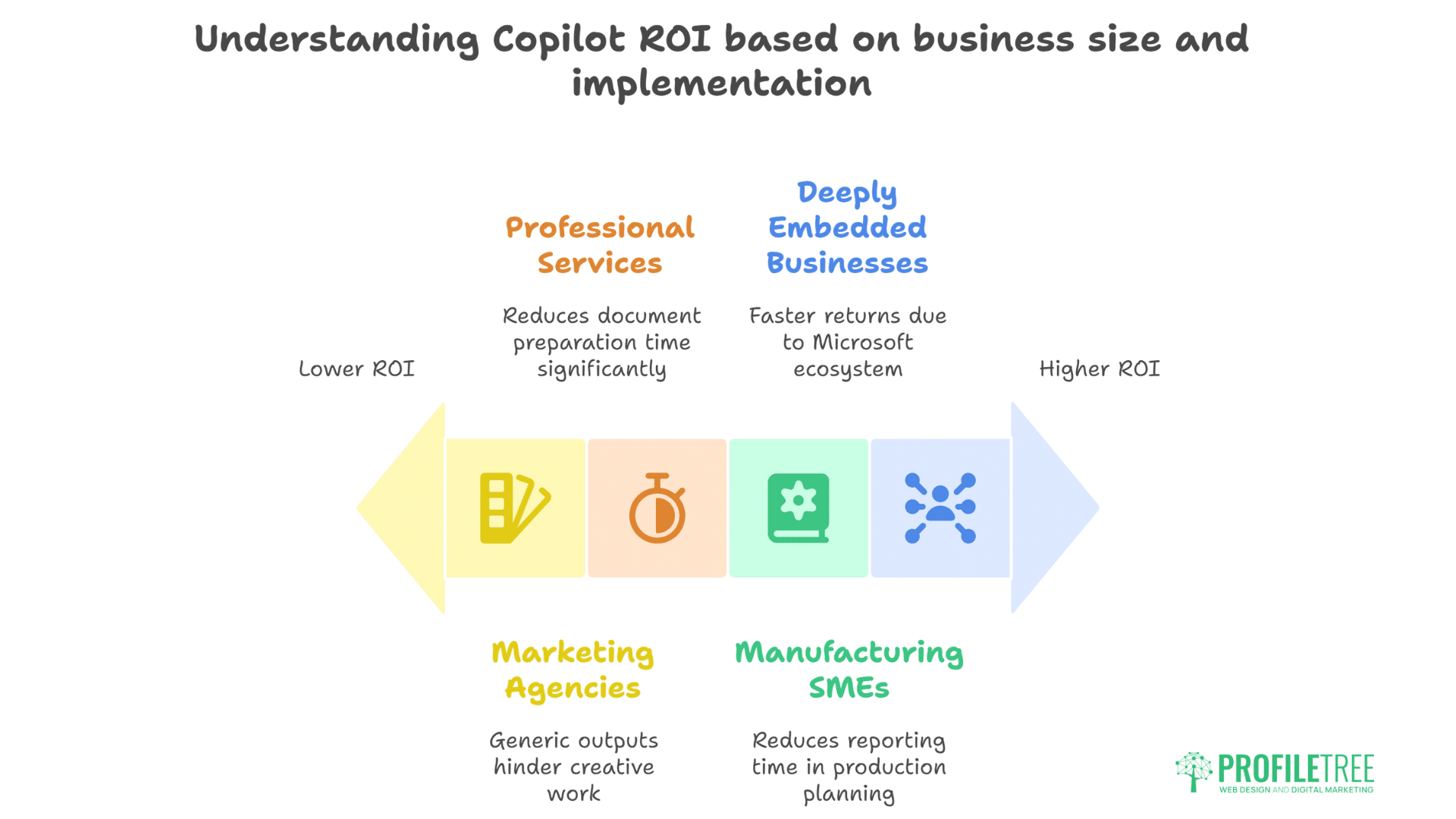
Professional services firms billing at £150-300 per hour see immediate returns when Copilot reduces document preparation time by even 15 minutes per client engagement. Manufacturing SMEs using Excel for production planning report 20% reductions in reporting time. Marketing agencies, however, show mixed results—while proposal generation speeds up dramatically, creative teams sometimes find the outputs too generic for brand-specific work.
The critical factor isn’t the tool’s capabilities but your current Microsoft 365 dependency. Businesses already deeply embedded in the Microsoft ecosystem see faster returns than those splitting time between multiple platforms.
Excel Transformation: From Spreadsheet to Intelligence Platform
Microsoft Copilot fundamentally changes how SMEs interact with data in Excel. Rather than manually configuring formulas and PivotTables, you’re having conversations with your spreadsheets.
Inventory Management Revolution
For inventory control specifically, Microsoft Copilot delivers four game-changing capabilities that directly impact bottom-line performance:
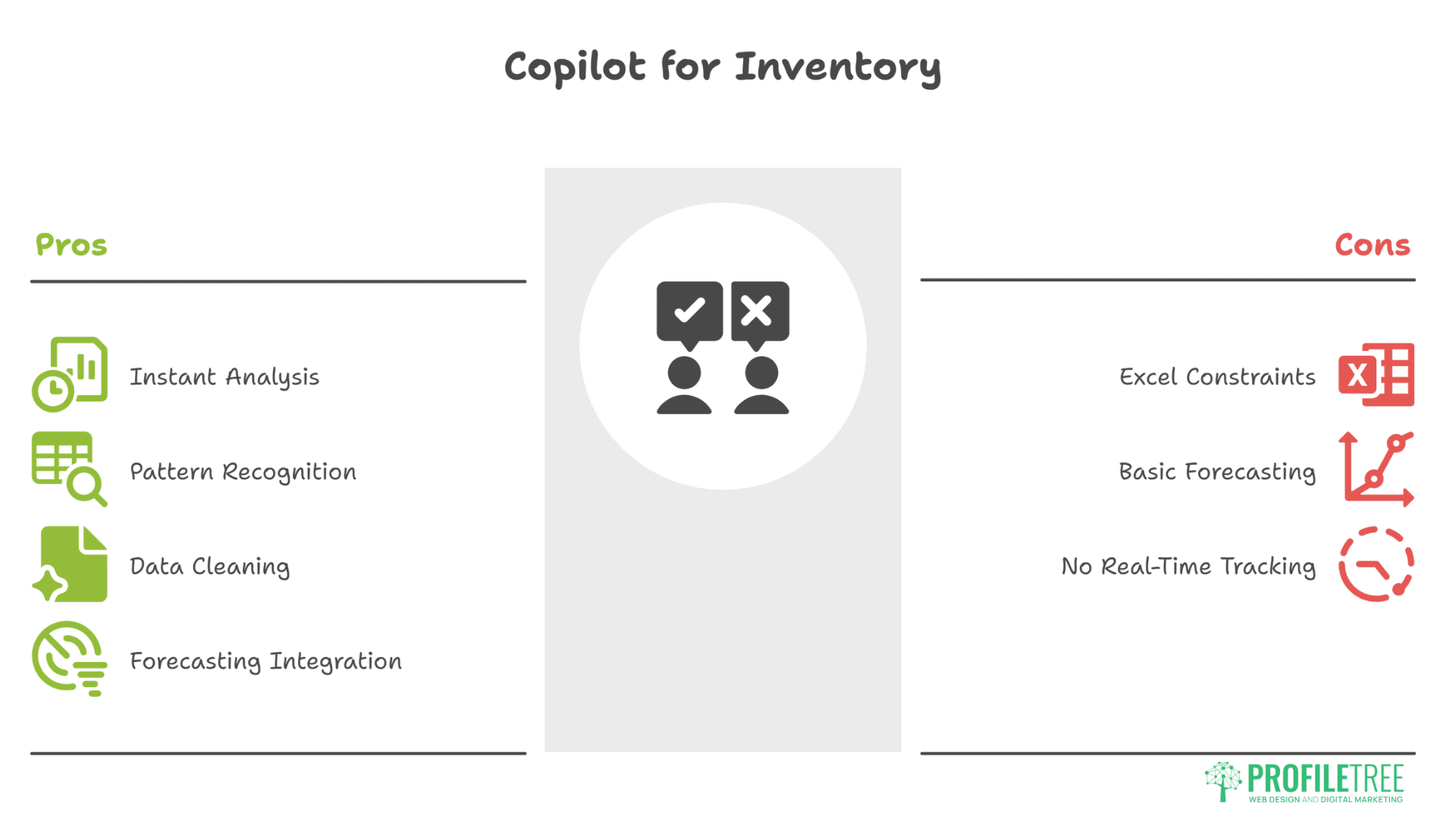
- Instant Analysis Creation: Ask “Show me slow-moving stock over 90 days,” and Copilot generates the complete analysis, including conditional formatting to highlight problem areas. This replaces 20-30 minutes of manual PivotTable configuration with a 10-second request.
- Pattern Recognition: The system identifies seasonal trends, reorder points, and demand fluctuations that human analysis often misses. One Belfast retailer reported discovering their Tuesday ordering pattern was creating Thursday stockouts—something buried in two years of data that Microsoft Copilot surfaced immediately.
- Data Cleaning Automation: Copilot detects and fixes common inventory data problems—duplicate SKUs, inconsistent supplier codes, and formatting errors. This accuracy improvement alone justifies the cost for businesses managing over 500 SKUs.
- Forecasting Integration: While not replacing dedicated forecasting software, Microsoft Copilot provides quick trend analysis and basic predictions that help SMEs make better ordering decisions without expensive speciality tools.
The key limitation? Copilot works within Excel’s existing constraints. Businesses needing real-time inventory tracking or multi-location management still require dedicated inventory systems. However, for SMEs using Excel as their primary data tool, the productivity gains are substantial.
Word Processing: Beyond Basic Document Creation
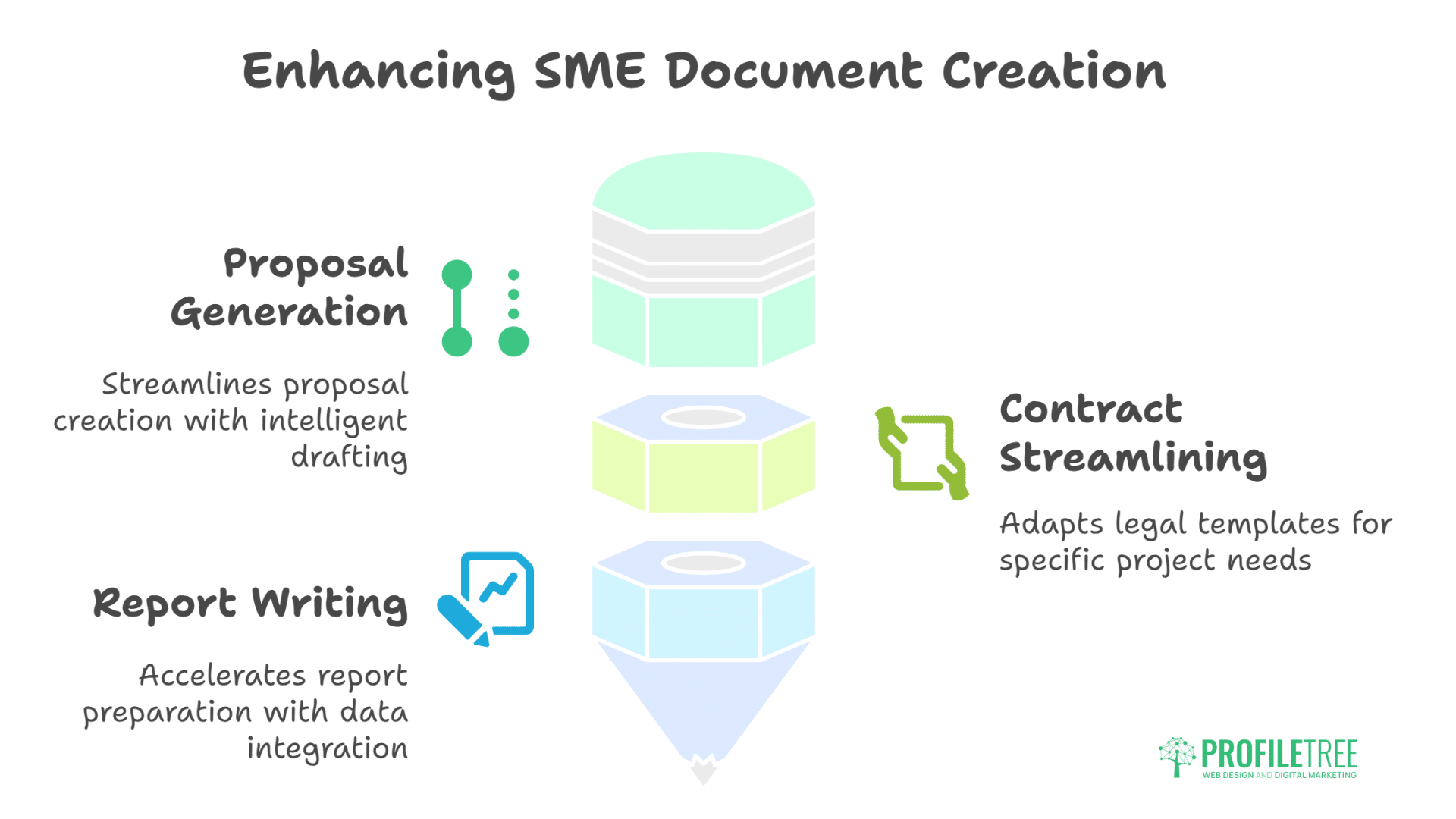
Microsoft Copilot’s Word integration addresses a specific SME pain point: professional document creation without a dedicated writing staff. The system excels at three critical business documents:
Proposal Generation That Actually Works
Creating client proposals typically consumes 2-4 hours for SMEs. Microsoft Copilot reduces this to 30 minutes through intelligent drafting and refinement. The process works like this:
Start with a basic prompt: “Create a website redesign proposal for a Belfast restaurant. Include mobile optimisation, local SEO, and social media integration sections.” Copilot generates a complete first draft in seconds.
The real value comes in refinement. Tell Copilot to “Make this more conversational for a family-run business” or “Add statistics about mobile usage in the hospitality sector” and watch the document transform. This iterative approach produces proposals that feel custom-written rather than template-based.
ProfileTree’s experience with website development proposals shows that personalisation drives conversion. Microsoft Copilot accelerates personalisation without sacrificing quality, particularly when you provide context about the client’s industry and challenges.
Contract and Agreement Streamlining
Legal documents remain sensitive territory, but Copilot excels at adapting existing templates. Feed it your standard service agreement and ask for modifications based on specific project requirements. The system maintains legal language consistency while adjusting scope, timelines, and deliverables.
Report Writing That Saves Hours
Monthly client reports, board updates, and performance reviews become significantly faster. Microsoft Copilot pulls data from connected Excel files, formats it professionally, and writes executive summaries that actually make sense. One accounting firm reported reducing monthly client report preparation from 6 hours to 90 minutes.
Teams Integration: Where Copilot Truly Shines
Microsoft Teams integration represents Copilot’s strongest value proposition for SMEs. The meeting productivity features alone justify the subscription for businesses running multiple daily meetings.
Real-Time Meeting Intelligence
During live meetings, Microsoft Copilot provides three critical functions that transform productivity:
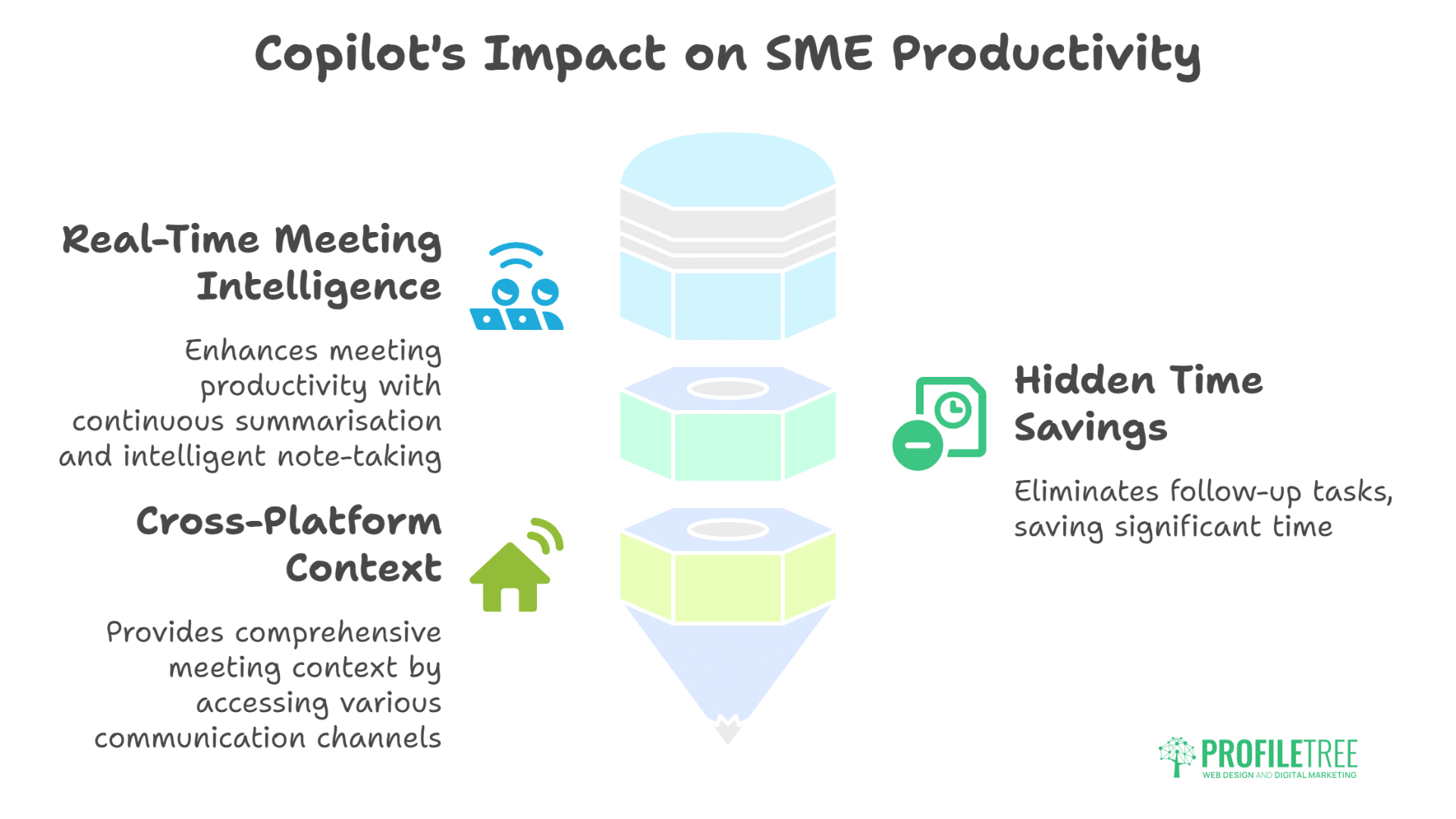
- Continuous Summarisation: As discussions progress, Microsoft Copilot tracks key points, decisions, and action items. Late joiners receive instant context without disrupting flow. This feature proves invaluable for SME leaders juggling multiple concurrent meetings.
- Intelligent Note-Taking: Rather than generic transcription, Copilot identifies and organises information by topic, speaker, and importance. Post-meeting, you receive structured notes ready for distribution, not walls of text requiring manual processing.
- Action Item Extraction: Every commitment, deadline, and assignment gets captured and organised. Export these directly to task management systems or share via email with automatic owner assignment.
The Hidden Time Savings
The real productivity gain isn’t in the meetings themselves but in the follow-up elimination. No more “What did we decide?” emails or forgotten action items. ProfileTree’s digital training workshops often highlight how poor meeting follow-up costs SMEs 3-5 hours weekly per employee. Copilot effectively eliminates this waste.
Cross-Platform Context
Teams Copilot accesses related emails, documents, and calendar entries to provide comprehensive meeting context. Ask “What did we previously discuss about this client?” and receive a summary spanning multiple communication channels. This institutional memory function proves particularly valuable for growing SMEs where information often lives in individual inboxes.
Comparing Copilot to ChatGPT and Free Alternatives
The AI assistant landscape offers multiple options, each with distinct advantages and limitations for business use.
ChatGPT Plus (£16/month)
ChatGPT excels at creative tasks and complex reasoning but lacks Microsoft 365 integration. You’re copying and pasting between systems, losing context, and managing multiple subscriptions. The o1 model provides superior analytical capabilities for complex problems, but the workflow friction makes it impractical for routine business tasks.
For businesses needing advanced AI reasoning without Microsoft integration, ChatGPT Plus makes sense. For those living in Office 365, the integration gap creates more problems than the cost savings solve.
Claude Pro (£18/month)
Claude produces arguably the best-written content among AI assistants, with superior context handling and nuanced understanding. However, like ChatGPT, it exists outside your business systems. The daily message limits also restrict heavy business usage.
SMEs focused on content creation might find Claude superior for content marketing projects, but it won’t help with Excel analysis or Teams meetings.
Google Gemini (Free/£19.99)
Gemini integrates beautifully with Google Workspace but offers nothing for Microsoft-centric businesses. If you’re using Google Sheets, Docs, and Meet, Gemini provides similar functionality to Microsoft Copilot at a lower price point. The challenge comes when clients or partners use Microsoft systems—you’re back to manual conversion and compatibility issues.
Free Microsoft Copilot
The free version provides basic AI chat and web search but excludes all productivity application integration. It’s essentially Bing Chat with a different name—useful for general queries but irrelevant for business productivity.
The Integration Advantage
What sets Microsoft 365 Copilot apart isn’t superior AI capabilities—it’s seamless workflow integration. When Copilot can access your emails, analyse your spreadsheets, and summarise your meetings without switching applications, the time savings compound dramatically.
Real-World Implementation: Lessons from Early Adopters
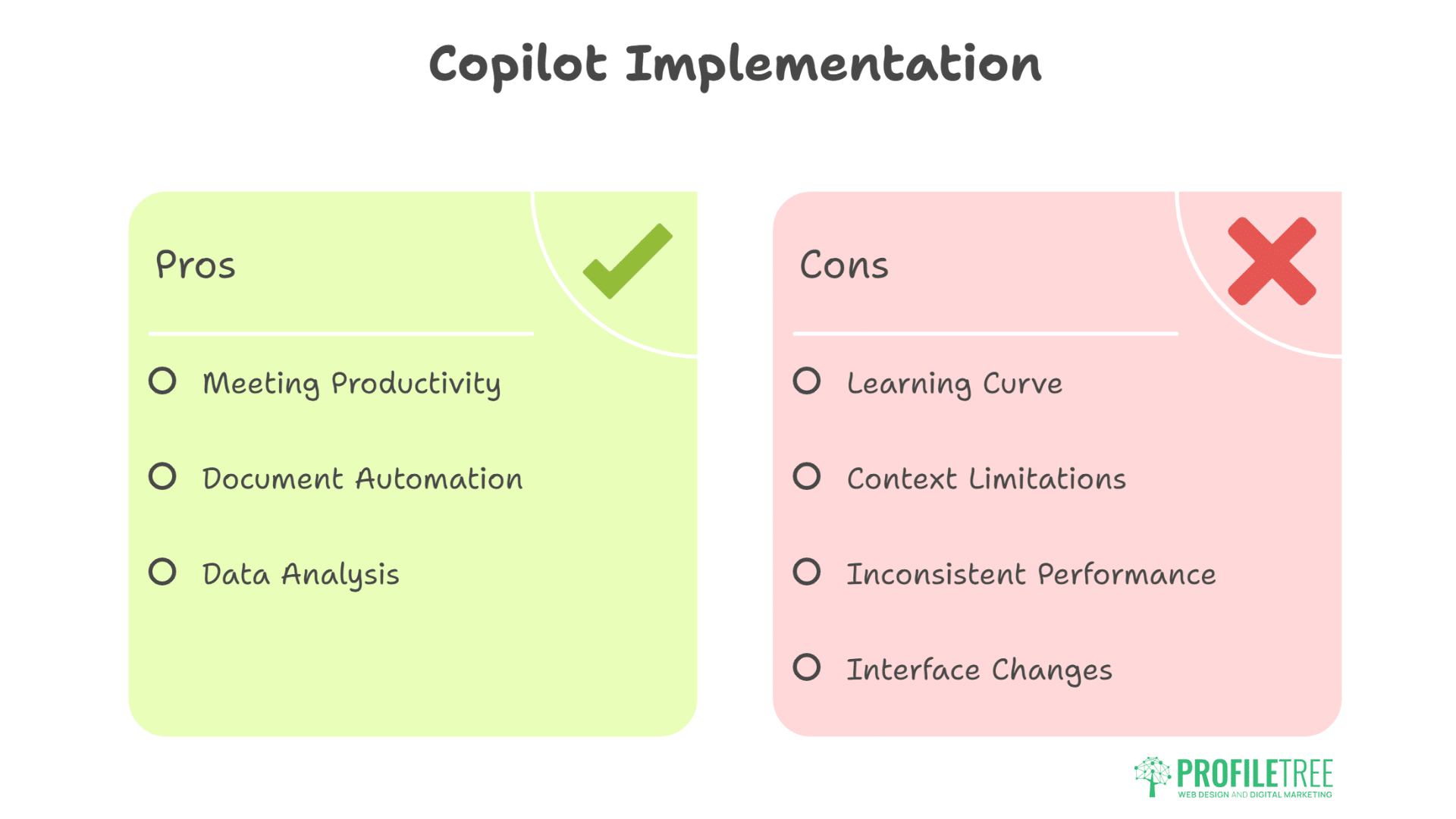
Social media feedback and user reviews reveal critical implementation insights that marketing materials don’t mention.
The Success Stories
LinkedIn discussions consistently highlight three winning use cases:
- Meeting Productivity: Users describe Teams meeting summaries as “transformative”, with one project manager stating they’ve “reclaimed 5 hours weekly” from meeting administration.
- Document Automation: Legal firms report 50% reductions in contract review time. Estate agents cut property description writing from 30 minutes to 5 minutes.
- Data Analysis: Financial advisors praise Excel integration for client portfolio analysis, with complex calculations becoming conversational queries.
The Frustrations
Reddit threads and Trustpilot reviews surface recurring complaints:
- Learning Curve: Effective prompting requires practice. Users expecting immediate productivity gains often feel disappointed. The system needs specific, well-structured requests to deliver valuable outputs.
- Context Limitations: Recent updates reduced Copilot’s ability to maintain conversation context. Users must provide more detailed information in each request, slowing workflows.
- Inconsistent Performance: Microsoft Copilot occasionally generates incorrect formulas or deletes content when reformatting documents. While infrequent, these errors require vigilance and verification.
- Interface Changes: The recent redesign moved common functions behind additional clicks, frustrating power users accustomed to the previous layout.
The Reality Check
Copilot delivers significant value but requires investment in training and process adjustment. Businesses throwing licences at staff without preparation see minimal returns. Those investing in proper implementation—including prompt engineering training and workflow redesign—report substantial productivity improvements.
ProfileTree’s AI training programmes specifically address this challenge, helping SMEs maximise their Copilot investment through structured learning approaches.
Strategic Implementation for Maximum ROI
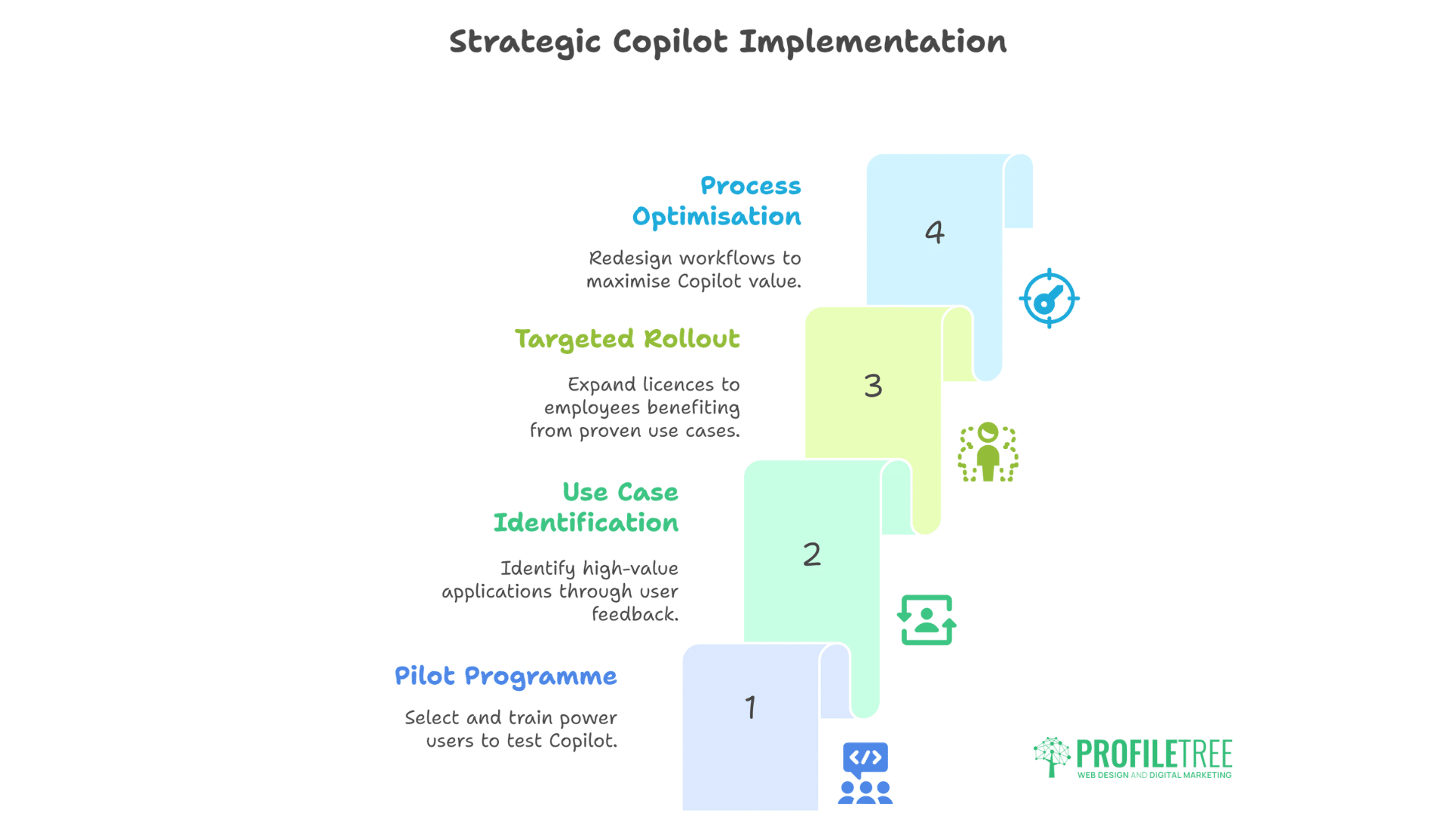
Success with Microsoft Copilot requires strategic deployment rather than blanket adoption. Here’s the approach that consistently delivers results:
Phase 1: Pilot Programme (Month 1)
Select 3-5 power users who spend significant time in Microsoft 365. These should be employees already comfortable with technology and eager to experiment. Provide them with licences and basic training, then track their usage and feedback.
Phase 2: Use Case Identification (Month 2)
Work with pilot users to identify the highest-value applications. Common winners include:
- Meeting note automation for sales teams
- Proposal generation for business development
- Financial reporting for management
- Email summarisation for executives
Document time savings and quality improvements for each use case.
Phase 3: Targeted Rollout (Month 3)
Expand licences to employees who’ll benefit from proven use cases. Provide specific training on successful applications rather than a generic Copilot overview. Create internal champions who can support colleagues.
Phase 4: Process Optimisation (Ongoing)
Redesign workflows to maximise Copilot value. This might mean standardising document templates, restructuring meeting formats, or consolidating data sources. The technology should enhance optimised processes, not paper over inefficient ones.
Industry-Specific Considerations
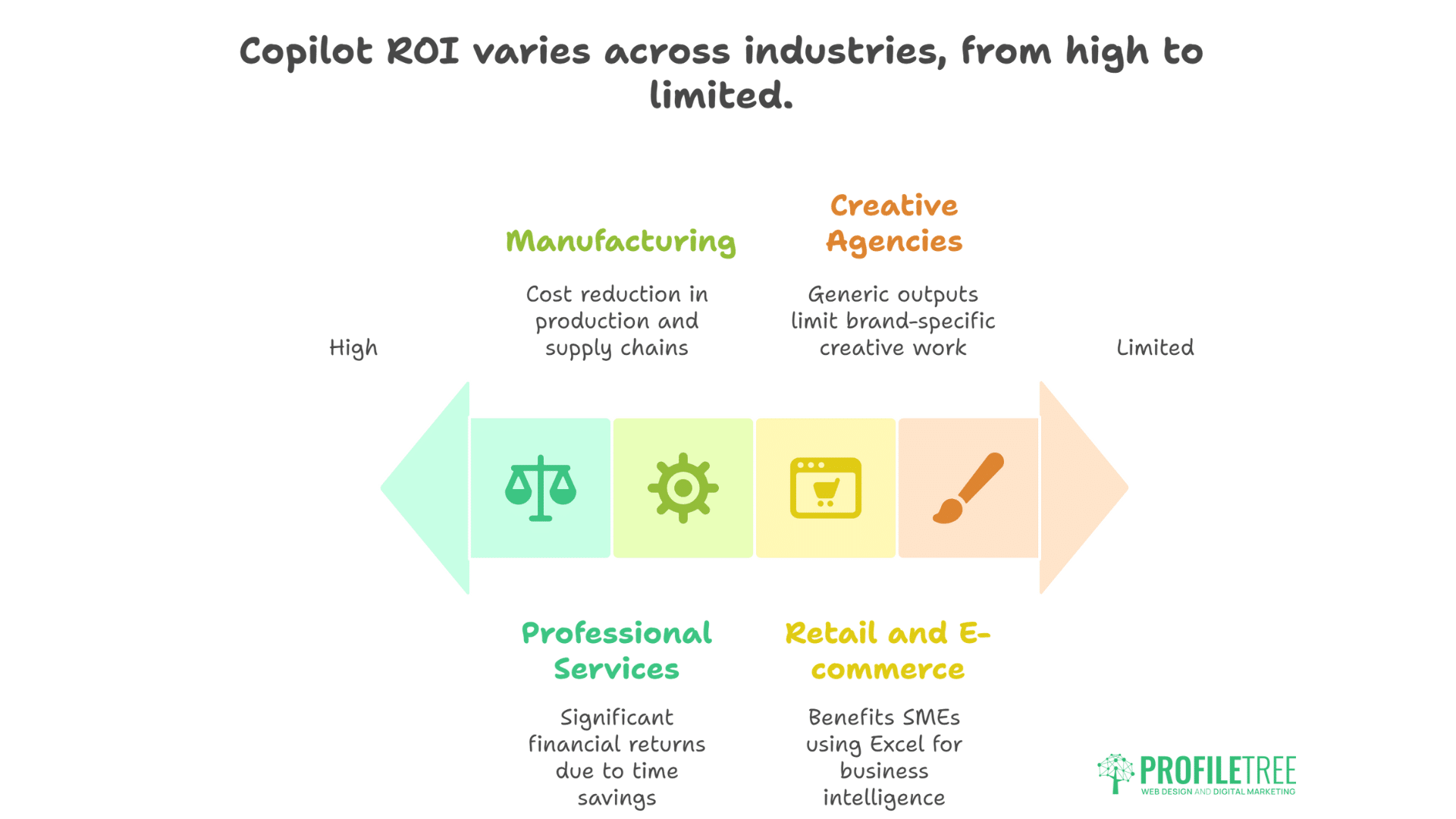
Different sectors see varying returns from Microsoft Copilot investment:
Professional Services
Law firms, accounting firms, and consultancies report the highest ROI. Document-heavy workflows and billable hour models mean even small time savings translate to significant financial returns. Contract analysis, report generation, and meeting summaries provide immediate value.
Retail and E-commerce
Inventory analysis and sales forecasting capabilities benefit retailers managing multiple SKUs. However, businesses using specialised inventory management systems may find limited additional value. The sweet spot exists for SMEs using Excel as their primary business intelligence tool.
For retailers looking to enhance their online presence, combining Copilot’s data analysis with ProfileTree’s website design services creates a powerful growth strategy.
Manufacturing
Production planning, quality documentation, and supplier communication benefit from automation. The 20% cost reduction cited in studies aligns with manufacturer feedback, particularly for businesses managing complex supply chains through spreadsheets.
Creative Agencies
Mixed results emerge from creative sectors. While proposal and report generation accelerate, creative teams find outputs too generic for brand-specific work. Agencies might benefit more from selective deployment for administrative tasks while maintaining human creativity for client deliverables.
ProfileTree’s video marketing and animation work demonstrates this balance—AI assists with planning and scripting, but creative execution remains distinctly human.
The Technical Reality: What Actually Works
After extensive testing, certain Microsoft Copilot features consistently deliver value while others disappoint:
Reliable Winners
- Excel Formula Generation: Complex calculations become simple requests. “Calculate year-over-year growth percentage excluding anomalies” produces accurate formulas instantly.
- Meeting Summaries: Consistently accurate and useful, saving hours weekly for meeting-heavy roles.
- Email Drafting: Professional responses generated in seconds, particularly valuable for customer service and sales teams.
- Document Formatting: Converting rough notes into professional documents happens almost magically.
Inconsistent Performers
- Creative Writing: Output quality varies wildly. Sometimes brilliant, often generic.
- Data Visualisation: Chart suggestions occasionally miss the mark, requiring manual adjustment.
- PowerPoint Design: Slide creation works but rarely produces presentation-ready results without significant refinement.
Current Limitations
- Multi-language Support: Non-English performance remains inconsistent.
- Complex Reasoning: For intricate problem-solving, dedicated AI tools like ChatGPT’s o1 model outperform Microsoft Copilot.
- Custom Integration: Copilot won’t connect to proprietary business systems without expensive additional development.
Making the Decision: Is Copilot Worth £25 Monthly?
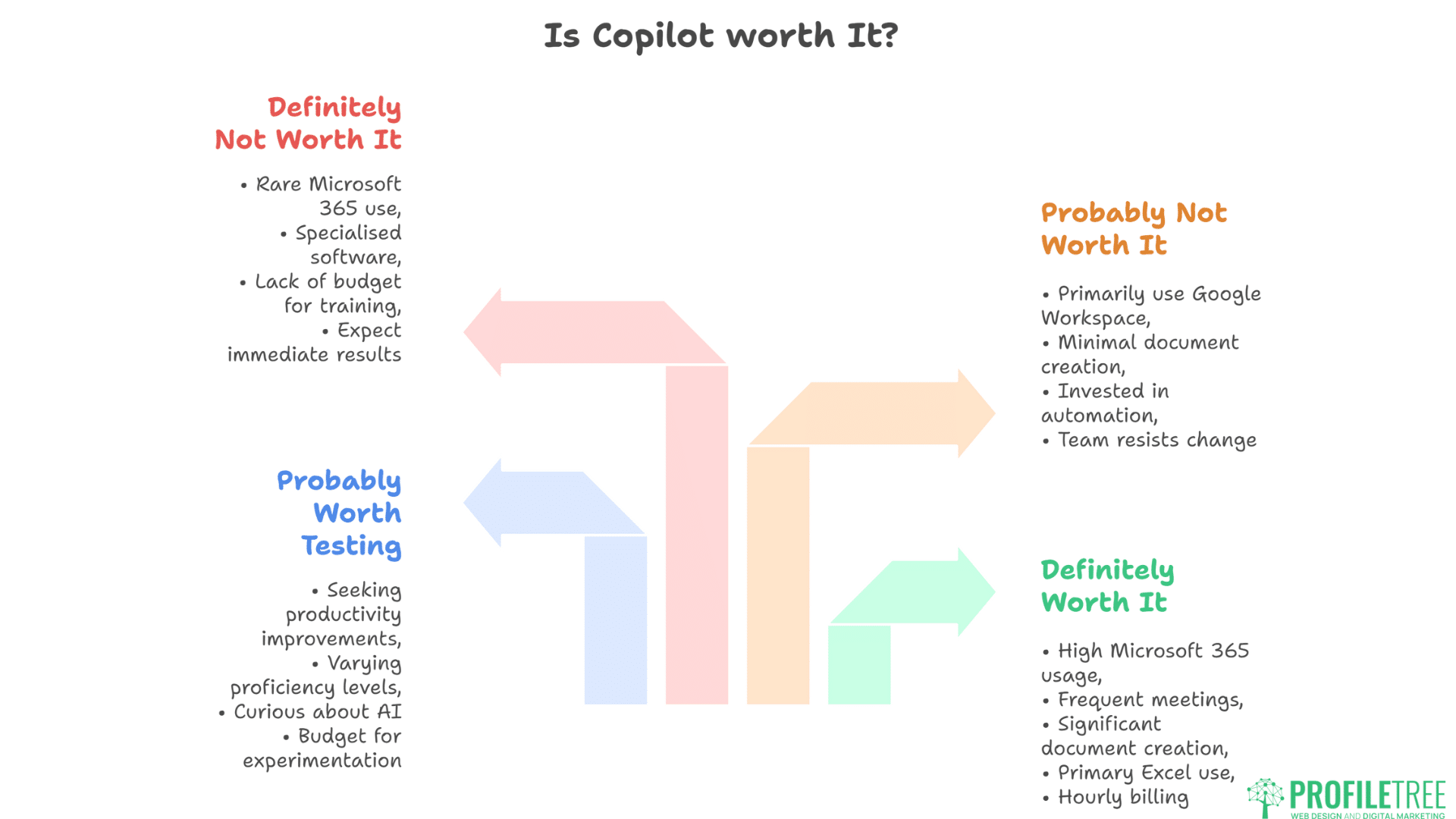
The value proposition becomes clear when you evaluate your business against these criteria:
Definitely Worth It If:
- Your team spends 50%+ of time in Microsoft 365 applications
- You run multiple Teams meetings daily
- Document creation consumes significant staff time
- Excel serves as your primary data analysis tool
- You bill hourly for professional services
Probably Worth Testing If:
- You’re seeking productivity improvements but haven’t identified specific bottlenecks
- Your team shows varying Microsoft 365 proficiency levels
- You’re curious about AI but uncertain about applications
- Budget allows for experimentation without immediate ROI pressure
Probably Not Worth It If:
- You primarily use Google Workspace or other platforms
- Your work involves minimal document creation or data analysis
- You’ve already invested in specialised automation tools
- Your team resists technology change
Definitely Not Worth It If:
- You rarely use Microsoft 365 beyond basic email
- Your business runs on specialised industry software
- You lack the budget for proper training and implementation
- You expect immediate results without process adjustment
Implementation Roadmap for SMEs
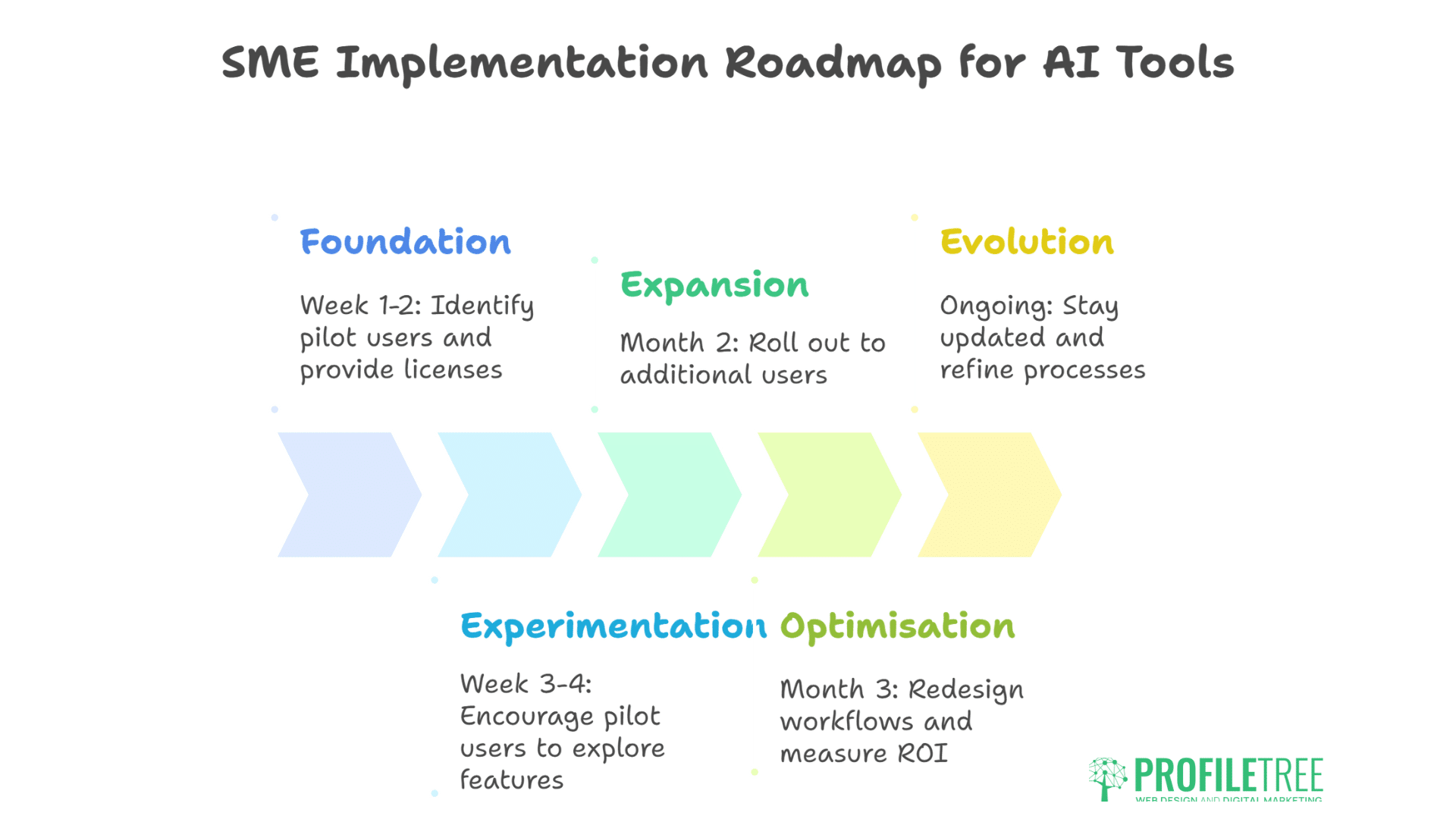
For businesses ready to proceed, here’s a practical implementation approach:
Week 1-2: Foundation
- Identify pilot users and provide licences
- Schedule initial training sessions (consider ProfileTree’s AI training programmes)
- Document the current time spent on target tasks
- Create baseline metrics for comparison
Week 3-4: Experimentation
- Encourage pilot users to explore different features
- Document successful use cases and failures
- Identify quick wins for broader rollout
- Gather specific feedback on productivity impact
Month 2: Expansion
- Roll out to additional users based on proven use cases
- Provide targeted training on successful applications
- Establish internal support channels
- Monitor adoption and address resistance
Month 3: Optimisation
- Redesign workflows around Microsoft Copilot capabilities
- Standardise templates and processes
- Measure ROI against baseline metrics
- Decide on full deployment or cancellation
Ongoing: Evolution
- Stay updated on new features and capabilities
- Continuously refine prompts and processes
- Share success stories internally
- Evaluate emerging alternatives
The Northern Ireland Perspective
Belfast businesses face unique considerations when implementing Microsoft Copilot. Our local market’s characteristics—dominated by SMEs, strong professional services sector, growing tech presence—create specific opportunities and challenges.
The productivity gains prove particularly valuable given Northern Ireland’s competitive labour market. When skilled staff are difficult to recruit, maximising existing team productivity becomes critical. Microsoft Copilot effectively adds capacity without headcount, crucial for growth-focused SMEs.
Additionally, our position serving both the UK and Irish markets means document creation in multiple formats and contexts. Copilot’s ability to quickly adjust tone, format, and terminology for different audiences provides unexpected value for cross-border businesses.
Future-Proofing Your Investment
Microsoft’s roadmap suggests significant Microsoft Copilot enhancements throughout 2025, including:
- Improved context retention across sessions
- Enhanced integration with third-party applications
- Advanced automation capabilities through Power Platform
- Industry-specific AI models for vertical markets
Early adoption provides learning advantages as capabilities expand. However, the AI assistant landscape evolves rapidly. Today’s £25 investment might seem expensive when future alternatives emerge, or bargain-priced if Microsoft Copilot becomes industry standard.
The safe approach involves a month-to-month commitment rather than annual contracts, maintaining flexibility as the market develops. This also provides exit options if ROI doesn’t materialise within your evaluation period.
Expert Implementation Support
Maximising Microsoft Copilot value requires more than just purchasing licences. Successful implementation combines technical deployment, process optimisation, and change management.
ProfileTree’s digital strategy consultancy helps SMEs navigate this complexity, identifying high-value use cases and designing implementation roadmaps that deliver measurable returns. Our approach focuses on practical productivity gains rather than technology for technology’s sake.
For businesses already using Microsoft Copilot but struggling to see value, our AI enhancement services diagnose implementation issues and identify missed opportunities. Often, small adjustments in prompting technique or workflow design unlock significant productivity improvements.
Training Resources and Support
Microsoft provides basic Copilot training, but generic materials rarely address specific SME challenges. Effective training must connect AI capabilities to actual business processes and pain points.
Our guide to AI implementation for SMEs provides practical frameworks for technology adoption. While Microsoft Copilot represents just one AI tool, the implementation principles apply broadly.
For hands-on learning, consider structured training programmes that combine Copilot techniques with broader digital skills. The compound effect of improved Microsoft 365 proficiency plus AI assistance often exceeds the sum of parts.
The Verdict: Context Determines Value
Microsoft 365 Copilot at £25 monthly represents reasonable value for Microsoft-centric SMEs ready to invest in implementation. The technology works, delivering measurable productivity gains when properly deployed.
However, success requires more than just purchasing licences. Without training, process optimisation, and strategic deployment, Microsoft Copilot becomes another underutilised subscription draining IT budgets.
For businesses committed to maximising value—including time for learning, patience with initial frustrations, and willingness to adjust workflows—Copilot can deliver the promised 132-353% ROI. For those expecting magic without effort, save your £25 monthly for something else.
The question isn’t whether Microsoft Copilot works—it demonstrably does. The question is whether your business will invest the time and effort required to make it work for you.
As Ciaran Connolly, ProfileTree founder, notes: “AI tools like Microsoft Copilot don’t replace human expertise – they amplify it. The businesses seeing real returns are those that view AI as a capability multiplier, not a magic solution. Start small, measure everything, and scale what works.”
FAQs: Microsoft Copilot for SMEs
How quickly can SMEs expect to see ROI from Microsoft Copilot?
Most businesses report initial productivity gains within 2-4 weeks of implementation, with full ROI typically achieved by month three. Professional services firms billing hourly often see immediate returns, while operational improvements in other sectors may take longer to quantify financially.
What’s the minimum team size to justify Microsoft Copilot investment?
There’s no strict minimum, but businesses with fewer than 5 employees rarely generate sufficient time savings to justify the cost. The sweet spot begins around 10 employees, where £250 monthly investment can deliver meaningful productivity improvements across the team.
Can Microsoft Copilot replace dedicated business software?
Copilot enhances Microsoft 365 but won’t replace specialised tools like CRM systems, accounting software, or industry-specific applications. It works best as a productivity multiplier for existing Microsoft tools rather than a replacement for purpose-built business software.
How does Microsoft Copilot handle sensitive business data?
Copilot operates within Microsoft’s existing security framework, meaning your data remains within your Microsoft 365 tenant. However, always verify your organisation’s data governance policies before processing sensitive information through any AI system.
What’s the biggest mistake SMEs make when implementing Microsoft Copilot?
Deploying licences without training or process planning. Successful implementation requires identifying specific use cases, training users properly, and adjusting workflows to maximise AI assistance. Simply adding Copilot to existing inefficient processes amplifies problems rather than solving them.
Should we choose Microsoft Copilot or ChatGPT for business use?
Choose based on your primary platform. If you’re embedded in Microsoft 365, Copilot’s integration provides superior workflow efficiency despite ChatGPT’s arguably stronger AI capabilities. If you’re platform-agnostic or Google-based, ChatGPT or Claude might offer better value.
How can Northern Ireland businesses get implementation support?
Local expertise matters for successful deployment. ProfileTree offers comprehensive AI training and digital strategy consulting specifically designed for SMEs in Northern Ireland and across the UK, helping businesses maximise their Copilot investment through practical, results-focused implementation.